FaST is discontinued. FaST cartridges and FaST parts are no longer available from Tennant.
M30 (Diesel) Scrubber−Sweeper Operator Manual
M30 (Diesel)
Scrubber−Sweeper Operator Manual
The Safe Scrubbing Alternative®
ES® Extended Scrub System
TennantTrue® Parts
Hygenic® Fully Cleanable Tanks
FloorSmart® Integrated Cleaning System
IRIS® a Tennant Technology
North America / International
For the latest Parts manuals and other language Operator manuals, visit: www.tennantco.com/manuals
9003948
Rev. 13 (5-2016)
INTRODUCTION
This manual is furnished with each new model. It provides necessary operation and maintenance instructions.
This machine will provide excellent service. However, the best results will be obtained at minimum costs if:
- The machine is operated with reasonable care.
- The machine is maintained regularly - per the machine maintenance instructions provided.
- The machine is maintained with manufacturer supplied or equivalent parts.
PROTECT THE ENVIRONMENT
Please dispose of packaging materials, used components such as batteries and fluids in an environmentally safe way according to local waste disposal regulations.
Always remember to recycle.
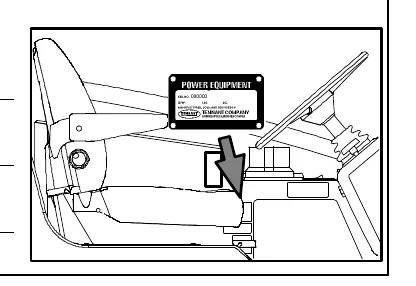
MACHINE DATA
Please fill out at time of installation for future reference.
Model No. −
Serial No. −
Installation Date −
INTENDED USE
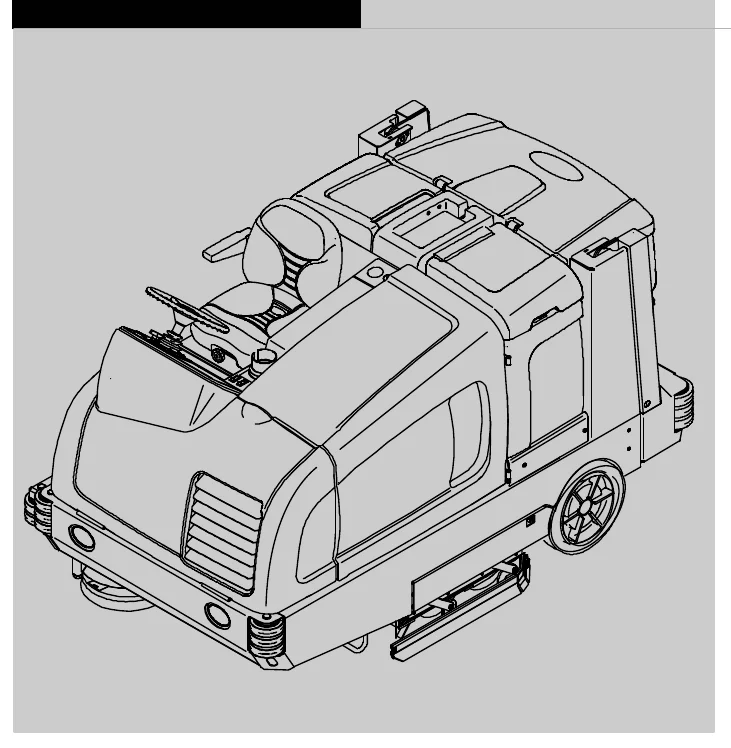
The M30 is an industrial rider machine designed to sweep/scrub hard surfaces (concrete, asphalt, stone, synthetic, etc). Typical applications include industrial warehouses, manufacturing facilities, distribution facilities, stadiums, arenas, convention centers, parking facilities, transportation terminals, and construction sites. Do not use this machine on soil, grass, artificial turf, or carpeted surfaces. This machine can be used both indoors and outdoors, but ensure there is adequate ventilation if used indoors. This machine is not intended for use on public roadways. Do not use this machine other than described in this Operator Manual.
Tennant Company
PO Box 1452
Minneapolis, MN 55440
Phone: (800) 553−8033 or (763) 513−2850
www.tennantco.com
Thermo−Sentry, Touch−N−Go, 1−STEP, Clean−Wedge, Variable Drain Valve, EasyOpen, Grip−n−Go, MaxPro, Dura−Track, SmartRelease, InstantAccess, Duramer, FaST−PAK, ErgoSpace, Insta−Fit, and Lower Total Cost of Ownership are trademarks of Tennant Company.
Specifications and parts are subject to change without notice.
Copyright © 2008−2016 TENNANT Company, Printed in U.S.A.
CONTENTS
| Topic | Page |
|---|---|
| Important Safety Precautions − Save these Instructions | 3 |
| Operation | 7 |
| Machine Components | 7 |
| Controls And Instruments | 8 |
| Touch Panel | 9 |
| Symbol Definitions | 10 |
| Operation Of Controls | 11 |
| Charging System Indicator | 11 |
| Engine Oil Pressure Indicator | 11 |
| Check Engine Indicator (S/N 000000−001138) | 11 |
| Glow Plug (Preheat) | 11 |
| Parking Brake Indicator (Option) | 11 |
| Setting The Engine Speed | 12 |
| Side Brush (Option) | 12 |
| Fuel Indicator | 12 |
| Hour Meter | 13 |
| Supervisor Control Buttons | 13 |
| Operating Lights | 13 |
| Hazard Light (Option) | 13 |
| Operator Seat | 14 |
| Seat Belts | 14 |
| Steering Column Tilt Knob | 15 |
| Brake Pedal | 15 |
| Parking Brake Pedal | 15 |
| Directional Pedal | 15 |
| Squeegee Protectors (Option) | 15 |
| How The Machine Works | 16 |
| Brush Information | 17 |
| While Operating The Machine | 17 |
| Pre−Operation Checklist | 18 |
| Starting The Machine | 19 |
| Turning Off The Machine | 19 |
| Filling The Solution Tank | 20 |
| Foam Scrubbing (Fast Mode) / Ec−H2o Scrubbing (Ec−H2o Mode) | 20 |
| Conventional Scrubbing Mode | 20 |
| Es (Extended Scrub) Mode With Auto−Fill | 21 |
| Es (Extended Scrub) Mode − Manually Filling Tanks | 21 |
| Setting Scrub Modes | 22 |
| Setting Fast Mode | 22 |
| Setting Es (Extended Scrub) Mode | 22 |
| Setting Ec−H2o Mode | 22 |
| Setting Brush Pressure | 22 |
| Setting Solution Flow | 23 |
| Conventional, Fast, And Ec−H2o Solution Flow | 23 |
| Es (Extended Scrub) Solution Flow | 23 |
| Scrubbing | 24 |
| Double Scrubbing | 25 |
| Water Pickup Mode (No Scrubbing) | 26 |
| Sweeping | 26 |
| Emptying The Hopper | 28 |
| Engaging Hopper Support Pin | 29 |
| Disengaging Hopper Support Pin | 29 |
| Removing The Hopper Dust Filter | 30 |
| Cleaning The Hopper And Debris Screen | 31 |
| Draining And Cleaning The Recovery Tank | 33 |
| Draining The Recovery Tank With The Drain Hose | 33 |
| Draining The Recovery Tank With The Drain Plug | 34 |
| Draining And Cleaning The Solution Tank | 36 |
| Fault Indicator(S) | 38 |
| Conditions / Warnings | 39 |
| Options | 40 |
| Spray Nozzle (Option) | 40 |
| Vacuum Wand (Option) | 41 |
| High Pressure Washer (Option) | 42 |
| Machine Troubleshooting | 44 |
| Maintenance | 46 |
| Maintenance Chart | 47 |
| Lubrication | 50 |
| Engine Oil | 50 |
| Squeegee Caster Bearings | 50 |
| Front Wheel Support Bearing | 50 |
| Steering Cylinder Bearing | 50 |
| Rear Wheel Bearings | 50 |
| Hopper Lift Arm Pivots | 51 |
| Hopper Door Pivots | 51 |
| Torque Tubes | 51 |
| Hydraulics | 52 |
| Hydraulic Fluid | 53 |
| Hydraulic Hoses | 53 |
| Engine | 54 |
| Cooling System | 54 |
| Air Filter | 55 |
| Fuel Filter | 55 |
| Fuel Lines | 55 |
| Priming The Fuel System | 56 |
| Engine Belt | 56 |
| Battery | 56 |
| Fuses And Relays | 57 |
| Relay Panel Fuses And Relays | 57 |
| Engine Harness Fuses And Relays | 58 |
| Optional Relays | 58 |
| Circuit Breakers (Ec−H2o) | 58 |
| Cleaning The Hopper Dust Filter | 58 |
| Thermo−Sentry | 59 |
| Main Brushes | 59 |
| Replacing Or Rotating The Main Brushes | 59 |
| Checking The Main Brush Pattern | 61 |
| Adjusting The Main Brush Taper | 62 |
| Adjusting The Main Brush Width | 62 |
| Side Brush (Option) | 63 |
| Replacing The Side Brush | 63 |
CONTENTS
| Topic | Page |
|---|---|
| Fast System | 64 |
| Replacing The Fast−Pak Carton | 64 |
| Cleaning The Fast Supply Hose Connector | 64 |
| Cleaning The Fast System Filter Screen | 64 |
| Replacing The Fast System Filters | 65 |
| Ec−H2o Module Flush Procedure | 65 |
| Cleaning The Ec−H2o Filter Screen | 66 |
| Squeegee Blades | 67 |
| Replacing (Or Rotating) The Rear Squeegee Blades | 67 |
| Replacing Or Rotating The Side Squeegee Blades | 69 |
| Replacing The Side Brush Squeegee Blade (S/N 000000−001278) (Option) | 71 |
| Replacing Or Adjusting The Side Brush Squeegee Blade (S/N 001279− ) (Option) | 72 |
| Leveling The Rear Squeegee | 73 |
| Adjusting The Rear Squeegee Blade Deflection | 74 |
| Skirts And Seals | 75 |
| Scrub Head Skirt | 75 |
| Recovery Tank Seal | 75 |
| Solution Tank Seals | 75 |
| Brakes And Tires | 76 |
| Brakes | 76 |
| Tires | 76 |
| Front Wheel | 76 |
| Propelling Motor | 76 |
| Pushing, Towing, And Transporting The Machine | 77 |
| Pushing Or Towing The Machine | 77 |
| Transporting The Machine | 77 |
| Machine Jacking | 79 |
| Storage Information | 79 |
| Freeze Protection (Machines Without Ec−H2o System) | 80 |
| Freeze Protection (Machines With Ec−H2o System) | 80 |
| Priming The Ec−H2o System | 82 |
| Specifications | 83 |
| General Machine Dimensions/Capacities | 83 |
| General Machine Performance | 83 |
| Hydraulic System | 83 |
| Steering | 84 |
| Power Type | 84 |
| Tires | 84 |
| Fast System | 85 |
| Ec−H2o System | 85 |
| Machine Dimensions | 86 |
| Index | 87 |
SAFETY PRECAUTIONS
IMPORTANT SAFETY INSTRUCTIONS − SAVE THESE INSTRUCTIONS
The following precautions are used throughout this manual as indicated in their description:
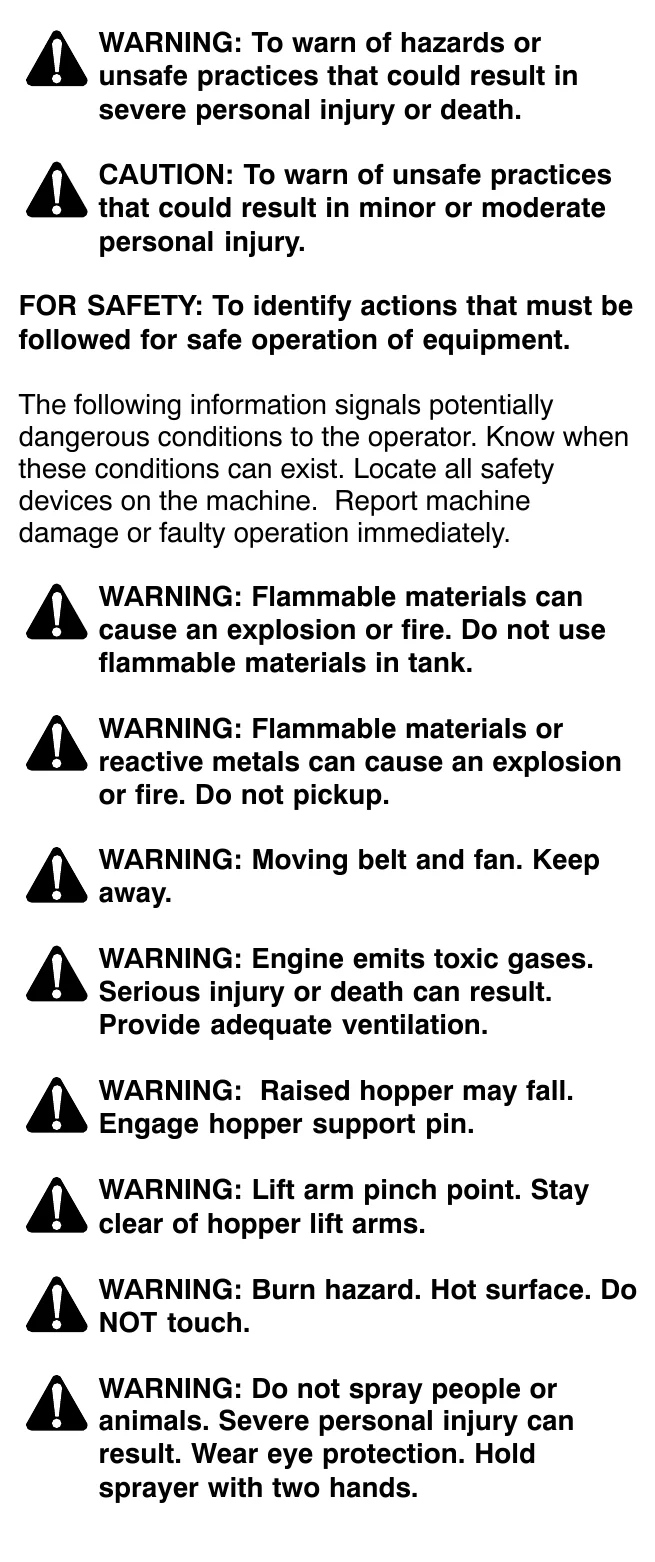
FOR SAFETY: To identify actions that must be followed for safe operation of equipment.
The following information signals potentially dangerous conditions to the operator. Know when these conditions can exist. Locate all safety devices on the machine. Report machine damage or faulty operation immediately.
This machine may be equipped with technology that automatically communicates over the cellular network. If this machine will be operated where cell phone use is restricted because of concerns related to equipment interference, please contact a Tennant representative for information on how to disable the cellular communication functionality.
FOR SAFETY:
- Do not operate machine:
- Unless trained and authorized.
- Unless operator manual is read and understood.
- Under the influence of alcohol or drugs.
- While using a cell phone or other types of electronic devices.
- Unless mentally and physically capable of following machine instructions.
- If it is not in proper operating condition.
- In areas where flammable vapors/liquids or combustible dusts are present.
- In areas that are too dark to safely see the controls or operate the machine unless operating / headlights are turned on.
- In areas with possible falling objects unless equipped with overhead guard.
- Before starting machine:
- Check machine for fluid leaks.
- Keep sparks and open flame away from refueling area.
- Make sure all safety devices are in place and operate properly.
- Check brakes and steering for proper operation.
- Adjust seat and fasten seat belt.
- When starting machine:
- Keep foot on brake and directional pedal in neutral.
SAFETY PRECAUTIONS
4. When using machine:
- Use only as described in this manual.
- Do not pick up burning or smoking debris, such as cigarettes, matches or hot ashes
- Use brakes to stop machine.
- Go slow on inclines and slippery surfaces.
- Reduce speed when turning.
- Keep all parts of body inside operator station while machine is moving.
- Use care when reversing machine.
- Move machine with care when hopper is raised.
- Make sure adequate clearance is available before raising hopper.
- Do not raise hopper when machine is on an incline.
- Never allow children to play on or around machine.
- Do not carry passengers on machine.
- Always follow safety and traffic rules.
- Report machine damage or faulty operation immediately.
- Follow mixing, handling and disposal instructions on chemical containers.
- Follow safety guidlines concerning wet floors.
5. Before leaving or servicing machine:
- Do not park near combustible materials, dusts, gases, or liquids.
- Stop on level surface.
- Set parking brake.
- Turn off machine and remove key.
6. When servicing machine:
- All work must be done with sufficient lighting and visibility.
- Avoid moving parts. Do not wear loose clothing, jewelry and secure long hair.
- Block machine tires before jacking machine up.
- Jack machine up at designated locations only. Support machine with jack stands.
- Use hoist or jack that will support the weight of the machine.
- Do not power spray or hose off machine near electrical components.
- Disconnect battery connections before working on machine.
- Avoid contact with battery acid.
- Avoid contact with hot engine coolant.
- Do not remove cap from radiator when engine is hot.
- Allow engine to cool.
- Keep flames and sparks away from fuel system service area. Keep area well ventilated.
- Use cardboard to locate leaking hydraulic fluid under pressure.
- All repairs must be performed by a trained service mechanic.
- Do not modify the machine from its original design.
- Use Tennant supplied or approved replacement parts.
- Wear personal protective equipment as needed and where recommended in this manual.

For Safety: wear hearing protection.

For Safety: wear protective gloves.

For Safety: wear eye protection.

For Safety: wear protective dust mask.
7. When loading/unloading machine onto/off truck or trailer:
- Drain tanks before loading machine.
- Lower scrub head and squeegee before tying down machine.
- Empty debris hopper before loading machine.
- Turn off machine and remove key.
- Use ramp, truck or trailer that will support the weight of the machine and operator.
- Use winch. Do not drive the machine onto/off the truck or trailer unless the load height is 380 mm (15 in) or less from the ground.
- Set parking brake after machine is loaded.
- Block machine tires.
- Tie machine down to truck or trailer.
SAFETY PRECAUTIONS
The following safety labels are mounted on the machine in the locations indicated. If these or any labels become damaged or illegible, install a new label in its place.
EMISSIONS LABEL − Located on the side of the operator compartment.
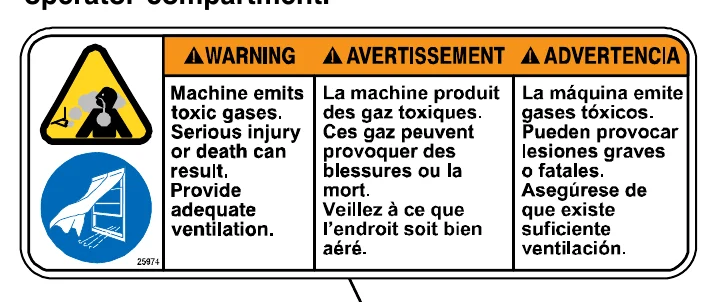
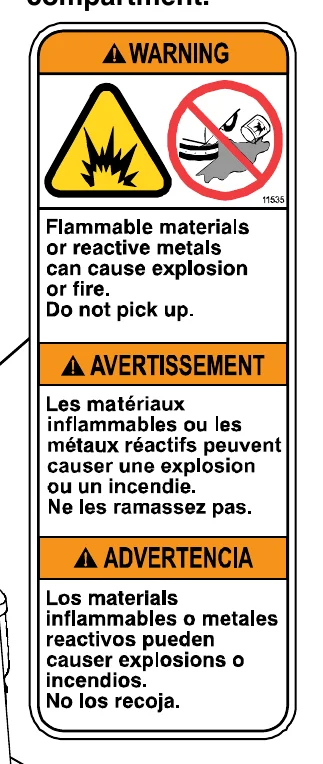
FLAMMABLE SPILLS LABEL − Located on the side of the operator compartment.
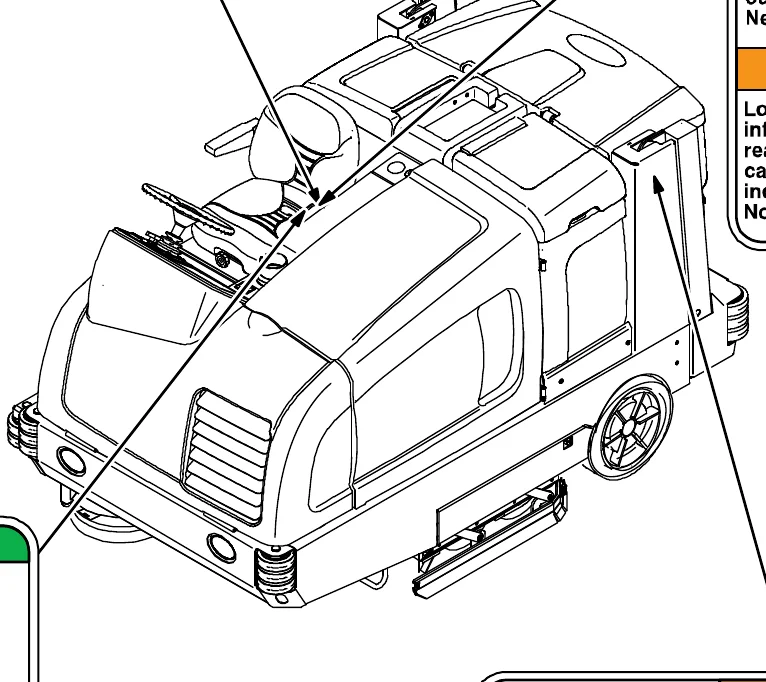
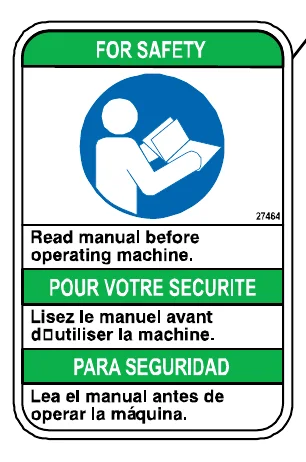
FOR SAFETY LABEL − Located on the side of the operator compartment.
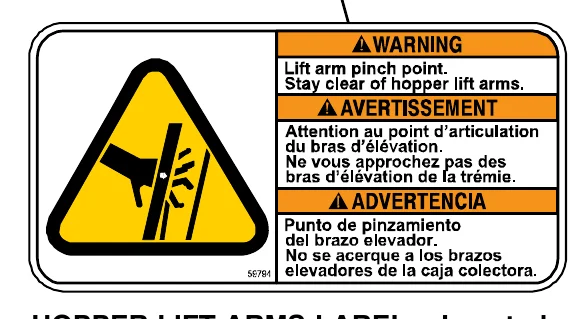
HOPPER LIFT ARMS LABEL − Located on both hopper lift arms.
SAFETY PRECAUTIONS
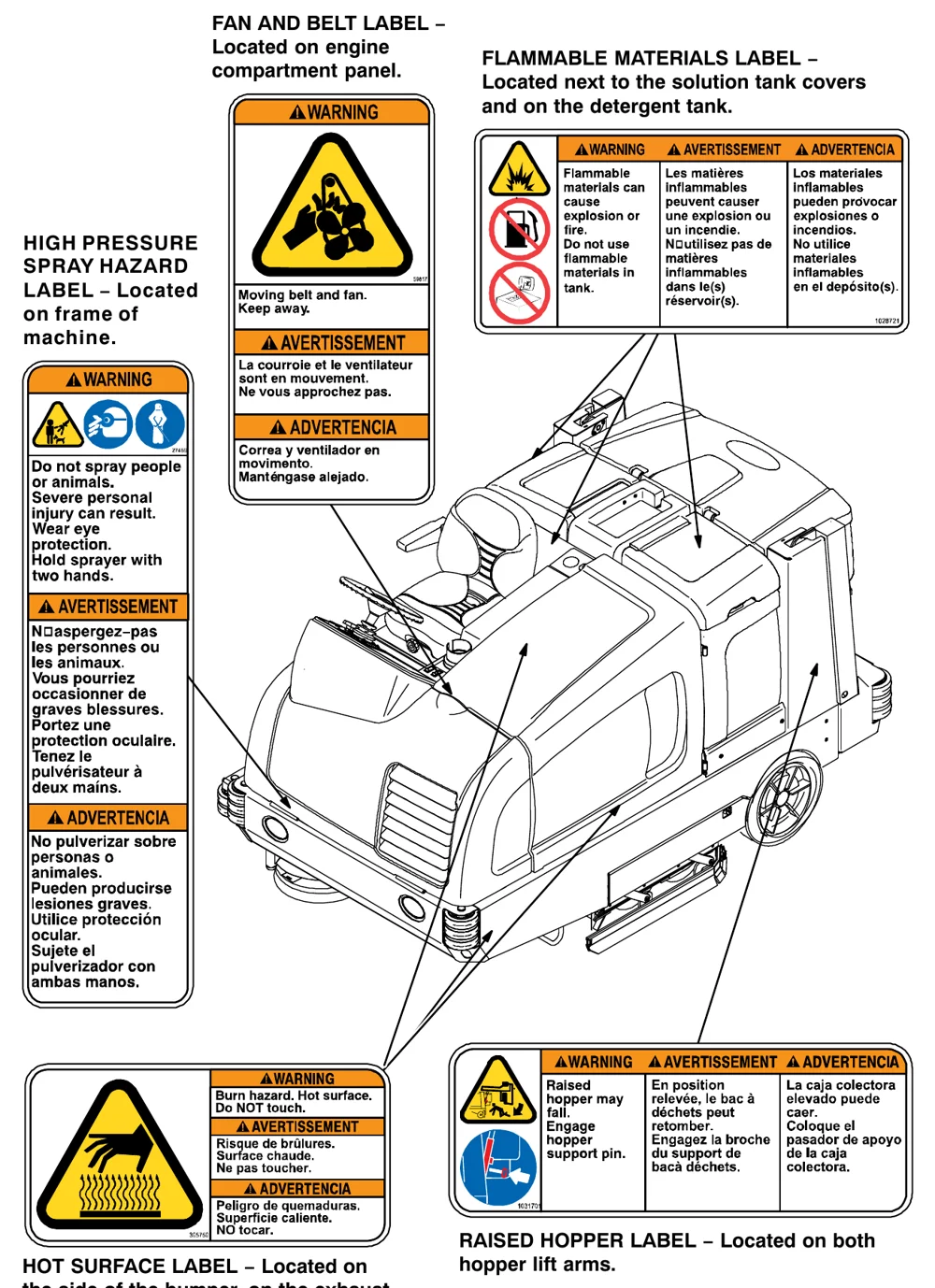
FAN AND BELT LABEL − Located on engine compartment panel.
FLAMMABLE MATERIALS LABEL − Located next to the solution tank covers and on the detergent tank.
HIGH PRESSURE SPRAY HAZARD LABEL − Located on frame of machine.
HOT SURFACE LABEL − Located on the side of the bumper, on the exhaust shield, and on the hydraulic reservoir.
RAISED HOPPER LABEL − Located on both hopper lift arms.
OPERATION
MACHINE COMPONENTS
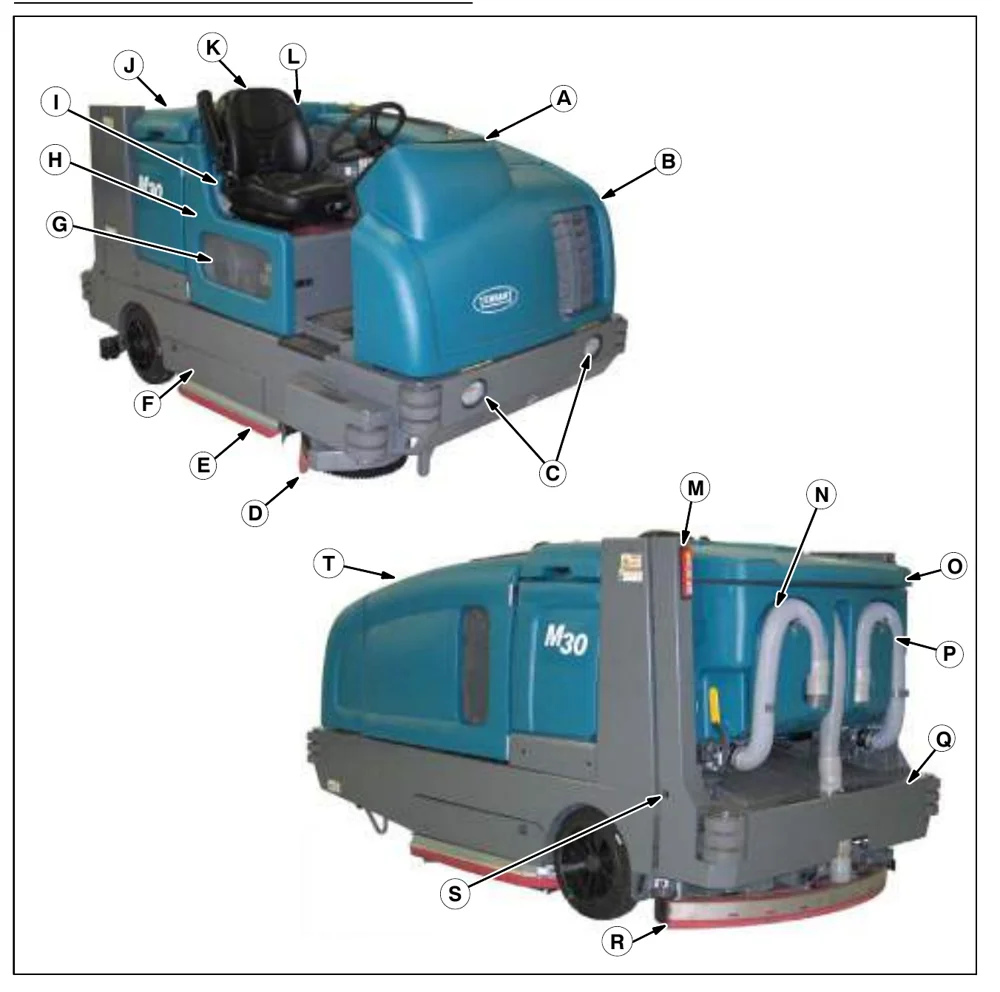
- A. Instrument panel
- B. Front shroud
- C. Headlights
- D. Side brush (option)
- E. Side squeegee
- F. Scrub head access door
- G. Fuel tank
- H. Seat shroud
- I. FaST carton, or ES detergent tank, or ec−H2O System Module compartment (option)
- J. Solution tank cover
- K. Operator seat
- L. Spray wand − nozzle behind seat (option)
- M. Taillights
- N. Recovery tank drain hose
- O. Recovery tank cover
- P. Solution tank drain hose
- Q. Hopper
- R. Rear squeegee
- S. Hopper safety pin
- T. Engine cover
OPERATION
CONTROLS AND INSTRUMENTS
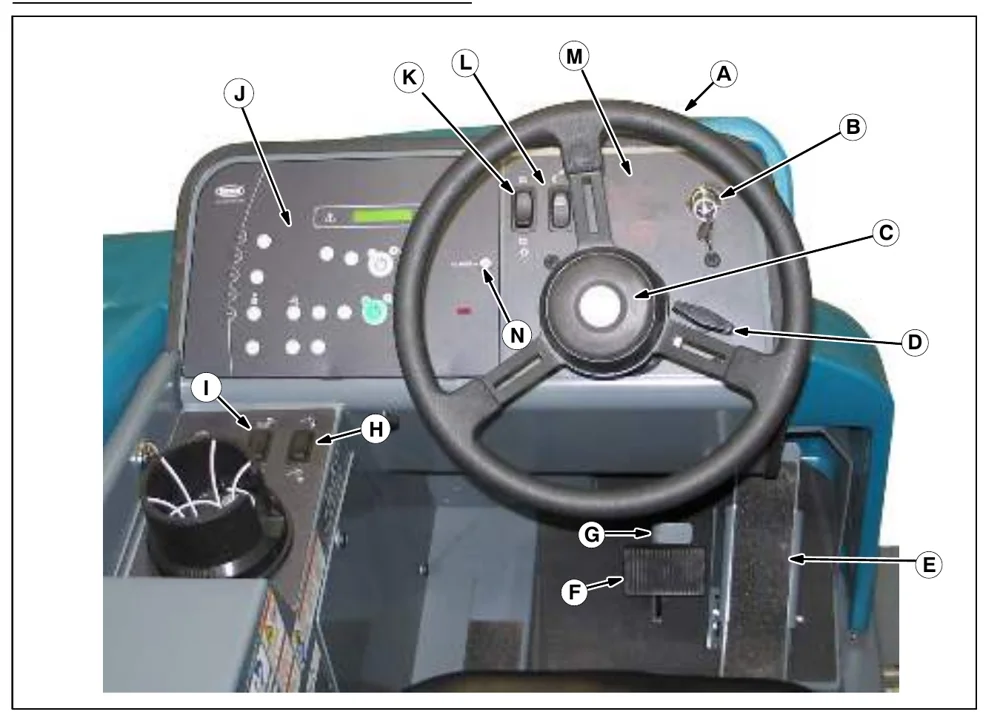
- Steering wheel
- Ignition switch
- Horn button
- Steering column tilt knob
- Directional pedal
- Brake pedal
- Parking brake pedal
- Hopper door open / close switch
- Hopper raise / lower switch
- Touch panel
- Operating / Hazard Lights switch
- Spray nozzle switch (option)
- Engine indicator lights
- ec−H2O system indicator light (option)
OPERATION
TOUCH PANEL
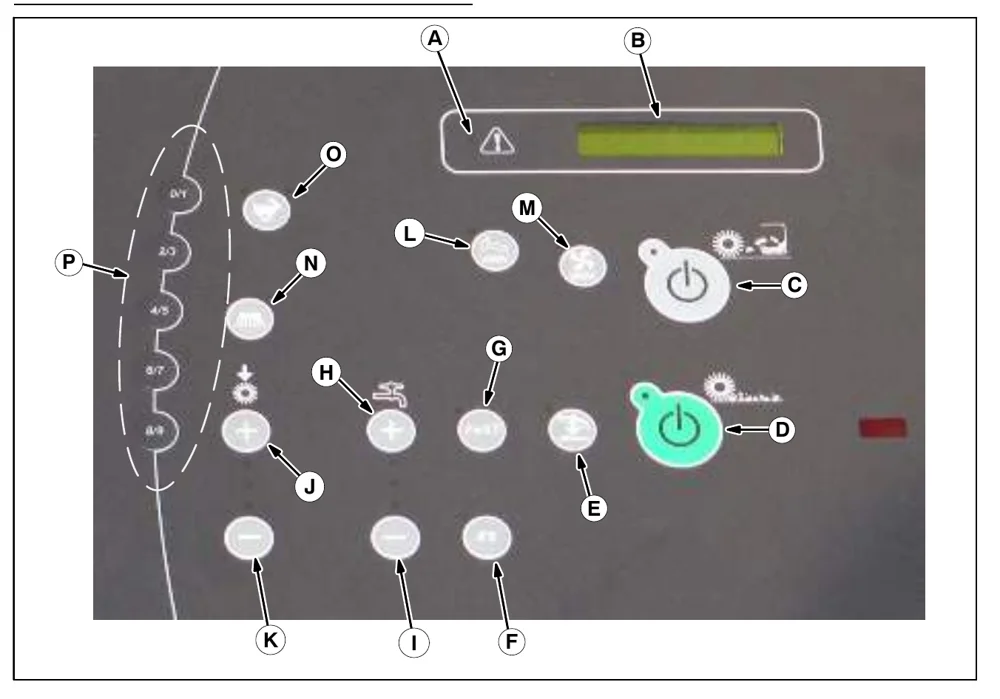
| Key | Button or indicator |
|---|---|
| A | Fault indicator light |
| B | Hour meter / fuel indicator / fault code indicator |
| C | 1−STEP sweep button |
| D | 1−STEP scrub button |
| E | Scrub vacuum fan / squeegee button |
| F | ES (Extended Scrub) button (option) |
| G | FaST button (option) ec−H2O button (option) |
| H | Solution increase button (+) |
| I | Solution decrease button (−) |
| J | Brush pressure increase button (+) |
| K | Brush pressure decrease button (−) |
| L | Filter shaker button |
| M | Sweep vacuum fan button |
| N | Side brush button (option) |
| O | Engine speed button |
| P | Supervisor control buttons |
OPERATION
SYMBOL DEFINITIONS
These symbols are usd on the machine to identify controls, displays, and features.
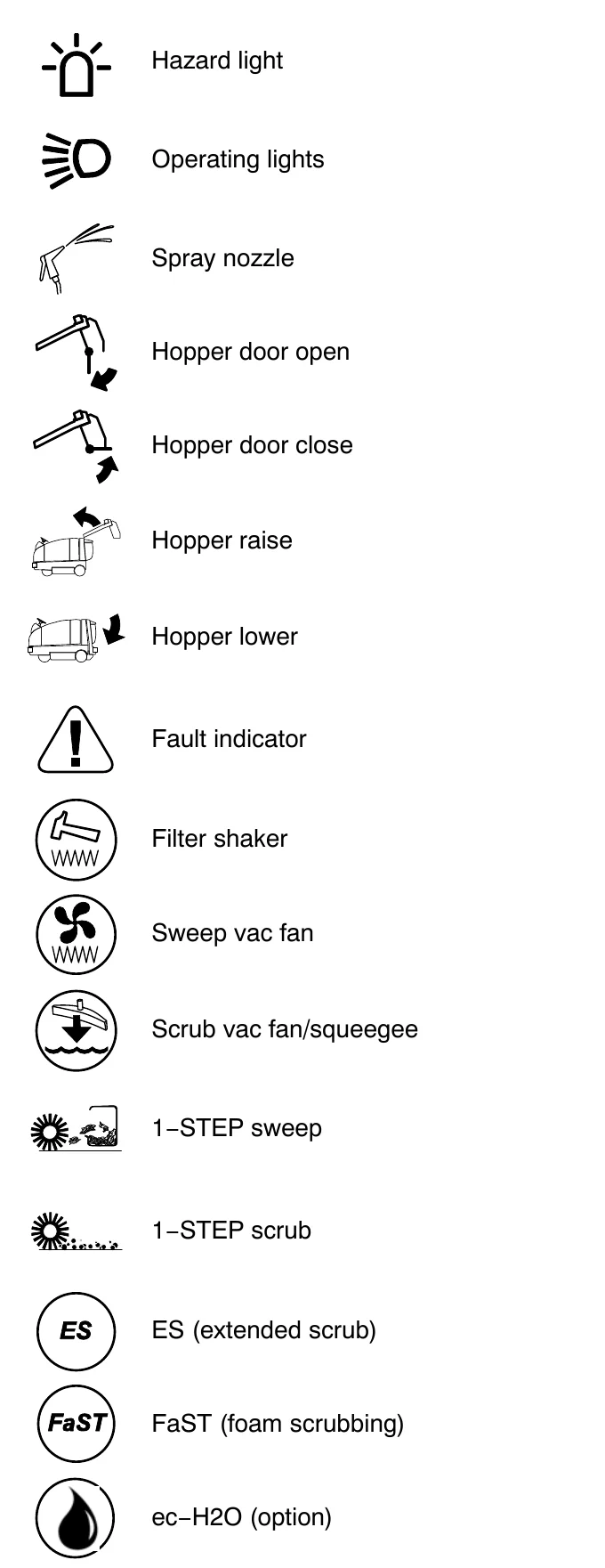
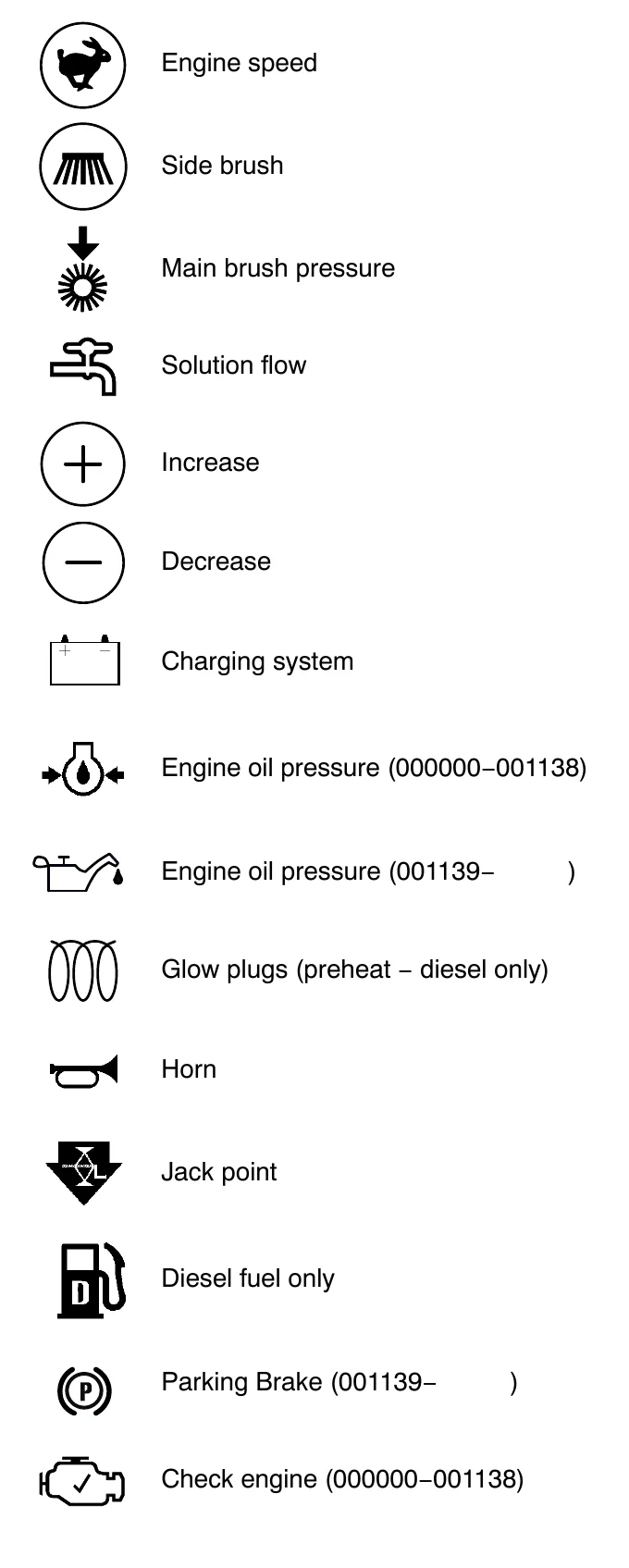
OPERATION OF CONTROLS
Batteries and chargers: make sure your charger is compatible with your batteries, and set its charging algorithm to your battery pack before you use it.
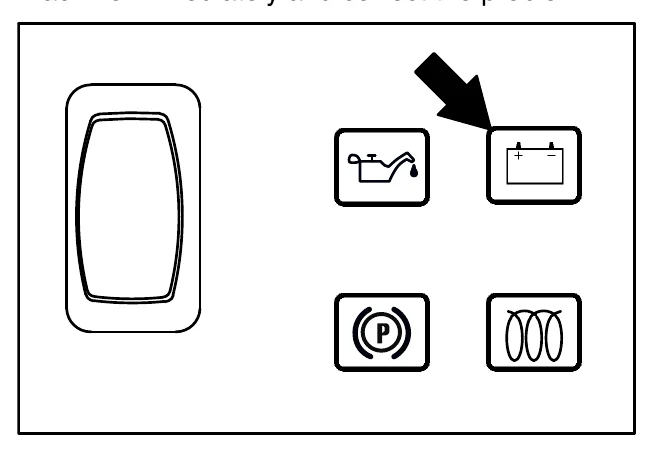
CHARGING SYSTEM INDICATOR
The Charging system indicator comes on when the alternator is not operating within the normal range. If this indicator comes on, stop the machine immediately and correct the problem.
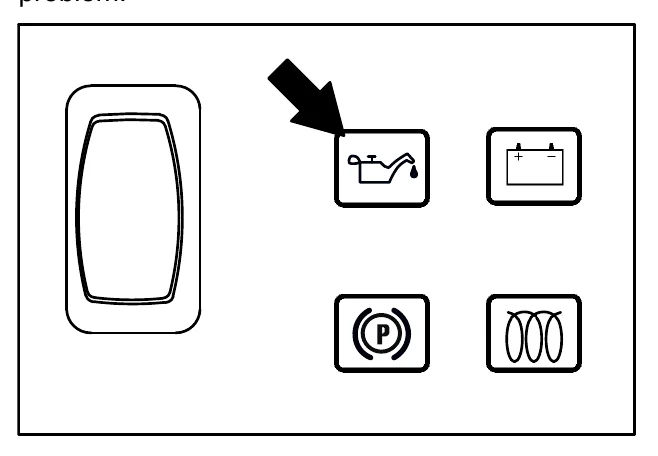
ENGINE OIL PRESSURE INDICATOR
The Engine oil pressure indicator comes on when the engine oil pressure falls below the normal operating pressure. If this indicator comes on, stop the machine immediately and correct the problem.
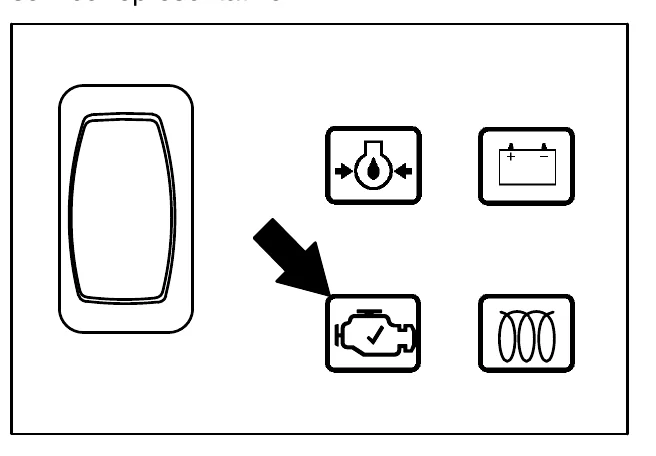
CHECK ENGINE INDICATOR (S/N 000000−001138)
The Check engine indicator comes on when the engine control system detects a fault during machine operation.
If this indicator comes on, contact a Tennant service representative.
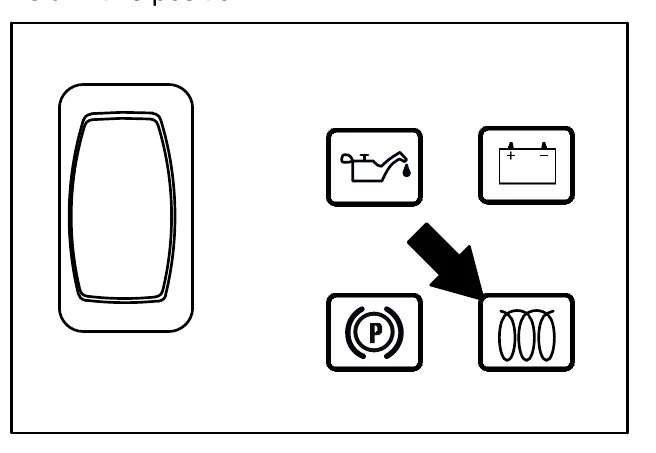
GLOW PLUG (PREHEAT)
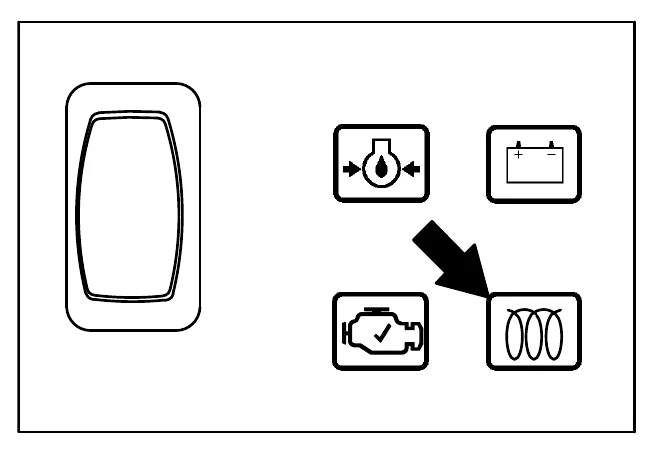
The Glow plug light comes on when the igntition switch is turned counterclockwise to the preheat position. The light will stay on when the key is held in this position.
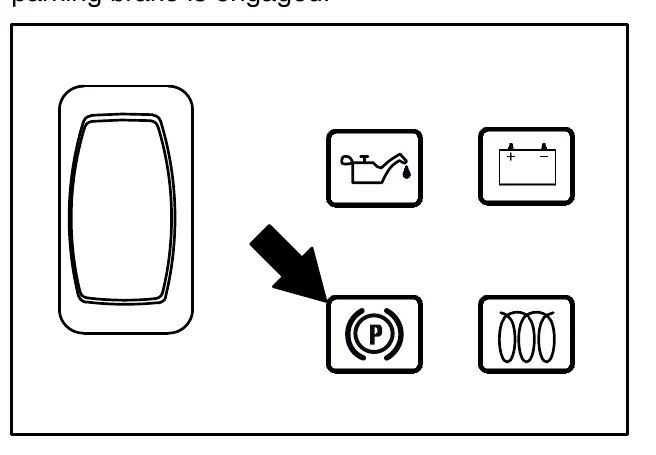
PARKING BRAKE INDICATOR (OPTION)
The parking brake indicator comes on when the parking brake is engaged.
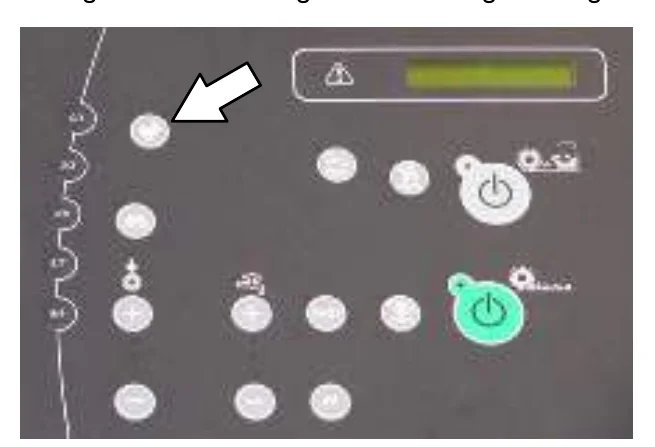
SETTING THE ENGINE SPEED
The engine speed is controlled automatically when either the 1−STEP Scrub button or 1−STEP Sweep button is pressed. When not sweeping or scrubbing, press the Engine Speed button to increase the engine RPM for increased travel speed. Press the Engine Speed button again to reduce the engine RPM. The two lights above the button indicate engine speed setting. When one light is lit the engine is in the low setting. When two lights are lit the engine is in the high setting.
SIDE BRUSH (OPTION)
The side brush allows users to sweep or scrub difficult to reach corners and areas near walls. The side brush also widens the scrubbing/sweeping path.
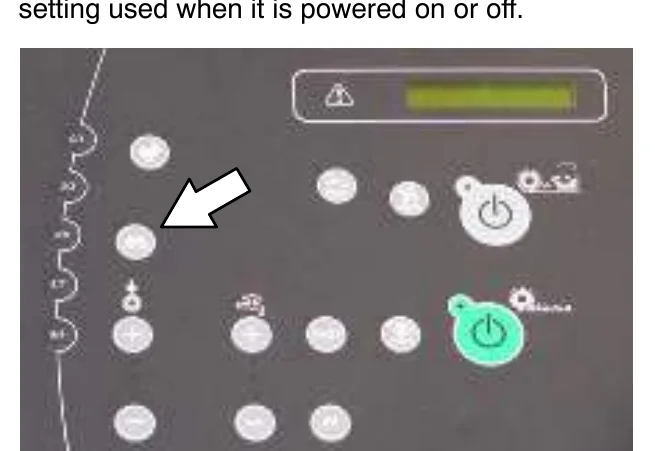
With the 1−STEP Scrub button or 1−STEP Sweep button activated, press the Side brush button to lower and start the side brush. The light next to the button will come on. When finished using the side brush, press the button again to raise and stop the side brush. The light next to the button will turn off. The machine will default to the last setting used when it is powered on or off.
FUEL INDICATOR
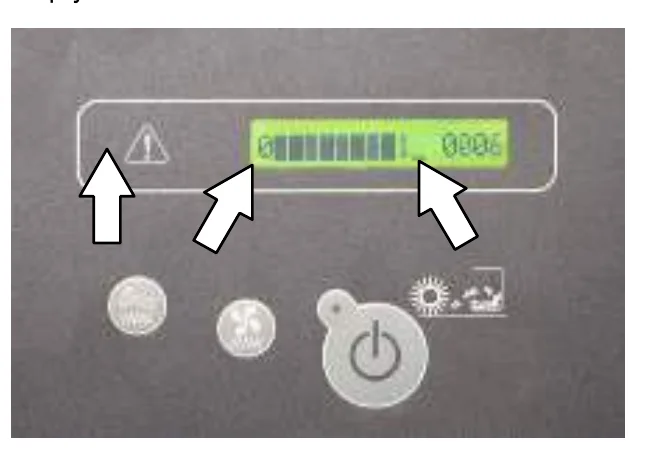
The Fuel indicator displays the amount of fuel left in the tank. The fault indicator will flash and a low fuel message will appear when the tank is near empty.
OPERATION
HOUR METER
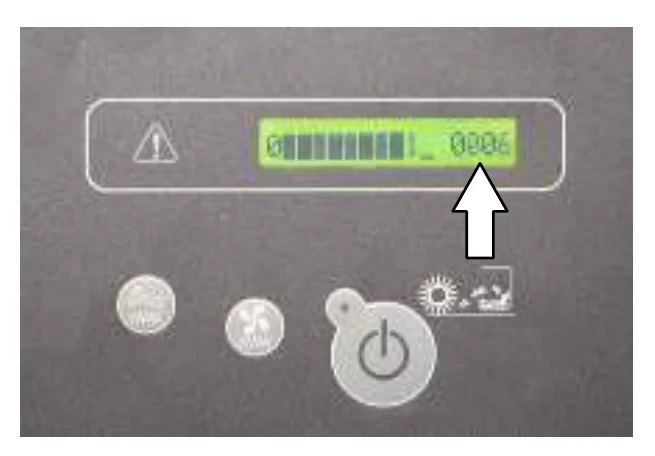
The Hour meter records the hours the machine was operated. Use this information to determine machine service intervals.
SUPERVISOR CONTROL BUTTONS
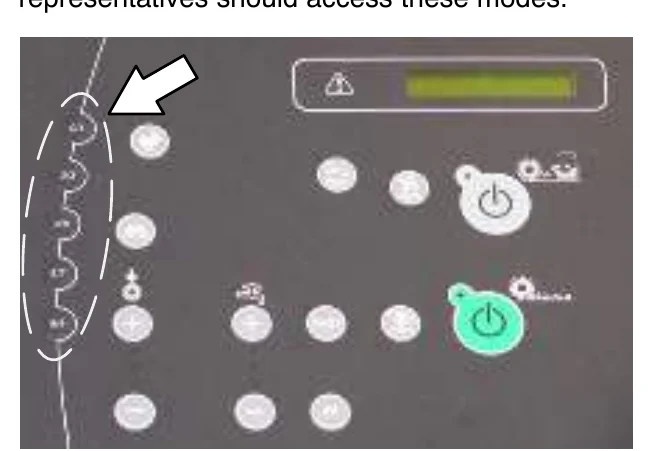
The Supervisor Control buttons are for accessing the configuration and diagnostic modes. Only properly trained service personnel and TENNANT representatives should access these modes.
OPERATING LIGHTS
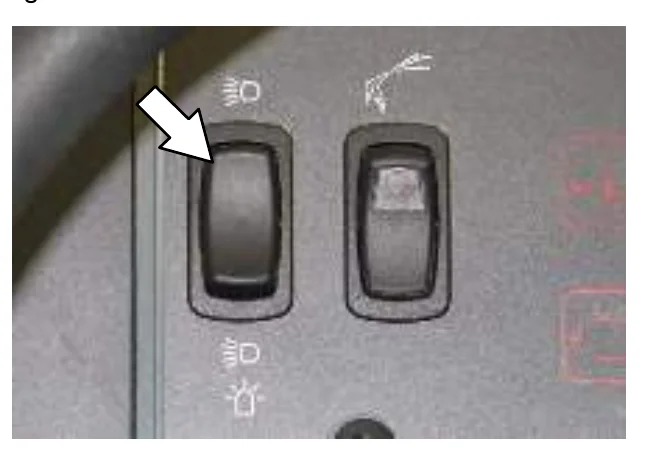
Push the top of the Operating / hazard light switch to turn on the headlights and taillights. Return the light switch to the center position to turn off the lights.
HAZARD LIGHT (OPTION)
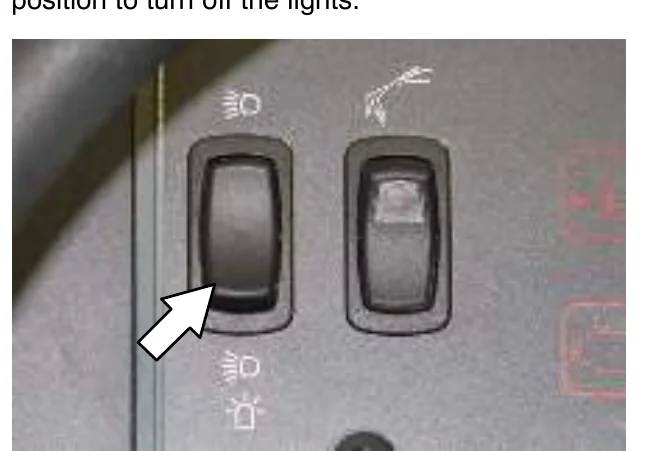
Press the bottom of the Operating / hazard light switch to turn on the hazard light, headlights, and taillights. Return the light switch to the center position to turn off the lights.
OPERATION
OPERATOR SEAT
The operator seat has three adjustments: backrest angle, operator weight, and front to back.
The backrest adjustment knob adjusts the angle of the backrest.
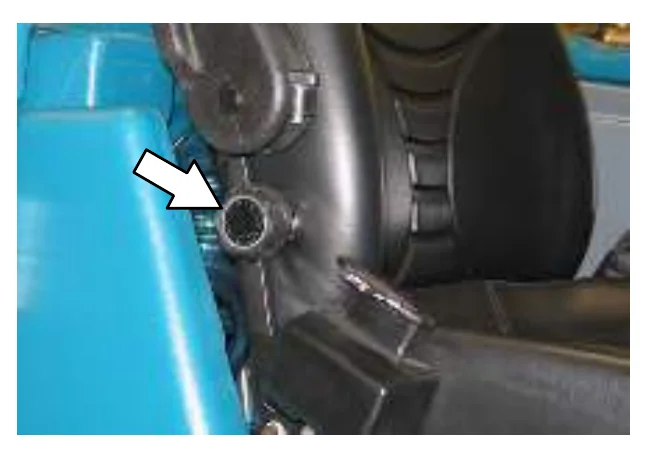
Increase angle: Turn the angle adjustment knob counterclockwise.
Decrease angle: Turn the angle adjustment knob clockwise.
The weight adjustment knob controls the firmness of the operator seat.
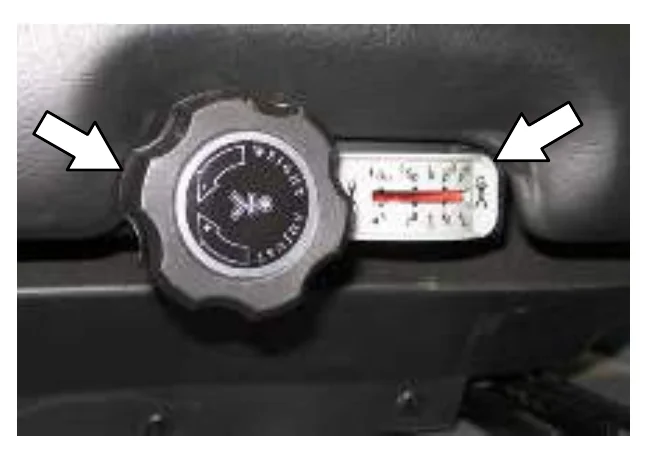
Increase firmness: Turn the weight adjustment knob clockwise.
Decrease firmness: Turn the weight adjustment knob counterclockwise.
Use the gauge next to the weight adjustment knob to help determine seat firmness for the operator.
The front−to−back adjustment lever adjusts the seat position.
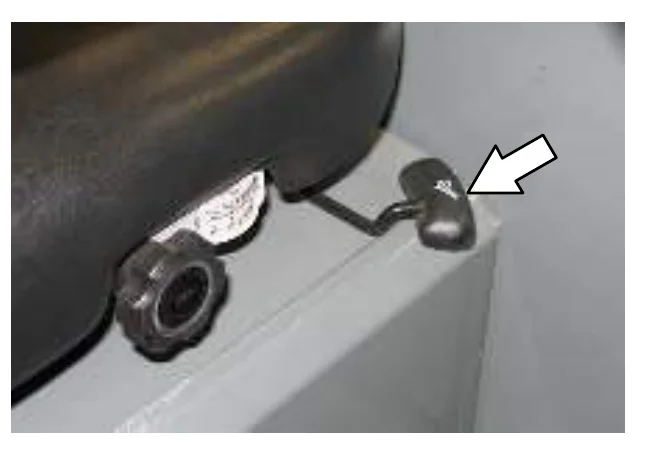
Adjust: Pull the lever out and slide the seat to the desired position. Release the lever to lock the seat into place.
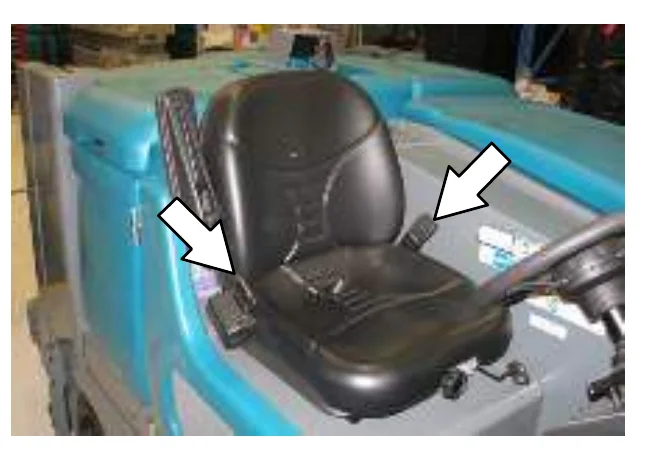
SEAT BELTS
FOR SAFETY: Before starting machine, adjust seat and fasten seat belt.
OPERATION
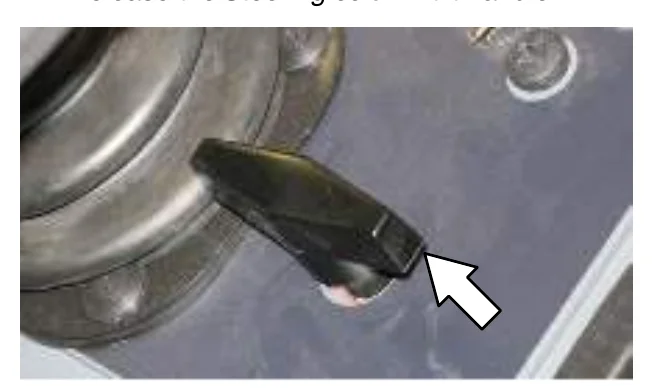
STEERING COLUMN TILT KNOB
- Pull the Steering column tilt knob and adjust the steering column to the desired height.
- Release the Steering column tilt handle.
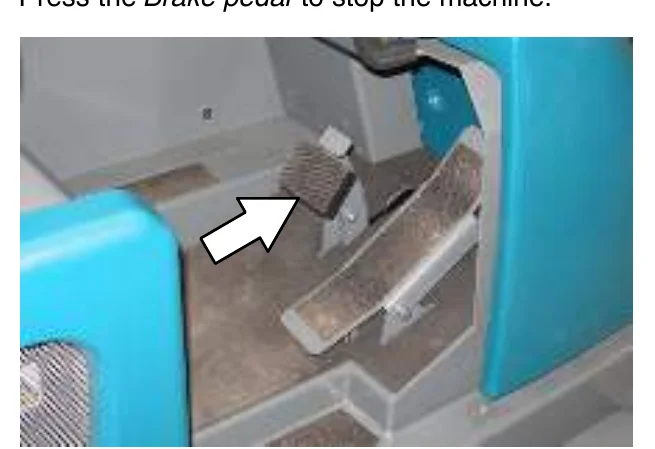
BRAKE PEDAL
Press the Brake pedal to stop the machine.
PARKING BRAKE PEDAL
Press the Brake pedal down as far as possible and use toe to lock the Parking brake pedal into place. Press the Brake pedal to release the parking brake. The Parking brake pedal will return to the unlocked position.
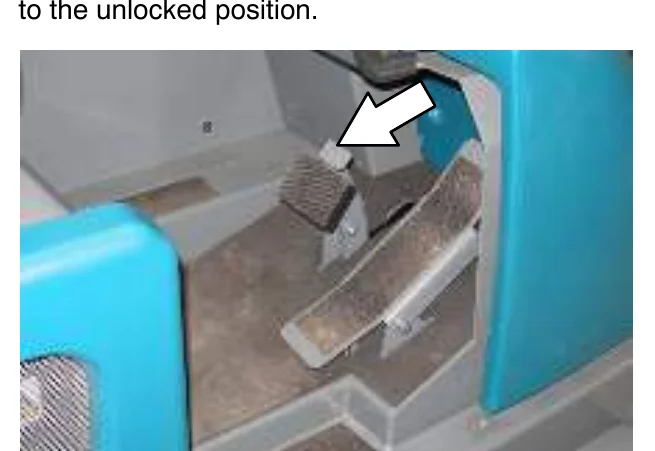
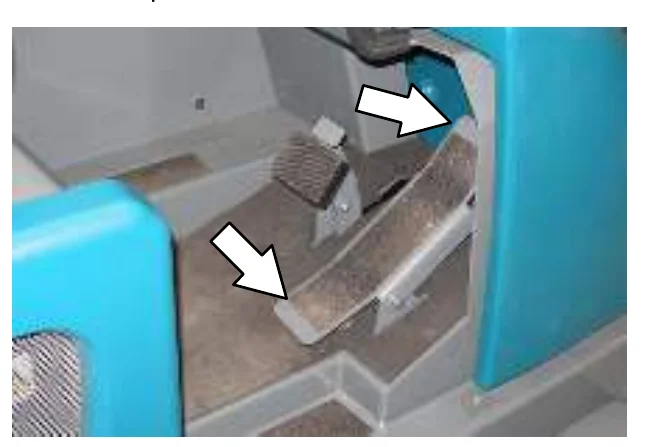
DIRECTIONAL PEDAL
Press the top of the Directional pedal to move forward and the bottom of the pedal to move backward. The backup lights will come on when the machine is in reverse. The pedal returns to the neutral position when it is released.
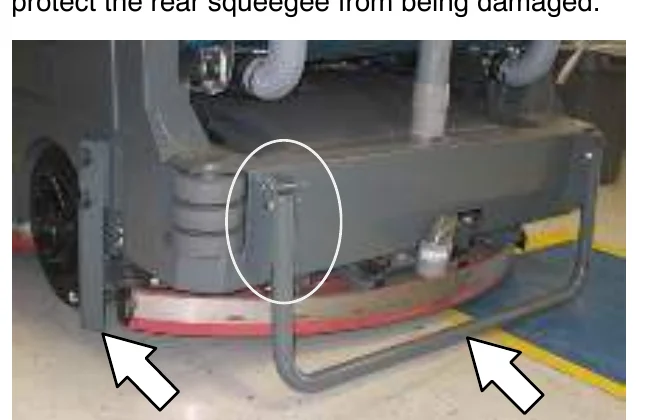
SQUEEGEE PROTECTORS (OPTION)
The rear and side squeegee protectors help protect the rear squeegee from being damaged.
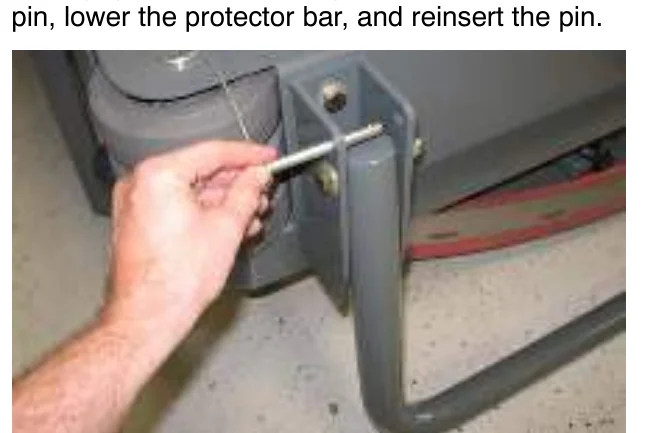
To engage the rear squeegee protector, pull the pin, lower the protector bar, and reinsert the pin.
OPERATION
HOW THE MACHINE WORKS
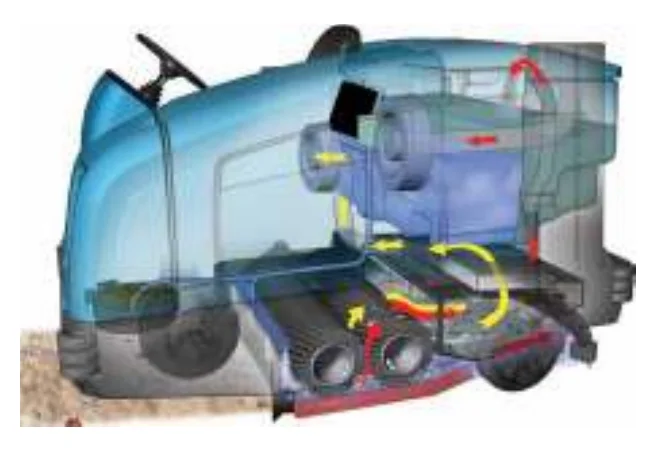
This machine can effectively scrub or sweep dirty floors. The 1−STEP Scrub button and 1−STEP Sweep button make it possible to immediately begin scrubbing or sweeping.
The 1−STEP Sweep button operates all the dry sweeping functions (without scrubbing). The 1−STEP Scrub button operates all the scrubbing functions. (The machine also sweeps while scrubbing).
When in the conventional Scrub mode, a water and detergent mixture is used to scrub the floor.
When in the optional FaST (Foam scrubbing) mode, the FaST scrubbing system mixes the FaST−PAK concentrate with a small amount of water, creating a large volume of expanded wet foam. The FaST system can be used with all double scrubbing and heavy duty scrubbing applications.
When in the optional ES (Extended Scrub) mode, the dirty solution in the recovery tank is filtered through the ES system and returned to the solution tank for reuse. Detergent is then injected into the returned solution to revitalize the cleaning capability of the solution.
When in the optional ec−H2O (electrically converted water) mode, normal water passes through a module where it is oxygenated and charged with an electric current. The electrically converted water changes into a blended acidic and alkaline solution forming a neutral pH cleaner. The converted water attacks the dirt, breaks it into smaller particles, and pulls it off the floor surface allowing the machine to easily scrub away the suspended soil. The converted water then returns to normal water in the recovery tank. The ec−H2O system can be used while double scrubbing.
BRUSH INFORMATION
For best results, use the correct brush type for the cleaning application. Listed below are the brushes and the applications for which each is best suited.
PolyPro brush − Heavy duty polypropylene bristles provide a more aggressive cleaning performance and can more easily lift compacted dirt, debris, and sand while offering excellent scrubbing performance.
Polypropylene brush − General purpose polypropylene bristles lift lightly compacted dirt without scuffing high-gloss coated floors.
Polyester brush − Softer general purpose polyester bristles lift light debris while sweeping and gently clean while scrubbing. Perfect for sensitive floor surfaces. Polyester does not absorb water so it is preferred over Nylon in wet applications.
Super AB brush − Nylon fiber impregnated with abrasive grit to remove stains and compacted dirt. Aggressive action on any surface. Performs well on buildup, grease, or tire marks.
WHILE OPERATING THE MACHINE
Pick up oversized debris before scrubbing or sweeping. Pick up wire, string, twine, large pieces of wood, or any other debris that could become wrapped around or tangled in the brushes.
Drive as straight a path as possible. Avoid bumping into posts or scraping the sides of the machine. Overlap the scrub/sweep paths by several centimeters (a few inches).
Avoid turning the steering wheel too sharply when the machine is in motion. The machine is very responsive to the movement of the steering wheel. Avoid sudden turns, except in emergencies.
Adjust the machine speed, brush pressure, and solution flow as required when scrubbing. Use the lowest brush pressure and solution flow settings for best performance. If the machine is equipped with the FaST or ec−H2O system, use the FaST or ec−H2O system for the best scrubbing results.
Keep the machine moving to prevent damaging floor finishes.
If poor cleaning performance is observed, stop cleaning and refer to MACHINE TROUBLESHOOTING in this manual.
Perform the Daily Maintenance Procedures after each use (see MACHINE MAINTENANCE in this manual).
Drive the machine slowly on inclines. Use the brake pedal to control machine speed on descending inclines. Scrub with the machine up inclines rather than down inclines.
Do not operate machine in areas where the ambient temperature is above 43° C (110° F). Do not operate scrubbing functions in areas where the ambient temperature is below freezing 0° C (32° F).
The maximum rated incline for scrubbing with the machine is 10%. The maximum rated incline during transport of the machine is14%.
OPERATION
PRE−OPERATION CHECKLIST
- Check the hydraulic fluid level.
- Check the fuel level.
- Check the machine for fluid leaks.
- Check the condition of the main brushes. Remove string, banding, plastic wrap, or other debris wrapped around the brushes.
- Check the main brush compartment right skirts, seals, and squeegee for damage and wear.
- Side Brush Option: Check the condition of the brush. Remove string, banding, plastic wrap, or other debris wrapped around the brush.
- Side Brush Option: Check the condition of the side brush skirt or squeegee.
- Check the radiator and hydraulic cooler fins for debris.
- Check the engine coolant level.
- Check the engine oil level.
- Check the main brush compartment left skirts, seals, and squeegee for damage and wear.
- Check the left solution tank cover seal for damage and wear.
- Check the recovery tank cover seal for damage and wear.
- Clean the vacuum fan debris filter.
- Drain and clean the recovery tank.
- ES Option: Drain and clean the solution tank, float sensor, and ES filter.
- Check the right solution tank cover seal for damage and wear.
- Check the condition of the hopper dust filter and seals.
- Clean the hopper and the debris screen.
- Check the squeegee hose for debris or blockage.
- Check the squeegees for damage, wear, and deflection adjustment.
- FaST Scrubbing: Check the FaST−PAK concentrate agent level. Replace carton as needed. See the INSTALLING THE FaST−PAK CARTON section of the manual.
- FaST Scrubbing: Ensure all conventional cleaning agents are drained and rinsed from the solution tank.
- FaST Scrubbing: Ensure the solution tank is filled with clear cool water only.
- Check the headlights, taillights, and safety lights.
- Check the brakes and steering for proper operation.
- Check the service records to determine maintenance requirements.
OPERATION
STARTING THE MACHINE
- Sit in the operator seat and press the brake pedal or set the parking brake.
- Turn the key counterclockwise. The glow plug light will come on. Hold the key in this position for 15 to 30 seconds, depending on weather conditions. Colder weather requires longer time.
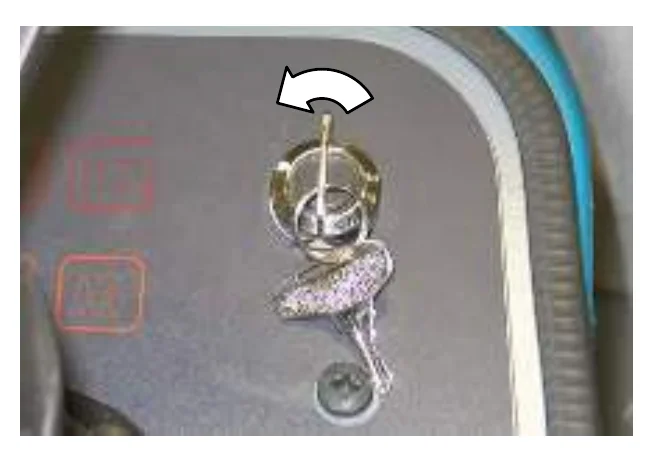
- Turn the key clockwise to start the engine.
- Allow the engine and hydraulic system to warm up for three to five minutes.
- Turn on lights.
TURNING OFF THE MACHINE
- Stop the machine and turn off all scrubbing/sweeping functions.
- Turn the ignition switch key counter clockwise to turn off the machine. Remain in the operator seat until the engine is off.
OPERATION
FILLING THE SOLUTION TANK
FOAM SCRUBBING (FaST MODE) / ec-H2O SCRUBBING (ec-H2O MODE)
- Open either the left or right solution tank fill cover.
- Fill the solution tank with only clean COOL WATER (less than 21°C / 70°F). DO NOT use hot water or add any conventional floor cleaning detergents or FaST system failure may result.
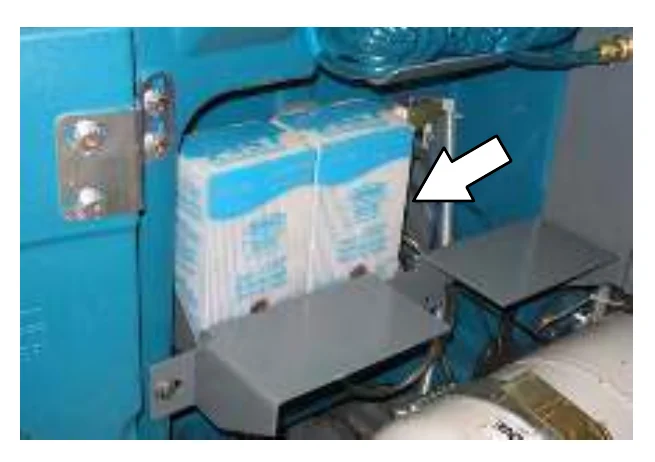
CONVENTIONAL SCRUBBING MODE
- Open either the left or right solution tank fill cover.
- Partially fill solution tank with water (not to exceed 60°C / 140°F). Pour the required amount of detergent into the solution tank. Fill the solution tank with water until the level is just below the indicator tab.
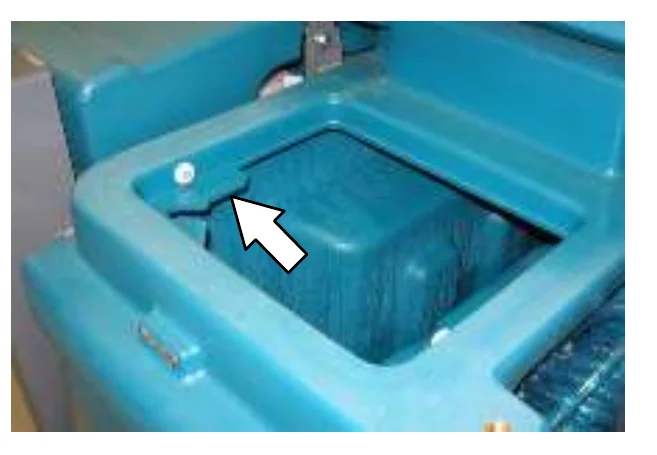
ES (EXTENDED SCRUB) MODE WITH AUTO−FILL
- Connect the hose from the water source (not to exceed 60°C / 140°F) to the auto−fill connection.
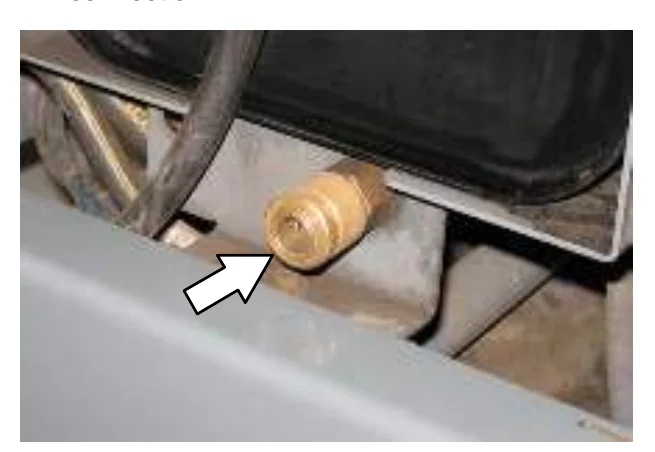
- Turn the ignition switch to the on position (without starting) and turn on the water source. The auto−fill automatically fills the tanks to the proper level.
- Fill the detergent tank with the proper detergent.
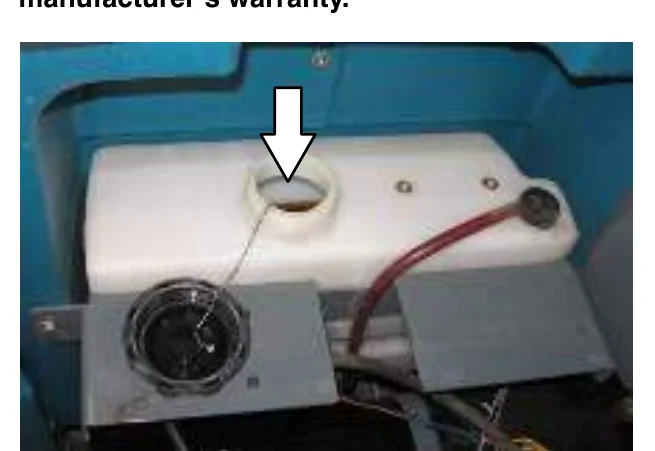
ES (EXTENDED SCRUB) MODE − MANUALLY FILLING TANKS
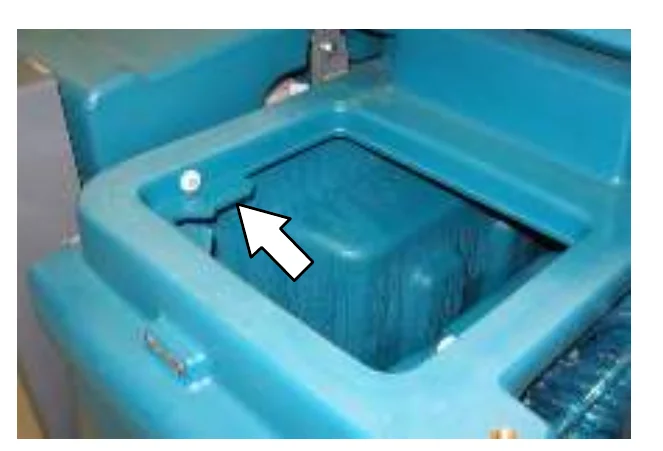
- Open either the left or right solution tank cover and fill the solution tank with water (not to exceed 60°C / 140°F) until the level is just below the indicator tab.
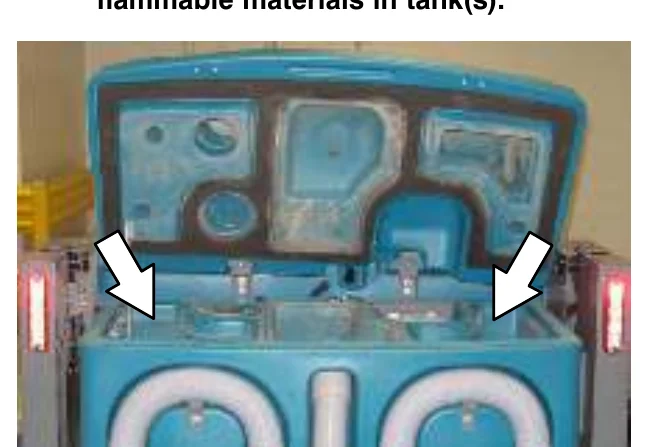
- Open the recovery tank cover and fill the recovery tank with water (not to exceed 60°C / 140°F) until the recovery tank is approximately half full.
SETTING SCRUB MODES
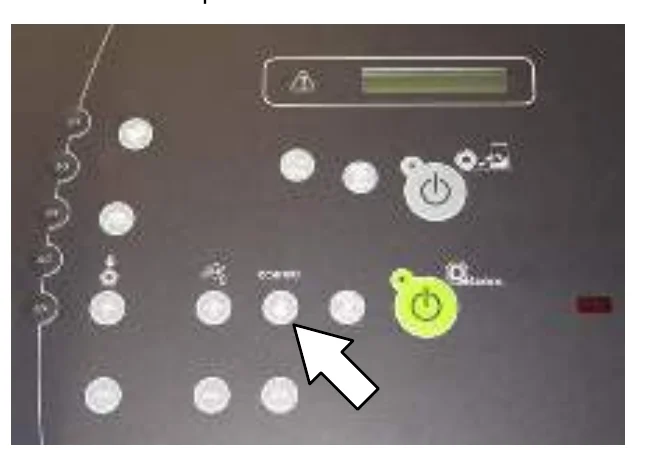
Before scrubbing, determine which scrub mode will be used (FaST, ES or conventional). Then set the scrub brush pressure and adjust the solution flow levels.
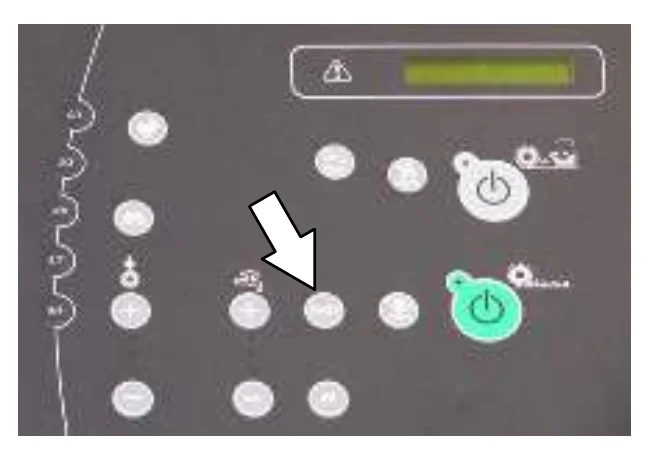
SETTING FaST MODE
The FaST button enables the FaST system to come on when the 1−STEP Scrub button is activated. The light next to the button will come on. The machine will default to the last setting used when it is powered on or off.
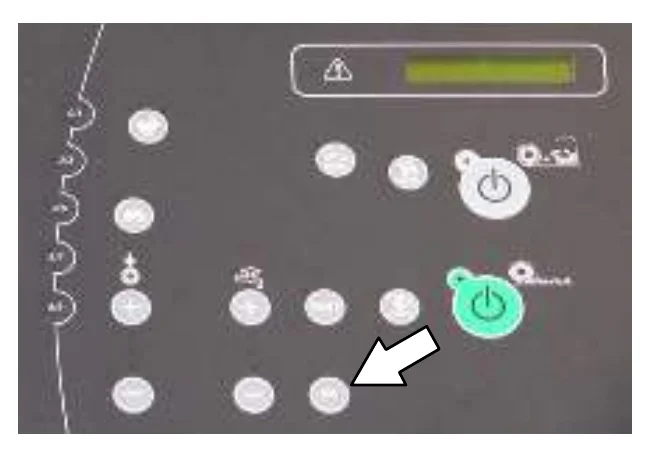
SETTING ES (EXTENDED SCRUB) MODE
The ES button enables the ES system to come on when the 1−STEP Scrub button is activated. The light next to the button will come on. The machine will default to the last setting used when it is powered on or off.
SETTING ec−H2O MODE
The ec−H2O button enables the ec−H2O system to come on when the 1−STEP Scrub button is activated. The light next to the button will come on. The machine will default to the last setting used when it is powered on or off.
SETTING BRUSH PRESSURE
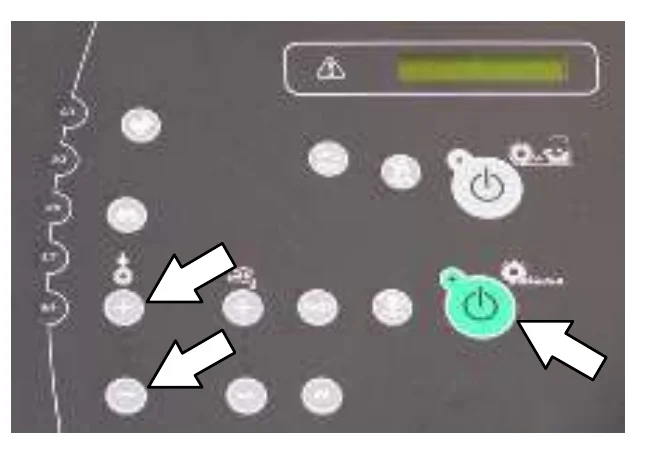
Under normal cleaning conditions, the brush pressure should be set to the minimum setting (the bottom light). Under heavy grime conditions, the brush pressure can be set to a higher setting. Travel speed and floor conditions will affect cleaning performance.
With the 1−STEP Scrub button or the 1−STEP Sweep button activated, press either the Brush Pressure increase button (+) or the Brush Pressure decrease button (−) to set the brush pressure for the surface being cleaned. If brushes are worn, it may be necessary to increase the brush pressure. The machine will default to the last setting used when it is powered on or off.
OPERATION
SETTING SOLUTION FLOW
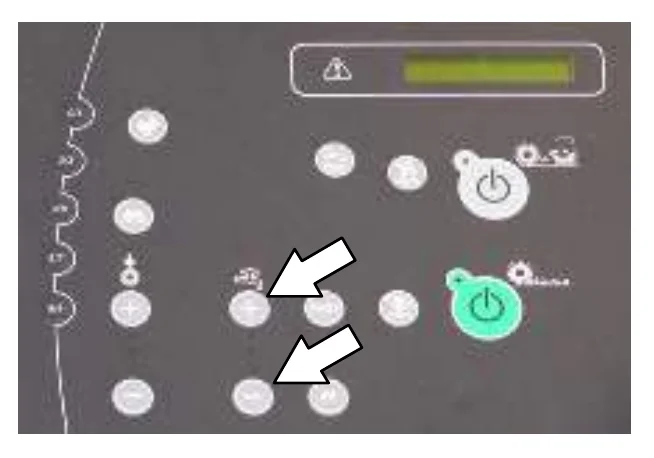
With the 1−STEP Scrub button activated, press either Solution increase button (+) or Solution decrease button (−) to set the solution flow level. Travel speed and floor conditions will affect scrubbing performance. The machine will default to the last setting used when the machine is powered on or off.
To turn off all solution and detergent flow, press the Solution decrease button (−) until all indicator lights are off.
CONVENTIONAL, FaST, AND ec−H2O SOLUTION FLOW
Under normal soilage conditions the solution flow level should be set to the lowest setting (the bottom light). Under heavy grime conditions, the solution flow level should be set to the higher settings (middle or top lights).
ES (EXTENDED SCRUB) SOLUTION FLOW
For ES machines, the detergent flow is turned off when the solution flow is in the lowest setting (one light). Under normal soilage conditions, the solution flow level should be alternated between the middle and lowest setting. The middle setting (two lights) allows solution AND detergent flow. The lowest setting (one light) allows solution flow WITHOUT adding detergent. Detergent does not have to be continuously added with the solution flow to attain effective scrubbing results.
OPERATION
SCRUBBING
The 1−STEP Scrub button operates all the scrubbing functions. (The machine also wet sweeps while scrubbing).
- Start the machine.
- Press the 1−STEP Scrub button. The light on the button will come on. All the preset scrubbing functions will turn on.
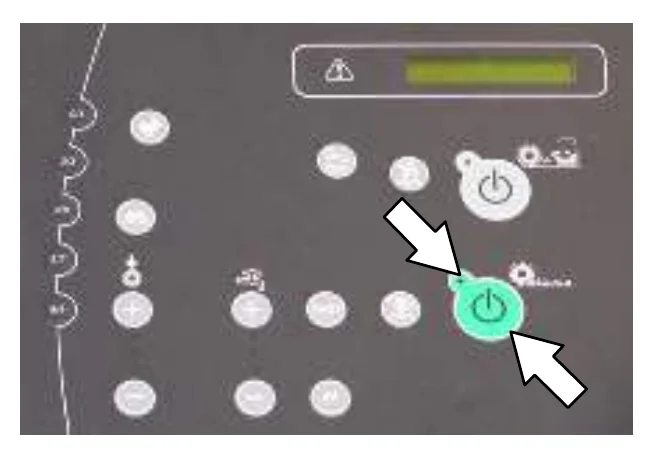
- Release the parking brake, then press the Directional pedal to begin scrubbing.
ec−H2O Model: If an alarm sounds and the ec−H2O system indicator light begins to blink red, the ec−H2O module must be flushed to resume ec−H2O operation (See ec−H2O MODULE FLUSH PROCEDURE).
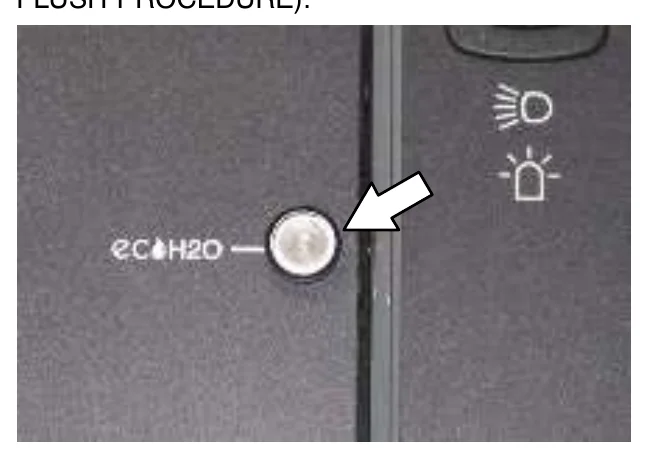
| ec−H2O SYSTEM INDICATOR LIGHT CODE | CONDITION |
|---|---|
| Solid green | Normal operation |
| Blinking red | Flush ec−H2O module |
| Solid red | Contact Service Center |
- Release the directional pedal and press the brake pedal to stop the machine.
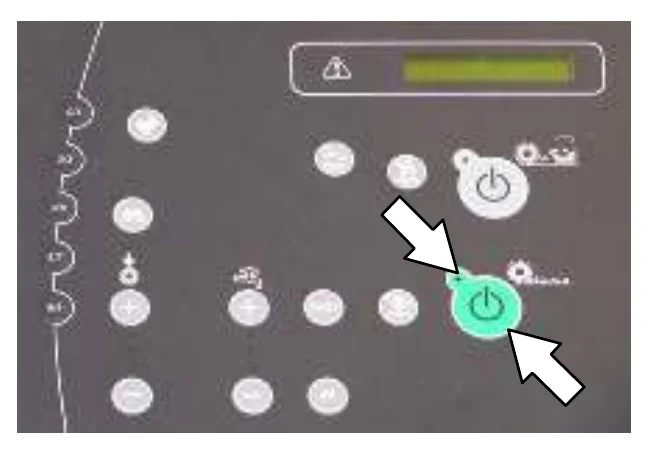
- Press the 1−STEP Scrub button to stop scrubbing. The light next to the button will go off and scrubbing functions will stop after a short delay.
DOUBLE SCRUBBING
For heavily soiled areas, use the double scrubbing method.
Double scrubbing can be performed using the FaST SCRUBBING SYSTEM (option), ec-H2O SCRUBBING SYSTEM (option) or CONVENTIONAL SCRUBBING methods.
Side brush option (S/N 000000-001278): Before double scrubbing, manually lock the side brush squeegee into the raised position. Pull the pin from the side brush squeegee bracket, manually raise the side squeegee to the upper position, then reinsert the brush pin.
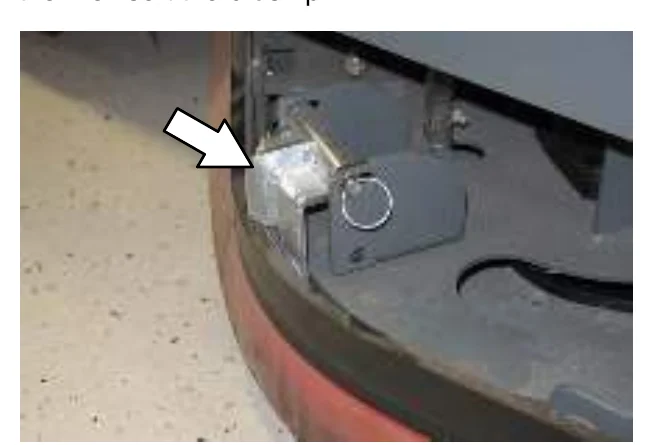
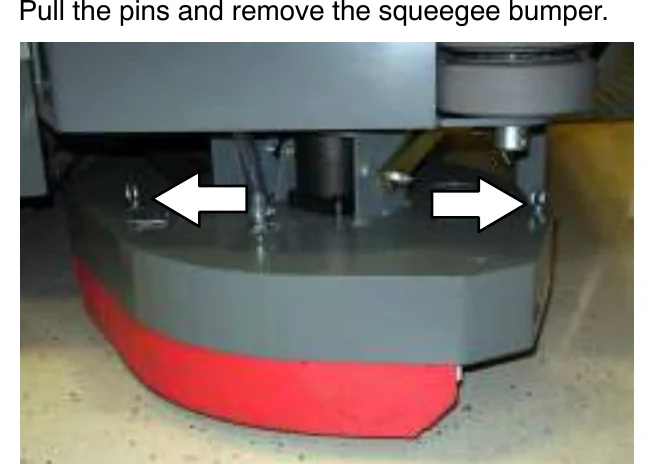
Side brush option (S/N 001279- ): Before double scrubbing, remove the side brush bumper. Pull the pins and remove the squeegee bumper.
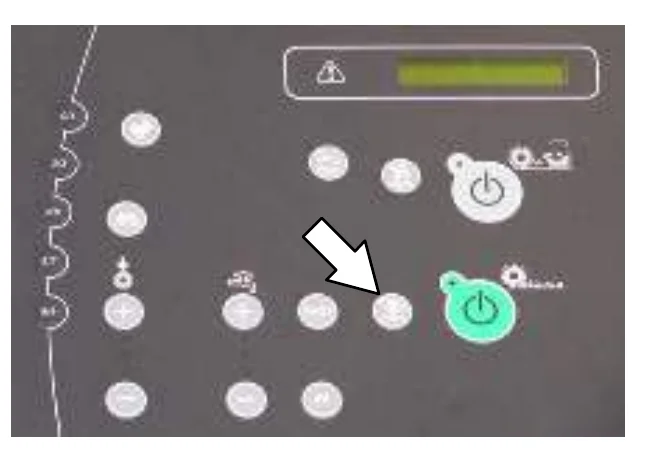
Press the 1-STEP Scrub button, and then the Scrub vacuum fan/squeegee button. The light above the Scrub vacuum fan/squeegee button will turn off, the squeegee will rise, and the vacuum fan will stop operating. Scrub the heavily soiled area.
FOR SAFETY: When using machine, go slow on inclines and slippery surfaces.
Let the cleaning solution soak on the floor for 5-15 minutes. Then place the side squeegee into the lower position and lock into place with the pin.
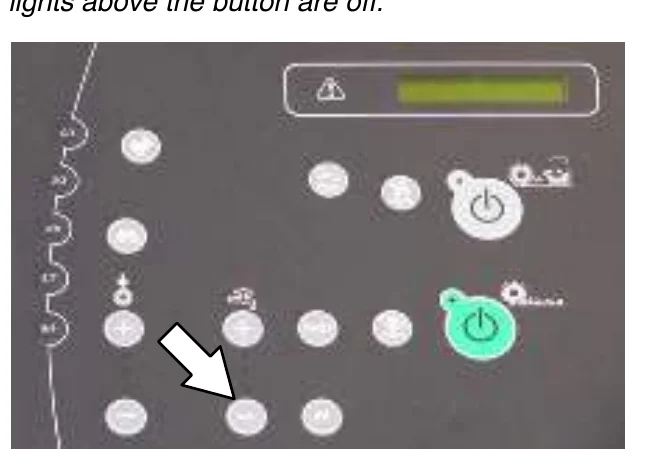
Press the Scrub vacuum fan/squeegee button again to lower the squeegee and turn on the vacuum fan. The light above the button will come on. Scrub the floor a second time to pick up the cleaning solution.
WATER PICKUP MODE (NO SCRUBBING)
The machine can be used to pick up water or non−flammable liquid spills without scrubbing.
To pick up water or non−flammable liquid spills, make sure the 1−STEP Scrub button is not activated. The light next to the button must be off.
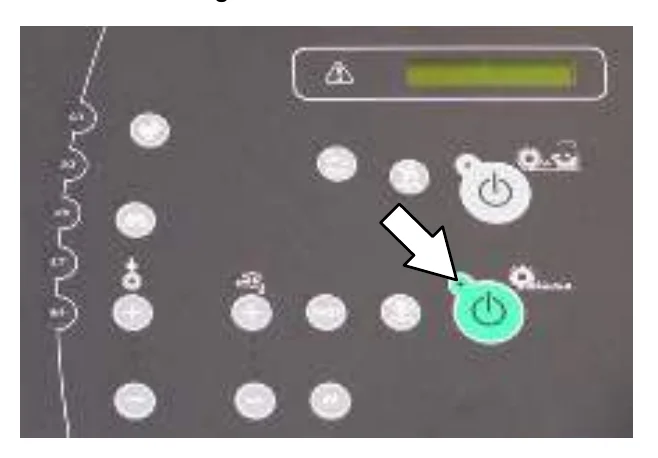
Press the Scrub vacuum fan/squeegee button. The light above the button will come on, the squeegee will lower, and the vacuum fan will start operating. Pick up the water or non−flammable liquid spill.
SWEEPING
FOR SAFETY: Do not operate machine, unless operator manual is read and understood.
Side brush option (S/N 000000−001278): Before sweeping, manually lock the side brush squeegee into the raised position. Pull the pin from the side brush squeegee bracket, manually raise the side squeegee to the upper position, then reinsert the brush pin.
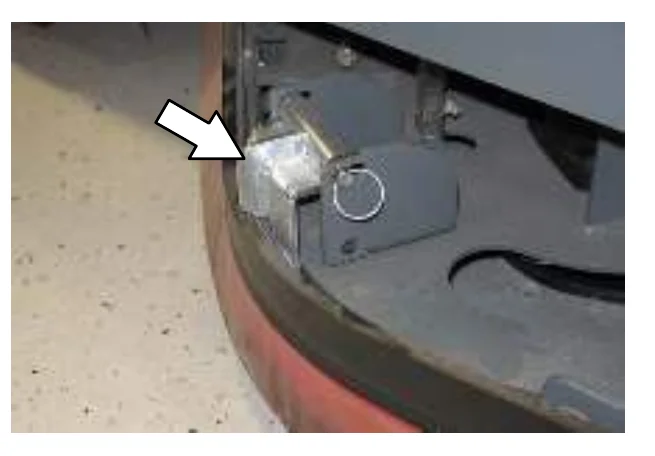
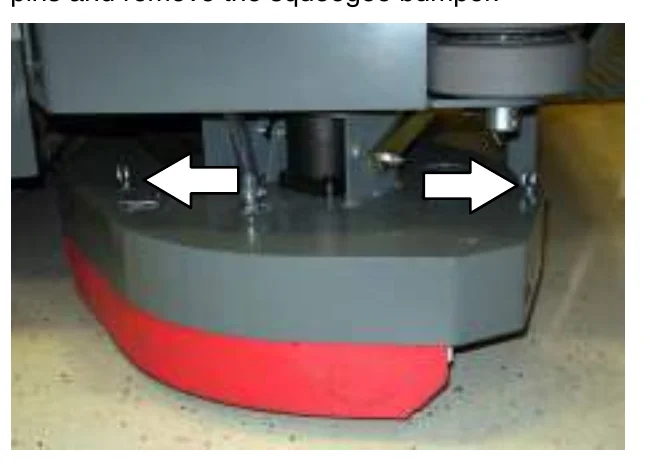
Side brush option (S/N 001279− ): Before sweeping, remove the side brush bumper. Pull the pins and remove the squeegee bumper.
OPERATION
- Start the machine.
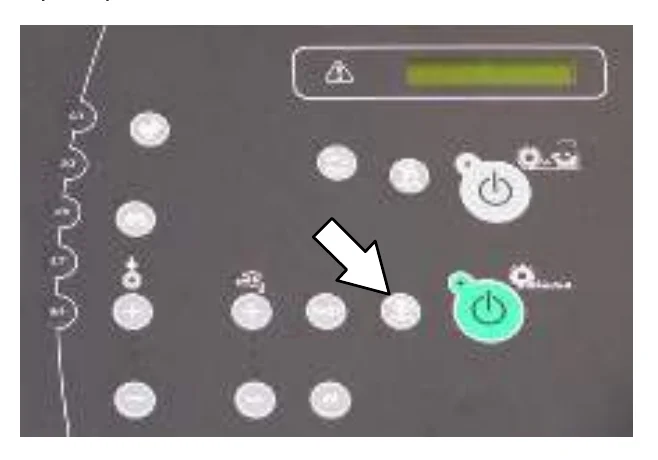
- Press the 1−STEP Sweep button. The light on the button will come on. All the preset sweeping functions will turn on.
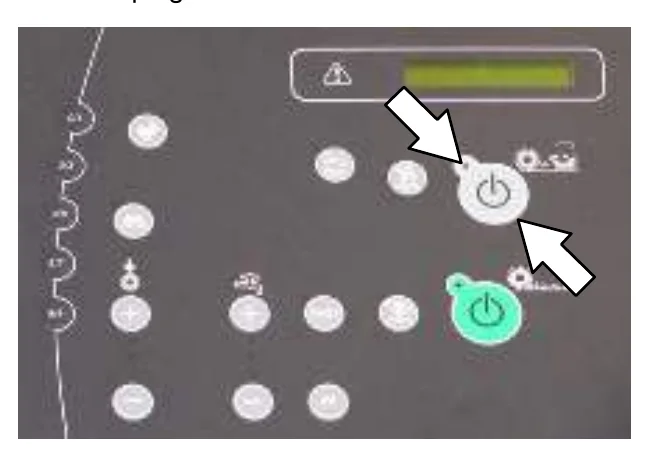
- Release the parking brake, then press the Directional pedal to begin sweeping.
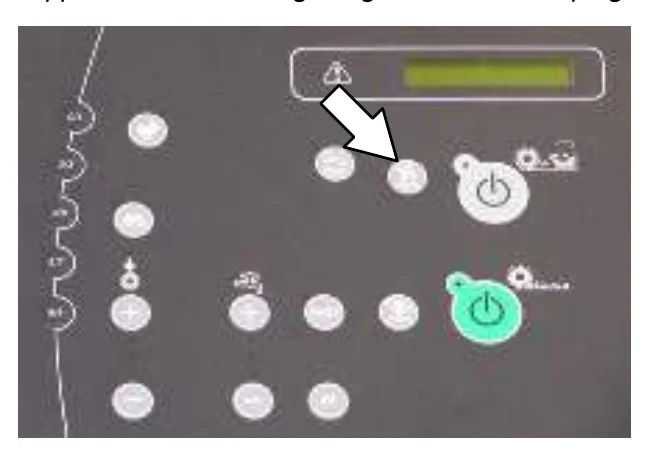
- Release the Directional pedal and press the Brake pedal to stop the machine.
- Press the 1−STEP Sweep button to stop sweeping. The light next to the button will turn off and the sweeping functions will stop after a short delay.
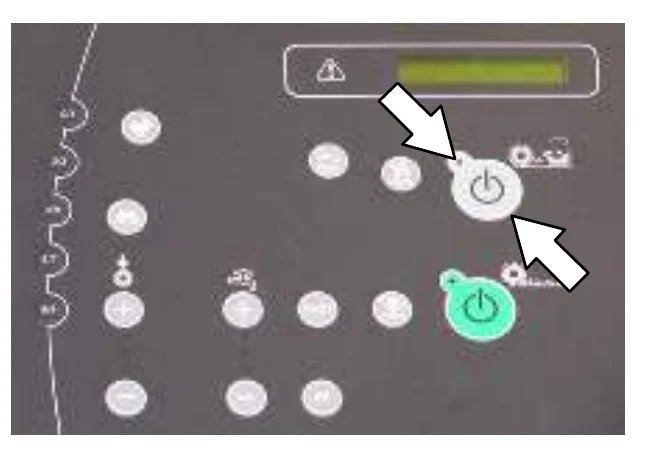
- Empty the debris hopper at the end of each shift or as needed. See EMPTYING THE HOPPER section of this manual
OPERATION
EMPTYING THE HOPPER
- Drive the machine to a debris site or container.
- Press the Filter shaker button. The shaker operates for approximately 30 seconds. The indicator light comes on while the filter shaker is operating.
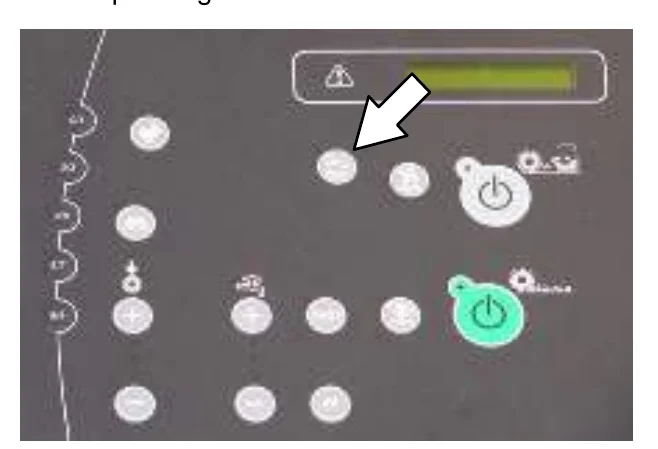
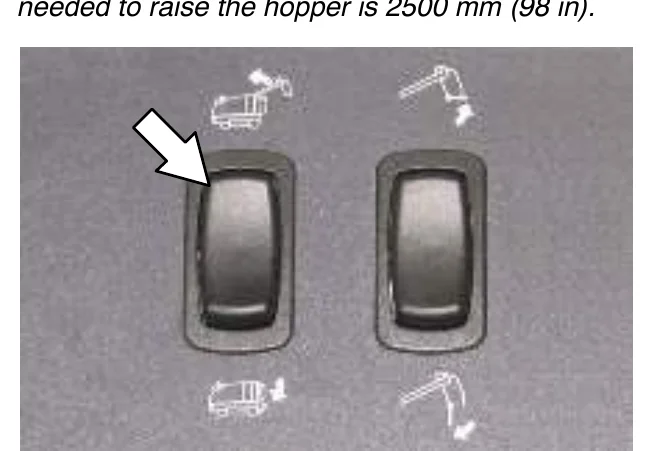
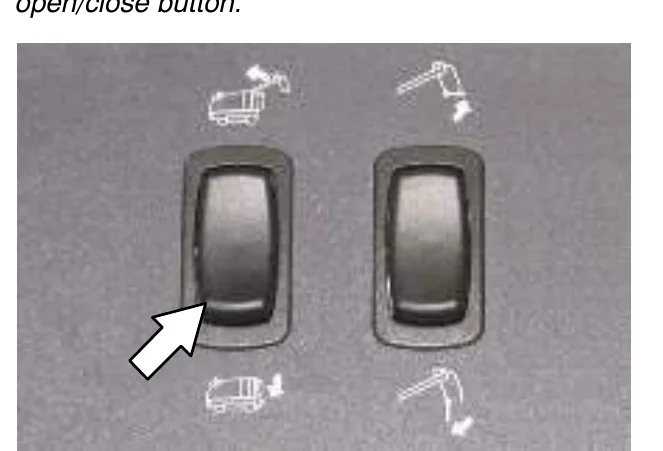
- After the filter shaker stops, press and hold the top of the Hopper raise/lower button to raise the hopper. Release the button when the hopper is at the desired position.
- Slowly back the machine up to the debris container.
- Press and hold the bottom of the Hopper door open/close button to open the hopper door and empty the contents from the hopper.
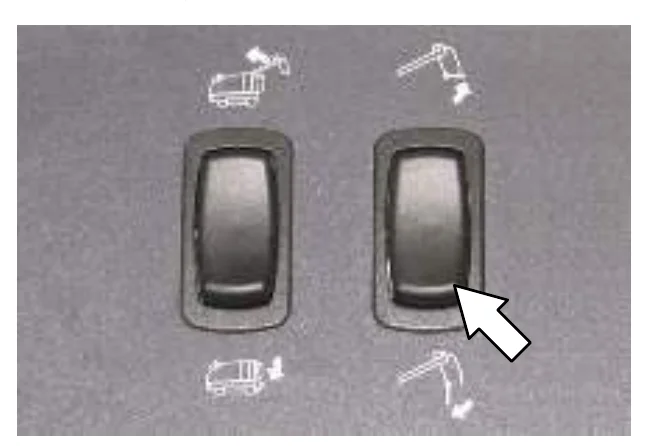
- Slowly drive the machine forward away from the debris site or container.
- Stop the machine, then press and hold the bottom of the Hopper raise/lower button until the hopper is completely lowered.
ENGAGING HOPPER SUPPORT PIN
The hopper support pin is a safety feature used to prevent the raised hopper from falling. Always use the hopper support pin whenever leaving the hopper in a raised position.
- Stop the machine.
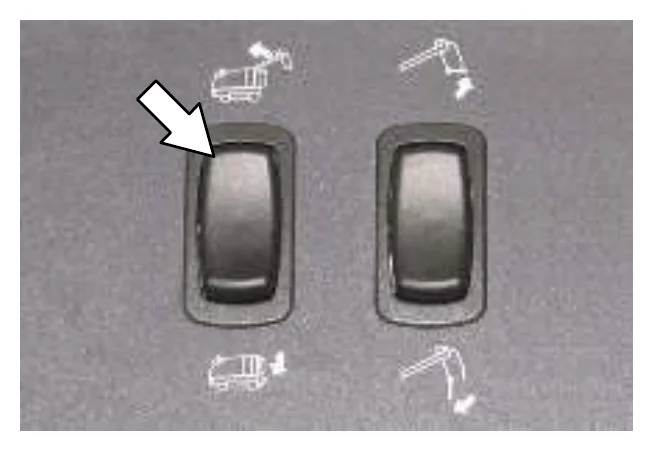
- Press and hold the top of the Hopper raise/lower switch to raise the hopper. Release the switch when the hopper is at the desired position.
FOR SAFETY: When using machine, make sure adequate clearance is available before raising hopper.
- Set the parking brake.
- Remove the hopper support pin from the storage tube.
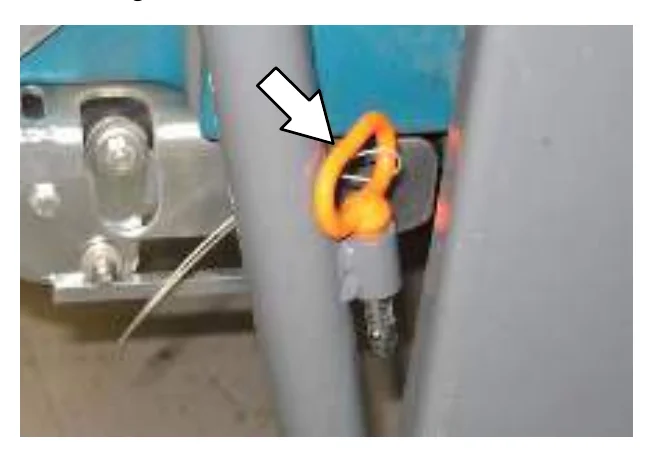
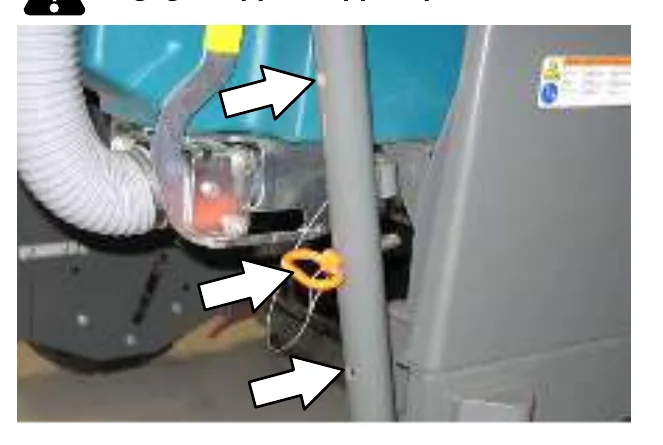
- Insert the hopper support pin into one of the three hopper support holes. Lower the hopper until it rests on the support pin.
DISENGAGING HOPPER SUPPORT PIN
- Set the parking brake.
- Press and hold the top of the Hopper raise/lower switch until the hopper is off the support pin.
- Remove the hopper support pin from the hopper support hole and insert it into the storage tube.
- Sit in the operators seat, then press and hold the bottom of the Hopper raise/lower switch until the hopper is completely lowered.
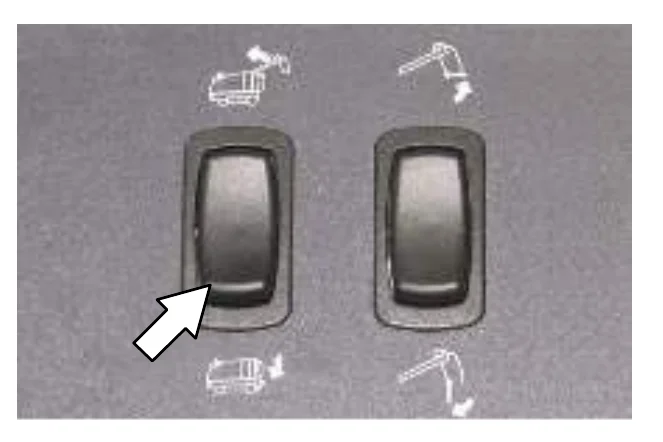
REMOVING THE HOPPER DUST FILTER
- Raise the hopper to the middle support position and engage the hopper support pin. See ENGAGING HOPPER SUPPORT PIN section of this manual.
- Turn off the machine.
FOR SAFETY: Before leaving or servicing machine, stop on level surface, set parking brake, turn off machine, and remove key.
- Loosen the hose clamp on the squeegee vacuum hose.
- Disconnect the squeegee vacuum hose from the hopper.
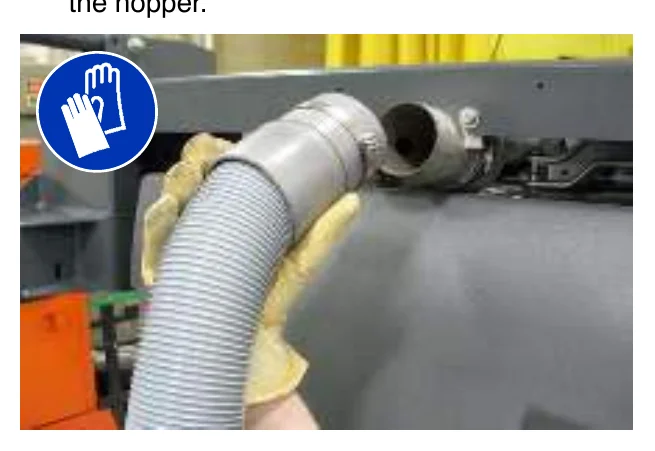
- Unhook the handles from the filter cover.
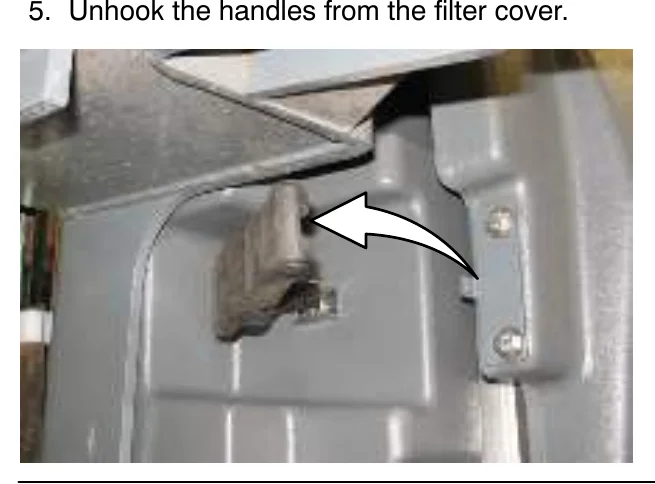
- Open the filter cover and rest it against the machine.
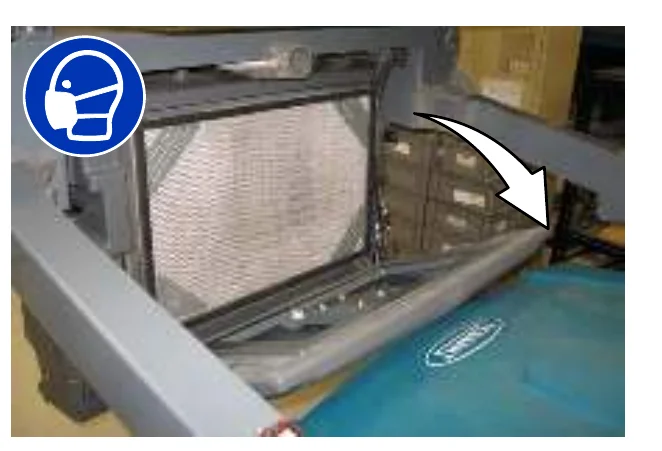
- Remove the dust filter and perma−filter tray from the hopper.
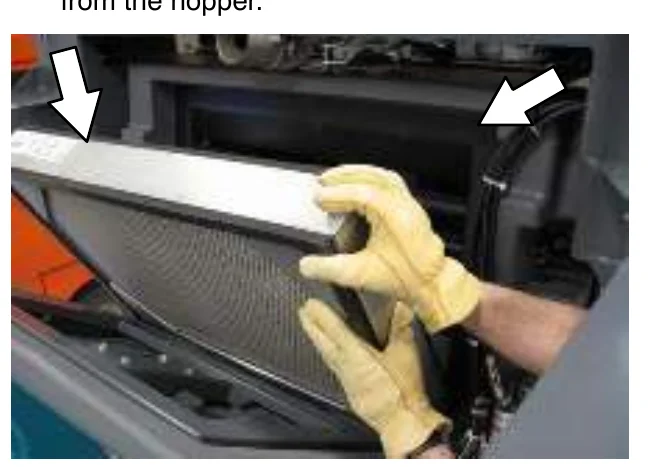
- Clean or discard the dust filter. See the CLEANING THE HOPPER DUST FILTER section of this manual.
- Place the perma−filter tray into the hopper.
- Place the cleaned or new dust filter into the hopper. Position the filter screen side up as shown below.
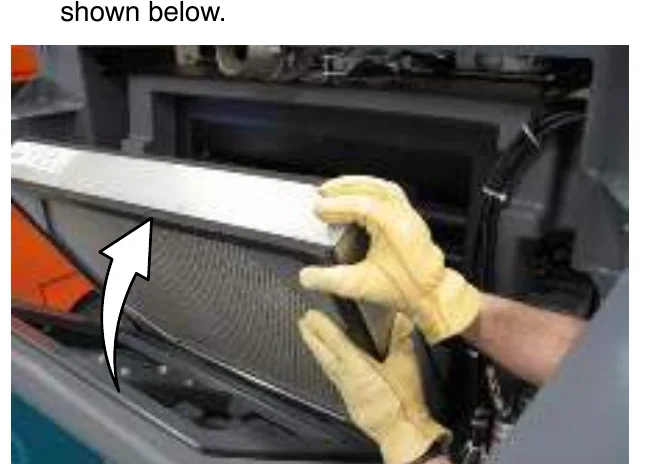
- Close the filter cover and secure the filter cover to the hopper with the handles.
- Reconnect the squeegee vacuum hose to the hopper.
- Disengage the hopper support pin and lower the hopper. See the DISENGAGING HOPPER SUPPORT PIN section of this manual.
CLEANING THE HOPPER AND DEBRIS SCREEN
- Disconnect the vacuum hose from the debris screen.
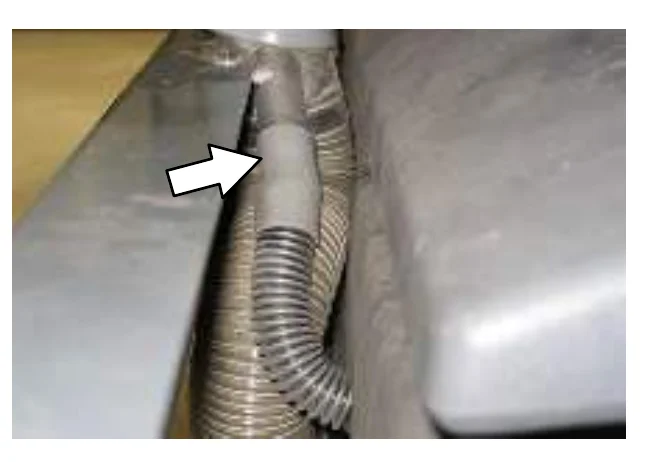
- Raise the hopper to the middle support position and engage the hopper support pin. See ENGAGING HOPPER SUPPORT PIN section of this manual.
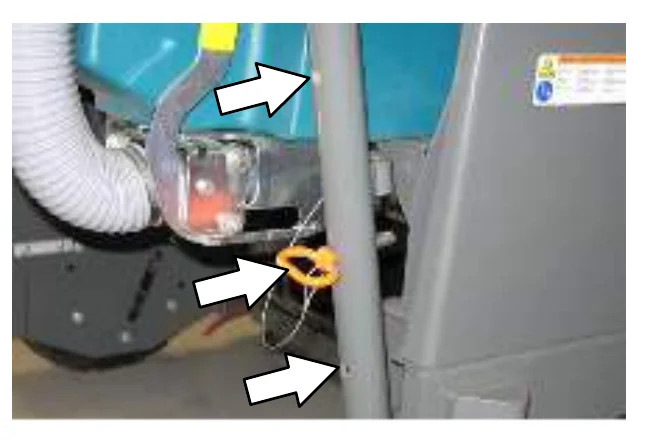
- Turn off the machine.
OPERATION
- Remove the filter from the hopper. See the REMOVING THE HOPPER DUST FILTER section of this manual.
- Start the machine.
- Press and hold the bottom of the hopper door open / close switch until the hopper door is completely open.
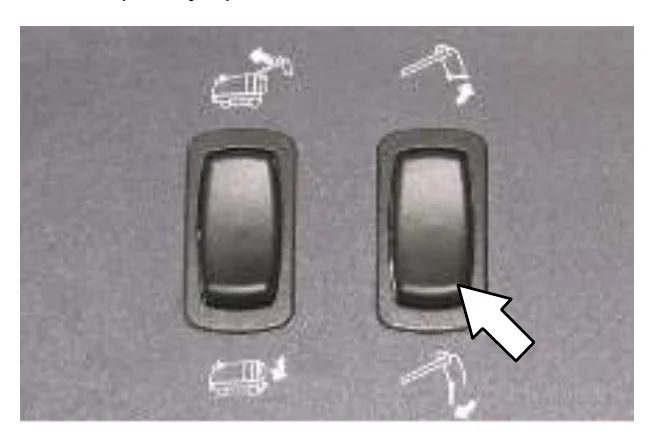
- Turn off the machine.
- Flush dirt and debris from the debris hose and debris screen and out into the hopper.
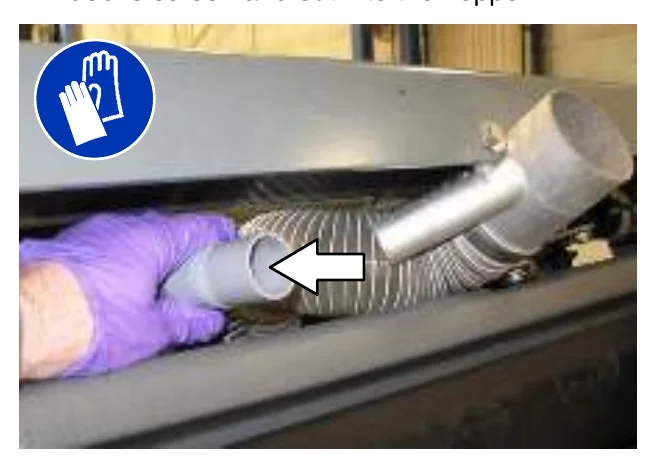
- Rinse dirt and debris from the debris screen and the hopper. If necessary, remove the debris screen to clean.
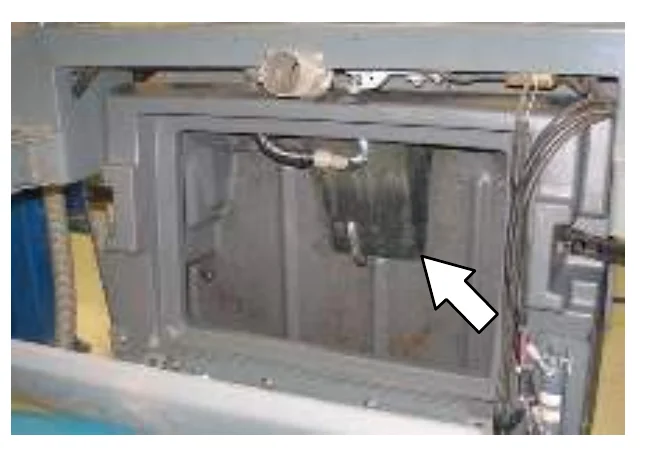
- Reinstall the hopper dust filter. See REMOVING THE HOPPER DUST FILTER section of this manual.
- Disengage the hopper support pin and lower the hopper. See the DISENGAGING HOPPER SUPPORT PIN section of this manual.
OPERATION
DRAINING AND CLEANING THE RECOVERY TANK
Drain and clean the recovery tank daily or when the recovery tank full indicator comes on.
Clean the outside of the recovery tank with vinyl cleaner.
FOR SAFETY: Before leaving or servicing machine, stop on level surface, set parking brake, turn off machine, and remove key.
DRAINING THE RECOVERY TANK WITH THE DRAIN HOSE
- Lift the recovery tank cover.
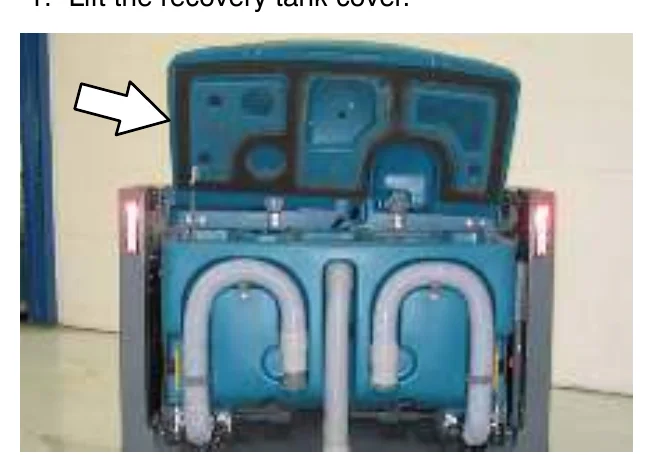
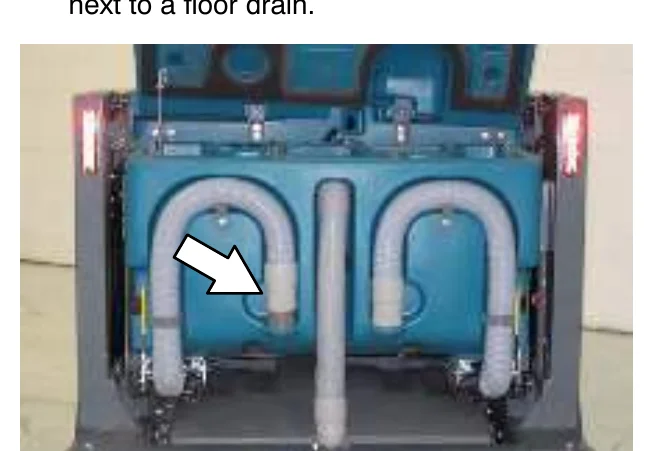
- Place the recovery tank drain hose nozzle next to a floor drain.
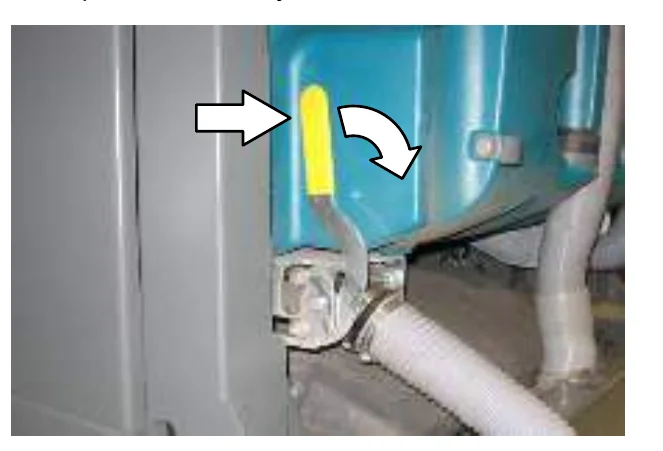
- Open the recovery tank Variable Drain Valve.
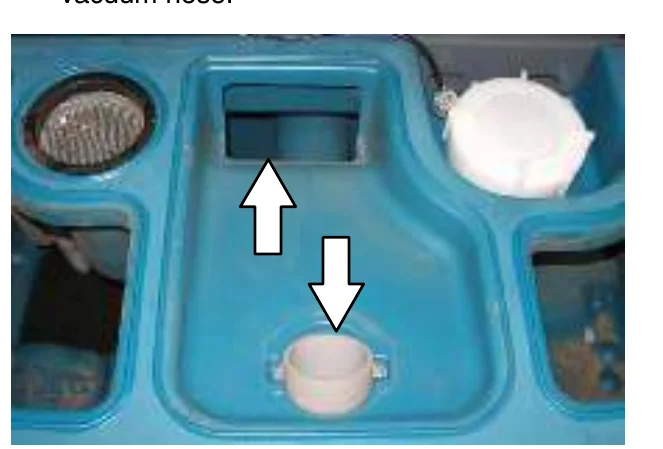
- Rinse dirt and debris down through the drain hole in the demister tray and flush the vacuum hose.
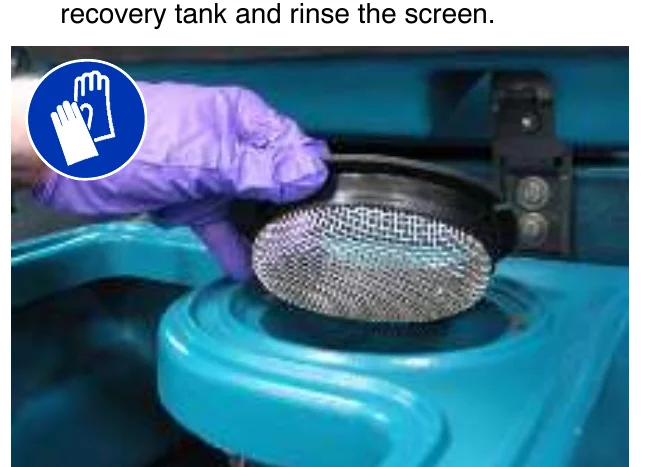
- Remove the vacuum screen from the recovery tank and rinse the screen.
- Rinse the float sensor.
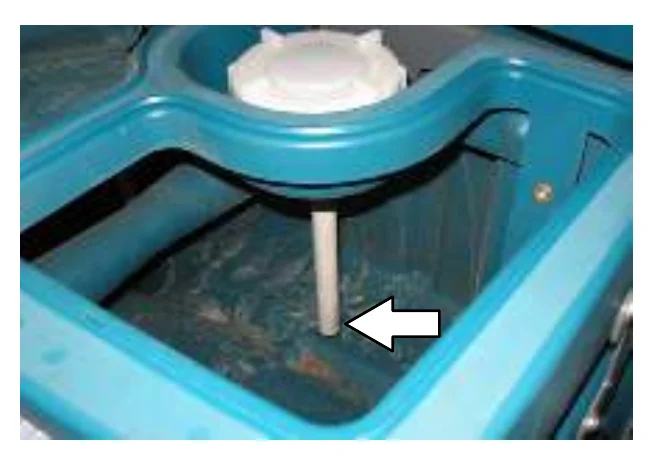
- ES machines: Rinse the ES filter. If necessary, remove the ES filter from the recovery tank.
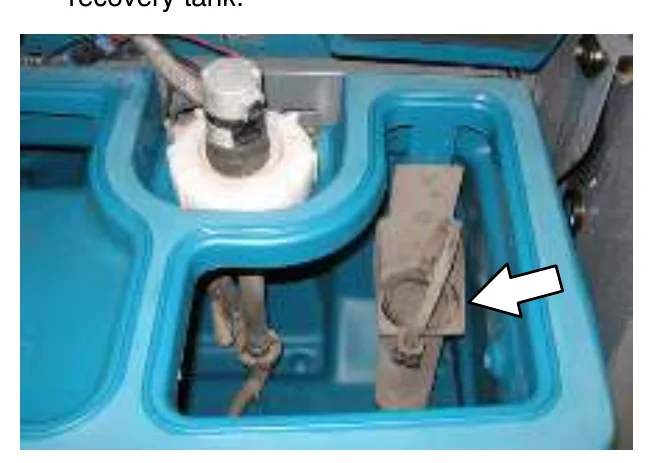
- Rinse dirt and debris towards the recovery tank drain. Allow the recovery tank to drain.
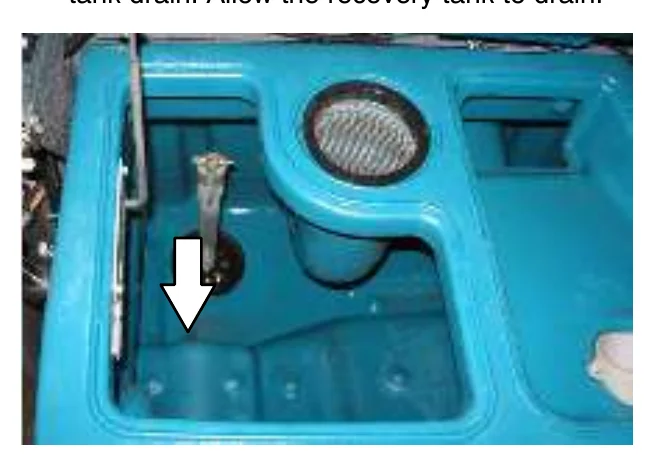
- Close the recovery tank Variable Drain Valve.
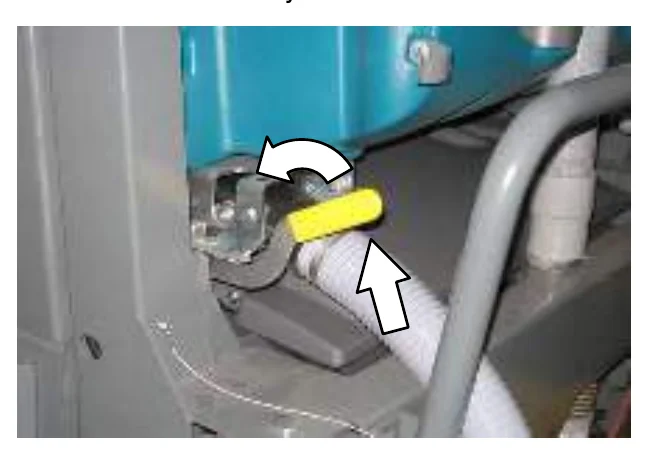
- Reinstall the recovery tank drain hose onto the back of the recovery tank and close the recovery tank cover.
DRAINING THE RECOVERY TANK WITH THE DRAIN PLUG
Use the drain plug to drain the recovery tank if the tank is draining slowly or if the drain hose is plugged.
- Park the machine so the larger drain in the recovery tank is positioned over the disposal drain. Set the parking brake.
- To avoid getting the hopper filter wet, raise the hopper and engage the hopper support pin in the lowest position.
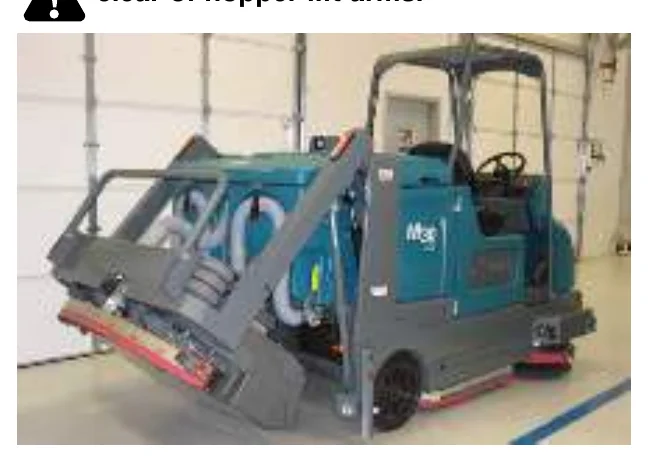
FOR SAFETY: Before leaving or servicing machine, stop on level surface, set parking brake, turn off machine, and remove key.
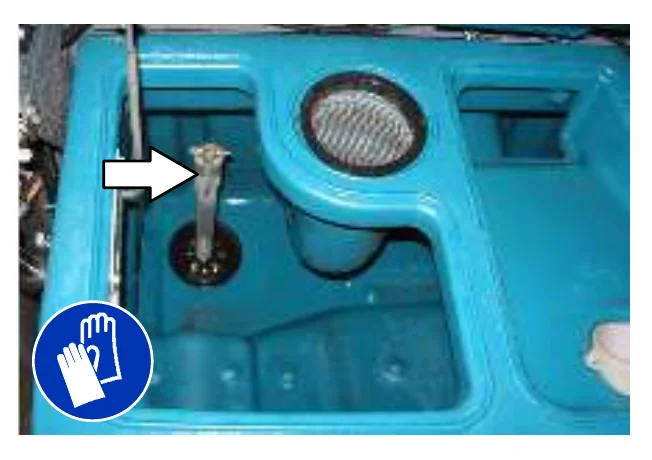
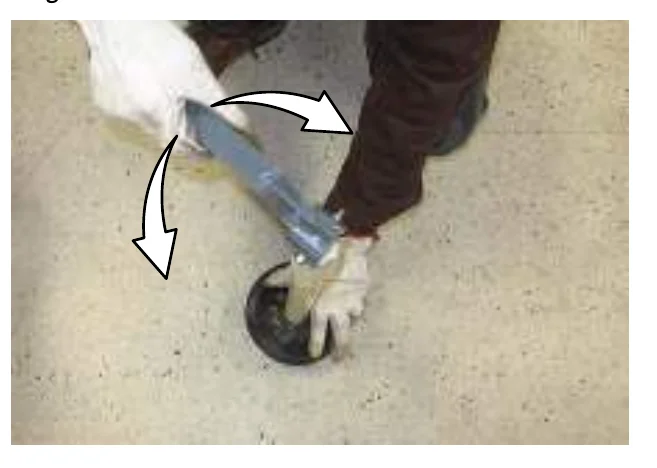
- Lift the drain plug handle and remove the drain plug from the tank.
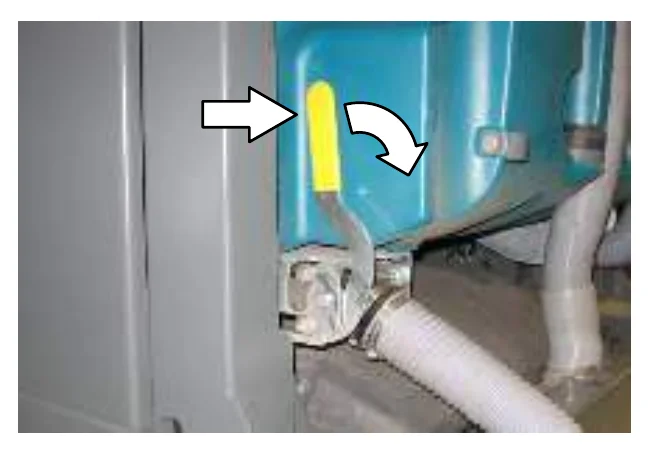
- Open the recovery tank Variable Drain Valve.
- Remove the recovery tank drain hose from the back of the recovery tank, then rinse the dirt and debris from the hose into the tank.
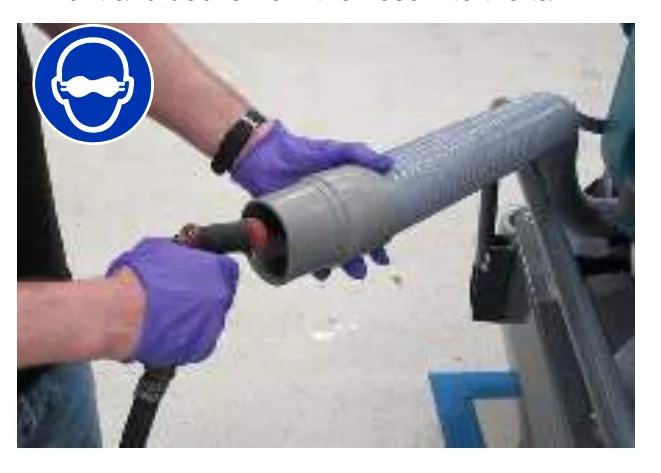
- Rinse dirt and debris out the open drain.
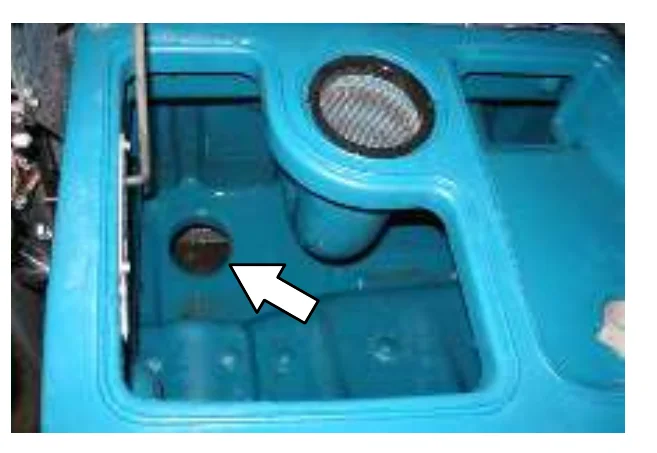
- Clean the drain hole, then reinsert the drain plug. Push the handle down to tighten. Be sure the drain plug is fully seated before tightening.
- Close the recovery tank Variable Drain Valve.
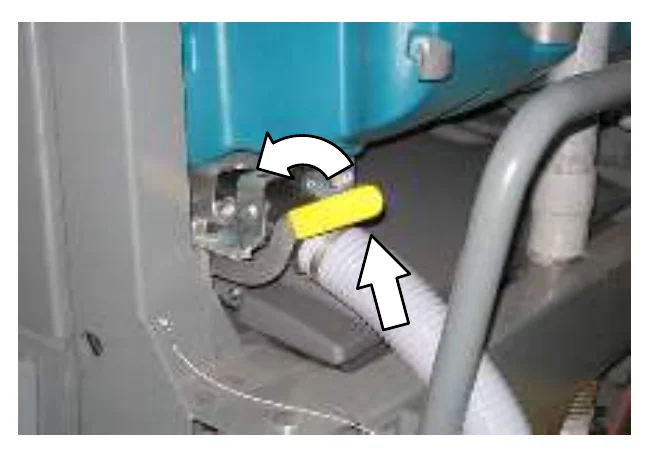
- Reinstall the recovery tank drain hose onto the back of the recovery tank.
- Remove the hopper support pin and insert it into the storage tube. Then lower the hopper.
- Close the recovery tank cover.
DRAINING AND CLEANING THE SOLUTION TANK
The solution tank on non−ES machines does not require regular maintenance. If deposits form on the bottom of the tank, rinse the tank with a strong blast of warm water.
Clean the outside of the solution tank with vinyl cleaner.
The solution tank on machines with the ES option should be drained and cleaned daily.
- Open the solution tank cover(s).
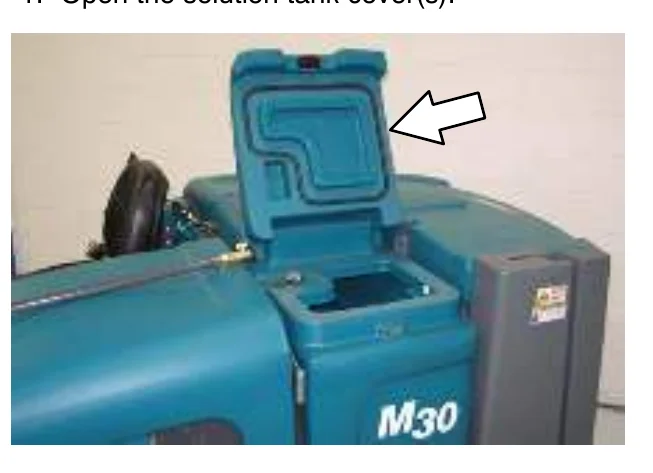
- Place the solution tank drain hose nozzle next to a floor drain.
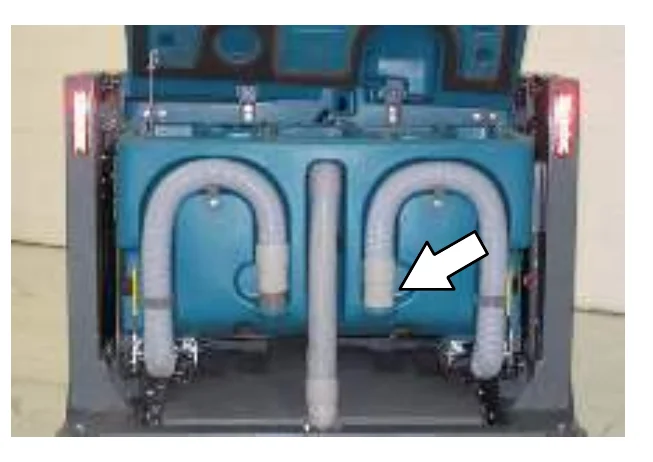
OPERATION
- Open the solution tank Variable Drain Valve.
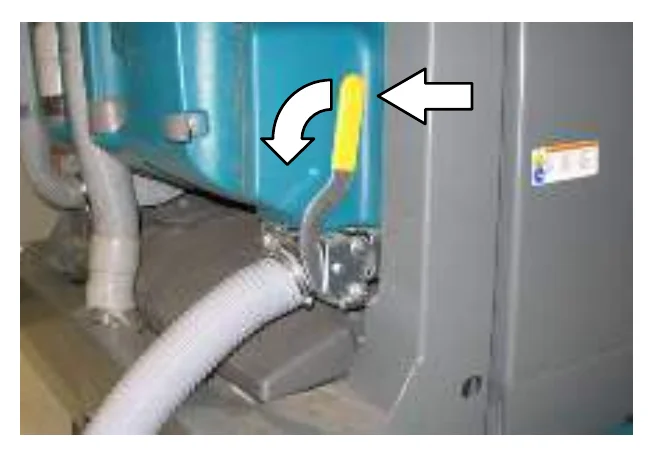
- Rinse the solution tank. Flush dirt and debris toward the solution tank drain.
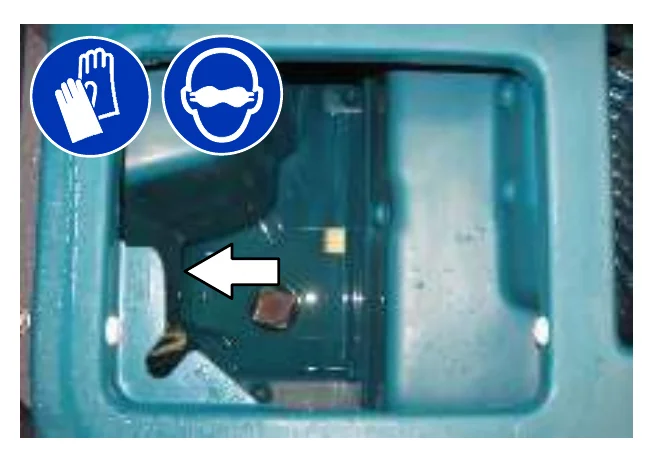
- Rinse the float sensor and the screen filter. Allow the solution tank to drain.
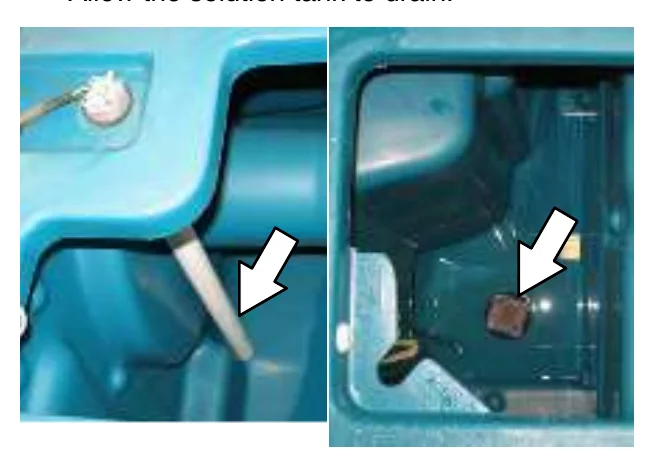
- Close the solution tank Variable Drain Valve.
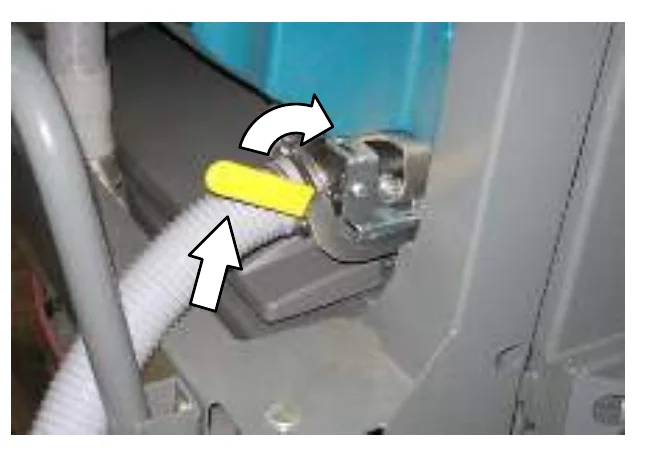
- Reinstall the solution tank drain hose onto the back of the recovery tank.
- Close the solution tank cover(s).
OPERATION
FAULT INDICATOR(S)
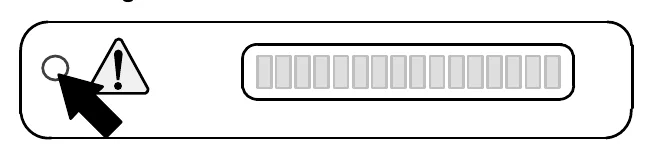
This machine is equipped with two visual indicators, a red indicator light and an LCD (liquid crystal display).
The red indicator light will blink continuously indicating that a fault has occurred.
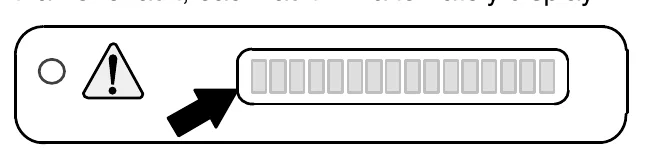
The LCD will display a fault code. If there is more than one fault, each fault will alternately display.
All faults are also accompanied by an audible alarm to alert the operator a fault has occurred.
To reset the fault indicators, turn the machine off, then eliminate the cause of the fault. The fault indicator will reset when the machine is restarted.
Refer to the table below to determine the cause and remedy for the fault.
| Fault Code (Displayed in LCD) | Cause(s) | Result | Remedy |
|---|---|---|---|
| F1: Hopper Up | Hopper is up | Terminates sweeping and scrubbing functions | Lower hopper completely. |
| F3: Clogged Hyd | Hydraulic filter is clogged | − | Replace hydraulic filter. |
| F4: Shaker Filter | Hopper dust filter is clogged | − | Activate filter shaker to unclog hopper dust filter. |
| F5: Hopper Fire | Fire in the hopper | Terminates sweeping functions and closes hopper door | Shut off machine. Extinguish fire. If necessary, call emergency personnel. |
| F6: Sol. Tank E. | Solution tank is empty | − | Fill solution tank. |
| F7: Rec. Tank Full | Recovery tank is full | Terminates scrubbing functions | Press the Scrub vacuum fan/squeegee button for one minute of extended water pickup. Empty recovery tank. ES models: activate the ES system to prevent this. |
| F8: High Eng Temp | Engine temperature is high | − | Shut off machine. Contact TENNANT service representative. |
| F9: High Hyd Temp | Hydraulic fluid temperature is high | − | Shut off machine. Contact TENNANT service representative. |
| F10: Low Fuel | Low fuel | − | Fill fuel tank. |
| F11: Open Scb Vac (Optional) | Scrub vacuum hose is not connected | − | Connect vacuum hose to squeegee assembly. |
| F12: Seat Sw Open (Optional) | Operator not in the seat while engine is running and parking brake not engaged | Engine will shut off | Engage parking brake before leaving the machine. |
CONDITIONS / WARNINGS
Condition codes are typically caused by the operator attempting to activate modes that are unavailable. The code will appear in the LCD.
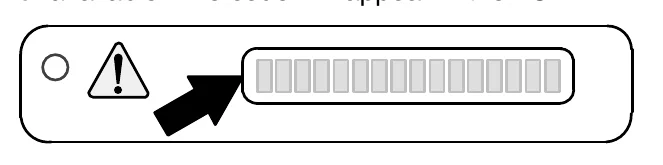
Refer to the table below to determine the cause of the condition.
| Condition Code (Displayed in LCD) | Condition(s) | Description |
|---|---|---|
| C2: No Sweep Vac | Sweep vacuum unavailable | Sweep vacuum not available when 1−STEP scrub system is active. |
| C3: No FaST Mode | FaST mode unavailable | Only machines equipped with FaST system can be operated in FaST mode. |
| C4: No ES Mode | ES mode unavailable | Only machines equipped with ES system can be operated in ES mode. |
| C5: No ES/FaST | ES and FaST systems unavailable | Only machines equipped with ES or FaST system can be operated in these modes. |
| C6: No Side Sweep | Side sweep unavailable | Side sweep not allowed to operate by itself. |
OPERATION
OPTIONS
SPRAY NOZZLE (OPTION)
The spray nozzle is used to clean the machine and surrounding areas. The solution tank provides a water/solution supply for the spray nozzle. A wand is included with the spray nozzle.
- Turn the key to the on position (without starting the machine).
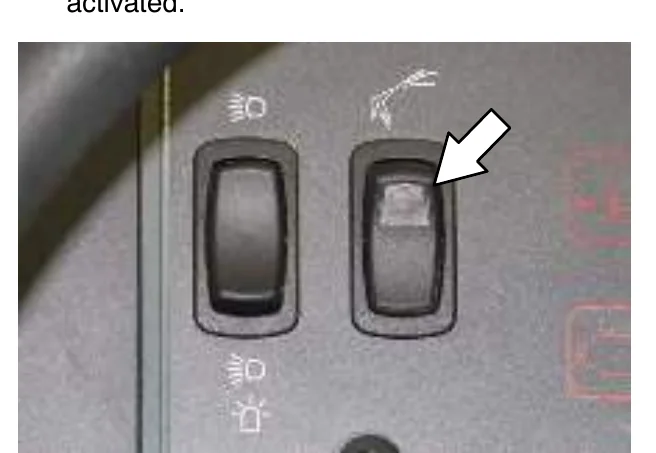
- Press the top of the Spray nozzle switch to turn on the water supply. The light on the switch will come on when the spray nozzle is activated.
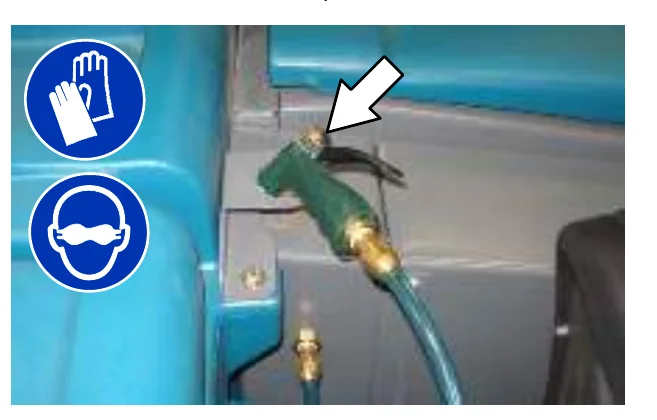
- Remove the spray nozzle from the storage area and clean as required.
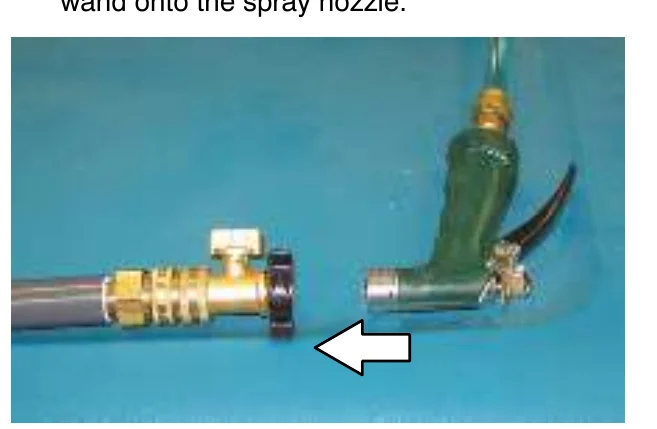
- If cleaning a hard to reach area, install the wand onto the spray nozzle.
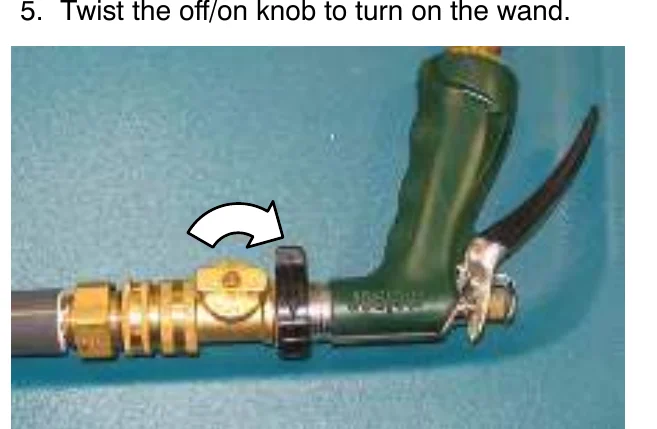
- Twist the off/on knob to turn on the wand.
- When finished cleaning, place the spray nozzle and wand back into their storage locations.
- Press the bottom of the Spray nozzle switch to turn off the water supply.
VACUUM WAND (OPTION)
- Remove the vacuum wand nozzle and hose from the storage bag.
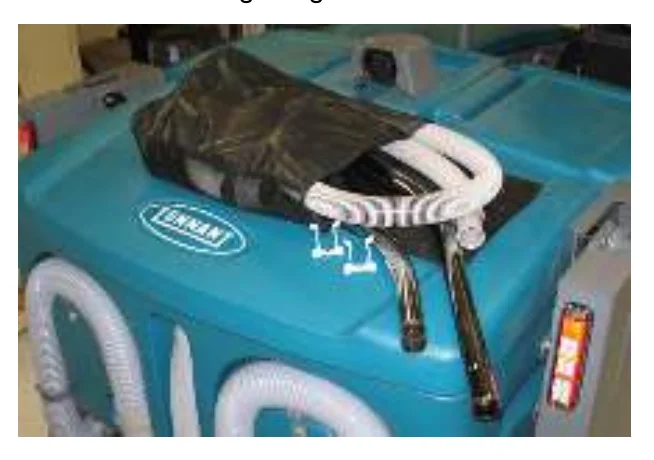
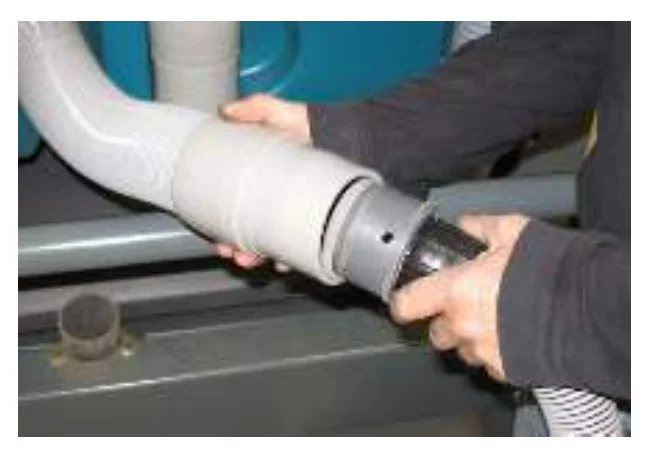
- Attach the wand hose to the vacuum hose.
- Assemble the wand and nozzle.
- Start the machine.
- Verify that the 1−STEP Scrub button is off. The light next to the button will be off.
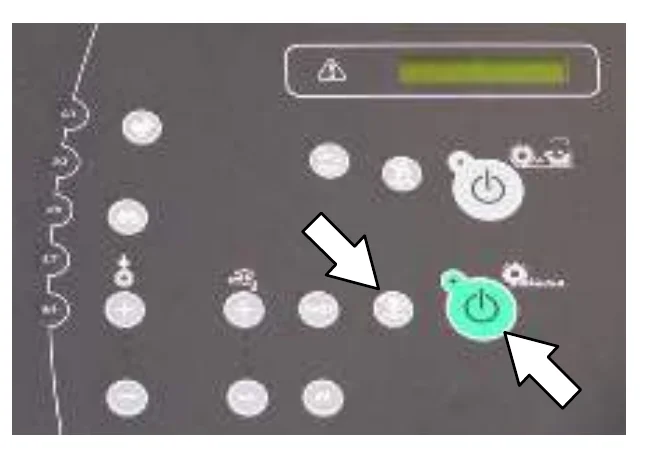
- Press the Scrub vacuum fan/squeegee button. The light above the button will turn on and the vacuum fan will start operating.
- Clean the spill or debris.
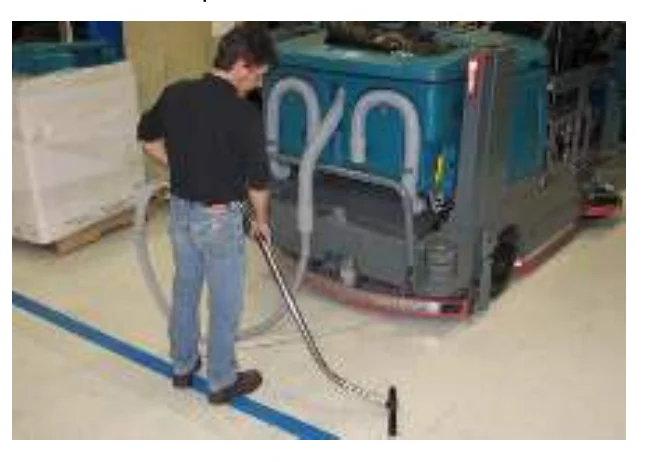
- When finished vacuuming, press the Scrub vacuum fan/squeegee button to turn off the vacuum. The light above the button will turn off.
- Turn off the machine.
- Disassemble the vacuum wand assembly and return it to the storage bag.
- Reattach the vacuum hose to the hopper lift arm.
OPERATION
HIGH PRESSURE WASHER (OPTION)
The high pressure washer is used to clean the machine and surrounding areas.
- Turn off the machine and set the parking brake.NOTE: The high pressure washer will not operate unless the parking brake is set.
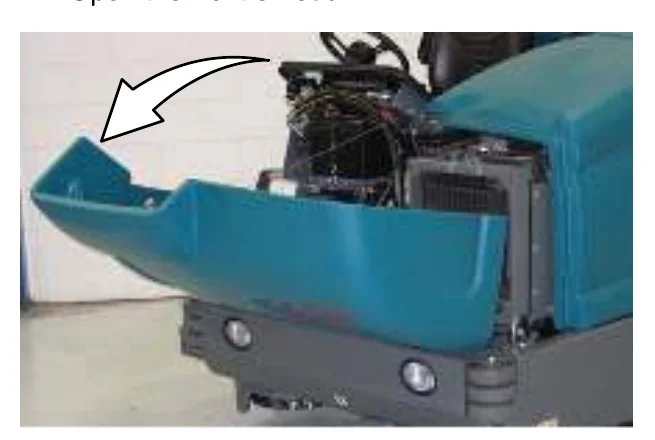
- Open the front shroud.
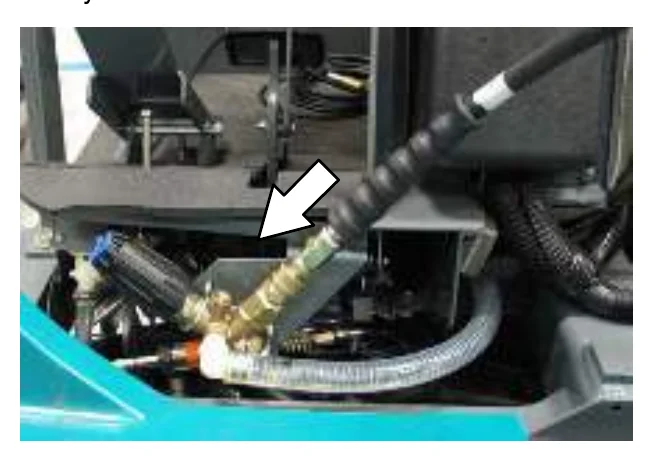
- Connect the hose to the high pressure washer system.
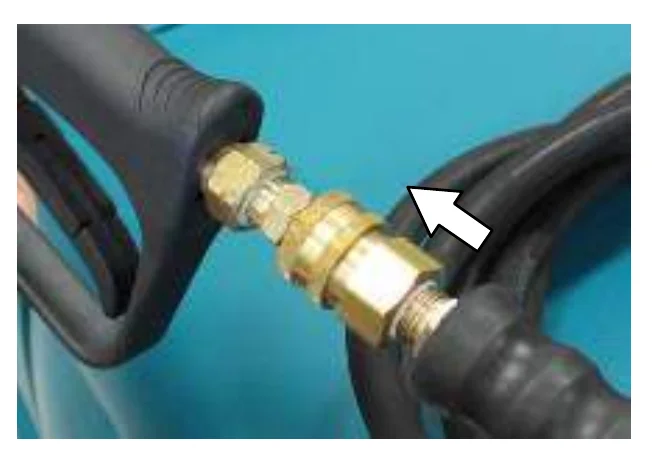
- Connect the other end of the hose to the wand.
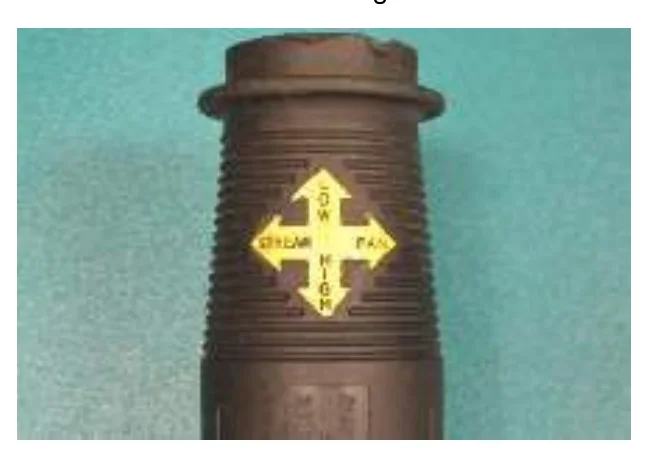
- Adjust the nozzle on the wand to the desired setting.
Pull the nozzle out for the Low pressure setting, or push the nozzle in for the High pressure setting. Twist the nozzle for either the Stream or Fan setting.
- Start the machine.WARNING: Engine emits toxic gases. Severe respiratory damage or asphyxiation can result. Provide adequate ventilation. Consult with your regulatory authorities for exposure limits. Keep engine properly tuned.
OPERATION
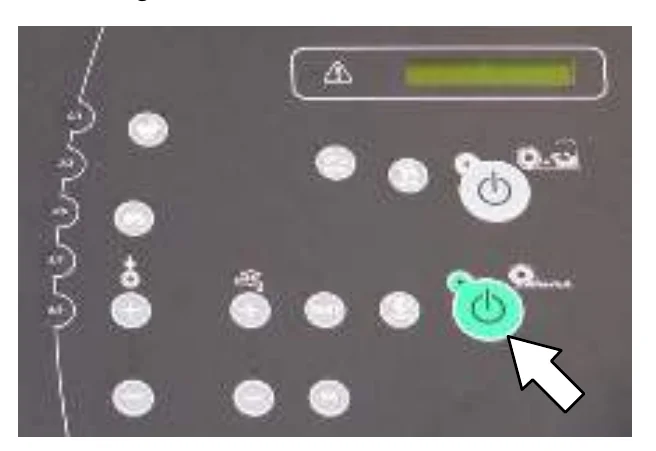
- Verify that the 1−STEP Scrub button is off. The light next to the button will be off.
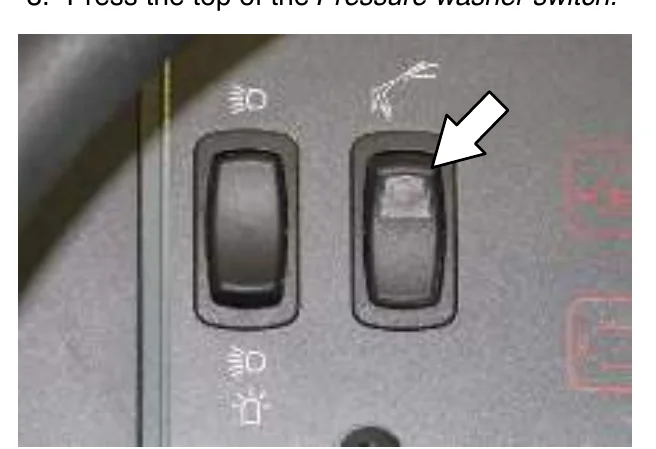
- Press the top of the Pressure washer switch.
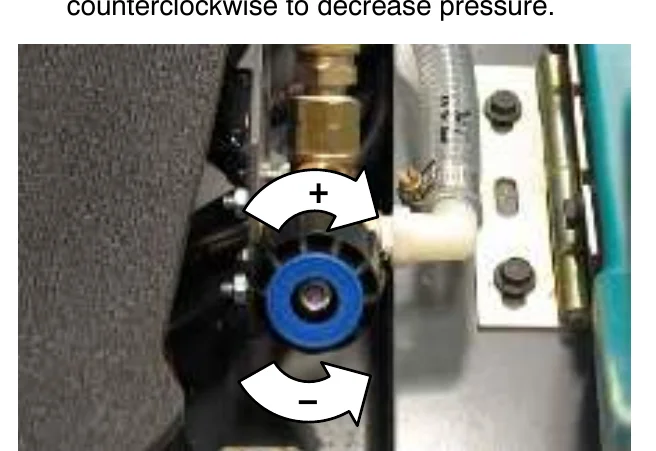
- If necessary, adjust the pressure. Turn the knob clockwise to increase pressure and counterclockwise to decrease pressure.
- Squeeze the trigger to begin cleaning.WARNING: Do not spray people or animals. Severe personal injury can result. Wear eye protection. Hold sprayer with two hands.
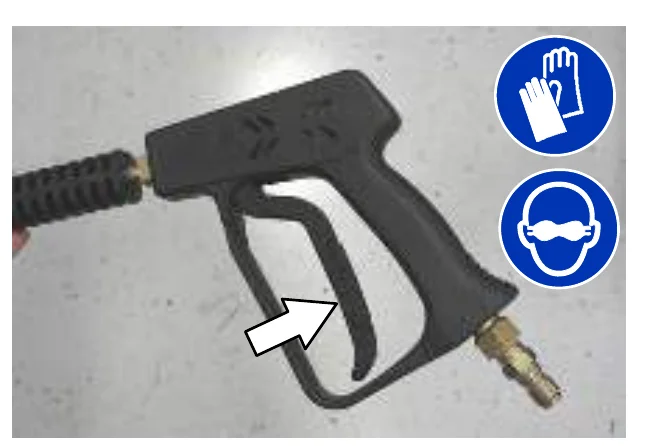
- When finished cleaning, release the trigger.
- Press the bottom of the Pressure washer switch to turn off the washer.
- Turn off the machine.
- Disassemble the hose and wand and return them to the proper storage locations.
- Close the front shroud.
OPERATION
MACHINE TROUBLESHOOTING
| Problem | Cause | Remedy |
|---|---|---|
| Trailing water−poor or no water pickup | Scrub vacuum fan turned off | Turn on vacuum fan |
| Worn squeegee blades | Rotate or replace squeegee blades | |
| Squeegee out of adjustment | Adjust squeegee | |
| No detergent in solution tank causing squeegee to chatter | Add detergent to solution tank | |
| Vacuum hose clogged | Flush vacuum hoses | |
| Vacuum screen dirty | Clean vacuum screen | |
| Recovery tank cover seals worn | Replace seals | |
| Debris caught in squeegee | Remove debris | |
| Vacuum hose to squeegee or recovery tank disconnected or damaged | Reconnect or replace vacuum hose | |
| Recovery tank cover not completely closed | Check for obstructions and make sure cover is closed properly | |
| Scrub vacuum fan will not turn on | Vacuum fan / squeegee button turned off | Turn on Vacuum fan / squeegee button |
| Recovery tank full | Drain recovery tank | |
| Foam filling recovery tank | Empty recovery tank Use less detergent/or use defoamer | |
| Recovery tank sensor dirty or stuck | Clean or replace sensor | |
| Little or no solution flow to the floor (Conventional Scrubbing Mode) | Solution tank empty | Fill solution tank |
| Solution flow turned off | Turn on solution flow | |
| Solution supply lines plugged | Flush solution supply lines | |
| Excessive dusting | Brush skirts and dust seals worn, damaged, or out of adjustment | Replace or adjust brush skirts and/or brush seals |
| Hopper dust filter clogged | Shake and/or replace dust filter | |
| Sweep vacuum fan seal damaged | Replace vacuum fan seal | |
| Sweep vacuum fan failure | Call Tennant service representative | |
| Thermo−Sentry tripped | Allow Therm−Sentry to cool | |
| Poor sweeping performance | Worn brush bristles | Replace brushes |
| Brush pressure set too light | Increase brush pressure | |
| Main brushes not properly adjusted | Adjust brushes | |
| Debris caught in main brush drive mechanism | Remove debris from main brush drive mechanism | |
| Main and/or side brush drive failure | Call Tennant service representative | |
| Hopper is full | Empty hopper | |
| Hopper lip skirts worn or damaged | Replace lip skirts | |
| Improper main brushes | Call Tennant service representative | |
| Poor scrubbing performance | 1−STEP Scrub button not on | Turn on 1−STEP Scrub button |
| Improper detergent or brushes | Call Tennant service representative | |
| Solution tank empty | Fill solution tank | |
| Debris caught on main brushes | Remove debris |
| Problem | Cause | Remedy |
|---|---|---|
| Poor scrubbing performance | Worn main brushes | Replace brushes |
| Brush pressure set too light | Increase brush pressure | |
| FaST System does not operate | FaST button is turned off | Turn on the FaST button |
| Clogged FaST−PAK supply hose and/or connector | Soak connector and hose in warm water and clean | |
| FaST−PAK carton is empty or not connected | Replace FaST−PAK carton and/or connect supply hose | |
| FaST system is not primed | To prime, operate the FaST solution system for a few minutes | |
| Clogged filter screen | Drain solution tank, remove and clean filter screen | |
| Blown fuse | Call Tennant service representative | |
| Faulty solution pump | Call Tennant service representative | |
| ES System does not operate | ES button is turned off | Turn on ES button |
| ES sensor in tank dirty | Clean sensor | |
| Clogged ES pump filter | Clean ES filter | |
| Water level in recovery tank too low | Fill recovery tank about half full | |
| Water level in solution tank too low | Fill solution tank | |
| Sweeping or Scrubbing functions do not turn on | Hopper is up | Completely lower hopper |
| Fire in the hopper | Shut off machine. Extinguish fire. If necessary, call emergency personnel. | |
| Recovery tank full | Press the Scrub vacuum fan/squeegee button for one minute of extended water pickup. Empty recovery tank. ES models: activate the ES system to prevent this. | |
| ec−H2O Model: ec−H2O system indicator light blinks red and the alarm sounds | Mineral deposit build−up in module | Flush module (See ec−H2O MODULE FLUSH PROCEDURE), if indicator light starts flashing within 1−10 seconds, repeat flush procedure. If indicator light starts flashing after a minute of scrubbing, the water may have low conductivity. |
| Low water conductivity | Add 8ml of salt to every 40 L of water. | |
| ec−H2O Model: ec−H2O system indicator light solid red | Defective module | Contact Service Center |
| ec−H2O Model: ec−H2O system indicator light does not turn on | Defective light or module | Contact Service Center |
| ec−H2O Model: No water flow | Clogged module | Contact Service Center |
| Defective solution pump | Replace solution pump | |
| Clogged filter screen | Clean filter screen |
MAINTENANCE
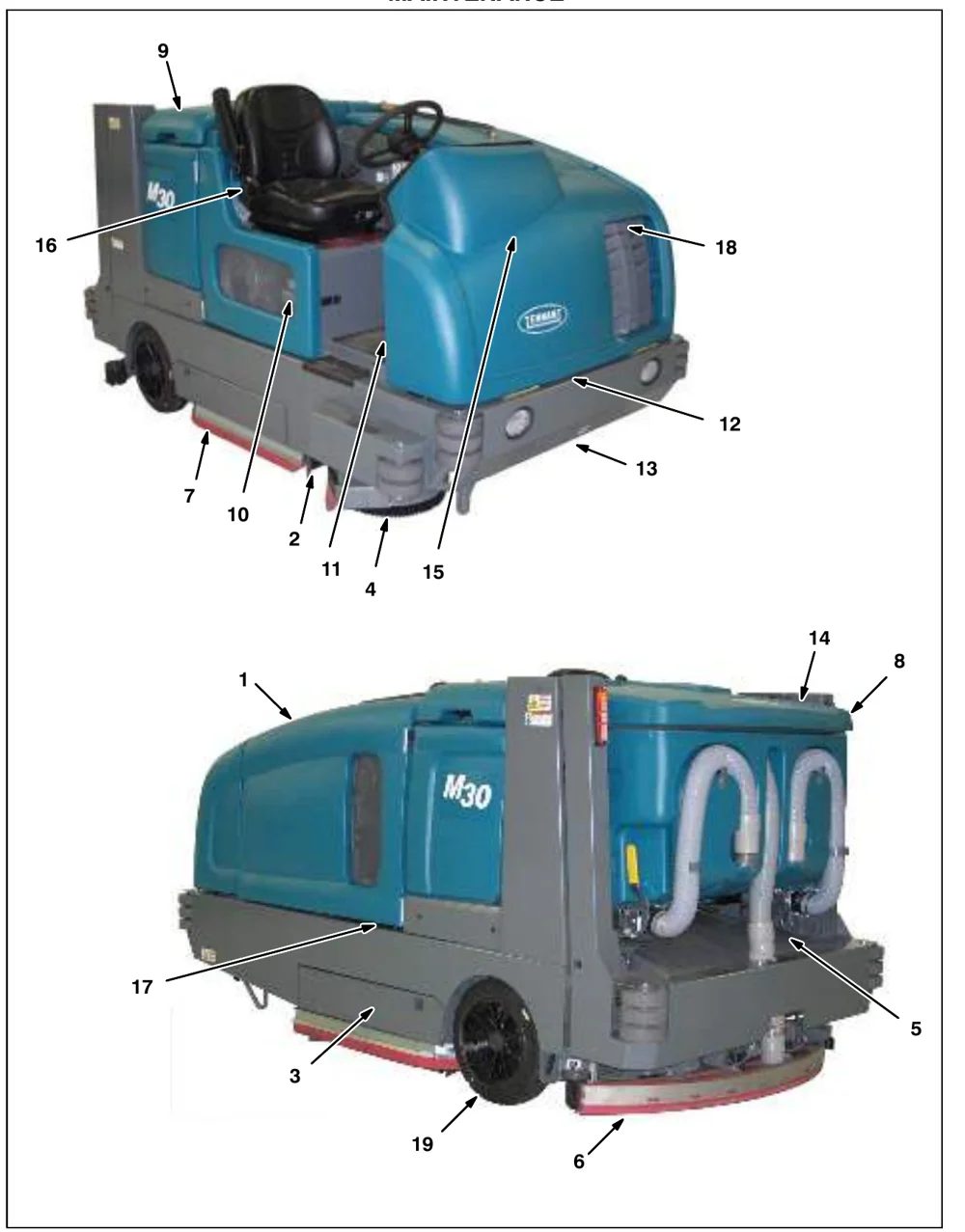
MAINTENANCE CHART
The table below indicates the Person Responsible for each procedure.
O = Operator.
T = Trained Personnel.
| Interval | Person Resp. | Key | Description | Procedure | Lubricant/ Fluid | No. of Service Points |
|---|---|---|---|---|---|---|
| Daily | O | 1 | Engine | Check oil level | EO | 1 |
| Check coolant level in reservoir | WG | 1 | ||||
| O | 10 | Hydraulic fluid reservoir | Check fluid level | HYDO | 1 | |
| O | 8, 9 | Tank cover seals | Check for damage or wear | − | 3 | |
| O | 3 | Main brushes | Check for damage and wear | − | 2 | |
| O | 4 | Side brush (option) | Check for damage and wear | − | 1 | |
| Check squeegee blade for damage and wear | − | 1 | ||||
| O | 5 | Hopper dust filter | Shake to clean | − | 1 | |
| O | 6 | Rear Squeegee Blade | Check for damage and wear | − | 1 | |
| Check deflection | − | 1 | ||||
| O | 7 | Side Squeegee Blades | Check for damage and wear | − | 2 | |
| O | 8 | Recovery tank | Clean | − | 1 | |
| O | 8 | Recovery tank, ES mode (option) | Clean ES filter | − | 1 | |
| O | 9 | Solution tank, ES mode (option) | Clean | − | 1 | |
| O | 5 | Hopper | Clean hopper, debris screen, and hose | − | 1 | |
| 20 Hours | O | 5 | Hopper dust filter | Check for damage, clean, replace if necessary | − | 1 |
| 50 Hours | O | 16 | FaST / ec−H2O filter screen | Clean | − | 1 |
| O | 3 | Main brushes | Rotate front to rear | − | 2 | |
| T | 3 | Main brushes | Check brush pattern and adjust if needed | − | 2 | |
| T | 13 | Front wheel | Torque wheel nuts (after initial 50 hours only) | − | 1 | |
| T | 15 | Battery | Clean and tighten battery cable connections (after initial 50 hours only) | − | 1 |
LUBRICANT/FLUID
EO . . . . 10W−30, 10W−40, or 15W−40 Engine oil, API diesel classification CF or better
HYDO . Tennant or approved hydraulic fluid
WG . . . Water and ethylene glycol anti-freeze, −34° C (−30° F)
SPL . . . Special lubricant, Lubriplate EMB grease (Tennant part number 01433−1)
MAINTENANCE
The table below indicates the Person Responsible for each procedure.
O = Operator.
T = Trained Personnel.
| Interval | Person Resp. | Key | Description | Procedure | Lubricant/ Fluid | No. of Service Points |
|---|---|---|---|---|---|---|
| 50 Hours | T | 1 | Engine | Check belt tension | − | 1 |
| T | 1 | Fuel lines | Check for damage and wear and tighten loose clamp bands | − | All | |
| 100 Hours | T | 18 | Radiator | Clean core exterior | − | 1 |
| T | 19 | Hydraulic cooler | Clean core exterior | − | 1 | |
| T | 1 | Engine | Change oil and filter | EO | 1 | |
| O | 13, 19 | Tires | Check for damage | − | 3 | |
| T | 6 | Rear squeegee casters | Lubricate | SPL | 2 | |
| T | 6 | Rear squeegee | Check leveling | − | 1 | |
| O | 2 | Scrub head skirt | Check for damage or wear | − | 1 | |
| 200 Hours | T | 12 | Front wheel support bearings | Lubricate | SPL | 2 |
| T | 1, 17 | Torque tube | Lubricate | SPL | 4 | |
| T | 12 | Steering cylinder | Lubricate | SPL | 1 | |
| T | 1, 18 | Radiator hoses and clamps | Check for tightness and wear | − | 2 | |
| T | 11 | Brake pedal | Check adjustment | − | 1 | |
| T | 14 | Hopper lift arm pivots | Lubricate | SPL | 2 | |
| T | 5 | Hopper door pivots | Lubricate | SPL | 2 | |
| 400 Hours | T | 1 | Engine | Replace air filter | − | 1 |
| Replace fuel filter | − | 1 | ||||
| T | 20 | Rear wheel bearings | Check, lubricate, and adjust | SPL | 2 | |
| 800 Hours | T | 10 | Hydraulic reservoir | Change hydraulic fluid | HYDO | 1 |
| Replace strainer outlet | 1 | |||||
| Replace filler cap | 1 | |||||
| Replace fluid filter | − | 1 | ||||
| T | − | Hydraulic hoses | Check for wear and damage | − | All | |
| T | 1, 18 | Cooling system | Flush | WG | 2 | |
| T | 13 | Propelling motor | Torque shaft nut | − | 1 | |
| T | 13 | Front wheel | Torque wheel nuts | − | 1 | |
| T | 15 | Battery | Clean and tighten battery cable connections | − | 1 |
LUBRICANT/FLUID
EO . . . . 10W−30, 10W−40, or 15W−40 Engine oil, API diesel classification CF or better
HYDO . Tennant or approved hydraulic fluid
WG . . . Water and ethylene glycol anti-freeze, −34° C (−30° F)
SPL . . . Special lubricant, Lubriplate EMB grease (Tennant part number 01433−1)
The table below indicates the Person Responsible for each procedure.
O = Operator.
T = Trained Personnel.
| Interval | Person Resp. | Key | Description | Procedure | Lubricant/ Fluid | No. of Service Points |
|---|---|---|---|---|---|---|
| 1000 Hours | T | 16 | FaST system filters | Replace | − | 2 |
| 1200 Hours | T | 10 | Hydraulic fluid filter | * Replace fluid filter | − | 1 |
| 2400 Hours | T | 10 | Hydraulic fluid reservoir | * Replace strainer outlet | − | 1 |
| * Change hydraulic fluid | HYDO | 1 |
LUBRICANT/FLUID
EO . . . . 10W−30, 10W−40, or 15W−40 Engine oil, API diesel classification CF or better
HYDO . Tennant or approved hydraulic fluid
WG . . . Water and ethylene glycol anti-freeze, −34° C (−30° F)
SPL . . . Special lubricant, Lubriplate EMB grease (Tennant part number 01433−1)
MAINTENANCE
LUBRICATION
ENGINE OIL
Check the engine oil level daily. Change the oil and oil filter after every 100 hours of operation.
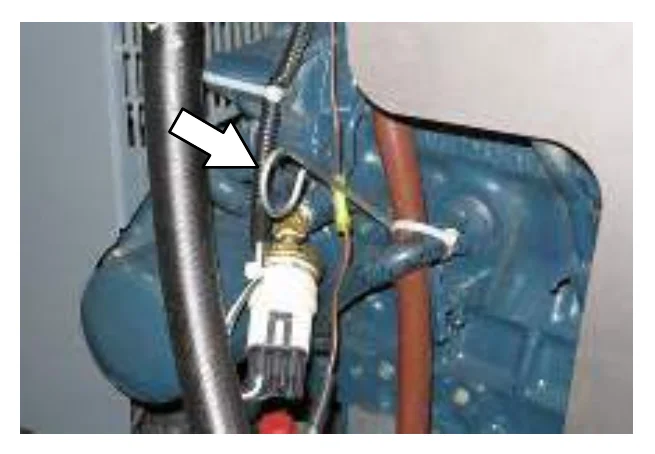
Fill the engine with oil until the oil is between the indicator marks on the dipstick. DO NOT fill past the top indicator mark. The engine oil capacity is 6 L (6.35 qt) with oil filter.
SQUEEGEE CASTER BEARINGS
Lubricate the squeegee caster bearings after every 100 hours of operation.
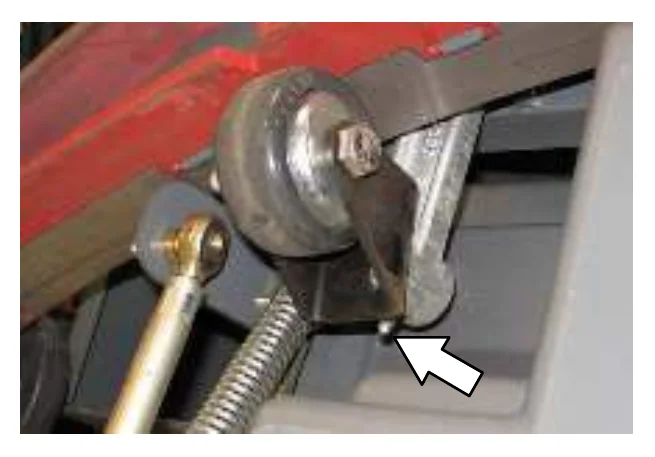
FRONT WHEEL SUPPORT BEARING
Lubricate the front wheel support bearings after every 200 hours of operation. Both front wheel support grease fittings are located underneath the frame support plate.
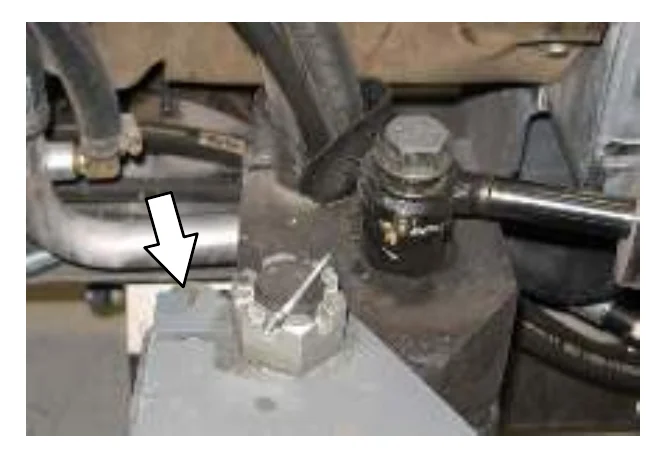
STEERING CYLINDER BEARING
Lubricate the steering cylinder after every 200 hours of operation. The steering cylinder bearing is located next to the front wheel support.
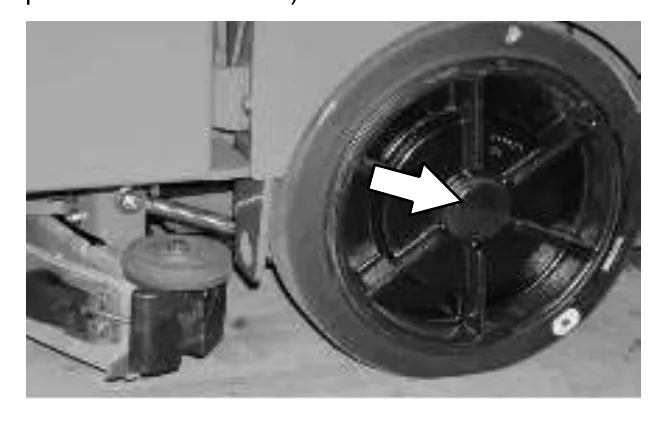
REAR WHEEL BEARINGS
Inspect the rear wheel bearings for seal damage, and repack and adjust every 400 hours of operation. Use Lubriplate EMB grease (Tennant part number 01433−1).
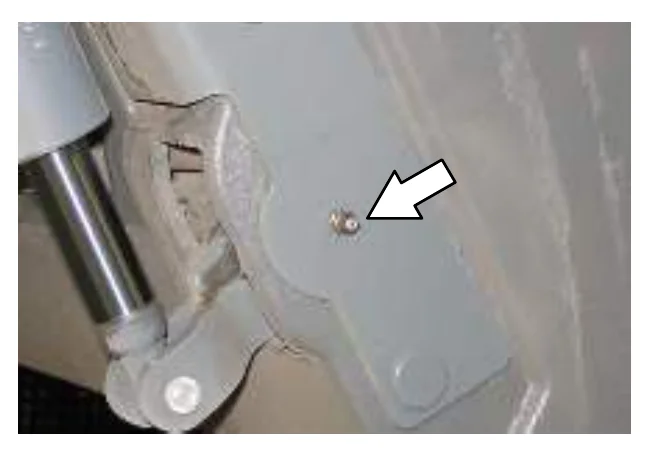
HOPPER LIFT ARM PIVOTS
Lubricate the hopper lift arm pivots after every 200 hours of operation.
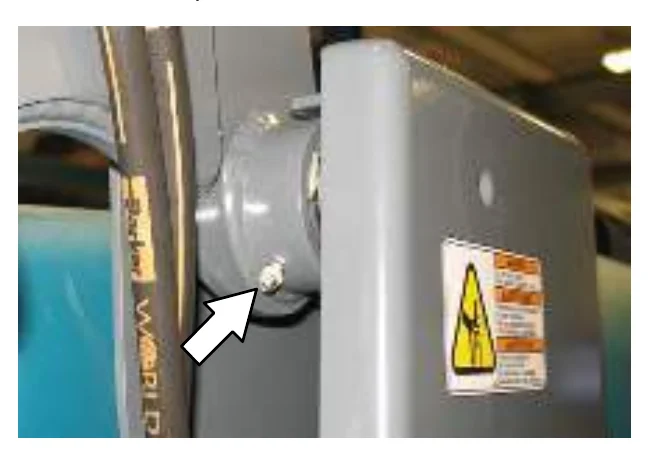
HOPPER DOOR PIVOTS
Lubricate the hopper door pivots after every 200 hours of operation.
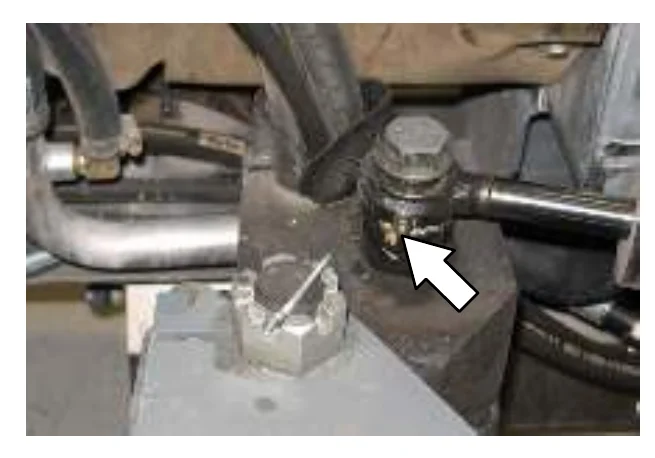
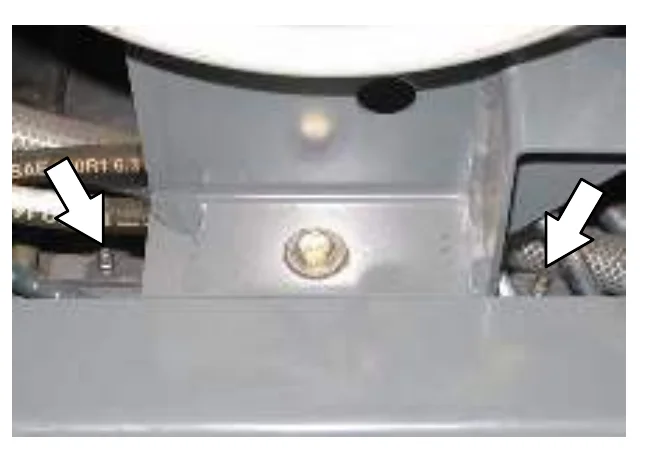
TORQUE TUBES
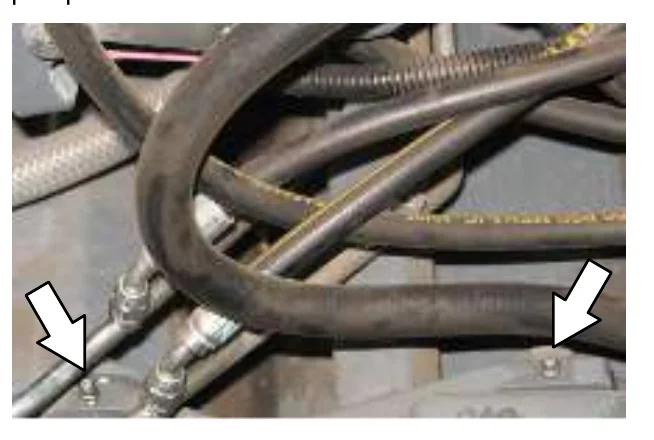
Lubricate the torque tubes after every 200 hours of operation. The torque tube grease fittings on the operator side of the machine are located beneath the fuel tank.
On the other side of the machine the torque tube grease fittings are located beneath the propel pump.
MAINTENANCE
HYDRAULICS
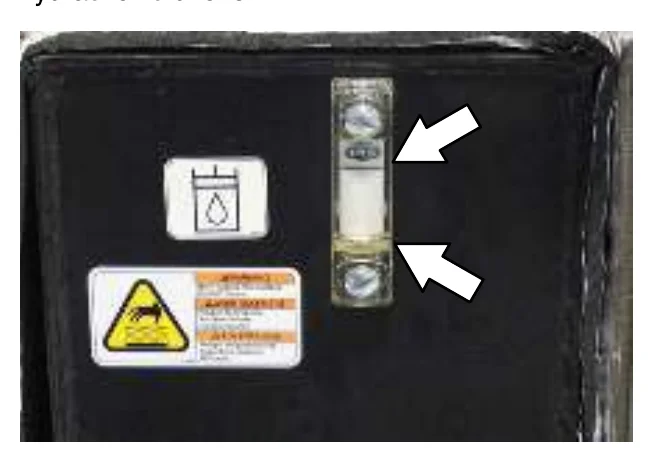
Check the hydraulic fluid level at operating temperature daily. The hydraulic fluid level should be between the two lines on the hydraulic gauge. The hopper must be down when checking hydraulic fluid level.
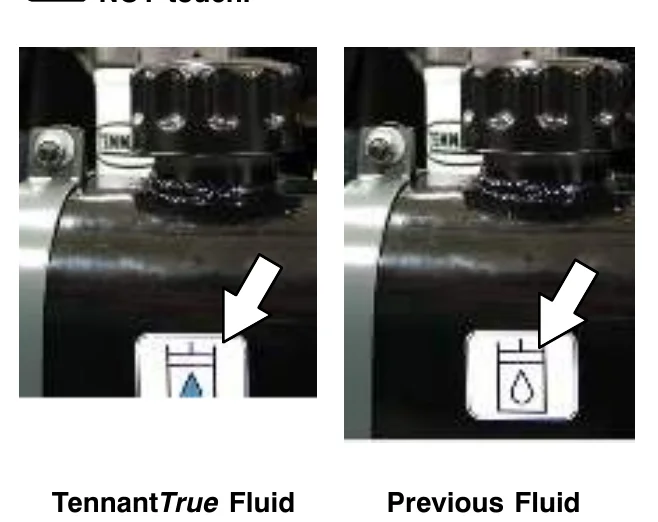
Drain and refill the hydraulic fluid reservoir with new TennantTrue premium hydraulic fluid after every 2400 hours of operation. Machines have a blue colored drop (left photo) on the hydraulic fluid label if originally equipped with TennantTrue premium hydraulic fluid.
Replace the filler cap after every 800 hours of operation. Apply a light film of hydraulic fluid onto the filler cap gasket before installing the cap onto the reservoir.
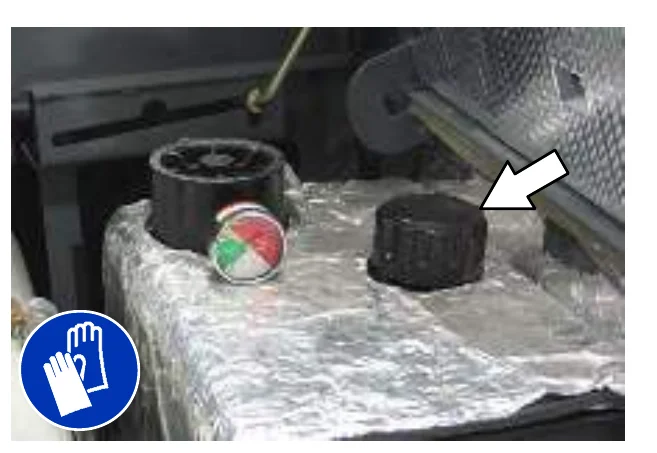
Replace the hydraulic fluid filter after every 1200 hours of operation or if the hydraulic reservoir gauge is in the yellow/red zone when the reservoir hydraulic fluid is approximately 32° C (90° F).
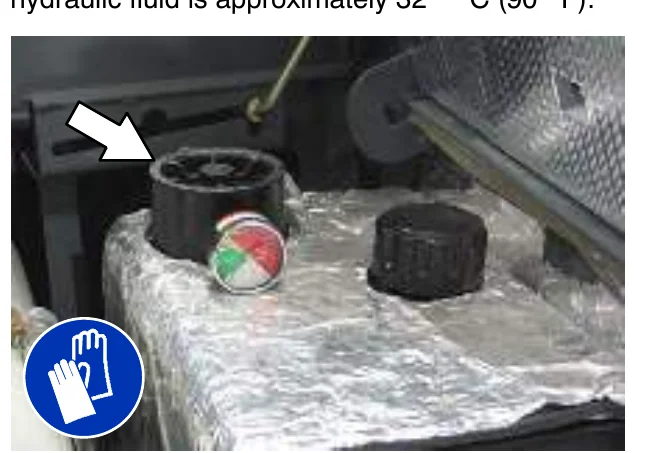
Replace the hydraulic strainer outlet after every 2400 hours of operation.
HYDRAULIC FLUID
There are three fluids available for different temperature ranges:
| TennantTrue premium hydraulic fluid (Extended Life) | |||
|---|---|---|---|
| Part Number | Capacity | ISO Grade Viscosity Index (VI) | Ambient Air Temperature Ranges |
| 1057710 | 3.8 L (1 gal) | ISO 100 VI 126 or higher | 19° C (65° F) or higher |
| 1057711 | 19 L (5 gal) | ||
| 1069019 | 3.8 L (1 gal) | ISO 68 VI 155 or higher | 7 to 43° C (45 to 110° F) |
| 1069020 | 19 L (5 gal) | ||
| 1057707 | 3.8 L (1 gal) | ISO 32 VI 163 or higher | 16° C (60° F) or lower |
| 1057708 | 19 L (5 gal) | ||
If using a locally-available hydraulic fluid, be sure the specifications match Tennant hydraulic fluid specifications. Substitute fluids can cause premature failure of hydraulic components.
HYDRAULIC HOSES
Check the hydraulic hoses after every 800 hours of operation for wear or damage.
High pressure fluid escaping from a very small hole can almost be invisible, and can cause serious injuries.
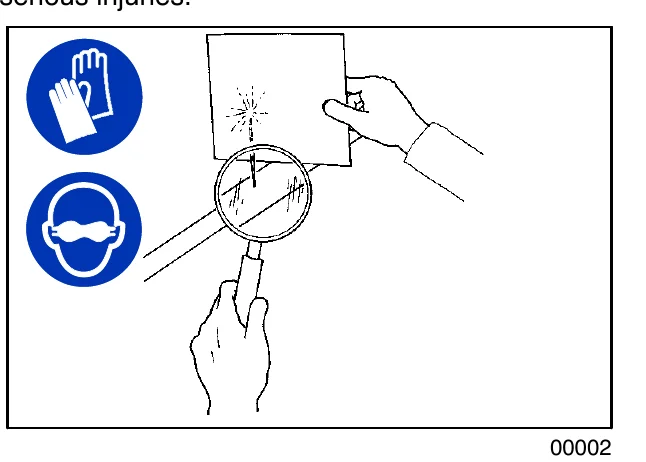
Consult a physician immediately if injury results from escaping hydraulic fluid. Serious infection or reaction can occur if proper medical treatment is not given immediately.
Contact a mechanic or supervisor if a leak is discovered.
MAINTENANCE
ENGINE
COOLING SYSTEM
Check the coolant level in the reservoir daily. The coolant level must be between the indicator marks when the engine is cold. Refer to the coolant manufacture for water/coolant mixing instructions.
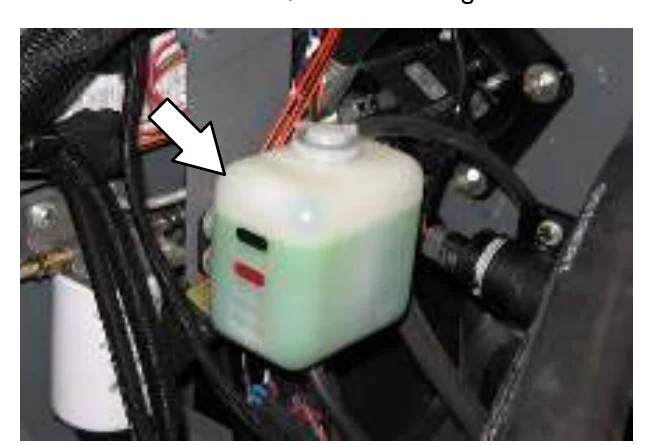
Flush the radiator and the cooling system after every 800 hours of operation.
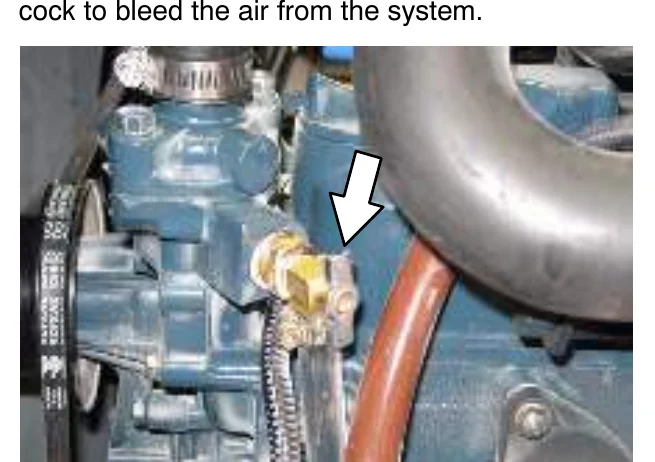
The cooling system must be completely filled with coolant to keep the engine from overheating. When filling the cooling system, open the drain cock to bleed the air from the system.
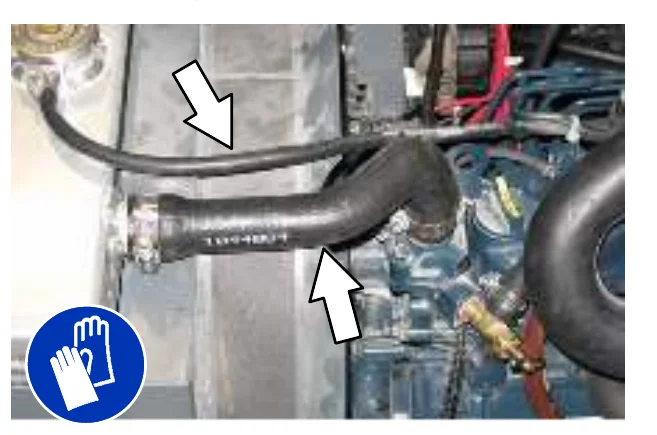
Check the radiator hoses and clamps after every 200 hours of operation. Tighten loose clamps. Replace damaged hoses and clamps.
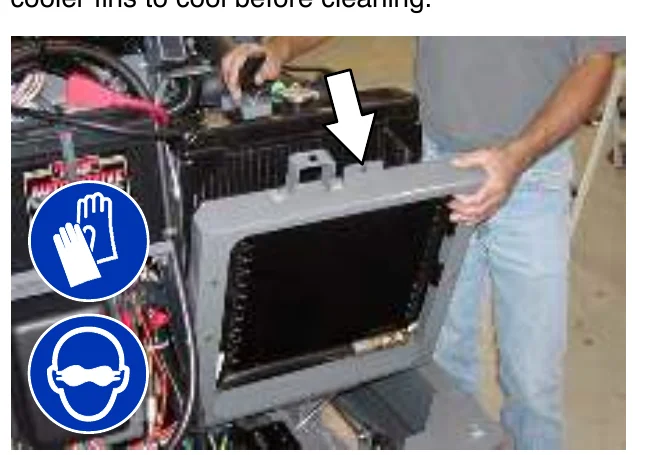
Check the radiator core exterior and hydraulic cooler fins for debris after every 100 hours of operation. Blow or rinse all dust through the grille and radiator fins, in the opposite direction of normal air flow. Be careful to not bend the cooling fins when cleaning. Clean thoroughly to prevent the fins from becoming encrusted with dust. To avoid cracking the radiator, allow the radiator and cooler fins to cool before cleaning.
MAINTENANCE
AIR FILTER
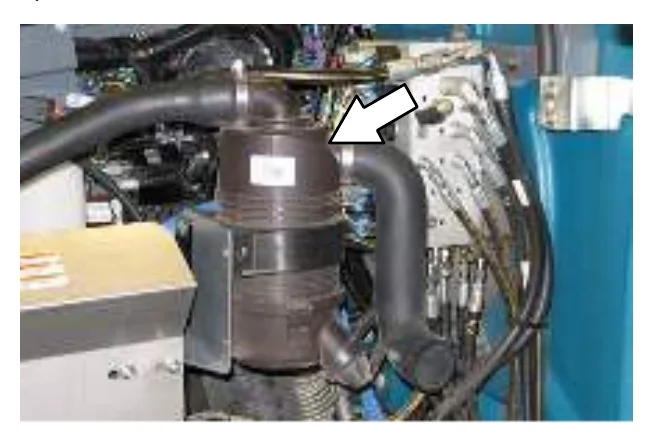
Replace the air filter after every 400 hours of operation.
FUEL FILTER
The fuel filter removed imputities from the fuel. Replace the fuel filter after every 400 hours of operation.
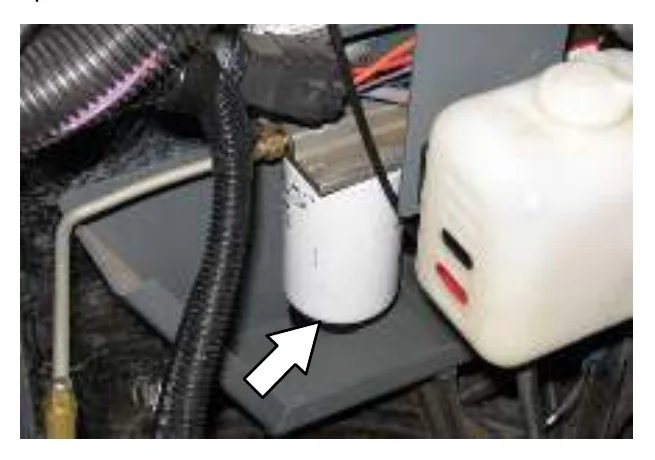
FUEL LINES
Check the fuel lines every 50 hours of operation. If the clamp band is loose, apply oil to the screw of the band and securely tighten the band.
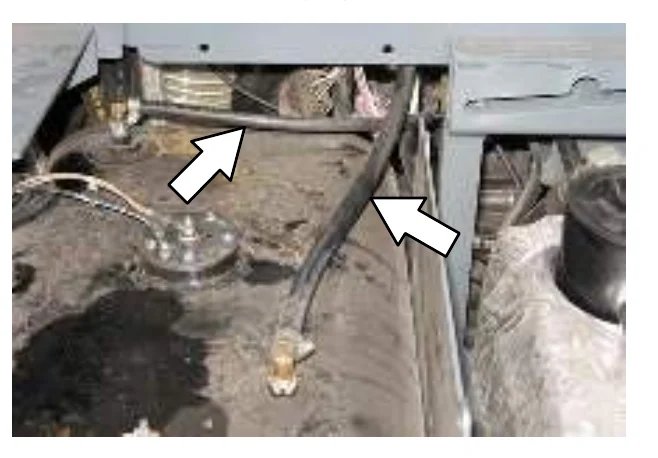
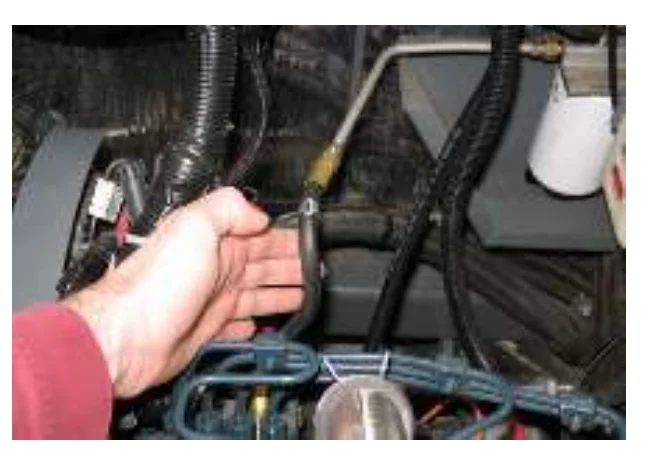
The rubber fuel lines can become worn−out whether the engine has been used much or not. Replace the fuel lines and clamp bands every two years.
If the fuel lines and clamp bands are found worn or damaged before two years’ time; replace or repair them at once. Bleed the fuel system after replacement of any fuel lines, see PRIMING THE FUEL SYSTEM. When the fuel lines are not installed, plug both ends with clean cloth or paper to prevent dirt from entering the lines. Dirt in the lines can cause fuel injection pump malfunction.
MAINTENANCE
PRIMING THE FUEL SYSTEM
Typical diesel fuel systems require priming to remove pockets of air from the fuel lines and fuel components. This is usually required after running out of fuel, changing fuel filter elements or repairing a fuel system component. Air in the fuel prevents smooth engine operation.
This fuel system however is self-priming. The return line comes from the top of the injector that allows the air to escape through the return line.
ENGINE BELT
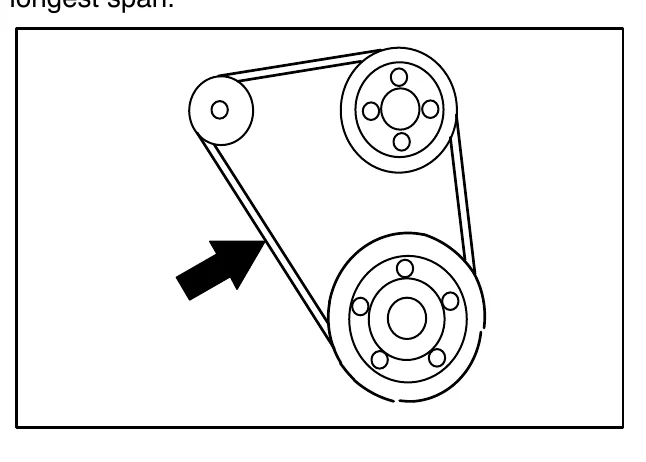
Check the belt tension after every 50 hours of operation. Adjust tension as necessary. Proper belt tension is 13 mm (0.50 in) from a force of 4 to 5 kg (8 to 10 lb) applied at the mid-point of the longest span.
BATTERY
Clean and tighten the battery connections after the first 50 hours of operation and after every 800 hours after that. Do not remove the vent plugs from the battery or add water to the battery.
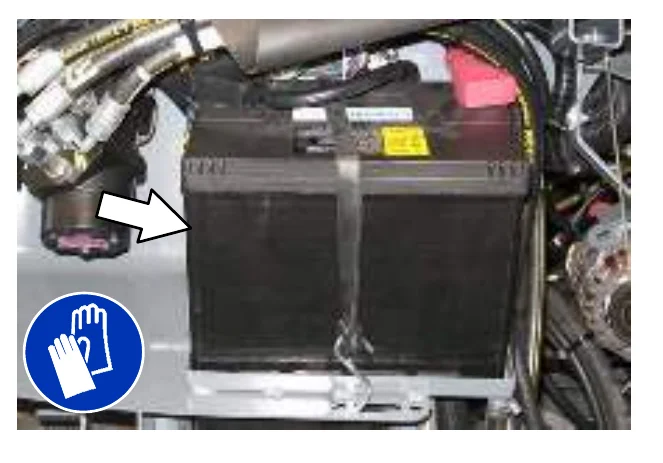
FUSES AND RELAYS
RELAY PANEL FUSES AND RELAYS
Fuses are one-time protection devices designed to protect the wire harness by stopping the flow of current in the event of a circuit overload. Relays switch the electrical power going to the machine electrical systems on/off. Remove the relay panel cover to access fuses and relays.
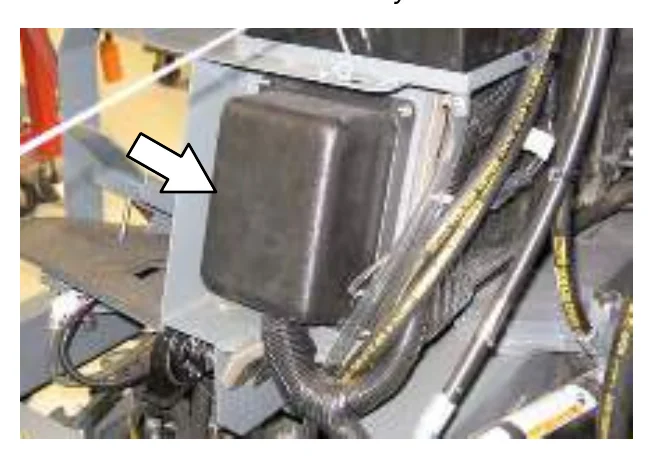
Refer to the diagram below for locations of the fuses and relays on the relay panel.
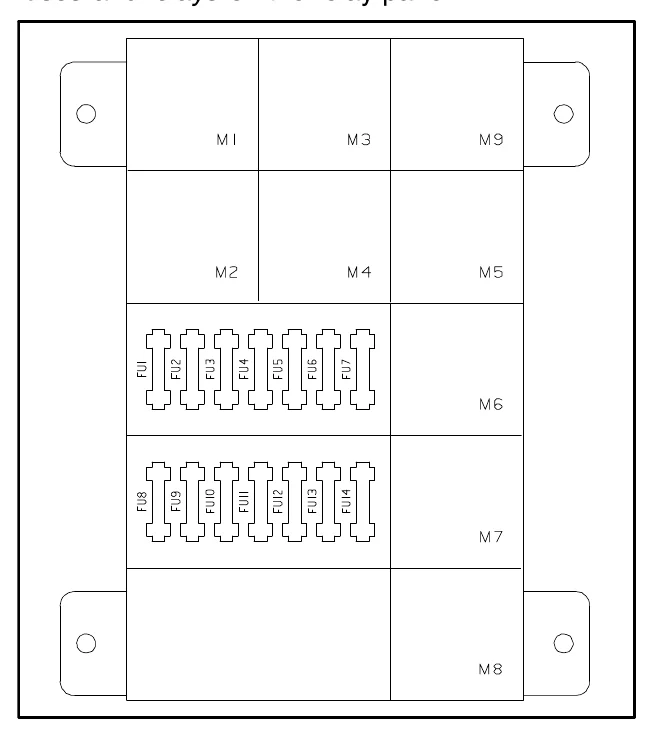
Refer to the table below for the fuses and circuits protected.
| Fuse | Rating | Circuit Protected |
|---|---|---|
| FU1 | 15 A | Auxiliary Relays/Engine Controls |
| FU2 | 15 A | Shaker |
| FU3 | 15 A | Horn |
| FU4 | 15 A | Not Used |
| FU5 | 15 A | Scrub Vacuum/Main Brush/ Squeegee Down/Hopper Up |
| FU6 | 15 A | Enable/Side Brush/Sweep Vacuum |
| FU7 | 15 A | Solution/Hopper Latch and Door/ Auto Fill/Reverse/Shaker |
| FU8 | 15 A | ES/FaST/Detergent/ Hopper Down/Spray Wand |
| FU9 | 15 A | Lights |
| FU10 | 15 A | Unswitched B+ for controller board |
| FU11 | 15 A | Not Used: Options |
| FU12 | 15 A | Spray Nozzle Pump |
| FU13 | 15 A | AC/Heater Option |
| FU14 | 15 A | Not Used |
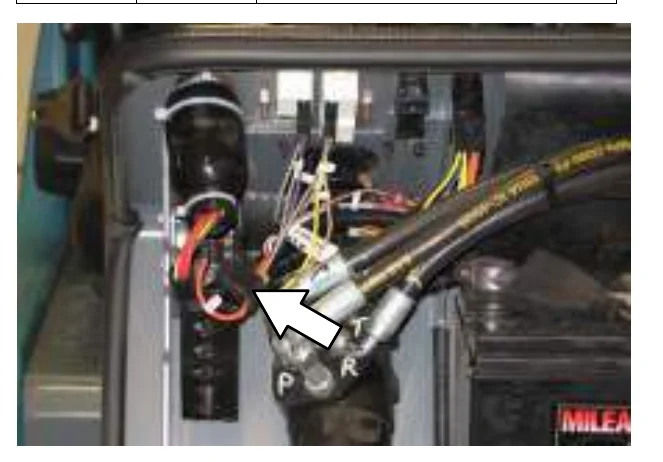
| − | 20 A | ec−H2O (near ignition switch) |
Refer to the table below for the relays and circuits controlled.
| Relay | Rating | Circuit Controlled |
|---|---|---|
| M1 | 12 VDC, 40 A | Auxiliary 1 |
| M2 | 12 VDC, 40 A | Auxiliary 2 |
| M3 | 12 VDC, 40 A | Shaker |
| M4 | 12 VDC, 40 A | Reverse |
| M5 | 12 VDC, 40 A | Horn |
| M6 | 12 VDC, 40 A | Shutdown |
| M7 | 12 VDC, 40 A | Starter |
| M8 | 12 VDC, 40 A | Auxiliary 3 |
| M9 | 12 VDC, 40 A | Spare |
MAINTENANCE
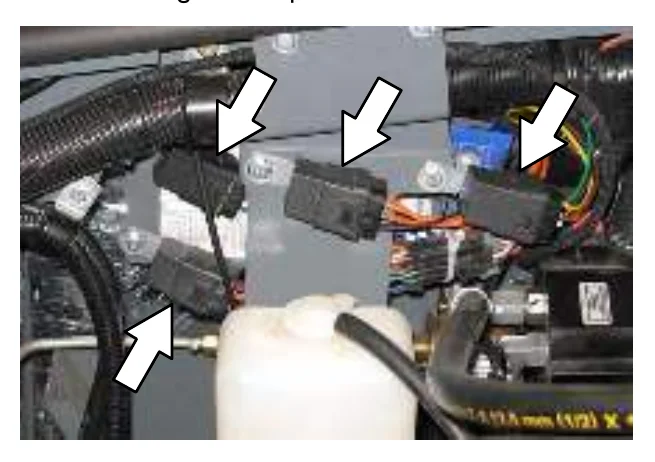
ENGINE HARNESS FUSES AND RELAYS
The engine harness fuses and relays are located inside the engine compartment.
| Relay | Rating | Circuit Controlled |
|---|---|---|
| M10 | 12 VDC. 40 A | Oil Pressure |
| M11 | 12 VDC. 40 A | Antistart |
| M12 | 12 VDC. 40 A | Start |
OPTIONAL RELAYS
The optional spray nozzle or pressure wand relay is located behind the battery. The optional FaST scrubbing system relay is located behind the seat.
| Relay | Rating | Circuit Controlled |
|---|---|---|
| − | 12 VDC. 40 A | Spray Wand |
| − | 12 VDC. 40 A | Pressure Washer |
| − | 12 VDC. 40 A | FaST |
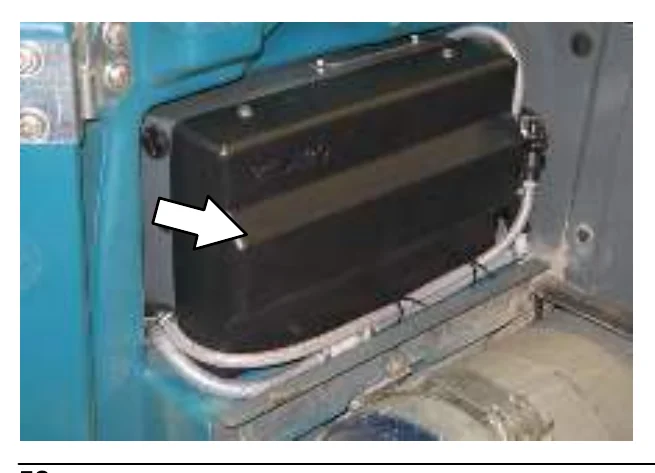
CIRCUIT BREAKERS (ec−H2O)
Circuit breakers are resettable electrical circuit protection devices that stop the flow of current in the event of a circuit overload. Once a circuit breaker is tripped, allow breaker to cool and then press the reset button to manually reset the breaker.
CLEANING THE HOPPER DUST FILTER
Shake the dust filter before emptying the hopper and at the end of every shift. Inspect and clean the filter after every 20 hours of operation. Replace damaged dust filters.
Use one of the following methods to clean the dust filter:
SHAKING−Press the filter shaker button.
TAPPING−Tap the filter, with the dirty side down, gently on a flat surface. Do not damage the edges of the filter. The filter will not seal properly in the filter frame if the edges of the filter are damaged.
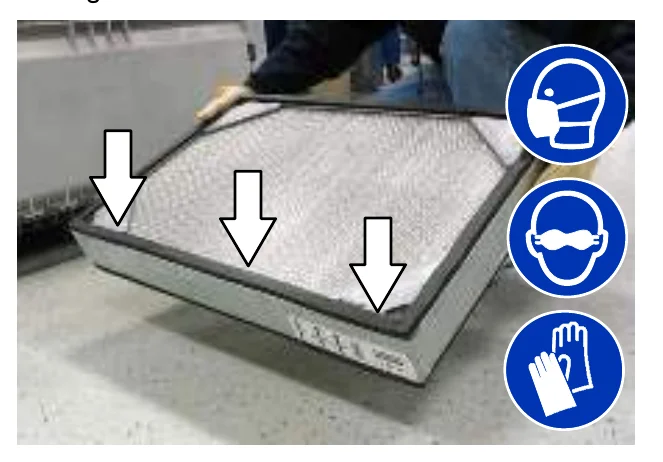
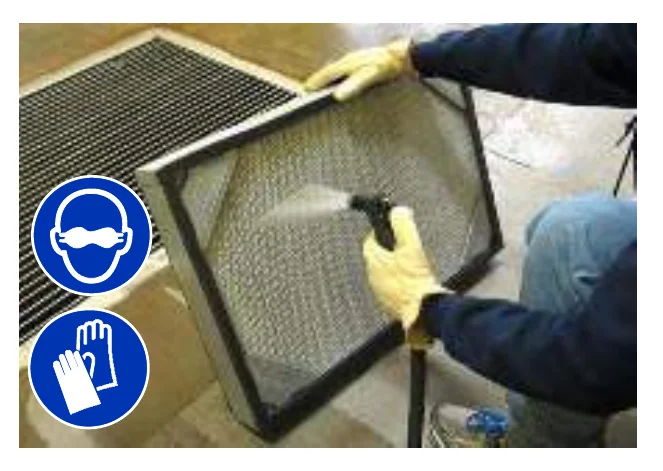
AIR−Always wear eye protection when using compressed air. Blow air through the dust filter opposite the direction of the arrows. Never use more than 690 kPa (100 psi) of air pressure and never hold the nozzle closer than 50 mm (2 in) to the filter. This may be done with the dust filter in the machine.
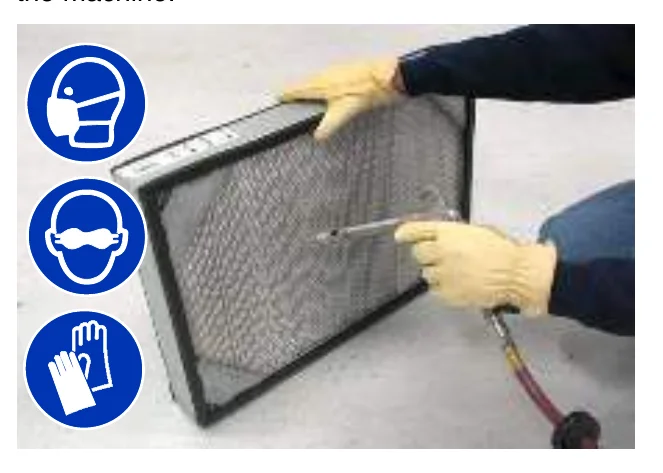
WATER−Rinse the dust filter with a low pressure garden hose through the dust filter opposite the direction of the arrows.
THERMO−SENTRY
The Thermo−Sentry, located inside the hopper, senses the temperature of the air pulled up from the hopper. If there is a fire in the hopper, the Thermo−Sentry stops the vacuum fan and cuts off the air flow. The Thermo−Sentry automatically resets after cooling down.
MAIN BRUSHES
Check the main brushes daily for tangled wire or string, wear, and damage.
Replace the brushes when they no longer clean effectively.
Rotate the brushes from front to rear after every 50 hours of machine operation for maximum brush life and best scrubbing performance.
REPLACING OR ROTATING THE MAIN BRUSHES
The front brush can be accessed on the left side of the machine and rear brush can be accessed on the right side of the machine.
- Raise the scrub head.
- Open the outer brush doors.
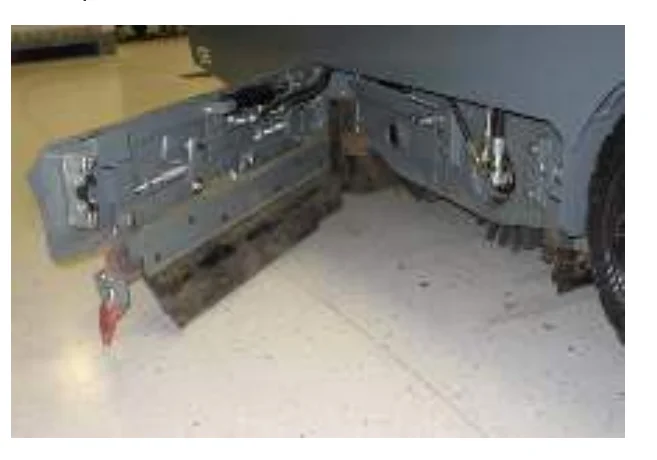
- Open the inner brush doors.
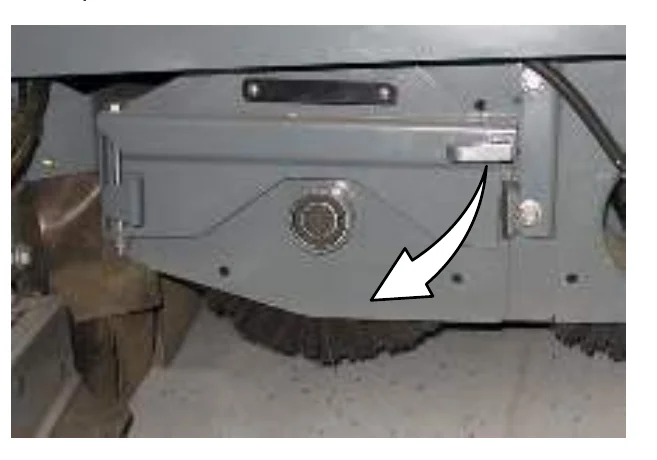
- Remove the brush idler plates.
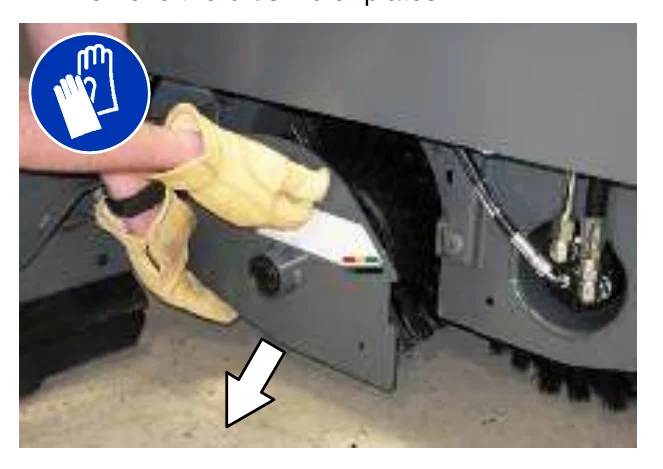
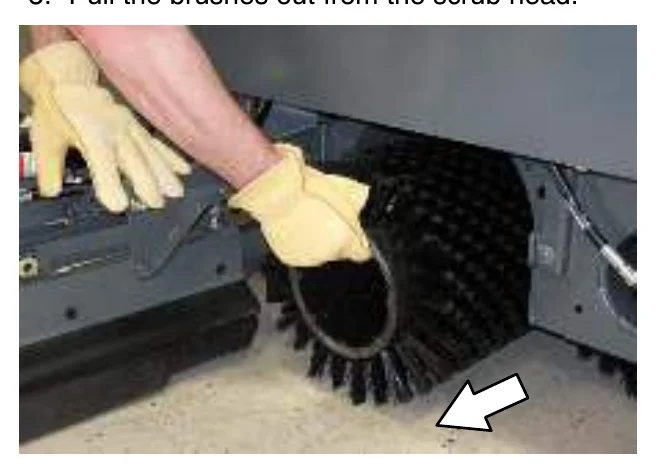
- Pull the brushes out from the scrub head.
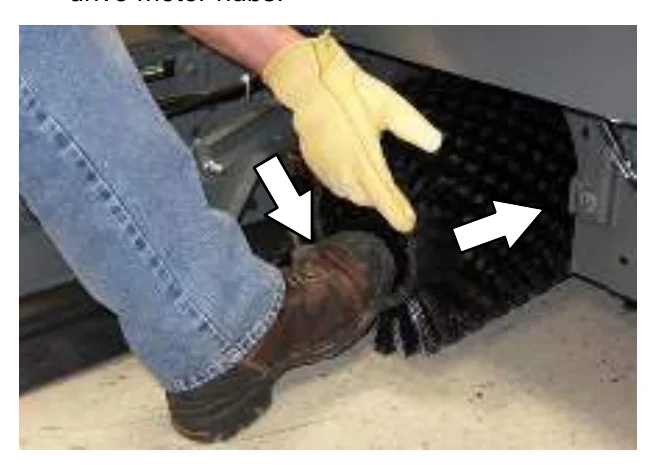
- Install the new or rotated brushes by pushing down on the ends while sliding them onto the drive motor hubs.
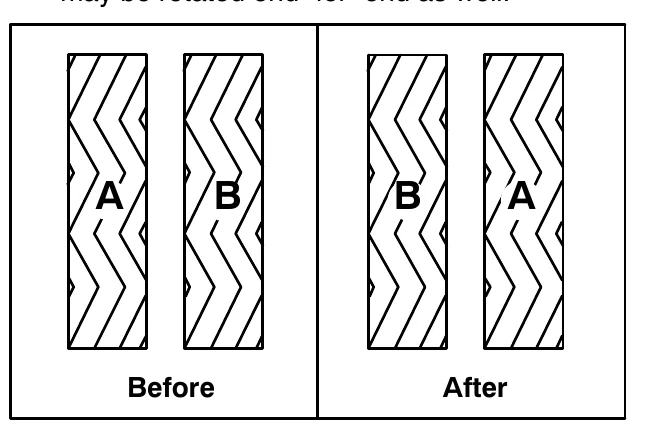
- If rotating the brushes, always rotate the front with the back so that they wear evenly. They may be rotated end-for-end as well.
- Reinstall the brush idler plates.
- Close the inner and outer brush doors.
- Check the brush pattern and adjust if needed after rotating them. Refer to CHECKING AND ADJUSTING THE MAIN BRUSH PATTERN.
CHECKING THE MAIN BRUSH PATTERN
- Apply chalk, or a similar marking material, to a smooth and level section of the floor.
- Raise the scrub head, then position the brushes over the chalked area.
- Set the parking brake.
- Press the 1−STEP Sweep button to lower the scrub head. Set the brush pressure to the lowest setting and allow the brushes to operate for 15 to 20 seconds. Keep the scrub head in one spot in the chalked area.
- Raise the scrub head, release the parking brake, and drive the machine away from the chalked area.
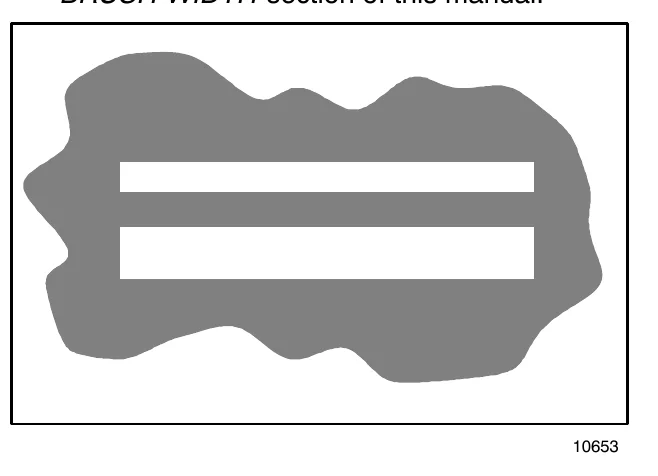
- Observe the brush patterns. If the brush pattern is the same width across the entire length of each brush and both brushes are the same width, no adjustment is necessary.
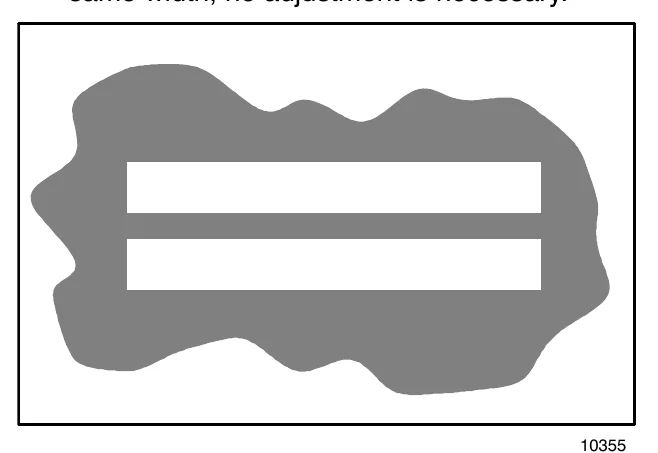
- If the brush patterns are tapered, see ADJUSTING THE MAIN BRUSH TAPER section of this manual.
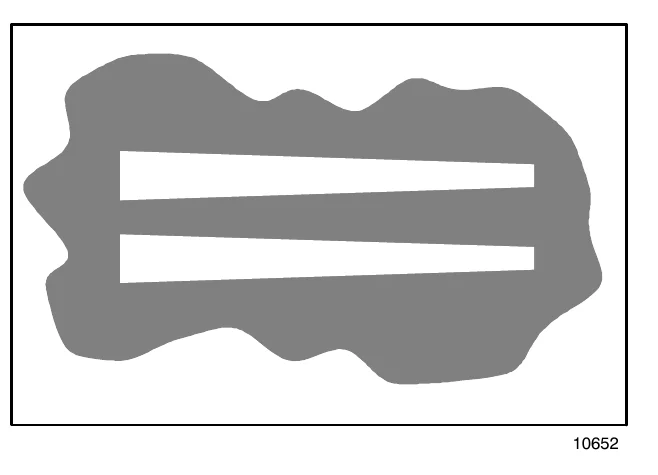
- The brush patterns should be 50 to 75 mm (2 to 3 in) wide with the brushes in the lowered position and both patterns should be the same width. If the width of the brushes is not the same, see ADJUSTING THE MAIN BRUSH WIDTH section of this manual.
ADJUSTING THE MAIN BRUSH TAPER
- Loosen the four mounting bolts on the brush drive housing.
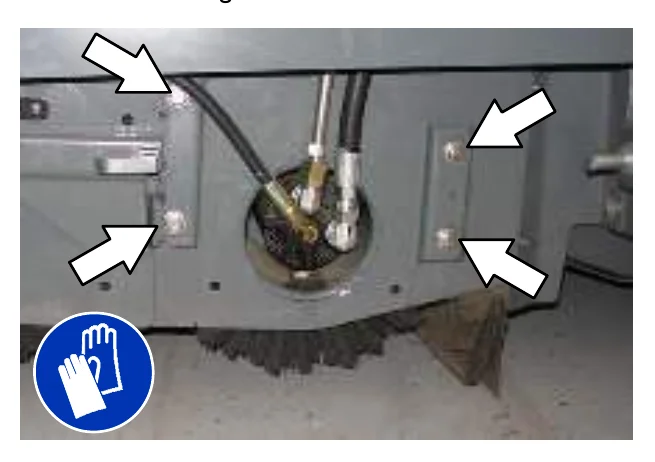
- Move the brush drive housing up to decrease the pattern width on that side of the scrub head or down to increase the pattern width on that side of the scrub head.
- Tighten the mounting bolts.
- Recheck the pattern. Readjust if necessary.
ADJUSTING THE MAIN BRUSH WIDTH
- Adjust the length of the drag links on both sides of the scrub head. Lengthen the drag links to increase the rear brush pattern width. Shorten the drag links to increase the front brush pattern. Always adjust the nut on each drag link an equal number of turns.
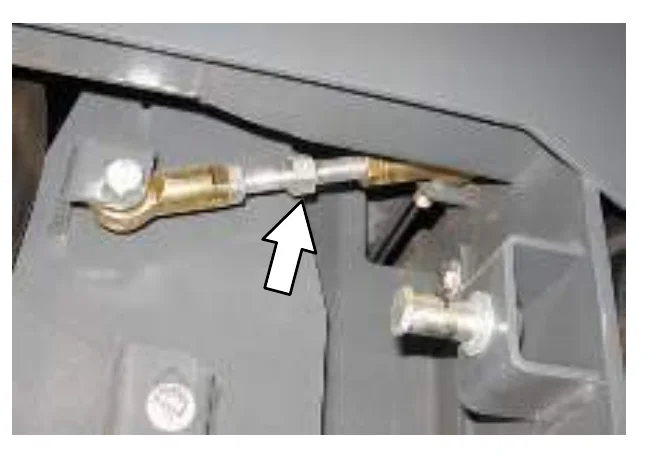
- Recheck the pattern. Readjust if necessary.
SIDE BRUSH (OPTION)
Check the side brush daily for wear or damage. Remove any tangled string or wire from the side brush or side brush drive hub.
REPLACING THE SIDE BRUSH
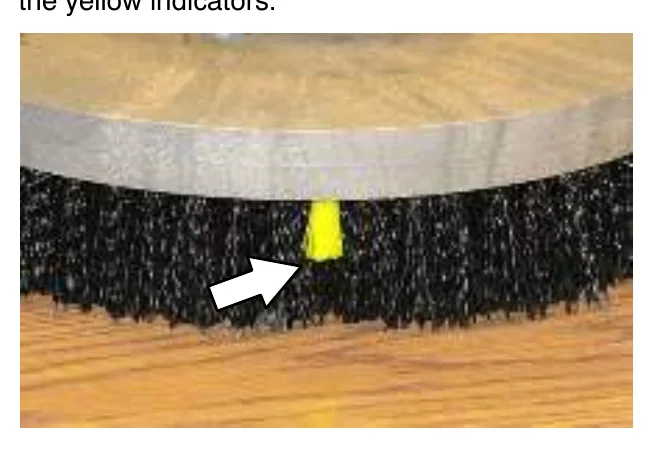
Replace the brush when it no longer cleans effectively or when the bristles are worn down to the yellow indicators.
- If necessary, raise the side brush.
- Turn the brush until the spring handles are visible through the access hole in the side brush assembly.
- Squeeze the spring handles and let the side brush drop to the floor.
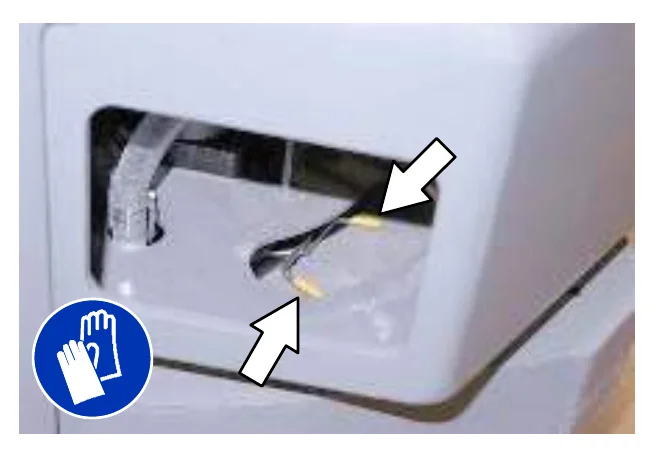
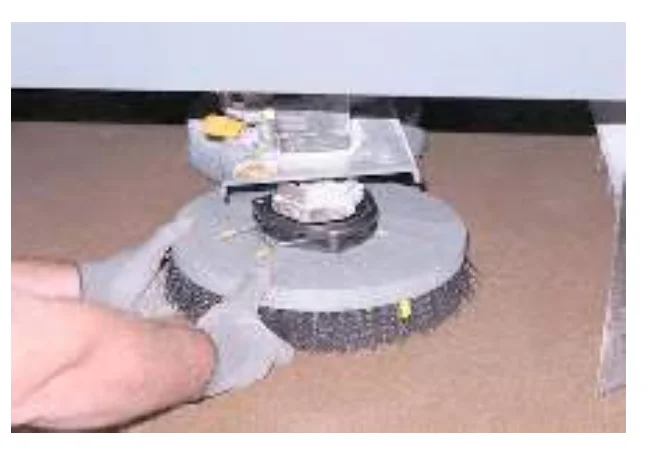
- Remove the side brush from underneath the side brush assembly.
- Set the brush spring open on the new brush to make installation easier.
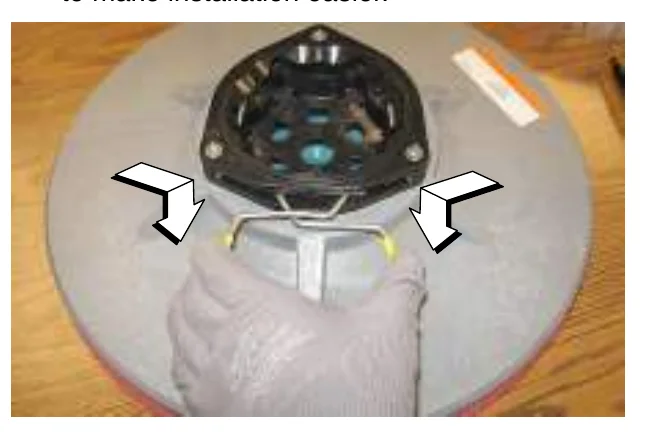
- Place the new side brush underneath the side brush assembly and lift the side brush up onto the side brush hub until the brush locks onto the hub.
FaST SYSTEM
REPLACING THE FaST−PAK CARTON
- Open the side access door.
- Slide the seat completely forward.
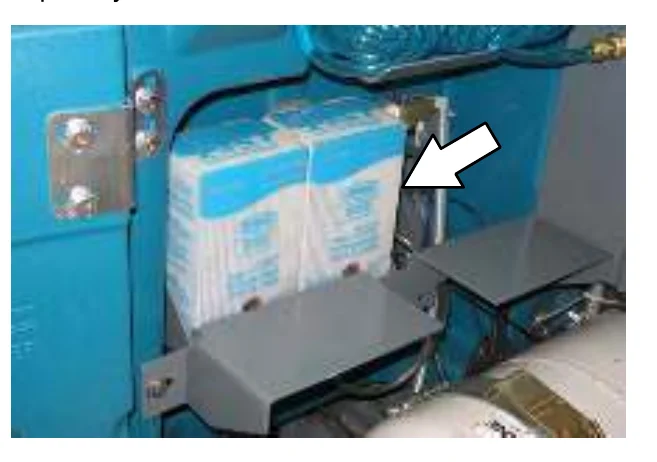
- Squeeze the button on the FaST supply hose connector, then pull the empty FaST−PAK carton out from the compartment and discard.
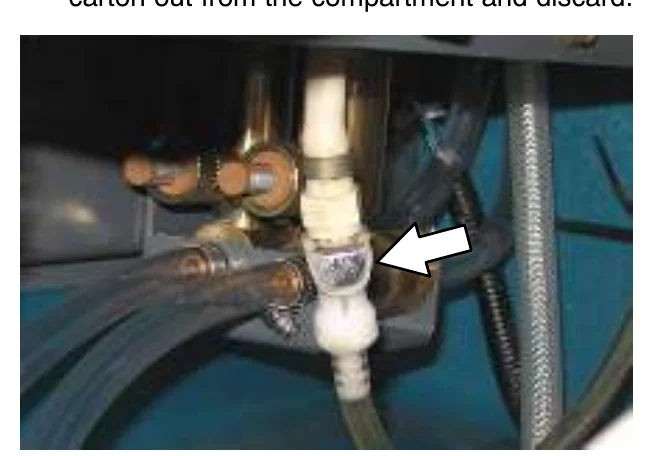
- Remove the perforated knock outs from the new FaST−PAK carton. Do Not remove the bag from the carton. Pull out the hose connector located on the bottom of the bag and remove the hose cap from the connector.
- Slide the FaST−PAK carton into the FaST−PAK bracket.
- Connect the FaST supply hose to the FaST−PAK hose connector.
- Scrub with the FaST system for a few minutes to allow the detergent to reach maximum foaming.
CLEANING THE FaST SUPPLY HOSE CONNECTOR
Soak the connector in warm water if detergent buildup is visible. When a FaST−PAK carton is not installed, store the supply hose connector on the storing plug to prevent the hose from clogging.
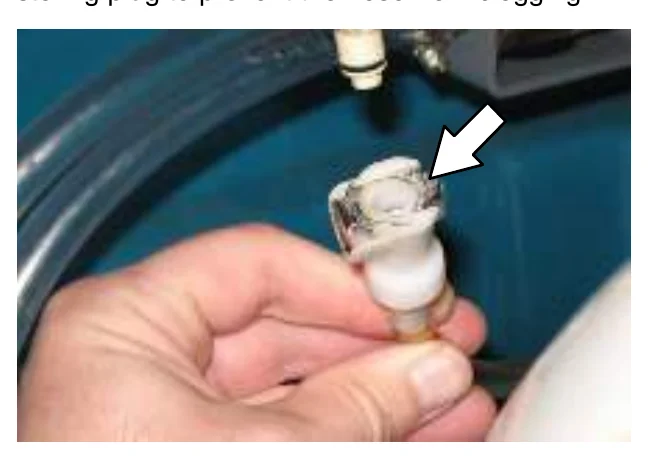
CLEANING THE FaST SYSTEM FILTER SCREEN
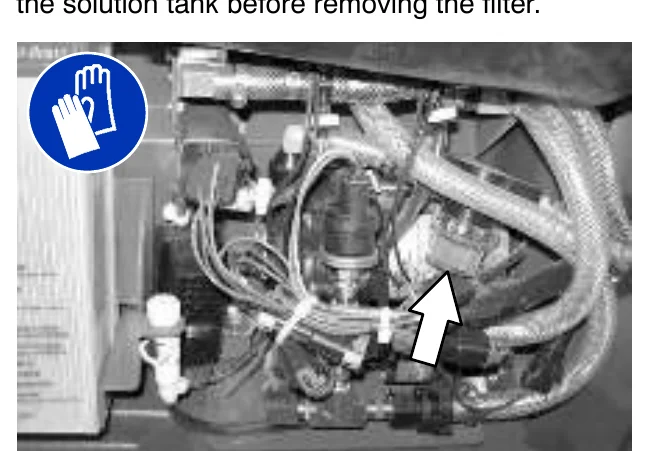
The FaST system filter screen filters water from the solution tank as the water flows into the FaST system.
Remove the filter screen bowl and clean the filter screen after every 50 hours of operation. Empty the solution tank before removing the filter.
REPLACING THE FaST SYSTEM FILTERS
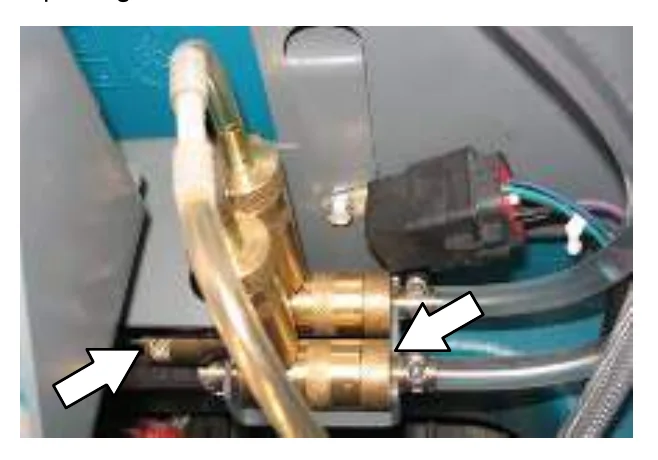
Replace the FaST system filters after every 1000 hours of operation. Empty the solution tank before replacing the filters.
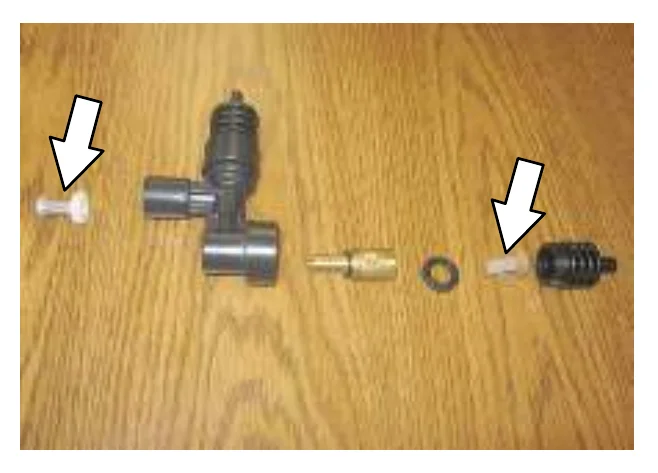
ec−H2O MODULE FLUSH PROCEDURE
This procedure is only required when an alarm sounds and the ec−H2O system indicator light begins to blink red.
- Remove both flush hoses from the storage bag located behind the operator seat.
- Lock the operator seat cover open.
- Disconnect the ec−H2O system intake hose from the solution supply hose and connect the intake flush hose (gray connector) to the ec−H2O system intake hose.
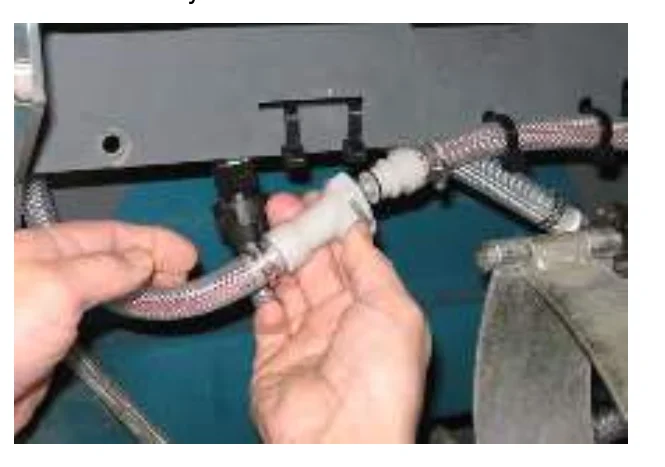
- Disconnect the ec−H2O system outlet hose from the hose to the scrub head and connect the outlet flush hose (black connector) to the ec−H2O system outlet hose.
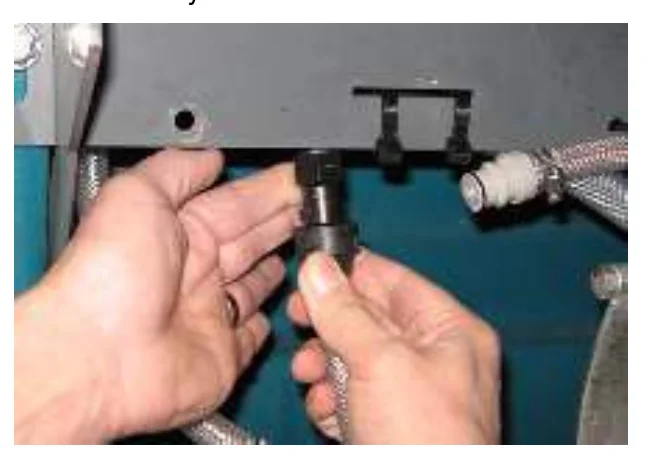
- Place the ec−H2O system intake hose into a container containing 5 gallons (19 liters) of white or rice vinegar. Place the outlet hose into an empty container.
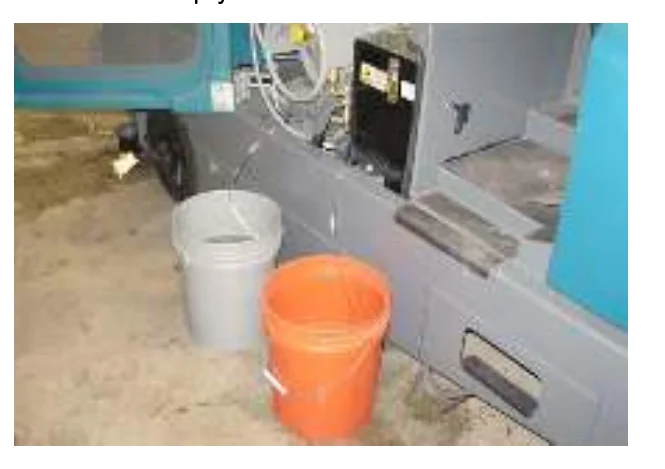
- Turn the key to the on position without starting the engine.
- Press and release the ec−H2O module flush switch to start the flush cycle.
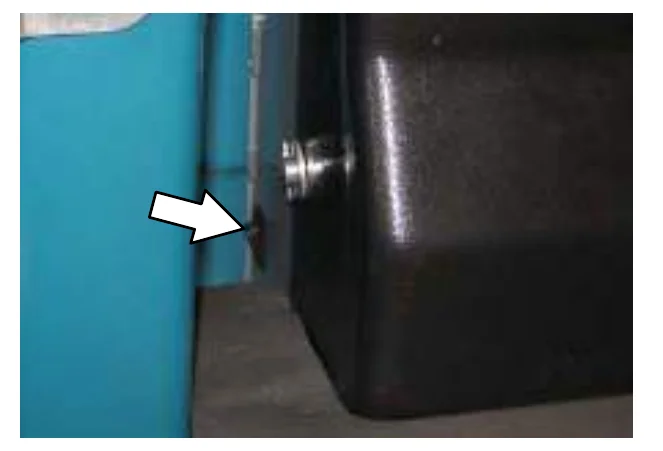
- After the 7 minute flush cycle, remove the siphon hose from the container of vinegar and place the siphon hose into a container of cool clean water. Press the flush switch again to rinse out any remaining vinegar from the module. After 1−2 minutes, press the flush switch to turn off the module.
- Disconnect the flush hoses from the ec−H2O system intake hose and outlet hose and return the flush hoses to the storage bag.
- Reconnect ec−H2O intake and outlet hoses. If the ec−H2O system indicator light continues to flash, repeat the flush procedure. If the problem persists, contact an Authorized Service Center.
- Close the operator seat cover.
CLEANING THE ec−H2O FILTER SCREEN
Remove and clean the ec−H2O filter screen after every 50 hours of operation.
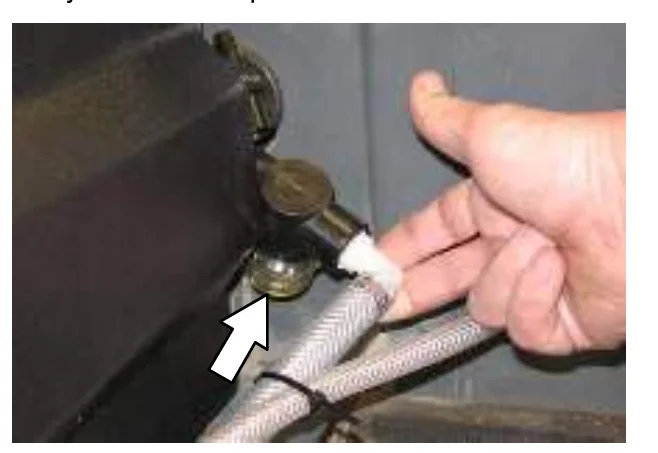
SQUEEGEE BLADES
Check the squeegee blades for damage and wear daily. When the blades become worn, rotate the blades end−for−end or top−to−bottom to a new wiping edge. Replace blades when all edges are worn.
Check the deflection of the squeegee blades daily or when scrubbing a different type of surface. Check the leveling of the rear squeegee every 100 hours of operation.
REPLACING (OR ROTATING) THE REAR SQUEEGEE BLADES
- Lower the scrub head.
- Disconnect the vacuum hose from the rear squeegee assembly.
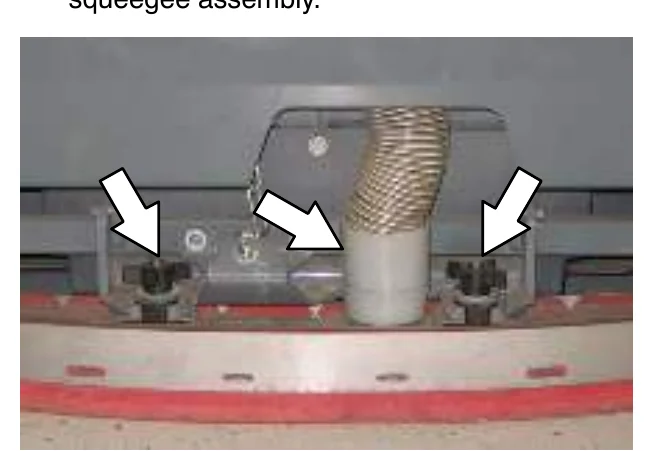
- Remove both mounting knobs from the rear squeegee assembly.
- Turn on the machine, raise the scrub head, and turn off the machine.
- Remove the rear squeegee assembly from the machine.
- Loosen the rear retaining band tension latch and open the retaining band.
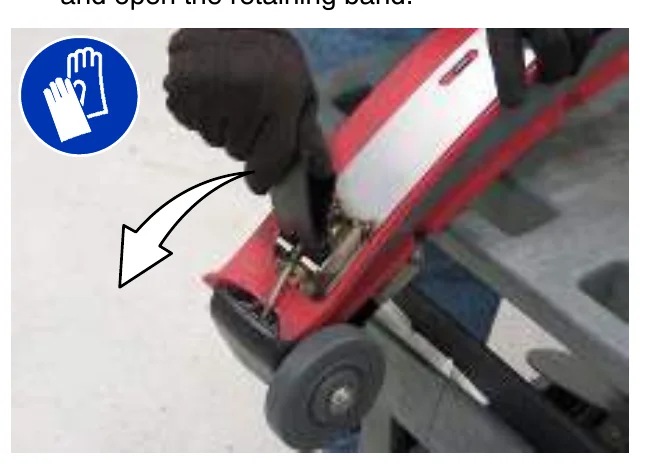
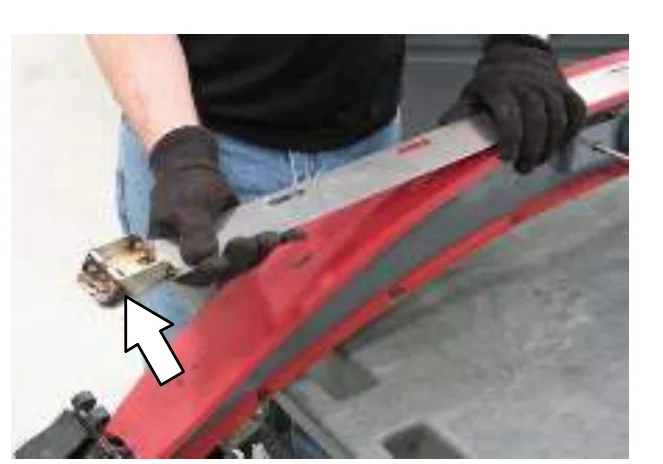
- Remove the rear squeegee.
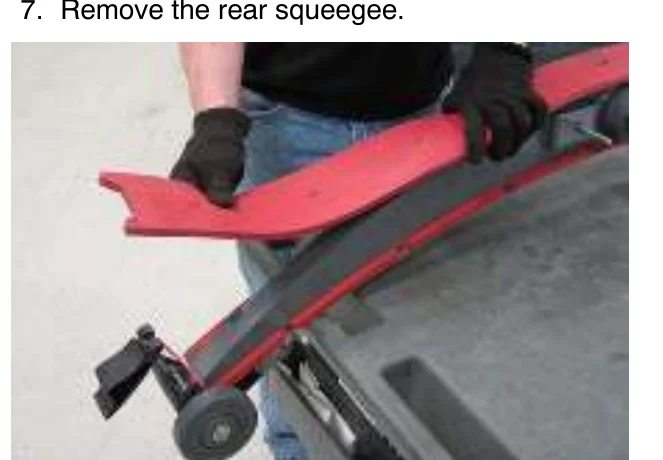
- Install the new rear squeegee blade or rotate the existing blade to the new edge. Be sure all the holes in the squeegee blade are hooked onto the tabs.
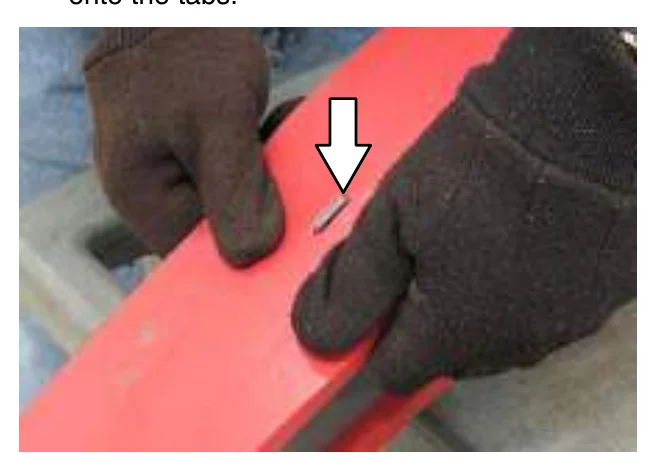
- Reinstall the rear retaining band aligning the tabs with the holes.
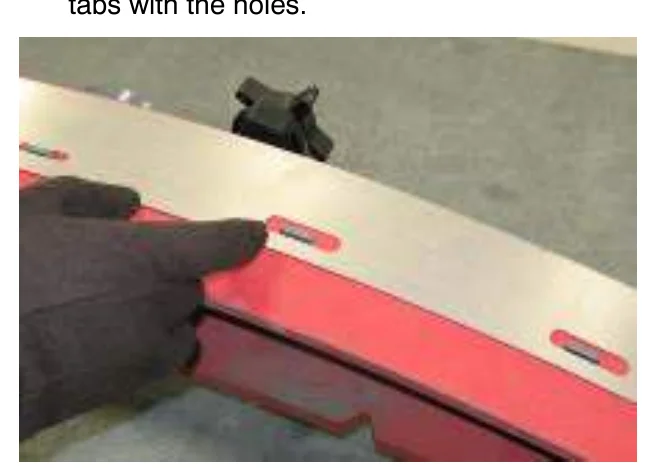
- Tighten the rear retaining band tension latch.
- Loosen the front retaining band tension latch and open the retaining band.
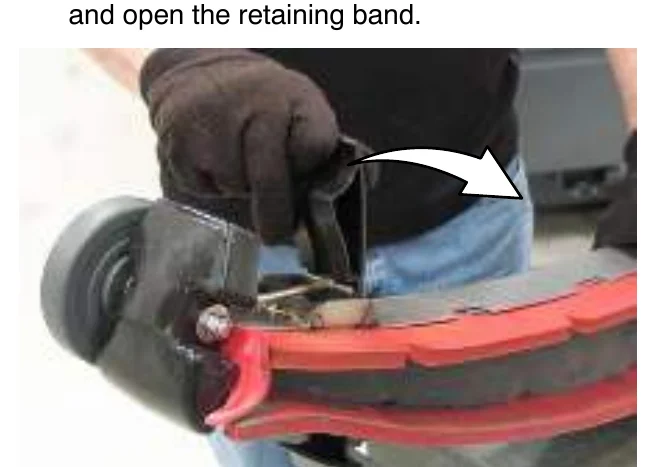
- Remove the front squeegee.
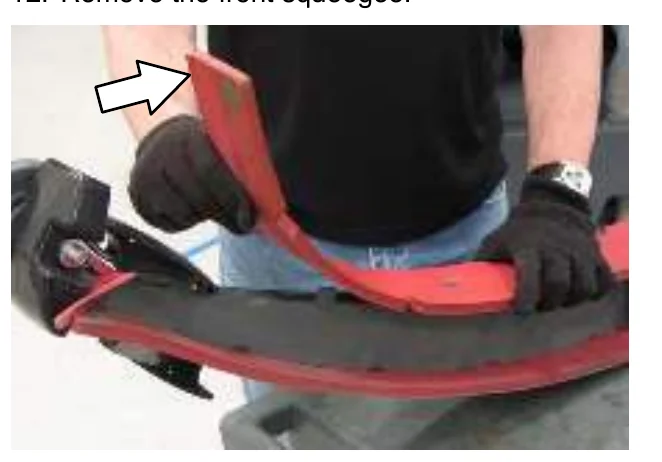
- Install the new front squeegee blade or rotate the existing blade to the new edge. Be sure the holes in the squeegee blade are hooked onto the tabs.
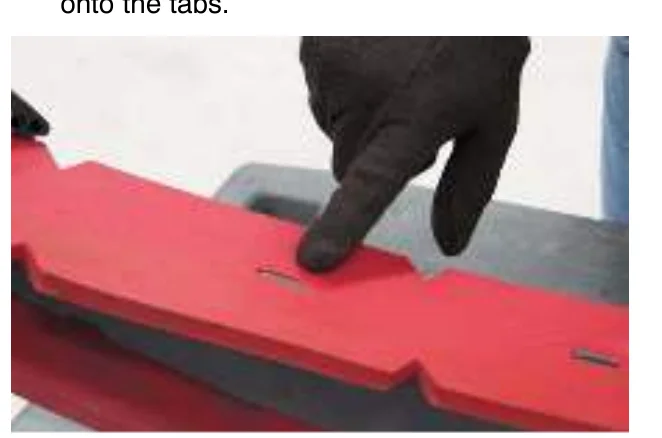
- Reinstall the front retaining band aligning the tabs with the notches.
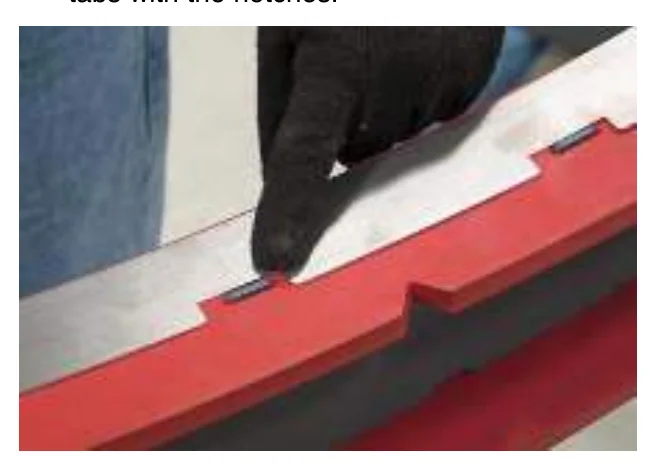
- Tighten the front retaining band tension latch.
- Reinstall the rear squeegee assembly onto the machine.
- Check and adjust the rear squeegee if necessary. Refer to ADJUSTING THE REAR SQUEEGEE BLADE DEFLECTION and LEVELING THE REAR SQUEEGEE sections of this manual.
REPLACING OR ROTATING THE SIDE SQUEEGEE BLADES
- If necessary, raise the scrub head.
- Open the outer brush doors.
- Unhook the latch on the side squeegee retaining band from the side squeegee assembly.
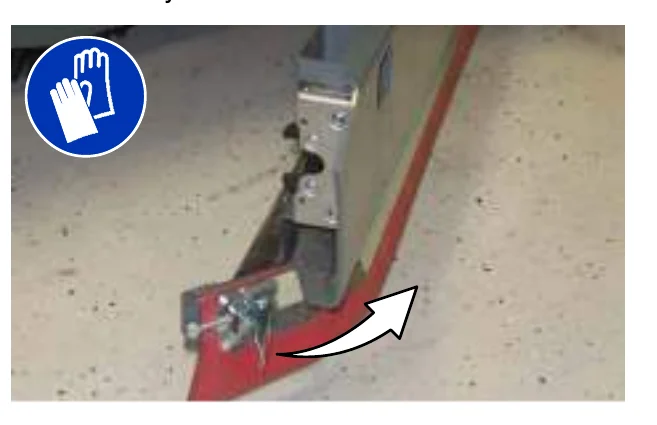
- Remove the retaining band from the side squeegee assembly.
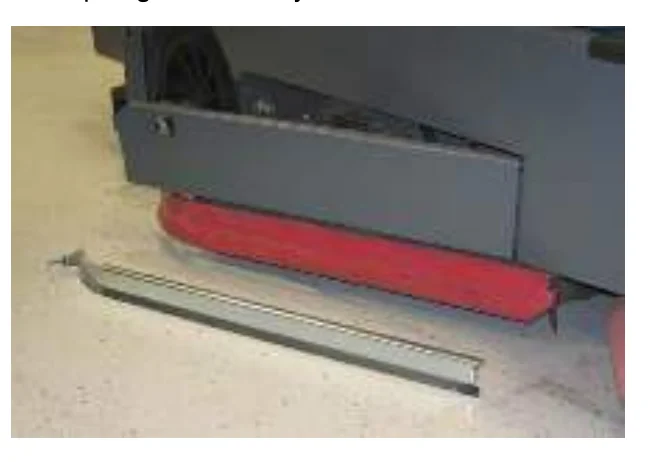
- Remove the side squeegee blade. If the outer edge of the squeegee blade is not worn, rotate the squeegee blade with the blade from the other side of the machine. Discard the squeegee blade if both edges are worn.
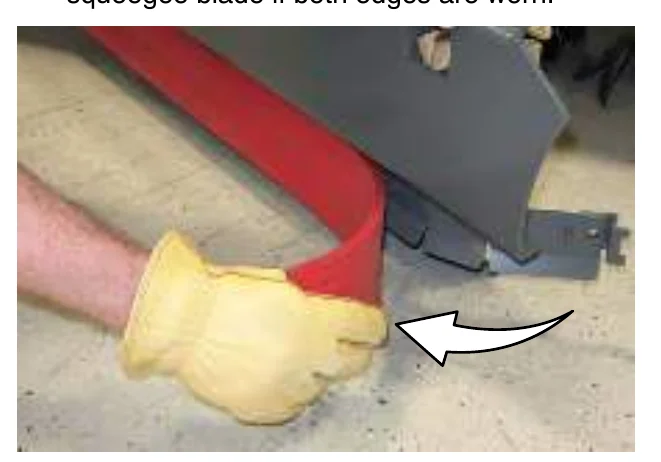
- Install the new or rotated squeegee blades.
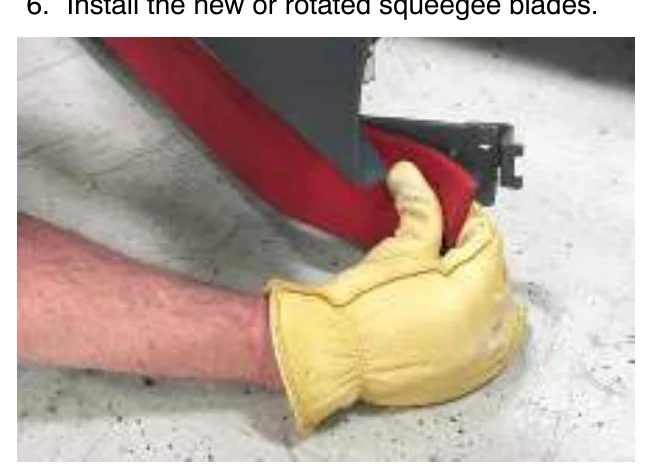
- Reattach the side squeegee retaining band to the side squeegee assembly.
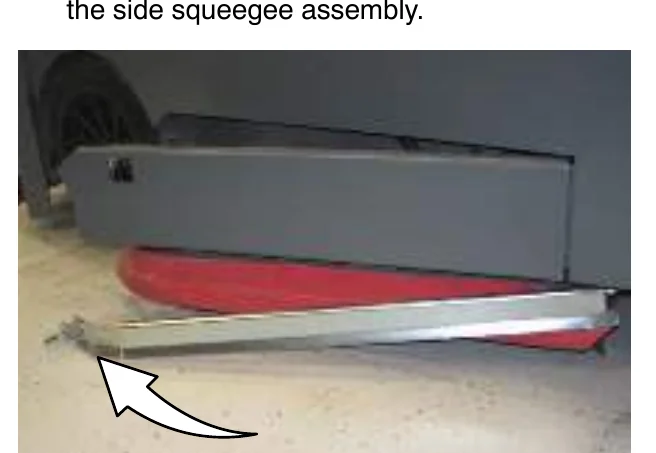
- Hook the latch on the side squeegee retaining band.
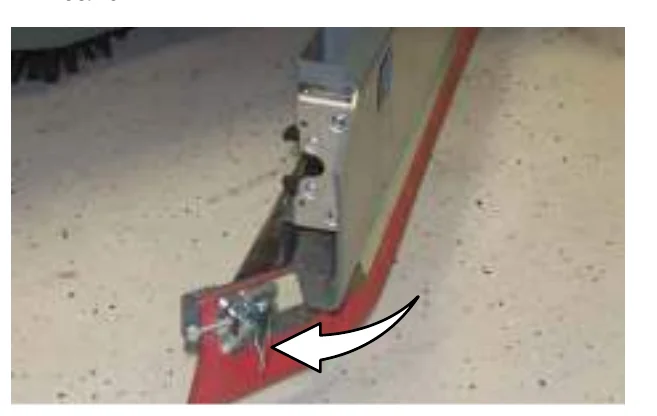
- Close the outer brush door.
REPLACING THE SIDE BRUSH SQUEEGEE BLADE (S/N 000000−001278) (OPTION)
Check the side brush squeegee blade for damage and wear daily. Replace the blade if the leading edge is torn or worn half-way through the thickness of the blade.
- If necessary, raise the scrub head.
- Pull the pin from the squeegee bumper and open the squeegee bumper.
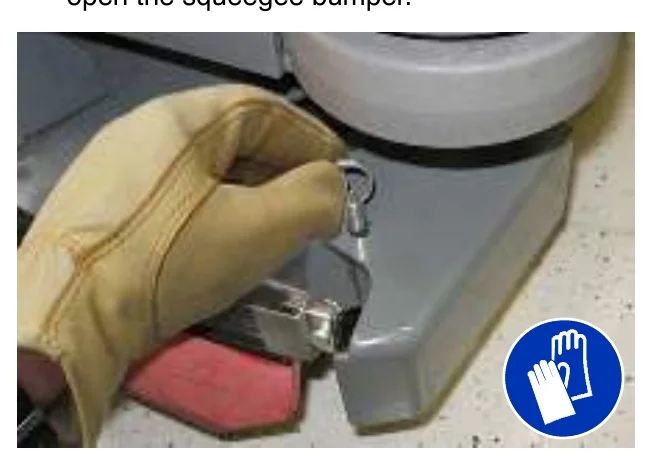
- Remove the clevis pin and squeegee retainer.
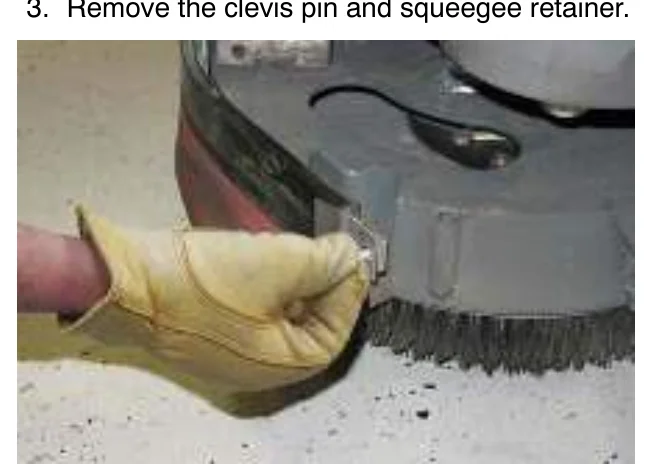
- Pull the squeegee out from the side brush assembly.
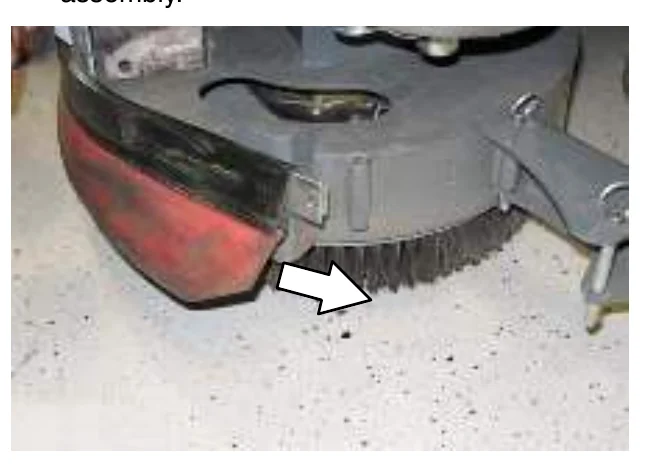
- Slide the new squeegee into the side brush assembly.
- Reinstall the squeegee retainer and clevis pin.
- Close the squeegee bumper and reinsert the pin.
MAINTENANCE
REPLACING OR ADJUSTING THE SIDE BRUSH SQUEEGEE BLADE (S/N 001279− ) (OPTION)
Check the side brush squeegee blade for damage and wear daily. Replace the blade if the leading edge is torn or worn half-way through the thickness of the blade.
- Lower the scrub head.
- Pull the pins and remove the squeegee bumper.
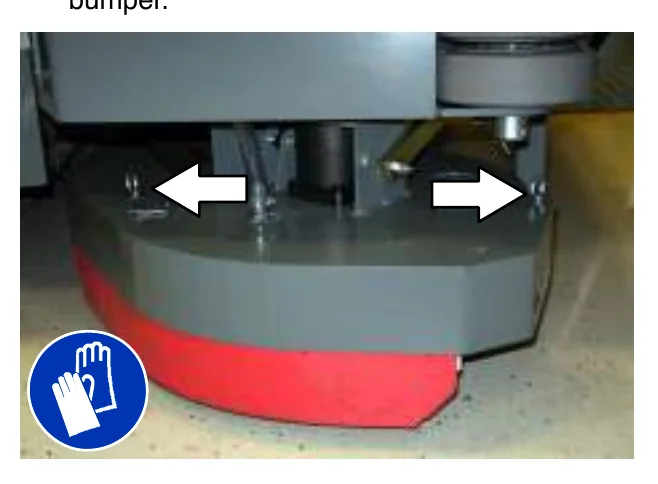
- Open the retaining band tension latch.
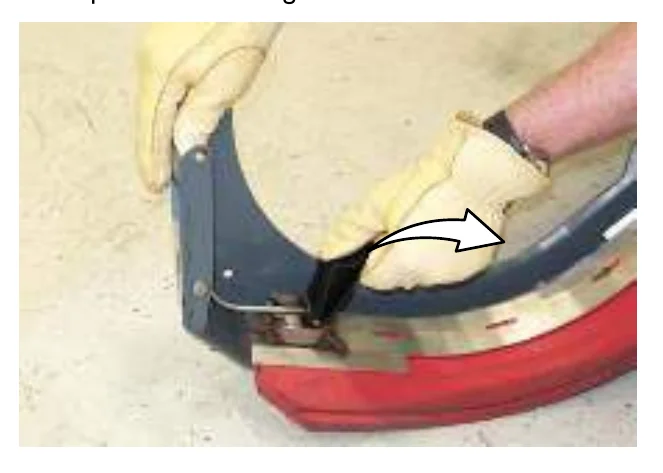
- Remove the squeegees, spacer, and retainer from the squeegee bumper.
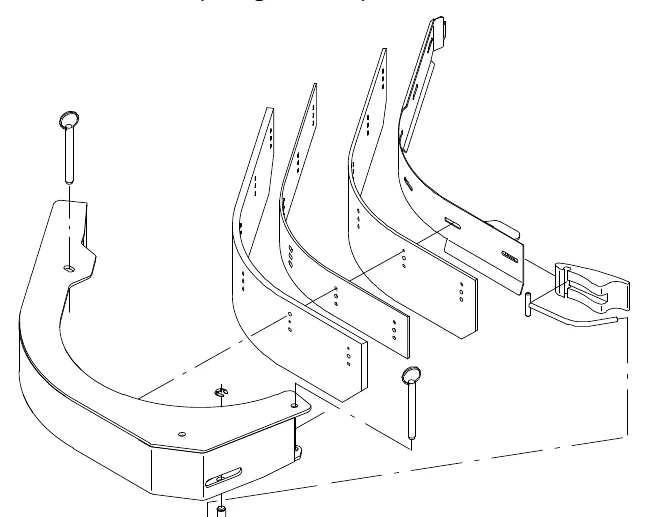
- Reinstall the squeegees, spacer, and retainer to the squeegee bumper by aligning the appropriate holes to the pins on the bumper.
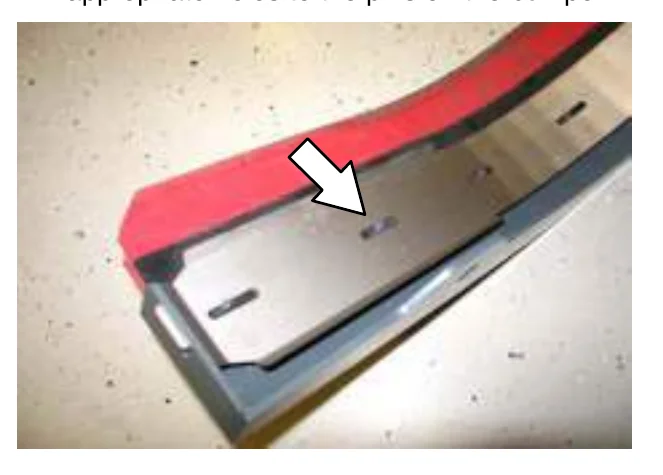
- Reinstall the retaining band tension latch.
- Reinstall the squeegee bumper and reinsert the pins.
LEVELING THE REAR SQUEEGEE
Leveling the squeegee assures the entire length of the squeegee blade is in even contact with the surface being scrubbed. Perform this adjustment on an even and level floor.
- Lower the squeegee and drive the machine forward a few meters (feet).
- Look at the deflection of the squeegee over the full length of the squeegee blade.
- If the deflection is not the same over the full length of the blade, turn the squeegee levelling nut to make adjustments.
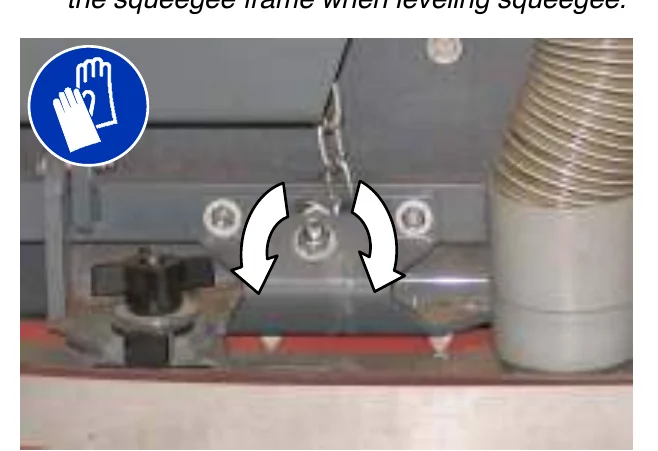
- Turn the squeegee leveling nut counter-clockwise to decrease the deflection at the ends of the squeegee blade.
Turn the squeegee leveling nut clockwise to increase the deflection at the ends of the squeegee blade. - Drive the machine forward with the squeegee down to recheck the squeegee blade deflection if adjustments were made.
- Readjust the squeegee blade deflection if necessary.
ADJUSTING THE REAR SQUEEGEE BLADE DEFLECTION
Deflection is the amount of curl the overall squeegee blade has when the machine moves forward. The best deflection is when the squeegee wipes the floor dry with a minimal amount of deflection.
- Lower the squeegee and drive the machine forward a few meters (feet).
- Look at the amount of deflection or “curl” of the squeegee blade. The correct amount of deflection is 12 mm (0.50 in) for scrubbing smooth floors and 15 mm (0.62 in) for rough floors.
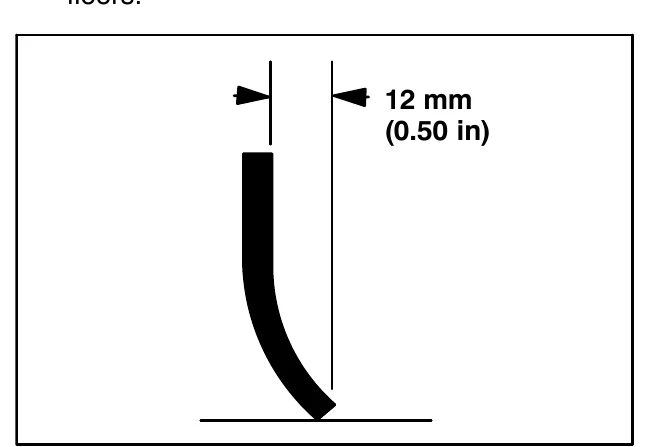
- To adjust the overall squeegee blade deflection, turn the adjustment knobs counterclockwise to increase deflection or clockwise to decrease deflection.
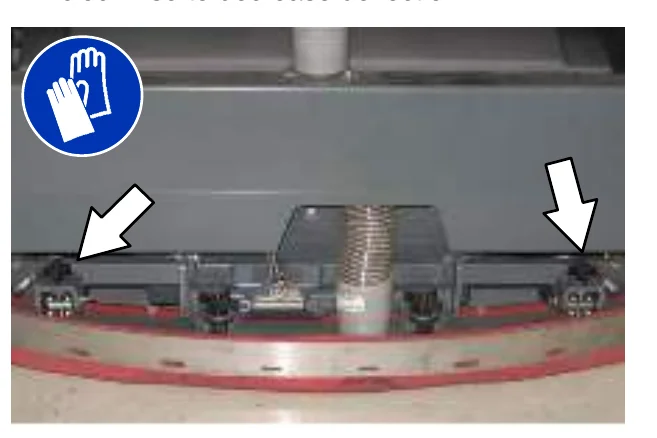
- Drive the machine forward again to recheck the squeegee blade deflection after adjustments are made.
- Readjust the squeegee blade deflection if necessary.
SKIRTS AND SEALS
SCRUB HEAD SKIRT
Check the skirt for damage and wear after every 100 hours of operation.
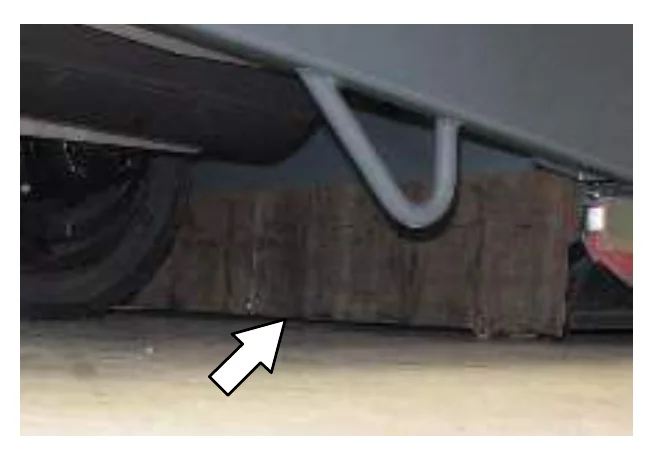
The skirts should be between 0 to 6 mm (0 to 0.25 in) from the floor when the scrub head is down.
RECOVERY TANK SEAL
Check the recovery tank cover seal for damage and wear daily.
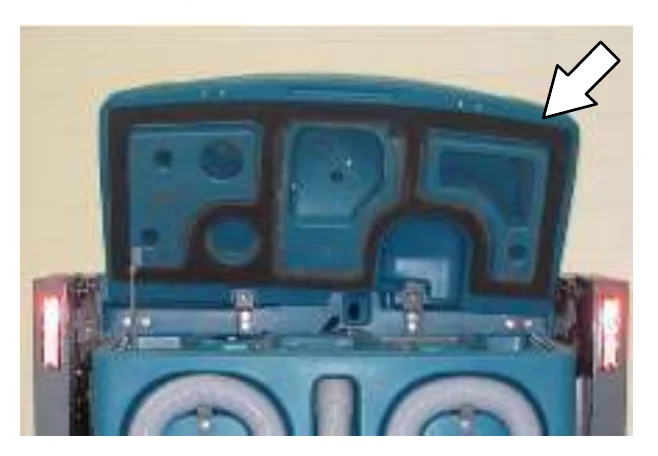
SOLUTION TANK SEALS
Check each solution tank cover seal for damage and wear daily.
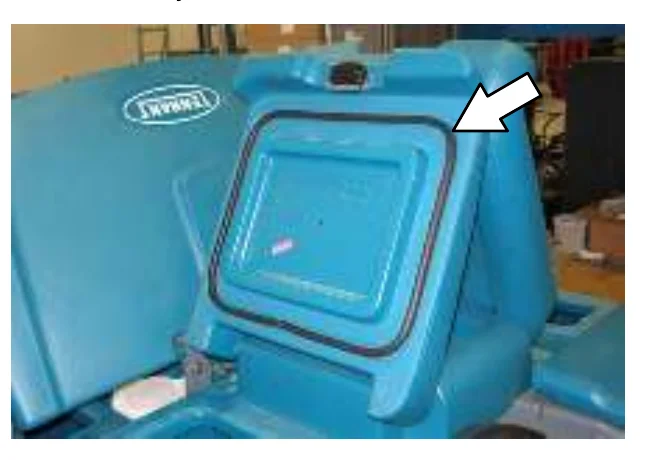
BRAKES AND TIRES
BRAKES
The mechanical brakes are located on the rear wheels. The brakes are operated by the foot brake pedal and connecting cables.
Check the brake adjustment after every 200 hours of operation.
To check the brake adjustment, measure the distance from the stationary brake pedal to the point where there is resistance in the pedal movement. The distance must be between 6 mm (0.25 in) and 19 mm (0.75 in). Adjust the brakes if required.
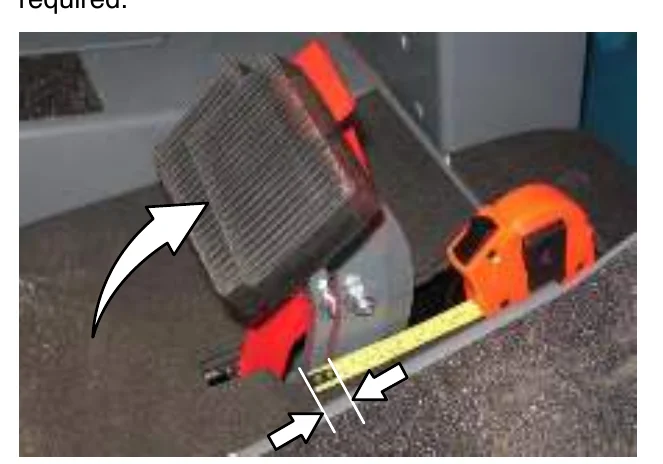
TIRES
Check tires for damage and wear after every 100 hours of operation.
FRONT WHEEL
Torque the front wheel nuts twice in the pattern shown to 122 to 149 Nm (90 to 110 ft lb) after the first 50 hours of operation, and after every 800 hours there after.
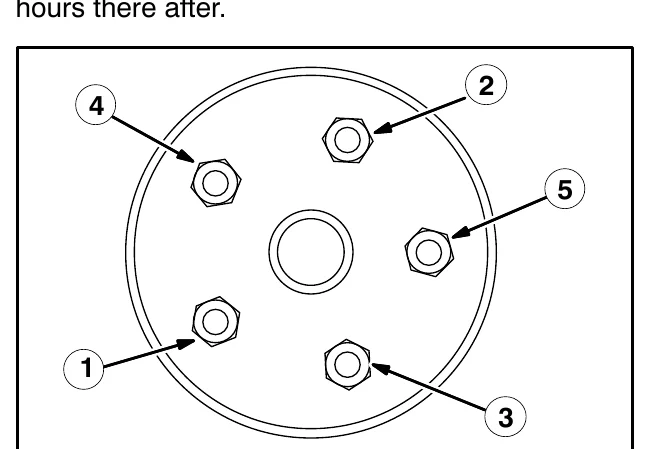
PROPELLING MOTOR
Torque the shaft nut to 508 Nm (375 ft lb) lubricated, 644 Nm (475 ft lb) dry, after every 800 hours of operation.
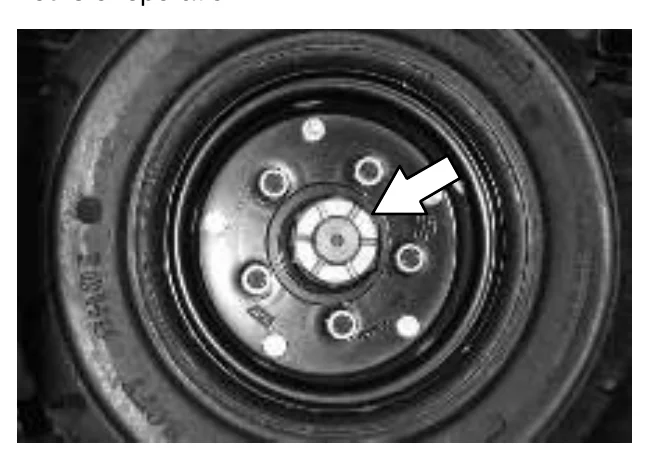
PUSHING, TOWING, AND TRANSPORTING THE MACHINE
PUSHING OR TOWING THE MACHINE
If the machine becomes disabled, it can be pushed from the front or rear, but only towed from the front.
The propelling pump has a bypass valve to prevent damage to the hydraulic system when the machine is being pushed or towed. This valve allows a disabled machine to be moved for a very short distance and at a speed to not exceed 1.6 kp/h (1 mph). The machine is NOT intended to be pushed or towed a long distance or at a high speed.
Turn the bypass valve located on the bottom of the propelling pump 90° (either direction) from the normal position before pushing or towing the machine. Return the bypass valve back to the normal position when through pushing or towing the machine. Do Not use the bypass valve during normal machine operation.
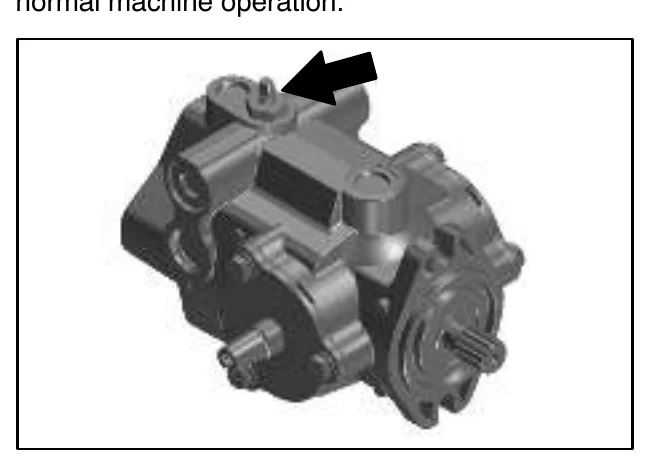
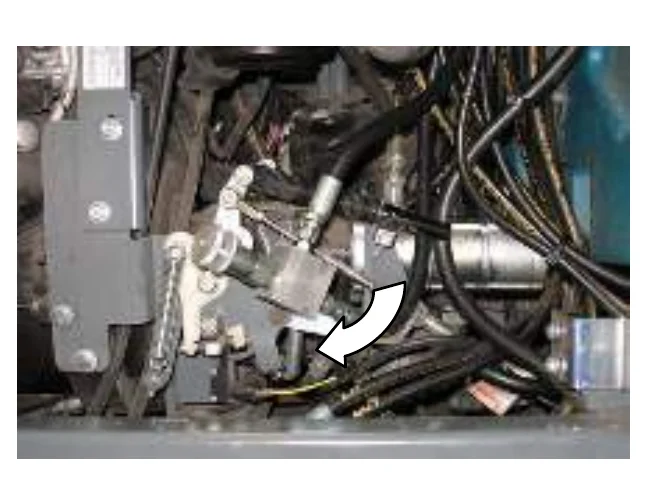
TRANSPORTING THE MACHINE
- Raise the squeegee, scrub head, and brushes. If necessary, raise the hopper for additional ramp clearance.
- Position the rear of the machine at the loading edge of the truck or trailer.
- If the loading surface is not horizontal or is higher than 380 mm (15 in) from the ground, use a winch to load machine.
If the loading surface is horizontal and 380 mm (15 in) or less from the ground, the machine may be driven onto the truck or trailer.
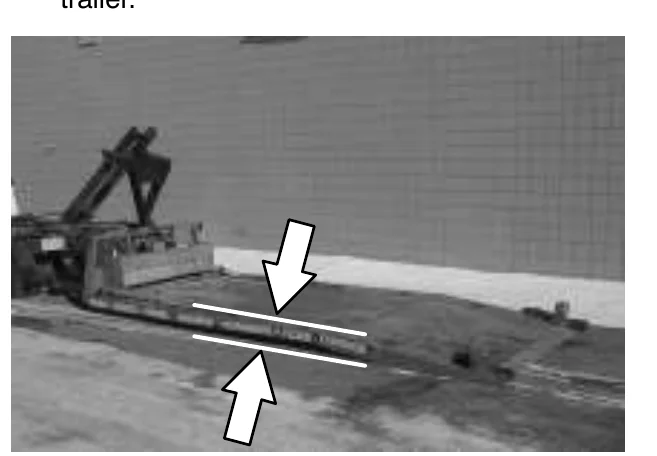
- To winch the machine onto the truck or trailer, attach the winching chains to the holes in the rear jacking brackets behind the rear tires.
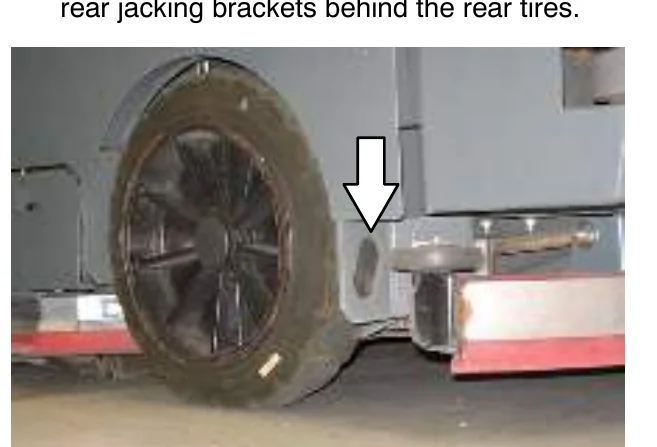
- Position the machine as close to the front of the trailer or truck as possible.
- Set the parking brake and place a block behind each wheel to prevent the machine from rolling.
- Lower the scrub head.
- Connect the tie-down straps to the holes in the right and left lower corners in front of the machine and the holes in the rear jacking brackets behind the rear tires.
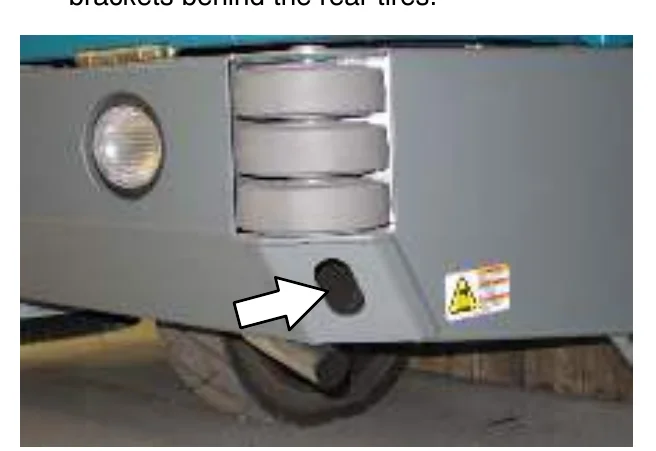
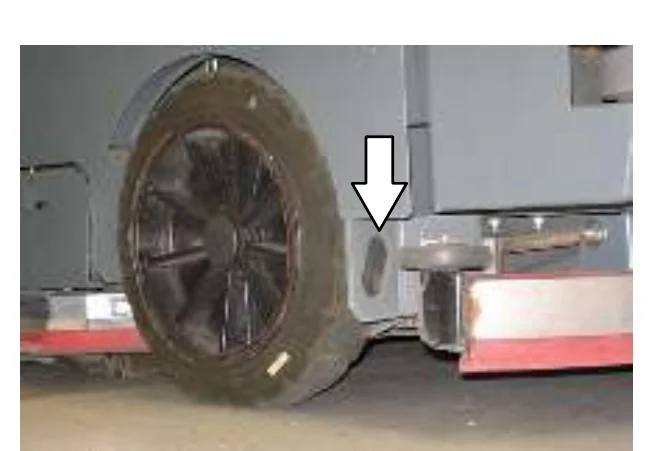
- Route the tie-downs to the opposite ends of the machine and hook them to the brackets on the floor of the trailer or truck. Tighten the tie-down straps.
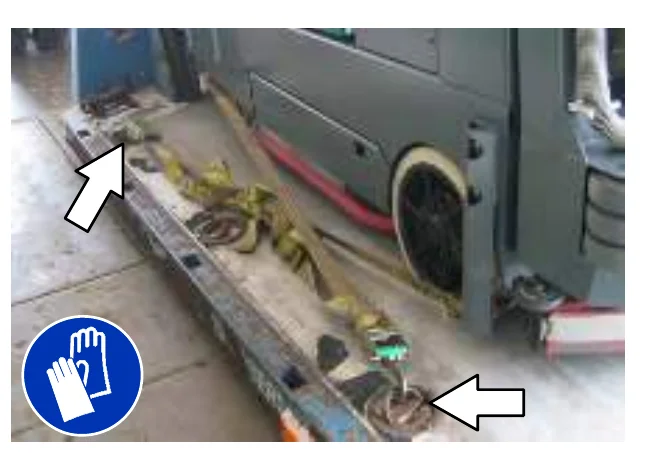
- If the loading surface is not horizontal or is higher than 380 mm (15 in) from the ground, use a winch to unload machine.
If the loading surface is horizontal AND is 380 mm (15 in) or less from the ground, the machine may be driven off the truck or trailer.
MACHINE JACKING
Empty the hopper, recovery tank, and solution tank before jacking up the machine. Jack up the machine at the designated locations. Use a hoist or jack capable of supporting the weight of the machine. Use jackstands to support the machine. Always stop the machine on a flat, level surface and block the tires before jacking up the machine.
Rear jacking locations are located directly behind the rear tires on each side of the machine.
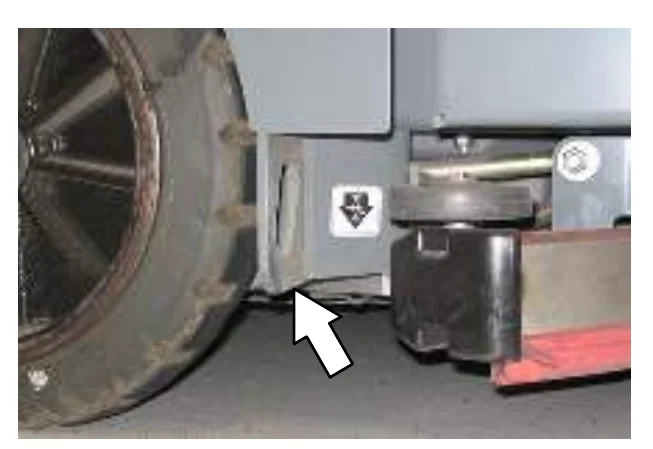
Front jacking locations are located on the frame directly in front of the front tire.
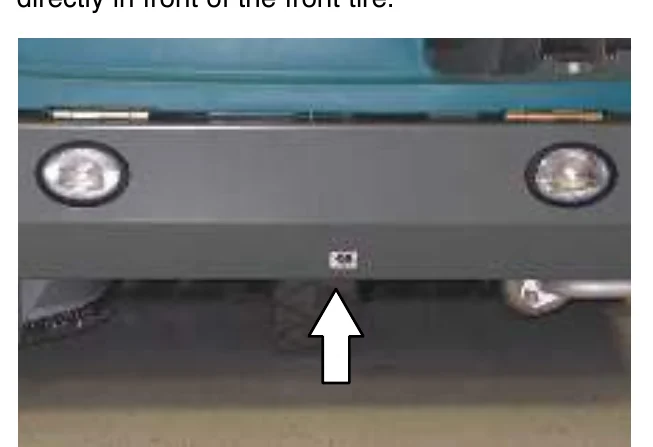
STORAGE INFORMATION
The following steps should be taken prior to storing the machine for extended periods.
- Drain and clean the solution and recovery tanks. Open the recovery tank and solution tank covers to allow the air to circulate.
- Park the machine in a cool, dry area. Do not expose the machine to rain. Store indoors.
- Remove the battery, or charge battery every three months.
FREEZE PROTECTION (MACHINES WITHOUT ec−H2O SYSTEM)
- Be sure the solution tank and recovery tank are empty.
- Pour 3.8 L (1 gal) of Propylene Glycol Based / Recreational Vehicle (RV) Antifreeze into the solution tank.
- Turn the key to the on position (without starting the machine).
- Press the 1−STEP Scrub button.
- Repeatedly press the Solution increase button (+) until the solution flow is at the highest setting.
- Press the directional pedal to circulate the RV antifreeze completely through the system.
- Press the 1−STEP Scrub button to turn off the system.
- Machines equipped with the optional spray nozzle only: Turn on the pump until RV antifreeze solution sprays from the nozzle.
- Turn the key to the off position.
- The remaining RV antifreeze does not need to be drained from the solution tank.
FREEZE PROTECTION (MACHINES WITH ec−H2O SYSTEM)
- Empty the solution tank and recovery tank.
- Remove the intake flush hose and from the storage bag behind the operator seat.
- Disconnect the ec−H2O system intake hose from the solution supply hose and connect the intake flush hose (gray connector) to the ec−H2O system intake hose.
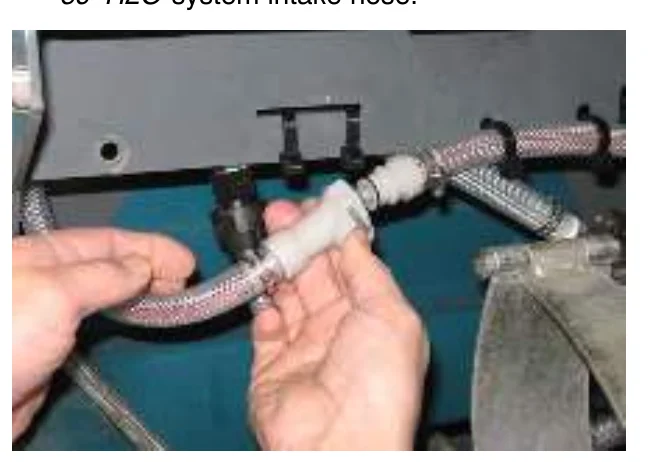
- Pull the drain tube from the between the ec−H2O unit and the operator compartment, remove the cap from the tube, and place the end of the tube into an empty container. Set the cap aside.
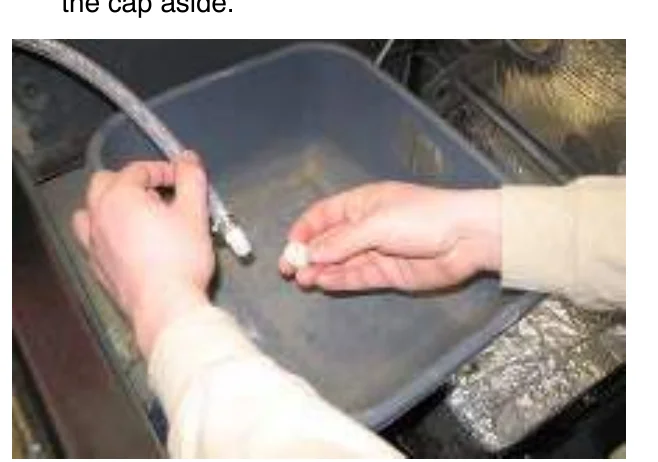
- Turn the key to the on position (without starting the machine).
- Press and release the ec−H2O module flush switch. Allow the system to drain water into the container for 2 minutes.
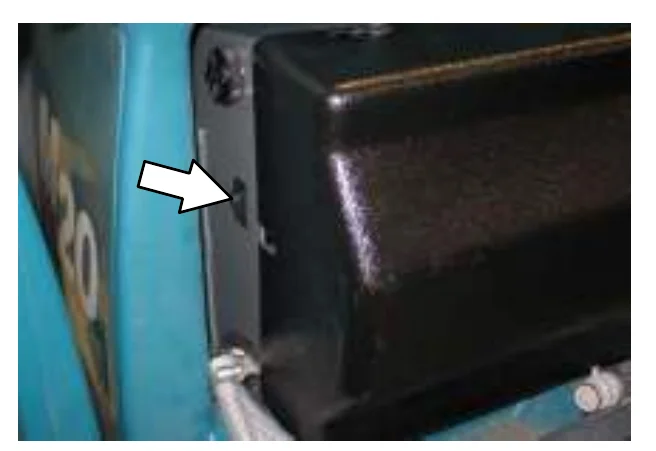
- Press the ec−H2O module flush switch to shut off the system.
- Disconnect the ec−H2O system outlet hose from the hose to the scrub head.
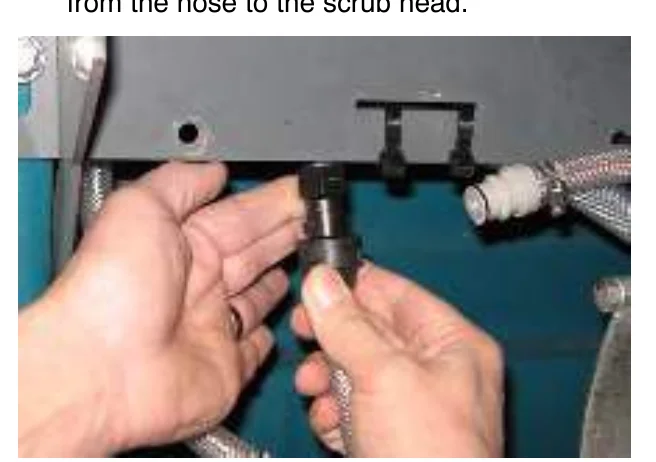
- Blow pressurized air (less than 344 kPa (50 psi)) into the ec−H2O system outlet hose. Continue blowing compressed air into the outlet hose until water no longer drains from the drain tube
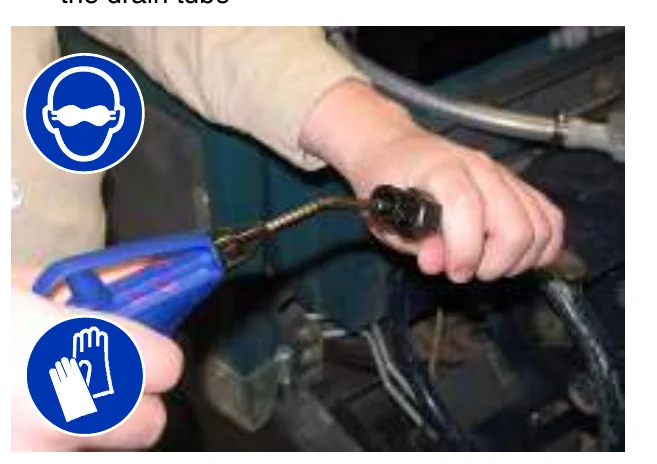
- Reinstall the cap onto the drain tube and insert the tube back between the ec−H2O module and the operator compartment.
- Reconnect the ec−H2O system intake hose to the solution supply hose and the ec−H2O system outlet hose to the hose to the scrub head.
- Return the intake flush hose to the storage bag behind the operator seat.
MAINTENANCE
PRIMING THE ec−H2O SYSTEM
Prime the ec−H2O system if the machine has been stored for a long period without water in the solution tank / ec−H2O system.
- Fill the solution tank with clean cool water. See FILLING THE SOLUTION TANK section of this manual.
- Remove the outlet flush hose (black connector) from the storage bag behind the operator seat.
- Disconnect the ec−H2O system outlet hose from the hose to the scrub head and connect the outlet flush hose to the ec−H2O system outlet hose.
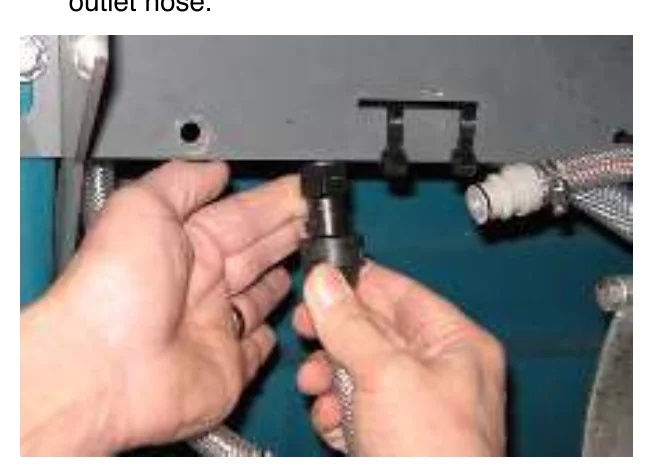
- Place the ec−H2O system outlet hose into an empty container.
- Turn the key to the on position (without starting the machine).
- Press and release the ec−H2O module flush switch. Allow the system to drain water into the container for 2 minutes.
- Press the ec−H2O module flush switch to shut off the system.
- Disconnect the outlet flush hose from the ec−H2O system outlet hose and return the flush hose to the storage bag.
- Reconnect the ec−H2O system outlet hose to the hose to the scrub head.
SPECIFICATIONS
GENERAL MACHINE DIMENSIONS/CAPACITIES
| Item | Dimension/Capacity |
|---|---|
| Length | 2745 mm (108 in) |
| Height | 1475 mm (58 in) |
| Height (with overhead guard) | 2135 mm (84 in) |
| Width/frame (roller to roller) | 1475 mm (58 in) |
| Width (rear squeegee) | 1500 mm (59 in) |
| Width (with side brush) | 1625 mm (64 in) |
| Cleaning path width (Main brush length) | 1220 mm (48 in) |
| Cleaning path width (with scrubbing side brush) | 1575 mm (62 in) |
| Cleaning path width (with sweeping side brush) | 1625 mm (64 in) |
| Main brush diameter (2) | 305 mm (12 in) |
| Side brush diameter (scrubbing) | 410 mm (16 in) |
| Side brush diameter (sweeping) | 535 mm (21 in) |
| Solution tank capacity | 284 L (75 gallons) |
| Recovery tank capacity | 360 L (95 gallons) |
| Debris hopper volume capacity | 198 L (7.0 ft3) |
| Debris hopper weight capacity | 295 kg (650 lbs) |
| Dump height (variable to) | 1525 mm (60 in) |
| Minimum ceiling dump height | 2620 mm (103 in) |
| Weight − empty | 1815 Kg (4000 lbs) |
| GVWR | 2449 Kg (5400 lbs) |
| Transport ground clearance | 80 mm (3 in) |
| Protection Grade | IPX3 |
| Values determined as per IEC 60335−2−72 | Measure |
|---|---|
| Sound pressure level LpA | 84 dB(A) |
| Sound uncertainty KpA | 3.0 dB(A) |
| Sound power level LWA + Uncertainty KWA | 106 dB(A) |
| Vibration − Hand−arm | < 2.5 m/s2 |
| Vibration − Whole body | < 0.5 m/s2 |
GENERAL MACHINE PERFORMANCE
| Item | Measure |
|---|---|
| Minimum aisle turn | 3175 mm (125 in) |
| Travel speed forward (maximum) | 12.9 Km/h (8 mph) |
| Travel speed reverse (maximum) | 4.8 Km/h (3 mph) |
| Maximum ramp incline for loading − Empty tanks | 18% |
| Maximum ramp incline for scrubbing | 10% |
| Maximum ramp incline for transporting (GVWR) | 14% |
| Maximum ambient temperature for machine operation | 43° C (110° F) |
| Minimum temperature for operating machine scrubbing functions | 0° C (32° F) |
HYDRAULIC SYSTEM
| System | Capacity | ISO Grade Viscosity Index | Ambient Air Temperature Ranges |
|---|---|---|---|
| Hydraulic reservoir | 38 L (10 gal) | ISO 100 VI 126 or higher | 19° C (65° F) or higher |
| Hydraulic total | 45 L (12 gal) | ISO 68 VI 155 or higher | 7 to 43° C (45 to 110° F) |
| ISO 32 VI 163 or higher | 16° C (60° F) or lower |
SPECIFICATIONS
STEERING
| Type | Power source |
|---|---|
| Front wheel, hydraulic cylinder and rotary valve controlled | Hydraulic accessory pump |
POWER TYPE
| Engine | Type | Ignition | Cycle | Aspiration | Cylinders | Bore | Stroke |
|---|---|---|---|---|---|---|---|
| Kubota V1505−TB | Piston | Diesel | 4 | Charged / Turbo | 4 | 78 mm (3.07 in) | 78.4 mm (3.08 in) |
| Displacement | Tennant machine governed net power | Engine mfg un−governed net power | |||||
| 1500 cc (91.4 cu in) | 25.4 kw (34 hp) @ 2800 rpm | 27.2 kw (44.2 hp) @ 3000 rpm | |||||
| Fuel | Cooling system | Electrical system | |||||
| Diesel Fuel tank: 42 L (11.2 gal) low sulfur fuel content less than 500ppm only | Water/ethylene glycol antifreeze | 12 V nominal | |||||
| Total: 7.5 L (2 gal) | 37 A alternator | ||||||
| Radiator: 3.8 L (1 gal) | |||||||
| Idle speed, no load | (Fast) governed speed, under load | Engine lubricating oil without filter | |||||
| 1350 ± 50 rpm | 2800 ± 50 rpm | 6 L (6.35 qt) API diesel classification CF or better | |||||
BRAKING SYSTEM
| Type | Operation |
|---|---|
| Service brakes | Mechanical drum brakes (2), one per rear wheel, cable actuated |
| Parking brake | Utilize service brakes, cable actuated |
TIRES
| Location | Type | Size |
|---|---|---|
| Front (1) | Solid | 150 mm x 460 mm (6 in x 18 in) |
| Rear (2) | Solid | 127 mm x 460 mm (5 in x 18 in) |
SPECIFICATIONS
FaST SYSTEM
| Item | Measure |
|---|---|
| Solution pump | 12 Volt DC, 11A, 0.7 GPM & 1.4 GPM flow (2 speed), 75 psi high-pressure shutdown |
| Low solution flow rate | 2.7 LPM (0.7 GPM) |
| High solution flow rate | 5.4 LPM (1.4 GPM) |
| Low concentrate flow rate | 2.6 CC/Minute (0.085 Liquid Ounces/Minute) |
| High concentrate flow rate | 5.2 CC/Minute (0.17 Liquid Ounces/Minute) |
ec-H2O SYSTEM
| Item | Measure |
|---|---|
| Solution pump | 12 Volt DC, 11A, 0.7 GPM & 1.4 GPM flow, (2 speeds), 75 psi high-pressure shutdown |
| Solution flow rate | 2.65 LPM (0.7 GPM) - Low |
| 5.30 LPM (1.4 GPM) - High |
SPECIFICATIONS
MACHINE DIMENSIONS
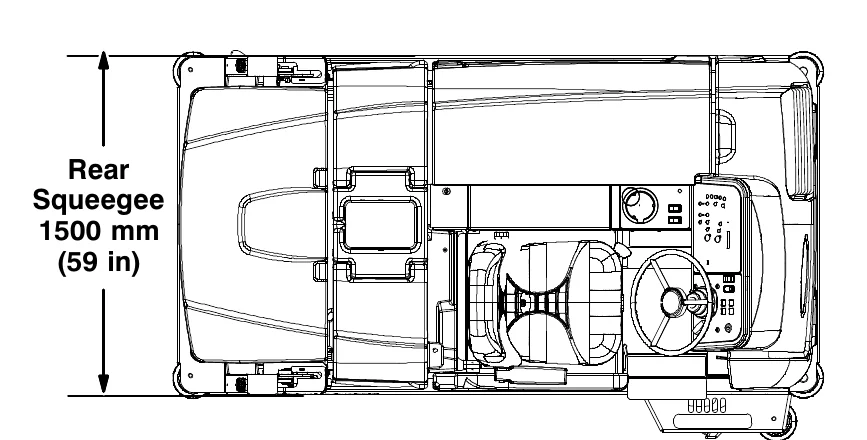
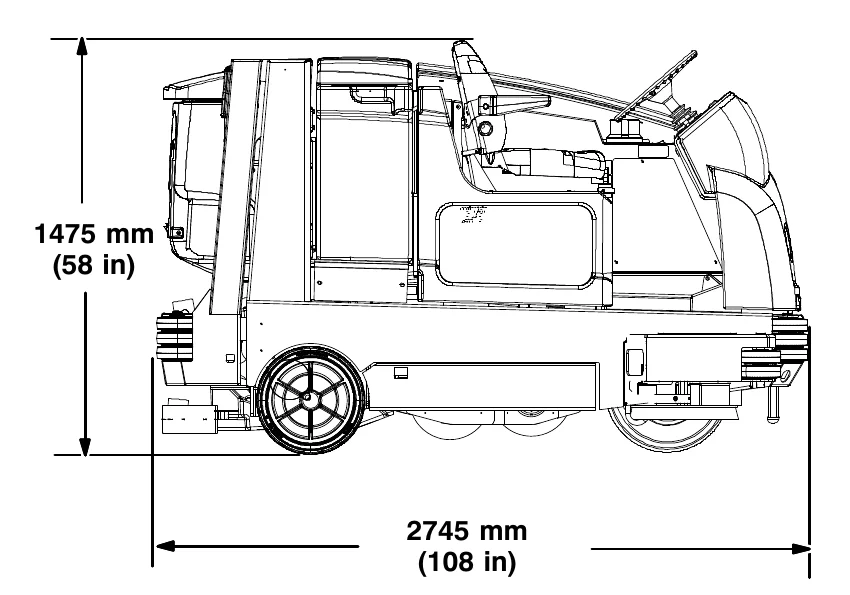
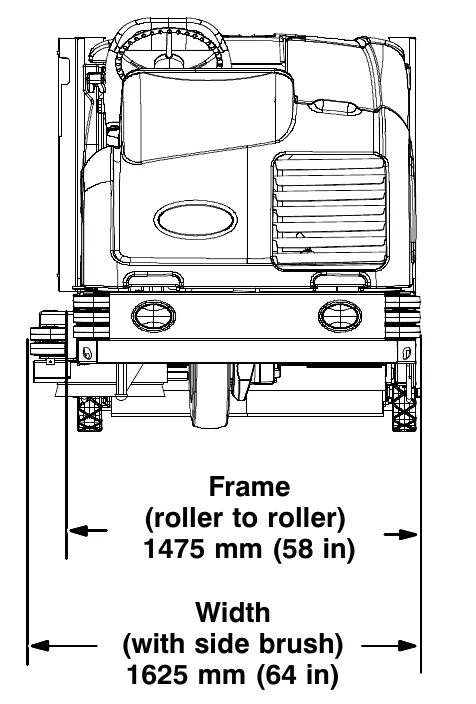
INDEX
Numbers
1−STEP Scrub button, 12, 16, 22, 23, 24, 25, 26
1−STEP Sweep button, 12, 16, 22, 27
A
Adjust operator seat, 14
Adjust steering column, 15
Adjusting the Main Brush Taper, 62
Adjusting the Main Brush Width, 62
Adjusting the Rear Squeegee Blade Deflection, 74
Air Filter, 55
Alarms, 38
Fault Indicators, 38
B
Battery, 56
Brake pedal, 15
Brakes, 76
System specifications, 84
Brakes and Tires, 76
Brakes, 76
Front Wheel, 76
Tires, 76
Brush Information, 17
Buttons
1−STEP Scrub button, 24
1−STEP Sweep button, 27
Brush Pressure decrease button (−), 22
Brush Pressure increase button (+), 22
ec−H20 button, 22
Engine Speed Button, 12
ES (Extended Scrub) button, 22
FaST button, 22
Filter shaker button, 28
Hopper door open/close button, 28
Hopper raise/lower button, 28
Scrub vacuum fan/squeegee button, 25
Side Brush button (Option), 12
Solution decrease button (−), 23
Solution increase button (+), 23
Supervisor Control Buttons, 13
Sweep vacuum fan button, 27
Buttons, Controls and Instruments, 9, 12
Bypass valve, 77
C
Capacities, 83
Charging System Indicator, 11
Check Engine Indicator (S/N 000000−002885), 11
Checking the Main Brush Pattern, 61
Cleaning the ec−H20 fitler screen, 66
Cleaning the FaST Supply Hose Connector, 64
Cleaning the FaST System Check Valves, 65
Cleaning the FaST System Filter Screen, 64
Cleaning the Hopper and Debris Screen, 31
Cleaning the Hopper Dust Filter, 58
Conditions / Warnings, 39
Contents, 1
Controls and Instruments, 8, 9
Touch Panel, 9
Cooling System, 54
D
Dimensions, 83
Directional pedal, 15
Disengaging Hopper Support Pin, 29
Double Scrubbing, 25
Draining and Cleaning the Recovery Tank, 33
Draining the Recovery Tank with the Drain Hose, 33
Draining the Recovery Tank with the Drain Plug, 34
Draining and Cleaning the Solution Tank, 36
Draining the Recovery Tank with the Drain Hose, 33
Draining the Recovery Tank with the Drain Plug, 34
Dust Filter, 30
Removing the Hopper Dust Filter, 30
Replacing the Hopper Dust Filter, 30
E
ec−H20 module flush switch, 66
ec−H20 Scrubbing System, Indicator Light Codes, 24
ec−H20 Scrubbing System Indicator Light Codes , 24
ec−H2O system indicator light, 24
Emptying the Hopper, 28
INDEX
Engaging Hopper Support Pin, 29
Engine, 54
Air Filter, 55
Cooling System, 54
Engine Belt, 56
Fuel Filter, 55
Fuel Lines, 55
Priming the fuel system, 56
Specifications, 84
Engine Belt, 56
Engine Harness Fuses and Relays, 58
Engine Oil, 50
Engine Oil Pressure Indicator, 11
Engine Speed Button, 12
F
FaST System, 64, 65
Cleaning the FaST Supply Hose Connector, 64
Cleaning the FaST System Check Valves, 65
Cleaning the FaST System Filter Screen, 64
Replacing the FaST-PAK Carton, 64
Fault Indicators, 38
Filling the Solution Tank, 20
Conventional Scrubbing Mode, 20
ec-H20 scrubbing (ec-H20 Mode), 20
ES (Extended Scrub) Mode - Manually Filling Tanks, 21
ES (Extended Scrub) Mode with Auto-Fill, 21
Foam scrubbing (FaST Mode), 20
Filters, 30
Cleaning the Hopper Dust Filter, 58
Engine Air Filter, 55
Hydraulic Fluid Filter, 52
LPG Fuel Filter, 55
Removing the Hopper Dust Filter, 30
Replacing the Hopper Dust Filter, 30
Freeze Protection (Machines with ec-H20 system), 80
Freeze Protection (Machines without ec-H20 system), 80
Front Wheel Support Bearing, 50
Front Wheel, Torque, 76
Fuel Filter, LPG, 55
Fuel Indicator, 12
Fuel Lines, 55
Fuses and Relays, 57
Engine Harness Fuses and Relays, 58
Optional, 58
Relay Panel Fuses and Relays, 57, 58
G
Glow Plug Light, 11, 19
H
Hazard Light Switch (Option), 13
Headlights, 13
High Presure Washer (Option), 42
Hopper Door Pivots, 51
Hopper Lift Arm Pivots, 51
Hopper Support Pin, 29
Disengaging Hopper Support Pin, 29
Engaging Hopper Support Pin, 29
Hour Meter, 13
How the Machine Works, 16
Hydraulic Fluid, 53
Hydraulic Hoses, 53
Hydraulic System, System specifications, 83
Hydraulics, 52
Drain and refill hydraulic fluid reservoir, 52
Hydraulic Fluid, 53
Hydraulic Hoses, 53
Replace the filler cap, 52
Replace the hydraulic fluid filter, 52
I
Incline, Rated, 17
Indicator Light Codes, ec-H20 Scrubbing System, 24
Indicator light, ec-H2O system, 24
Indicators
Charging System Indicator, 11
Check Engine Indicator (S/N 000000-002885), 11
Conditions / Warnings, 39
Engine Oil Pressure Indicator, 11
Fault Indicators, 38
Fuel Indicator, 12
Glow Plug Light, 11, 19
Hour Meter, 13
INDEX
L
Leveling the Rear Squeegee, 73
Lights
- Hazard Light Switch (Option), 13
- Headlights, 13
- Operating, 13
Lubrication, 50
- Engine Oil, 50
- Front Wheel Support Bearing, 50
- Hopper Door Pivots, 51
- Hopper Lift Arm Pivots, 51
- Rear wheel bearings, 50
- Squeegee Caster Bearings, 50
- Steering Cylinder Bearing, 50
- Torque Tubes, 51
M
Machine components, 7
Machine Dimensions, 86
Machine Jacking, 79
Machine Operation, Pre-Operation Checklist, 18
Machine Performance
- Aisle Turnaround Width, 83
- Climb and Descent Angles, 83
- Travel Speed (Maximum), 83
Machine Specifications, 83 - 86
Machine Troubleshooting, 44
Main Brushes, 59
- Adjusting the Taper, 62
- Adjusting the Width, 62
- Checking the Main Brush Pattern, 61
- Replacing or Rotating the Main Brushes, 59
Main Brushes, Adjusting the Taper, 62
Main Brushes, Adjusting the Width, 62
Main Brushes, Checking the Pattern, 61
Main Brushes, Replacing or Rotating, 59
Maintenance, 46 - 70
Maintenance Chart, 47
O
Operating Lights, 13
Operating temperature, 17
Operation, 7 - 31
Operation of controls, 11
Operator seat, 14
Optional Relays, 58
Options, 40
- Hazard Light, 13
- High Presure Washer, 42
- Side Brush, 12
- Spray Nozzle, 40
- Squeegee protectors, 15
- Vacuum Wand, 41
P
Parking brake pedal, 15
Pedals
- Brake pedal, 15
- Directional pedal, 15
- Parking brake pedal, 15
Pre-Operation Checklist, 18
Preheat-Glow Plug Light, 11, 19
Priming the ec-H20 system, 82
Priming the fuel system, 56
Propelling Motor, 76
- Torque Shaft Nut, 76
Pushing or Towing the Machine, 77
Pushing, Towing, and Transporting the Machine, 77
- Pushing or Towing the Machine, 77
- Transporting the Machine, 77
R
Radiator, 54
- Check hoses and clamps, 54
- Clean core exterior, 54
Rated incline, 17
Rear Squeegee
- Adjusting the Rear Squeegee Blade Deflection, 74
- Leveling the Rear Squeegee, 73
Rear Squeegee Blade, Replacing (or Rotating) the Rear Squeegee Blade, 67
Rear Squeegee, Replacing (or Rotating), 67
Rear Wheel bearings, 50
Recovery Tank Seal, 75
Relay Panel Fuses and Relays, 57, 58
Removing the Hopper Dust Filter, 30
Replacing (or Rotating) the Rear Squeegee Blades, 67
Replacing or Adjusting the Side Brush Squeegee Blade (S/N 003077- ) (Option), 72
Replacing or Rotating the Main Brushes, 59
INDEX
Replacing or Rotating the Side Squeegee Blades, 69
Replacing the FaST−PAK Carton, 64
Replacing the Hopper Dust Filter, 30
Replacing the Side Brush (Option), 63
Replacing the Side Brush Squeegee Blade (S/N 000000−003076) (Option), 71
S
Safety
- Instructions, 3 − 5
- Labels, 5 − 7
Scrub Head Skirt, 75
Scrubbing, 24
Seals, 75
- Recovery Tank Seal, 75
- Solution Tank Seals, 75
Seat belts, 14
Seat, Operator, 14
Setting Brush Pressure, 22
Setting Conventional Solution Flow, 23
Setting ec−H20 Mode, 22
Setting ES (Extended Scrub) Mode, 22
Setting ES Solution Flow, 23
Setting FaST Mode, 22
Setting FaST Solution Flow, 23
Setting Scrub Modes, 22
- Setting Brush Pressure, 22
- Setting ec−H20 Mode, 22
- Setting ES (Extended Scrub) Mode, 22
- Setting ES Solution Flow, 23
- Setting FaST Mode, 22
- Setting Solution Flow, 23
- Conventional and FaST Mode, 23
- ES (Extended Scrub) Mode, 23
Setting the Engine Speed, 12
Side Brush, 12
Side Brush (Option), 63
- Replacing the Side Brush, 63
- Replacing the Side Brush Squeegee (S/N 000000−003076), 71
Side Brush (S/N 003077− ) (Option), Replacing the Side Brush Squeegee, 72
Side Brush Squeegee (S/N 000000−003076) (Option), Replacing, 71
Side Brush Squeegee (S/N 003077− ) (Option), Replacing or Adjusting, 72
Side Brush, Replacing, 63
Side Squeegee Blades, 69
- Replacing or Rotating the Side Squeegee Blades, 69
Side Squeegee, Replacing or Rotating, 69
Skirts and Seals, 75
- Recovery Tank Seal, 75
- Scrub Head Skirt, 75
- Solution Tank Seals, 75
Solution Tank Seals, 75
Specifications, 83 − 86
- Braking system, 84
- ec−H20 system, 85
- FaST System, 85
- Hydraulic System, 83
- Machine Capacities, 83
- Machine Dimensions, 83
- Machine Performance, 83
- Power Type, 84
- Steering, 84
- Tires, 84
Spray Nozzle (Option), 40
Squeegee Blades, 67
- Replacing (or Rotating) the Rear Squeegee Blades, 67
- Replacing or Rotating the Side Squeegee Blades, 69
Squeegee Caster Bearings, 50
Squeegee Protectors (Option), 15
Starting the Machine, 19
Steering, Specifications, 84
Steering Cylinder Bearing, 50
Storage Information, 79
- Freeze Protection, 80
- Priming the ec−H20 system, 82
- Storing the Machine, 79
Supervisor Control Buttons, 13
Sweeping, 26
Symbol definitions, 10 − 12
INDEX
T
Temperature, Operating, 17
Thermo-Sentry, 59
Tires, 76
Specifications, 84
Torque Tubes, 51
Touch Panel, 9
Towing the Machine, 77
Transporting the Machine, 77
Turning Off the Machine, 19
V
Vacuum Wand (Option), 41
W
Warning Indicators, 11, 38
Charging System Indicator, 11
Check Engine Indicator (S/N 000000-002885), 11
Conditions / Warnings, 39
Engine Oil Pressure Indicator, 11
Fault Indicators, 38
Water Pickup Mode (No Scrubbing), 26
Wheels, 76
While Operating the Machine, 17
Tennant and Nobles are trademarks of Tennant Company. Southeastern Equipment & Supply is an independent dealer.