S30 (Diesel) Sweeper Operator Manual
SweepMax® Plus
TennantTrue® Parts
IRIS® a Tennant Technology
North America / International
For the latest parts manuals and other language Operator manuals, visit: www.tennantco.com/manuals
9004087
Rev. 09 (4-2015)
INTRODUCTION
This manual is furnished with each new model. It provides necessary operation and maintenance instructions.

This machine will provide excellent service. However, the best results will be obtained at minimum costs if:
- The machine is operated with reasonable care.
- The machine is maintained regularly - per the machine maintenance instructions provided.
- The machine is maintained with manufacturer supplied or equivalent parts.
PROTECT THE ENVIRONMENT
Please dispose of packaging materials, old machine components and fluids in an environmentally safe way according to local waste disposal regulations.
Always remember to recycle.
MACHINE DATA
Please fill out at time of installation for future reference.
Model No. −
Serial No. −
Installation Date −
INTENDED USE
The S30 is an industrial rider machine designed to sweep hard surfaces (concrete, asphalt, stone, synthetic, etc). Typical applications include industrial warehouses, manufacturing facilities, distribution facilities, stadiums, arenas, convention centers, parking facilities, transportation terminals, and construction sites. Do not use this machine on soil, grass, artificial turf, or carpeted surfaces. This machine can be used both indoors and outdoors, but ensure there is adequate ventilation if used indoors. Do not use this machine other than described in this Operator Manual.
Tennant Company
PO Box 1452
Minneapolis, MN 55440
Phone: (800) 553−8033 or (763) 513−2850
www.tennantco.com
Thermo−Sentry, 1−STEP, EasyOpen, MaxPro, InstantAccess, II−Speed, Perma−Filter, Duramer, Lower Total Cost of Ownership, Touch−N−Go, Watershield Dust Control, and Cab Forward ErgoSpace are trademarks of Tennant Company.
Specifications and parts are subject to change without notice.
Original Instructions, Copyright © 2008, 2009, 2010, 2012, 2013, 2014, 2015 TENNANT Company, Printed in U.S.A.
CONTENTS
| Topic | Page |
|---|---|
| Safety Precautions | 3 |
| Operation | 7 |
| Machine Components | 7 |
| Controls And Instruments | 8 |
| Touch Panel (S30 XP and X4) | 9 |
| Symbol Definitions | 10 |
| Operation Of Controls | 11 |
| Directional Pedal | 11 |
| Brake Pedal | 11 |
| Parking Brake Pedal | 11 |
| Steering Column Tilt Pedal | 11 |
| Fuel Gauge | 12 |
| Hour Meter | 13 |
| Supervisor Control Buttons (S30 XP and X4) | 13 |
| Engine Speed Controls | 13 |
| Vacuum Fan Controls (S30) | 14 |
| Vacuum Fan Controls (S30 XP and X4) | 14 |
| Contrast Control Button (S30 Xp And X4) | 14 |
| Filter Shaker Control (S30) | 15 |
| Filter Shaker Control (S30 XP and X4) | 15 |
| Operating / Hazard Light Switch | 15 |
| Side Brush Light Switch (Option) | 15 |
| Hopper Access Door | 16 |
| Operator Seat | 17 |
| Deluxe Suspension Seat | 17 |
| Seat Belts | 17 |
| Brush Information | 18 |
| How The Machine Works | 18 |
| Pre−Operation Checklist | 19 |
| Starting The Machine | 20 |
| Turning Off The Machine | 20 |
| While Operating The Machine | 21 |
| Sweeping (S30) | 22 |
| Sweeping (S30 XP and X4) | 23 |
| Emptying The Hopper | 24 |
| Engaging The Hopper Support Bar | 25 |
| Disengaging The Hopper Support Bar | 26 |
| Display Module Fault Indicators (S30) | 27 |
| Fault Indicator(s) (S30 XP and X4) | 28 |
| Dash Fault Indicators | 29 |
| Options | 30 |
| Wand (Option) | 30 |
| Heater / Air Conditioner Controls (Option) | 31 |
| Windshield Wiper Switch (Option) | 31 |
| Cab Light Switch (Option) | 31 |
| Tower Bumpers (Option) | 32 |
| Turn Signal Switch (Option) | 32 |
| Machine Troubleshooting | 33 |
| Topic | Page |
|---|---|
| Maintenance | 35 |
| Maintenance Chart | 35 |
| Lubrication | 38 |
| Engine Oil | 38 |
| Rear Wheel Support (S30 and S30 XP) | 38 |
| Steering Cylinder Bearing (S30 and S30 XP) | 38 |
| Hopper Lift Arm Bearings | 38 |
| Steering Rod End (S30 X4) | 39 |
| Steering Spindles (S30 X4) | 39 |
| Front Wheel Bearings | 39 |
| Hydraulics | 40 |
| Hydraulic Fluid | 41 |
| Hydraulic Hoses | 41 |
| Engine | 42 |
| Cooling System | 42 |
| Air Filter Indicator | 44 |
| Air Filter | 44 |
| Fuel Filter | 45 |
| Fuel Lines | 45 |
| Priming The Fuel System | 46 |
| Engine Belt | 46 |
| Battery | 46 |
| Fuses And Relays | 47 |
| Relay Panel Fuses And Relays | 47 |
| Engine Harness Relays | 48 |
| Cab Fuses (Cab Option) | 48 |
| Removing And Inspecting The Dust Filter (SN 000000 − 006500) | 49 |
| Removing And Inspecting The Dust Filter (SN 006501 − ) | 50 |
| Cleaning The Dust Filter | 51 |
| Cleaning The Cyclone Assembly (SN 006501 − ) | 51 |
| Main Brush | 52 |
| Replacing Or Rotating The Main Brush | 52 |
| Checking The Main Brush Pattern | 54 |
| Adjusting The Main Brush Taper | 54 |
| Adjusting The Main Brush Width | 55 |
| Side Brush | 55 |
| Replacing The Side Brush | 55 |
| Adjusting The Side Brush Pattern | 56 |
| Rotating And Replacing The Side Brush Guard | 56 |
| Skirts And Flaps | 57 |
| Hopper Skirts | 57 |
| Brush Door Skirts | 57 |
| Rear Skirts | 57 |
| Recirculation Flap | 57 |
CONTENTS
| Topic | Page |
|---|---|
| Seals | 58 |
| Brush Door Seals | 58 |
| Hopper Seals | 58 |
| Hopper Inspection Door Seals | 58 |
| Filter Chamber Inlet Seal | 58 |
| Cyclonic Pre−Filter Seals | 59 |
| Dust Return Seals (SN 000000 − 006500) | 59 |
| Dust Filter Seals (SN 000000 − 006500) | 59 |
| Vacuum Wand Door Seals (Option) | 59 |
| Cyclonic Dust Tray Seals (SN 006501 − ) | 60 |
| Cyclone Perma−Filter (SN 006501 − ) | 60 |
| Cyclone Cover Seals (SN 006501 − ) | 60 |
| Cyclone Cover Access Port Seal (SN 006501 − ) | 60 |
| Hopper Dust Filter Cover Seal (SN 006501 − ) | 60 |
| Brakes And Tires | 61 |
| Brakes | 61 |
| Tires | 61 |
| Rear Wheel | 61 |
| Propelling Motor | 61 |
| Pushing, Towing, And Transporting The Machine | 62 |
| Pushing Or Towing The Machine | 62 |
| Transporting The Machine | 62 |
| Machine Jacking | 64 |
| Storage Information | 64 |
| Specifications | 65 |
| General Machine Dimensions/Capacities | 65 |
| General Machine Performance | 65 |
| Hydraulic System | 66 |
| Steering | 66 |
| Power Type | 66 |
| Tires | 66 |
| Machine Dimensions | 67 |
| Index | 68 |
SAFETY PRECAUTIONS
IMPORTANT SAFETY INSTRUCTIONS - SAVE THESE INSTRUCTIONS
The following precautions are used throughout this manual as indicated in their description:


FOR SAFETY: To identify actions that must be followed for safe operation of equipment.
The following information signals potentially dangerous conditions to the operator. Know when these conditions can exist. Locate all safety devices on the machine. Report machine damage or faulty operation immediately.

This machine may be equipped with technology that automatically communicates over the cellular network. If this machine will be operated where cell phone use is restricted because of concerns related to equipment interference, please contact a Tennant representative for information on how to disable the cellular communication functionality.
FOR SAFETY:
- Do not operate machine:
- Unless trained and authorized.
- Unless operator manual is read and understood.
- Under the influence of alcohol or drugs.
- While using a cell phone or other types of electronic devices.
- Unless mentally and physically capable of following machine instructions.
- If it is not in proper operating condition.
- Without filters in place.
- In areas where flammable vapors/liquids or combustible dusts are present.
- In areas that are too dark to safely see the controls or operate the machine unless operating / headlights are turned on.
- In areas with possible falling objects unless equipped with overhead guard.
- Before starting machine:
- Check machine for fluid leaks
- Keep sparks and open flame away from refueling area.
- Make sure all safety devices are in place and operate properly.
- Check brakes and steering for proper operation.
- Adjust seat and fasten seat belt (if equipped).
- When starting machine:
- Keep foot on brake and directional pedal in neutral.
SAFETY PRECAUTIONS
- When using machine:
- Use only as described in this manual.
- Do not pick up burning or smoking debris, such as cigarettes, matches or hot ashes
- Use brakes to stop machine.
- Go slow on inclines and slippery surfaces.
- Do not sweep on ramp inclines that exceed 14% grade or transport (GVWR) on ramp inclines that exceed 17% grade.
- Reduce speed when turning.
- Keep all parts of body inside operator station while machine is moving.
- Always be aware of surroundings while operating machine.
- Use care when reversing machine.
- Move machine with care when hopper is raised.
- Do not raise hopper when machine is on an incline.
- Make sure adequate clearance is available before raising hopper.
- Keep children and unauthorized persons away from machine.
- Do not carry passengers on machine.
- Always follow safety and traffic rules.
- Report machine damage or faulty operation immediately.
- Before leaving or servicing machine:
- Do not park near combustible materials, dusts, gases, or liquids.
- Stop on level surface.
- Set parking brake.
- Turn off machine and remove key.
- When servicing machine:
- All work must be done with sufficient lighting and visibility.
- Keep work area well ventilated.
- Avoid moving parts. Do not wear loose clothing, jewelry and secure long hair.
- Block machine tires before jacking machine up.
- Jack machine up at designated locations only. Support machine with jack stands.
- Use hoist or jack that will support the weight of the machine.
- Do not push or tow the machine without an operator in the seat.
- Do not power spray or hose off machine near electrical components.
- Disconnect battery connections before working on machine.
- Avoid contact with battery acid.
- Avoid contact with hot engine coolant.
- Do not remove cap from radiator when engine is hot.
- Allow engine to cool.
- Keep flames and sparks away from fuel system service area. Keep area well ventilated.
- Use cardboard to locate leaking hydraulic fluid under pressure.
- All repairs must be performed by a trained service mechanic.
- Do not modify the machine from its original design.
- Use Tennant supplied or approved replacement parts.
- Wear personal protective equipment as needed and where recommended in this manual.

For Safety: wear hearing protection.

For Safety: wear protective gloves.

For Safety: wear eye protection.

For Safety: wear protective dust mask.
- When loading/unloading machine onto/off truck or trailer:
- Empty debris hopper before loading machine.
- Turn off machine and remove key.
- Use ramp, truck or trailer that will support the weight of the machine and operator.
- Do not load/unload on ramp inclines that exceed 25% grade.
- Use winch. Do not drive the machine onto/off the truck or trailer unless the load height is 380 mm (15 in) or less from the ground.
- Set parking brake after machine is loaded.
- Block machine tires.
- Tie machine down to truck or trailer.
SAFETY PRECAUTIONS
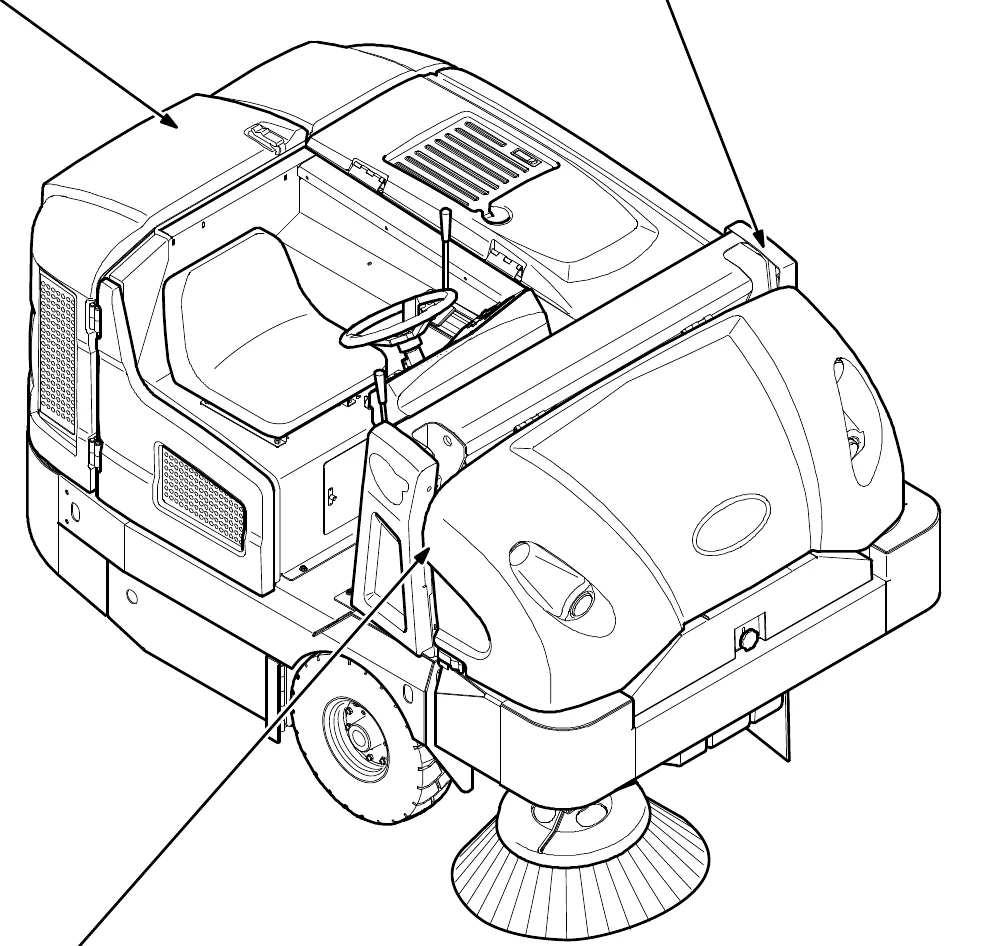
The safety labels appear on the machine in the locations indicated. Replace damaged labels.
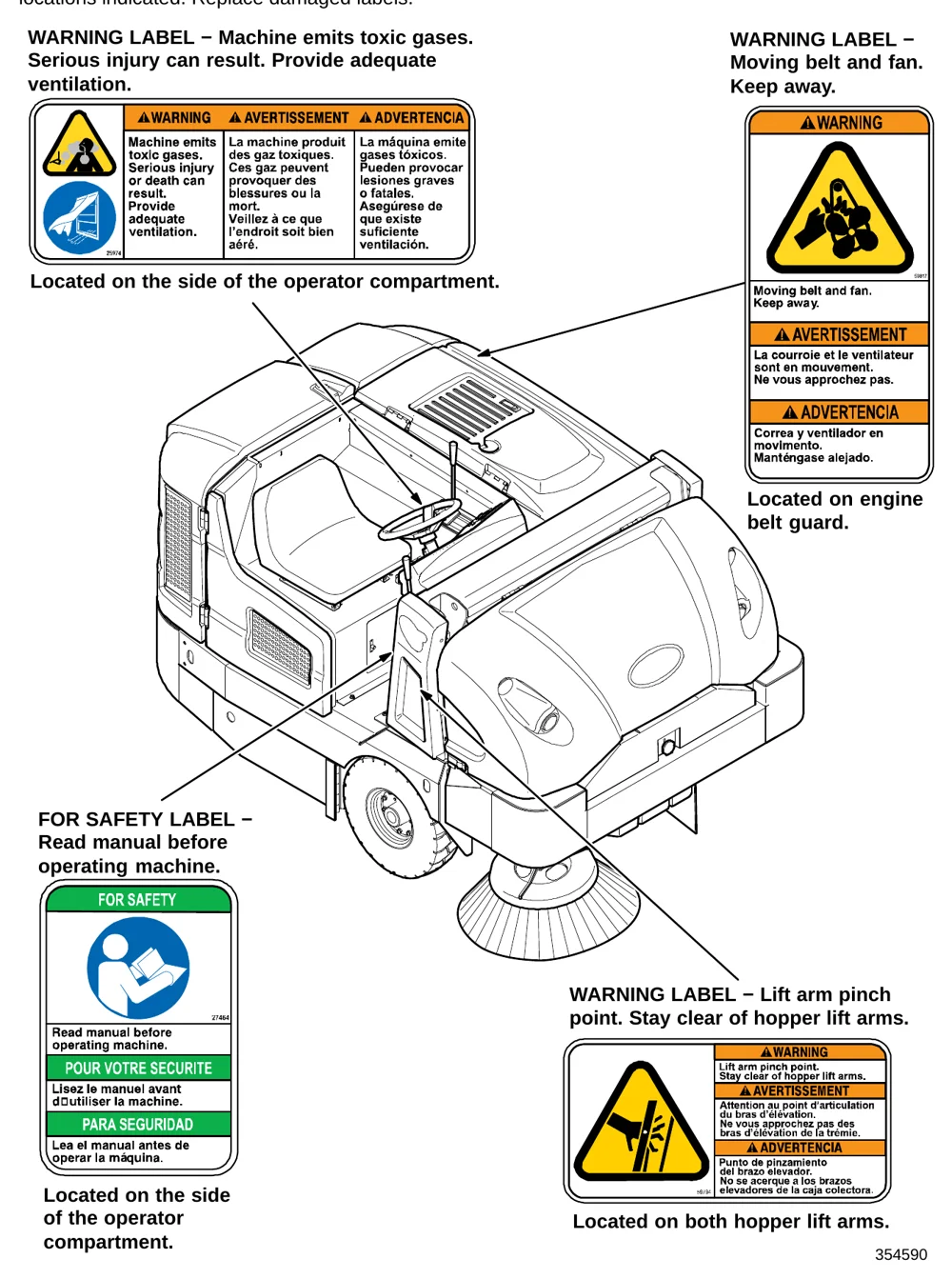
WARNING LABEL − Machine emits toxic gases. Serious injury can result. Provide adequate ventilation.
Located on the side of the operator compartment.
WARNING LABEL − Moving belt and fan. Keep away.
Located on engine belt guard.
FOR SAFETY LABEL − Read manual before operating machine.
Located on the side of the operator compartment.
WARNING LABEL − Lift arm pinch point. Stay clear of hopper lift arms.
Located on both hopper lift arms.
SAFETY PRECAUTIONS
WARNING LABEL − Burn hazard. Do NOT touch.
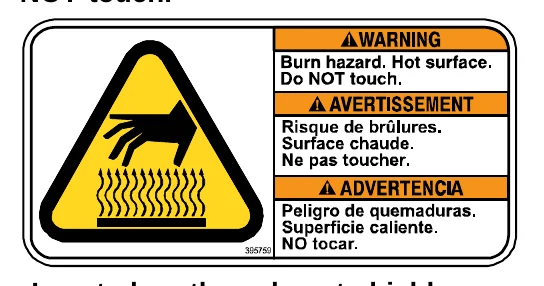
Located on the exhaust shield.
WARNING LABEL − Raised hopper may fall. Engage hopper support bar.
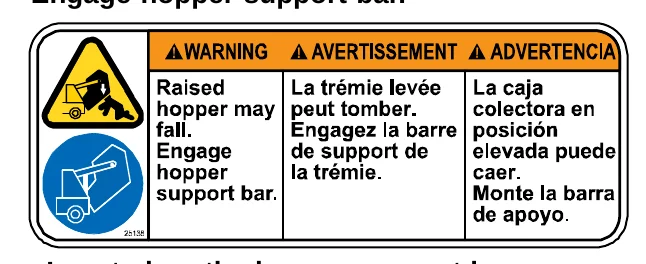
Located on the hopper support bar.
WARNING LABEL − Raised hopper may fall. Engage hopper support bar.
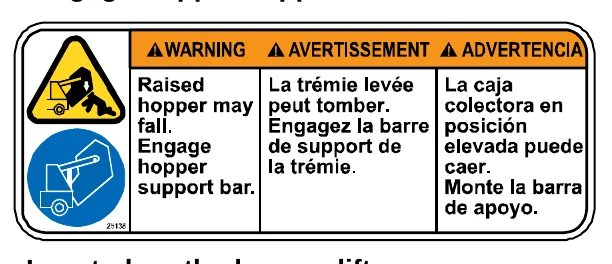
Located on the hopper lift arm.
WARNING LABEL − Accident may occur. Do not operate vacuum or blower wand while driving.
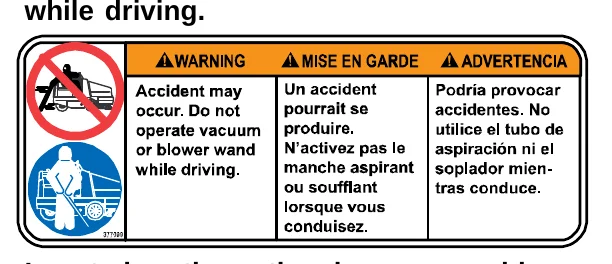
Located on the optional vacuum or blower wand door.
354590
OPERATION
MACHINE COMPONENTS
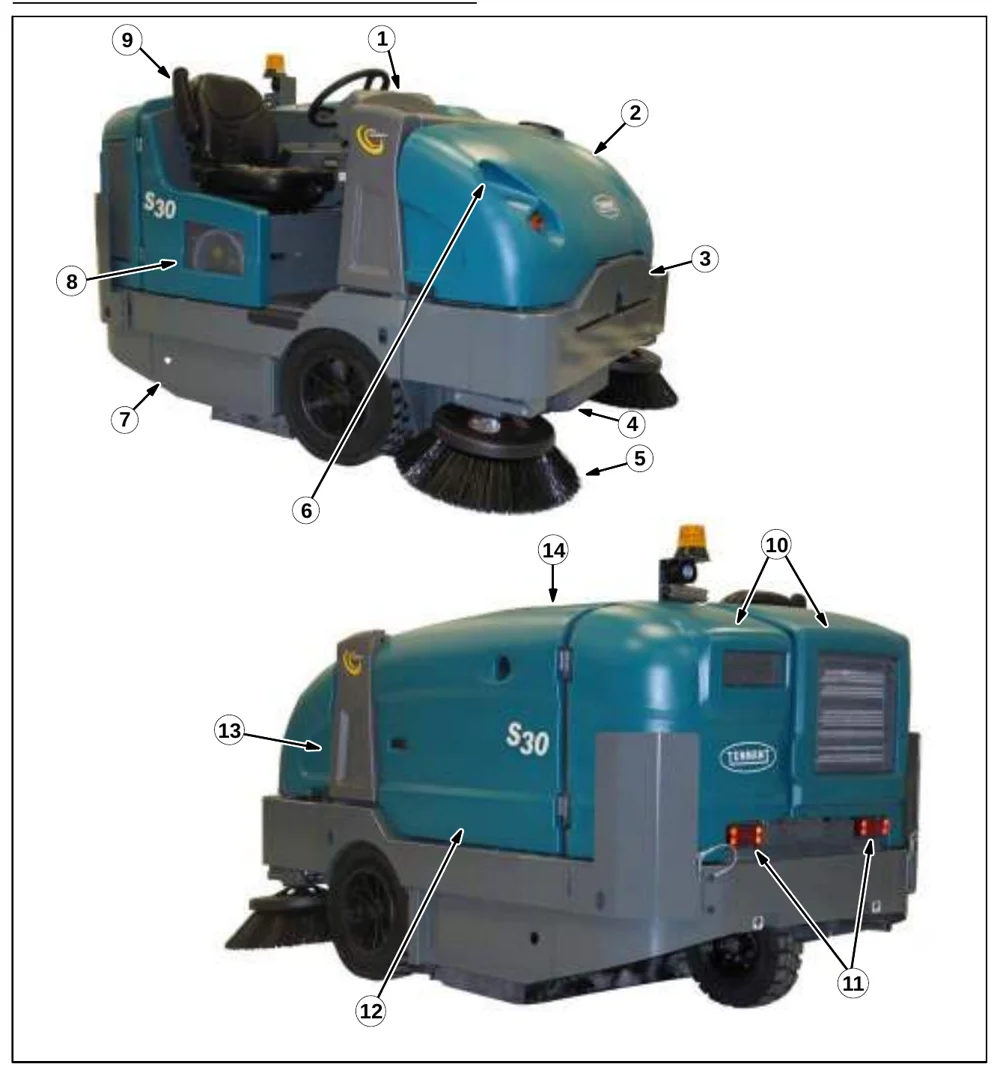
| No. | Component |
|---|---|
| 1 | Instrument panel |
| 2 | Front shroud |
| 3 | Hopper access door |
| 4 | Hopper |
| 5 | Side brush |
| 6 | Headlights |
| 7 | Main brush access door |
| 8 | Fuel tank |
| 9 | Operator seat |
| 10 | Rear engine shroud |
| 11 | Taillights |
| 12 | Side shroud |
| 13 | Hopper support bar |
| 14 | Top cover |
OPERATION
CONTROLS AND INSTRUMENTS
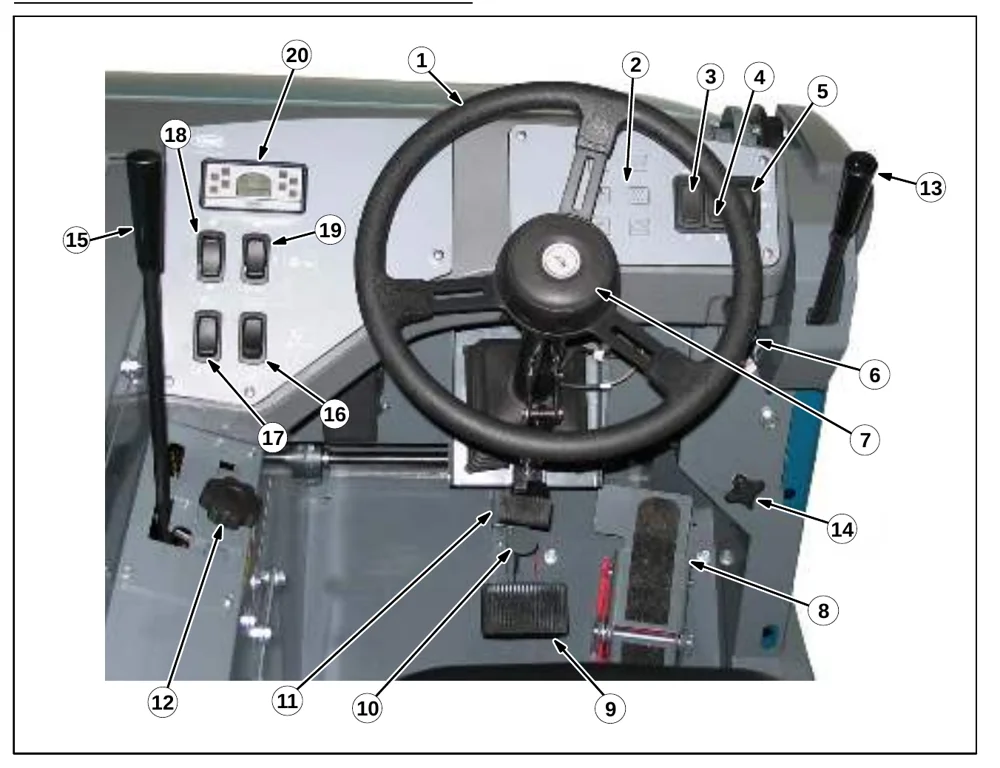
(All models)
- Steering wheel
- Dash Fault Indicator lights
- Wand switch (option)
- Side brush light switch (option)
- Operating / hazard light switch
- Ignition switch
- Horn button
- Directional pedal
- Brake pedal
- Parking brake pedal
- Steering column tilt pedal
- Main brush adjustment knob
(S30 only)
- Side brush lever
- Side brush adjustment knob
- Main brush lever
- Hopper door switch
- Hopper raise / lower switch
- Engine speed switch
- Vacuum fan / filter shaker switch
- Indicator panel
TOUCH PANEL (S30 XP and X4)
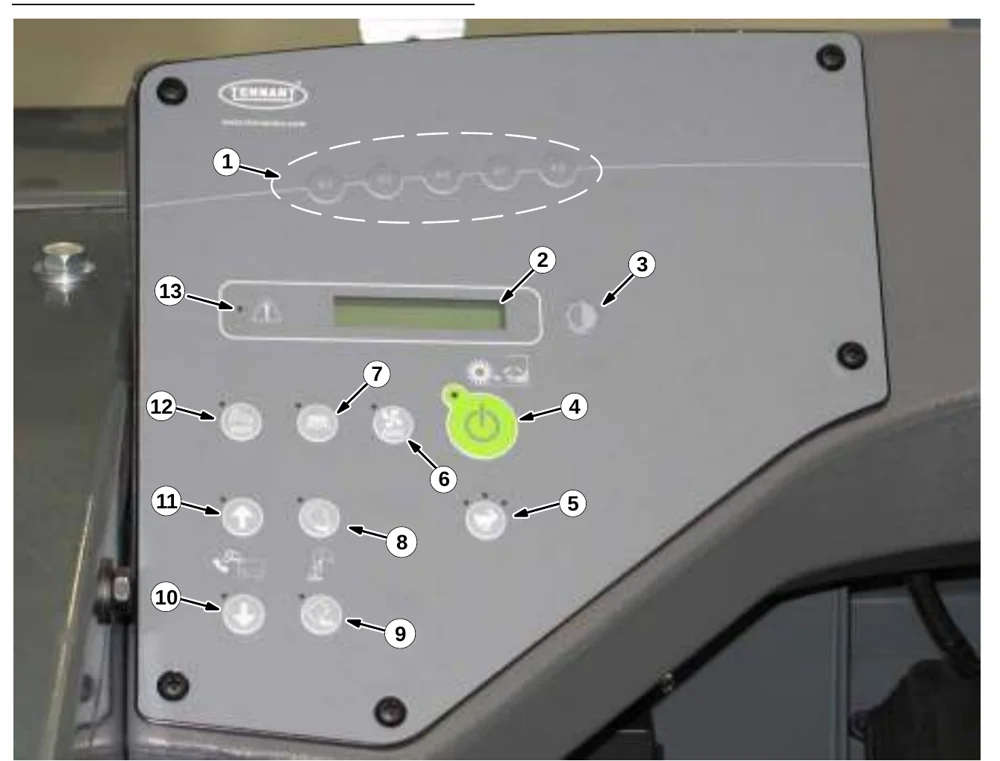
- Supervisor control buttons
- Hour meter / fuel indicator / fault code indicator
- Contrast control button
- 1−STEP sweep button
- Engine speed button
- Vacuum fan button
- Side brush button
- Hopper door open button
- Hopper door close button
- Hopper lower button
- Hopper raise button
- Filter shaker button
- Fault indicator light
OPERATION
SYMBOL DEFINITIONS
These symbols are used on the machine to identify controls, displays, and features. See also Display Module Fault Indicators (S30) and Dash Fault Indicators.
| Symbol | Meaning |
|---|---|
 | Sweep (S30) |
 | Vacuum fan (S30) |
 | Filter Shaker (S30) |
 | Engine Idle Speed (S30) |
 | Engine High speed (S30) |
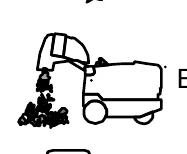 | Empty Hopper (S30) |
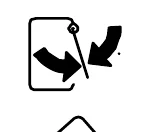 | Hopper Door Automatic (S30) |
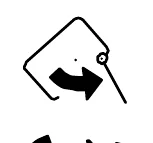 | Hopper Door Manual Open (S30) |
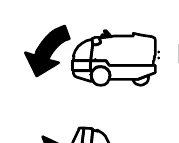 | Hopper Lower (S30) |
 | Hopper Raise (S30) |
 | Wand |
 | Operating lights |
 | Hazard light |
 | Horn |
 | Diesel fuel only |
| Symbol | Meaning |
|---|---|
 | Jack point |
 | Fault indicator (S30 XP and X4) |
 | Contrast Control (S30 XP and X4) |
 | 1−STEP Sweep (S30 XP and X4) |
 | Engine speed (S30 XP and X4) |
 | Vacuum fan (S30 XP and X4) |
 | Side brush (S30 XP and X4) |
 | Filter shaker (S30 XP and X4) |
 | Hopper Up / Down (S30 XP and X4) |
 | Hopper raise (S30 XP and X4) |
 | Hopper lower (S30 XP and X4) |
 | Open/Close Hopper Door (S30 XP, X4) |
 | Hopper door open (S30 XP and X4) |
 | Hopper door close (S30 XP and X4) |
OPERATION OF CONTROLS
DIRECTIONAL PEDAL
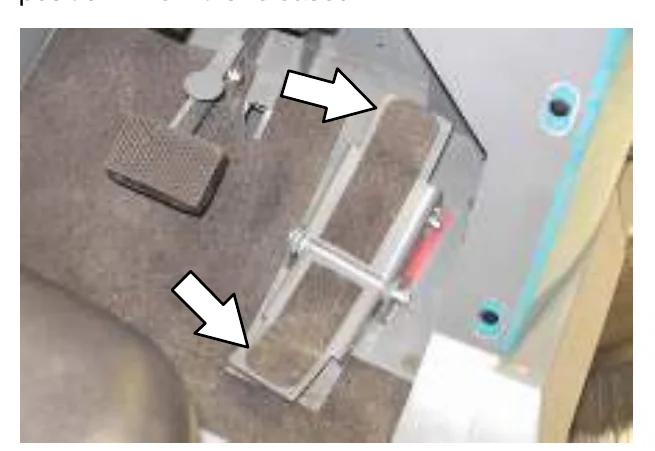
Press the top of the Directional pedal to move forward and the bottom of the pedal to move backward. The pedal returns to the neutral position when it is released.
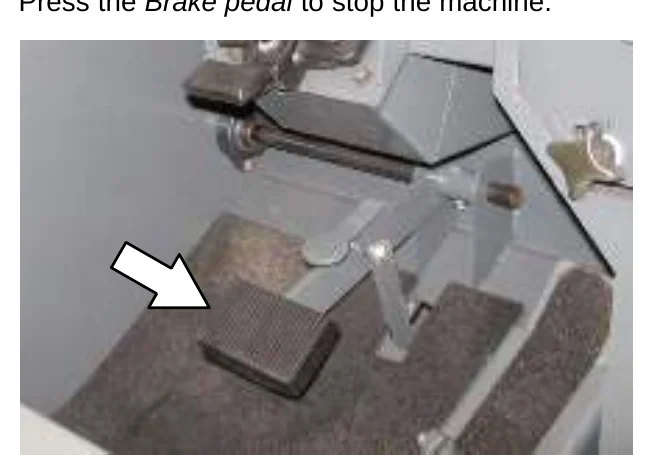
BRAKE PEDAL
Press the Brake pedal to stop the machine.
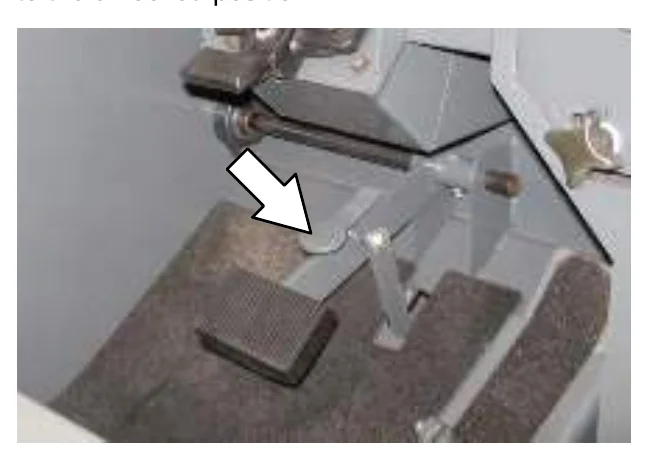
PARKING BRAKE PEDAL
Press the Brake pedal down as far as possible and use toe to lock the Parking brake pedal into place. Press the Brake pedal to release the parking brake. The Parking brake pedal will return to the unlocked position.
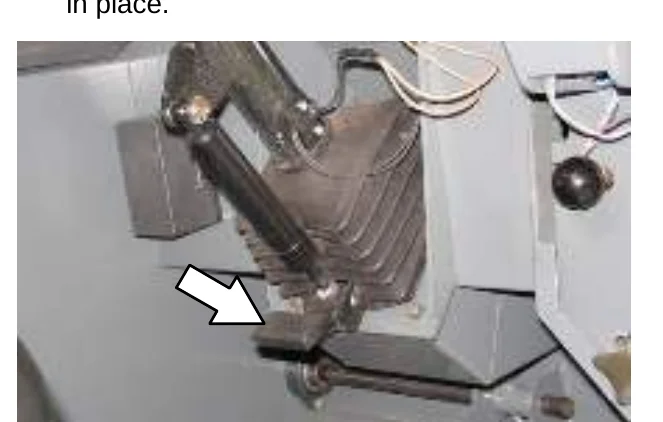
STEERING COLUMN TILT PEDAL
- Step on the Steering column tilt pedal and adjust the steering column to the desired position.
- Release the Steering column tilt pedal to lock in place.
OPERATION
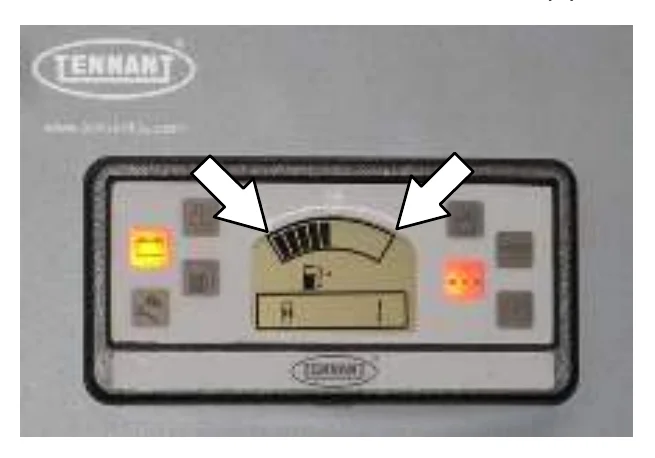
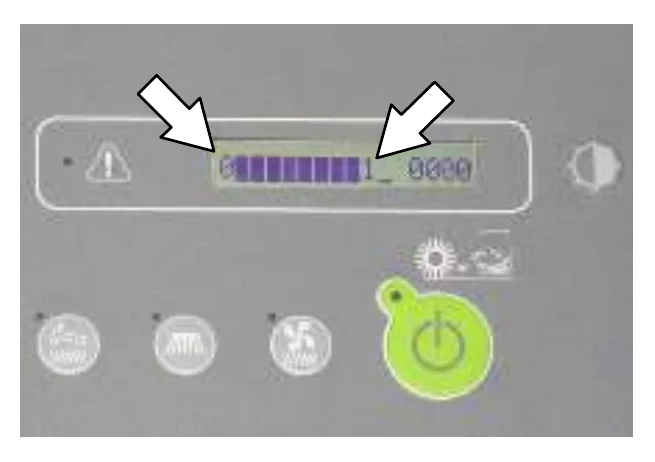
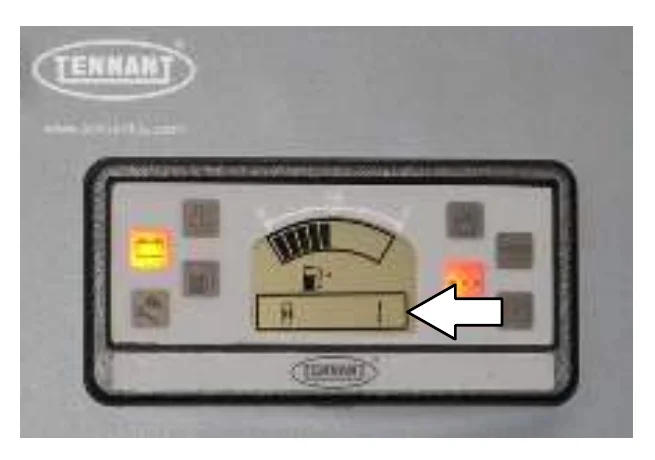
FUEL GAUGE
The Fuel indicator displays the amount of fuel left in the tank. The fuel level fault indicator will illuminate when the fuel tank is near empty. Refer to DISPLAY MODULE FAULT INDICATOR(S).
OPERATION
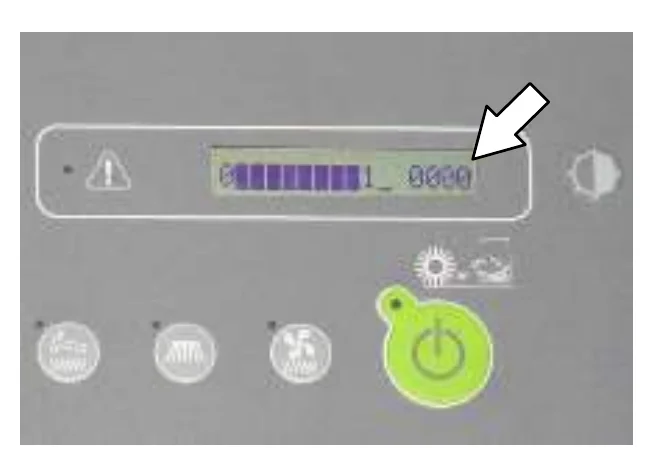
HOUR METER
The Hour meter records the hours the machine was operated. Use this information to determine machine service intervals.
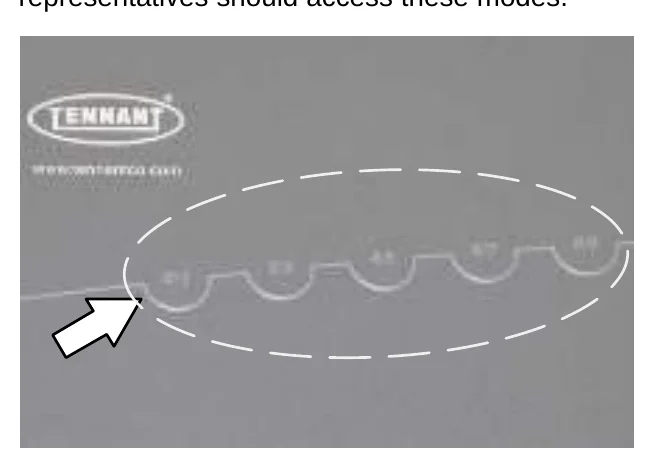
SUPERVISOR CONTROL BUTTONS (S30 XP and X4)
The Supervisor Control buttons are for accessing the configuration and diagnostic modes. Only properly trained service personnel and TENNANT representatives should access these modes.
ENGINE SPEED CONTROLS
Idle Speed: This speed is for starting the machine.
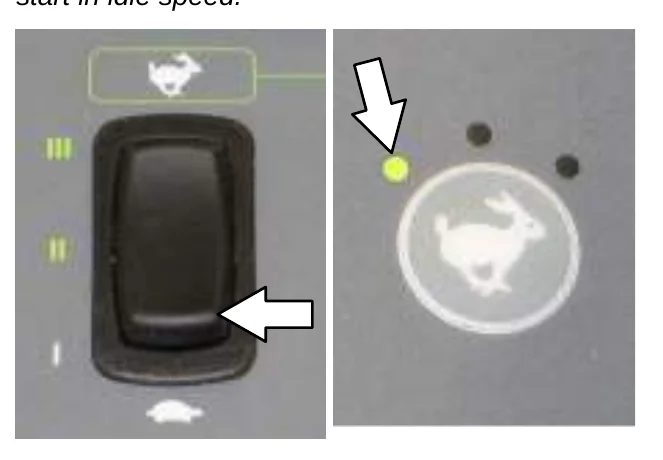
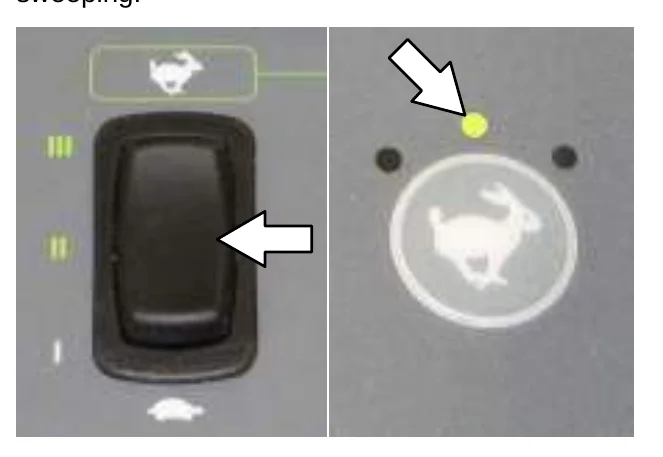
Medium (Fast 1) Speed: This speed is for general sweeping.
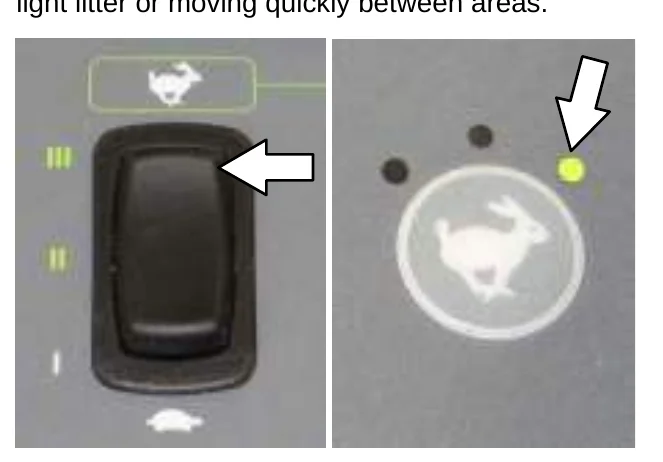
High (Fast 2) Speed: This speed is for sweeping light litter or moving quickly between areas.
VACUUM FAN CONTROLS (S30)
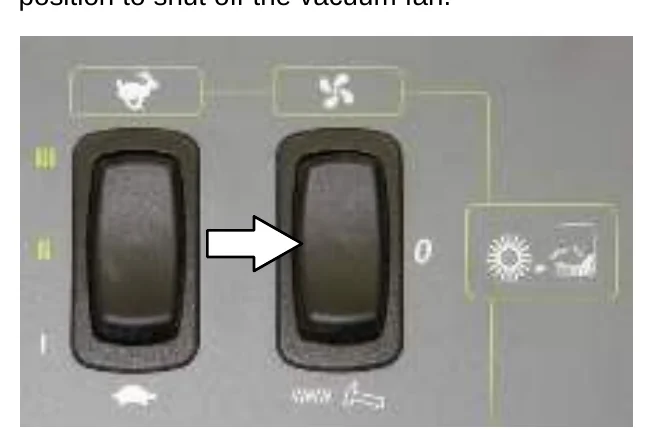
The vacuum fan automatically comes on when the main brush is lowered with the Vacuum fan switch in the automatic/on position.
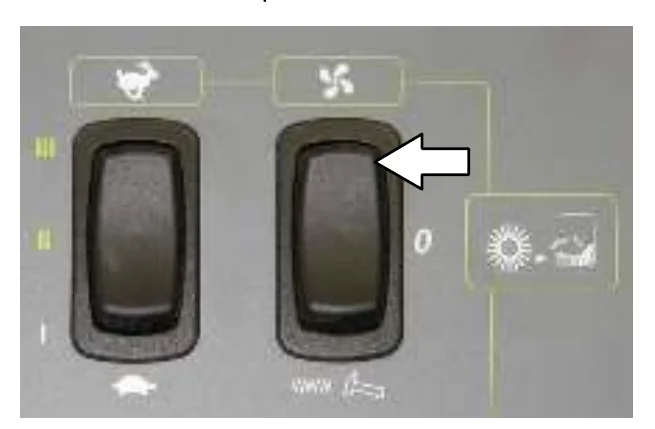
Press the Vacuum fan switch to the middle position to shut off the vacuum fan.
VACUUM FAN CONTROLS (S30 XP and X4)
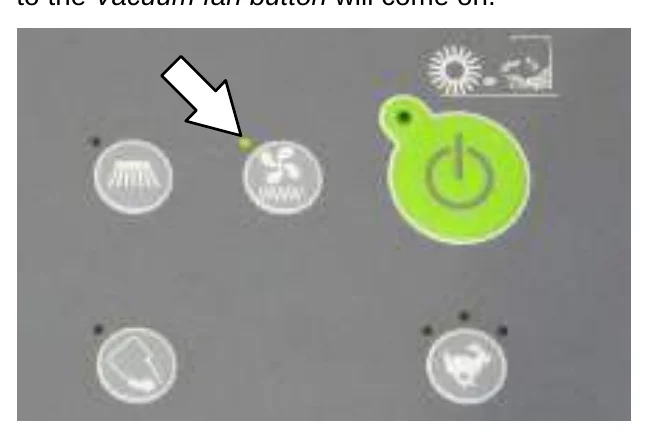
The vacuum fan automatically comes on when the 1−STEP Sweep button is activated. The light next to the Vacuum fan button will come on.
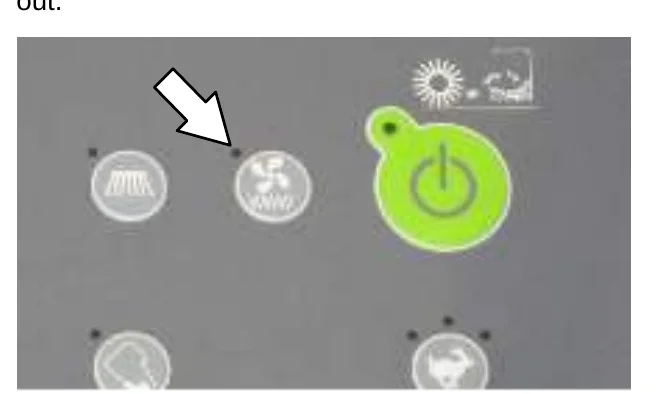
Press the Vacuum fan button to shut off the vacuum fan. The light next to the button will go out.
CONTRAST CONTROL BUTTON (S30 XP and X4)
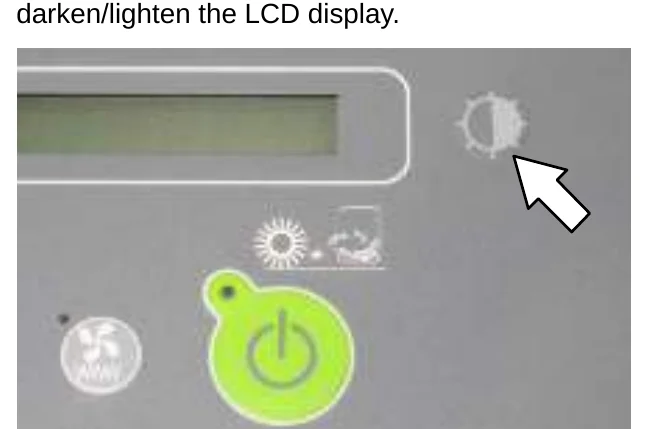
Press and hold the Contrast control button to darken/lighten the LCD display.
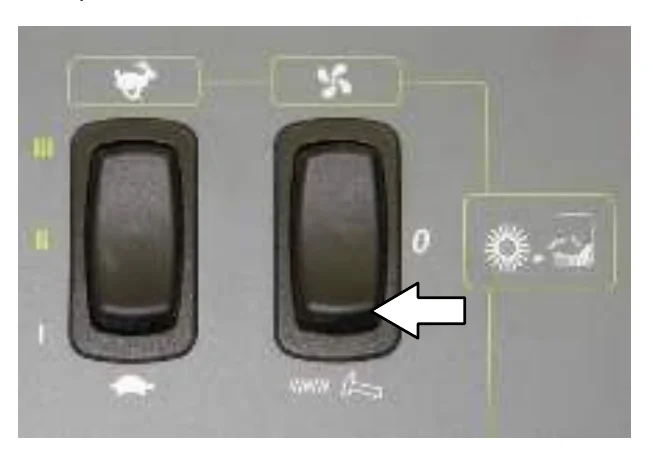
FILTER SHAKER CONTROL (S30)
Press the Filter shaker switch. The filter shaker will operate for 30 seconds.
FILTER SHAKER CONTROL (S30 XP and X4)
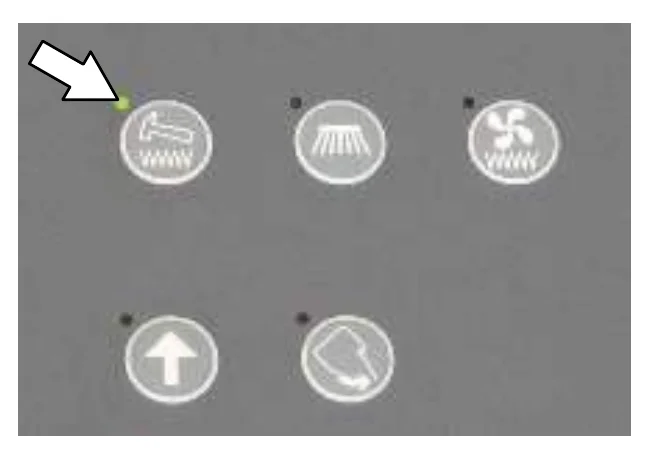
The filter shaker automatically activates for about 30 seconds when the 1−STEP Sweep button is turned off.
Press the filter shaker switch to manually start the 30 second shaker cycle or to stop the shaker cycle.
OPERATING / HAZARD LIGHT SWITCH
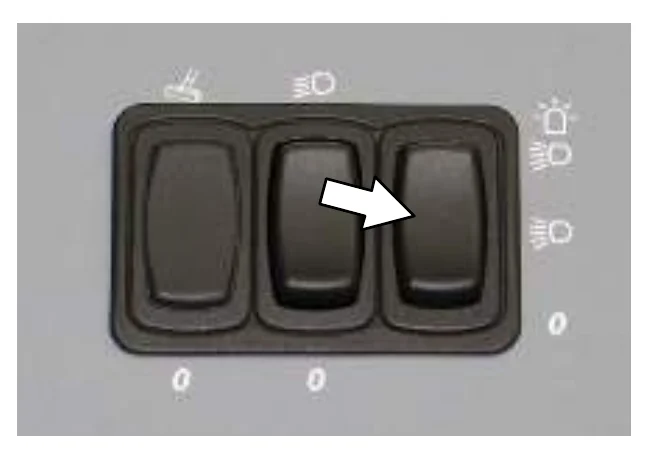
Operating and Hazard Lights On: Press the top of the Operating / hazard light switch.
Operating Lights On: Press the Operating / hazard light switch to the middle position.
All Lights Off: Press the bottom of the Operating / hazard light switch.
SIDE BRUSH LIGHT SWITCH (OPTION)
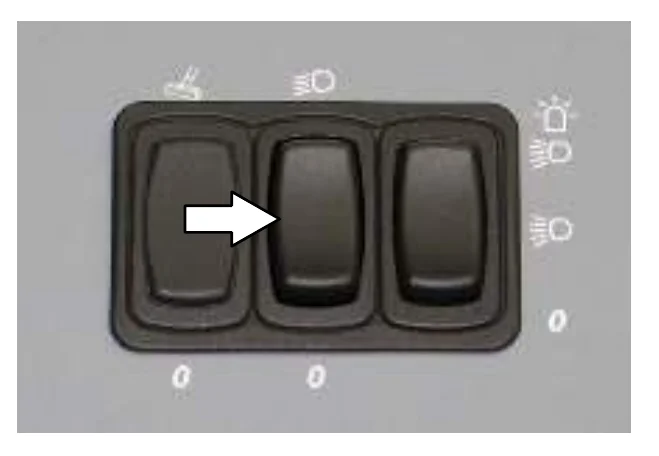
Side Brush Lights On: Press the top of the Side brush light switch to turn the side brush light on.
Side Brush Lights Off: Press the bottom of the Side brush light switch to turn the side brush light off.
OPERATION
HOPPER ACCESS DOOR
Use the hopper access door to dispose of debris too large to be picked up by the machine while sweeping.
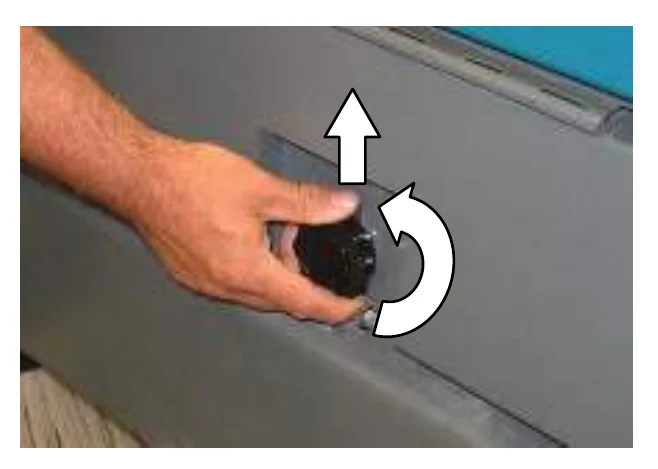
Twist the hopper access door handle to loosen the lock, lift the handle to disengage the lock, and then lift the hopper access door open.
(SN 000000 − 006500)
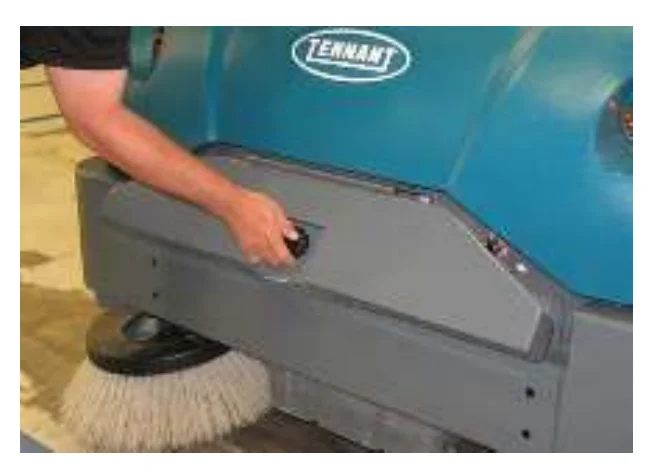
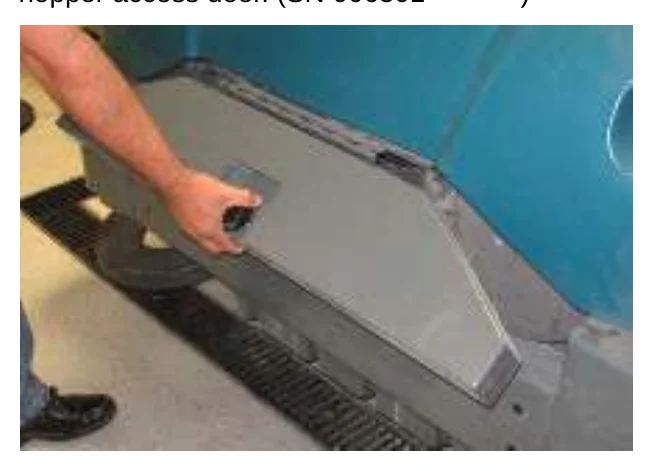
Pull the hopper access door handle to open the hopper access door. (SN 006501 − )
OPERATOR SEAT
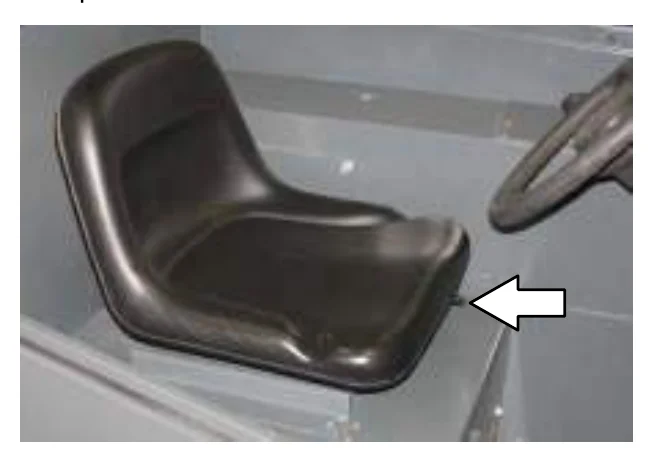
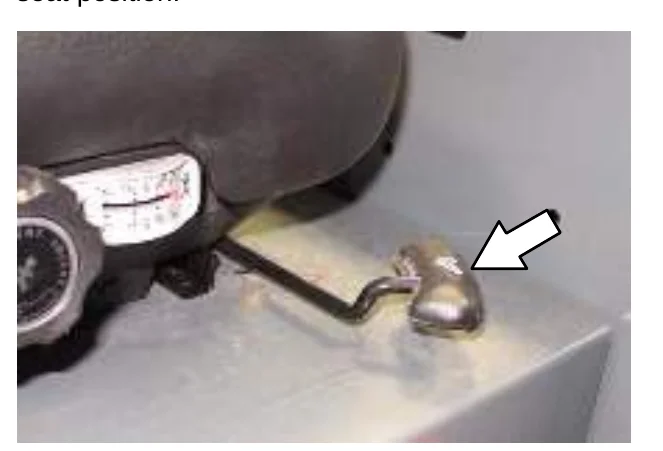
The front−to−back adjustment lever adjusts the seat position.
DELUXE SUSPENSION SEAT
The operator seat has three adjustments: backrest angle, operator weight, and front to back.
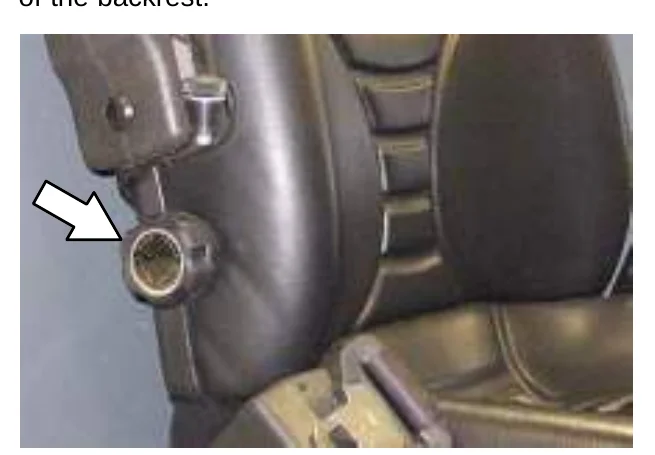
The backrest adjustment knob adjusts the angle of the backrest.
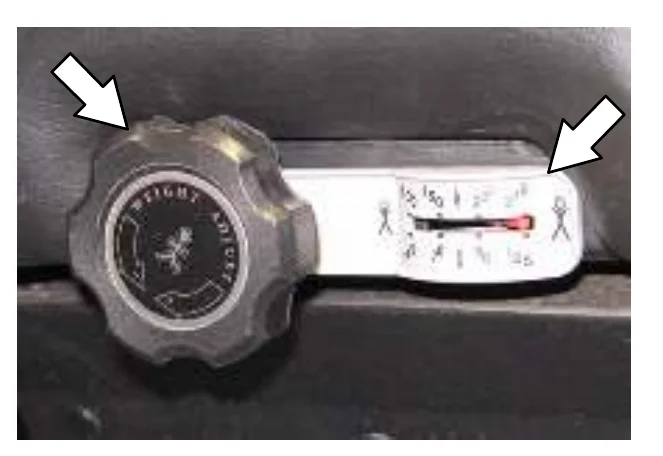
The weight adjustment knob controls the firmness of the operator seat. Use the gauge next to the weight adjustment knob to help determine seat firmness.
The front−to−back adjustment lever adjusts the seat position.
SEAT BELTS
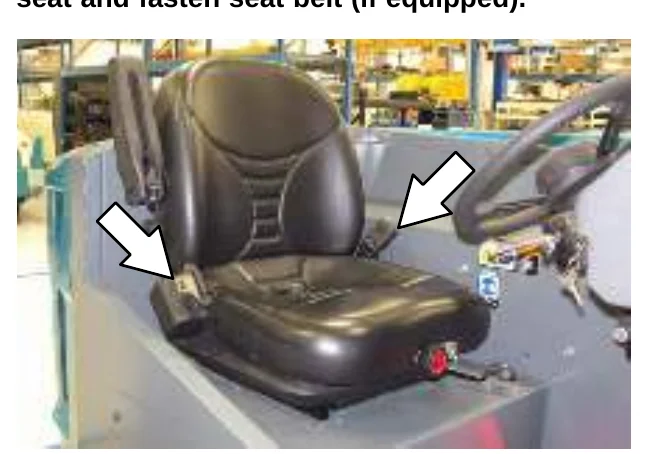
FOR SAFETY: Before starting machine, adjust seat and fasten seat belt (if equipped).
BRUSH INFORMATION
For best results, use the correct brush type for the cleaning application.
Polypropylene and Wire 8-double row Main Brush − Recommended for general sweeping, fine dust, and slightly impacted debris.
Polypropylene Sand Wedge Main Brush − Recommended for heavy accumulation of sand and other small particulates.
Polypropylene Window Main Brush − Recommended for light litter, especially on smooth floors.
Polypropylene 8-double row Main Brush − Recommended for lighter duty sweeping applications.
Nylon 8-double row Main Brush − Recommended for general sweeping, especially on rough or irregular surfaces. Nylon has a long wear life.
Nylon Full Fill Main Brush − Recommended for accumulation of sand and other small particulates. Nylon has a long wear life.
Nylon Patrol Main Brush − Recommended for bulky debris swept at faster speeds.
Wire 8-double row Main Brush − Recommended for general sweeping and slightly impacted debris.
Natural Fiber and Full Fill Main Brush − Recommended for accumulation of sand and other small particulates.
Polypropylene Side Brush − Recommended for general sweeping of light to medium debris.
Nylon Side Brush − Recommended for general sweeping of rough or irregular surfaces. Nylon has a long wear life.
Flat Wire Side Brush − Recommended for outdoor curb-side sweeping where dirt is heavy or compacted.
HOW THE MACHINE WORKS
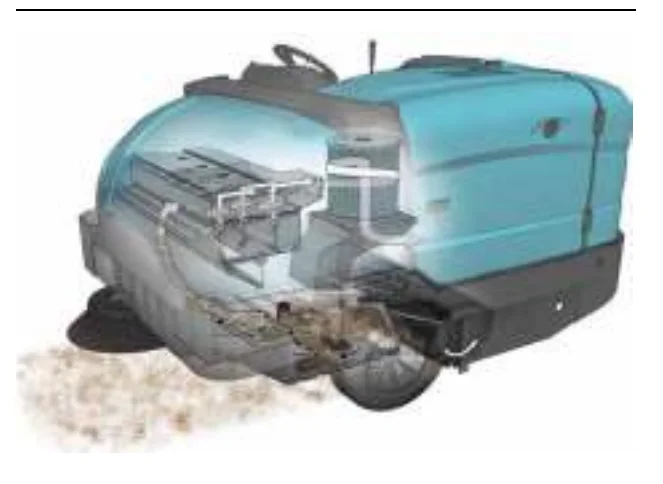
Machines SN 000000 − 006500
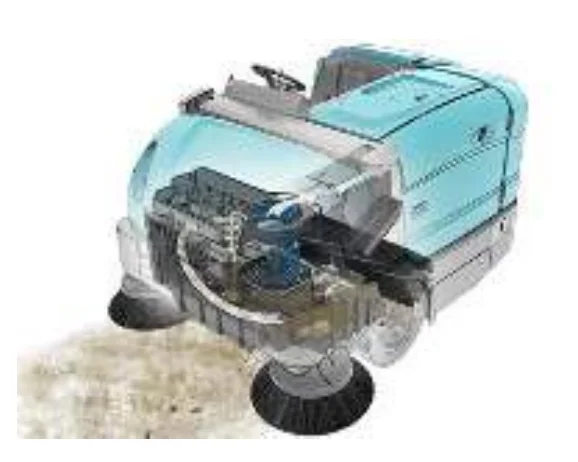
Machines SN 006501 −
The steering wheel controls the direction of machine travel. The directional pedal controls the speed and forward/reverse direction. The brake pedal slows and stops the machine.
The side brush sweeps debris into the path of the main brush. The main brush sweeps debris from the floor into the hopper. The vacuum system pulls dust and air through the hopper and the dust control system.
When sweeping is finished, shake the dust filter and empty the hopper.
PRE−OPERATION CHECKLIST
- Check the fuel level.
- Check the machine for fluid leaks.
- Check the condition of the main brushes. Remove string, banding, plastic wrap, or other debris wrapped around the brushes.
- Check the main brush compartment right skirts and seals for damage and wear.
- Side Brush(es): Check the condition of the brush. Remove string, banding, plastic wrap, or other debris wrapped around the brush.
- Check the condition of the debris deflection skirts.
- Check the hydraulic fluid level.
- Check the main brush compartment left skirts and seals for damage and wear.
- Check the engine coolant level.
- Check the engine oil level.
- Check the radiator and hydraulic cooler fins for debris.
- Check the horn, headlights, taillights, safety lights, and backup alarm (if equipped).
- Check the brakes and steering for proper operation.
- Check the service records to determine maintenance requirements.
STARTING THE MACHINE
- Sit in the operator seat and press the brake pedal or set the parking brake.
- S30: Place the Engine speed switch into the idle position.
S30 XP and X4: The engine will automatically start in the idle speed.
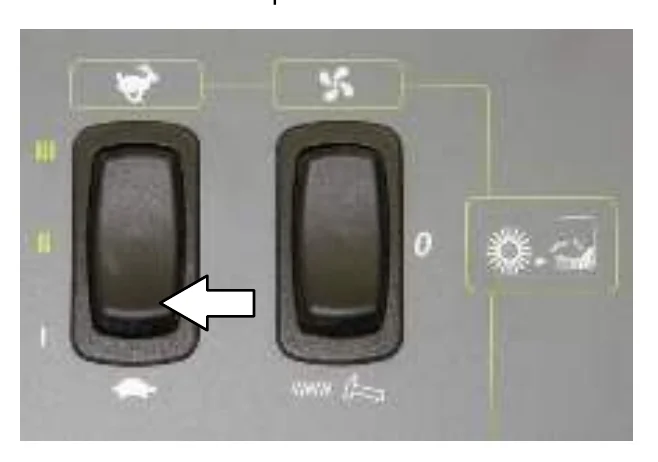
- Turn the key clockwise until the glow plug light comes on, but not far enough to start the engine. Hold the key in this position for 15 to 30 seconds, depending on temperature. Colder temperatures require longer time.
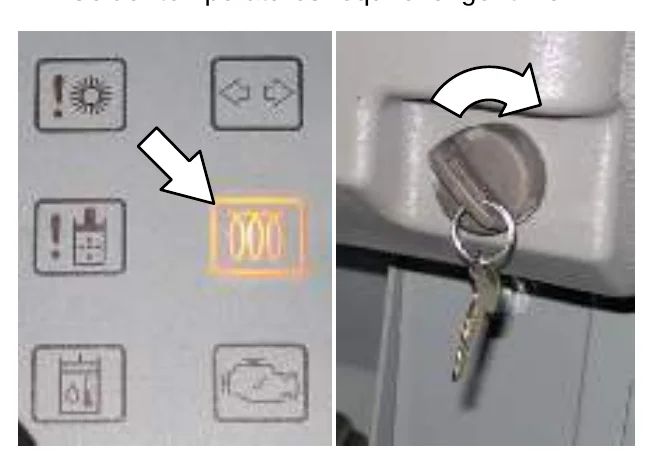
- Turn the key further clockwise to start the engine.
- Allow the engine and hydraulic system to warm up for three to five minutes.
- Turn on lights.
TURNING OFF THE MACHINE
- Stop the machine and turn off all sweeping functions.
- Turn the ignition switch key counter clockwise to turn off the machine. Remain in the operator seat until the engine is off.
WHILE OPERATING THE MACHINE
Pick up oversized debris before sweeping. Pick up wire, string, twine, large pieces of wood, or any other debris that could become wrapped around or tangled in the brushes.
Drive as straight a path as possible. Avoid bumping into posts or scraping the sides of the machine. Overlap the sweep paths by several centimeters (a few inches).
Avoid turning the steering wheel too sharply when the machine is in motion. The machine is very responsive to the movement of the steering wheel. Avoid sudden turns, except in emergencies.
Adjust the machine speed and brush pressure. Use the lowest brush pressure for best performance.
Keep the machine moving to prevent damaging floor finishes.
If poor cleaning performance is observed, stop cleaning and refer to MACHINE TROUBLESHOOTING in this manual.
Perform the Daily Maintenance Procedures after each use (see MACHINE MAINTENANCE in this manual).
Drive the machine slowly on inclines. Use the brake pedal to control machine speed on descending inclines. Allow more braking distance when traveling at faster speeds. Sweep with the machine up inclines rather than down inclines.
FOR SAFETY: When using machine, go slowly on inclines and slippery surfaces.
Do not operate machine in areas where the ambient temperature is above 43° C (110° F). Do not operate sweeping functions in areas where the ambient temperature is below freezing 0° C (32° F). With the proper hydraulic fluid and a machine warm−up period, the machine is capable of operating at much lower temperatures.
FOR SAFETY: Do not sweep on ramp inclines that exceed 14% grade or transport (GVWR) on ramp inclines that exceed 17% grade.
OPERATION
SWEEPING (S30)
- Start the machine.
- Ensure the hopper is completely lowered.
- Ensure the vacuum fan switch is in the automatic/on position.
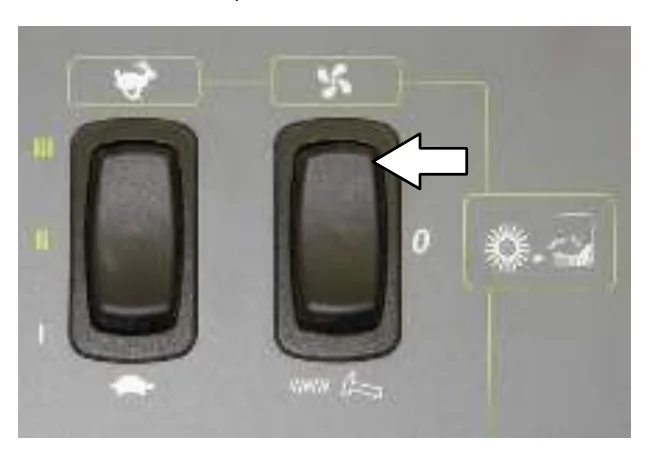
- Ensure the hopper door switch is in the upper automatic position.
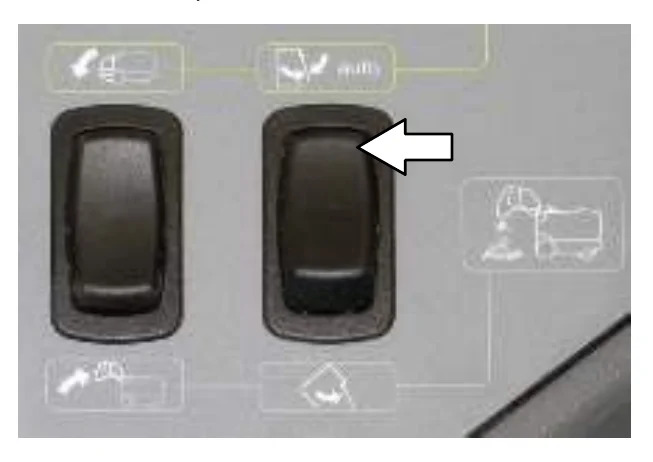
- Select an engine speed. Use medium speed for general sweeping and high speed for sweeping light litter.
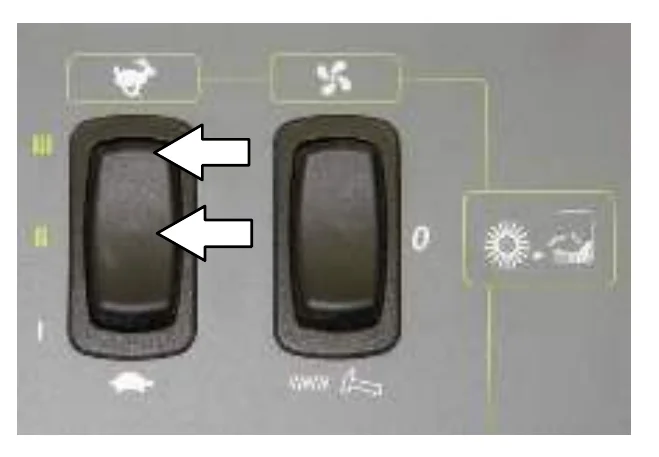
- Lower the brushes.
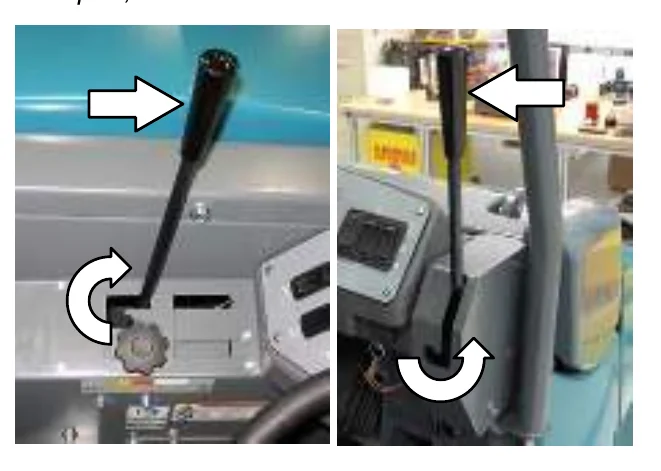
- Release the parking brake, then press the Directional pedal to begin sweeping.
- To stop sweeping, press the Brake pedal to stop the machine.
- Raise the brushes.
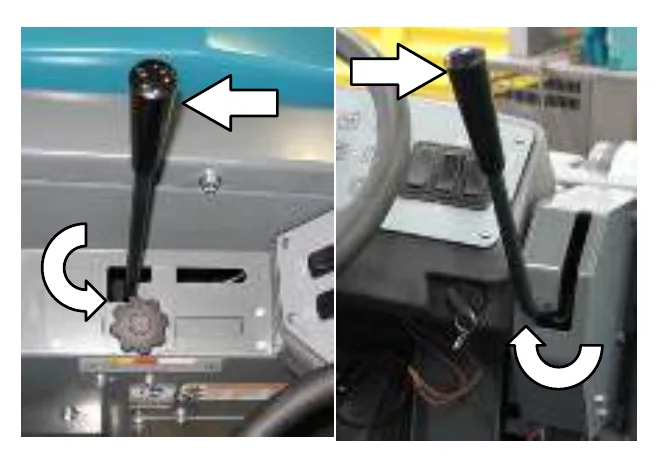
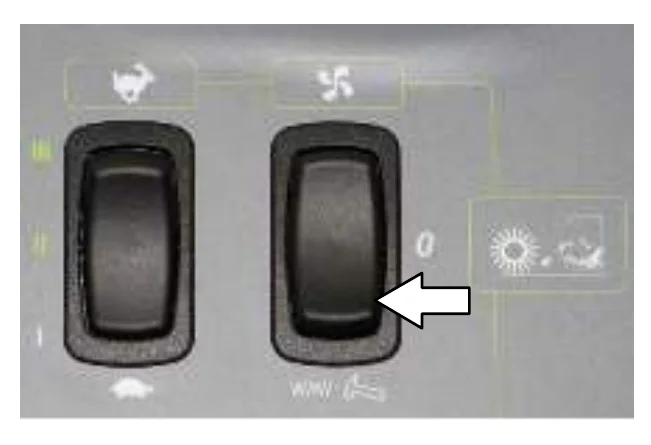
- Press the filter shaker switch to activate the hopper filter shaker. It will operate for about 30 seconds.
- Empty the debris hopper at the end of each shift or as needed. See EMPTYING THE HOPPER section of this manual.
SWEEPING (S30 XP and X4)
- Start the machine.
- Press the 1−STEP Sweep button. All the preset sweeping functions will turn on. The light on the button will come on.
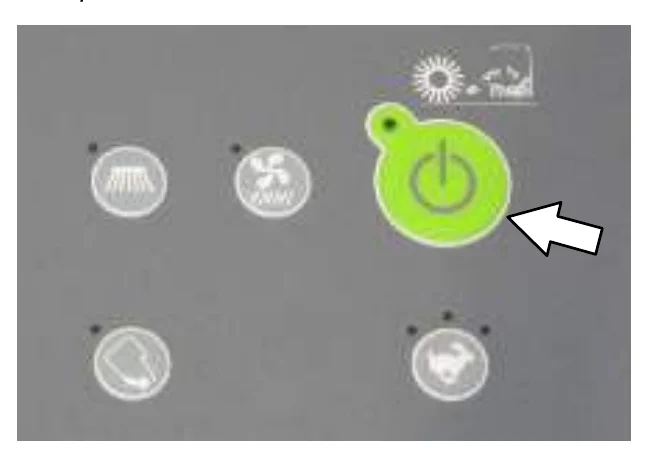
- Release the parking brake, then press the Directional pedal to begin sweeping.
- To stop sweeping, press the Brake pedal to stop the machine.
- Press the 1−STEP Sweep button. The light on the button will turn off. All the preset sweeping functions will turn off and the automatic filter shaker will operate for about 30 seconds.
- Empty the debris hopper at the end of each shift or as needed. See EMPTYING THE HOPPER section of this manual.
OPERATION
EMPTYING THE HOPPER
- Slowly drive the machine to the debris site or debris container.
- Stop the sweeping functions.
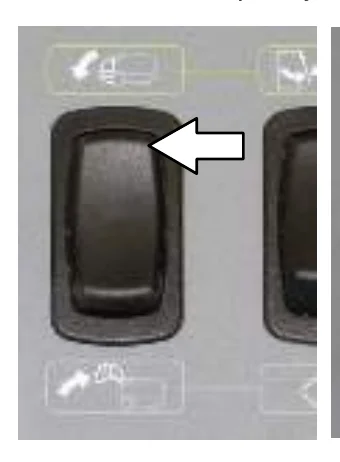
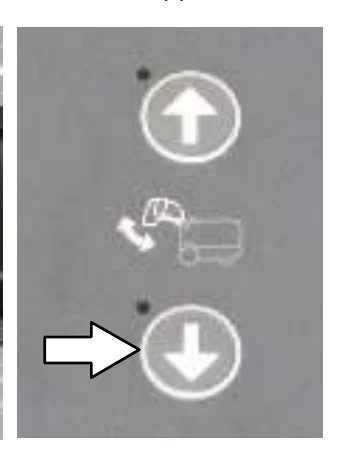
- Press and hold the Hopper raise switch or button to raise the hopper.
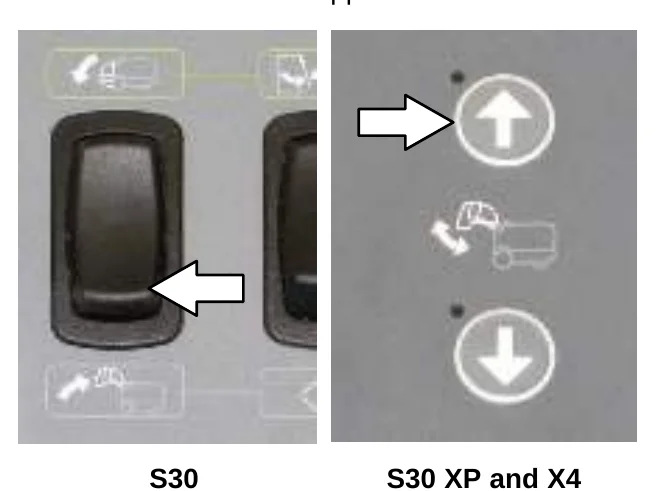
- Slowly drive the machine up to the debris container.
- Lower the hopper into the debris container to control dust.
- Open the hopper door to empty the hopper.
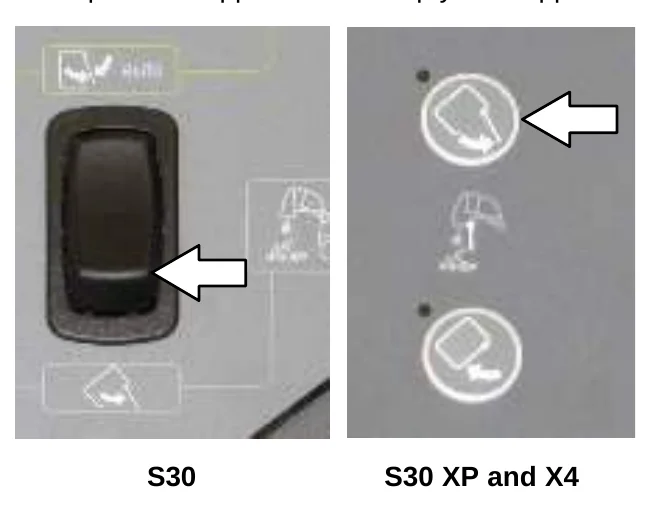
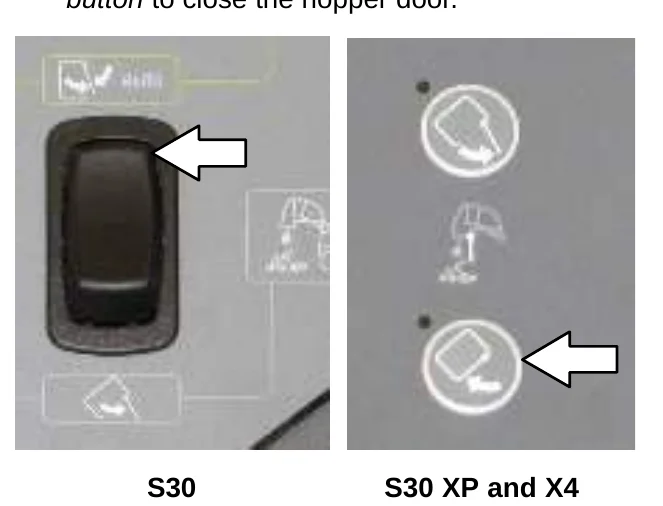
- S30: Place the Hopper door switch in the automatic position to close the hopper door.
S30 XP and X4: Press the Hopper door close button to close the hopper door.
- Raise the hopper enough to clear the top of the debris container.
- Slowly back the machine away from the debris site or debris container.
10. Press and hold the Hopper lower switch or button to completely lower the hopper.
ENGAGING THE HOPPER SUPPORT BAR
The hopper support bar prevents the raised hopper from falling. Always engage the hopper support bar whenever leaving the hopper in the raised position.
- Set the parking brake.
- Start the machine.
- Completely raise the hopper.
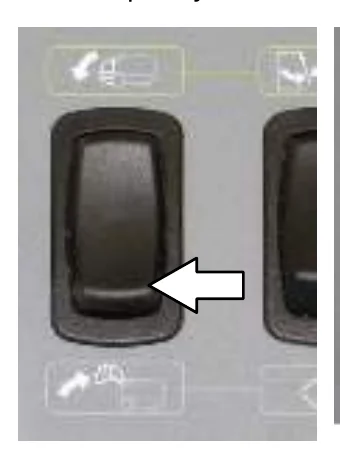
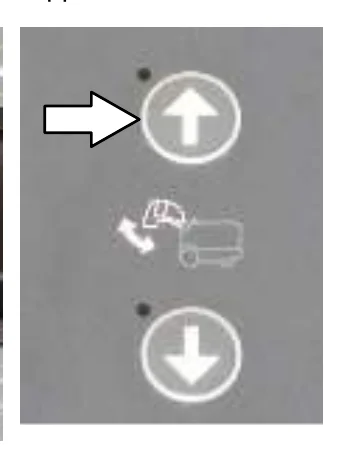
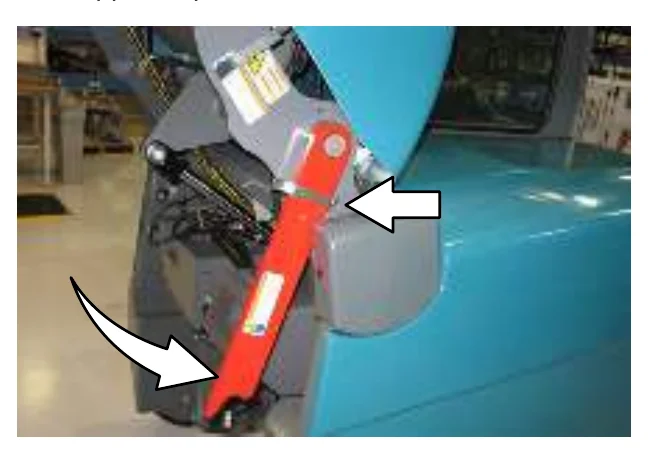
- Rotate the support bar down into the hopper support clip.
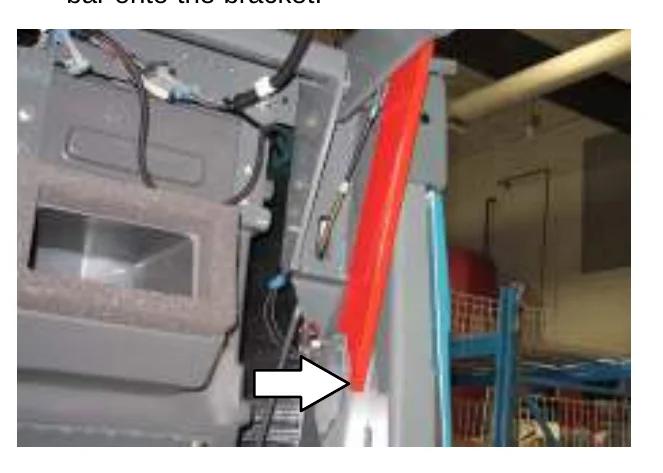
- Lower the hopper to lower the hopper support bar onto the bracket.
- Turn off the machine.
DISENGAGING THE HOPPER SUPPORT BAR
- Start the machine.
- Completely raise the hopper.
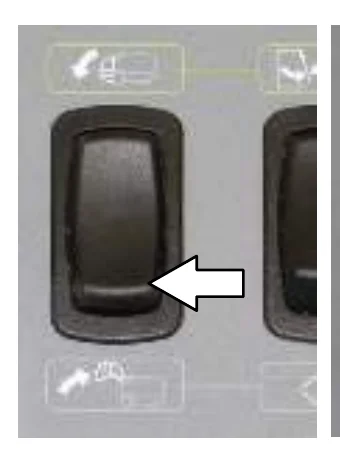
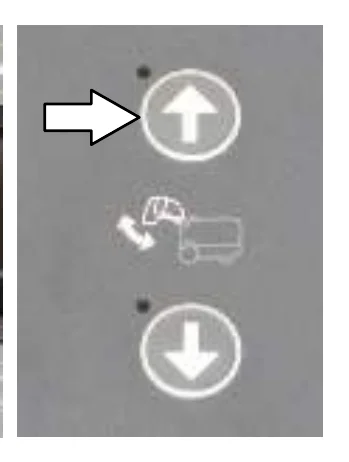
- Set the parking brake.
- Rotate the hopper support bar up into the storage clip.
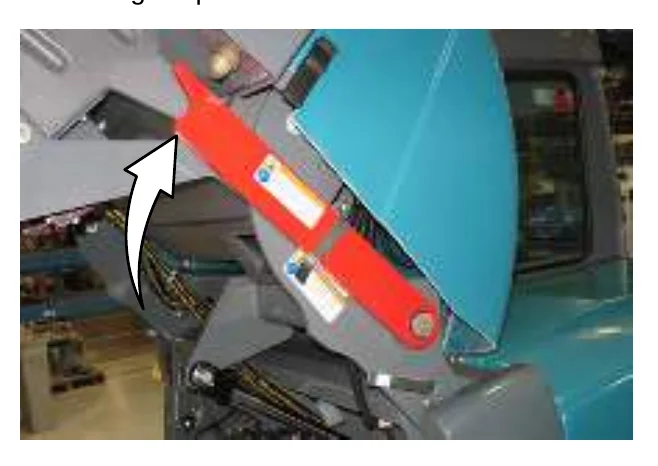
- Completely lower the hopper.
DISPLAY MODULE FAULT INDICATORS (S30)
The fault indicator lights illuminate when a fault has occurred. Stop the machine immediately and correct the problem if these indicators come on.
Refer to the table below to determine the cause and remedy for the fault.
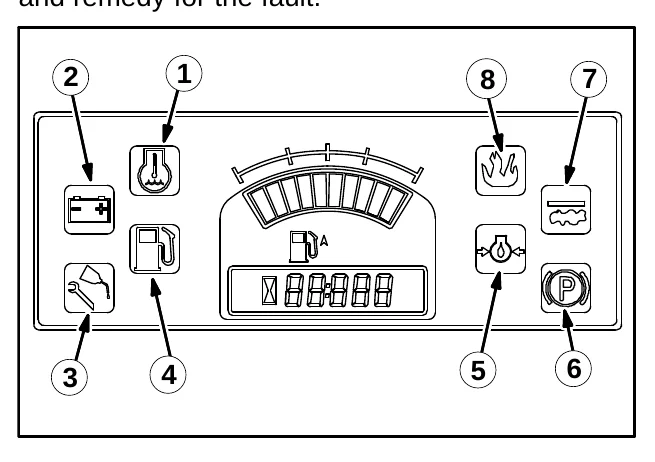
| Fault Indicators | Cause(s) | Remedy |
|---|---|---|
| 1: Water Temperature (Red) | Engine coolant is too hot to safely operate the machine | Shut off machine. Contact TENNANT service representative. |
| 2: Charging System (Amber) | Alternator is not charging the battery. | Shut off machine. Contact TENNANT service representative. |
| 3: Maintenance (Amber) | Not Used | Not Used |
| 4: Fuel Level (Red) | Fuel level is low. | Refuel |
| 5: Engine Oil Pressure (Red) | Oil pressure is below the normal operating pressure | Shut off machine. Contact TENNANT service representative. |
| 6: Parking Brake (Amber) | Not Used | Not Used |
| 7: Clogged Dust Filter (Amber) | Dust filter is clogged | Activate the filter shaker. |
| 8: Hopper Fire (Red) | Fire in the hopper | Shut off machine. Extinguish fire. If necessary, call emergency personnel. |
FAULT INDICATOR(S) (S30 XP and X4)
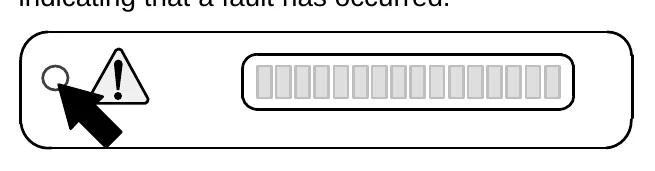
This machine is equipped with two visual indicators, a red indicator light and an LCD (liquid crystal display).
The red indicator light will blink continuously indicating that a fault has occurred.
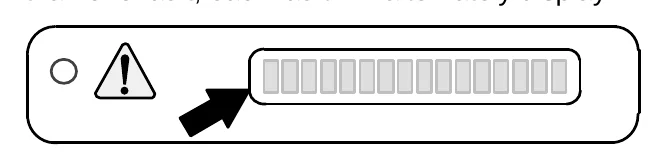
The LCD will display a fault code. If there is more than one fault, each fault will alternately display.
All faults are also accompanied by an audible alarm to alert the operator a fault has occurred.
Refer to the table below to determine the cause and remedy for the fault.
| Fault Code (Displayed in LCD) | Cause(s) | Result | Remedy |
|---|---|---|---|
| F3: CLOGGED HYD FILTER | Hydraulic filter is clogged | − | Shut off machine. Contact TENNANT service representative. |
| F4: SHAKER FILTER | Hopper dust filter is clogged | − | Activate filter shaker to unclog hopper dust filter. |
| F5: HOPPER FIRE | Fire in the hopper | Terminates sweeping functions and closes hopper door | Shut off machine. Extinguish fire. If necessary, call emergency personnel. |
| F6: ALTERNATOR | Alternator not charging | − | Contact TENNANT service representative. |
| F7: LOW OIL PRESS | Engine oil pressure is low | Shuts down engine | Contact TENNANT service representative. |
| F8: HIGH ENG TEMP | Engine temperature is high | Shuts down engine | Shut off machine. Contact TENNANT service representative. |
| F9: HIGH HYD TEMP | Hydraulic fluid temperature is high | Cancels 1−Step sweep functions | Shut off machine. Contact TENNANT service representative. |
| F10: LOW FUEL | Low fuel | − | Fill fuel tank. |
| F18: HOPPER UP | Hopper is up | Terminates sweeping functions− | Lower hopper completely. |
| F20: UP KEY ERR | Hopper up button failure | Prevents all panel operations | Shut off machine. Contact TENNANT service representative. |
| F21: DN KEY ERR | Hopper down button failure | Prevents all panel operations | Shut off machine. Contact TENNANT service representative. |
| F22: OPN KEY ERR | Hopper door open button failure | Prevents all panel operations | Shut off machine. Contact TENNANT service representative. |
| F23: CL KEY ERR | Hopper door close button failure | Prevents all panel operations | Shut off machine. Contact TENNANT service representative. |
| F24: SEAT SWITCH (Option) | Operator not in the seat while engine is running and parking brake not engaged | Engine will shut off | Engage parking brake before leaving the machine. |
DASH FAULT INDICATORS
The dash fault indicators illuminate when a fault has occurred. Stop the machine immediately and correct the problem if these indicators come on.
Refer to the table below to determine the cause and remedy for the fault.
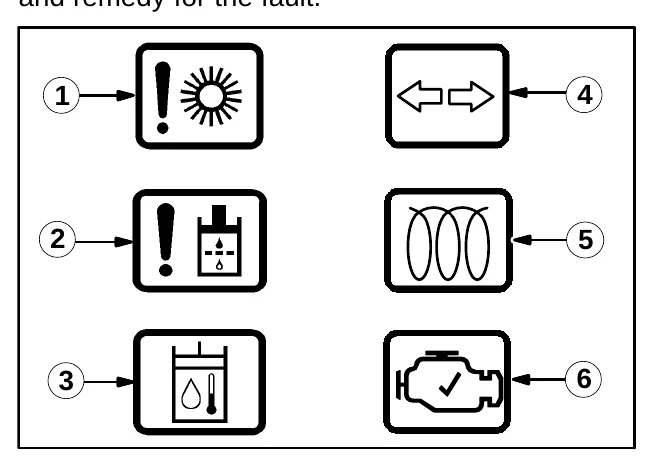
| Warning Light | Cause(s) | Remedy |
|---|---|---|
| 1: Stalled Brush | One of the brushes is stalled | Shut off machine and remove obstructions preventing brushes from operating |
| 2: Hydraulic Filter | Hydraulic filter is clogged | Shut off machine. Contact TENNANT service representative |
| 3: Hydraulic Temperature | Hydraulic system is too hot to safely operate the machine | Shut off machine. Contact TENNANT service representative |
| 4: Hazard Flasher | Not Used | Not Used |
| 5: Glow Plug − Preheat | This comes on when the igntition switch is turned to the preheat position | This goes out immediately after engine is started |
| 6: Check Engine | Engine control system detects a fault during machine operation | Shut off machine. Contact TENNANT service representative |
OPTIONS
WAND (OPTION)
The vacuum wand allows the operator to pick-up debris that is out of reach of the machine’s sweeping path. The blower wand allows the operator to blow debris out from areas that are out of reach of the machine’s sweeping path.
- Raise the brushes.
- Stop the machine and turn off the engine.
FOR SAFETY: Before leaving or servicing machine, stop on level surface, set parking brake, turn off machine, and remove key.
- Connect the hose assembly to the wand.
NOTE: The vacuum wand or the blower wand use the same hose assembly.
- Attach the vacuum wand hose to the machine under the vacuum wand door located on the front of the hopper. Make sure the hopper door is closed when operating the vacuuum wand.
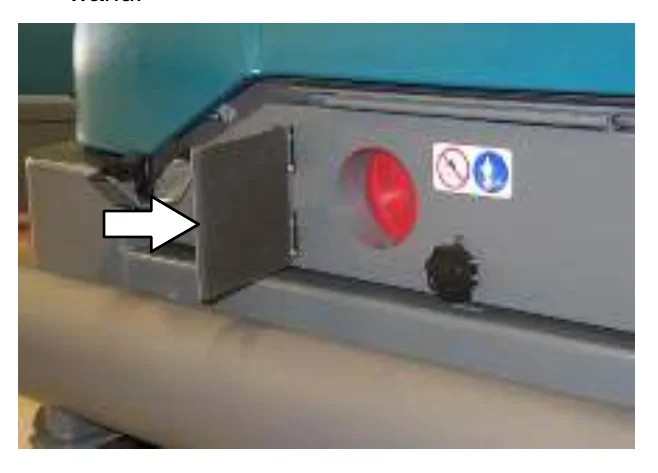
- Attach the blower wand hose to the machine under the blower wand door located on the left side of the machine. Make sure the hopper door is open when operating the blower wand.
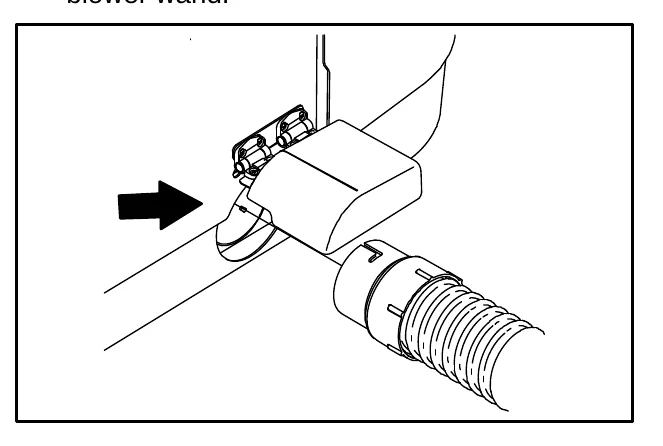
- Start the machine.
- S30: Press the Wand switch to start the vacuum fan. Then set the engine to high speed.
S30 XP and X4: Press the Vacuum fan button to start the vacuum fan. The engine will automatically set to the high speed.
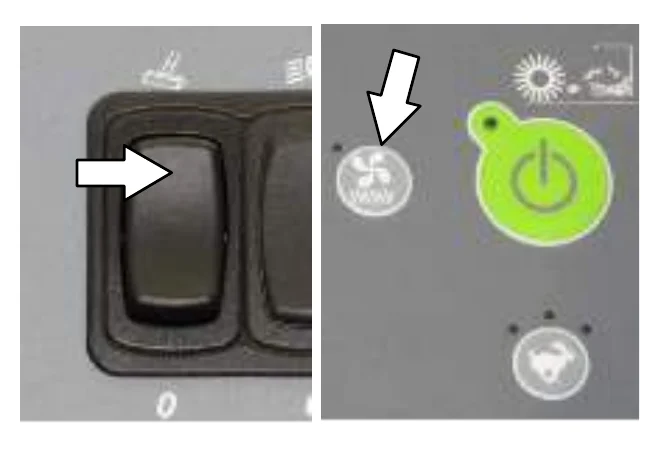
- Clean the area as needed.
- S30: Press the Wand switch to shut off the vacuum fan. Then set the engine to idle speed.
S30 XP and X4: Press the Vacuum fan button to shut off the vacuum fan. Then set the engine to idle speed.
- Shut the machine off.
- Disconnect the wand from the machine and return it to the storage location.
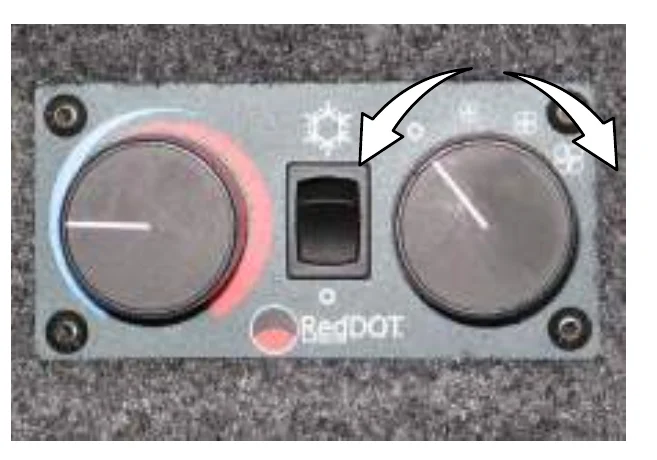
HEATER / AIR CONDITIONER CONTROLS (OPTION)
Use the Heater / Air conditioner switch to turn on the heater or air conditioner.
Top position: Air conditioner
Middle position: Off
Bottom position: Heater
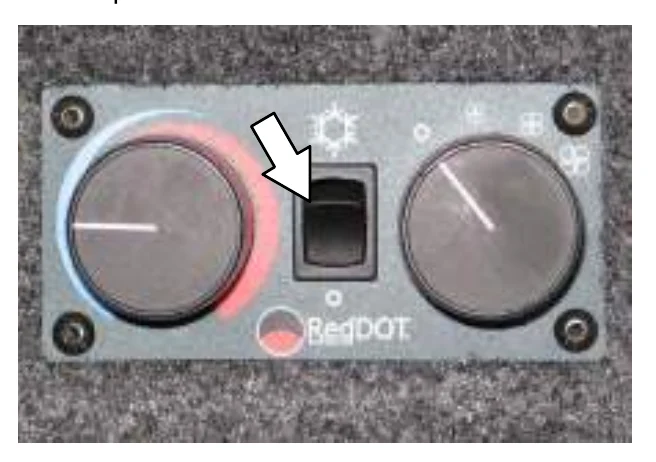
Use the Temperature knob to control the cab heater temperature. Use the Fan knob to control the air conditioner temperature.
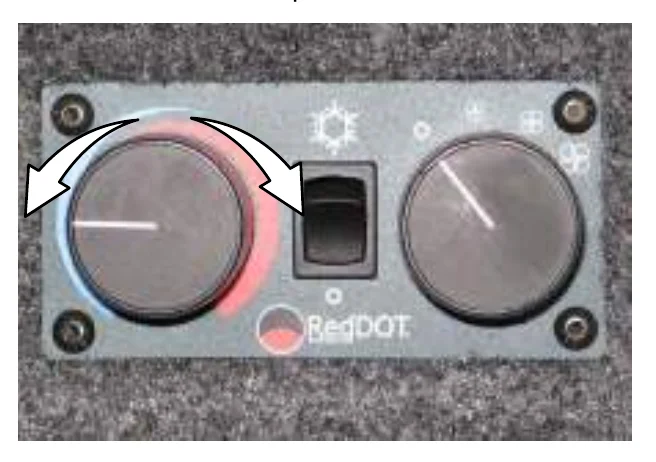
Use the Fan knob to control the fan speed. This knob affects the heater and air conditioner.
WINDSHIELD WIPER SWITCH (OPTION)
Use the Windshield wiper switch to turn on and adjust the windshield wiper speed.
Top position: High
Middle position: Low
Bottom position: Off
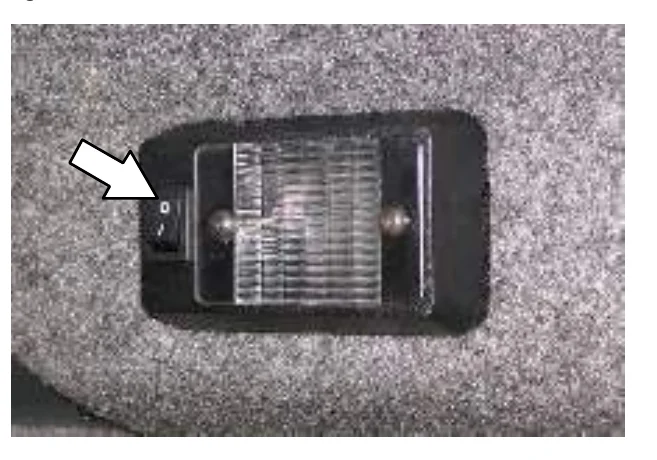
CAB LIGHT SWITCH (OPTION)
Press the Cab light switch to operate the cab light.
OPERATION
TOWER BUMPERS (OPTION)
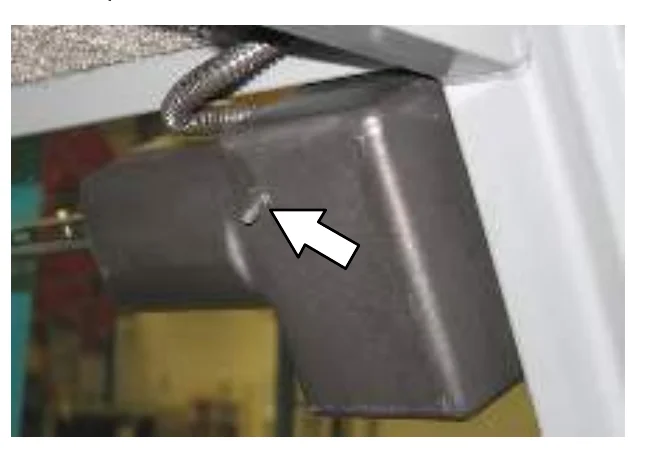
The tower bumpers help protect the rear engine cover from being damaged if the machine is backed into an obstruction. Open the tower bumpers before opening rear engine shroud.
To open the bumpers:
- Pull the pin from the bracket and the bumper.
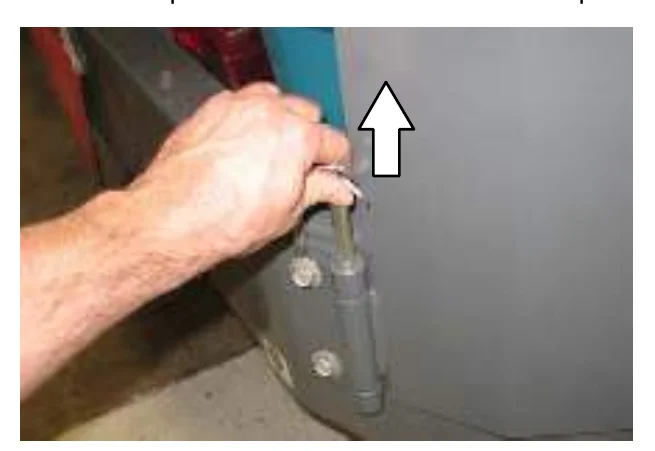
- Open the bumper.
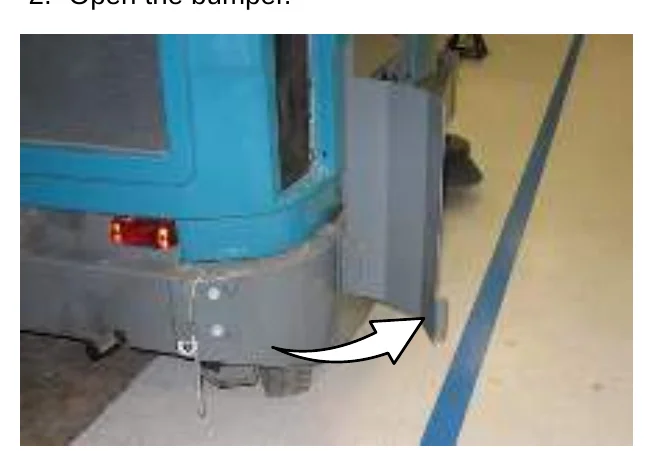
- Close and secure the tower bumpers before operating the machine.
TURN SIGNAL SWITCH (OPTION)
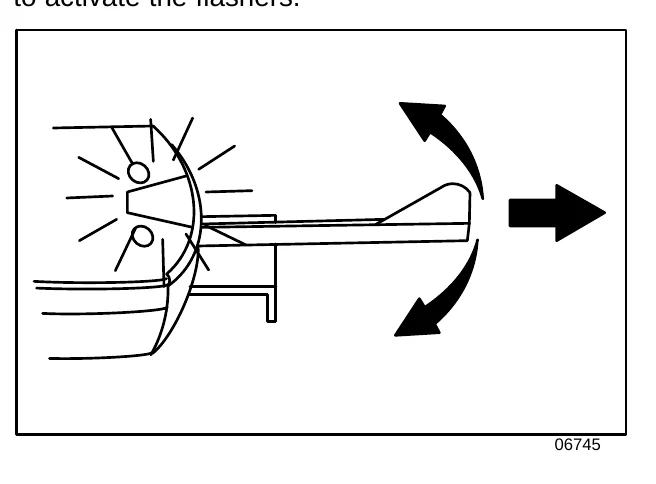
Use the Turn signal switch to indicate the direction of the turn. The switch must be manually returned to the off position after the turn. Pull the switch out to activate the flashers.
MACHINE TROUBLESHOOTING
| Problem | Cause | Remedy |
|---|---|---|
| Excessive dusting | Brush skirts and dust seals worn, damaged, out of adjustment | Replace or adjust brush skirts or dust seals |
| Dust filter clogged | Shake and/or replace dust filter | |
| Cyclones dirty / clogged | Clear blockage from cyclones | |
| Vacuum hose damaged | Replace vacuum hose | |
| Vacuum fan seal damaged | Replace vacuum fan seal | |
| Vacuum fan failure | Ensure Thermo Sentry wires are connected | |
| Call Tennant service representative | ||
| Thermo−Sentry tripped | Allow Thermo−Sentry to cool | |
| Poor sweeping performance | Worn brush bristles | Replace brushes |
| Brush pressure set too light | Increase brush pressure | |
| Main brush not properly adjusted | Adjust brush | |
| Debris caught in main brush drive mechanism | Remove debris from main brush drive mechanism | |
| Main and/or side brush drive failure | Call Tennant service representative | |
| Hopper is full | Empty hopper | |
| Hopper lip skirts worn or damaged | Replace lip skirts | |
| Improper brushes | Refer to Brush Information or call Tennant service representative | |
| Engine speed set wrong | Set engine speed correctly | |
| Sweeping functions do not turn on | Hopper is up | Completely lower hopper |
| Fire in the hopper | Shut off machine. Extinguish fire. If necessary, call emergency personnel | |
| S30 XP and X4: Hydraulic fluid too hot | Call Tennant service representative |
MAINTENANCE
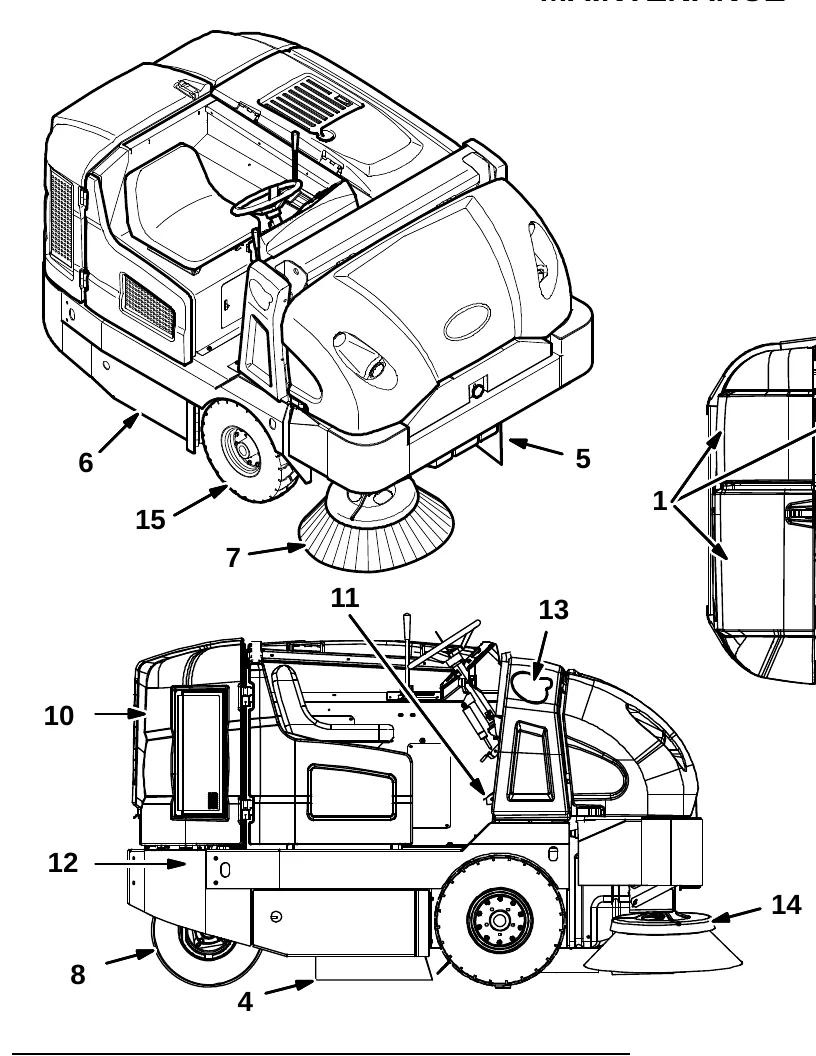
MAINTENANCE CHART
The table below indicates the Person Responsible for each procedure.
O = Operator.
T = Trained Personnel.
| Interval | Person Resp. | Key | Description | Procedure | Lubricant/Fluid | No. of Service Points |
|---|---|---|---|---|---|---|
| Daily | O | 1 | Engine | Check oil level | EO | 1 |
| Check coolant level in reservoir | WG | 1 | ||||
| Check air filter indicator | − | 1 | ||||
| O | 2 | Hydraulic fluid reservoir | Check fluid level | HYDO | 1 | |
| O | 3 | Dust filter | Shake to clean | − | 1 | |
| O | 4 | Main brush compartment skirts | Check for damage, wear, and adjustment | − | All | |
| O | 5 | Hopper skirts | Check for damage, wear, and adjustment | − | All |
MAINTENANCE
The table below indicates the Person Responsible for each procedure.
O = Operator.
T = Trained Personnel.
| Interval | Person Resp. | Key | Description | Procedure | Lubricant/Fluid | No. of Service Points |
|---|---|---|---|---|---|---|
| Daily | O | 6 | Main brush | Check for damage and wear | − | 1 |
| Daily | O | 7 | Side brush | Check for damage and wear | − | 1 |
| 50 Hours | O | 6 | Main brush | Rotate end-for-end | − | 1 |
| 50 Hours | T | 6 | Main brush | Check brush pattern and adjust if needed | − | 1 |
| 50 Hours | T | 8 | Rear wheel | Torque wheel nuts (after initial 50 hours only) | − | 1 |
| 50 Hours | T | 9 | Battery | Clean and tighten battery cable connections (after initial 50 hours only) | − | 1 |
| 50 Hours | T | 1 | Engine | Check belt tension | − | 1 |
| 50 Hours | T | 1 | Fuel lines | Check for damage and wear and tighten loose clamp bands | − | 1 |
| 100 Hours | T | 1 | Engine | Change oil and filter | EO | 1 |
| 100 Hours | T | 3 | Dust filter | Check for damage, clean or replace | − | 1 |
| 100 Hours | T | 16 | Cyclones / filter housing | Clean | − | All |
| 100 Hours | T | 16 | Cyclone seals | Check for damage or wear | − | All |
| 100 Hours | T | 10 | Radiator | Clean core exterior | − | 1 |
| 100 Hours | T | 2 | Hydraulic cooler | Clean core exterior | HYDO | 1 |
| 100 Hours | O | 8 | Rear tire | Check pressure | − | 1 |
| 100 Hours | O | − | Seals | Check for damage or wear | − | All |
| 200 Hours | T | 10 | Radiator hoses and clamps | Check for tightness and wear | − | All |
| 200 Hours | T | 11 | Brake pedal | Check adjustment | − | 1 |
| 200 Hours | T | 12 | Rear wheel support bearings (S30 and S30 XP) | Lubricate | SPL | 2 |
LUBRICANT/FLUID
EO . . . . 10W−30, 10W−40, or 15W−40 Engine oil, API diesel classification CF or better.
HYDO . TennantTrue premium hydraulic fluid or equivalent
WG . . . Water and ethylene glycol anti-freeze, −34° C (−30° F)
SPL . . . Special lubricant, Lubriplate EMB grease (Tennant part number 01433−1)
MAINTENANCE
The table below indicates the Person Responsible for each procedure.
O = Operator.
T = Trained Personnel.
| Interval | Person Resp. | Key | Description | Procedure | Lubricant/Fluid | No. of Service Points |
|---|---|---|---|---|---|---|
| 200 Hours | T | 12 | Steering cylinder bearings (S30 and S30 XP) (S/N 000000-006766) | Lubricate | SPL | 1 |
| T | 12 | Steering spindles (S30 X4) | Lubricate | SPL | 2 | |
| T | 12 | Steering rod (S30 X4) | Lubricate | SPL | 1 | |
| T | 13 | Hopper lift arm bearings | Lubricate | SPL | 2 | |
| T | 14 | Side brush guard | Rotate 90° | - | 1 | |
| 400 Hours | T | 1 | Engine | Replace fuel filter | - | 1 |
| T | 15 | Front wheels | Adjust and repack bearings | SPL | 2 | |
| 800 Hours | T | 2 | Hydraulic fluid reservoir | Replace filler cap | - | 1 |
| T | - | Hydraulic hoses | Check for wear and damage | - | All | |
| T | 10 | Cooling system | Flush | WG | 1 | |
| T | 8 | Propelling motor | Torque shaft nut | - | 1 | |
| T | 8 | Rear wheel | Torque wheel nuts | - | 1 | |
| T | 9 | Battery | Clean and tighten battery cable connections | - | 1 | |
| 1200 Hours | T | 2 | Hydraulic fluid filter | * Change filter element | - | All |
| 2400 Hours | T | 2 | Hydraulic fluid reservoir | * Replace suction strainer | - | 1 |
| * Change hydraulic fluid | HYDO | 1 |
LUBRICANT/FLUID
- EO . . . . 10W-30, 10W-40, or 15W-40 Engine oil, API diesel classification CF or better.
- HYDO . TennantTrue premium hydraulic fluid or equivalent
- WG . . . Water and ethylene glycol anti-freeze, -34° C (-30° F)
- SPL . . . Special lubricant, Lubriplate EMB grease (Tennant part number 01433-1)
MAINTENANCE
LUBRICATION
ENGINE OIL
Check the engine oil level daily. Change the oil and oil filter after every 100 hours of operation.
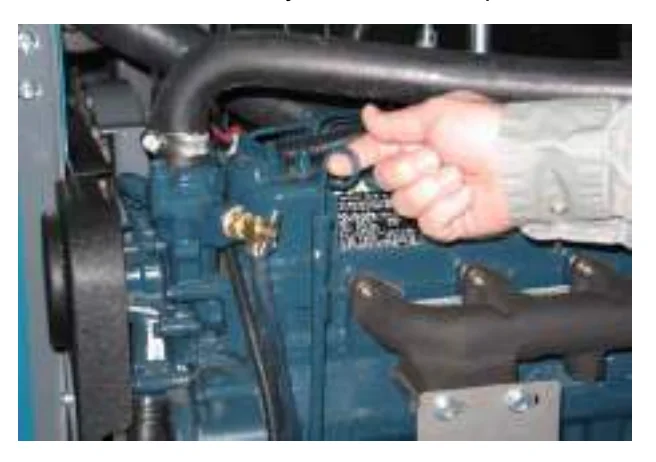
Fill the engine with oil until the oil is between the indicator marks on the dipstick. DO NOT fill past the top indicator mark. The engine oil capacity is 6 L (6.35 qt) with oil filter.
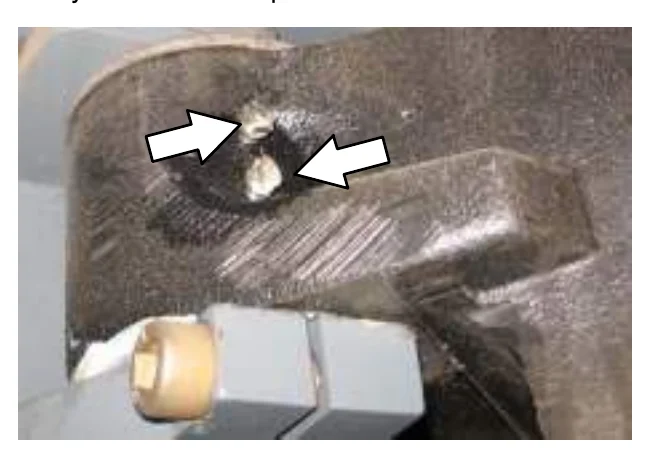
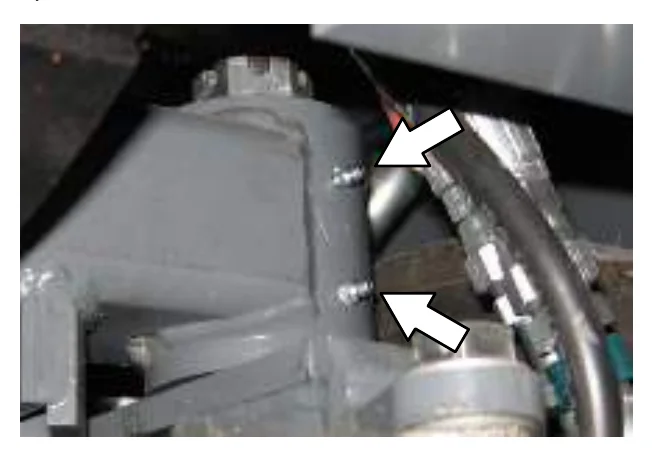
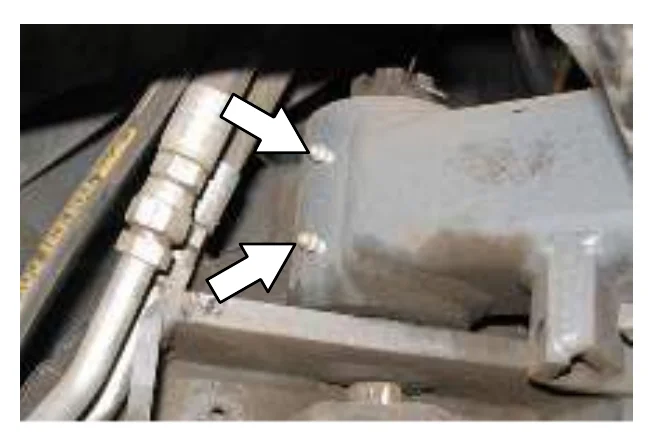
REAR WHEEL SUPPORT (S30 and S30 XP)
Lubricate the rear wheel support bearings after every 200 hours of operation.
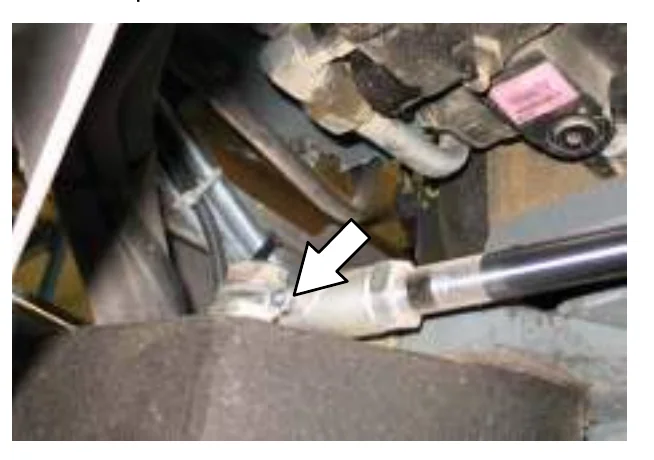
STEERING CYLINDER BEARING (S30 and S30 XP) (S/N 000000-006766)
Lubricate the steering cylinder after every 200 hours of operation.
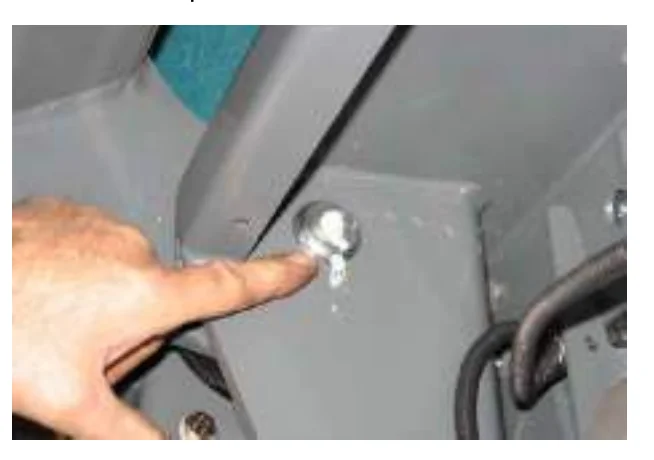
HOPPER LIFT ARM BEARINGS
Lubricate the hopper lift arm bearings after every 200 hours of operation.
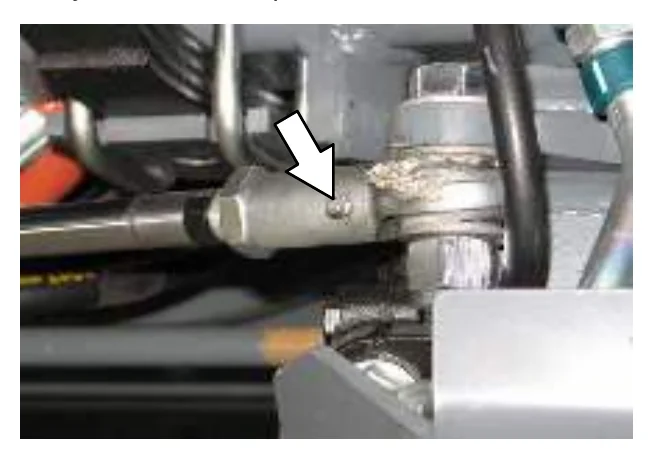
STEERING ROD END (S30 X4)
Lubricate the steering rod end and spindles after every 200 hours of operation.
STEERING SPINDLES (S30 X4)
Lubricate the steering after every 200 hours of operation.
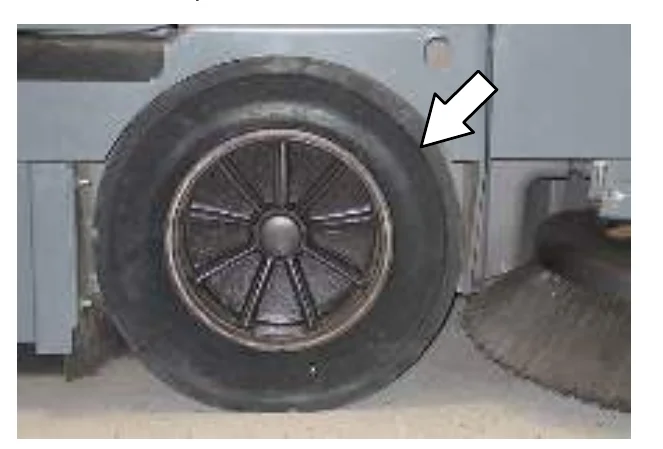
FRONT WHEEL BEARINGS
Repack and adjust the front wheel bearings every 400 hours of operation.
MAINTENANCE
HYDRAULICS
Check the hydraulic fluid level at operating temperature daily. The hopper must be down when checking hydraulic fluid level.
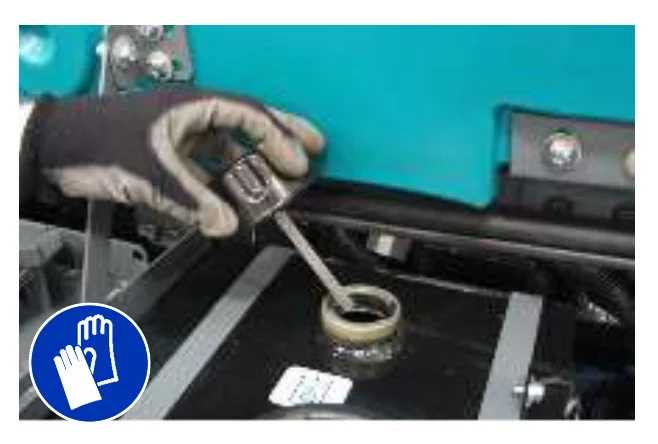
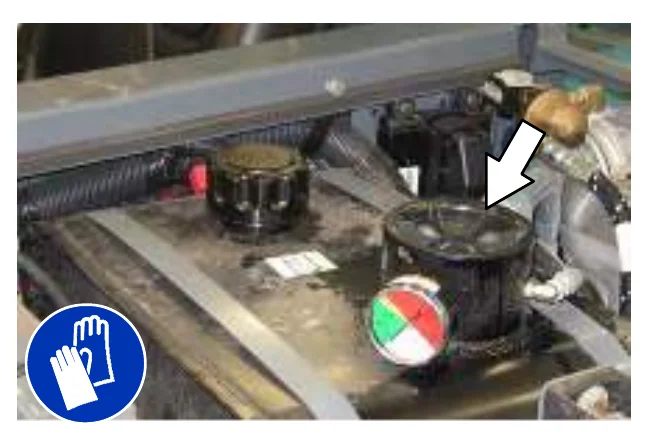
A filler cap is mounted on top of the reservoir. It has a built-in breather and fluid level dipstick. Replace the cap after every 800 hours of operation.
Lubricate the filler cap gasket with a film of hydraulic fluid before putting the cap back on the reservoir.
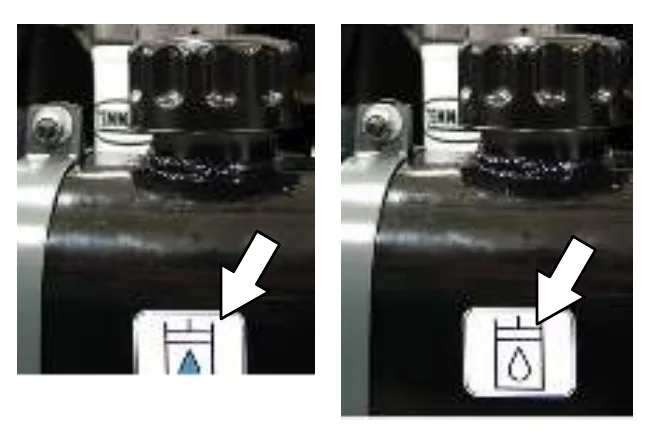
Drain and refill the hydraulic fluid reservoir with new TennantTrue premium hydraulic fluid after every 2400 hours of operation. Machines have a blue colored drop (left photo) on the hydraulic fluid label if originally equipped with TennantTrue premium hydraulic fluid.
The reservoir has a built-in strainer outlet that filters hydraulic fluid before it enters the system. Replace the strainer after every 2400 hours of operation.
Replace the hydraulic fluid filter after every 1200 hours of operation or if the hydraulic reservoir gauge is in the yellow/red zone when the reservoir hydraulic fluid is approximately 32°C (90° F).
HYDRAULIC FLUID
There are three fluids available for different temperature ranges:
| Part Number | Capacity | ISO Grade Viscosity Index (VI) | Ambient Air Temperature Ranges |
|---|---|---|---|
| 1057710 | 3.8 L (1 gal) | ISO 100 VI 126 or higher | 19° C (65° F) or higher |
| 1057711 | 19 L (5 gal) | ||
| 1069019 | 3.8 L (1 gal) | ISO 68 VI 155 or higher | 7 to 43° C (45 to 110° F) |
| 1069020 | 19 L (5 gal) | ||
| 1057707 | 3.8 L (1 gal) | ISO 32 VI 163 or higher | 16° C (60° F) or lower |
| 1057708 | 19 L (5 gal) |
If using a locally-available hydraulic fluid, be sure the specifications match Tennant hydraulic fluid specifications. Substitute fluids can cause premature failure of hydraulic components.
HYDRAULIC HOSES
Check the hydraulic hoses after every 800 hours of operation for wear or damage.
High pressure fluid escaping from a very small hole can almost be invisible, and can cause injury.
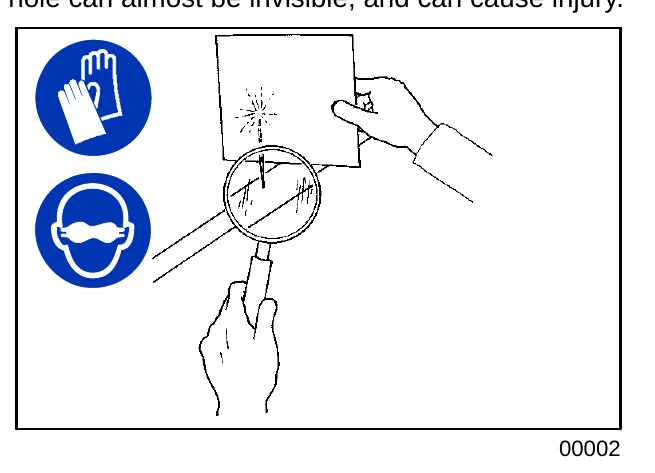
Contact appropriate personnel if a leak is discovered.
ENGINE
COOLING SYSTEM
Check the coolant level in the reservoir daily. The coolant level must be between the indicator marks when the engine is cold.
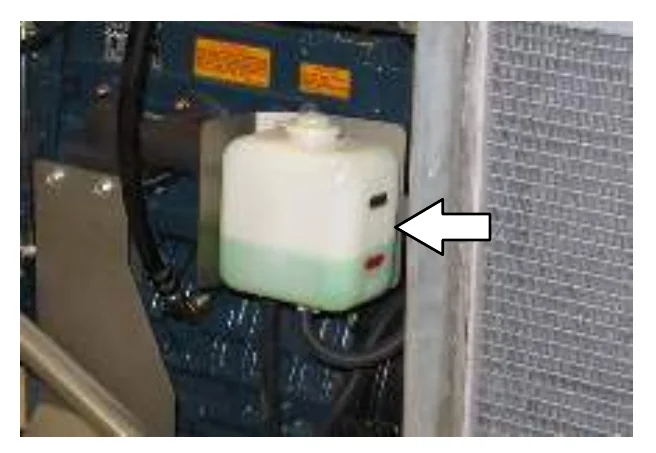
Refer to the coolant manufacturer for water/coolant mixing instructions.
Flush the radiator and the cooling system after every 800 hours of operation.
The cooling system must be completely filled with coolant to keep the engine from overheating. When filling the cooling system, open the drain cocks to bleed the air from the system.
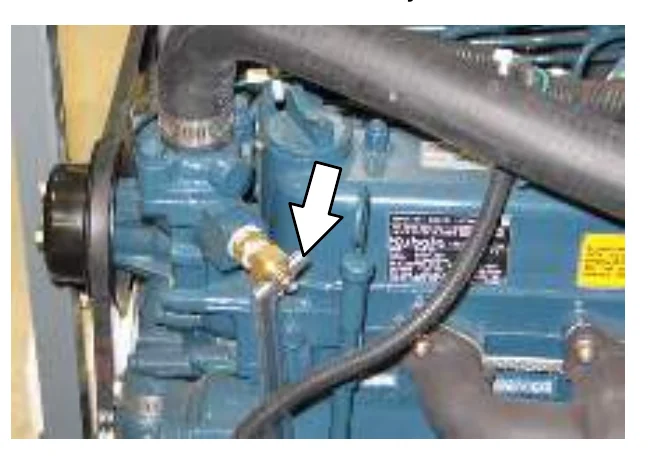
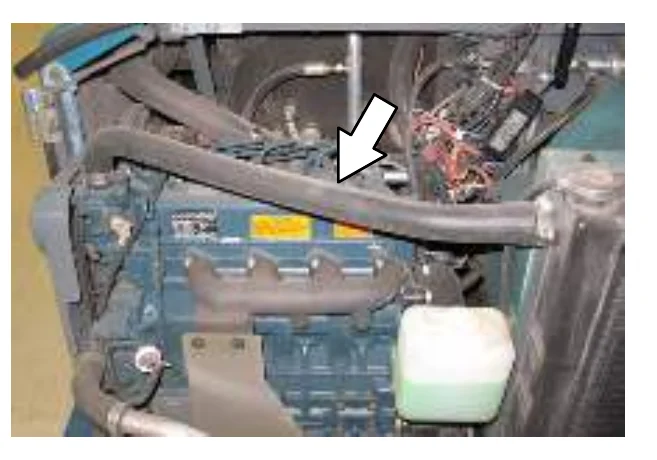
Check the radiator hoses and clamps after every 200 hours of operation. Tighten loose clamps. Replace damaged hoses and clamps.
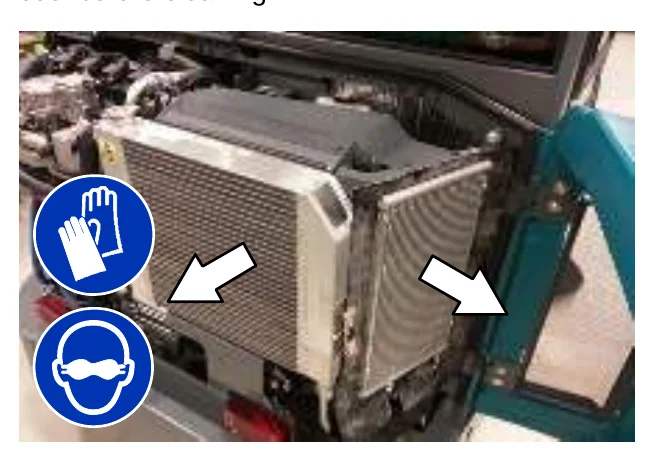
Check the radiator core exterior and hydraulic cooler fins for debris after every 100 hours of operation. Blow or rinse (with low pressure air or water) all dust through the grille and radiator fins, in the opposite direction of normal air flow. Be careful to not bend the cooling fins when cleaning. Clean thoroughly to prevent the fins from becoming encrusted with dust. To avoid cracking the radiator, allow the radiator and cooler fins to cool before cleaning.
MAINTENANCE
AIR FILTER INDICATOR
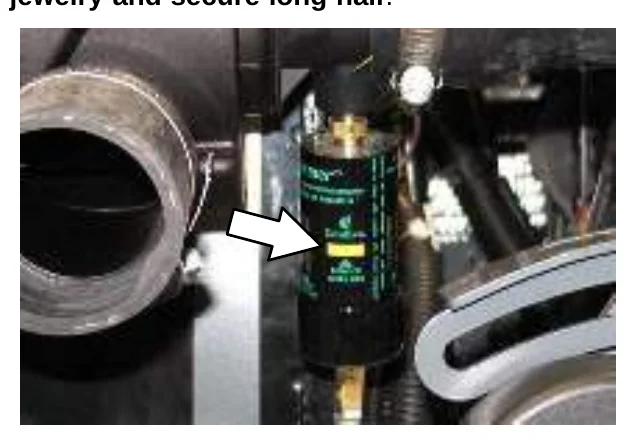
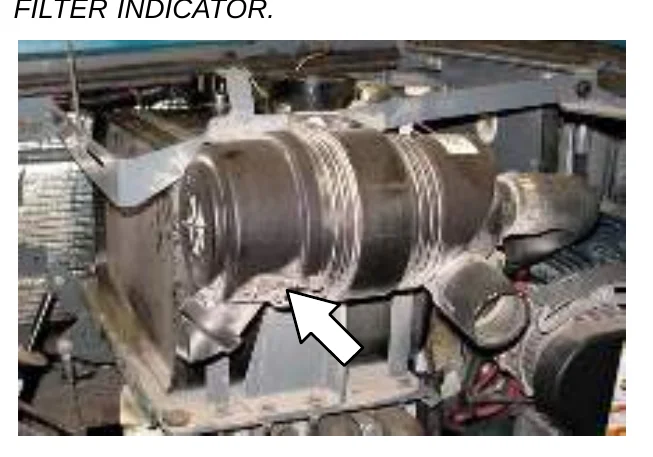
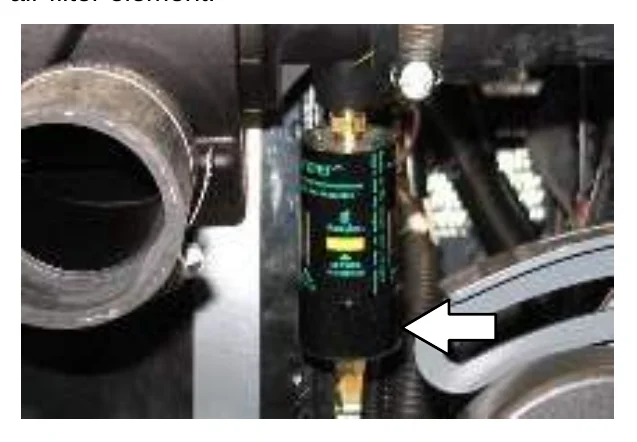
Check the indicator daily. The indicator red line will move as the air filter element fills with dirt. Do not replace the air filter element until the red line reaches 5 kPa (20 in H2O) and the “SERVICE WHEN RED” window is filled with red. The engine must be running to get an accurate air indicator reading.
AIR FILTER
The engine air filter housing is located in front of the engine compartment inside the left side shroud door.
Replace the air filter element when the air filter indicator shows restriction in the air intake system or the filter element is damaged. Refer to AIR FILTER INDICATOR.
Remove the filter element. Carefully clean the end cap and the interior of the housing with a damp cloth. Clean the housing sealing surfaces.
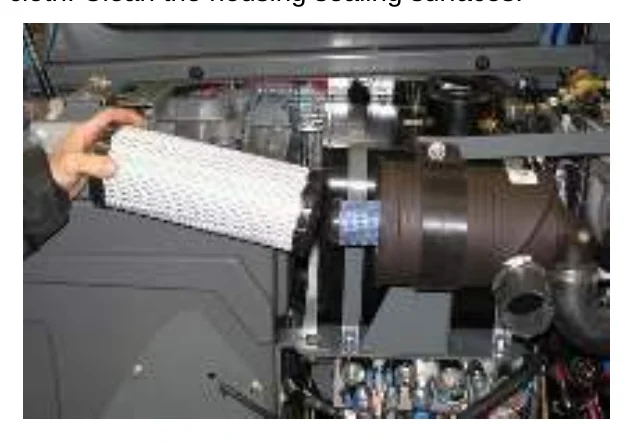
Replace the safety filter element after the primary has been changed three times. Do not remove the safety filter element from the housing unless it is restricting air flow.
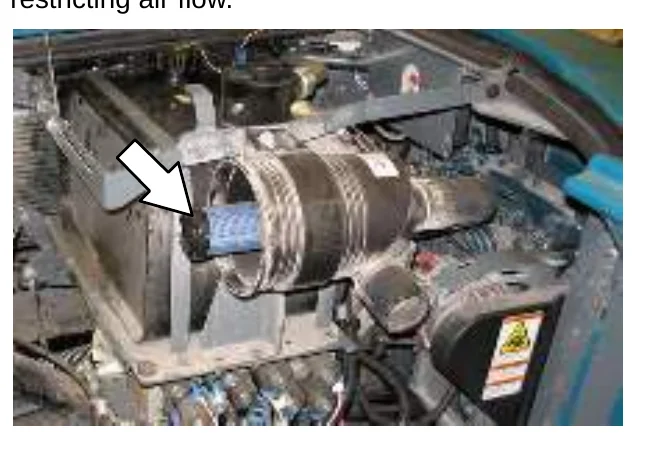
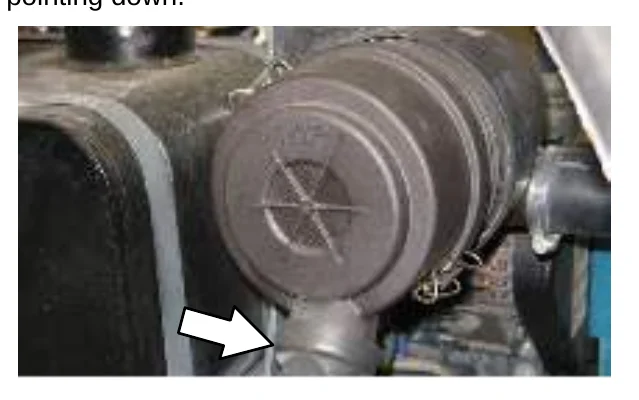
Install the filter element into the air filter housing and reinstall the dust cap with the water drain pointing down.
Push the reset button on the end of the indicator to reset the air filter indicator after replacing the air filter element.
FUEL FILTER
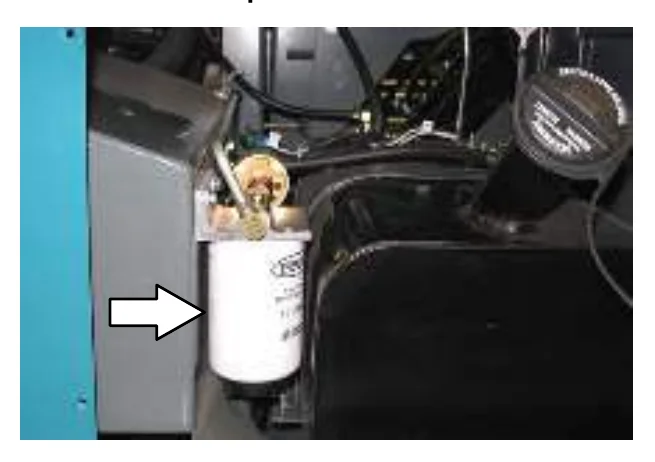
Replace the fuel filter after every 800 hours of operation.
FUEL LINES
Check the fuel lines every 50 hours of operation. If the clamp band is loose, apply oil to the screw of the band and securely tighten the band.
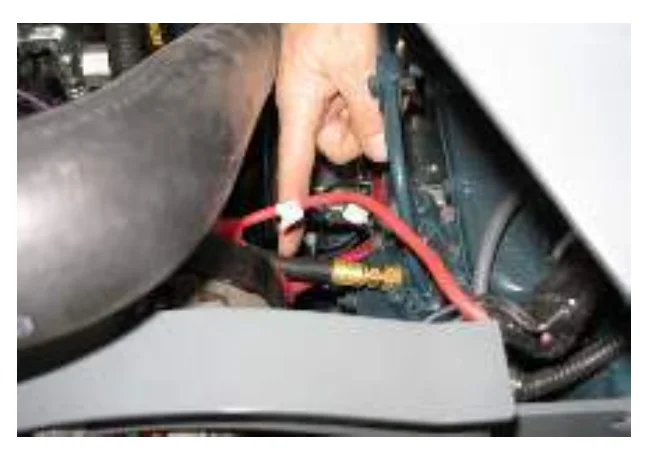
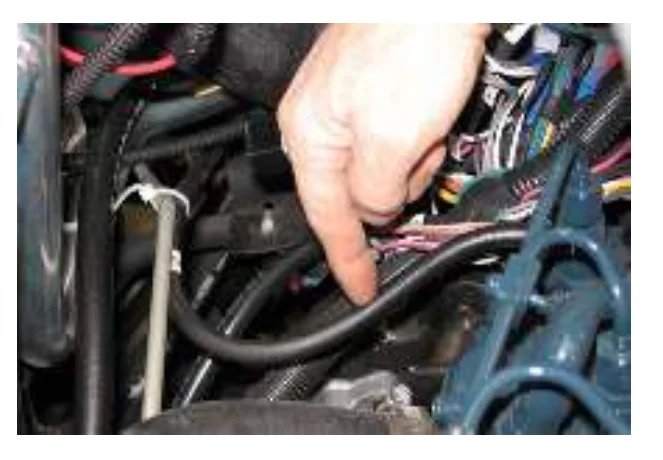
The rubber fuel lines can become worn−out whether the engine has been used much or not. Replace the fuel lines and clamp bands every two years.
If the fuel lines and clamp bands are found worn or damaged before two years’ time; replace or repair them at once. Bleed the fuel system after replacement of any fuel lines, see PRIMING THE FUEL SYSTEM. When the fuel lines are not installed, plug both ends with clean cloth or paper to prevent dirt from entering the lines. Dirt in the lines can cause fuel injection pump malfunction.
MAINTENANCE
PRIMING THE FUEL SYSTEM
Typical diesel fuel systems require priming to remove pockets of air from the fuel lines and fuel components. This is usually required after running out of fuel, changing fuel filter elements or repairing a fuel system component. Air in the fuel prevents smooth engine operation.
This fuel system however is self-priming. The return line comes from the top of the injector that allows the air to escape through the return line.
ENGINE BELT
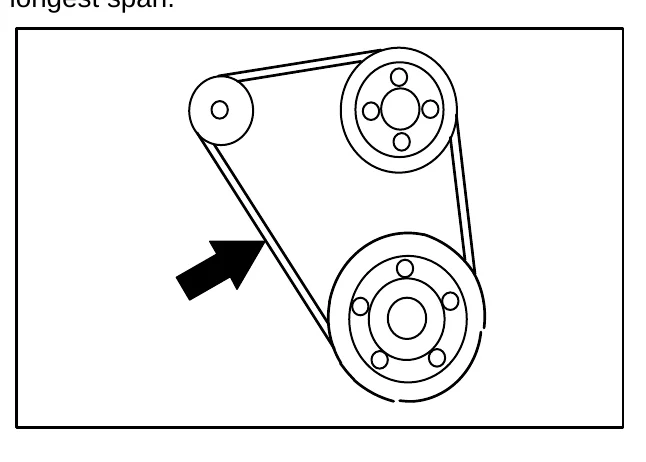
Check the belt tension after every 50 hours of operation. Adjust tension as necessary. Proper belt tension is 13 mm (0.50 in) from a force of 4 to 5 kg (8 to 10 lb) applied at the mid-point of the longest span.
BATTERY
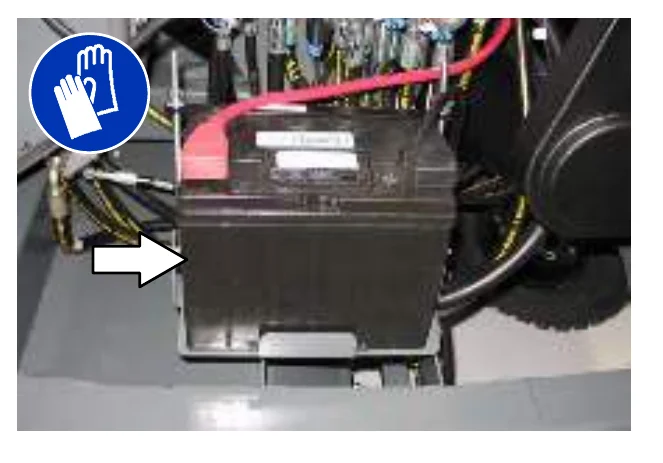
Clean and tighten the battery connections after the first 50 hours of operation and after every 800 hours after that. Do not remove the vent plugs from the battery or add water to the battery.
FUSES AND RELAYS
RELAY PANEL FUSES AND RELAYS
Remove the relay panel cover to access fuses and relays. Always replace a fuse with a fuse of the same amperage. Extra 15 Amp fuses are provided inside the relay panel drawer on the relay panel.
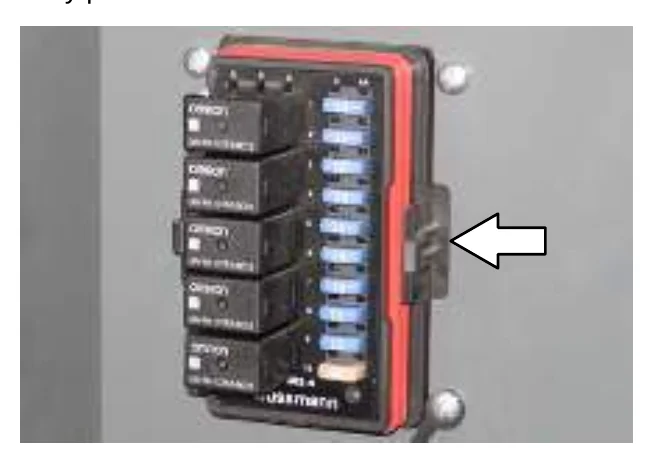
Refer to the diagram below for locations of the fuses and relays on the relay panel.
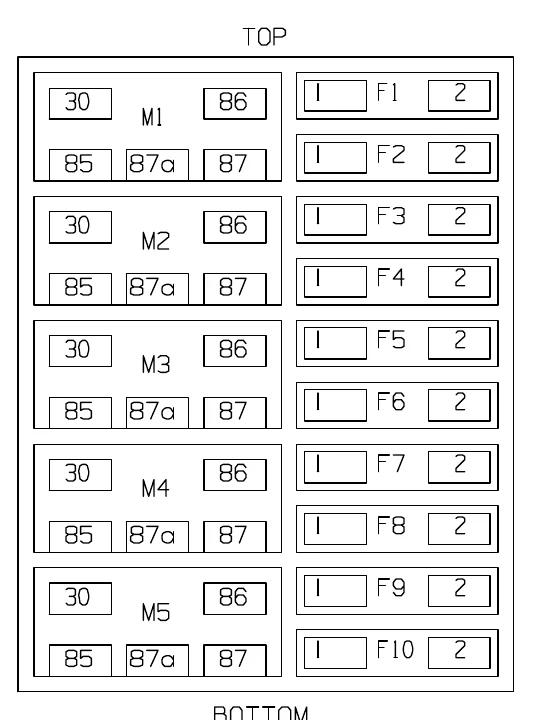
Refer to the tables below for the fuses and circuits protected.
| S30 | ||
|---|---|---|
| Fuse | Rating | Circuit Protected |
| FU1 | 15 A | Horn |
| FU2 | 15 A | Key Switch, Engine, Instrumentation |
| FU3 | 15 A | Turn Signals, 4−Way Flashers |
| FU4 | 15 A | Extra Fused, Switched B+ |
| FU5 | 15 A | Main Brush Valves, Side Brush Valves |
| FU6 | 15 A | Hopper Valves |
| FU7 | 15 A | Lights, Backup Alarm |
| FU8 | 15 A | Extra Fused B+ |
| FU9 | 15 A | Shaker, Vacuum Fan Valve |
| FU10 | 25 A | Starter Solenoid |
| FU11 | 60 A | Main Power Fuse, In Line, In Main Harness |
| FU12 | 60 A | Cab Power (Optional) |
| FU13 | 40 A | Diesel Glow Plugs (In Engine Harness) |
| FU14 | 60 A | Cab Power (Optional) |
| S30 XP and X4 | ||
|---|---|---|
| Fuse | Rating | Circuit Protected |
| FU1 | 15 A | Horn |
| FU2 | 15 A | Key Switch, Engine, Instrumentation |
| FU3 | 15 A | Turn Signals, 4−Way Flashers, Shaker |
| FU4 | 15 A | Control Board |
| FU5 | 15 A | Main Brush Valves, Side Brush Valves |
| FU6 | 15 A | Hopper Valves, Vacuum Fan Valves |
| FU7 | 15 A | Lights, Backup Alarm |
| FU8 | 15 A | Extra Fused B+ |
| FU9 | 15 A | Extra Switched, Fused B+ |
| FU10 | 25 A | Starter Solenoid |
| FU11 | 60 A | Main Power Fuse, In Line, In Main Harness |
| FU12 | 60 A | Cab Power (Optional) |
| FU13 | 40 A | Diesel Glow Plugs (In Engine Harness) |
| FU14 | 60 A | Cab Power (Optional) |
Refer to the tables below for the relays and circuits controlled.
| S30 | ||
|---|---|---|
| Relay | Rating | Circuit Controlled |
| M1 | 12 VDC, 40 A | Horn |
| M2 | 12 VDC, 40 A | Auxiliary 1 |
| M3 | 12 VDC, 40 A | Shaker |
| M4 | 12 VDC, 40 A | Main Brush Valves, Side Brush Valves |
| M5 | 12 VDC, 70 A | Auxiliary 2 |
| S30 XP and X4 | ||
|---|---|---|
| Relay | Rating | Circuit Controlled |
| M1 | 12 VDC, 40 A | Horn |
| M2 | 12 VDC, 40 A | Auxiliary 1 |
| M3 | 12 VDC, 40 A | Shaker |
| M4 | 12 VDC, 40 A | Not Used |
| M5 | 12 VDC, 40 A | Auxiliary 2 |
ENGINE HARNESS RELAYS
The engine harness relays are located inside the engine compartment.
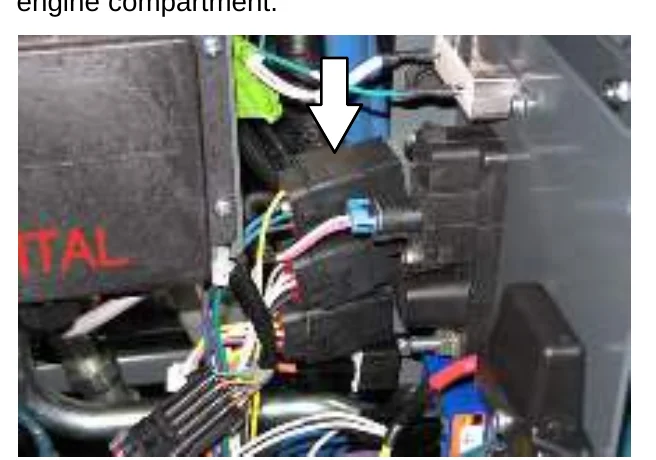
| Relay | Rating | Circuit Controlled |
|---|---|---|
| M9 | 12 VDC, 40 A | Starter Solenoid |
| M10 | 12 VDC, 40 A | Anti−Restart |
| M11 | 12 VDC, 40 A | Fuel Pump |
| M12 | 12 VDC, 40 A | Glow Plug |
CAB FUSES (CAB OPTION)
The cab fuses are located in the fuse box inside the cab. Remove the fuse cover to access the fuses.
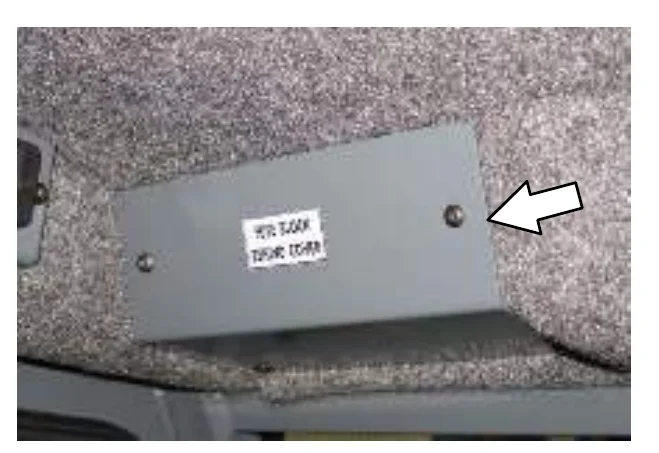
Refer to the table below for the fuses and circuits controlled.
| Fuse | Rating | Circuit Protected |
|---|---|---|
| FU1 | 5 A | Lights |
| FU2 | 5 A | Wiper |
| FU3 | 20 A | Air Conditioner |
| FU4 | 2 A | Heat |
REMOVING AND INSPECTING THE DUST FILTER (SN 000000 − 006500)
Shake the dust filter at the end of every shift and before removing the filter from the machine. Inspect and clean the filter after every 100 hours of operation. Replace damaged dust filters.
- Open the top cover and side shroud.
- Remove the filter shaker assembly from the filter housing.
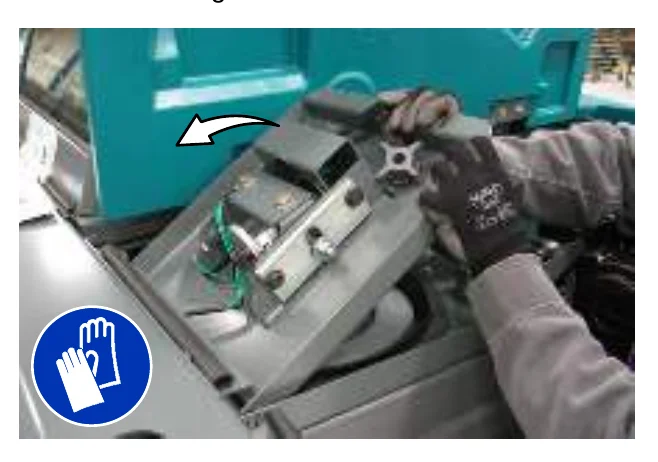
- Remove the dust filter from the filter housing.
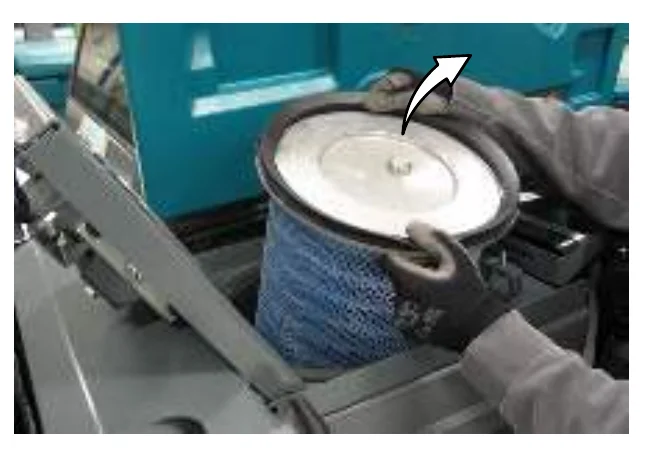
- Clean or discard the dust filter element. Refer to CLEANING THE DUST FILTER.
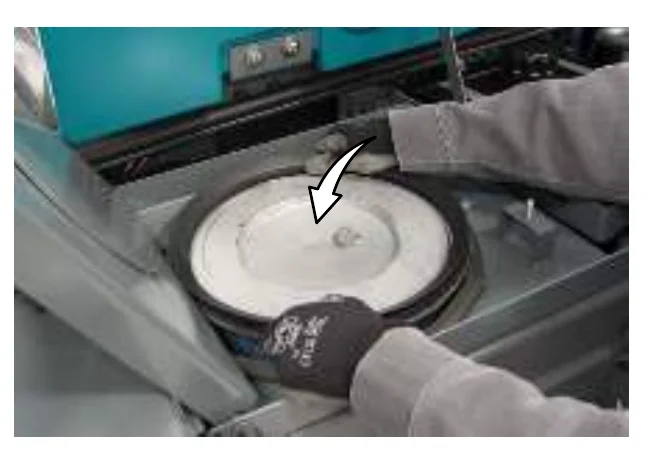
- Insert the dust filter into the filter housing and reinstall the removed parts. Be sure the seal is installed as shown below.
- Close the side shroud and top cover.
MAINTENANCE
REMOVING AND INSPECTING THE DUST FILTER (SN 006501 − )
Shake the dust filter at the end of every shift and before removing the filter from the machine. Inspect and clean the filter after every 100 hours of operation. Replace damaged dust filters.
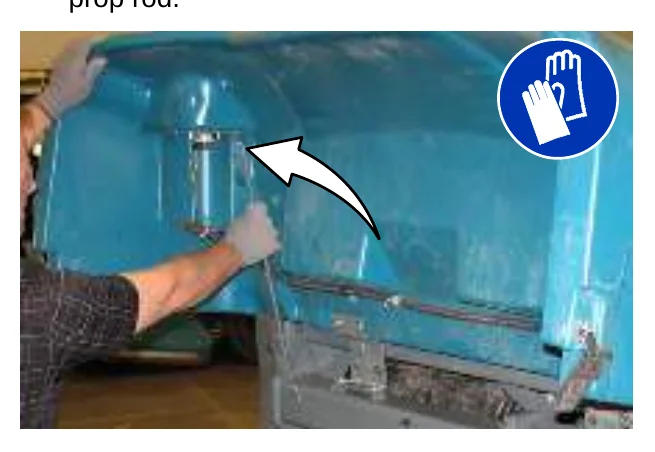
- Unlatch and open the hopper cover. Support the hopper cover open with the hopper cover prop rod.
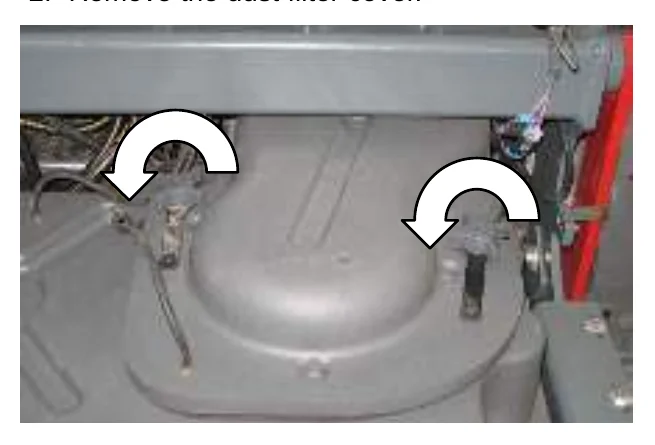
- Remove the dust filter cover.
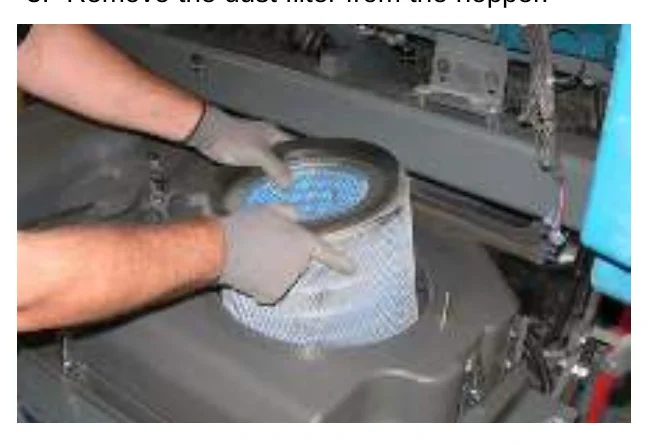
- Remove the dust filter from the hopper.
- Clean or discard the dust filter element. Refer to CLEANING THE DUST FILTER.
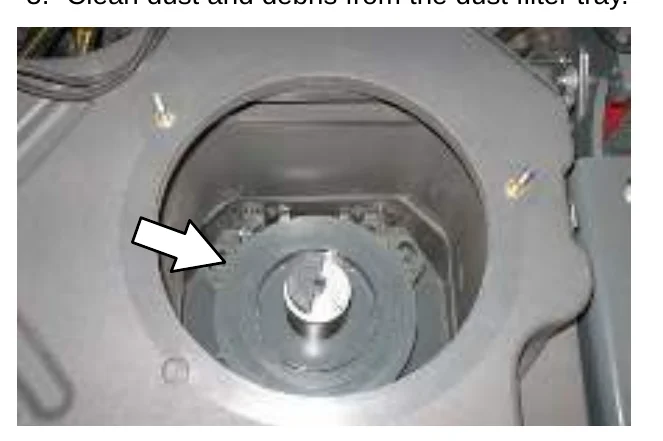
- Clean dust and debris from the dust filter tray.
- Reinstall the dust filter.
- Reinstall the dust filter cover.
- Close the hopper cover.
CLEANING THE DUST FILTER
Use one of the following methods to clean the dust filter:
SHAKING−Press the filter shaker switch.
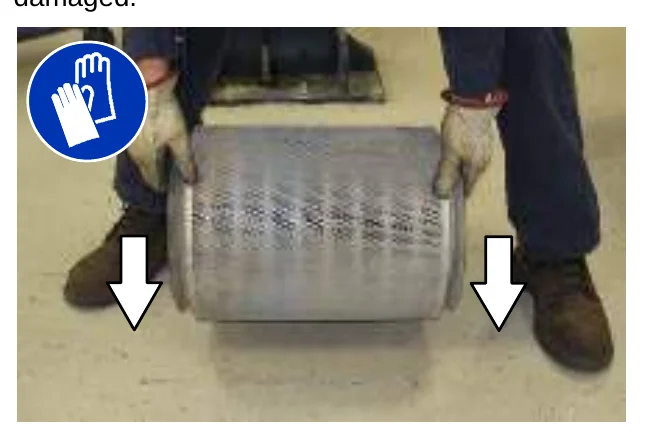
TAPPING−Tap the filter gently on a flat surface. Do not damage the edges of the filter. The filter will not seal properly if the edges of the filter are damaged.
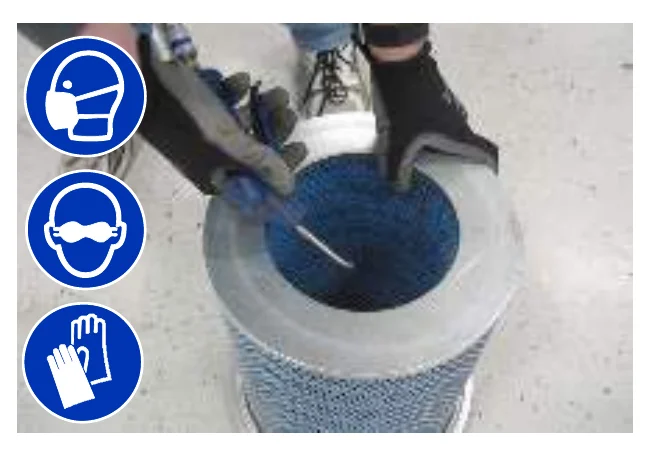
AIR−Always wear eye protection when using compressed air. Blow air through the center of the filter and out toward the exterior. Never use more than 550 kPa (80 psi) of air pressure with a nozzle no smaller than 3 mm (0.13 in) and never hold the nozzle closer than 50 mm (2 in) to the filter.
CLEANING THE CYCLONE ASSEMBLY (SN 006501 − )
Clean the cyclones and filter housing after every 100 hours of operation.
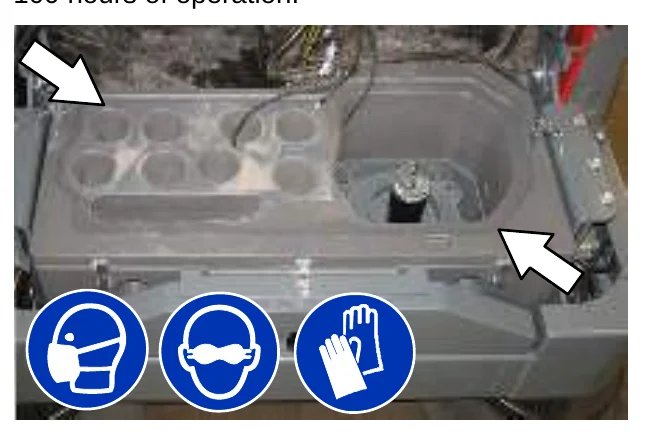
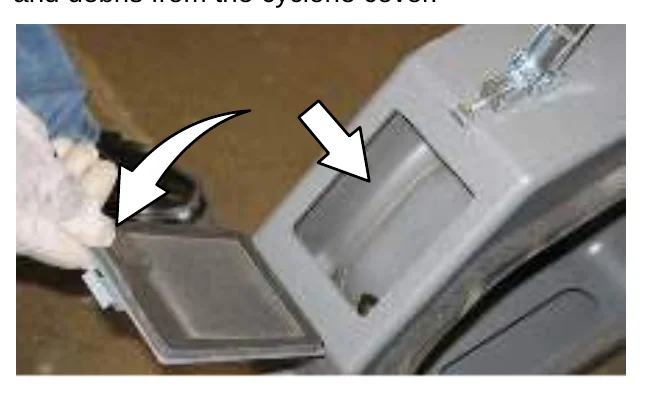
Open the cyclone cover access port to empty dust and debris from the cyclone cover.
MAINTENANCE
MAIN BRUSH
Check the brush daily for wear or damage. Remove any string or wire tangled on the main brush, main brush drive hub, or main brush idler hub.
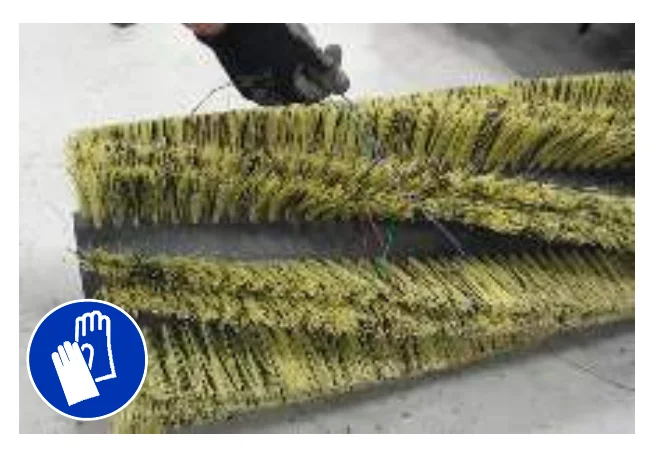
Rotate the brush end-for-end after every 50 hours of operation, for maximum brush life and best sweeping performance. Refer to REPLACING OR ROTATING THE MAIN BRUSH.
Replace the main brush when it no longer cleans effectively.
REPLACING OR ROTATING THE MAIN BRUSH
- Raise the brush head.
- Open the right side main brush access door.
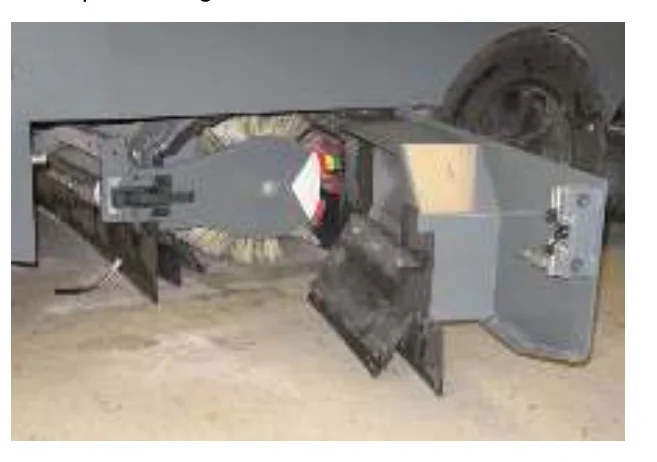
- Unlatch and remove the brush idler plate.
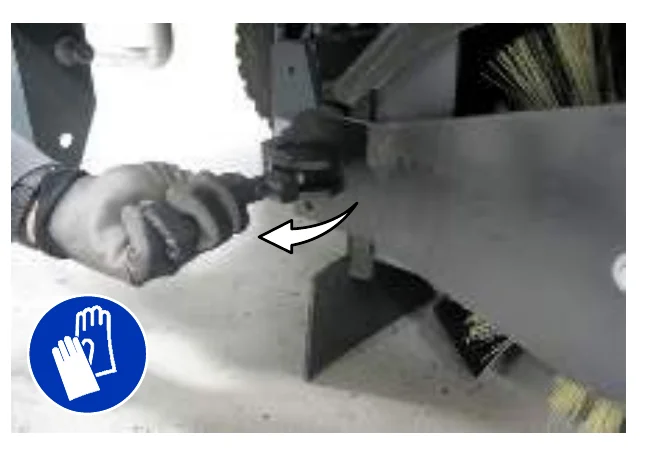
- Pull the main brush from the main brush compartment.
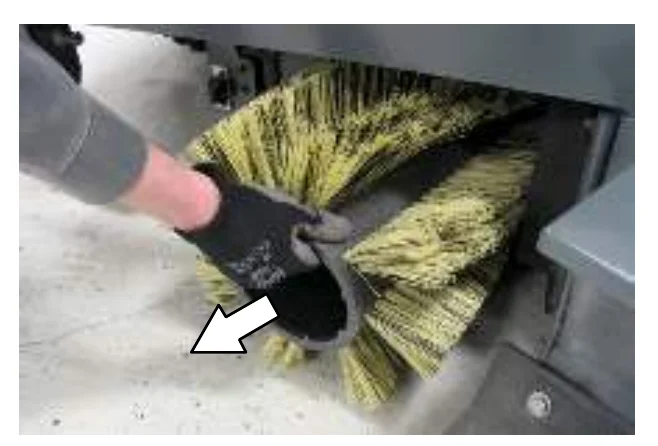
- Replace or rotate the main brush end-for-end.
- Slide the brush into the brush compartment and all the way onto the drive plug.
- Reinstall the brush idler plate.
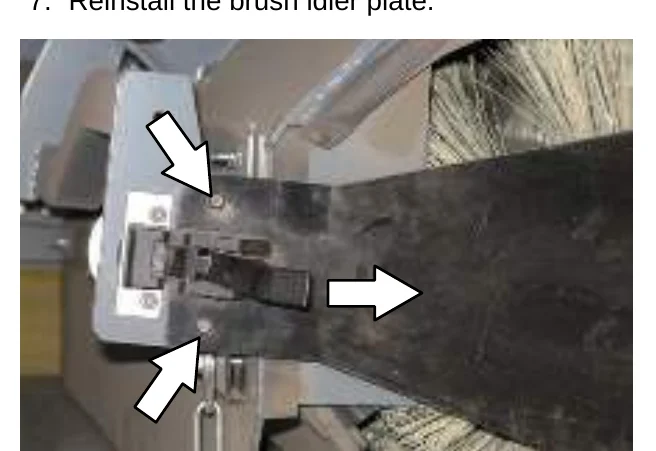
- Close the right side main brush access door.
- Check and adjust the brush pattern if needed after replacing or rotating it. Refer to CHECKING THE MAIN BRUSH PATTERN.
CHECKING THE MAIN BRUSH PATTERN
- Apply chalk, or a similar marking material, to a smooth and level section of the floor.
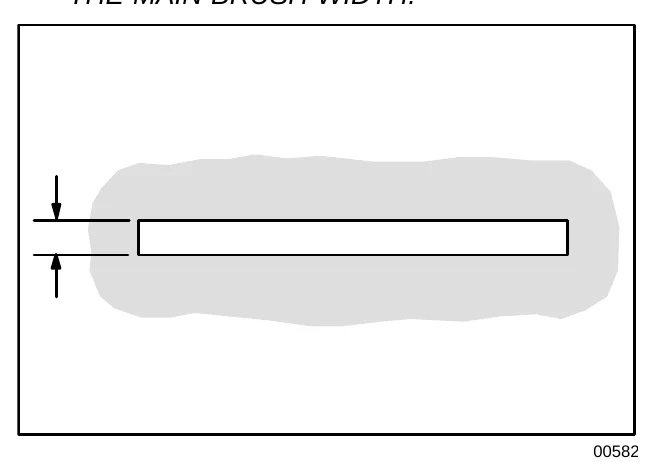
- Lower the main brush onto the chalked area and hold it there for 15 to 20 seconds without moving the machine.
- Raise the brush and drive the machine from the chalked area. The brush pattern should be 50 to 65 mm (2.0 to 2.5 in) across the entire length of the brush. Refer to ADJUSTING THE MAIN BRUSH WIDTH.
- If the brush pattern is tapered, see ADJUSTING THE MAIN BRUSH TAPER section of this manual.
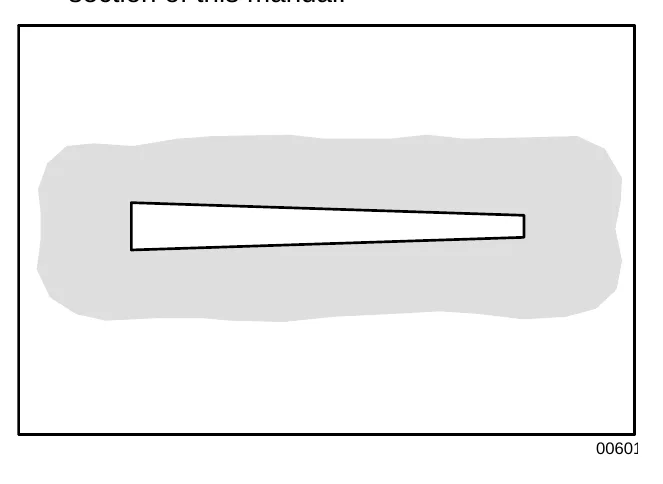
ADJUSTING THE MAIN BRUSH TAPER
- Loosen the shaft bearing bracket mounting bolts.
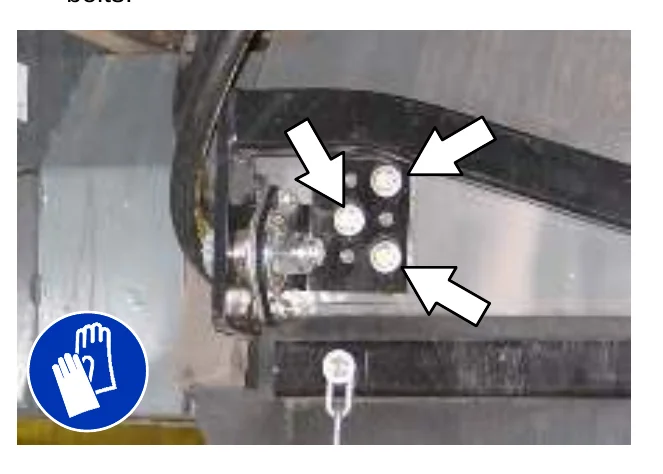
- Move the bracket up or down in the slots and tighten the mounting bolts.
- Check the main brush pattern and readjust as necessary. Set the main brush adjustment knob pointer to the same color band as the brush idler plate.
ADJUSTING THE MAIN BRUSH WIDTH
- Compare the length of the main brush bristles with the color band on the brush idler plate.
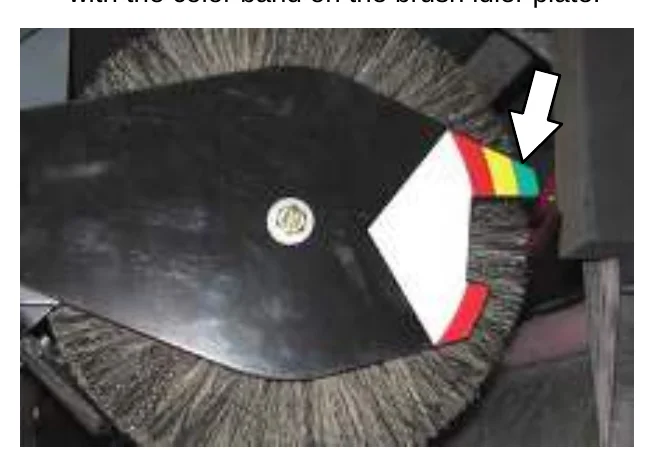
- Loosen the main brush adjustment knob and slide the pointer so it matches the color band on the brush idler plate. Retighten the knob.
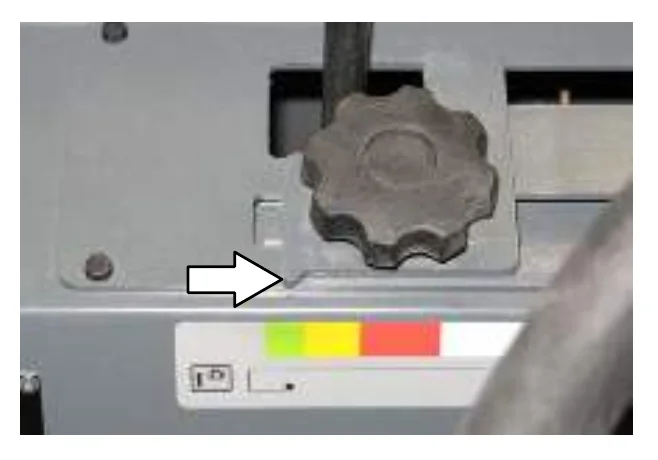
- Recheck the pattern. Readjust if necessary.
SIDE BRUSH
Check the side brush daily for wear or damage. Remove any tangled string or wire from the side brush or side brush drive hub.
REPLACING THE SIDE BRUSH
Replace the side brush(es) when it no longer cleans effectively.
- Raise the side brush.
- Remove the side brush retaining pin and then remove the side brush.
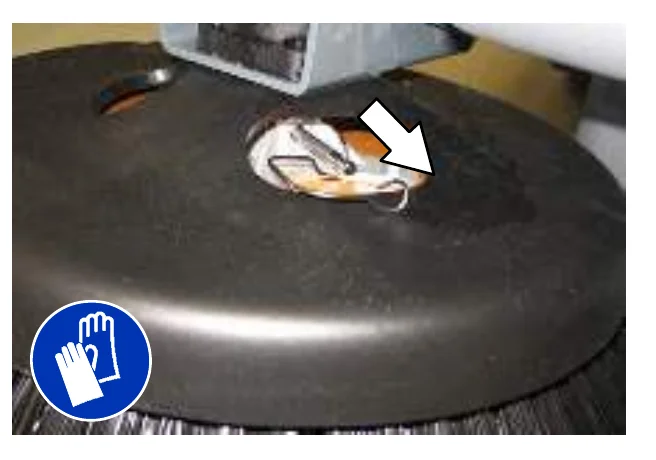
- Slide the new side brush onto the side brush drive shaft and reinstall the retaining pin.
- Adjust the side brush pattern. Refer to ADJUSTING THE SIDE BRUSH PATTERN.
ADJUSTING THE SIDE BRUSH PATTERN
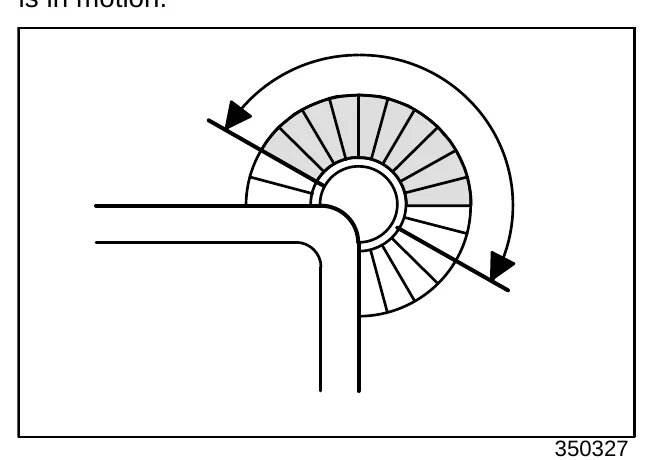
The side brush bristles should touch the floor between 10 o’clock and 4 o’clock when the brush is in motion.
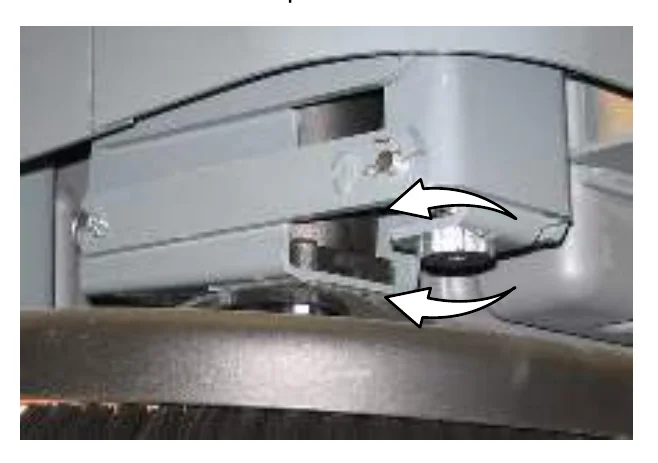
S30: Turn the side brush adjustment knob counterclockwise to increase the brush pattern and clockwise to decrease the brush pattern.
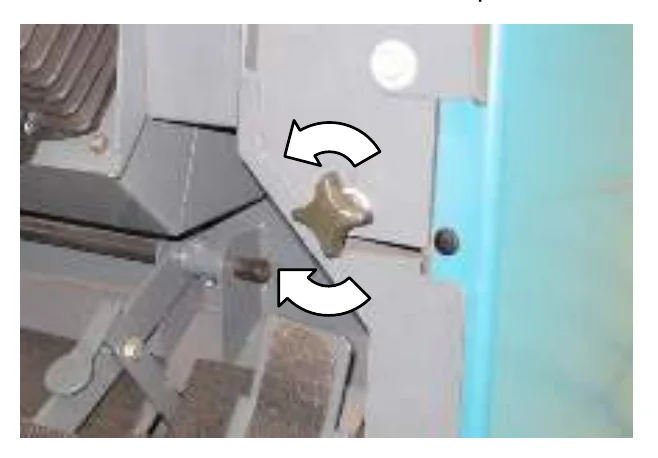
S30 XP and X4: Tighten the side brush adjustment knob into the side brush bracket to the decrease brush pattern and loosen the knob to increase the brush pattern.
ROTATING AND REPLACING THE SIDE BRUSH GUARD
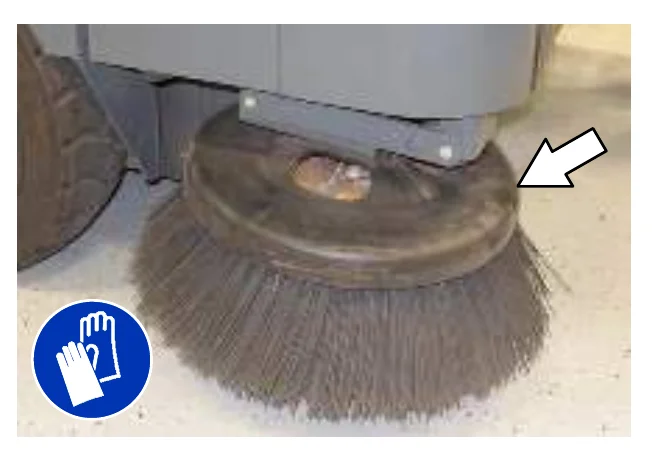
Rotate the side brush guard 90° every 200 hours of operation. Replace the brush guard after all four sides have been used.
SKIRTS AND FLAPS
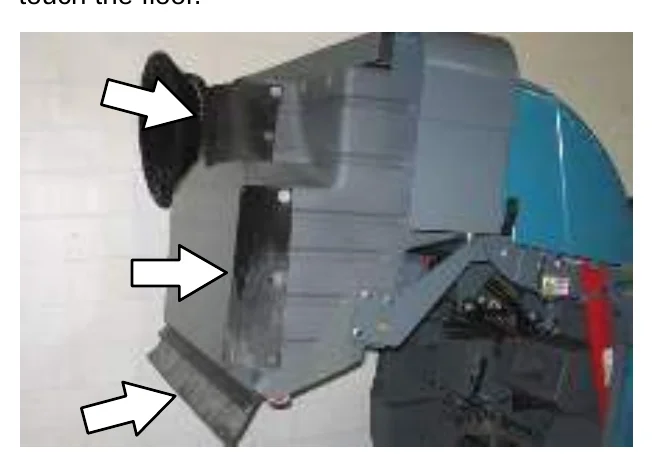
HOPPER SKIRTS
Check the hopper skirts for wear or damage daily. Replace the hopper skirts when they no longer touch the floor.
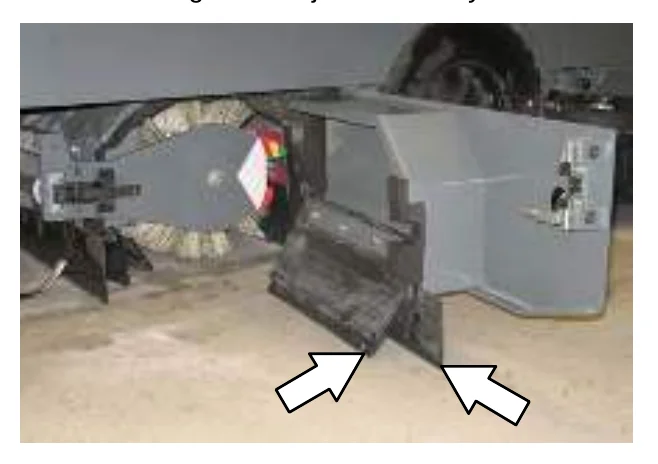
BRUSH DOOR SKIRTS
The brush door skirts should clear the floor by 3 to 6 mm (0.12 to 0.25 in). Check the skirts for wear or damage and adjustment daily.
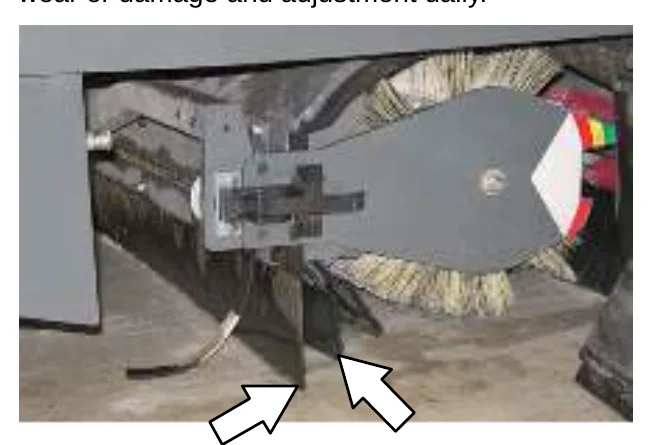
REAR SKIRTS
The rear brush skirt should clear the floor by 3 to 6 mm (0.12 to 0.25 in). Check the skirt for wear or damage and adjustment daily.
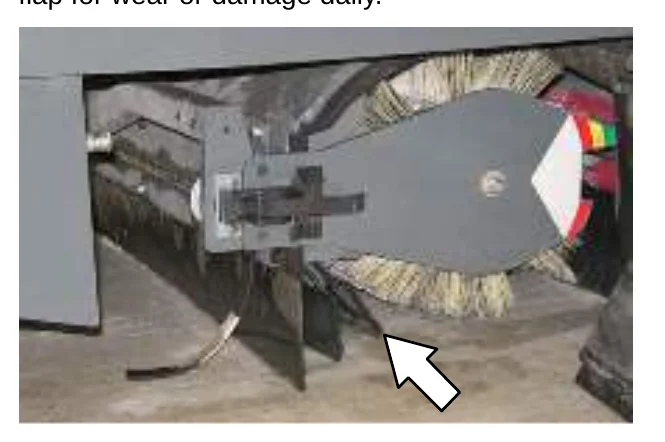
RECIRCULATION FLAP
The recirculation flap is self-adjusting. Check the flap for wear or damage daily.
SEALS
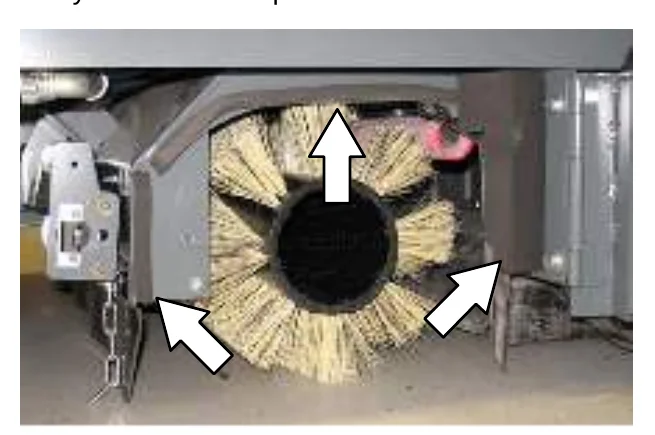
BRUSH DOOR SEALS
Check the brush door seals for wear or damage every 100 hours of operation.
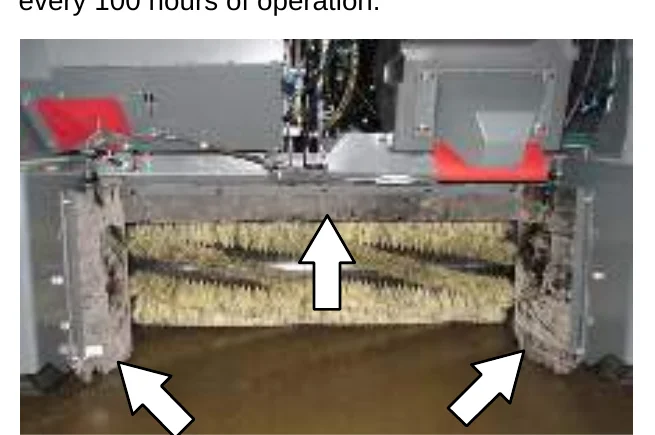
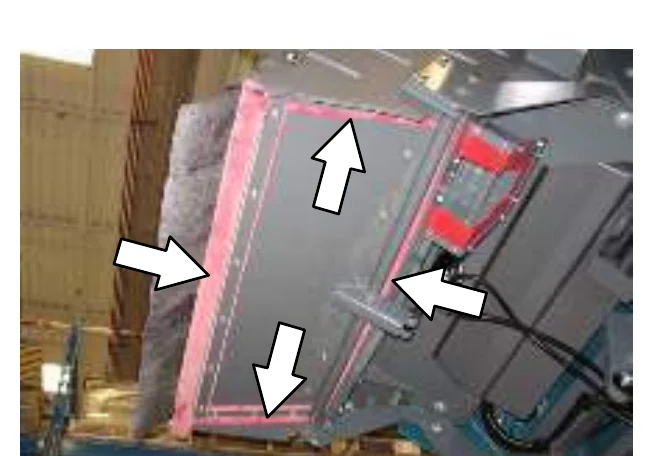
HOPPER SEALS
Check the hopper door seals for wear or damage every 100 hours of operation.
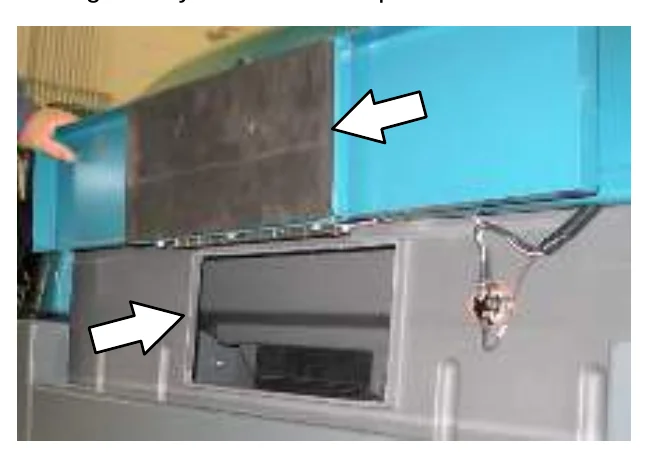
HOPPER INSPECTION DOOR SEALS
Check the hopper inspection door seal for wear or damage every 100 hours of operation.
FILTER CHAMBER INLET SEAL
Check the filter chamber inlet seal for wear or damage every 100 hours of operation.
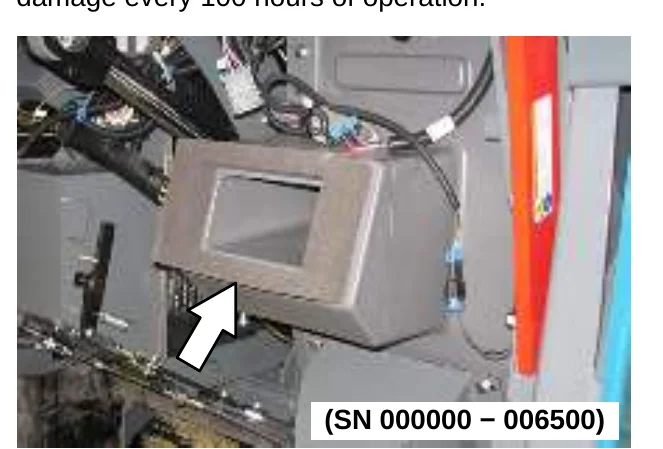
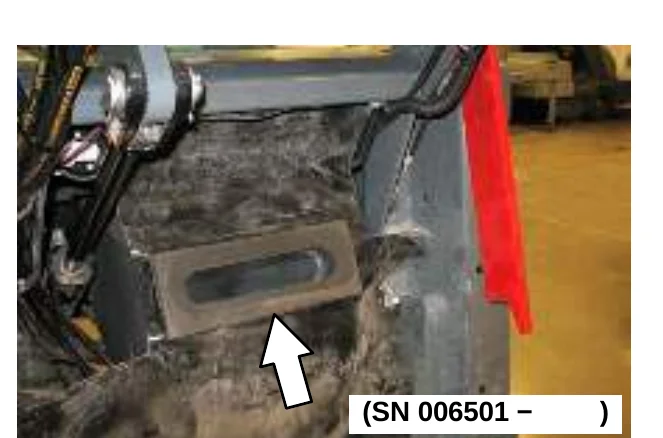
CYCLONIC PRE−FILTER SEALS
Check the cyclonic pre−filter seals for wear or damage every 100 hours of operation.
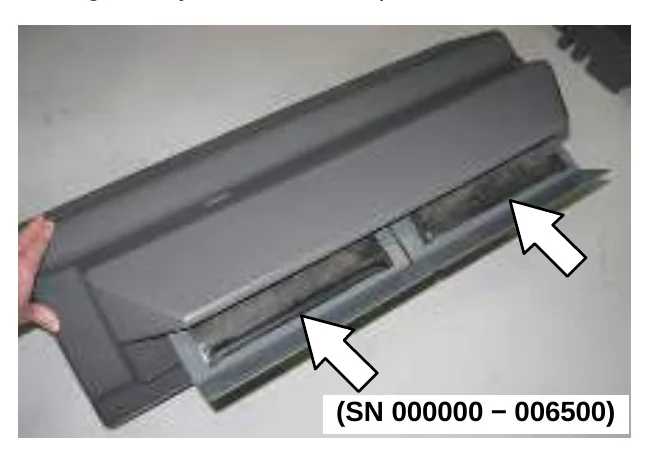
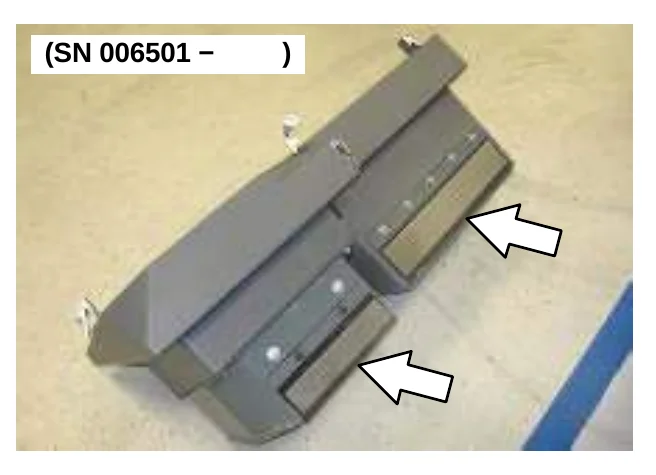
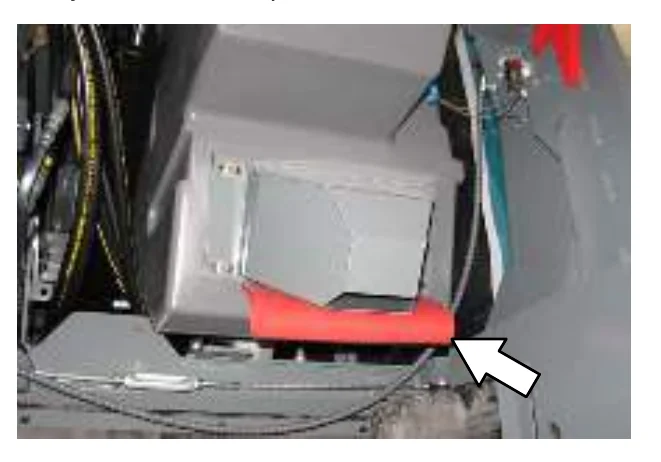
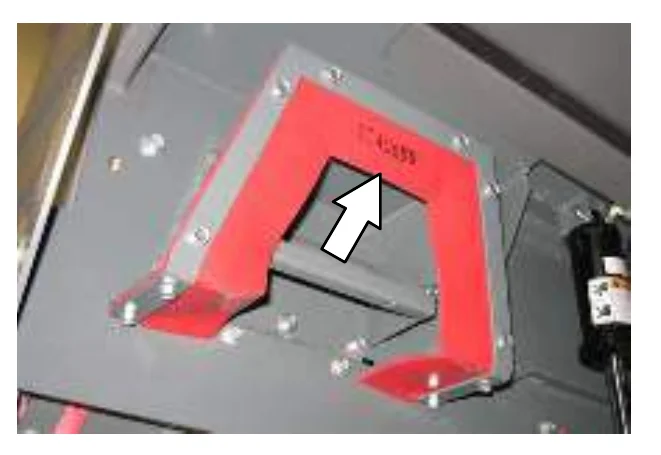
DUST RETURN SEALS (SN 000000 − 006500)
Check the dust return seals for wear or damage every 100 hours of operation.
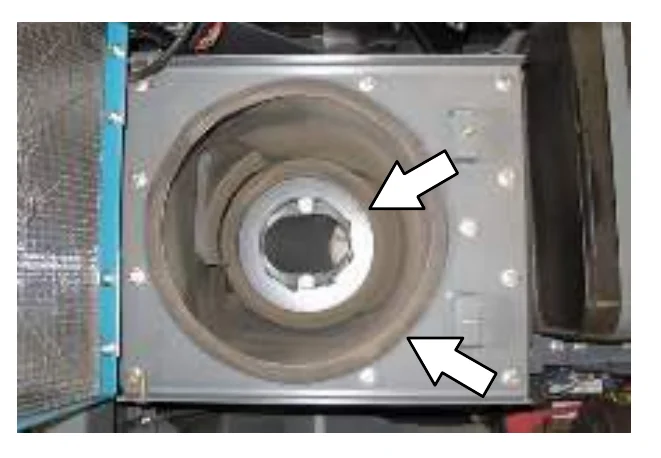
DUST FILTER SEALS (SN 000000 − 006500)
Check the dust filter seals for wear or damage every 100 hours of operation.
VACUUM WAND DOOR SEALS (OPTION)
Check the vacuum wand door seal for wear or damage every 100 hours of operation.
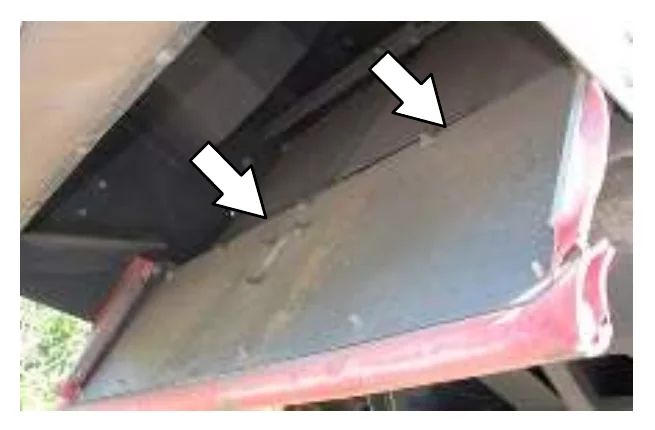
CYCLONIC DUST TRAY SEALS (SN 006501 − )
Check the cyclone dust tray seals for wear, damage, and debris buildup every 100 hours of operation.
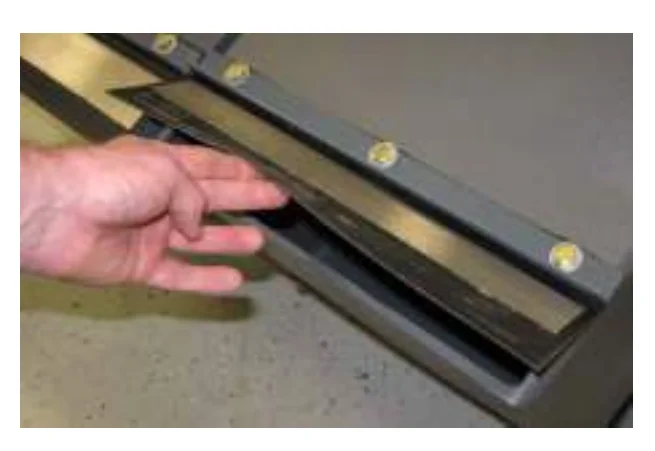
CYCLONE PERMA−FILTER (SN 006501 − )
Clean heavy or wet dust and excess debris from the cyclone perma−filter as necessary. Check the cyclone perma−filter for damage every 100 hours of operation.
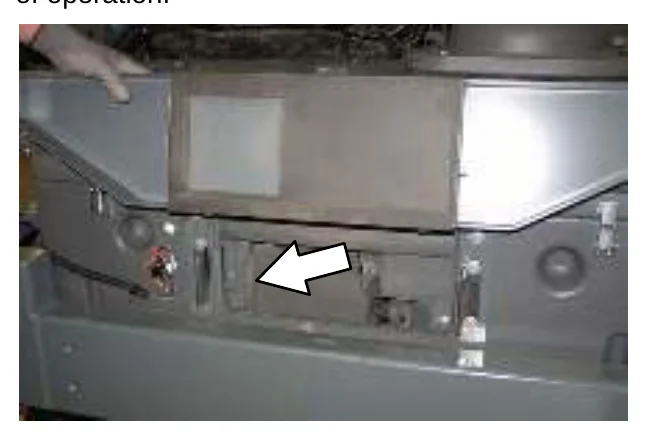
CYCLONE COVER SEALS (SN 006501 − )
Check the cyclone cover seals for wear or damage every 100 hours of operation. Clean dust and debris from the cyclones as necessary.
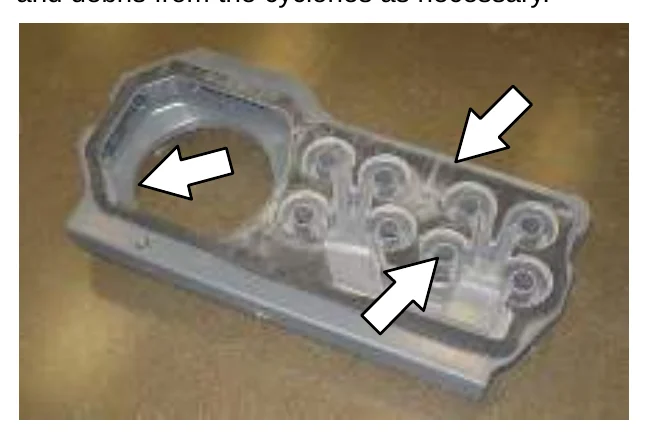
CYCLONE COVER ACCESS PORT SEAL (SN 006501 − )
Check the cyclone cover access port seal for wear or damage every 100 hours of operation. Clean dust and debris from the seal as necessary.
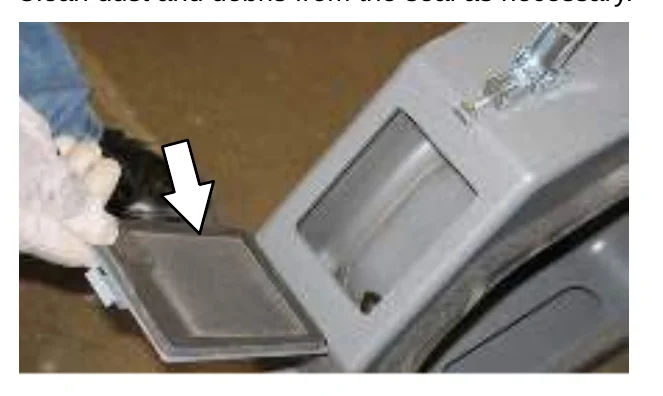
HOPPER DUST FILTER COVER SEAL (SN 006501 − )
Check the hopper dust filter cover seal for wear or damage every 100 hours of operation. Clean dust and debris from the seal as necessary.
BRAKES AND TIRES
BRAKES
Check the brake adjustment after every 200 hours of operation.
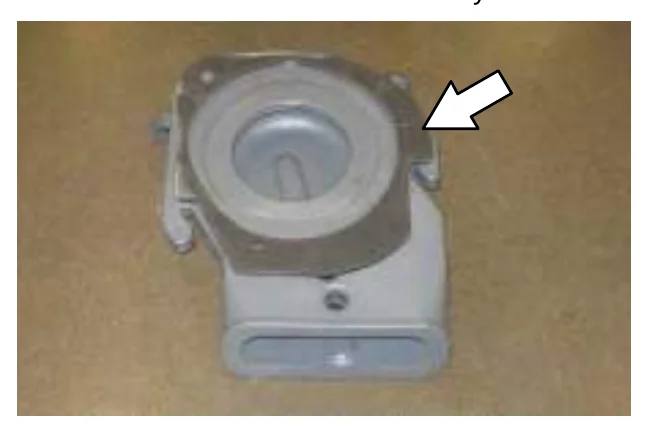
To check the brake adjustment, measure the distance from the stationary brake pedal to the point where there is resistance in the pedal movement. The distance must be 19 to 25 mm (0.75 to 1.0 in). Adjust the brakes if required.
TIRES
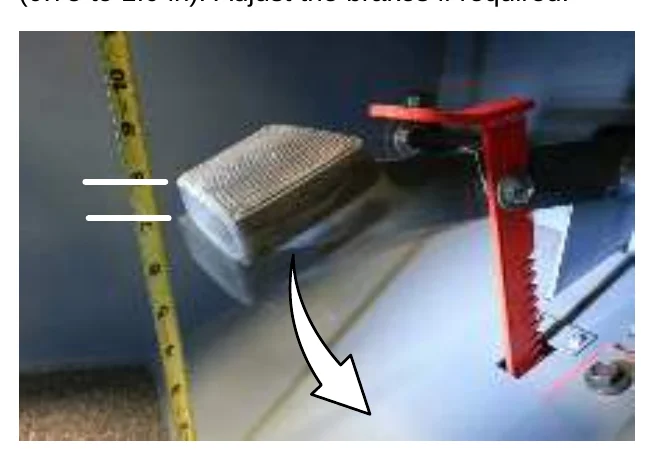
The standard front tires are solid. The standard rear tire is pneumatic.
Check the rear tire pressure every 100 hours of operation. The proper air pressure is 790 ± 35 kPa (115 ± 5 psi).
REAR WHEEL
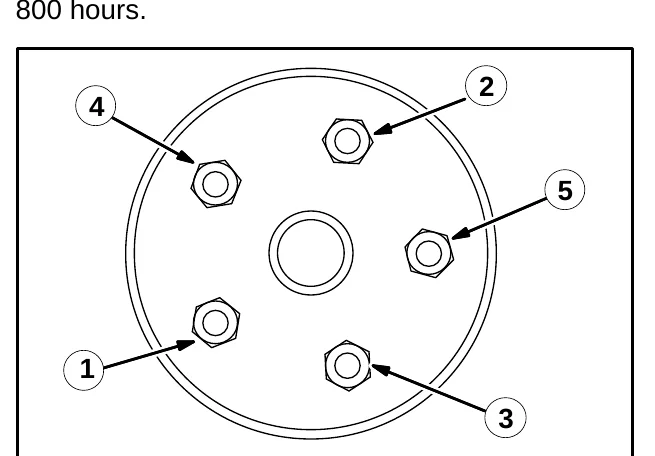
Torque the rear wheel nuts twice in the pattern shown to 122 to 149 Nm (90 to 110 ft lb) after the first 50 hours of operation, and then after every 800 hours.
PROPELLING MOTOR
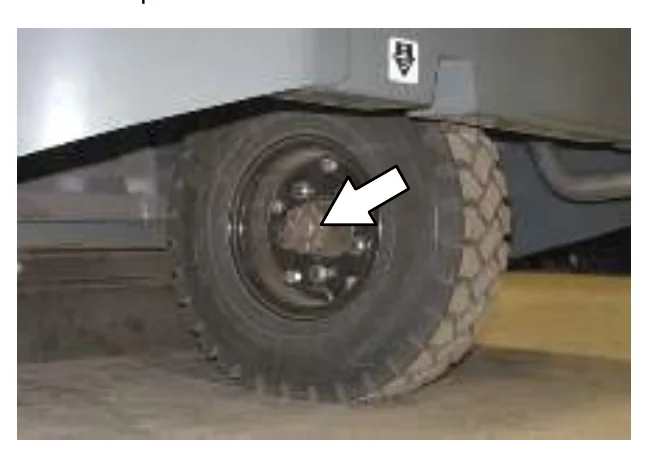
Torque the shaft nut to 508 Nm (375 ft lb) lubricated, 644 Nm (475 ft lb) dry, after every 800 hours of operation.
PUSHING, TOWING, AND TRANSPORTING THE MACHINE
PUSHING OR TOWING THE MACHINE
If the machine becomes disabled, it can be pushed from the front or rear, but only towed from the rear.
Use the bypass valve to prevent damaging the hydraulic system when pushing or towing the machine. This valve allows a disabled machine to be moved for a very short distance and at a speed to not exceed 1.6 kp/h (1 mph). The machine is NOT intended to be pushed or towed a long distance or at a high speed.
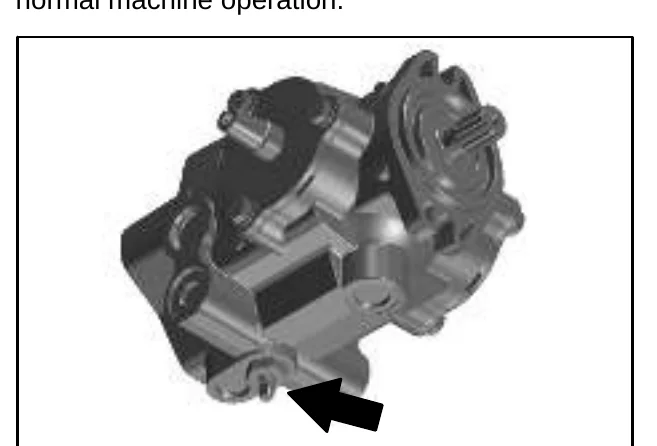
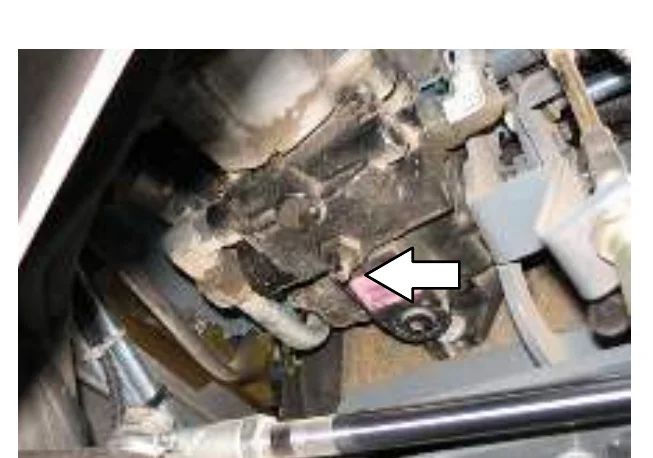
Turn the bypass valve located on the bottom of the propelling pump 90° (either direction) from the normal position before pushing or towing the machine. Return the bypass valve to the normal position when finished pushing or towing the machine. Do Not use the bypass valve during normal machine operation.
TRANSPORTING THE MACHINE
- Raise the brushes. If necessary, slightly raise the hopper for additional ramp clearance.
- Position the front of the machine at the loading edge of the truck or trailer.
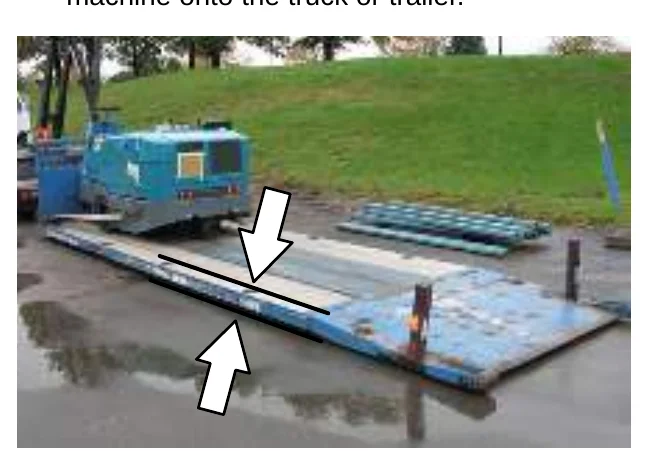
- If the loading surface is horizontal and 380 mm (15 in) or less from the ground, drive the machine onto the truck or trailer.
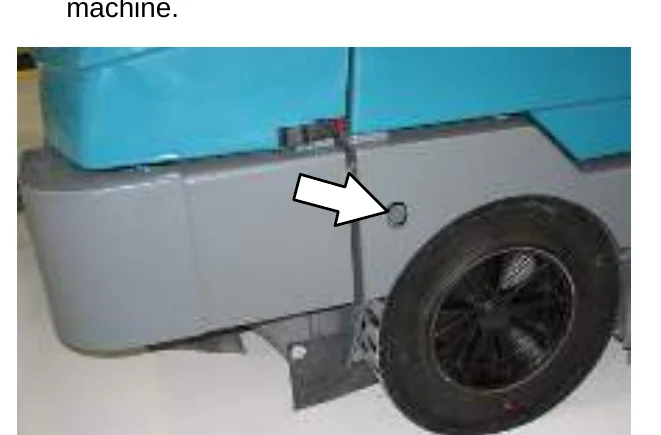
- To winch the machine onto the truck or trailer, attach the winching chains to the holes in the right and left lower corners in front of the machine.
MAINTENANCE
- Position the machine as close to the front of the trailer or truck as possible.
- Set the parking brake and place a block behind each wheel to prevent the machine from rolling.
- Lower the brushes and hopper (if hopper was raised).
- Connect the tie−down straps to the holes in the right and left lower corners in front of the machine and the holes in the rear jacking brackets behind the rear tires.
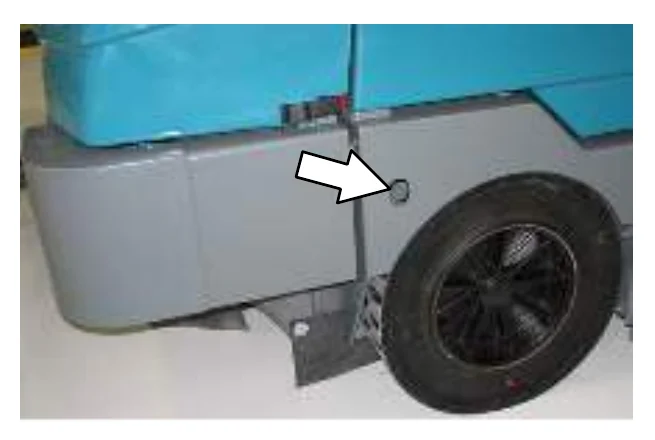
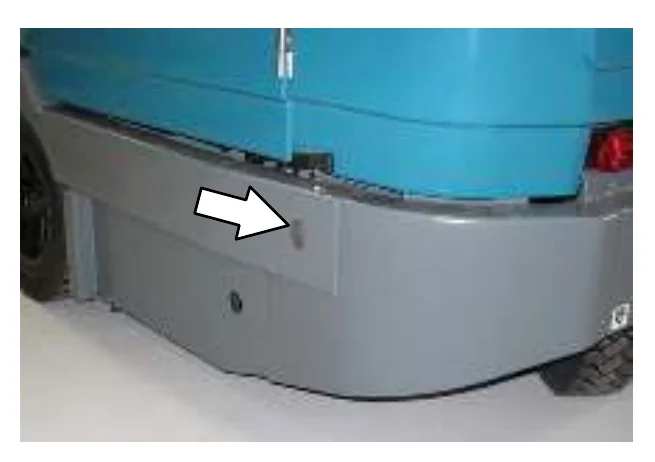
- Route the tie−downs to the opposite ends of the machine and hook them to the brackets on the floor of the trailer or truck. Tighten the tie−down straps.
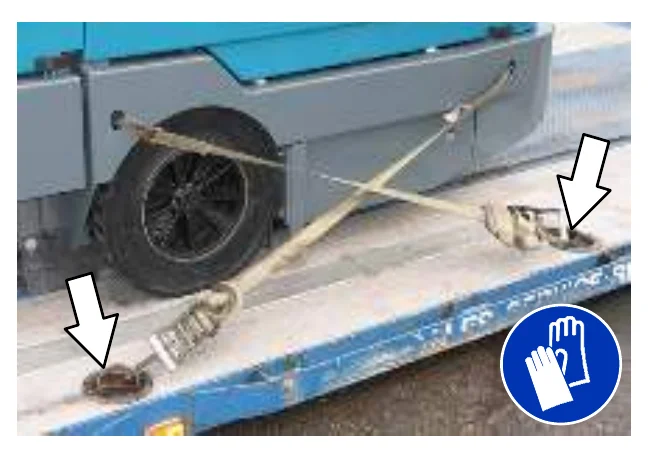
- If the loading surface is horizontal AND is 380 mm (15 in) or less from the ground, drive the machine off the truck or trailer.
MACHINE JACKING
Empty the hopper before jacking up the machine. Jack up the machine at the designated locations. Use a hoist or jack capable of supporting the weight of the machine. Use jack stands to support the machine.
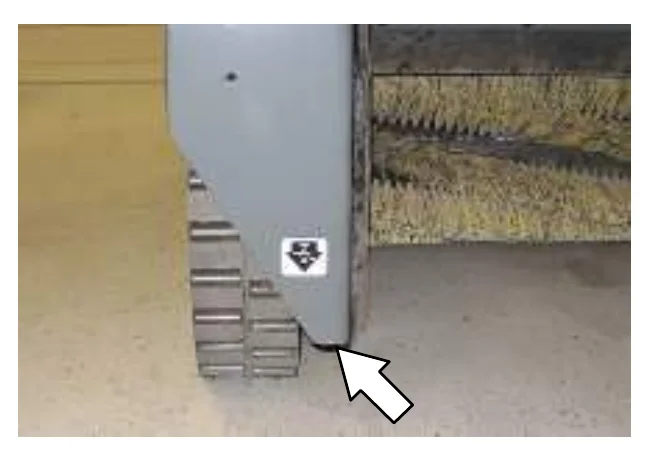
Rear jacking locations are located directly behind the rear tire on each side of the machine.
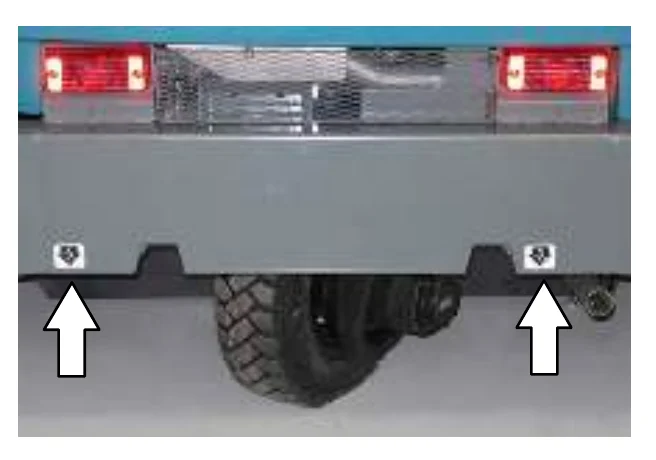
Front jacking locations are located on the frame directly in front of the front tire.
STORAGE INFORMATION
Batteries and chargers: make sure your charger is compatible with your batteries, and set its charging algorithm to your battery pack before you use it.
The following steps should be taken prior to storing the machine for extended periods.
- Park the machine in a cool, dry area. Do not expose the machine to rain or snow. Store indoors.
- Remove the battery, or charge battery every three months.
SPECIFICATIONS
GENERAL MACHINE DIMENSIONS/CAPACITIES
| Item | Dimension/capacity |
|---|---|
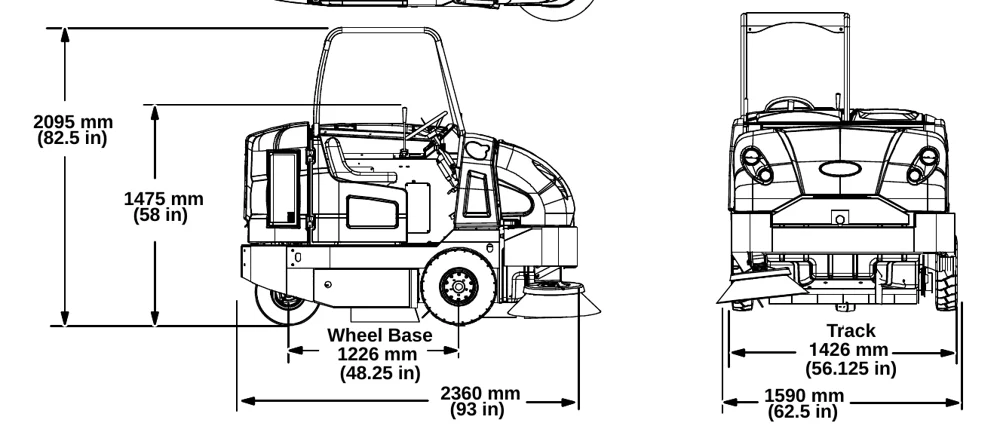
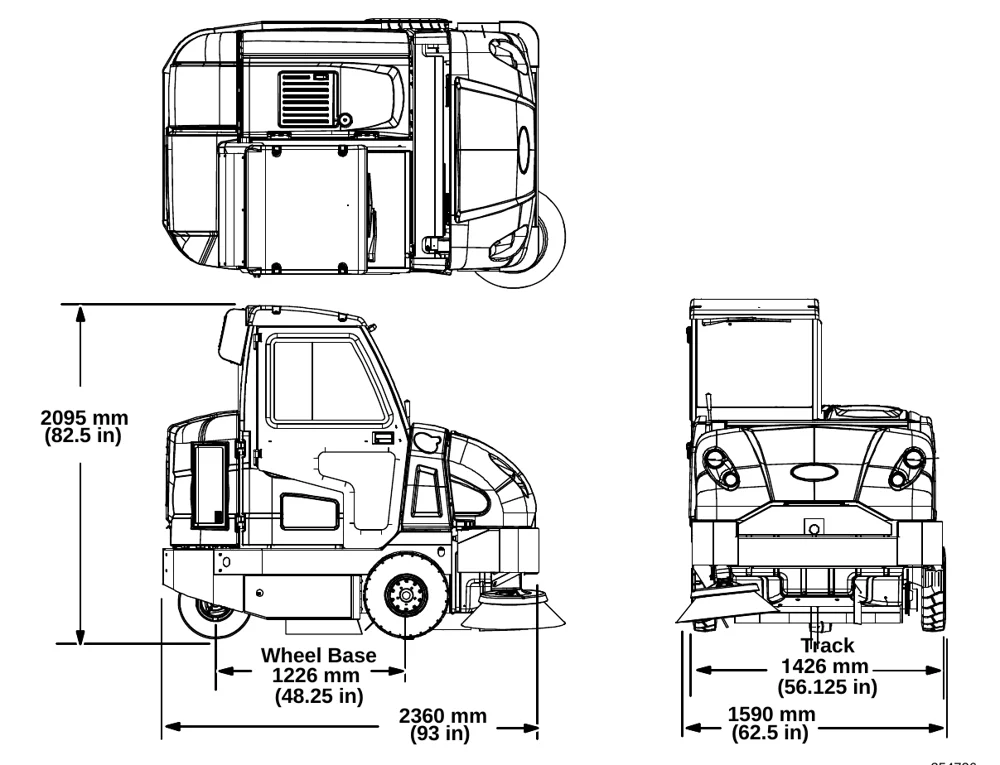
| Length | 2360 mm (93 in) |
| Height | 1475 mm (58 in) |
| Height (with overhead guard or cab machines with AC) | 2095 mm (82.5 in) |
| Width/frame | 1590 mm (62.5 in) |
| Wheel base | 1226 mm (48.25 in) |
| Track | 1426 mm (56.125 in) |
| Cleaning path width (Single side brush) | 1590 mm (62.5 in) |
| Cleaning path width (Dual side brushes) | 2030 mm (80 in) |
| Main brush diameter | 356 mm (14 in) |
| Side brush diameter | 660 mm (26 in) |
| Debris hopper volume capacity (Plastic and Steel) | 395 L (14 ft3) |
| Debris hopper weight capacity (Plastic) | 490 kg (1080 lbs) |
| Debris hopper weight capacity (Steel) | 545 kg (1200 lbs) |
| Dump height (variable to) | 1525 mm (60 in) |
| Minimum ceiling dump height | 2500 mm (98 in) |
| Weight − empty | 1595 Kg (3520 lbs) |
| GVWR | 2585 Kg (5700 lbs) |
| Transport ground clearance | 100 mm (4 in) |
| Protection Grade | IPX3 |
| Values determined as per EN 60335−2−72 | Measure |
|---|---|
| Sound pressure level LpA | 83 dB(A) |
| Sound pressure uncertainty KpA | 3 dB(A) |
| Sound power level LWA + Uncertainty KWA | 100 dB(A) |
| Vibration − Hand−arm | <2.5 m/s2 |
| Vibration − Whole body | <0.5 m/s2 |
GENERAL MACHINE PERFORMANCE
| Item | Measure |
|---|---|
| Minimum aisle turn (S30 and S30 XP) | 2870 mm (113 in) |
| Minimum aisle turn (S30 X4) | 5000 mm (196.75 in) |
| Travel speed forward (maximum) (S30 and S30 XP) | 13.0 Km/h (8 mph) |
| Travel speed forward (maximum) (S30 X4) | 24.0 Km/h (15 mph) |
| Travel speed reverse (maximum) | 5.0 Km/h (3 mph) |
| Maximum ramp incline for loading − Empty (S30 and S30 XP) | 25% |
| Maximum ramp incline for loading − Empty (S30 X4) | 16% |
| Maximum ramp incline for sweeping (All Models) | 14% |
| Maximum ramp incline for transporting (GVWR) (S30 and S30 XP) | 17% |
| Maximum ramp incline for transporting (GVWR) (S30 X4) | 10.5% |
SPECIFICATIONS
HYDRAULIC SYSTEM
| System | Capacity | ISO Grade Viscosity Index | Ambient Air Temperature Ranges |
|---|---|---|---|
| Hydraulic reservoir | 38 L (10 gal) | ISO 100 VI 126 or higher | 19° C (65° F) or higher |
| Hydraulic total | 45 L (12 gal) | ISO 68 VI 155 or higher | 7 to 43° C (45 to 110° F) |
| ISO 32 VI 163 or higher | 16° C (60° F) or lower |
STEERING
| Type | Power source |
|---|---|
| Rear wheel, hydraulic cylinder | Hydraulic accessory pump |
POWER TYPE
| Engine | Type | Ignition | Cycle | Aspiration | Cylinders | Bore | Stroke |
|---|---|---|---|---|---|---|---|
| Kubota V1505−B | Piston | Diesel | 4 | Natural | 4 | 78 mm (3.07 in) | 78.4 mm (3.08 in) |
| Displacement | Net power, governed | Net power, maximum | |||||
| 1500 cc (91.4 cu in) | 24.6 kw (34 hp) @ 2400 rpm | 27.2 kw (37.5 hp) @ 3000 rpm | |||||
| Fuel | Cooling system | Electrical system | |||||
| Diesel Fuel tank: 42 L (11.2 gal) low sulfer fuel content less than 500ppm only *5% maximum biodiesel | Water/ethylene glycol antifreeze | 12 V nominal | |||||
| Total: 7.5 L (2 gal) | 75 A alternator | ||||||
| Radiator: 3.8 L (1 gal) | |||||||
| Idle speed, no load | (Fast) governed speed, under load | Engine lubricating oil without filter | |||||
| 1350 ± 50 rpm | 2000 ± 50 rpm 2400 ± 50 rpm | 6 L (6.35 qt) API diesel classification CF or better | |||||
BRAKING SYSTEM
| Type | Operation |
|---|---|
| Service brakes | Mechanical drum brakes (2), one per front wheel, cable actuated |
| Parking brake | Utilize service brakes, cable actuated |
TIRES
| Location | Type | Size |
|---|---|---|
| Front (2) | Solid | 127 mm x 535 mm (5 in x 21 in) |
| Rear (1) (S30 and S30 XP) | Pneumatic | 115 mm x 470 mm (4.5 in x 18.5 in) |
| Rear (2) (S30 X4) | Foam Fill | 115 mm x 410 mm (4.5 in x 16 in) |
SPECIFICATIONS
MACHINE DIMENSIONS
INDEX
1
1−STEP Sweep button, 14, 23
A
Access door, hopper, 16
Adjust deluxe suspension seat, 17
Adjust operator seat, 17
Adjust steering column, 11
Adjusting the Main Brush Taper, 54
Adjusting the Main Brush Width, 55
Adjusting the Side Brush Pattern, 56
Air Filter, 44
- Replace the safety filter element, 44
Air filter indicator, 44
- Reset, 45
Alarms, 27, 28
- Fault Indicators (S30 XP and X4), 28
- Fault Indicators (S30), 27
B
Battery, 46
Blower Wand (Option), 30
Brake pedal, 11
Brakes, 61
- System specifications, 66
Brakes and Tires, 61
- Brakes, 61
- Rear Wheel, 61
- Tires, 61
Brush Door Seals, 58
Brush Door Skirts, 57
Brush Information, 18
Buttons
- 1−STEP Sweep button, 14, 23
- Contrast control button, 14
- Engine Speed Button, 13
- Filter shaker button, 15
- Hopper door close button, 24
- Hopper lower button, 25
- Hopper raise button, 24
- Supervisor Control Buttons, 13
- Vacuum fan button, 14, 30
Buttons, Controls and Instruments, 9, 13
Bypass valve, 62
C
Cab Fuses, 48
Cab light (Option), 31
Cab light switch, 31
Capacities, 65
Checking the Main Brush Pattern, 54
Cleaning the Cyclone Assembly, 51
Cleaning the Dust Filter, 51
Contrast control button, 14
Controls and Instruments, 8, 9
- Touch Panel, 9
Cooling System, 42
- Check the coolant level in the reservoir, 42
- Flush the radiator and the cooling system, 42
Cyclone Assembly, Cleaning, 51
Cyclone cover access port seal, 60
Cyclone cover seals, 60
Cyclone perma−filter, 60
Cyclonic Dust Tray Seals, 60
Cyclonic Pre−filter Seals, 59
D
Dash fault indicators, 29
Dimensions, 65
Directional pedal, 11
Disengaging hopper support bar, 26
Dust Filter, 49, 50
- Removing the Dust Filter, 49, 50
- Replacing the Dust Filter, 49, 50
Dust Filter Seals, 59
Dust Return Seals, 59
E
Emptying the hopper, 24
Engaging hopper support bar, 25
Engine, 42
- Air Filter, 44
- Air filter indicator, 44
- Cooling System, 42
- Engine Belt, 46
- Fuel Filter, 45
- Fuel Lines, 45
- Priming the fuel system, 46
- Specifications, 66
INDEX
Engine air filter, Cleaning, 44
Engine Belt, 46
Engine Harness Fuses and Relays, 48
Engine Oil, 38
Engine Speed Button, 13
Engine Speed Switch, 13
F
Fan knob, 31
Fault Indicators (S30 XP and X4), 28
Fault Indicators (S30), 27
Filter Chamber Inlet Seal, 58
Filter shaker button, 15
Filter shaker switch, 15
Filters, 49, 50
- Cleaning the Dust Filter, 51
- Cyclone perma−filter, 60
- Diesel Fuel Filter, 45
- Engine Air Filter, 44
- Hydraulic Fluid Filter, 40
- Removing the Dust Filter, 49, 50
- Replacing the Dust Filter, 49, 50
Flaps, 57
Front jacking locations, 64
Front Wheel Bearings, 39
Fuel Filter, 45
Fuel Indicator, 12
Fuel Lines, 45
Fuses and Relays, 47
- Cab Fuses, 48
- Engine Harness Fuses and Relays, 48
- Relay Panel Fuses and Relays, 47
G
General Machine Dimensions / Capacities, 65
General Machine Performance, 65
Glow Plug Light, 20
H
Headlights, 15
Heater / Air conditioner (Option), 31
Heater / Air conditioner switch, 31
Hopper access door, 16
Hopper door switch, 22, 24
Hopper dust filter cover seal, 60
Hopper Inspection Door Seals, 58
Hopper Lift Arm Pivots, 38
Hopper lower button, 25
Hopper lower switch, 25
Hopper raise button, 24
Hopper raise switch, 24
Hopper Seals, 58
Hopper Skirt, 57
Hopper support bar, 25
- Disengaging hopper support bar, 26
- Engaging hopper support bar, 25
Hour Meter, 13
How the Machine Works, 18
Hydraulic Cooler, 43
- Clean the fins, 43
Hydraulic Fluid, 41
Hydraulic Hoses, 41
Hydraulic System, System specifications, 66
Hydraulics, 40
- Check the hydraulic fluid level, 40
- Check the hydraulic hoses, 41
- Hydraulic Fluid, 41
- Hydraulic Hoses, 41
- Replace the hydraulic fluid filter, 40
I
Indicators
- Dash fault indicators, 29
- Fault Indicators (S30 XP and X4), 28
- Fault Indicators (S30), 27
- Fuel Indicator, 12
- Glow Plug Light, 20
- Hour Meter, 13
INDEX
K
- Knobs
- Fan knob, 31
- Side Brush Adjustment Knob, 56
- Temperature knob, 31
L
- Lights
- Operating / hazard, 15
- Operating / hazard light, 15
- Lubrication, 38
- Engine Oil, 38
- Front Wheel Bearings, 39
- Hopper Lift Arm Pivots, 38
- Rear Wheel Support Bearing, 38
- Steering Cylinder Bearing, 38
- Steering Rod End, 39
- Steering Spindles, 39
M
- Machine components, 7
- Machine Dimensions, 67
- Machine Jacking, 64
- Front jacking locations, 64
- Rear jacking locations, 64
- Machine Operation, Pre-Operation Checklist, 19
- Machine Performance
- Aisle Turnaround Width, 65
- Climb and Descent Angles, 65
- Travel Speed (Maximum), 65
- Machine Specifications, 65
- Machine Troubleshooting, 33
- Main Brushes, 52
- Adjusting the Taper, 54
- Adjusting the Width, 55
- Checking the Main Brush Pattern, 54
- Replacing or Rotating the Main Brushes, 52
- Main Brushes, Adjusting the Taper, 54
- Main Brushes, Adjusting the Width, 55
- Main Brushes, Checking the Pattern, 54
- Main Brushes, Replacing or Rotating, 52
- Maintenance, 35
- Maintenance Chart, 35
O
- Operating / hazard lights, 15
- Operating temperature, 21
- Operation, 7
- Operation of controls, 11
- Operator seat, 17
- Options, 30
- Blower wand, 30
- Cab light, 31
- Heater / Air conditioner, 31
- Side brush light, 15
- Tower bumpers, 32
- Turn Signal, 32
- Vacuum wand, 30
- Windshield wiper, 31
P
- Parking brake pedal, 11
- Pedals
- Brake pedal, 11
- Directional pedal, 11
- Parking brake pedal, 11
- Steering column tilt pedal, 11
- Pre-Operation Checklist, 19
- Preheat-Glow Plug Light, 20
- Priming the fuel system, 46
- Propelling Motor, 61
- Torque Shaft Nut, 61
- Pushing or Towing the Machine, 62
- Pushing the Machine, 62
- Pushing, Towing, and Transporting the Machine, 62
- Pushing or Towing the Machine, 62
- Transporting the Machine, 62
R
- Radiator, 42
- Check hoses and clamps, 42
- Clean core exterior, 43
- Rear jacking locations, 64
- Rear Skirt, 57
- Rear Wheel Support Bearing, 38
- Rear Wheel, Torque, 61
INDEX
- Recirculation Flap, 57
- Relay Panel Fuses and Relays, 47
- Removing the Dust Filter, 49, 50
- Replacing or Rotating the Main Brushes, 52
- Replacing the Dust Filter, 49, 50
- Replacing the Side Brush, 55
- Replacing the Side Brush Guard, 56
- Reset air filter indicator, 45
- Rotating the Side Brush Guard, 56
S
- Safety
- Instructions, 3
- Labels, 5
- Seals, 58
- Brush Door Seals, 58
- Cyclone cover access port seal, 60
- Cyclone cover seals, 60
- Cyclonic Dust Tray Seals, 60
- Cyclonic Pre-filter Seals, 59
- Dust Filter Seals, 59
- Dust Return Seals, 59
- Filter Chamber Inlet Seal, 58
- Hopper dust filter cover seal, 60
- Hopper Inspection Door Seals, 58
- Hopper Seals, 58
- Vacuum Wand Door Seals, 59
- Seat belts, 17
- Seat, deluxe suspension, 17
- Seat, Operator, 17
- Setting the Engine Speed, 13
- Side Brush, 55
- Adjusting the Side Brush Pattern, 56
- Replacing the Side Brush, 55
- Replacing the Side Brush Guard, 56
- Rotating the Side Brush Guard, 56
- Side Brush Adjustment Knob, 56
- Side Brush Guard, Replacing, 56
- Side Brush Guard, Rotating, 56
- Side brush light switch (option), 15
- Side Brush, Adjusting the Pattern, 56
- Side Brush, Replacing, 55
- Skirts, 57
- Skirts and Flaps, 57
- Brush Door Skirts, 57
- Hopper Skirts, 57
- Rear Skirt, 57
- Recirculation Flap, 57
- Specifications, 65
- Braking system, 66
- General Machine Dimensions / Capacities, 65
- General Machine Performance, 65
- Hydraulic System, 66
- Machine Capacities, 65
- Machine Dimensions, 65
- Machine Performance, 65
- Power Type, 66
- Steering, 66
- Tires, 66
- Starting the machine, 20
- Steering, Specifications, 66
- Steering Cylinder Bearing, 38
- Steering Rod End, 39
- Steering Spindles, 39
- Storage Information, 64
- Storing the Machine, 64
- Supervisor Control Buttons, 13
- Sweeping (S30 XP and X4), 23
- Sweeping (S30), 22
- Switches
- Cab light switch, 31
- Engine Speed Switch, 13
- Filter shaker switch, 15
- Heater / Air conditioner switch, 31
- Hopper door switch, 22, 24
- Hopper lower switch, 25
- Hopper raise switch, 24
- Operating / hazard light switch, 15
- Side brush light switch (Option), 15
- Turn signal switch, 32
- Vacuum fan, 14, 22
- Wand switch, 30
- Windshield wiper switch, 31
- Symbol definitions, 10
INDEX
T
- Temperature, Operating, 21
- Temperature knob, 31
- Tires, 61
- Specifications, 66
- Touch Panel, 9
- Tower bumpers (Option), 32
- Towing the Machine, 62
- Transporting the Machine, 62
- Turn Signal (Option), 32
- Turn signal switch, 32
- Turning off the machine, 20
V
- Vacuum fan button, 14, 30
- Vacuum fan switch, 14, 22
- Vacuum Wand (Option), 30
- Vacuum Wand Door Seals, 59
W
- Wand (Option), 30
- Wand switch, 30
- Warning Indicators, 28
- Dash fault indicators, 29
- Fault Indicators (S30 XP and X4), 28
- Fault Indicators (S30), 27
- Warning Indicators (S30), 27
- Wheels, 61
- While operating the machine, 21
- Windshield wiper (Option), 31
- Windshield wiper switch, 31
Tennant and Nobles are trademarks of Tennant Company. Southeastern Equipment & Supply is an independent dealer.