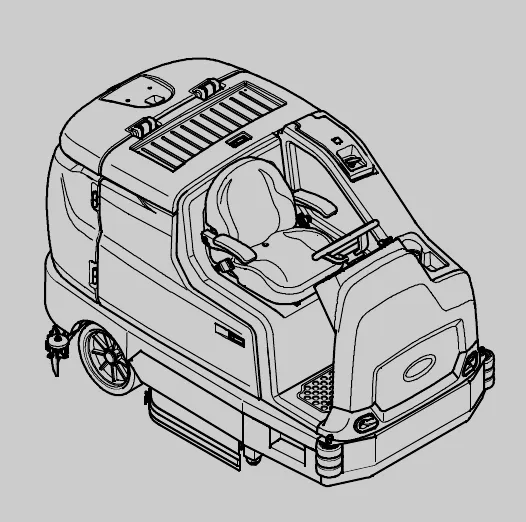
T17 (Battery) rider scrubber
Rider Scrubber Operator Manual. North America / International. Document 4021237, Rev. 12 (11-2025).
ES® Extended Scrub System
TennantTrue® Parts
IRIS® a Tennant Technology
Insta-Fit™ Adapter
ec-H2O® An ORBIO™ Technology
Powered by Lithium-Ion
For the latest parts manuals and other language Operator manuals, visit: www.tennantco.com/manuals
4021237
Rev. 12 (11-2025)
Introduction
This manual is furnished with each new model. It provides necessary operation and maintenance instructions.
This machine will provide excellent service. However, the best results will be obtained at minimum costs if:
• The machine is operated with reasonable care.
• The machine is maintained regularly - per the machine maintenance instructions provided.
• The machine is maintained with manufacturer supplied or equivalent parts.
Protect the environment
Please dispose of packaging materials, used components such as batteries and fluids in an environmentally safe way according to local waste disposal regulations.
Always remember to recycle.
Machine data
Please fill out at time of installation for future reference.
Model No. -
Serial No. -
Installation Date -
Intended use
The T17 is an industrial/commercial rider machine designed to wet scrub both rough and smooth hard surfaces (concrete, tile, stone, synthetic, etc). Typical applications include schools, hospitals / health care facilities, office buildings, and retail centers. Do not use this machine on soil, grass, artificial turf, or carpeted surfaces. This machine is intended for indoor use only. This machine is not intended for use on public roadways. Do not use this machine other than described in this Operator Manual.
Tennant Company
PO Box 1452
Minneapolis, MN 55440
Phone: (800) 553-8033
www.tennantco.com
Touch-N-Go, 1-Step, Dura-Track, SmartRelease, Duramer, Insta-Fit are trademarks of Tennant Company.
Specifications and parts are subject to change without notice.
Original Instructions, copyright © 2014-2020, 2025 TENNANT Company, Printed in U.S.A.
Contents
- Safety (page 6)
- Important safety instructions - save these instructions (page 6)
- Safety labels (page 9)
- Operation (page 12)
- Machine components (page 13)
- Controls and instruments (page 15)
- Standard touch panel (page 17)
- Pro-Panel controls (page 19)
- Symbol definitions (page 20)
- Standard panel symbols (page 21)
- Pro-Panel symbols (page 21)
- Operation of controls - standard panel (page 23)
- Battery discharge indicator (page 23)
- Hour meter (page 24)
- Recovery tank full indicator (page 24)
- Solution tank indicator (page 24)
- Contrast control button (page 25)
- Configuration mode button (page 25)
- 1-Step button (page 25)
- Side brush button (option) (page 25)
- Vacuum fans / squeegee button (page 25)
- Scrubbing main brush button (page 26)
- Solution on / off button (page 26)
- Severe environment switch (option) (page 27)
- Detergent metering (option) (page 27)
- Pre-sweep switch (option) (page 27)
- Operation of controls - Pro-Panel (page 28)
- Pro-ID login screen (page 28)
- Machine status button (page 28)
- Changing the default button (page 29)
- 1-Step button (page 29)
- Scrubbing main brush button (page 29)
- Scrubbing vacuum fan / squeegee button (page 29)
- Scrubbing side brush button (option) (page 30)
- Sweeping side brush (page 30)
- Pre-sweep brush button (page 30)
- Pre-sweep vacuum fan button (page 30)
- Solution on / off button (page 30)
- Screen lock (page 31)
- Severe environment switch (option) (page 31)
- Detergent metering (option) (page 31)
- Zone control buttons (page 32)
- Rearview camera button (page 32)
- Help button (page 32)
- Video help button (page 34)
- Completing the Pro-Check pre-operation checklist (page 34)
- Operation of controls - all machines (page 35)
- Emergency shut-off button (page 35)
- Directional switch (page 35)
- Operating / hazard light switch (option) (page 36)
- Propel pedal (page 36)
- Brake pedal (page 36)
- Parking brake pedal (page 36)
- Operator seat (page 36)
- Seat belts (Deluxe seat option only) (page 36)
- Rear bumper door / step (page 37)
- How the machine works (page 38)
- Brush and pad information (page 38)
- While operating the machine (page 39)
- Pre-operation checklist (page 39)
- Starting the machine (page 40)
- Filling the detergent tank (option) (page 40)
- Filling the solution tank (page 41)
- Conventional scrubbing mode (page 41)
- ec-H2O scrubbing (ec-H2O mode) (page 41)
- ES (Extended Scrub) mode - manual tank fill (page 41)
- Auto-fill (option) (page 42)
- ec-H2O button (option) (page 42)
- ES (Extended Scrub) button (option) (page 43)
- Scrub brush pressure (page 44)
- Setting scrub brush pressure - standard panel (page 44)
- Setting scrub brush pressure - Pro-Panel (page 44)
- Solution flow (page 45)
- Setting solution flow - standard panel (page 45)
- Setting solution flow - Pro-Panel (page 45)
- Scrubbing - standard panel (page 45)
- Scrubbing - Pro-Panel (page 46)
- Double scrubbing (page 47)
- Water pickup mode (no scrubbing) (page 48)
- Stop scrubbing (page 48)
- Draining and cleaning the recovery tank (page 48)
- Draining and cleaning the solution tank (page 50)
- Turn off the machine (page 52)
- Fault indicators / warning codes (page 52)
- Fault / alert indicators - standard panel (page 52)
- Fault / alert indicators - Pro-Panel (page 52)
- Fault / warning codes (S/N 000000-012999) (page 53)
- Fault / warning codes (S/N 013000- ) (page 56)
- Lithium-ion battery system service indicator codes (S/N 0016062 and below) (page 56)
Contents
- Lithium-ion battery system service indicator codes (S/N 0016063 and above) (page 58)
- Options (page 59)
- Spray nozzle (option) (page 59)
- High pressure washer (option) (page 60)
- Priming the high pressure washer pump (page 61)
- Wet vacuum wand (option) (page 62)
- Live wand (option) (page 64)
- Operating the live wand (off machine) (page 64)
- Operating the live wand (on machine) (page 64)
- Emptying the live wand vacuum debris tray (page 65)
- Clean the live wand vacuum filter (page 65)
- Rear squeegee guard (option) (page 66)
- Scrubbing or sweeping side brush (option) (page 66)
- Pre-sweep assembly (option) (page 67)
- Operate pre-sweep (option) with standard panel (page 67)
- Operate pre-sweep (option) with Pro-Panel (page 67)
- Empty the pre-sweep debris hopper (page 68)
- Adjusting backup alarm volume (option) (page 68)
- Slide out battery (option) (page 69)
- Machine troubleshooting (page 69)
- Maintenance (page 71)
- Maintenance chart (page 71)
- Yellow touch points (page 74)
- Lubrication (page 74)
- Steering chain (page 74)
- Steering gear chain (page 74)
- Drive wheel pivot (page 74)
- High pressure washer oil (page 74)
- Batteries (page 75)
- Flooded (wet) and maintenance free sealed lead-acid batteries (page 75)
- Checking the electrolyte level (page 75)
- Maintenance-free batteries (page 75)
- Checking connections / cleaning (page 76)
- Lithium-ion battery pack (page 76)
- Charging the batteries (page 76)
- Battery charger USB port (page 81)
- Battery watering system (option) (page 81)
- Fuel cell battery (option) (page 82)
- Circuit breakers, fuses, and relays (page 82)
- Circuit breakers (page 82)
- Fuses (page 84)
- Relays (page 84)
- Electric motors (page 84)
- Solution supply filter (page 84)
- Scrub brushes (page 84)
- Disk brushes and pads (page 85)
- Cylindrical brushes (page 86)
- Side brush(es) (option) (page 87)
- Replacing the scrubbing side brush (page 87)
- Replacing the sweeping side brush(es) (page 88)
- Pre-sweep brushes (optional) (page 89)
- Replacing the pre-sweep side brushes (page 89)
- Replacing the pre-sweep cylindrical brush (page 89)
- Squeegee blades (page 90)
- Replacing (or rotating) the rear squeegee blades (page 91)
- Leveling the rear squeegee (page 93)
- Adjusting the rear squeegee blade deflection (page 94)
- Replacing or rotating the side squeegee blades (page 94)
- Replacing or rotating the side brush squeegee blades (option) (page 95)
- Skirts and seals (page 97)
- Recovery tank seal (page 97)
- Solution tank seal (page 98)
- Live wand vacuum seals (option) (page 98)
- Scrub head skirts (disk scrub heads only) (page 98)
- Pre-sweep skirts (option) (page 98)
- Belts (page 99)
- Cylindrical brush drive belts (page 99)
- Pre-sweep brush drive belt (option) (page 99)
- Brakes (page 99)
- Tires (page 99)
- Pushing, towing, and transporting the machine (page 100)
- Pushing or towing the machine (page 100)
- Transporting the machine (page 100)
- Machine jacking (page 101)
- ec-H2O module flush procedure (page 101)
- Storage information (page 103)
- Freeze protection (page 103)
- Preparing the machine for operation after storage (page 104)
- Priming the ec-H2O system (page 106)
- Specifications (page 108)
- General machine dimensions / capacities (page 108)
- General machine performance (page 109)
- Power type (page 109)
- Tires (page 110)
Contents
- Scrubbing side brush solution flow rate (option) (page 110)
- ec-H2O system (option) (page 111)
- High pressure washer (option) (page 111)
- Machine dimensions (page 112)
- Supervisor controls (page 113)
- Pro-Panel supervisor controls (page 113)
- Entering the supervisor mode - first time use only (page 113)
- Entering the supervisor mode (page 113)
- Supervisor setting screen / screen icons (page 114)
- Adding / editing profiles (page 115)
- Enabling the login (page 117)
- Disabling the login (page 117)
- Changing the battery type (page 118)
- Calibrating the touch (page 118)
- Exporting checklists (page 119)
- Checklist setup (page 119)
- Disabling / enabling the pre-operation checklist (page 120)
- Changing the rear view camera settings (page 121)
- Programming the zone control buttons (page 121)
- Setting / changing the date and time (page 123)
- Setting / changing the screen lock (page 123)
Important safety instructions - save these instructions
The following precautions are used throughout this manual as indicated in their description:
The following information signals potentially dangerous conditions to the operator. Know when these conditions can exist. Locate all safety devices on the machine. Report machine damage or faulty operation immediately.
• Disconnect Battery Cables and Charger Plug Before Servicing Machine.
• Do Not Charge Batteries with Damaged Power Supply Cord. Do Not Modify Plug.
If the charger supply cord is damaged or broken, it must be replaced by the manufacturer or its service agent or a similarly qualified person in order to avoid a hazard.
This machine may be equipped with technology that automatically communicates over the cellular network. If this machine will be operated where cell phone use is restricted because of concerns related to equipment interference, please contact a Tennant representative for information on how to disable the cellular communication functionality.
1. Do not operate machine:
• Unless trained and authorized.
• Unless operator manual is read and understood.
• Under the influence of alcohol or drugs.
• While using a cell phone or other types of electronic devices.
• Unless mentally and physically capable of following machine instructions.
• With brake disabled.
• If it is not in proper operating condition.
• With pads or accessories not supplied or approved by Tennant. The use of other pads may impair safety.
• In outdoor areas. This machine is for indoor use only.
• In areas where flammable vapors/liquids or combustible dusts are present.
• In areas that are too dark to safely see the controls or operate the machine unless operating / headlights are turned on.
• In areas with possible falling objects unless equipped with overhead guard.
• With the rear bumper door / step in the lowered position.
• Do not access the video / help screens while the machine is moving. (Pro-Panel)
2. Before starting machine:
• Check machine for fluid leaks.
• Make sure all safety devices are in place and operate properly.
• Check brakes and steering for proper operation.
• Check parking brake pedal for proper operation.
• Adjust seat and fasten seat belt (if equipped).
3. When using machine:
• Use only as described in this manual.
• Use brakes to stop machine.
• Go slowly on inclines and slippery surfaces.
• Base machine: Do not scrub on ramp inclines that exceed 8.7% / 5° grade or transport (GVWR) on ramp inclines that exceed 12% / 7° grade.
• Machine with ramp kit: Do not scrub on ramp inclines that exceed 10.5% / 6° grade or transport (GVWR) on ramp inclines that exceed 14.8% / 8.5° grade.
• Reduce speed when turning.
• Keep all parts of body inside operator station while machine is moving.
• Always be aware of surroundings while operating machine.
• Use care when reversing machine.
• Keep children and unauthorized persons away from machine.
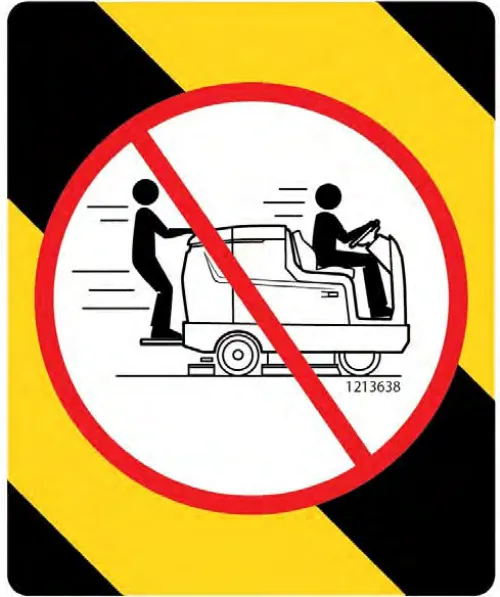
• Do not carry passengers on any part of the machine.
• Always follow safety and traffic rules.
• Report machine damage or faulty operation immediately.
• Follow mixing, handling and disposal instructions on chemical containers.
• Follow site safety guidelines concerning backup alarms.
• Follow site safety guidelines concerning wet floors.
• Do not leave machine unattended when filling solution tank with auto-fill feature.
• Park machine on level surface when filling solution tank with auto-fill feature.
4. Before leaving or servicing machine:
• Stop on level surface.
• Set parking brake.
• Turn off machine and remove key.
5. When servicing machine:
• All work must be done with sufficient lighting and visibility.
• Keep work area well ventilated.
• Avoid moving parts. Do not wear loose clothing, jewelry and secure long hair.
• Block machine tires before jacking machine up.
• Jack machine up at designated locations only. Support machine with jack stands.
• Use hoist or jack that will support the weight of the machine.
• Do not push or tow the machine without an operator in the seat controlling the machine.
• Do not push or tow the machine on inclines with the brake disabled.
• Do not power spray or hose off machine near electrical components.
• Disconnect battery connections and charger cord before working on machine.
• Do not pull on battery charger cord to unplug. Grasp plug at outlet and pull.
• Do not use incompatible battery chargers as this may damage battery packs and potentially cause a fire.
• Inspect charger cord regularly for damage.
• Do not disconnect the off-board charger's DC cord from the machine receptacle when the charger is operating. Arcing may result.
• If the charger must be interrupted during charging, disconnect the AC power supply cord first or turn off power if equipped.
• Avoid contact with battery acid.
• Keep all metal objects off batteries.
• Use a non-conductive battery removal device.
• Use a hoist and adequate assistance when lifting batteries.
• Battery installation must be done by trained personnel.
• Follow site safety guidelines concerning battery removal.
• All repairs must be performed by a trained service mechanic.
• Do not modify the machine from its original design.
• Use Tennant supplied or approved replacement parts.
• Wear personal protective equipment as needed and where recommended in this manual.
6. When loading/unloading machine onto/off truck or trailer:
• Use ramp, truck or trailer that will support the weight of the machine and operator.
• Drain tanks before loading machine.
• Do not drive on slippery ramp.
• Use caution when driving on ramp.
• Do not load/unload on ramp inclines that exceed 21% / 12° grade.
• Lower scrub head and squeegee before tying down machine.
• Stop on a level surface, set parking brake and leave the key in the ON position until all tie-down straps are secure.
• Block machine tires.
• Tie machine down to truck or trailer.
7. When using Lithium-ion Battery Model:
• Battery service to be performed by Tennant Service only.
• Do not attempt to lift battery by hand or by any other unauthorized method.
• Dispose of battery in accordance with local regulations. Contact Tennant Service.
• Contact battery manufacture for disposal of battery (for machines serial number 0016063 and above).
• Do not disconnect the machine battery cable to charge Triathon lithium-ion batteries (machine serial number 0016063 and above). Use only the designated charge connector for charging.
• Contact Tennant Service or your local regulatory authorities for proper transporting instructions of lithium-ion batteries.
• Disconnect battery cable connector, battery management system (BMS) connector and charger cord before working on machine.
• Use only OEM approved battery charger supplied with lithium-ion battery.
• Do not expose battery to temperatures below -22°F (-30°C), above 140°F (60°C) (for machine serial number 0016062 and below).
• Do not expose battery to temperatures below 32°F (0°C), above 104°F (40°C) (for machines serial number 0016063 and above).
• Do not use machine immediately after longterm extreme temperature storage. Before use, return battery module temperature range to 50°F (10°C)~95°F (35°C).
• Do not operate or store battery in hazardous environment (electrically charged, humidity, extreme temperatures and magnetic fields).
• Do not expose battery to flame or plasma.
• Do not disassemble or mistreat battery. Do not tear seal tape or will void warranty.
• Do not drop, crush or subject battery to impact, as it may cause battery to heat up or catch fire.
• Do not put battery in fire or water to avoid battery explosion.
• Do not touch battery with wet hand, avoid electric shock.
• Stop using or charging the battery immediately if battery has abnormal temperature, leakage or other abnormal conditions.
Safety labels
The safety labels appear on the machine in the locations indicated. Replace damaged labels.
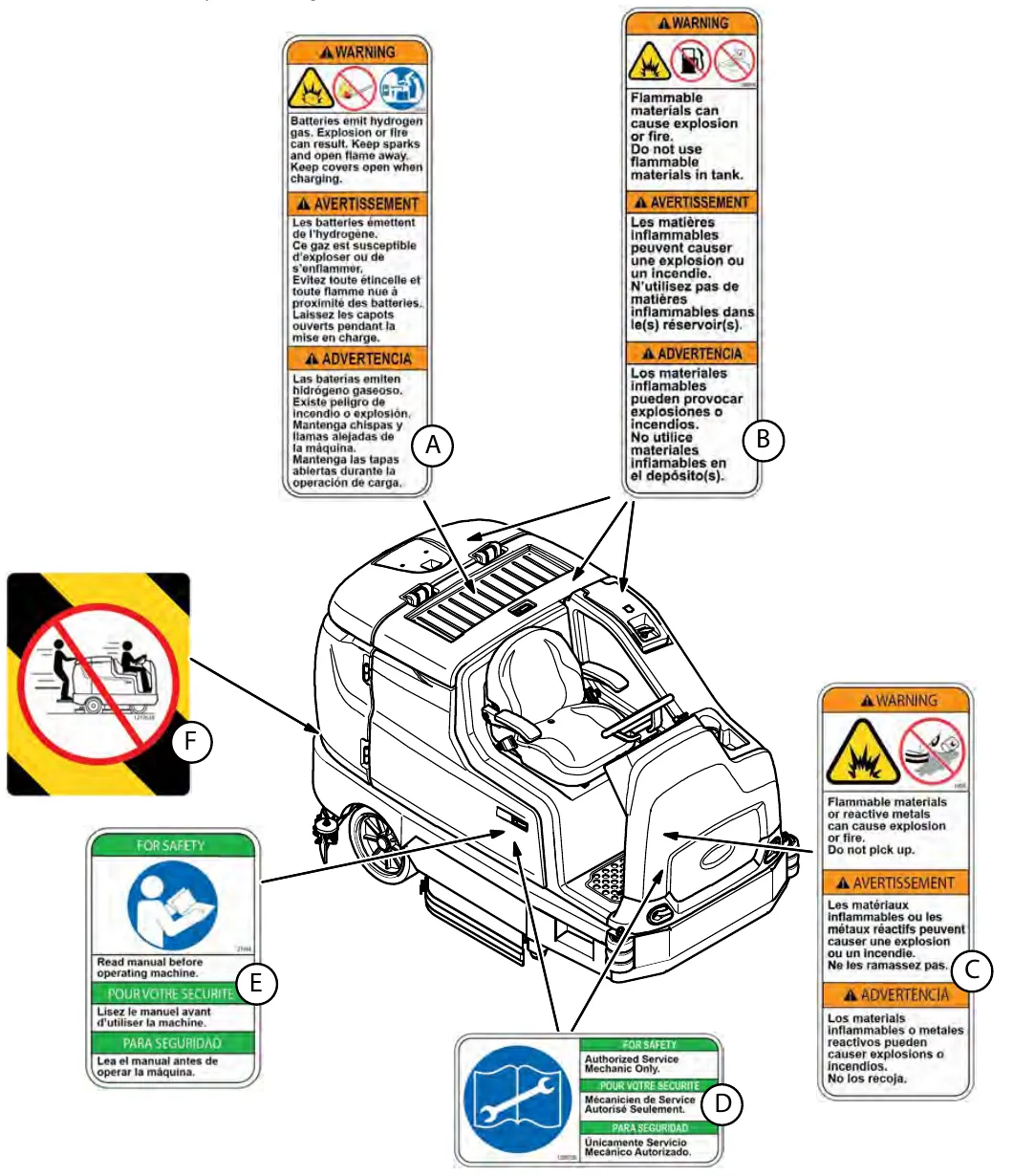
Safety labels A to F
| Label | Description | Location |
|---|---|---|
| A | WARNING LABEL - Batteries emit hydrogen gas. Explosion or fire can result. Keep sparks and open flame away. Keep covers open when charging. | Located on the bottom of the battery compartment cover. |
| B | WARNING LABEL - Flammable materials can cause explosion or fire. Do not use flammable materials in tank. | Located on solution tank cover and on detergent tank (option). |
| C | WARNING LABEL - Flammable materials or reactive metals can cause explosion or fire. Do not pick up. | Located on electrical panel. |
| D | WARNING LABEL - Authorized service mechanic only. | Located on the circuit board cover and electrical panel. |
| E | WARNING LABEL - Read manual before operating machine. | Located on the electrical panel. |
| F | WARNING LABEL - Do not operate machine with rear bumper door / step in the lowered position. Do not carry passengers on any part of the machine. | Located on the rear bumper door / step. |
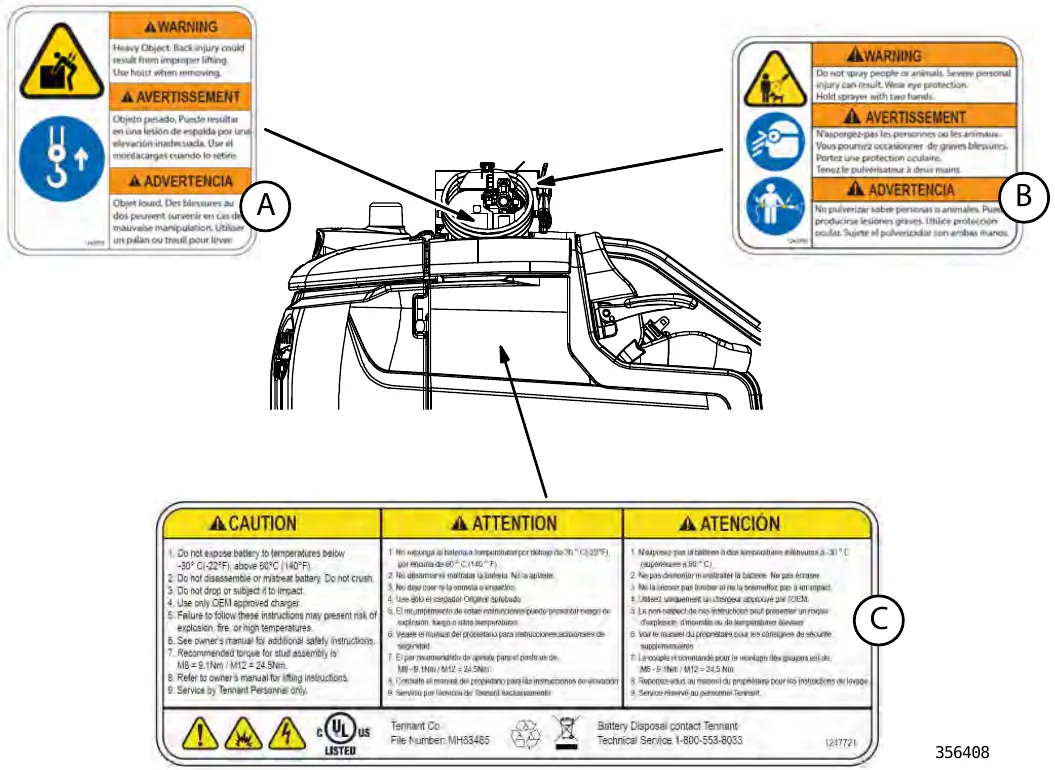
| Label | Description | Location |
|---|---|---|
| A | WARNING LABEL - Heavy object. Back injury could result from improper lifting. Use hoist when removing. | Located under high pressure washer cover. |
| B | WARNING LABEL - Do not spray people or animals. Severe personal injury can result. Wear eye protection. Hold sprayer with two hands. | Located on high pressure washer cover. |
| C | LITHIUM BATTERY CAUTION LABEL (machines serial number 0016062 and below.) | Located on top of battery pack. |
Corrected an obvious misprint: "Do not spry people or animals" printed as "spry" (now "spray", as on page 6).
Operation
This chapter covers machine components, controls, brushes and pads, filling the tanks, scrubbing, draining and cleaning the tanks, fault codes, options and troubleshooting.
Machine components
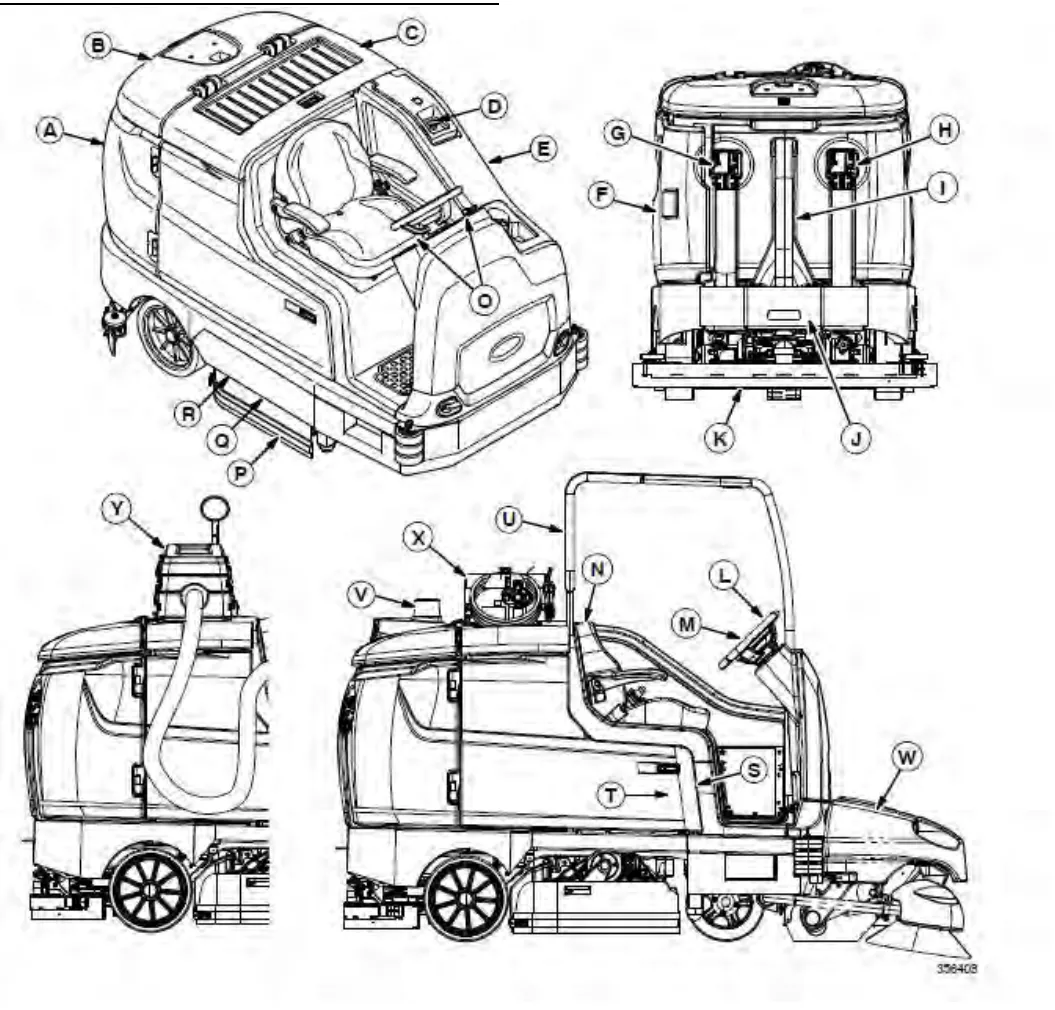
Machine components key
A. Recovery tank
B. Recovery tank cover
C. Battery compartment cover
D. Solution tank cover
E. Solution tank
F. Left shroud
G. Solution tank drain hose
H. Recovery tank drain hose
I. Vacuum hose
J. Rear squeegee
K. Rear bumper door / step
L. Steering wheel
M. Standard control panel / Pro-Panel
N. Operator seat
O. Control / instrument panels
P. Side squeegee
Q. Scrub head
R. Main brush door
S. Right shroud
T. ec-H2O System Module compartment (Option) - located behind right shroud
U. Overhead guard (Option)
V. Backup alarm / flashing light (Option)
W. Pre-Sweep (Option)
X. High pressure washer (Option)
Y. Live wand dry vacuum (Option)
Controls and instruments
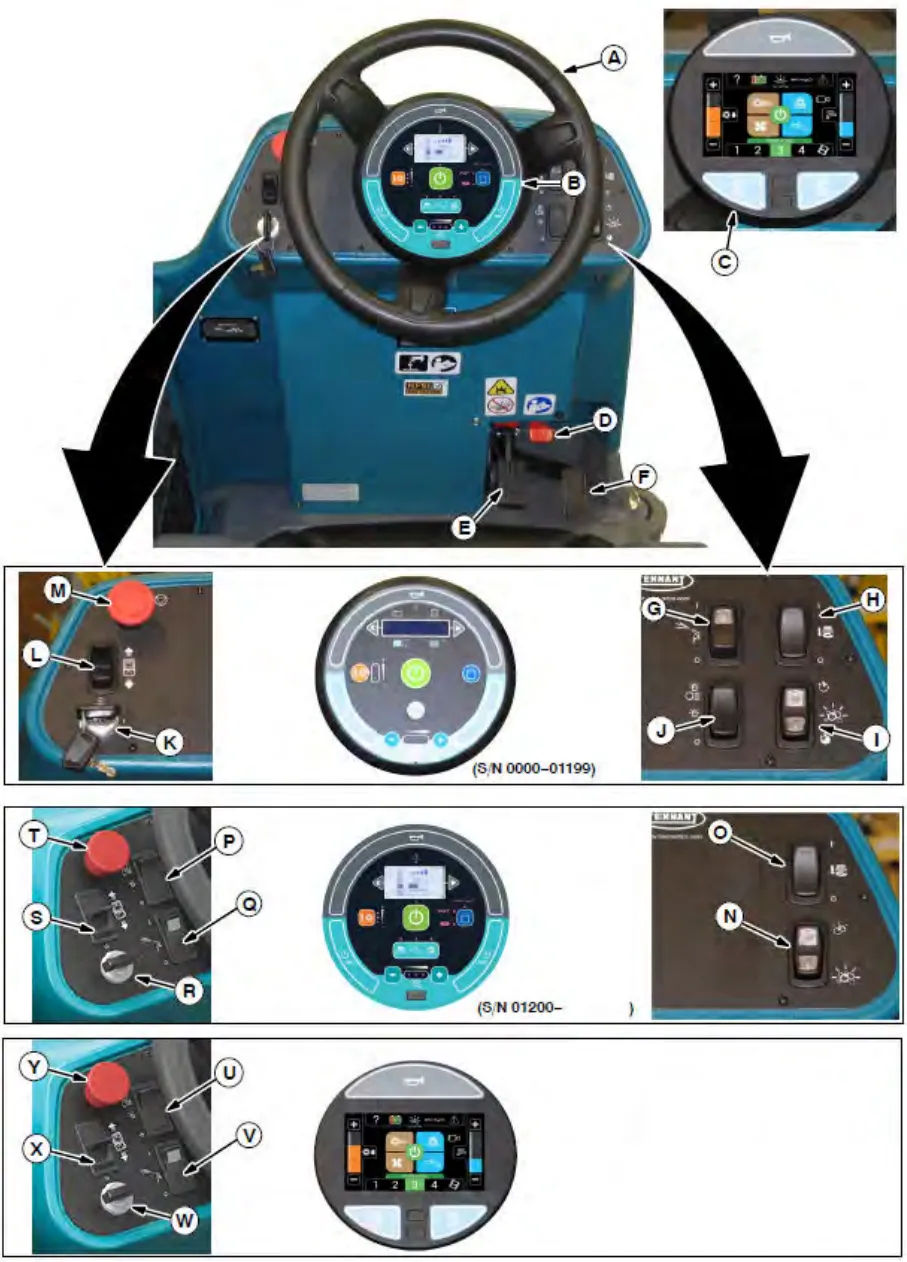
Controls and instruments key
A. Steering wheel
B. Standard Touch panel
C. Pro-panel
D. Parking brake pedal
E. Brake pedal
F. Propel pedal
Standard Control Panel (S/N 000000-012999)
G. Spray nozzle switch (option)
H. Scrubbing side brush switch (option) / Sweeping side brush switch (option) / Pre-Sweep switch (option)
I. Severe environment switch (option) or Detergent metering switch (option)
J. Operating lights / hazard lights switch (option)
K. Key switch
L. Directional switch
M. Emergency shut-off button
Standard Control Panel (S/N 013000- )
N. Severe environment switch
O. Pre-Sweep switch (option)
P. Operating lights / hazard lights switch (option)
Q. Spray nozzle switch (option) / High pressure washer switch (option)
R. Key switch
S. Directional switch
T. Emergency shut-off button
Pro-Panel
U. Operating lights / hazard lights switch (option)
V. Spray nozzle switch (option) / High pressure washer switch (option)
W. Key switch
X. Directional switch
Y. Emergency shut-off button
Standard touch panel
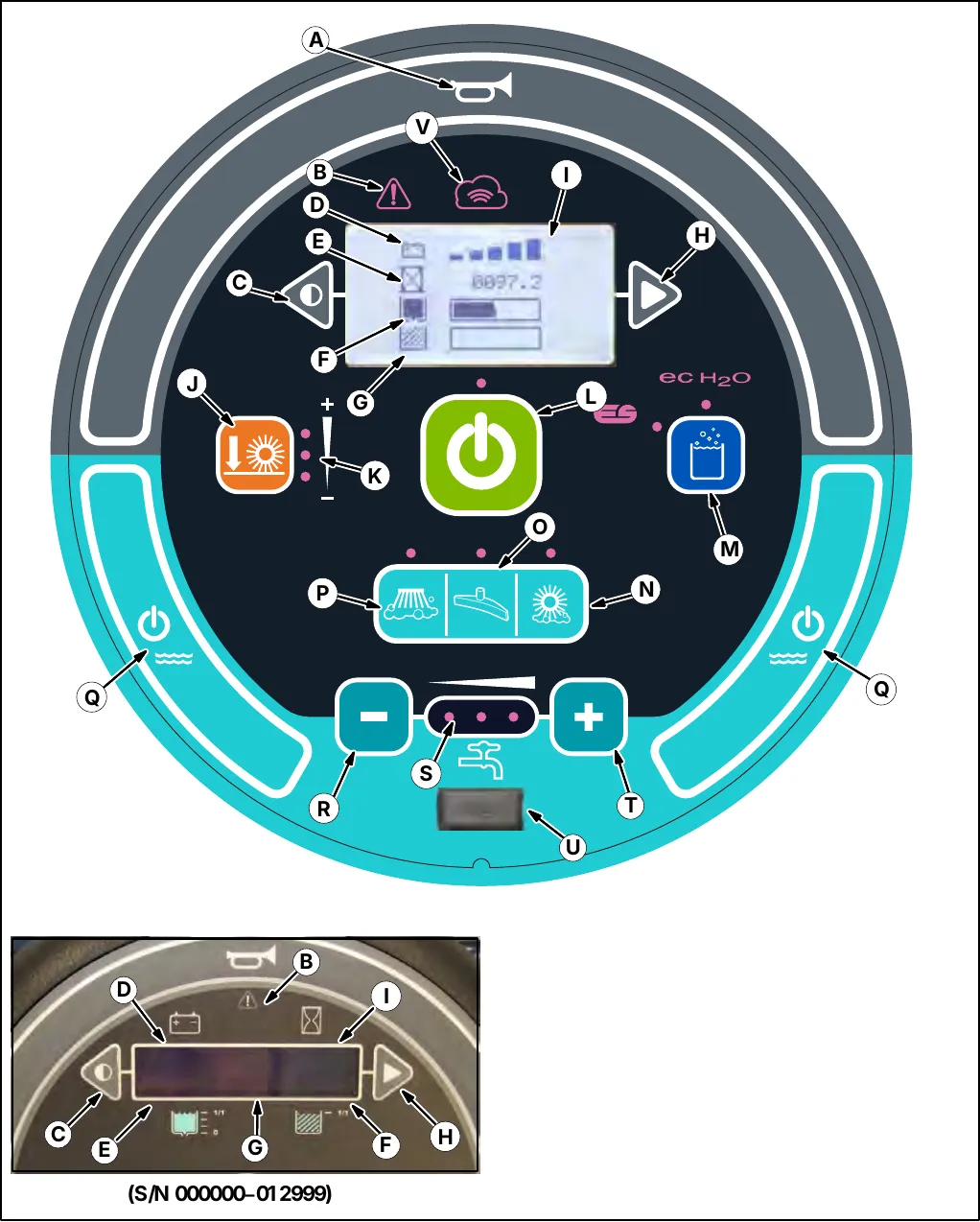
A. Horn
B. Fault / Alert indicator light
C. Contrast control button
D. Battery discharge indicator
E. Hour meter
F. Solution tank indicator
G. Recovery tank full indicator
H. Configuration mode button
I. LCD display
J. Brush pressure button
K. Brush pressure indicator lights
L. 1-STEP button
M. ec-H2O / ES (Extended Scrub / (Option)
N. Scrubbing main brush button
O. Scrubbing vacuum fan / squeegee button
P. Scrubbing side brush (Option)
Q. Solution on / off buttons
R. Solution flow decrease button (-)
S. Solution flow indicator lights
T. Solution flow increase button (+)
U. USB port (Service only)
V. Cloud connectivity indicator (Telemetry option)
Pro-Panel controls
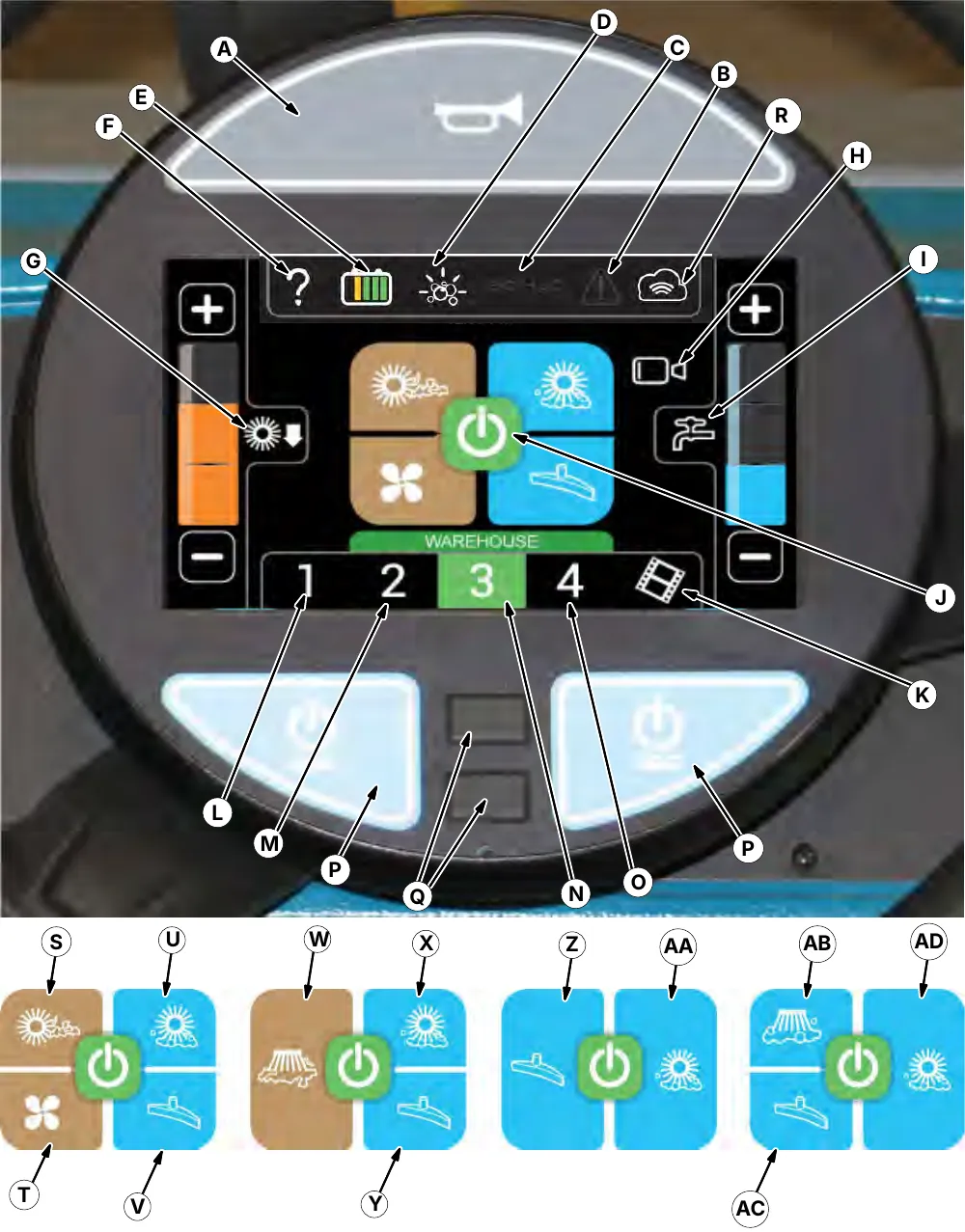
Pro-Panel controls key
A. Horn
B. Fault / Alert indicator light
C. ec-H2O / ES (Extended Scrub / (Option)
D. Severe environment button (Option) or Detergent metering button (Option)
E. Machine status button
F. Help button
G. Main brush pressure access button
H. Rearview camera button
I. Solution control access button
J. 1-STEP button
K. Video help
L. Zone control 1 button
M. Zone control 2 button
N. Zone control 3 button
O. Zone control 4 button
P. Solution on / off buttons
Q. USB ports (Service only)
R. Cloud connectivity indicator (Telemetry option)
Scrubbing and pre-sweep (Option)
S. Pre-sweep main brush button
T. Pre-sweep vacuum fan button
U. Scrubbing main brush button
V. Scrubbing vacuum fan / squeegee button
Scrubbing and sweeping side brush (Option)
W. Sweeping side brush button
X. Scrubbing main brush button
Y. Scrubbing vacuum fan / squeegee button
Scrubbing only
Z. Scrubbing vacuum fan / squeegee button
AA. Scrubbing main brush button
Scrubbing and scrubbing side brush (Option)
AB. Scrubbing side brush button
AC. Scrubbing vacuum fan / squeegee button
AD. Scrubbing main brush button
Symbol definitions
These symbols are used on the machine to identify controls, displays, and features.
| Symbol | Meaning |
|---|---|
 | Horn |
 | Fault / Alert indicator |
 | Forward / Reverse |
 | Circuit breaker |
 | Main brush pressure |
 | 1-STEP |
 | ES (Extended Scrub) (Option) |
 | Solution decrease (-) |
 | Solution increase (+) |
 | Solution flow |
 | Solution On / Off |
 | On |
 | Off |
 | Emergency shut-off |
Symbol definitions (continued)
| Symbol | Meaning |
|---|---|
 | Scrub mode |
 | ec-H2O (Option) |
 | Operating lights / Hazard light |
 | Headlights |
 | Scrubbing side brush |
 | Battery charge |
 | Contrast control |
 | Configuration mode |
 | Spray nozzle (Option) / High pressure washer (Option) |
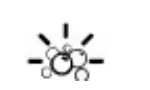 | Severe environment (Option) or Detergent metering (Option) |
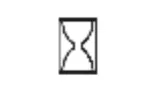 | Hour meter |
 | Scrubbing main brush |
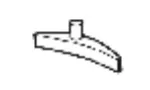 | Scrubbing vacuum fan / squeegee |
| Emergency shut-off |
 | Jack point |
 | Cloud connectivity (Telemetry option) |
Standard panel symbols
| Symbol | Meaning |
|---|---|
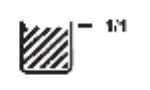 | Recovery tank |
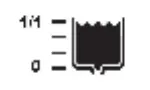 | Solution tank |
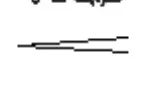 | Brush pressure (minimum / maximum) |
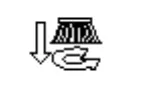 | Side brush (option) |
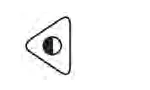 | Contrast control |
 | Configuration mode |
 | Solution flow (minimum / maximum) |
Pro-Panel symbols
| Symbol | Meaning |
|---|---|
 | Zone setting 1 |
 | Help |
Pro-Panel symbols (continued)
| Symbol | Meaning |
|---|---|
 | Zone setting 2 |
 | Zone setting 3 |
 | Zone setting 4 |
 | Hour meter |
 | Login |
 | Select |
 | Rotate machine view |
 | Camera settings |
 | Control help |
 | About |
 | Backspace |
 | Rearview camera |
 | Up arrow |
 | Alert / Fault |
 | Enter |
 | Checklist item unconfirmed |
 | Checklist item confirmed |
 | Logout |
 | Supervisor settings |
 | Supervisor menu |
 | Start-up video |
 | Video help |
 | Video button |
 | Video list button |
 | Home (main operating screen) |
 | Down arrow |
Pro-Panel symbols (continued)
| Symbol | Meaning |
|---|---|
 | Disable login |
 | Add / Edit profiles |
 | Operator |
 | Supervisor |
 | Edit profile |
 | Add profile |
 | Delete profile |
 | Copy profile |
 | Date / Time set |
 | Back arrow |
 | Enable login |
 | Calibrate touch |
 | Checklist setup |
 | Export all |
 | Export new |
 | Export checklists |
 | Screen lock |
Operation of controls - standard panel
Battery discharge indicator
The Battery discharge indicator displays the charge level of the batteries while the machine is operating.
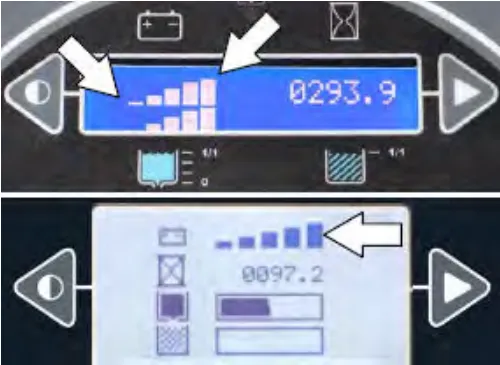
When the batteries are fully charged, all five bars are lit. Recharge the batteries when there is only one bar shown in the display. Do not allow the batteries to discharge below 20% (last bar).
Note: The reading on the battery discharge indicator is not accurate when the machine is first powered on. Operate the machine a few minutes before reading the charge level of the batteries.
Note: The flashing Warning / fault indicator and battery low fault in the LCD (liquid crystal display) will not reset until after the batteries have been fully charged. See Fault indicators.
Note: Machines equipped with the fuel cell option will have the display on the fuel cell pendant.
Note: Lithium-ion battery model - Do not store the machine for an extended period if battery is discharged to the last bar, the battery may further discharge to a level that is unrecoverable.
Hour meter
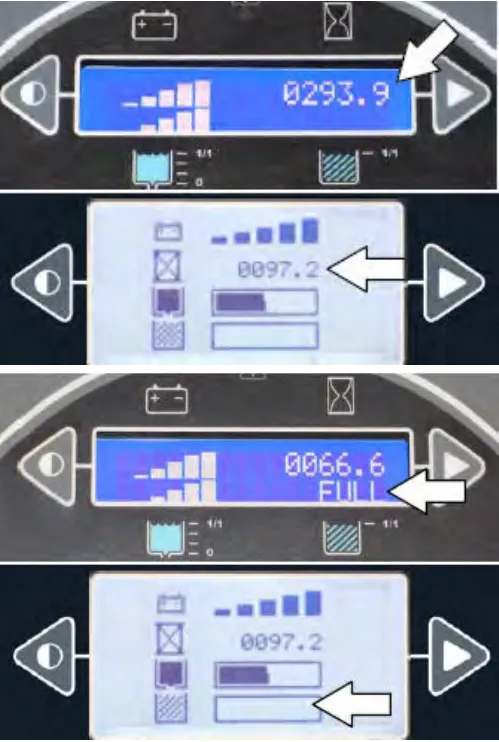
The Hour meter records the hours the machine was operated. Use this information to determine machine service intervals.
Recovery tank full indicator
The Recovery tank full indicator displays FULL when the recovery tank is full. All scrubbing functions will stop when the recovery tank is full. Empty the recovery tank when the indicator displays FULL.
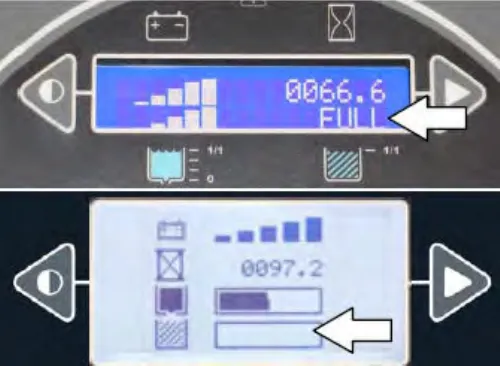
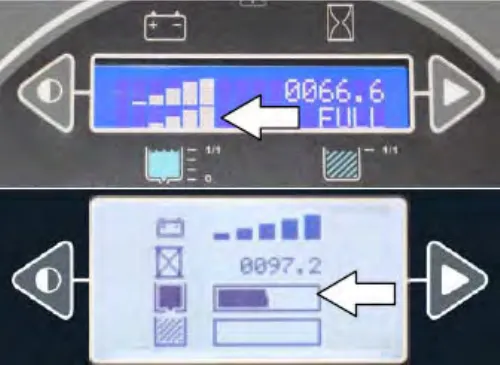
Solution tank indicator
The solution tank indicator displays the amount of liquid in the solution tank. Refill the solution tank when there are no longer any bars shown in the display. The machine will stop scrubbing when the solution tank is empty.
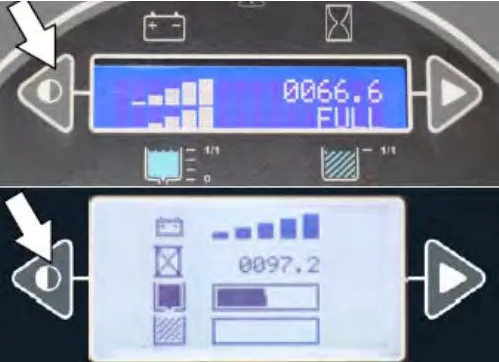
Contrast control button
Use the Contrast control button to darken / lighten the LCD display.
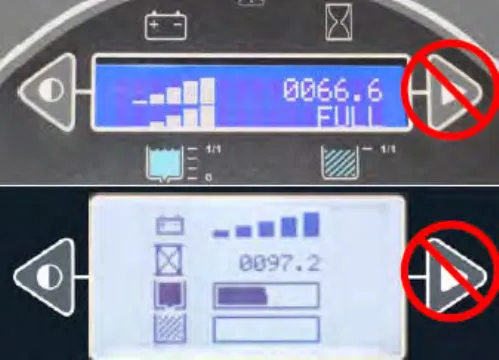
Configuration mode button
The Configuration mode button is for accessing the configuration and diagnostic modes. Only properly trained service personnel and TENNANT representatives should access these modes.
1-STEP button
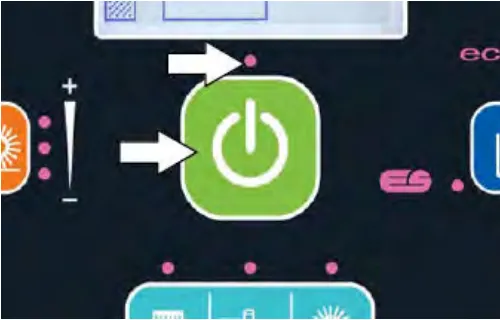
Press the 1-STEP button to activate all selected sweeping and scrubbing functions. Prior to the 1-STEP button being pushed, the lights above all the selected sweeping / scrubbing functions will be on but the selected functions will be in the standby mode until the 1-STEP button is pressed. Press the 1-STEP button again when finished cleaning to stop all scrubbing and sweeping functions.
NOTE: The squeegee will remain down and the vacuum fan will remain on for a few seconds to pick up remaining water after the 1-STEP button is deactivated.
The indicator light above the button will illuminate when the 1-STEP button is activated.
Side brush button (option)
The side brush button controls the sweeping or scrubbing side brush option.
Turn on the side brush: Press the side brush button. The indicator light will illuminate.
Turn off the side brush: Press the side brush button. The indicator light will turn off.
NOTE: The side brushes cannot operate independently from the main sweep brushes. The main sweep brushes also come on when the side brush button is pushed.
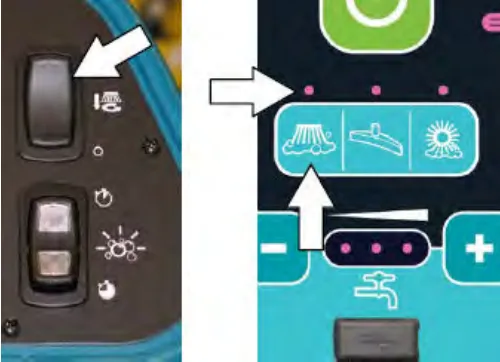
Vacuum fans / squeegee button
Lower squeegee and turn vacuum fans on: Press the Vacuum fans / squeegee button. The indicator light will illuminate when the squeegee is lowered.
Raise squeegee and turn vacuum fans off: Press the Vacuum fans / squeegee button. The indicator light will go out when the squeegee is raised.
NOTE: The 1-STEP button does not need to be activated to operate the vacuum fans / squeegee system. The vacuum fans / squeegee button can be turned on or turned off with the 1-STEP button either on or off.
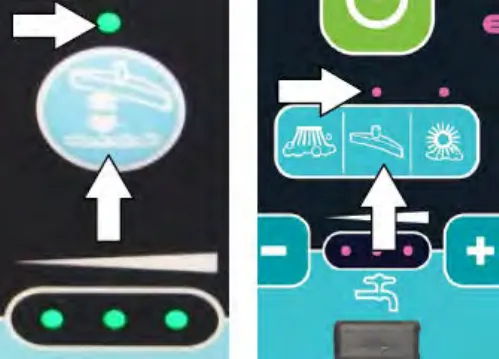
Scrubbing main brush button
Turn on the scrubbing main brush: Press the scrubbing main brush button. The indicator light will illuminate.
Turn off the scrubbing main brush: Press the scrubbing main brush button. The indicator light will turn off.
NOTE: The scrubbing main brush will turn on for machines not equipped with the scrubbing main brush button when the 1-STEP button is pressed.
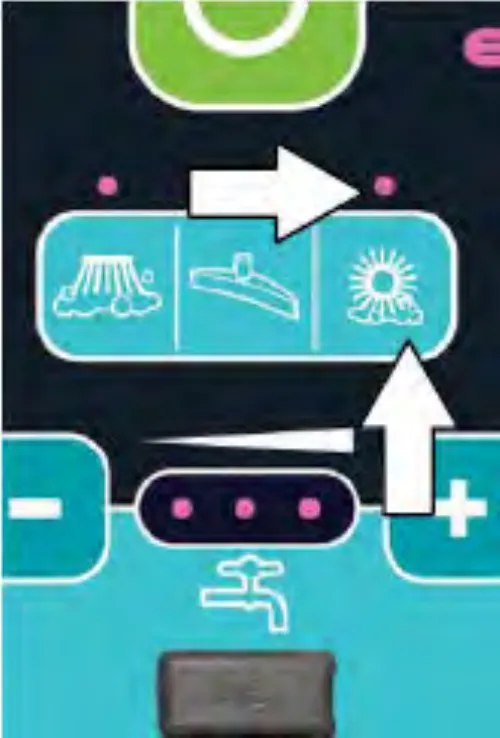
Solution on / off button
The solution flow is designed to stay on whenever the scrub brushes are on. It can be turned off for ten seconds with the solution on / off button to go around corners, etc. See also Setting the solution flow section.
Shut off the solution flow (for 10 seconds): Press the solution on / off button. All the solution flow indicators will turn off. (The solution flow will automatically restart at the end of the 10 second delay).
Turn on the solution flow: Press the Solution on / off button to turn on the solution flow. The solution indicator lights will turn back on and the solution flow will default to the last setting used.
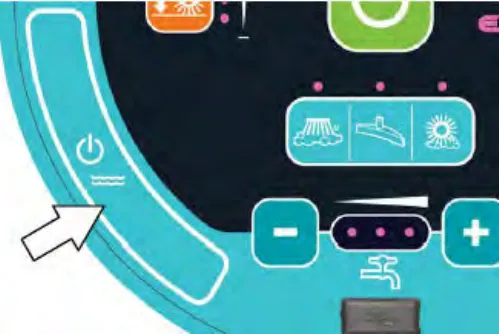
Severe environment switch (option)
The Severe environment switch provides a detergent boost for areas with extraordinary dirt or soil buildup.
Press the top of Severe environment switch to operate 30 seconds of detergent aided cleaning and the bottom to provide five minutes of detergent aided cleaning. The lights in the switch display which setting is activated.
NOTE: This switch can be configured to allow different flow times. Contact a Tennant service representative to change the default flow times.
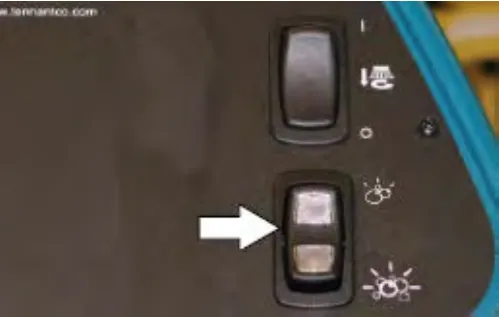
The ec-H2O scrubbing mode is temporarily disabled when the severe environment switch is activated. The ec-H2O mode automatically comes back on when Severe environment switch is timed out / turned off.
The solution flow and brush pressure default to the highest / heaviest settings when the Severe environment switch is activated but can be adjusted to lower / lighter settings. See Setting scrub brush pressure section and Setting solution flow section.
Detergent metering (option)
The Detergent Metering switch provides a continuous increased detergent flow for areas with extraordinary dirt or soil buildup.
Press the top of the switch to increase detergent flow. Press the bottom of the switch for even more increased detergent flow. The lights in the switch display which setting is activated.
NOTE: This switch can be configured to allow different flow rates. Contact a Tennant service representative to change the default flow rates.
Pre-sweep switch (option)
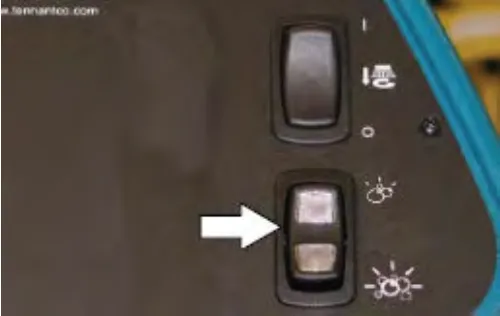
The Pre-sweep switch controls the pre-sweep and pre-sweep dust control options.
Press the top of the Pre-Sweep switch to start the Pre-Sweep without dust control. The top portion of the switch will illuminate.
Press the bottom of the Pre-Sweep switch to start the Pre-Sweep with dust control. The bottom portion of the switch will illuminate.
NOTE: The Pre-Sweep assembly will begin sweeping and the dust control system will start operating when the machine propels forward.
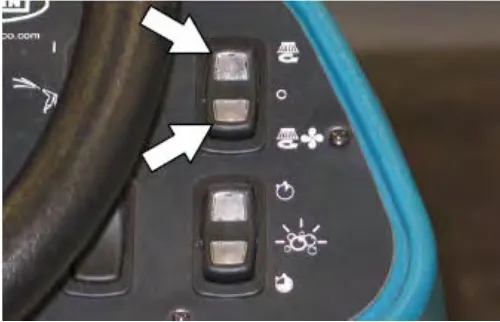
Press the illuminated portion (top or bottom) of the Pre-Sweep switch to shut off the Pre-sweep system and dust control system.
Operation of controls - Pro-Panel
Pro-ID login screen
Note: The Pro-ID login screen only applies if the machine was set up with it. Predefined user accounts must be created within the Supervisor Mode.
Use the Pro-ID login screen to log into the machine.
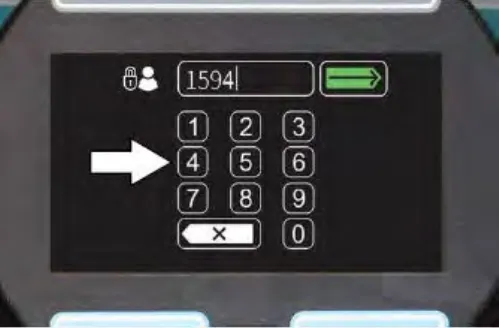
Use the keypad to enter the user login number into the display above the keypad.
Press the Enter button to log into the machine.
Press the backspace button if necessary to delete and reenter a number.
When the Pro-Panel is in the Supervisor Mode, a gear symbol will appear in the lower right part of the screen. When it is in the Operator Mode, a video symbol will appear.
Machine status button
The machine status button allows access to four different machine status indicators. The default display shows the battery status when the machine is turned on. Any of the four indicators can be set as the default display until the machine is turned off.
Press the machine status button to access all four machine status buttons. All four machine status buttons appear in the display for several seconds until the default buttons reappear in the display.
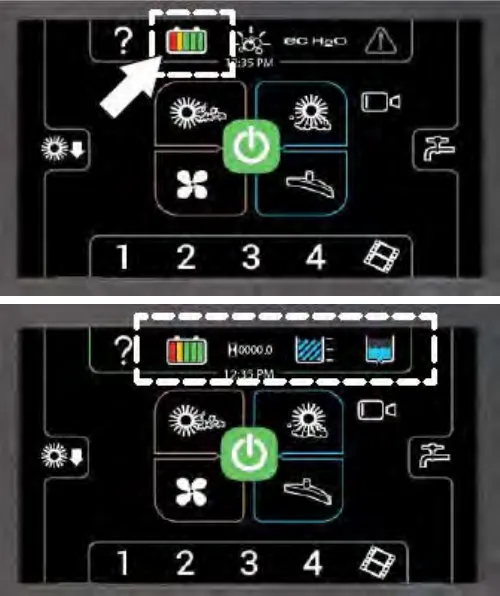
The battery discharge indicator displays the charge level of the batteries while the machine is operating.
When the batteries are fully charged, all five bars are illuminated. Recharge the batteries when there is only one bar shown in the display. Do not allow the batteries to discharge below 20% (last bar).
NOTE: The reading on the battery discharge indicator is not accurate when the machine is first powered on. Operate the machine a few minutes before reading the charge level of the batteries.
NOTE: Machines equipped with the fuel cell option will have the display on the fuel cell pendant.
The hour meter records the hours the machine was operated. Use this information to determine machine service intervals.
The solution tank indicator displays the amount of liquid in the solution tank. Refill the solution tank when there are no longer any bars shown in the display. The machine will stop scrubbing when the solution tank is empty.
The recovery tank full indicator displays FULL when the recovery tank is full. All scrubbing functions will stop when the recovery tank is full. Empty the recovery tank when the indicator displays FULL.
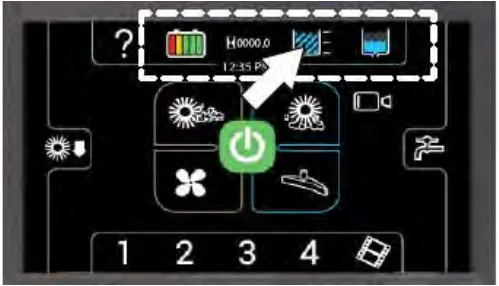
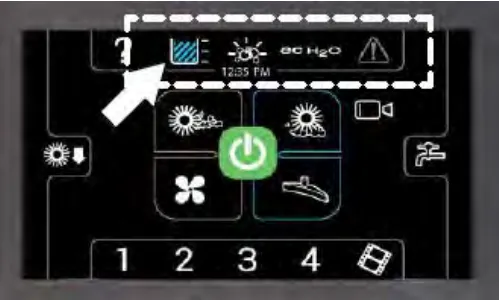
Changing the default button
Press the desired machine status button while all four machine status buttons appear in the display to change it to the new default button. The other three machine status buttons will disappear from the display and the newly selected machine status button will become the default until the machine is turned off. The battery status button will once again be the default when the machine is turned on.
1-STEP button
Press the 1-STEP button to activate all selected sweeping and scrubbing functions. Press the 1-STEP button again when finished cleaning to stop all scrubbing and sweeping functions.
NOTE: The squeegee will remain down and the vacuum fan will remain on for a few seconds to pick up remaining water after the 1-STEP button is deactivated.
The 1-STEP button and all selected scrubbing and sweeping function button will illuminate when the 1-STEP button is pressed.
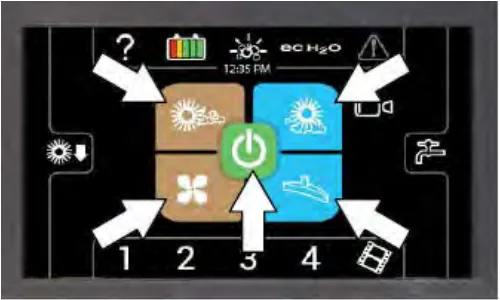
The edges of all selected sweeping and scrubbing buttons will be illuminated to show that they are in the standby mode prior to the 1-STEP button being pressed. The selected buttons will become fully illuminated when the 1-Step button is pressed.
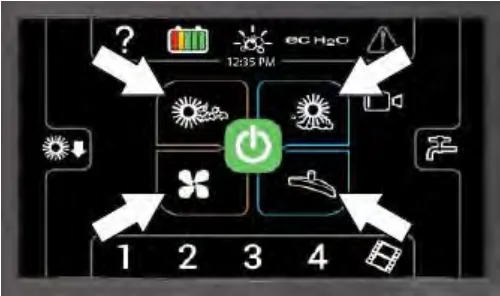
Scrubbing main brush button
Turn on the scrubbing main brush: Press the scrubbing main brush button. The button will illuminate.
Turn off the scrubbing main brush: Press the scrubbing main brush button. The button will turn off.
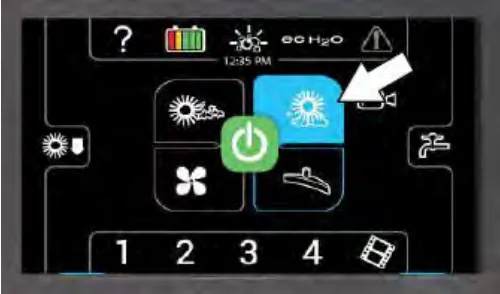
Scrubbing vacuum fan / squeegee button
Lower squeegee and turn vacuum fans on: Press the scrubbing vacuum fan / squeegee button. The button will illuminate.
Raise squeegee and turn vacuum fans off: Press the vacuum fans / squeegee button. The button will turn off.
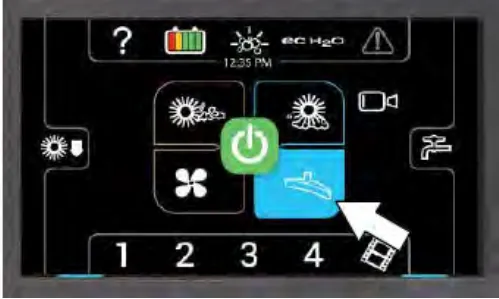
Scrubbing side brush button (option)
Turn on the scrubbing side brush: Press the scrubbing side brush button. The button will illuminate.
Turn off the scrubbing side brush: Press the scrubbing side brush button. The button will turn off.
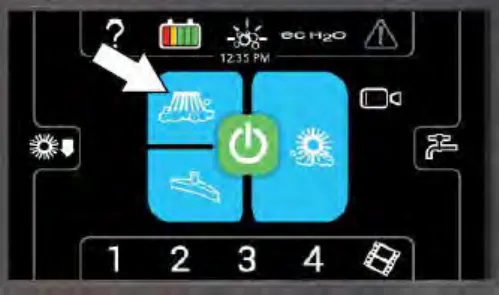
Sweeping side brush
Turn on the sweeping side brush: Press the sweeping side brush button. The button will illuminate.
Turn off the sweeping side brush: Press the sweeping side brush button. The button will turn off.
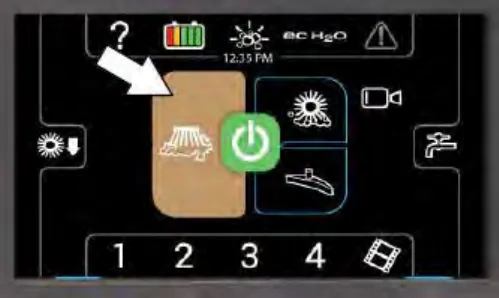
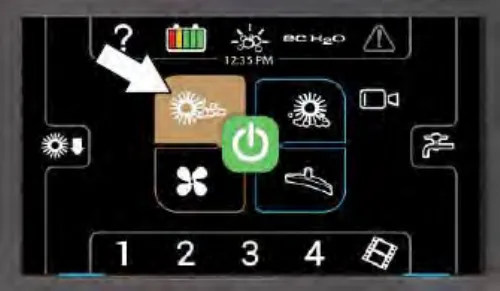
Pre-sweep brush button
Turn on the pre-sweep brush: Press the pre-sweep brush button. The button will illuminate.
Turn off the pre-sweep brush: Press the pre-sweep brush button. The button will turn off.
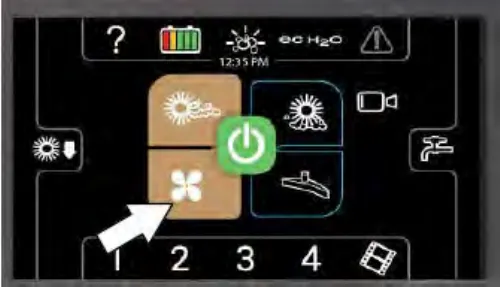
Pre-sweep vacuum fan button
Turn on the pre-sweep vacuum fan: Press the pre-sweep vacuum fan button. The button will illuminate.
Turn off the pre-sweep vacuum fan: Press the pre-sweep vacuum fan button. The button will turn off.
Solution on / off button
The solution flow is designed to stay on whenever the scrub brushes are on. It can be turned off for ten seconds with the solution on / off button to go around corners, etc. See also Setting solution flow section.
Shut off the solution flow (for ten seconds): Press the solution on / off button. All the solution flow indicators will turn off. (The solution flow will automatically restart at the end of the 10 second delay).
Turn on the solution flow: Press the Solution on / off button to turn on the solution flow. The solution indicator lights will turn back on and the solution flow will default to the last setting used.
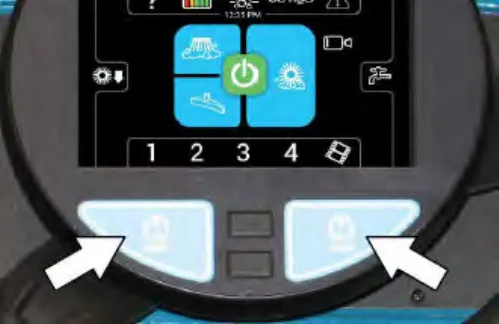
Screen lock
The screen lock feature is designed to automatically lock the screen and prevent the accidental touching of machine control while operating the machine. The screen lock setting is adjusted in the Supervisors Controls. See Setting / changing the screen lock section.
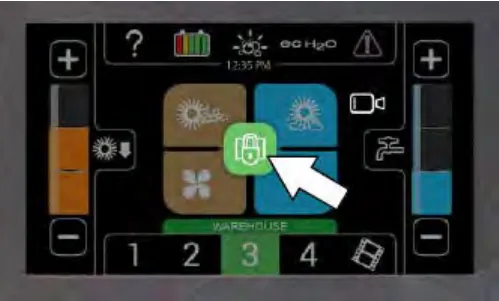
Unlock the screen: Press the screen lock icon.
Severe environment switch (option)
The Severe environment button provides a detergent boost for areas with extraordinary dirt or soil buildup.
Press the Severe environment button to operate 30 seconds of detergent aided cleaning. The severe environment button will illuminate when activated and will go out when timed out/turned off. Press and hold the severe environment button several additional seconds to have the severe environment function activate five minutes of detergent aided cleaning.
NOTE: The Severe Environment switch can be configured to activate for longer than five minutes. Contact Tennant Service representative.
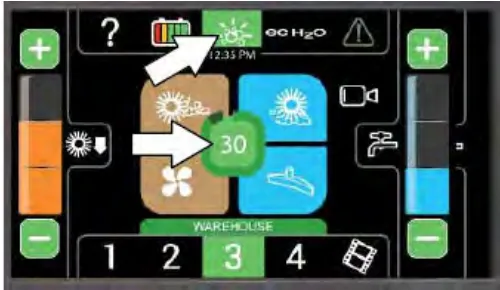
The amount of time remaining for the severe environment scrub is displayed in the middle of the 1-STEP button. It will turn off automatically when the timer expires or when pressed again.
The ec-H2O scrubbing mode is temporarily disabled when the severe environment switch is activated. The ec-H2O mode automatically comes back on when Severe environment switch is timed out / turned off.
The solution flow and brush pressure default to the highest / heaviest settings when the Severe environment switch is activated but can be adjusted to lower / lighter settings. See Setting scrub brush pressure section and Setting solution flow section.
Detergent metering (option)
The Detergent Metering switch provides a continuous increased detergent flow for areas with extraordinary dirt or soil buildup.
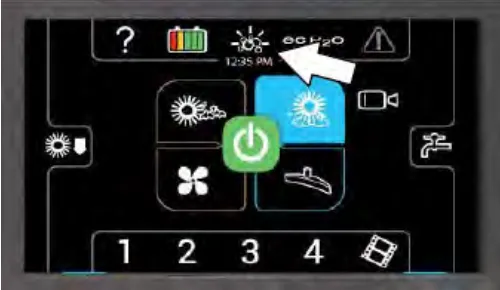
NOTE: This switch can be configured to allow different flow rates. Contact a Tennant service representative to change the default flow rates.
Press the Detergent Metering Button to change the detergent flow rate. The button will toggle through the 3 different settings.
| Button | Setting |
|---|---|
 | off |
 | low (1% detergent flow) |
 | High (3% detergent flow) |
Zone control buttons
Machines equipped with the Pro-Panel can be pre-programmed for up to four preset scrubbing / sweeping settings for different floor cleaning applications. These must be set up ahead of time using the supervisor mode. See Programming the zone control buttons section.
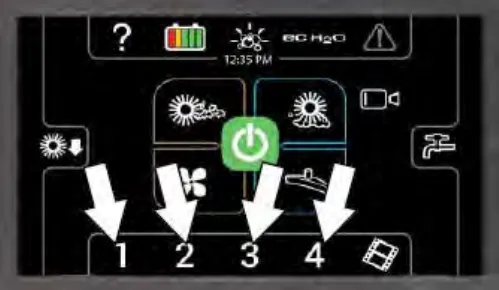
Press the required zone control button. The selected preset button will illuminate and the name of the zone appears above the button. The solution flow indicator bar / adjustment buttons and brush pressure indicator bar / adjustment buttons briefly appear in the display to show the settings for the selected zone.
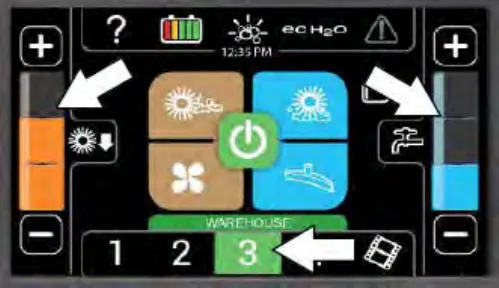
Rearview camera button
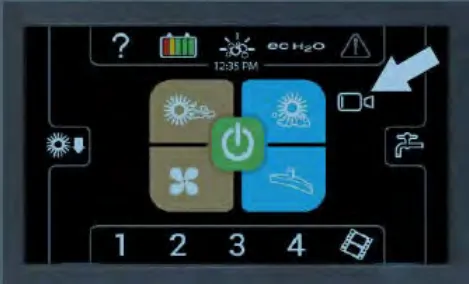
Press the rearview camera button to check cleaning performance. The rearview camera screen will appear in the control panel display for a short amount of time. The main operating screen returns to the control panel after the rearview camera times out. Touch anywhere on the control panel display to turn off the rearview camera and return to the main operating screen.
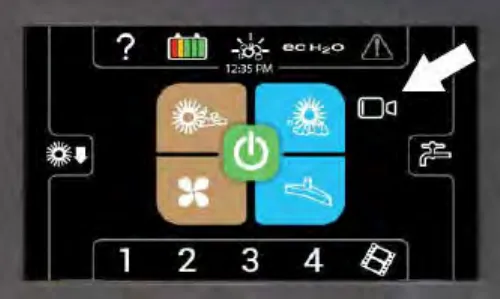
The camera automatically comes on when the directional switch is placed in the reverse position and remains on the entire time the machine is in reverse.
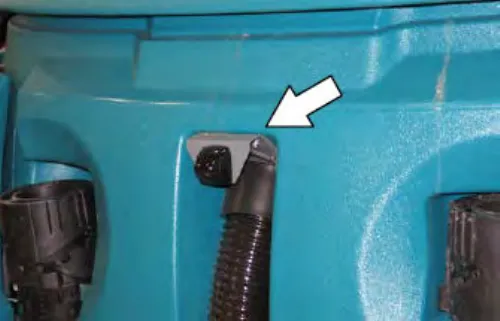
The rearview camera is located on the recovery tank, above where the vacuum hose is attached to the recovery tank.
Help button
Press the help button to access the help screen.
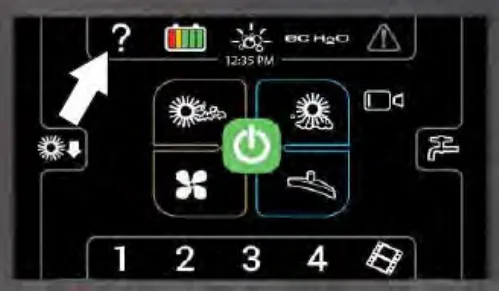
Press the applicable button for the help topic needed.
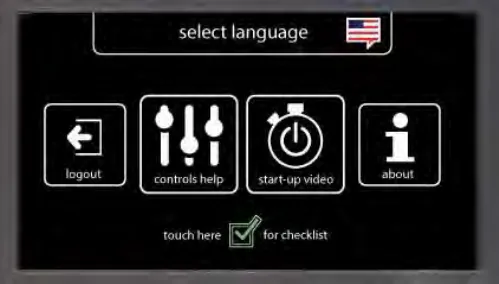
Press the select language button to go to the language screen.
Press the login / logout button to log in / log out of the machine operating system.
Press the controls help button to access the controls help screen.
Press the start-up video button to watch the start-up video.
Press the about button to access machine operating system information.
Press the Pre-Operation Checklist button to access the Pre-Operation Checklist.
Press the select language button. Select an applicable language from the list to change the machine operating system language. A flag designating the country language selected will appear at the top of the screen.
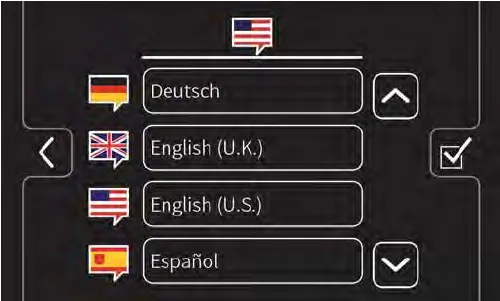
Press the down arrow button to scroll down through the language list.
Press the up arrow button to scroll up through the language list.
Press the back arrow button to return to the previous screen.
Press the Pre-Operation Checklist button to access the Pre-Operation Checklist.
Press the control help button to access information about the Pro-Panel controls.
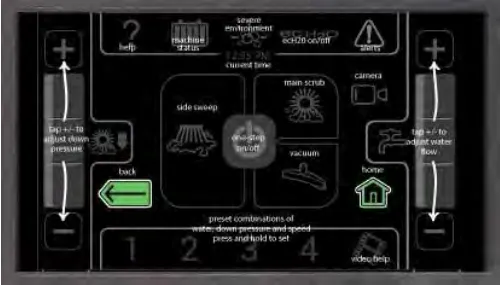
Press the back arrow button to return to the main help screen.
Press the home button to return to the main operating screen.
Press the about button to access information about the operating system software.
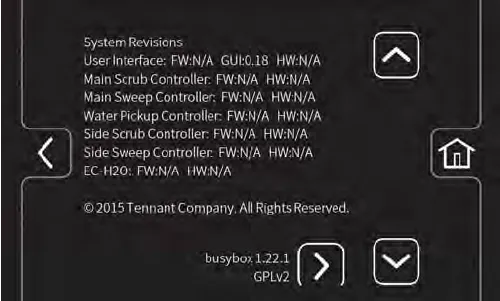
Press the down arrow button to scroll down through the language list.
Press the up arrow button to scroll up through the language list.
Press the home button to return to the main operating screen.
Press the back arrow button to return to the previous screen.
Press the forward arrow button to access machine information from the list.
Video help button
NOTE: Stop machine before accessing video help screen/videos. Do Not access the video help screen/videos while the machine is moving.
Press the video button to access the video help screen.
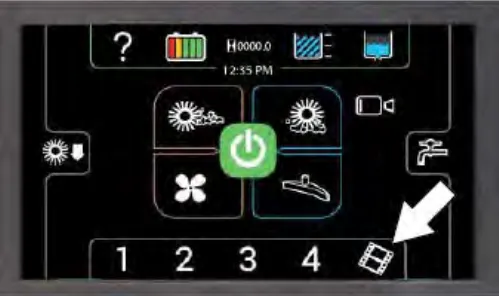
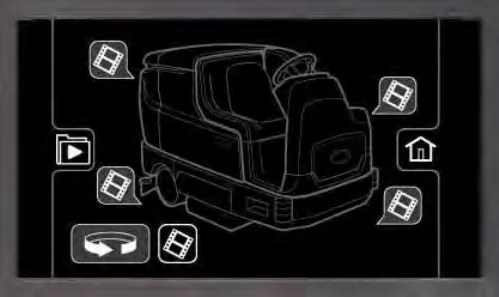
Press the applicable video button to view the help video for a particular machine component.
Press the rotate machine button to access video help buttons located on the front, back, or other side of the machine.
Press the home button to return to the main operating screen.
Press the back arrow button to return to the previous screen.
Press the video list button to access a text list of all help videos.
Select an applicable video from the list to view the video if the video list button was pressed to access the video list.
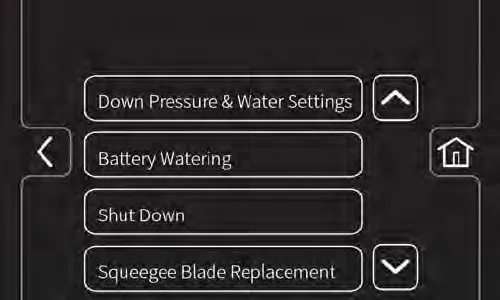
Press the down arrow button to scroll down through the language list.
Press the up arrow button to scroll up through the language list.
Press the home button to return to the main operating screen.
Press the back arrow button to return to the previous screen.
Completing the Pro-Check pre-operation checklist
Machines equipped with the Pro-Panel controls can be pre-programmed with the Pro-Check Pre-Operation Checklist the operator must complete before operating the machine.
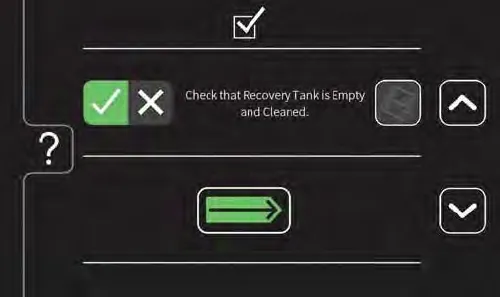
Press the down arrow button to scroll down through the language list.
Corrected an obvious misspelling: heading printed as "COMPLETEING THE PRO-CHECK PRE-OPERATION CHECKLIST" (now "Completing", as in the sentence below it).
Press the up arrow button to scroll up through the language list.
Press the complete (check mark) button to confirm the checklist item was checked. Press the problem found (X) button if a problem is found when checklist item is checked.
Press the video help button to view the video related to a particular checklist item.
Press the enter button when ready to start using the machine after completing the checklist.
Press the help button to access the Pro-Check Pre-Operation Checklist help screen.
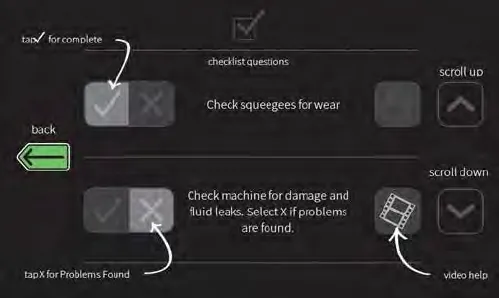
Press the back arrow button to return to the main help screen.
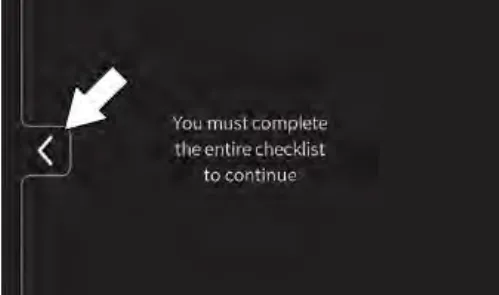
The operator is not allowed to access the main operating screen / use machine until the Pro-Check Pre-Operation Checklist is completed. Press the back arrow button to return to the checklist screen.
Operation of controls - all machines
Emergency shut-off button
The Emergency shut-off button immediately stops the machine.
Stop machine power: Push the Emergency shut-off button.
Restart machine power: Turn the Emergency shut-off button to the right to release the button. Turn the key switch to the OFF position, then turn the key fully clockwise and release it to the ON position.
Note: Lithium-ion battery model (machine serial number 0016062 and below) - To restart machine, turn key switch off and wait up to 3 seconds for machine power to completely shut off then turn key switch back on again.
Note: Lithium-ion battery model (machine serial number 0016063 and above) - To restart machine, turn key switch off and wait up to 10 seconds for machine power to completely shut off then turn key switch back on again.
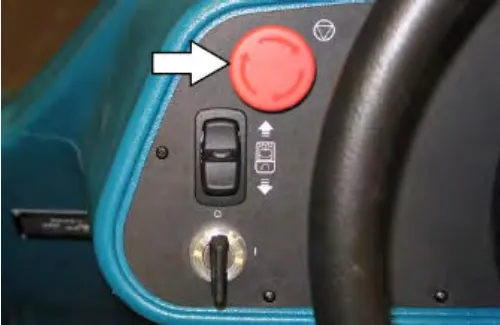
Only use this button in the event of an emergency. It is not intended for routine machine shutdown.
Directional switch
Use the Directional switch to select either the forward or reverse direction. Press the propel pedal to move the machine.
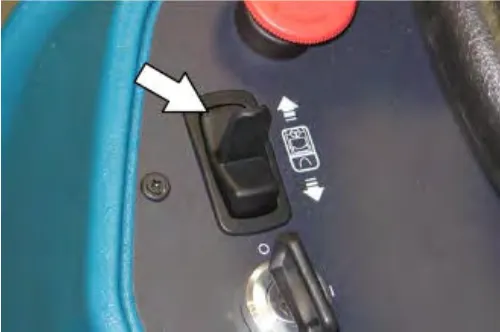
NOTE: An audible alarm will sound when the Directional switch is placed into reverse.
NOTE: Machines equipped with the optional flashing light / backup alarm only: The optional backup light and alarm will function only when the machine is moving in reverse.
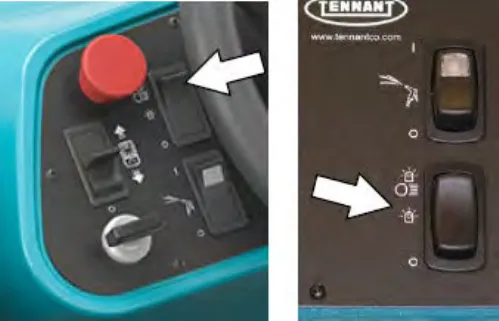
Operating / hazard light switch (option)
Operating and Hazard Lights On: Press the top of the Operating / hazard light switch.
Hazard Lights On: Press the Operating / hazard light switch to the middle position.
All Lights Off: Press the bottom of the Operating / hazard light switch.
Propel pedal
Press the Propel pedal to move the machine.
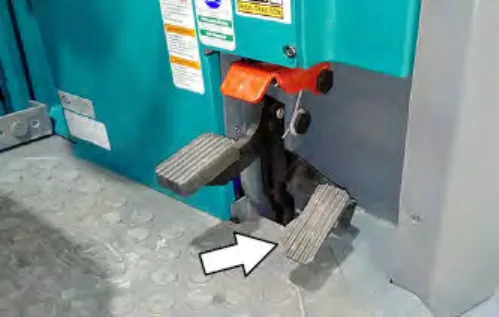
Brake pedal
Press the Brake pedal to stop the machine.
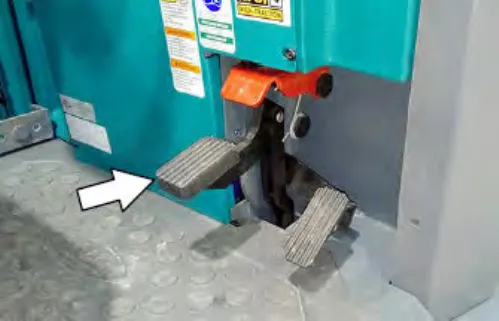
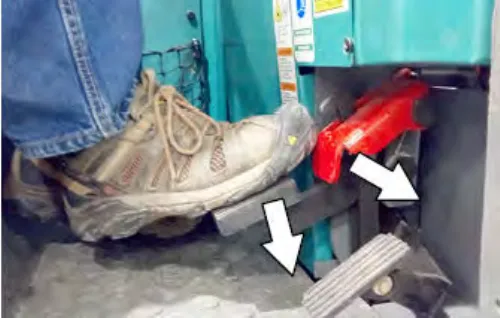
Parking brake pedal
Position toe onto the Parking brake pedal and press both the Brake pedal and Parking brake pedal down to engage the parking brake. Press just the Brake pedal to release the parking brake.
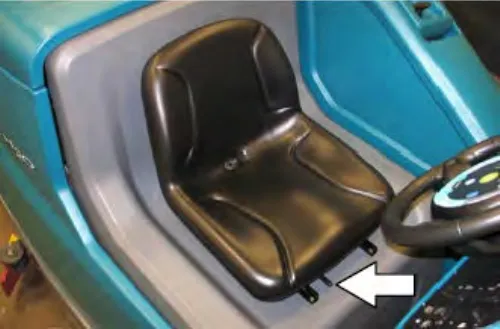
Operator seat
The front-to-back adjustment lever adjusts the seat position.
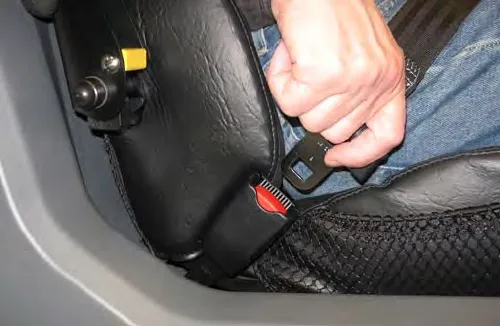
Seat belts (Deluxe seat option only)
Rear bumper door / step
The Rear bumper door / step provides easier access to the top of the machine for cleaning the recovery tank and can be lowered to access the lower rear areas of the machine near the rear squeegee and the squeegee vacuum hose.
The Rear bumper door / step must also be lowered to completely empty both the solution tank and the recovery tank.
To open the Rear bumper door / step, lift the Rear bumper door / step with the handle and place into the lowered position.
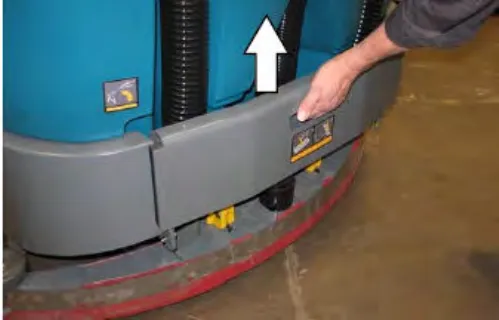
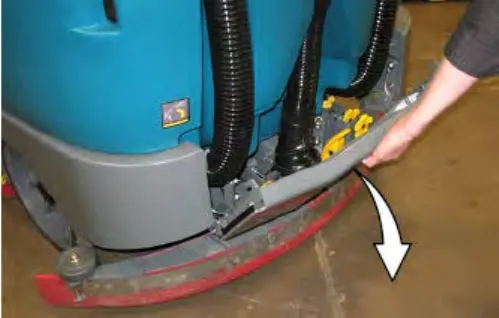
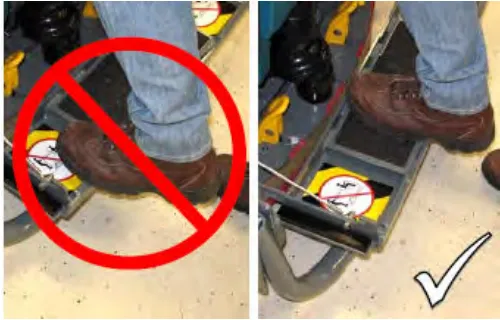
NOTE: Step only in the tread area of the Rear bumper door / step. Do Not step into the two marked indented non-tread areas on each side of the Rear bumper door / step.
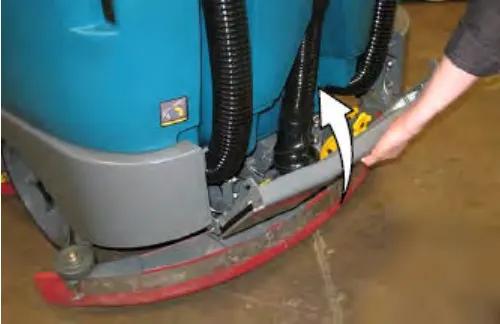
To close the Rear bumper door / step, lift it with the handle and lock it into the raised position.
How the machine works
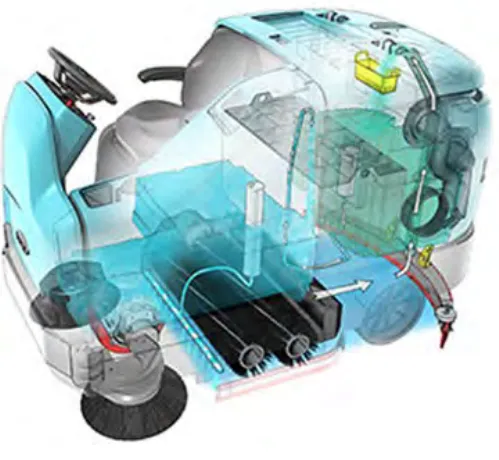
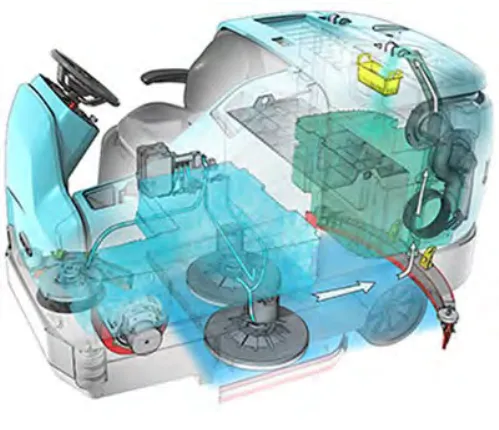
The 1-STEP button makes it possible to immediately begin scrubbing by operating all the scrubbing functions.
When in the conventional scrub mode, a water and detergent mixture is used to scrub the floor.
When in the optional ES (Extended Scrub) mode, the dirty solution in the recovery tank is filtered through the ES system and returned to the solution tank for reuse. Detergent is then injected into the returned solution to revitalize the cleaning capability of the solution.
When in the optional ec-H2O (electrically converted water) mode, normal water passes through a module where it is oxygenated and charged with an electric current. The electrically converted water changes into a blended acidic and alkaline solution forming a neutral pH cleaner. The converted water attacks the dirt, breaks it into smaller particles, and pulls it off the floor surface allowing the machine to easily scrub away the suspended soil. The converted water then returns to normal water in the recovery tank. The ec-H2O system can be used with all double scrubbing and heavy duty scrubbing applications.
Brush and pad information
For best results, use the appropriate brush or pad for the cleaning application. Listed below are brushes and pads and the applications for which each is best suited.
NOTE: The amount and type of soilage play an important role in determining the type of brush or pad to use. Contact a Tennant representative for specific recommendations.
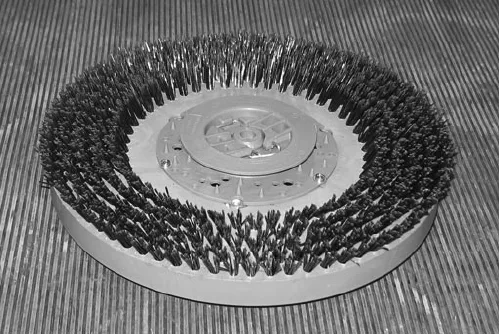
Nylon brush (Cylindrical and Disk)* - Softer nylon bristles are recommended for scrubbing coated floors. Cleans without scuffing.
Heavy Duty Polypropylene brush (Disk) - Heavy duty polypropylene bristles provide a more aggressive cleaning performance and can more easily lift compacted dirt, debris, and sand while offering excellent scrubbing performance.
Polypropylene brush (Cylindrical and Disk)* - General purpose polypropylene bristles lift lightly compacted dirt without scuffing high-gloss coated floors.
Super AB brush (Cylindrical and Disk)* - Nylon fiber with an abrasive grit to remove stains and compacted dirt. Aggressive action on any surface. Performs well on buildup, grease, or tire marks.
* This brush is also available for the side brush.
Stripping pad (Brown) - For stripping of floor finish to prepare the floor for recoating.
Scrubbing pad (Blue) - For medium to heavy-duty scrubbing. Removes dirt, spills, and scuffs.
Buffing pad (Red) - For light duty scrubbing without removing floor finish.
Polishing pad (White) - For maintaining highly polished or burnished floors.
High productivity stripping pad (Black) - For aggressive stripping of heavy finishes or sealers, or for very heavy duty scrubbing. This pad can only be used with the grip pad driver, not the tufted pad driver.
Surface preparation pad (Maroon) - For very aggressive chemical free removal of floor finish to prepare the floor for re-coating
Grip pad driver - The grip-face backing allows pads to be fully used and holds pads in place without penetrating the pad. The spring-activated centering device works with all Tennant pads and allows for fast, easy pad replacement.
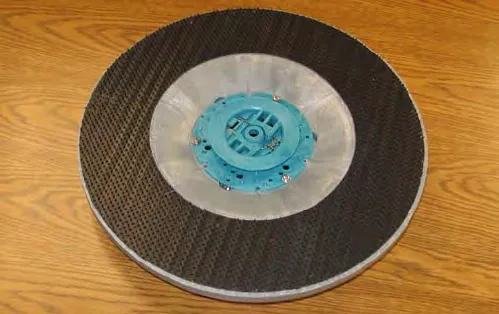
Tufted pad driver - Standard pad driver has short bristles, or "tufts," on the back to hold the pad in place. This driver works with all Tennant pads except the black high productivity pad.
While operating the machine
Pick up oversized debris before scrubbing. Pick up wire, string, twine, large pieces of wood, or any other debris that could become wrapped around or tangled in the brushes.
Drive in a straight a path as possible. Avoid bumping into posts or scraping the sides of the machine. Overlap the scrub paths by a few inches (several centimeters).
Avoid turning the steering wheel too sharply when the machine is in motion. The machine is very responsive to the movement of the steering wheel. Avoid sudden turns, except in emergencies.
Adjust the machine speed, brush pressure, and solution flow as required when scrubbing. Use the lowest brush pressure and solution flow settings for best performance.
If poor cleaning performance is observed, stop cleaning and refer to Machine troubleshooting on page 69 in this manual.
Perform the Daily Maintenance Procedures after each use (see Maintenance on page 71 in this manual).
Drive the machine slowly on inclines. Use the brake pedal to control machine speed on descending inclines. Scrub with the machine up inclines rather than down inclines.
Do not operate machine in areas where the ambient temperature is above 110°F (43°C). Do not operate scrubbing functions in areas where the ambient temperature is below freezing 32°F (0°C).
Pre-operation checklist
Perform the following steps before operating the machine:
☐ Check the machine for fluid leaks.
☐ Check left side squeegee for wear and damage.
☐ Check main brushes for wear and damage.
☐ Machines equipped with cylindrical brushes: Confirm the debris tray is empty and clean.
☐ Machines equipped with side brush option: Check for wire, string, or twine wrapped around the scrub brush.
☐ Machines equipped with side brush option: Check squeegee for wear and damage.
☐ Machines equipped with Pre-Sweep option: Check for wire, string, or twine wrapped around the scrub brush.
☐ Machines equipped with Pre-Sweep option: Check dust control filter bag.
☐ Machines equipped with Pre-Sweep option: Confirm debris trough is empty.
☐ Machines equipped with live wand option: Confirm debris tray is empty.
☐ Check the rear squeegees for wear and damage.
☐ Check the recovery tank cover seal for wear or damage.
☐ Confirm the vacuum fan inlet filter is clean.
☐ Machines equipped with ES option: Ensure ES filter at bottom of recovery tank is clean.
☐ Check the right side squeegee for wear and damage.
☐ Check the solution tank cover seal for wear or damage.
☐ ec-H2O Scrubbing: Confirm all conventional cleaning agents/restorers are drained and rinsed from the solution tank.
☐ ec-H2O Scrubbing: Confirm the solution tank is filled with clear cool water only.
☐ Check the horn, headlights, taillights, safety lights, and backup alarm (if equipped).
☐ Check the brakes and steering for proper operation.
☐ Check the parking brake pedal for proper operation.
☐ Check the tires for damage.
☐ Check maintenance records to determine maintenance requirements.
Starting the machine
- Sit in the operators seat.
- Turn the Key switch to the ON position.
NOTE: Lithium-ion Battery Model - it is not required to turn the key switch completely past the On position to start the machine. However, there is a slight delay before the machine power turns on after turning the key switch. There is also a 3 second delay when powering off the machine.
NOTE: Lithium-ion Battery Model (machine serial number 0016062 and below) - The machine will automatically shut off if not operated for more than one hour to conserve battery energy. To restart machine, turn key switch off and wait up to 3 seconds before turning key switch back again.
NOTE: Lithium-ion Battery Model (machine serial number 0016063 and above) - The machine will automatically shut off if not operated for more than one hour to conserve battery energy. To restart machine, turn key switch off and wait up to 10 seconds before turning key switch back again.
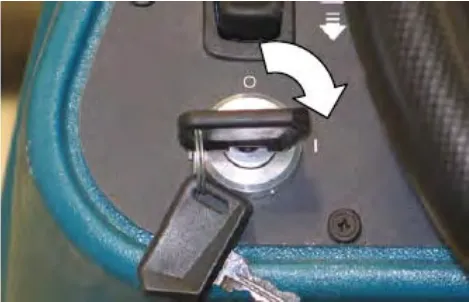
- Turn on lights (if equipped).
- Place the Directional switch into the direction needed to travel.
- Press the Propel pedal to move the machine.
NOTE: The machine will not travel unless the operator is sitting in the operator seat.
Filling the detergent tank (option)
- Open the left shroud to access the detergent tank.
- Remove the cap from the detergent tank.
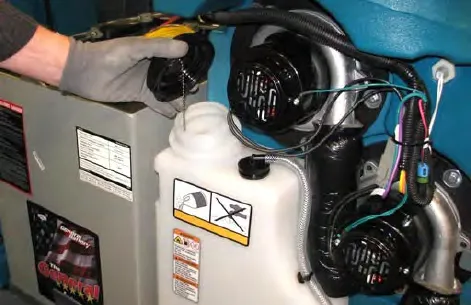
- Pour detergent into the detergent tank.
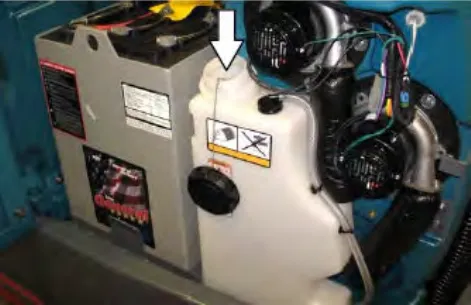
- Reinstall the cap onto the detergent tank.
Filling the solution tank
Conventional scrubbing mode
- Twist the handle and lift the solution tank cover open.
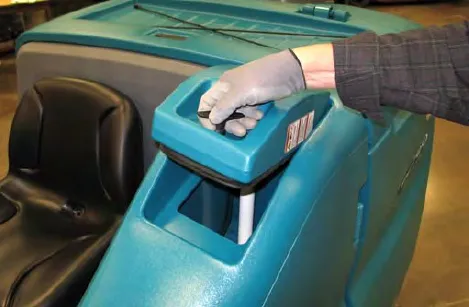
- Partially fill solution tank with water (not to exceed 140°F (60°C)). Pour the required amount of detergent into the solution tank. Continue filling the solution tank with water until the level is approximately 1 in (25 mm) below the opening.
Note: Pour a recommended foam control solution into the recovery tank if excessive foam appears. For specific detergent recommendations, contact a Tennant representative.
- Close the solution tank cover.
ec-H2O scrubbing (ec-H2O mode)
- Twist the handle and lift the solution tank cover open.
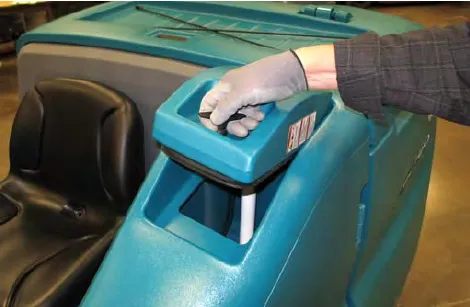
- Fill the solution tank with only clean COOL WATER (less than 70°F (21°C)). DO NOT use hot water or add any conventional floor cleaning detergents or an ecH2O system failure may result. Fill the solution tank with water until the level is approximately 1 in (25 mm) below the opening.
Note: Do not use the ecH2O system when there are conventional cleaning detergents in the solution tank. Drain, rinse, and refill the solution tank with clear cool water before operating the ecH2O system. Conventional cleaning detergents may cause an ecH2O system failure.
- Close the solution tank cover.
ES (Extended Scrub) mode - manual tank fill
- Open the solution tank cover.
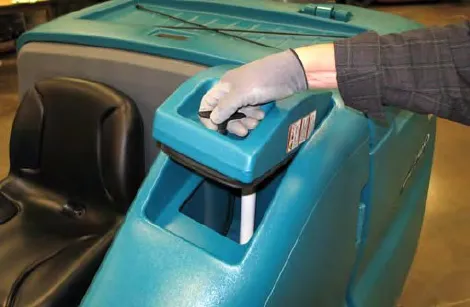
- Fill solution tank with water (not to exceed 140°F (60°C)). Fill the solution tank with water until the level is approximately 1 in (25 mm) below the opening.
- Close the solution tank cover.
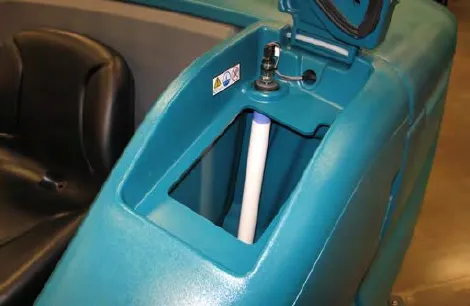
- Fill the recovery tank to just above the top of the ES filter with water (not to exceed 140°F (60°C)).
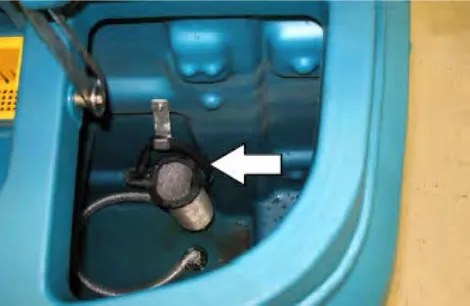
- Close the recovery tank cover.
- Fill the detergent tank with detergent.
Auto-fill (option)
- Lower the Rear bumper door / step.
- Connect the hose from the water source (not to exceed 140°F (60°C)) to the auto-fill connection.
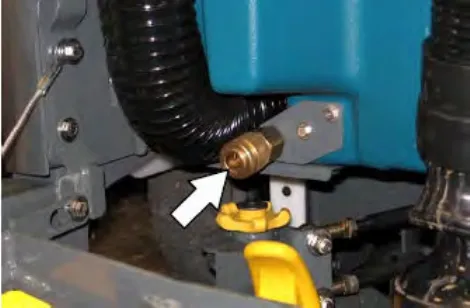
- Turn the Key switch to the on position and turn on the water source. The auto-fill automatically fills the tank(s) to the proper level(s).
- Raise the Rear bumper door / step.
ec-H2O button (option)
The ec-H2O button enables the ec-H2O system to come on when the 1-STEP button is activated. Press the ec-H2O button to turn on the ec-H2O system.
ec-H2O machines equipped with severe environment switch only: Machines equipped with the severe environment switch default to the ec-H2O setting upon start up.
Machines equipped with standard control panel: The ec-H2O button enables the ec-H2O system to come on when the 1-STEP button is activated. The light above the button will come on.
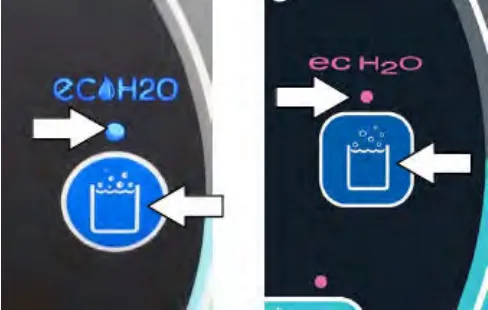
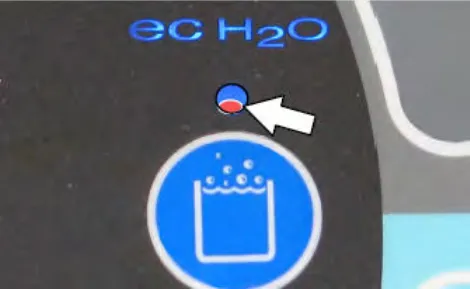
Note: A flashing red light located on the bottom portion of the LED (light-emitting diode) light directly above the ec-H2O button indicates when the ec-H2O system needs to be flushed. See ec-H2O module flush procedure on page 101 in the Maintenance on page 71 section.
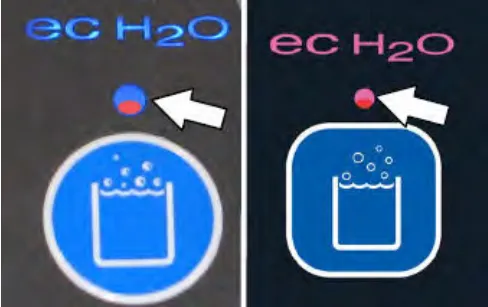
Machines equipped with Pro-Panel controls: The background will change from black to the multicolored background, the slash disappears from the ec-H2O button, and the button is illuminated when the ec-H2O button is pushed to indicate it is active.
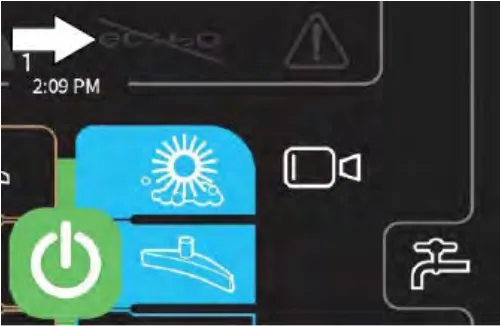
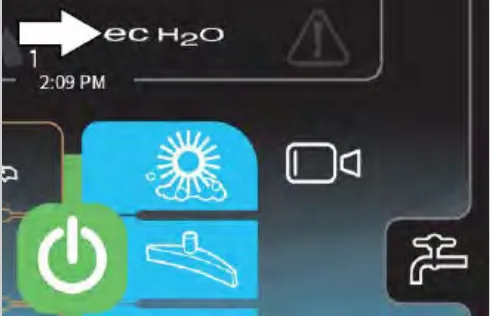
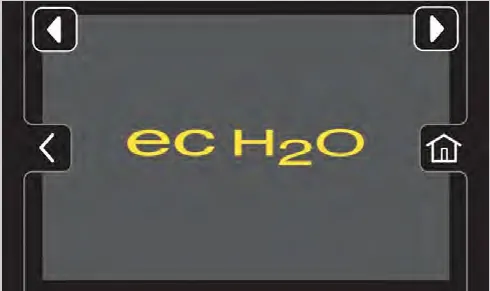
The ec-H2O button will turn red, the fault / alert indicator button will flash, and an ec-H2O error message will appear in the display when there is an ec-H2O error.
ES (Extended Scrub) button (option)
The ES button enables the ES system to come on when the 1-STEP button is activated.
Machines equipped with standard control panel: The ES button enables the ES system to come on when the 1-STEP button is activated. The light next to the button will come on.
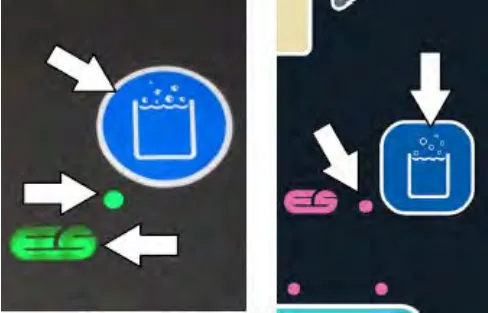
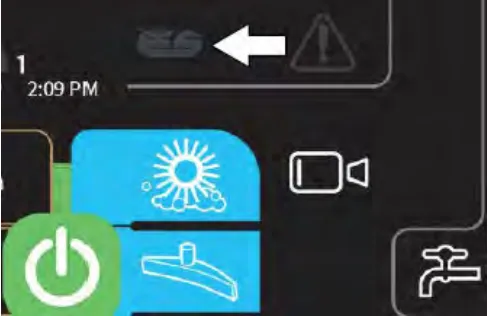
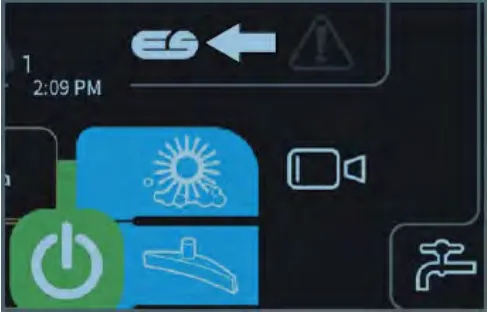
Machines equipped with Pro-Panel controls: The slash disappears from the ES button and the button is illuminated when the ES button is pushed to indicate it is active.
Scrub brush pressure
Under normal cleaning conditions, the brush pressure should be set to the lowest setting. Under heavy grime conditions, the brush pressure can be set to a higher setting. Travel speed and floor conditions will affect cleaning performance. If brushes are worn, it may be necessary to increase the brush pressure. The machine will default to the last setting used when it is powered on or off.
Setting scrub brush pressure - standard panel
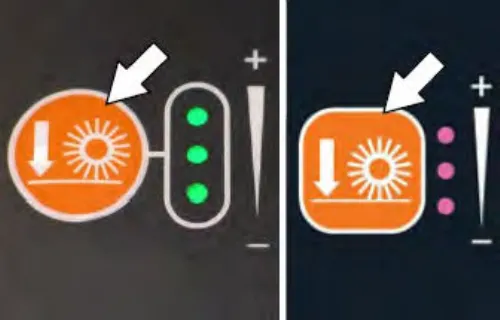
With the 1-STEP button activated, press the brush pressure button to both raise or lower the brush pressure settings. The brush pressure indicator lights display the current brush pressure setting.
Setting scrub brush pressure - Pro-Panel
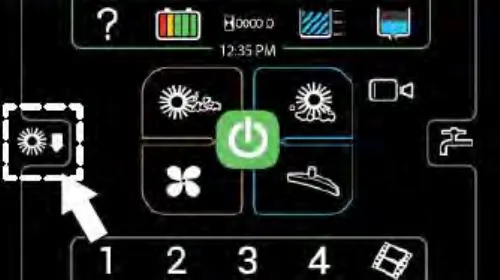
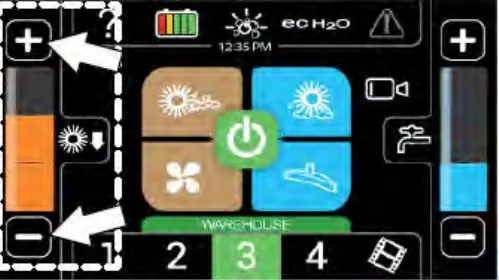
Press the brush pressure button to access the brush pressure increase (+) button, the brush pressure decrease (-) button, and the brush pressure indicator bar.
Use the brush pressure increase (+) button and the brush pressure decrease (-) button to change the brush pressure. The brush pressure indicator bar displays the current brush pressure setting.
Solution flow
Travel speed and floor conditions will affect scrubbing performance. Under normal soilage conditions the solution flow level should be set to the lowest setting (the left light). Under heavy grime conditions, the solution flow level should be set to the higher settings (middle or right lights). The machine will default to the last setting used when the machine is powered on or off.
Setting solution flow - standard panel
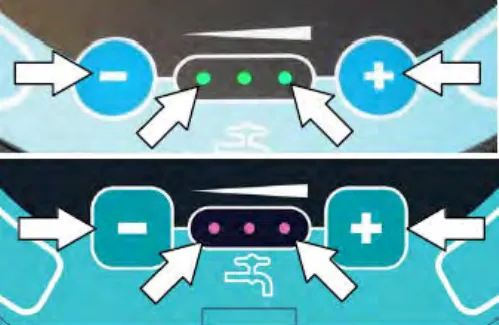
With the 1-STEP button activated, press either Solution increase button (+) or Solution decrease button (-) to set the solution flow level. The solution flow indicator lights display the current solution flow setting.
Setting solution flow - Pro-Panel
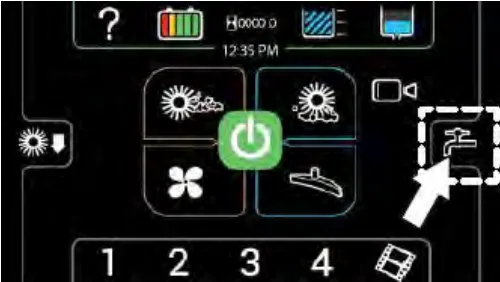
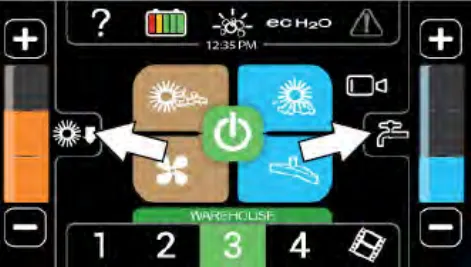
Press the solution flow button to access the solution increase (+) button, the solution decrease (-) button, and the solution flow indicator bar.
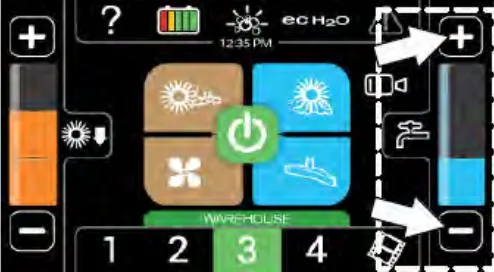
Use the solution increase (+) button and the solution decrease (-) button to set the solution flow level. The solution flow indicator bar displays the current solution flow setting.
Scrubbing - standard panel
- Turn on the machine.
- Press the 1-STEP button. The light near the button will come on. All of the preset scrub functions will turn on.
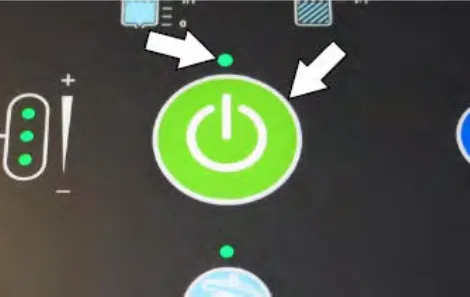
- If necessary, activate the scrub mode required for the area to be cleaned.
- If necessary, adjust the brush pressure and solution flow.
- Place the Directional switch in the forward position.
- Press the Propel pedal to begin scrubbing.
NOTE: DO NOT turn on the ec-H2O system during conventional scrubbing. Conventional cleaning detergents could cause an ec-H2O system failure. Drain, rinse, and refill the solution tank with cool clean water before operating the ec-H2O system.
ec-H2O machines only: A flashing red light located on the bottom portion of the LED (light-emitting diode) light directly above the ec-H2O button indicates when the ec-H2O system needs to be flushed. See ec-H2O module flush procedure on page 101 in the Maintenance on page 71 section.
NOTE: The squeegee automatically rises when the machine is driven in reverse. This prevents damage to the squeegee.
- Release the Directional pedal and press the brake pedal to stop the machine.
- Press the 1-STEP button to stop scrubbing. The light near the button will go off and scrubbing functions will stop after a short delay.
NOTE: If there is a fault code or warning code during machine operation (flashing warning / fault indicator light, a code displayed on the LCD, and an audible alarm), stop the machine and refer to the Fault indicators or Warning codes section of this manual for the cause and the corrective action for eliminating the fault or warning.
Scrubbing - Pro-Panel
- Start the machine.
- If applicable, log into the machine. See Pro-ID login screen.
- If applicable, complete the Pro-Check Pre-Operation Checklist. See Completing the Pro-Check pre-operation checklist on page 34.
NOTE: Make sure the scrubbing modes / settings are set before scrubbing.
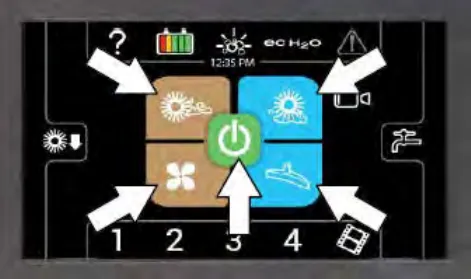
- Press the 1-STEP button. The 1-STEP button and all other selected scrubbing / sweeping buttons will illuminate.
- If necessary, adjust the scrubbing brush pressure and solution flow.
If necessary, activate the scrub mode or zone setting required for the area to be cleaned.
- Release the parking brake.
- Place the directional switch in the forward position.
- Press the propel pedal to begin scrubbing.
NOTE: DO NOT turn on the ec-H2O system during conventional scrubbing. Conventional cleaning detergents could cause a ec-H2O system failure. Drain, rinse, and refill the solution tank with cool clean water before operating the ec-H2O system.
NOTE: The squeegee automatically rises when the machine is driven backwards. This prevents damaging the squeegee.
- Press the rearview camera button at any time to check cleaning performance behind the machine.
- Release the directional pedal and press the brake pedal to stop the machine.
- Press the 1-STEP button to stop scrubbing. The button will no longer be illuminated and scrubbing / sweeping functions will stop after a short delay.
NOTE: If there is a fault or alert code during machine operation, stop the machine and refer to the Fault / alert indicators - Pro-Panel on page 52 section of this manual for the cause and the corrective action for eliminating the fault or alert.
Double scrubbing
Double scrubbing is the process of making two or more passes over a heavily soiled area. The first pass is made with the rear and side squeegees raised to allow the solution to soak into the floor. Use the double scrubbing method to clean heavily soiled areas.
Double scrubbing can be performed using the ec-H2O SCRUBBING SYSTEM (option), ES SCRUBBING SYSTEM (option), or CONVENTIONAL SCRUBBING methods.
Manually lift both side squeegee assemblies and position the double scrub latch to hold the squeegees in the raised position.
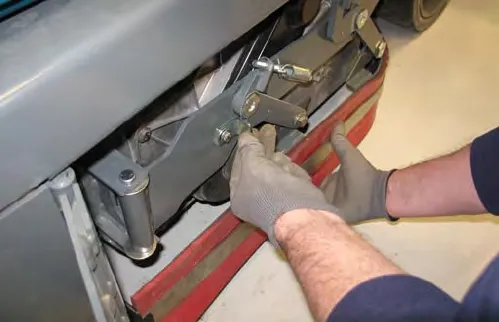
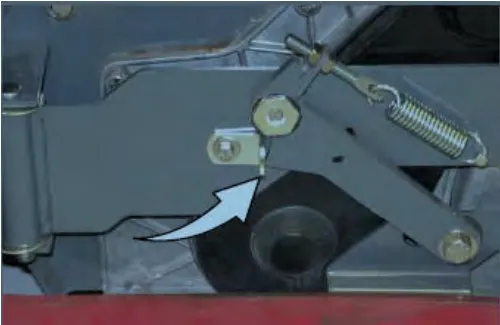
Press the 1-STEP button and then the Vacuum fan / squeegee button. The light above the Vacuum fan / squeegee button will turn off, the squeegee will rise, and the vacuum fan will stop operating. Scrub the heavily soiled area. Let the cleaning solution soak on the floor for 5-15 minutes.
Machines equipped with standard panel: Press the 1-STEP button and then the vacuum fan / squeegee button. The light above the vacuum fan / squeegee button will turn off, the squeegee will rise, and the vacuum fan will stop operating.
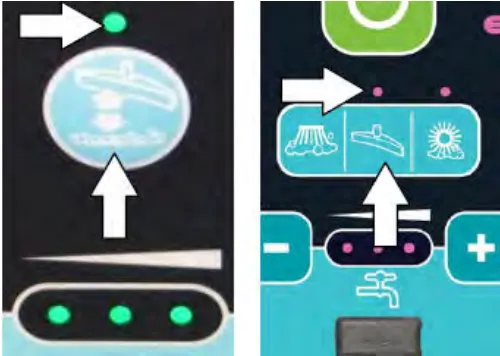
Machines equipped with Pro-Panel panel: Press the 1-STEP button and then the vacuum fan / squeegee button. The vacuum fan / squeegee button will no longer be illuminated, the squeegee will rise, and the vacuum fan will stop operating.
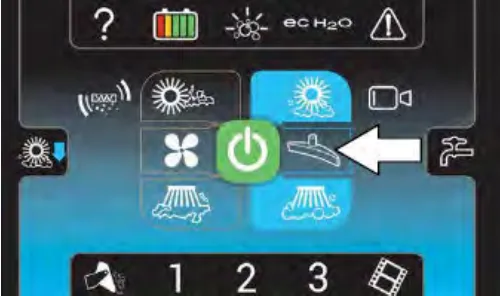
Scrub the heavily soiled area. Let the cleaning solution soak on the floor for 5-15 minutes.
Before scrubbing the floor a second time, lower the side squeegees and press the Vacuum fan / squeegee button to lower the rear squeegee and turn on the vacuum fan. The light above the button will come on. Scrub the floor a second time to pick up the cleaning solution.
NOTE: If needed, reduce solution flow when scrubbing the floor for a second time.
NOTE: Double scrubbing is not recommended in areas where the cleaning solution will run under racks or damage products.
Water pickup mode (no scrubbing)
The machine can be used to pick up water or non-flammable liquid spills without scrubbing.
Before picking up water or non-flammable liquid spills, make sure the 1-STEP button is activated and all other cleaning functions are off.
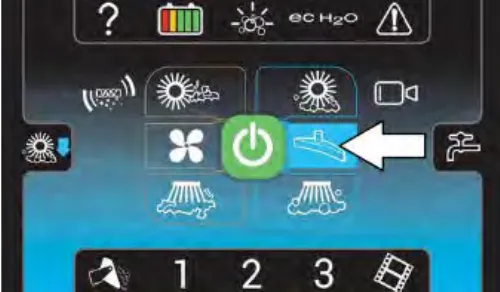
Machines equipped with standard control panel: Press the scrubbing vacuum fan / squeegee button. The light above the button will illuminate, the squeegee will lower, and the vacuum fan will start operating. Pick up the water or non-flammable liquid spill.
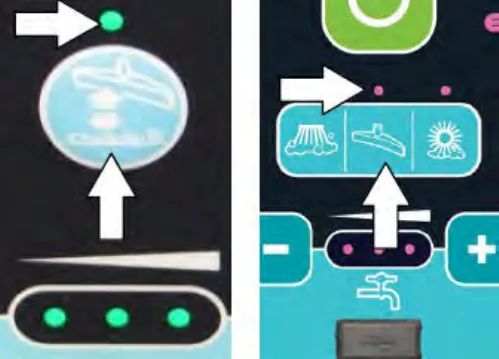
Machines equipped with Pro-Panel panel: Press the scrubbing vacuum fan / squeegee button. The button will illuminate, the squeegee will lower, and the vacuum fan will start operating. Pick up the water or non-flammable liquid spill.
Stop scrubbing
- While the machine is still in motion, press the 1-Step button to stop cleaning. The squeegee will briefly remain lowered to the floor to pick up the water in the scrub head, and then raises.
- Release the directional pedal and press the brake pedal to stop the machine.
Draining and cleaning the recovery tank
Drain and clean the recovery tank daily or when the recovery tank full fault code appears on the LCD display.
Clean the outside of the tank with vinyl cleaner.
- Drive the machine near a floor drain.
- Lower the rear bumper door / step.
FOR SAFETY: Before leaving or servicing machine, stop on level surface, turn off machine, set parking brake, and remove key.
- Unhook the recovery tank drain hose from the recovery tank.
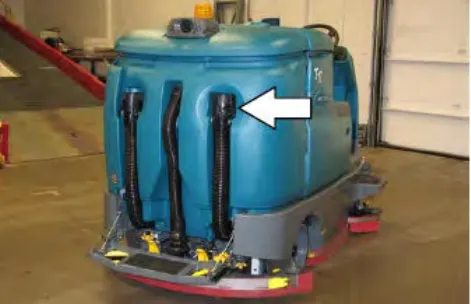
- Hold the drain hose near a floor drain, twist the drain nozzle open, and place the hose near the floor drain.
ATTENTION: Be sure the drain hose nozzle is pointed in a safe direction before opening the nozzle.
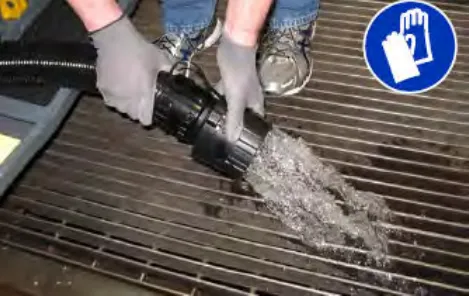
- If necessary, twist the drain nozzle to another position to adjust the flow rate.
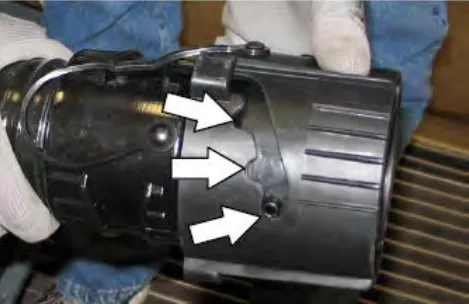
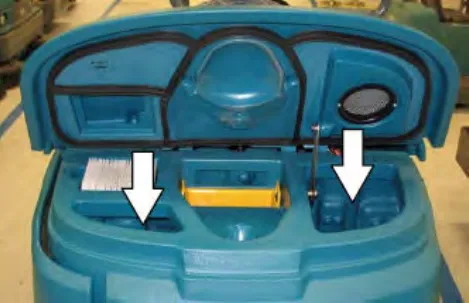
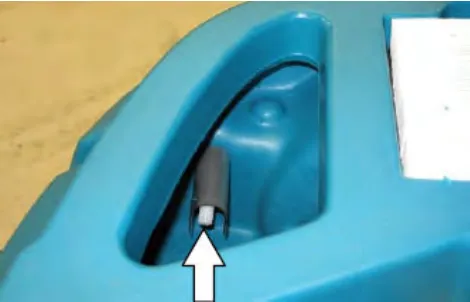
- Lift the recovery tank cover and flush out the recovery tank with clean water. Rinse the sensor near the top of the tank.
ES machines only: Clean the second lower sensor (not shown).
- ES machines: Rinse the ES filter at the bottom of the recovery tank.
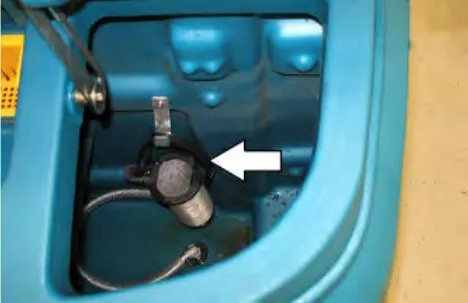
- To prevent leaks, clean the plug portion of the nozzle and the interior of the drain hose cuff.
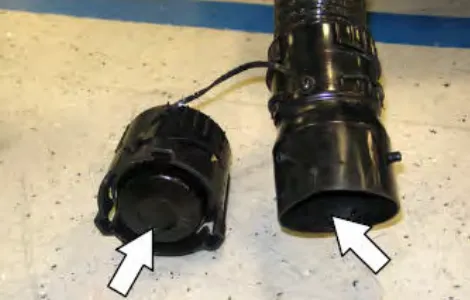
NOTE: DO NOT use steam to clean the tanks. Excessive heat can damage the tanks and components.
- Twist the drain cuff closed and insert the drain hose back into the clip on the recovery tank.
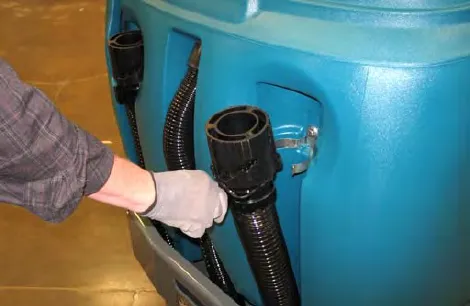
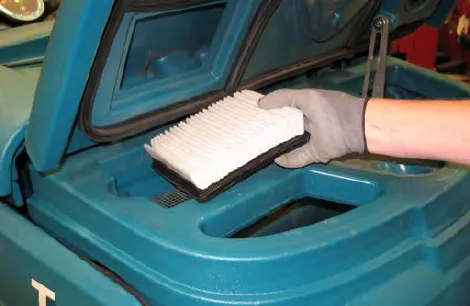
- Check the vacuum fan inlet filter daily. Clean inlet filter with a damp cloth or hose when dirty. Allow filter to completely dry before reinstalling it into the machine.
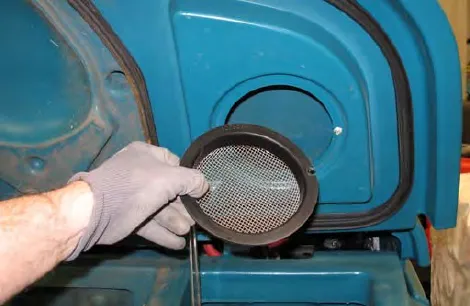
- Remove the vacuum screen from the recovery tank cover and rinse the screen.
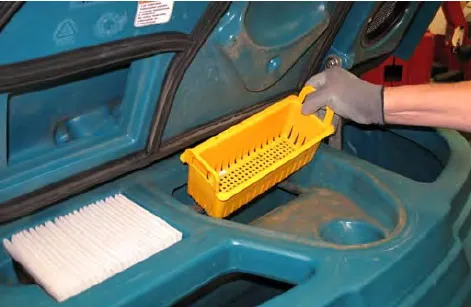
- Remove the debris tray from the recovery tank and rinse all debris from the tray.
- Close the recovery tank cover.
- Cylindrical scrub head: Remove and clean the debris trough. Place the trough back in the scrub head when clean.
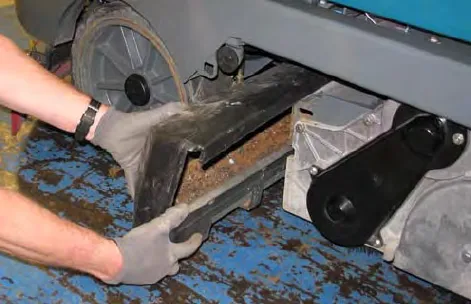
NOTE: The scrub head must be lowered approximately 1 in (25 mm) to remove debris trough.
NOTE: The debris trough can be removed from the right side of the machine only.
- Raise the Rear bumper door / step.
Draining and cleaning the solution tank
Machines equipped with ES (Extended Scrub) only: Drain and clean the solution tank daily.
Clean the outside of the tank with vinyl cleaner.
- Drive the machine near a floor drain.
FOR SAFETY: Before leaving or servicing machine, stop on level surface, turn off machine, set parking brake, and remove key.
- Lower the rear bumper door / step.
- Remove the solution tank drain hose from the solution tank.
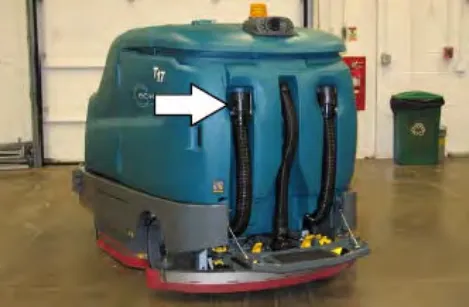
- Hold the drain hose near a floor drain, twist the drain nozzle open, and place the hose near the floor drain.
NOTE: Be sure the drain hose nozzle is pointed in a safe direction before opening the nozzle.
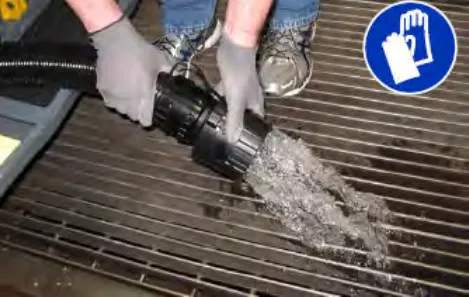
- If necessary, twist the drain nozzle to another position to adjust the flow rate.
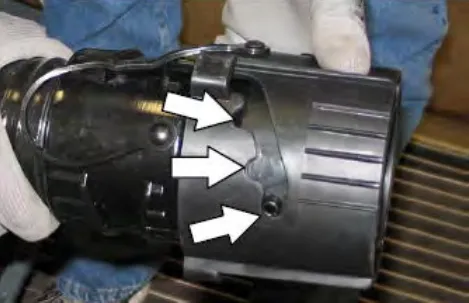
- Twist the handle and lift the solution tank cover open and flush out the solution tank with clean water. Rinse the ES filter located at the bottom of the tank.
NOTE: DO NOT use steam to clean the tanks. Excessive heat can damage the tanks and components.
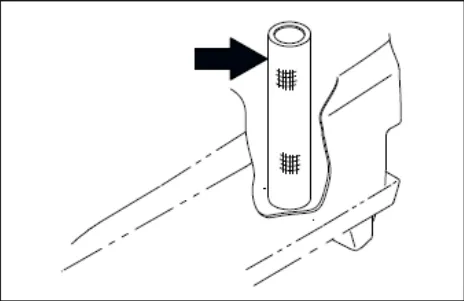
- To prevent leaks, clean the plug portion of the nozzle and the interior of the drain hose cuff.
- Twist the drain cuff closed and insert the drain hose back into the clip on the solution tank.
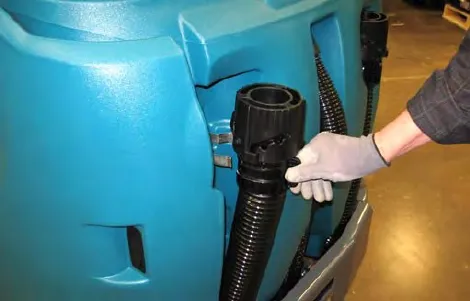
- Raise the Rear bumper door / step.
Turn off the machine
- Remove foot from the Propel pedal.
- Press the 1-Step button to stop scrubbing.
- Press the Brake pedal to stop the machine.
- Turn the Key switch to the OFF position and remove the key.
FOR SAFETY: Before leaving or servicing machine, stop on level surface, turn off machine, set parking brake, and remove key.
Fault indicators / warning codes
The operator will receive a fault / alert warning when there is a mechanical / electronic issue with the machine.
All fault codes are accompanied by an audible alarm to alert the operator a fault has occurred.
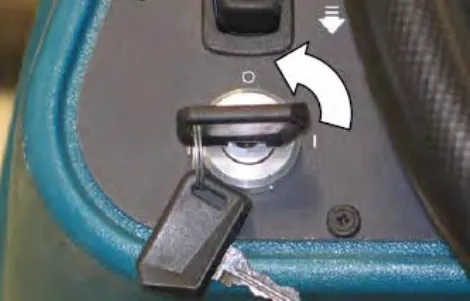
To reset the fault / alert indicators, turn off the machine and then eliminate the cause of the fault / alert. The fault / alert indicator will reset when the machine is restarted.
NOTE: Lithium-ion battery model (machine serial number 0016062 and below) - To clear fault code, turn key switch off and wait up to 3 seconds for machine power to completely shut off. Then turn key switch back on again.
NOTE: Lithium-ion battery model (machine serial number 0016063 and above) - To clear fault code, turn key switch off and wait up to 10 seconds for machine power to completely shut off. Then turn key switch back on again.
Refer to the fault / alert indicators table to determine the cause and remedy for the fault / alert.
Fault / alert indicators - standard panel
This machine is equipped with two visual indicators, a red indicator light and an LCD (liquid crystal display).
The red indicator light will blink continuously indicating that a fault has occurred.
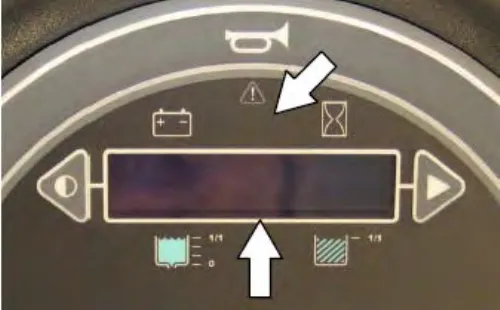
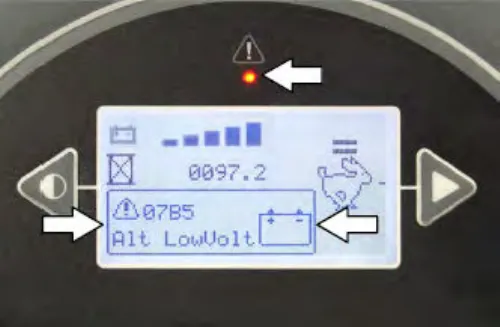
The LCD will display a fault code. If there is more than one fault, each fault code will alternately display.
Fault / alert indicators - Pro-Panel
The fault / alert indicator button will flash continuously indicating a fault / alert has occurred. The multicolored background will change to a black background.
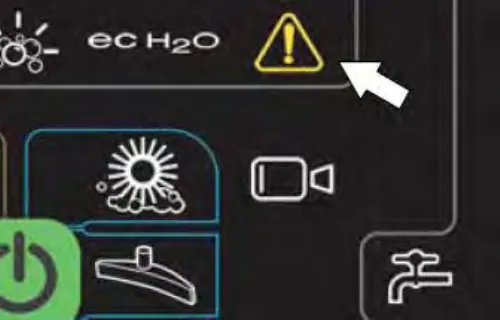
Press the flashing red fault indicator button to view the faults. A fault / alert screen will appear in the display.
Press the flashing yellow alert indicator button to view the alerts. A fault / alert screen will appear in the display.
Fault / alert text will appear under the icon in the center of the screen
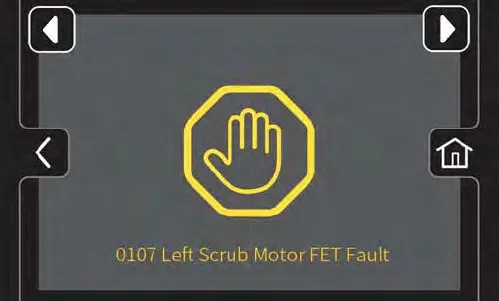
Press right arrow button to scroll forward through the faults / alerts.
Press left arrow button to scroll back through the faults / alerts.
Press the home button to return to the main operating screen.
Press the back button to return to the previous screen.
Fault / warning codes (S/N 000000-012999)
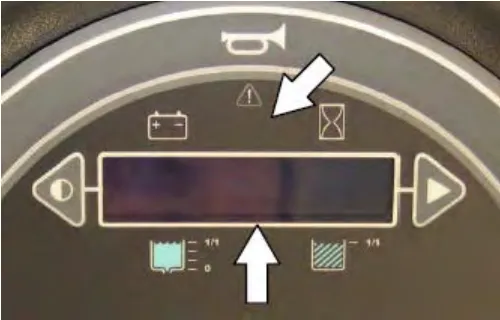
Refer to the table below to determine the cause and remedy for the fault.
| Fault Code (S/N 000000-012999) (Displayed in LCD) | Cause(s) | Remedy |
|---|---|---|
| F1: Rcv Tank Full# | Recovery tank is full | Empty recovery tank |
| F2: Sol Tank Empty# | Solution tank is empty | Fill solution tank |
| F3: Batt Very Low# | Low battery charge | Recharge battery |
| F4: F/L Br Flt### | Front left brush not operating | Turn off and restart machine. If fault code still appears, stop using machine and contact Tennant service representative. |
| F5: R/R Br Flt### | Right rear brush not operating | |
| F6: Vac 1 Short# | Vacuum fan 1 not operating | |
| F7: Vac 2 Short# | Vacuum fan 2 not operating | |
| F8: Check Brushes# | Brushes not operating | Check Brushes. Replace excessively worn brushes. Turn off and restart machine. If fault code still appears, stop using machine and contact Tennant service representative |
| F9: Propel Error# | All scrub functions inoperable (1-Step does not function) | Turn off and restart machine. If fault code still appears, stop using machine and contact Tennant service representative. |
| F10: Pickup Error# | All scrub functions inoperable (1-Step does not function) | |
| F11: Scrub Error# | All scrub functions inoperable (1-Step does not function) |
| Fault Code (S/N 000000-012999) (Displayed in LCD) | Cause(s) | Remedy |
|---|---|---|
| W1: Batt. Low# | Low battery charge. | Charge batteries. |
| W2: Unavailable# | Neither ES nor ec-H2O is enabled. | Selected scrub mode (ES / ec-H2O) not available. Appears while machine is in transport mode (1-Step not enabled). |
| W3: No [Side / Sweep] Config# | Side brush not enabled. | Side brush not available. Pre-Sweep not available. |
| W4: Not Active# | Selected function is inactive. | Press the 1-Step button to activate all functions. |
| W5: Solution Off# | Solution supply not enabled. | Enable solution supply. |
| W6: Brake On# | Parking brake is engaged. | Release parking brake. |
| W7: Side Br Wrn### | Scrubbing side brush inoperable. | Turn off and restart machine. If fault code still appears, stop using machine and contact Tennant service representative. |
| W8: L Side Br Short# | Left sweeping side brush inoperable. | |
| W9: R Side Br Short# | Right sweeping side brush inoperable. | |
| W10: L Sweep Br Shrt# | Left Pre-Sweep brush inoperable. | |
| W11: M Sweep Br Shrt# | Main Pre-Sweep brush inoperable. | |
| W12: R Sweep Br Shrt# | Right Pre-Sweep brush inoperable. | |
| W13: Open [Frnt/Left] Br# | Front main brush inoperable. | Check corresponding circuit breaker. Check harness connection. Reconnect harness if it is unconnected. If fault code still appears, stop using machine and contact Tennant service representative. |
| W14: Open [Rear/Rght] Br# | Rear main brush inoperable. | |
| W15: Open Side Brush# | Scrubbing side brush inoperable. | |
| W16: Open L Side Br# | Left sweeping side brush inoperable. | |
| W17: Open R Side Br# | Right sweeping side brush inoperable. | |
| W18: Open L Sweep Br# | Left Pre-Sweep brush inoperable. | |
| W19: Open M Sweep Br# | Main Pre-Sweep brush inoperable. | |
| W20: Open R Sweep Br# | Right Pre-Sweep brush inoperable. | |
| W21: Sweep Vac Shrt# | Pre-Sweep vacuum fan inoperable. | Turn off and restart machine. If fault code still appears, stop using machine and contact Tennant service representative. |
| Fault Code (S/N 000000-012999) (Displayed in LCD) | Cause(s) | Remedy |
|---|---|---|
| W22: Open Vac 1# | Vacuum fan 1 inoperable. | Check corresponding circuit breaker. Check harness connection. Reconnect harness if it is unconnected. If fault code still appears, stop using machine and contact Tennant service representative. |
| W23: Open Vac 2# | Vacuum fan 2 inoperable. | |
| W24: Open Sweep Vac# | Pre-Sweep vacuum fan inoperable. | |
| W25: SqueegeeStall# | Rear squeegee not lowering. | Check squeegee / squeegee actuator for obstructions. Clear obstructions. If fault code still appears, stop using machine and contact Tennant service representative. |
| W26: Side Stall# | Scrubbing side brush / side brush motor is obstructed. | Check brush / brush motor for obstructions. Clear obstructions. If fault code still appears, stop using machine and contact Tennant service representative. |
| W27: LSide Stall# | Left sweeping side brush / side brush motor is obstructed. | |
| W28: RSide Stall# | Right sweeping side brush / side brush motor is obstructed. | |
| W29: Sweep Stall# | Pre-Sweep is not lowering. | Check Pre-Sweep actuator for obstructions. Clear obstructions. If fault code still appears, stop using machine and contact Tennant service representative. |
| W30: DetPumpShort# | Detergent pump inoperable. | Turn off and restart machine. If warning code still appears, stop using machine and contact Tennant service representative. |
| W31: ES PumpShort# | ES pump inoperable. | |
| W32: SidePumpShrt# | Scrubbing side brush pump inoperable. | |
| W33: Ec Pump Shrt# | ec-H2O pump inoperable. | |
| W34: DetPumpOpen# | Detergent pump inoperable. | Check corresponding circuit breaker. Check harness connection. Reconnect harness if it is unconnected. If fault code still appears, stop using machine and contact Tennant service representative. |
| W35: ES PumpOpen# | ES pump inoperable. | |
| W36: SidePumpOpen# | Scrubbing side brush pump inoperable. | |
| W37: Ec Pump Open# | ec-H2O pump inoperable. | |
| W38: [Side / Sweep] Offline# | Sweeping or scrubbing side brush, or Pre-Sweep inoperable. | Turn off and restart machine. If warning code still appears, stop using machine and contact Tennant service representative. |
| W39: ECH2O Offline# | ec-H2O system inoperable. | Turn off and restart machine. If warning code still appears, stop using machine and contact Tennant service representative. |
Note: Contact a Tennant Service representative for all other fault codes.
Fault / warning codes (S/N 013000- )
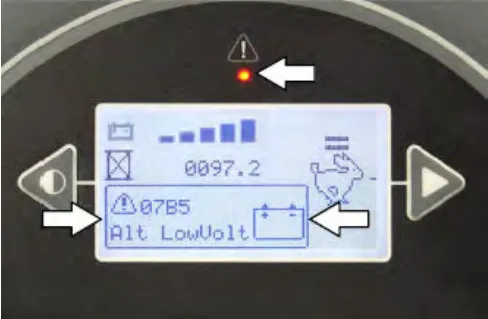
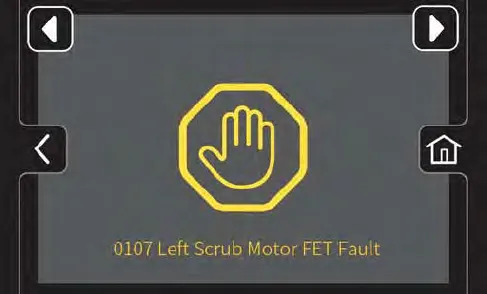
Refer to the table below to determine the cause and remedy for the fault.
| Fault code (S/N 013000- ) (Displayed in LCD) | Cause(s) | Remedy |
|---|---|---|
| 0010 Parking Brake On# | Parking brake is engaged. | Release parking brake. |
| 0701 ECH2O Flush Needed# | Ec-H2O system plugged with impurities | Flush ec-H2O system |
| 0781 Detergent Tank Empty# | Detergent tank is empty | Fill detergent tank |
| 0790 Solution Tank Empty# | Solution tank is empty | Fill solution tank |
| 0791 Recovery Tank Full# | Recovery tank is full | Empty recovery tank |
| 0792 Solution Off# | Solution supply not enabled. | Enable solution supply. |
| 07A4 Seat Empty# | Operator is not in seat | Return to seat |
| FF11 Low Battery Warning# | Low battery charge. | Charge battery |
| FF12 Very Low Battery Warning# | Low battery charge | Charge battery |
| FFF0 E-Stop Pushed# | Emergency stop engaged | Release emergency stop |
Note: Contact a Tennant Service representative for all other fault codes.
Lithium-ion battery system service indicator codes (machines serial number 0016062 and below)
| LED fault code ☼ = Flashing O = Solid red | LCD fault code | Cause | Solution |
|---|---|---|---|
| O ☼ ☼ ☼ ☼ ● | 0x0D00 0x0D0A 0x0D17→0x0D19 0x0D1A 0x0D0B 0x0D0F 0x0D20→0x0D29 0x0D2A 0x0D2B 0x0D35# | Battery management system (BMS) hardware fault | Contact service |
| O ☼ ☼ ☼ ● | 0x0D03# | BMS over current charge protection | Unplug charger from AC power, wait 2 minutes and re-plug in charger. If fault code repeats, contact service. |
| 0x0D04 0x0D05 0x0D15 0x0D16 0x0D24# | BMS over current fault | Look for obstruction and restart machine. If fault code repeats, contact service. | |
| O ☼ ☼ ● ☼ | 0x0D01 0x0D0B 0x0D0D 0x0D0E 0x0D36# | BMS over current fault | Stop charging. Restart machine. If fault code repeats, contact service. |
| 0x0D02 0x0D0C 0x0D0F# | BMS over current fault | Stop use of machine and recharge battery. | |
| 0x0D1C 0x0D1D 0x0D1E# | BMS cell deep discharge fault BMS cell imbalance fault BMS Module voltage delta error | Contact service. | |
| O ● ☼ ☼ ☼ | 0x0D34# | BMS CAN communication lost | Restart machine. If fault code repeats, contact service |
| LED fault code ☼ = Flashing O = Solid red | LCD fault code | Cause | Solution |
|---|---|---|---|
| O ● ● ● ☼ | 0x0D06 0x0D11 0x0D38# | BMS over temperature protection fault | Stop charging. Move machine to cooler location. Allow battery to cool down before charging. If fault code repeats, contact service. |
| 0x0D07 0x0D12 0x0D37# | BMS under temperature protection fault | Stop charging. Move machine to warmer location. Allow battery to warm up above 32°F (0°C) before charging. If fault code repeats, contact service. | |
| 0x0D08 0x0D13 0x0D3A# | BMS over temperature discharge fault | Stop operating machine. Move machine to cooler location. Allow battery to cool down before operating. If fault code repeats, contact service. | |
| 0x0D09 0x0D14 0x0D39# | BMS under temperature discharge fault | Stop operating machine. Move machine to warmer location. Allow battery to warm up above 32°F (0°C) before operating. If fault code repeats, contact service. | |
| 0x0D31 0x0D32 0x0D33# | BMS Bus Bar temperature fault | Stop operating or charging machine. Allow battery to cool down. If fault code repeats, contact service. |
Note: See charger manual for Lithium-Ion battery system service indicator codes (machines serial number 0016063 and above)
Corrected an obvious misprint: "machines serial number 016063 and above" printed as "016063" (now 0016063, as in the heading below it).
Lithium-ion battery system service indicator codes (machines serial number 0016063 and above)
| Fault code | Fault description | Remedy |
|---|---|---|
| 0X0F00# | BMS Generic Fault | Key cycle, call service if fault persists |
| 0X0F01# | BMS External Fault | Key cycle, call service if fault persists |
| 0X0F02# | BMS Supply Fault | Key cycle, call service if fault persists |
| 0X0F03# | BMS Communication Fault | Key cycle, call service if fault persists |
| 0X0F04# | BMS Temperature Fault | Key cycle, call service if fault persists |
| 0X0F05# | BMS Voltage Fault | Key cycle, call service if fault persists |
| 0X0F06# | BMS Current Fault | Key cycle, call service if fault persists |
| 0X0F07# | BMS Internal Fault | Key cycle, call service if fault persists |
| 0X0F10# | Battery Temperature Fault | Key cycle, call service if fault persists |
| 0X0F11# | Battery Voltage Fault | Key cycle, call service if fault persists |
| Fault code | Fault description | Remedy |
|---|---|---|
| 0X0F12# | Battery Data Fault | Key cycle, call service if fault persists |
| 0X0F13# | Battery Internal Fault | Key cycle, call service if fault persists |
| 0X0F14# | Battery Temperature High/Low Warning | Key cycle, call service if fault persists |
| 0X0F15# | Battery Voltage High/Low Warning | Key cycle, call service if fault persists |
| 0X0F16# | Battery Current High Warning | Key cycle, call service if fault persists |
| 0X0F17# | Battery 0% State of Charge Warning | Charge battery by connecting to designated charger |
| 0X0F21# | Battery Rebalancing | Fully charge battery to rebalance cells |
| 0X0F217# | Battery Capacity Mismatch | Wrong battery size is installed in machine, call service |
| 0X0Ff27# | BMS CAN Communication lost | Machine CAN bus is not detecting battery. Ensure battery communication cable is installed, call service is fault persists |
Options
Spray nozzle (option)
The spray nozzle is used to clean the machine and surrounding areas. The solution tank provides a water/solution supply for the spray nozzle.
- Turn on the machine.
- Press the top of the Spray nozzle switch to turn on the spray nozzle. The light on the switch will come on when the spray nozzle is turned on.
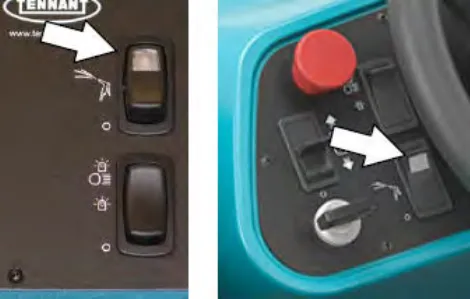
- Open the left shroud to access the spray nozzle.
- Pull the spray nozzle out from the back of the machine and clean as needed.
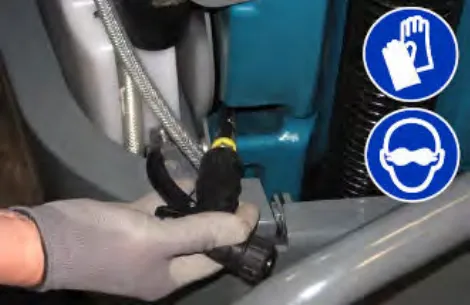
- When finished cleaning, gently pull the hose and allow the spray nozzle hose to retract back into the machine.
NOTE: Continue holding onto the spray nozzle and control the hose while it is retracting back into the machine. The machine and / or the spray nozzle assembly could be damaged if the spray nozzle hose is released and allowed to rapidly retract into the machine.
- Press the bottom of the Spray nozzle switch to turn off the water supply. The light on the switch will turn off when the spray nozzle is turned off.
NOTE: Be sure the Spray nozzle switch is turned off before continuing scrubbing. The spray nozzle pump could be damaged if the switch is left on while scrubbing.
High pressure washer (option)
The high pressure washer is used for heavy duty cleaning. Do not use detergent in the solution tank when using the pressure washer or pressure washer damage could occur.
NOTE: Before using the high pressure washer for the first time or if the solution tank was completely drained, prime the high pressure washer pump. See Priming the high pressure washer pump on page 61.
- Turn off the machine and set the parking brake.
NOTE: The high pressure washer will not operate unless the parking brake is set.
- Unlatch the hose tie down and remove the pressure washer hose from the machine.
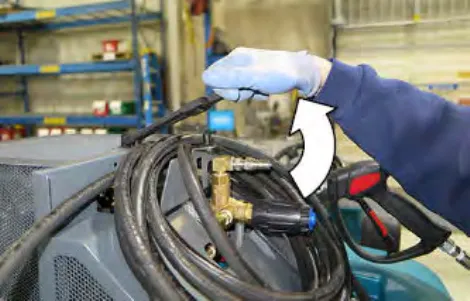
- Unlatch the pressure washer wand tie down and remove the wand from the machine.
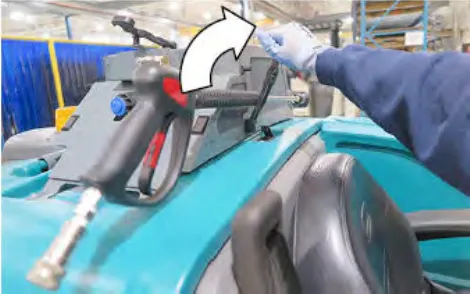
- Connect the hose to the high pressure washer system.
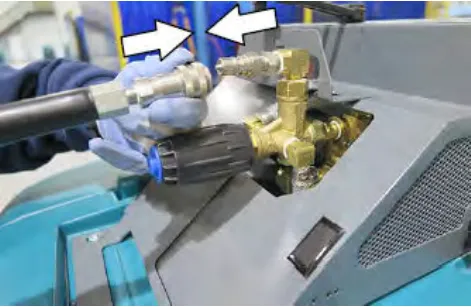
- Connect the other end of the hose to the wand.
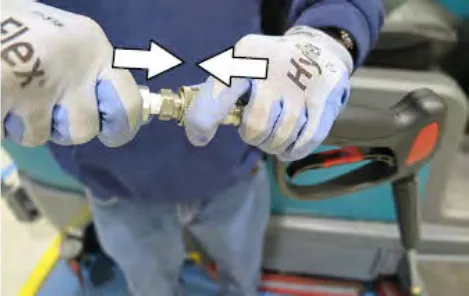
- Adjust the nozzle on the wand to the desired setting.
Pull the nozzle out for the Low pressure setting, or push the nozzle in for the High pressure setting. Twist the nozzle for either the Stream or Fan setting.
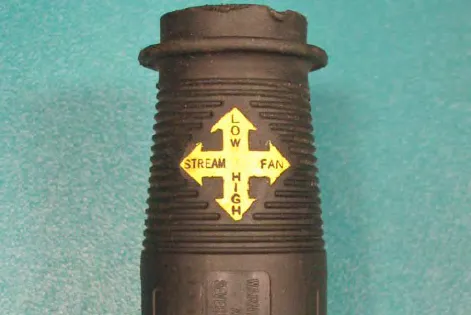
- Start the machine.
- Verify that the 1-STEP Scrub button is off.
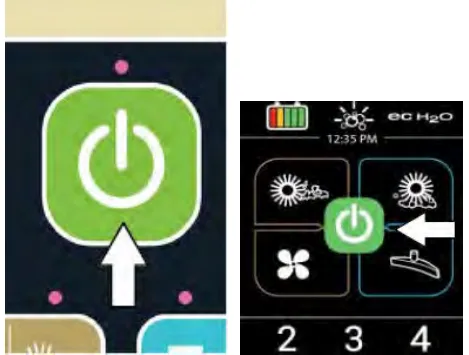
- Press the top of the High pressure washer switch to turn on the high pressure washer. The light on the switch will come on when the high pressure washer is turned on.
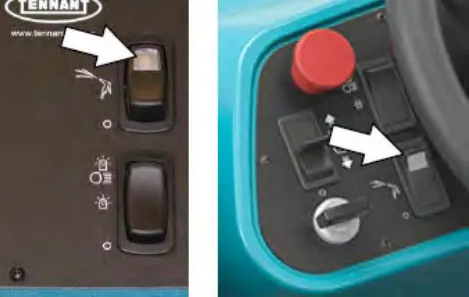
- If necessary, adjust the pressure. Turn the knob clockwise to increase pressure and counterclockwise to decrease pressure.
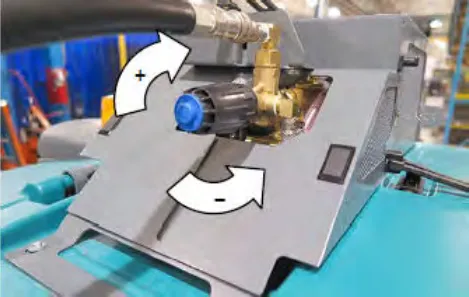
NOTE: Adjust the pressure at the wand before adjusting it at the system.
- Squeeze the trigger to begin cleaning.
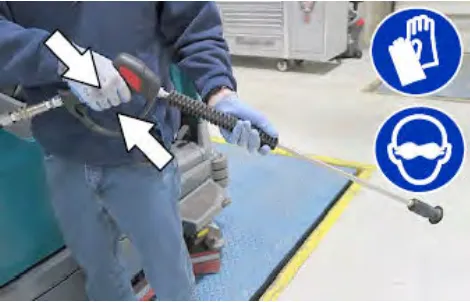
- When finished cleaning, release the trigger.
- Press the bottom of the Pressure washer switch to turn off the high pressure washer.
- Point the high pressure washer wand in a safe direction and squeeze the trigger to relieve pressure from the system.
- Turn off the machine.
- Disassemble the hose and wand and return them to the proper storage locations.
Priming the high pressure washer pump
The high pressure washer pump needs to be primed before operating for the first time or if the solution tank was completely drained. To prime the system, the solution pump must be run to bring water/solution to the high pressure washer pump before operating the high pressure washer pump.
- Turn off the machine and set the parking brake.
- Chock the rear wheels.
- Connect the hose and wand to the high pressure washer system.
- Start the machine.
- Release the parking brake.
Note: This prevents damaging the high pressure pump from operating with no water/solution in the pump.
- Press the top of the High pressure washer switch to activate the solution pump. The light on the switch will come on when the high pressure washer is turned on.
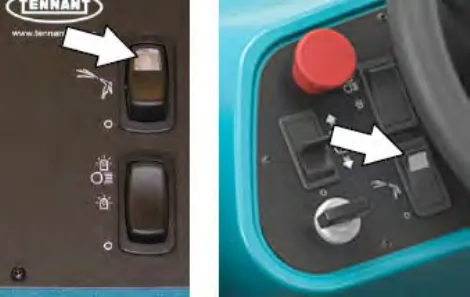
- Squeeze and hold the trigger until water/solution flows out the wand.
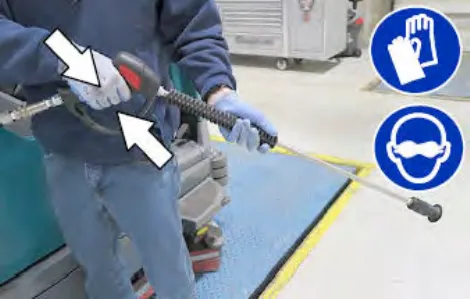
- Release the trigger.
- Press the bottom of the high pressure washer switch to turn off the high pressure washer.
- Turn off the machine and set the parking brake.
- The high pressure washer pump is now primed.
Wet vacuum wand (option)
Use the vacuum wand to clean areas that are out of reach of the machine.
- Lower the rear bumper door / step.
- Remove the vacuum wand components from the storage tray located on top the battery compartment cover.
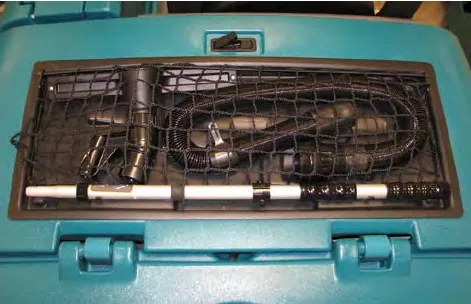
- Disconnect the vacuum hose from the rear squeegee.
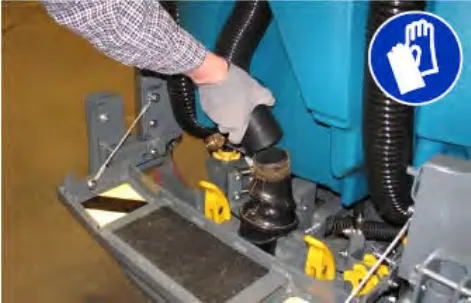
- Connect the vacuum wand hose to the rear squeegee vacuum hose.
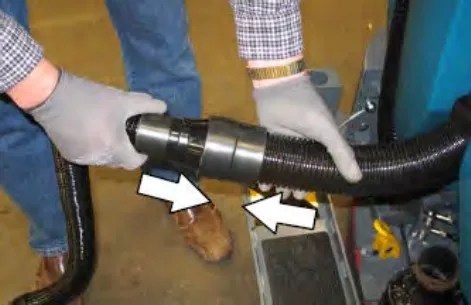
- Connect the vacuum wand nozzle to the vacuum wand nozzle hose.
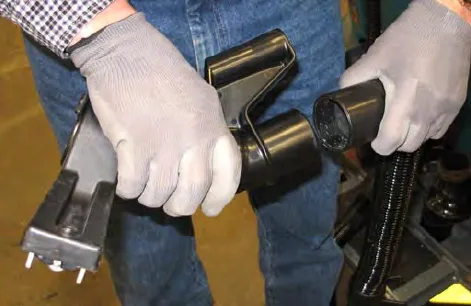
- Insert and tighten the vacuum wand handle into the vacuum wand nozzle.
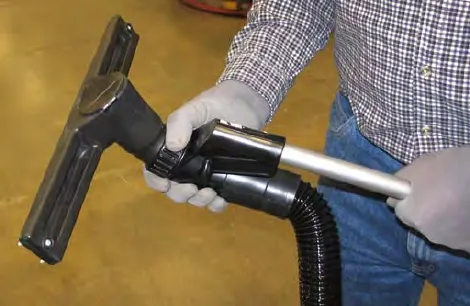
- Secure the vacuum wand hose collar to the vacuum hose handle.
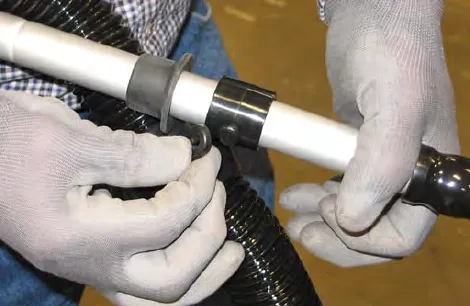
- Extend the vacuum wand handle to the desired length and twist the vacuum wand handle to tighten.
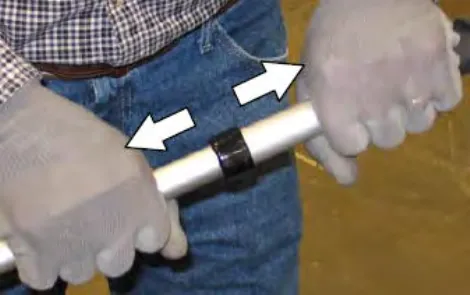
- Turn on the machine.
- Press the Vacuum fan/squeegee button to turn on the vacuum fan. The squeegee will completely lower.
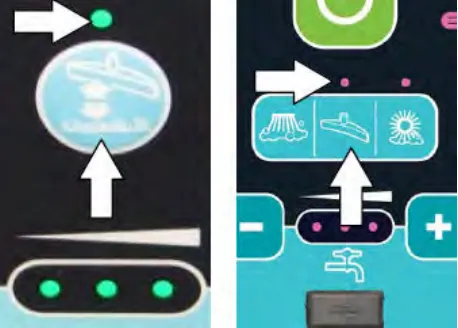
Standard Panel 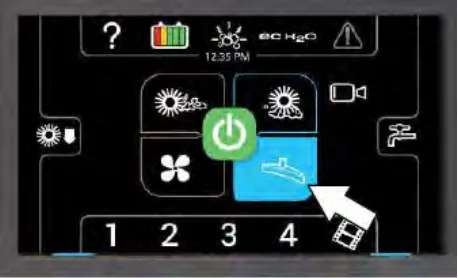
Pro-Panel - Vacuum the floor.
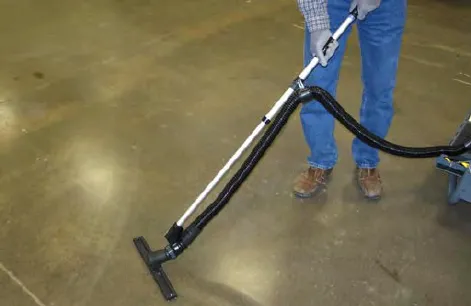
- When finished vacuuming, press the Vacuum fan/squeegee button to turn off the vacuum fan. The squeegee will raise.
- Turn off the machine.
- Disconnect the vacuum wand hose from the rear squeegee vacuum hose and disassemble the vacuum wand.
- Return the vacuum wand components to the storage tray located on top the battery compartment cover.
- Reconnect the vacuum hose to the rear squeegee.
- Lift the rear bumper door / step to the raised position and secure to the rear bumper.
Live wand (option)
The live wand uses a separate vacuum system to pick up dry debris that could get tangled in the cleaning system. The dry vacuum system can be used separately off the machine or on the machine with an operator sitting in the seat.
Operating the live wand (off machine)
- Remove the live wand from its storage location.
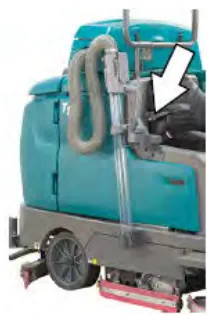

- Turn on the machine.
- Turn on the live wand switch.
Note: The live wand will not operate while off the machine unless the machine parking brake is set.
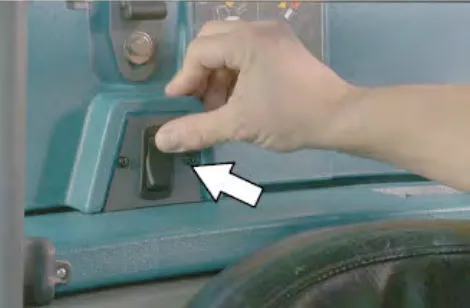
- Vacuum dry debris as needed.
- Turn off the live wand switch and return the live wand to storage location when finished.
Operating the live wand (on machine)
- Move the live wand from the storage location to the ready-to-use position.
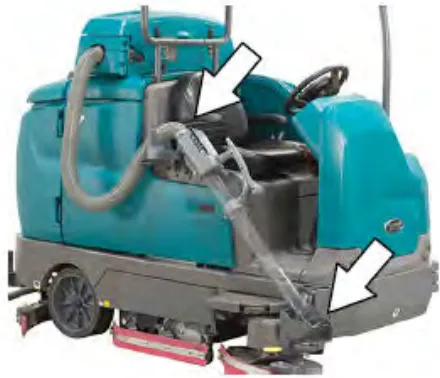
- Turn on the live wand switch.
Note: The live wand will not turn on until it is removed from the ready-to-use position.
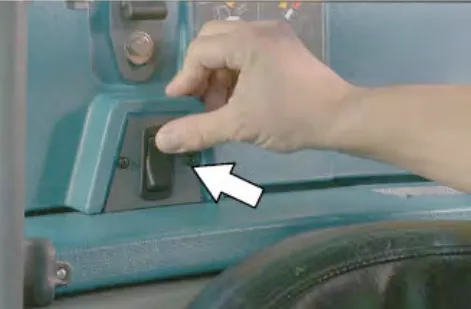
- Operate the machine normally until the live wand is needed.
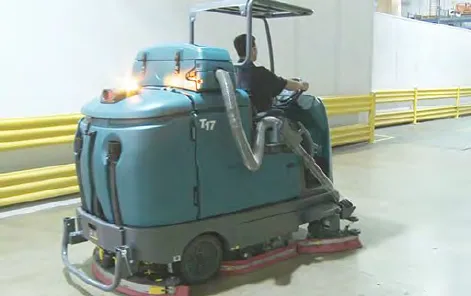
Corrected an obvious misprint: "read-to-use position" printed as "read-to-use" in the note under step 2 (now "ready-to-use", as in step 1 on this page).
- Lift the live wand from the ready-to-use position and vacuum dry debris as needed. The vacuum will start automatically.
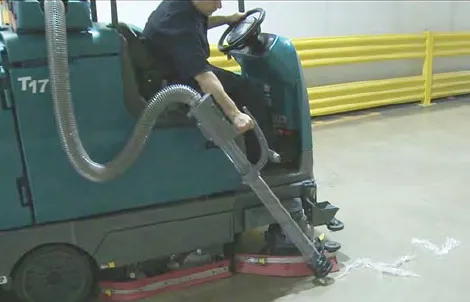
Note: The machine speed will decrease when the live wand is removed from the ready to use position.
- Place the live wand into the ready-to-use storage location when finished. Make sure the wand is secured properly which turns off the vacuum.
Emptying the live wand vacuum debris tray
The live wand collects dry debris in a vacuum debris tray. Empty the vacuum debris tray daily.
- Unlatch and open the live wand vacuum cover.
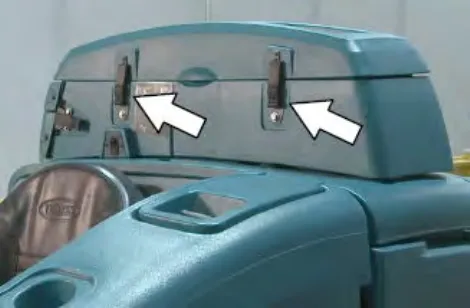
- Unlatch and remove the live wand hose.
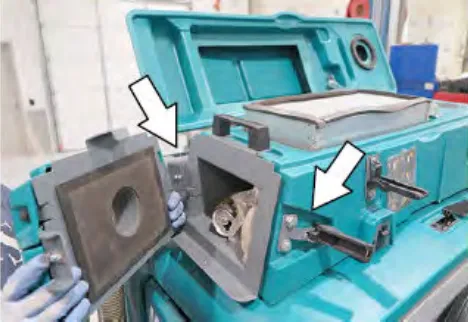
- Hang the live wand hose on the hanging bracket.
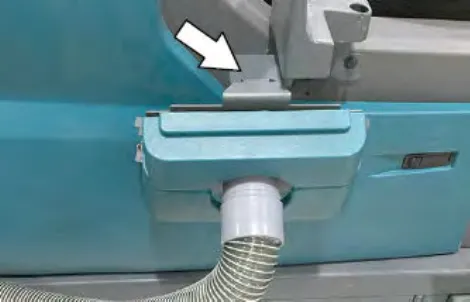
- Remove and empty the debris tray. Place the tray back in the vacuum chamber.
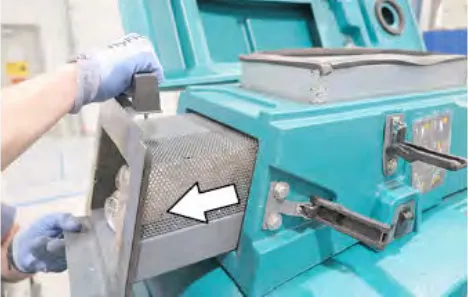
- Replace and latch the live wand vacuum hose.
- Close and latch the live wand vacuum cover.
Clean the live wand vacuum filter
Clean the live wand vacuum filter every 50 hours of operation.
- Unlatch and open the live wand vacuum cover.
- Remove the live wand vacuum filter and use one of the following methods to clean the dust filter.
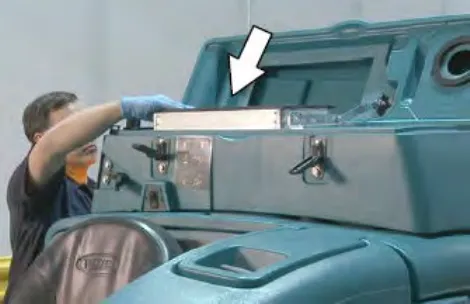
TAPPING - Tap the filter, with the dirty side down, gently on a flat surface. Do not damage the edges of the filter. The filter will not seal properly in the filter frame if the edges of the filter are damaged.
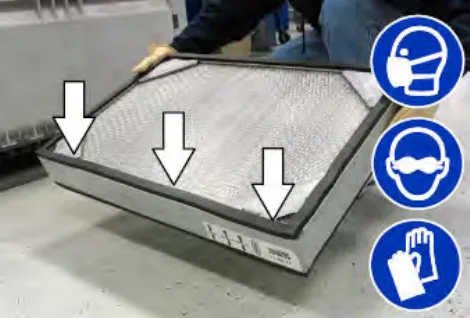
AIR - Always wear eye protection when using compressed air. Blow air through the dust filter opposite the direction of the arrows. Never use more than 100 psi (690 kPa) of air pressure and never hold the nozzle closer than 2 in (50 mm) to the filter. This may be done with the dust filter in the machine.
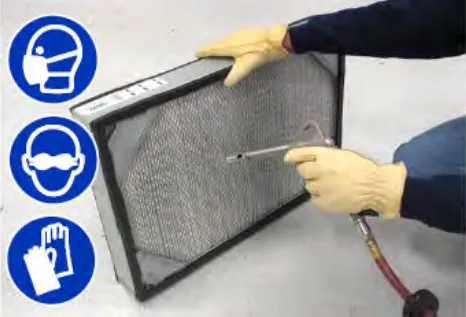
- Reinstall the filter, close the live wand vacuum cover and latch it when finished.
Rear squeegee guard (option)
The rear squeegee protector helps protect the rear squeegee from being damaged.
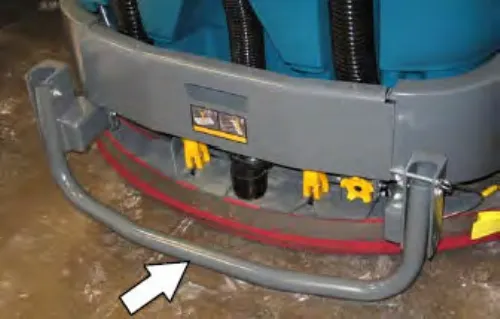
To engage the rear squeegee protector, pull the pin, lower the protector bar, and reinsert the pin.
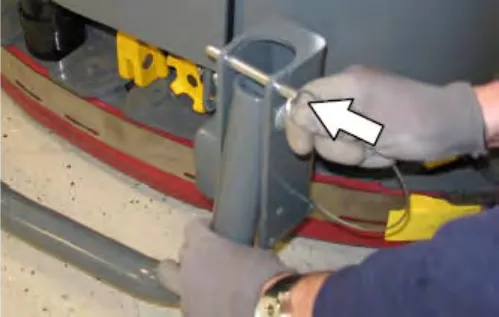
Scrubbing or sweeping side brush (option)
The side brush moves debris into the path of the main brushes. Solution is dispensed with the side brush when the machine is equipped with the scrubbing side brush. No solution is dispensed with the side brush when the machine is equipped with the sweeping side brush.
- Turn on the machine
- Press the top of the Side brush switch to enable the side brush assembly.
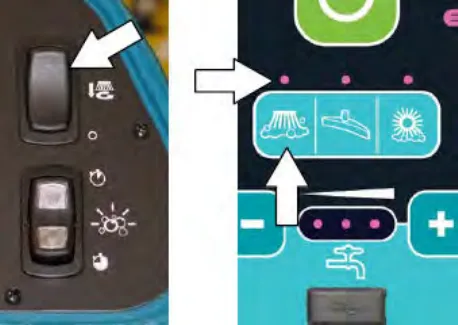
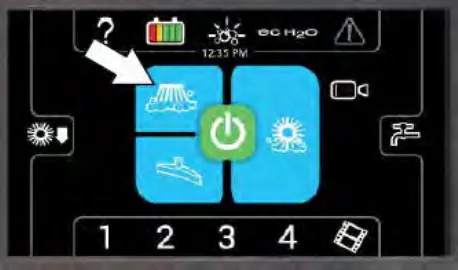
- Press the 1-Step button. The side brush assembly will lower with the main brush.
NOTE: The 1-Step button controls the side brush assembly when the Side brush switch is in the On (top) position.
- Press the Propel pedal to begin scrubbing.
- Press the bottom of the Side brush switch to stop and raise the side brush.
Pre-Sweep assembly (option)
The Pre-Sweep assembly is mounted to the front of the machine and gives the machine the added ability to pick up debris. The assembly contains a main brush and two side brushes which sweep debris into a debris hopper. Periodically empty the debris hopper and vacuum debris bag.
The machine may be operated with or without the Pre-Sweep assembly. Refer to PRE-SWEEP in the MAINTENANCE on page 71 section for maintenance.
Operate Pre-Sweep (option) with standard panel
- Turn on the machine
- Press the 1-Step button to scrub and operate the Pre-Sweep.
Note: Do not press the 1-Step button if only using to sweep. The Pre-Sweep can be used without the scrubbing features.
- Press the top of the Pre-Sweep switch to start the Pre-Sweep without dust control. The top portion of the switch will illuminate.
Press the bottom of the Pre-Sweep switch to start the Pre-Sweep with dust control. The bottom portion of the switch will illuminate.
Note: The Pre-Sweep assembly will begin sweeping and the dust control system will start operating when the machine propels forward.
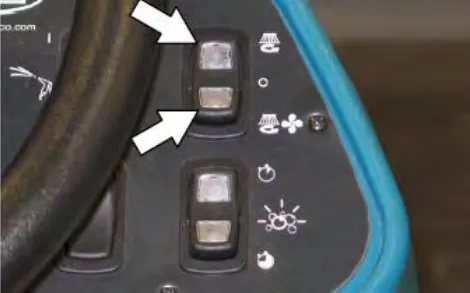
- Press the illuminated portion (top or bottom) of the Pre-Sweep switch to shut off the Pre-Sweep system and dust control system.
Operate Pre-Sweep (option) with Pro-Panel
- Turn on the machine
- Press the 1-Step button to scrub and operate the Pre-Sweep.
Note: Do not press the 1-Step button if only using to sweep. The Pre-Sweep can be used without the scrubbing features.
- Press the Pre-Sweep brush button to start the Pre-Sweep without dust control.
Press the Pre-Sweep Vacuum button to start the Pre-Sweep dust control.
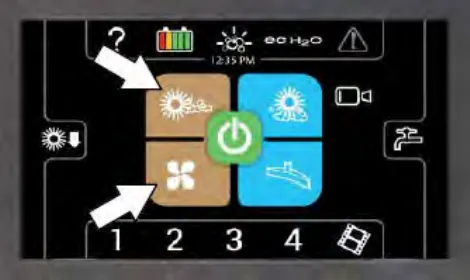
Note: The Pre-Sweep assembly will begin sweeping and the dust control system will start operating when the machine propels forward.
- Press the Pre-Sweep brush or Pre-Sweep Vacuum button to shut off the Pre-Sweep system and dust control.
Empty the Pre-Sweep debris hopper
- Loosen both Pre-Sweep cover latches.
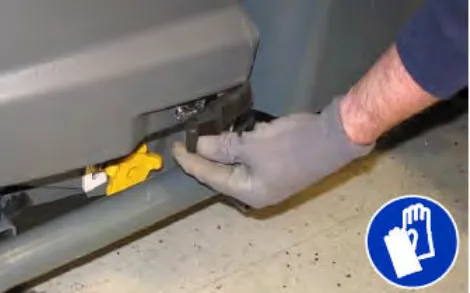
- Lift the Pre-Sweep cover and engage the Pre-Sweep cover support to lock the cover open.
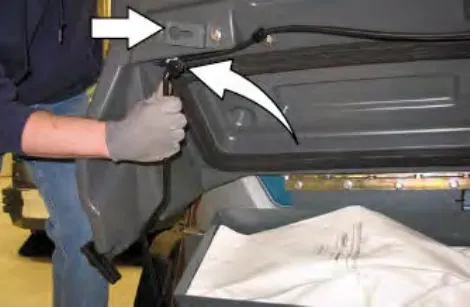
- Remove the debris hopper from the Pre-Sweep assembly and empty the hopper.
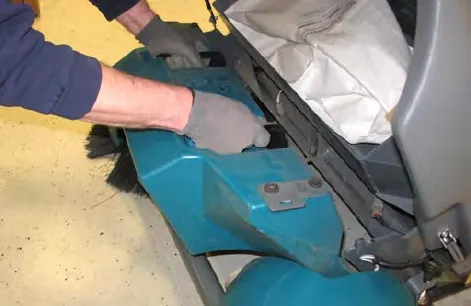
- Reinstall the debris hopper into the Pre-Sweep assembly.
- Check the vacuum debris bag. Replace the vacuum debris bag if it is full or damaged.
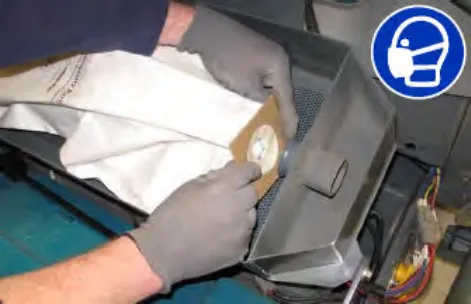
- Disengage the Pre-Sweep cover support and lower the Pre-Sweep cover.
Adjusting backup alarm volume (option)
The backup alarm volume can be adjusted from 85–102 dB(A). To adjust the volume, remove the backup alarm cover and turn the volume knob.
Increase volume: Turn the knob clockwise.
Decrease volume: Turn the knob counter-clockwise.
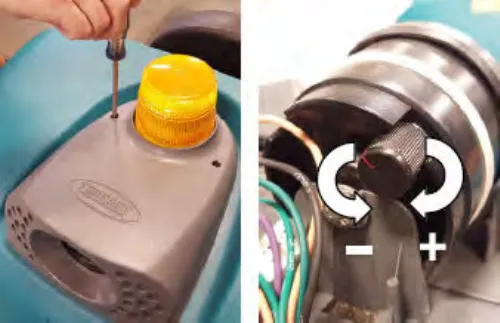
Slide out battery (option)
The slide out battery allows the operator a quick and easy way to remove and replace the batteries. Use proper battery pulling and lifting equipment and procedures based on the battery size and weight. See SPECIFICATIONS section. The battery slide out height is 20 in (508 mm).
- Lift the battery compartment cover open and engage the support.
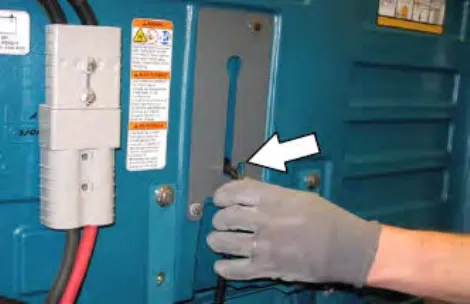
- Open the right shroud.
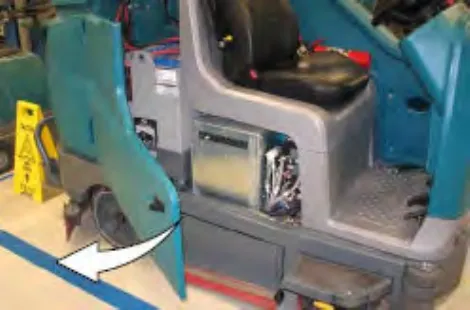
- Disconnect the battery side cable connector from the machine by pulling down on the connector. Do not pull on the cables.
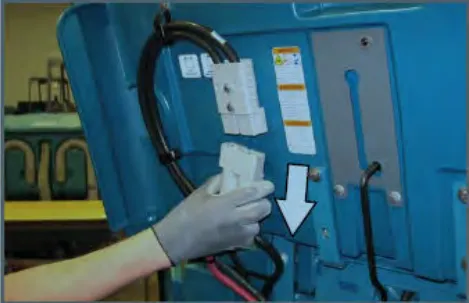
- Remove the battery retainer plate from the machine.
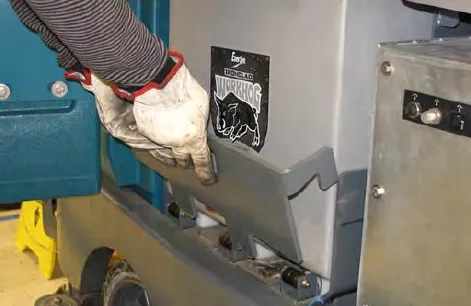
- Position the battery cart near the battery compartment.
FOR SAFETY: When servicing machine: Keep all metal objects off batteries. Use a non-conductive battery removal device. Use a hoist and adequate assistance when lifting batteries. Battery installation must be done by trained personnel. Follow site safety guidelines concerning battery removal.
- Slide the battery from the machine and onto the battery cart.
- Install the new battery into the battery compartment.
- Reinstall the battery retainer plate onto the machine. The retainer plate must press the switch completely down into the engaged position. The machine will not function if the switch is not engaged.
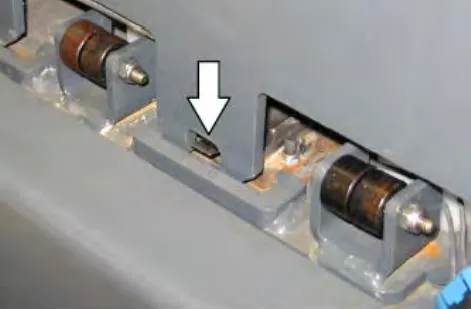
- Close the battery compartment side cover and top cover.
Machine troubleshooting
The troubleshooting table continues on page 70.
Machine troubleshooting
| Problem | Cause | Remedy |
|---|---|---|
| Reduced run time | Battery not fully charged | Charge battery until the charger automatically turns off |
| Defective battery | Replace batteryParts › | |
| Batteries need maintenance | See BATTERIES in MAINTENANCE | |
| Faulty battery charger | Replace battery chargerParts › | |
| ES System does not operate | ES button is turned off | Turn on ES button |
| ES sensor in tank dirty or not in correct position | Clean / reposition sensor | |
| Clogged ES pump filter | Clean ES filterParts › | |
| Water level in recovery tank too low | Fill recovery tank approximately half full | |
| Water level in solution tank too low | Fill solution tank | |
| ec-H2O Model: Warning and fault indicator light blinking red | Mineral deposit build-up in module | Flush module (See ec-H2O MODULE FLUSH PROCEDURE on page 101 |
| ec-H2O Model: Warning and fault indicator light solid red | Clogged module | Contact Tennant service representative |
| Defective solution pump | Replace solution pumpParts › | |
| High pressure washer does not operate | Parking brake not set | Set parking brake |
| Thermal switch tripped on high pressure pump motor | Let cool down | |
| Solution pump circuit tripped | Reset circuit breaker | |
| Switch was on when machine was started | Turn off / turn on switch | |
| High pressure washer spraying low pressure | Spray nozzle set to low pressure | Adjust spray nozzle setting |
| Spray pump pressure knob turned down | Adjust the spray pump pressure knob | |
| Poor live wand vacuum performance | Clogged hose | Remove clog |
| Torn seals on dry vacuum system | Replace sealsParts › |
Maintenance
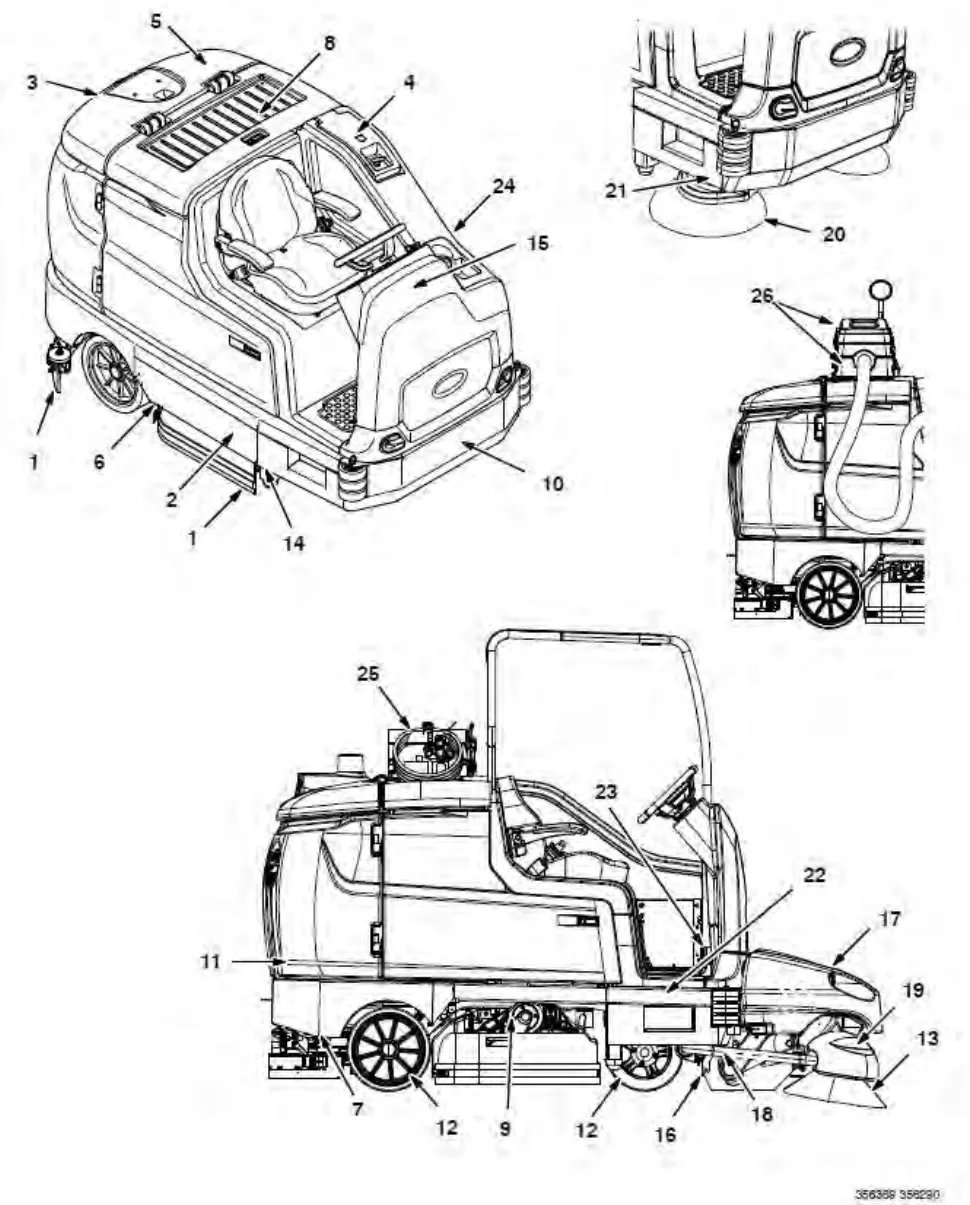
Maintenance chart
The table below indicates the Person Responsible for each procedure.
O = Operator.
T = Trained Personnel.
Maintenance chart
| Interval | Person Resp. | Key | Description | Procedure | Lubricant/ Fluid | No. of Service Points |
|---|---|---|---|---|---|---|
| Daily | O | 1 | Side and rear squeegees | Check for damage and wear. Check deflection.Parts › | – | 4 |
| O | 2 | Main brushes | Check for damage, wear, and debrisParts › | – | 2 | |
| O | 3 | Recovery tank | Clean tank, top sensor, and check cover seal | – | 1 | |
| O | 4 | Solution tank | Check cover seal | – | 1 | |
| O | 3 | ES machines only: Recovery tank | Clean filter at bottom of tank and second lower sensor. | – | 2 | |
| O | 4 | ES machines only: Solution tank | Clean tank and level sensor | – | 1 | |
| O | 5 | Vacuum fan inlet filter, screen, and debris tray | Clean | – | 1 | |
| O | 6 | Cylindrical brushes only: Debris tray | Clean | – | 1 | |
| O | 20 | Sweeping or scrubbing side brush (Option) | Check for damage, wear, debrisParts › | – | 1 (2) | |
| O | 20 | Scrubbing side brush squeegee (Option) | Check for damage and wearParts › | – | 1 | |
| O | 13 | Pre-Sweep side brushes (Option) | Check for damage, wear, debrisParts › | – | 2 | |
| O | 16 | Pre-Sweep main brush (Option) | Check for damage, wear, debrisParts › | – | 1 | |
| O | 17 | Pre-Sweep debris hopper (Option) | Clean | – | 1 | |
| O | 26 | Live wand vacuum debris tray (Option) | Clean | – | 1 | |
| Weekly | T | 8 | Battery cells | Check electrolyte level | DW | Multiple |
| 50 Hours | T | 1 | Side and rear squeegees | Check levelingParts › | – | 4 |
| O | 16, 17 | Pre-Sweep skirts and seals (Option) | Check for damage and wearParts › | – | 4 | |
| O | 2 | Main brushes (cylindrical) | Rotate brushes from front to rearParts › | – | 2 |
Lubricant/fluid
DW … Distilled water.
SPL ... Special lubricant, Lubriplate EMB grease (Tennant part number 01433-1)
GL ... SAE 90 weight gear lubricant
NOTE: More frequent maintenance intervals may be required in extremely dusty conditions.
Corrected an obvious misprint: "Pre-Sweep main bush" printed as "bush" (now "brush", as in "main brush" on page 67).
Maintenance chart (continued)
| Interval | Person Resp. | Key | Description | Procedure | Lubricant/ Fluid | No. of Service Points |
|---|---|---|---|---|---|---|
| 50 Hours | O | 14 | Scrub head skirts (disk) | Check skirts for damage and wearParts › | – | 2 |
| O | 24 | Solution supply filter | Check screen and cleanParts › | – | 1 | |
| T | 25 | High pressure washer (Option – only first 50 hours) | Change oilParts › | Hydo | 3 | |
| O | 26 | Live wand vacuum seals (Option) | Check for damage and wearParts › | – | 3 | |
| 100 Hours | T | 8 | Battery watering system (option) | Check hoses and connections for damage and wear | – | Multiple |
| 200 Hours | T | 23 | Brakes | Check adjustments | – | 1 |
| T | 8 | Battery terminals and cables | Check and clean | – | 2 | |
| T | 9 | Cylindrical brush drive belts | Check for damage and wearParts › | – | 2 | |
| T | 18 | Pre-Sweep brush drive belt | Check for damage and wearParts › | – | 1 | |
| T | 22 | Drive wheel pivot | Lubricate | SPL | 1 | |
| T | 15 | Steering chain | Lubricate, check tension, and check for damage and wear. | GL | 1 | |
| T | 10 | Steering gear chain | Lubricate, check tension, and check for damage and wear. | GL | 1 | |
| 500 Hours | T | 11 | Vacuum fan motors | Check motor brushesParts › | – | 2 |
| O | 12 | Tires | Check for damage and wearParts › | – | 3 | |
| 1000 Hours | T | 21 | Sweeping side brush motors | Check motor brushes (Check every 100 hours after initial 1000 hour check)Parts › | – | 1 (2) |
| T | 18 | Pre-Sweep main brush motor (Option) | Check motor brushes (Check every 100 hours after initial 1000 hour check)Parts › | – | 1 | |
| T | 19 | Pre-Sweep side brush motors (Option) | Check motor brushes (Check every 100 hours after initial 1000 hour check)Parts › | – | 2 |
Lubricant/fluid
DW …. Distilled water.
SPL ... Special lubricant, Lubriplate EMB grease (Tennant part number 01433-1)
GL …. SAE 90 weight gear lubricant
HYDO Tennant True premium hydraulic fluid or equivalent
NOTE: More frequent maintenance intervals may be required in extremely dusty conditions.
Yellow touch points
This machine features easy to find yellow touch points for simple service items. No tools are required to perform these maintenance operations.
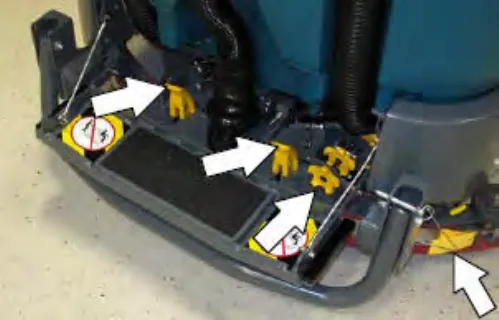
Lubrication
Steering chain
The steering chain is located on the steering column directly under the control panel. Check for damage or wear and lubricate the steering chain after every 200 hours.
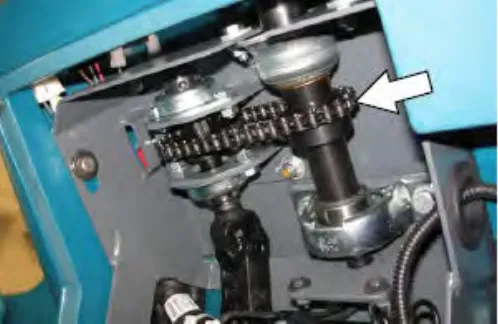
Steering gear chain
The steering gear chain is located directly above the front tire. Check for damage or wear and lubricate the steering gear chain after every 200 hours.
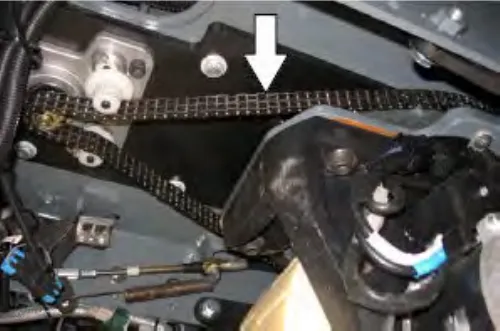
Drive wheel pivot
The drive wheel pivot is located directly above the drive wheel. Lubricate the drive wheel pivot after every 200 hours.
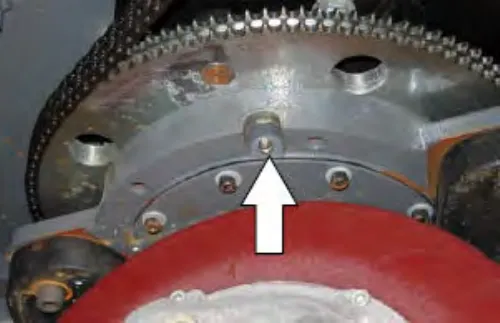
High pressure washer oil
Change the high pressure washer oil after the initial 50 hours of high pressure washer operation.
NOTE: Remove high pressure washer cover to access both the high pressure washer drain plug and vented fill cap.
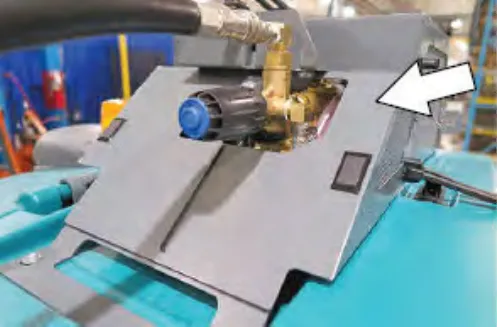
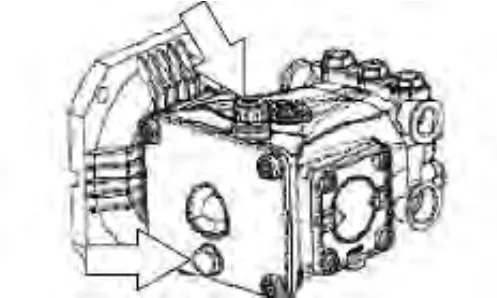
Batteries
Batteries and chargers: make sure your charger is compatible with your batteries, and set its charging algorithm to your battery pack before you use it.
Flooded (wet) and maintenance free sealed lead–acid batteries
The lifetime of the batteries depends on their proper maintenance. To get the most life from the batteries;
- Do not charge the batteries more than once a day and only after running the machine for a minimum of 15 minutes.
- Do not leave the batteries partially discharged for long period of time.
- Only charge the batteries in a well-ventilated area to prevent gas build up. Charge batteries in areas with ambient temperatures 80°F (27°C) or less.
- Allow the charger to complete charging the batteries before re-using the machine.
- Maintain the proper electrolyte levels of flooded (wet) batteries by checking levels weekly.
Checking the electrolyte level
The flooded (wet) lead-acid batteries require routine maintenance as described below. Check the battery electrolyte level weekly.
Note:
Do Not check the electrolyte level if the machine is equipped with the battery watering system. Proceed to the BATTERY WATERING SYSTEM (OPTION).
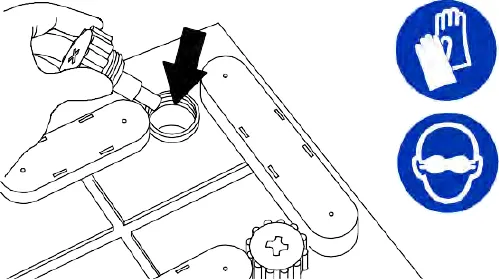
The level should be slightly above the battery plates as shown before charging. Add distilled water if low. DO NOT OVERFILL. The electrolyte will expand and may overflow when charging. After charging, distilled water can be added up to about 0.12 in (3 mm) below the sight tubes.
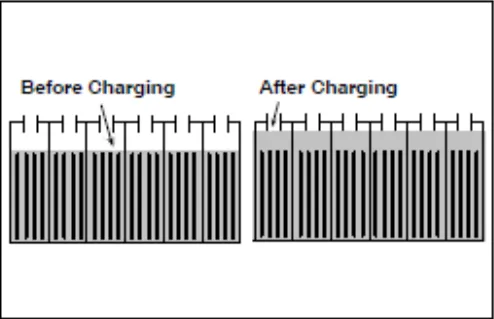
Note: Make sure the battery caps are in place while charging. There may be a sulfur smell after charging batteries. This is normal.
Maintenance-free batteries
Maintenance-free batteries do not require watering. Cleaning and other routine maintenance is still required.
Checking connections / cleaning
After every 200 hours of use check for loose battery connections and clean the surface of the batteries, including terminals and cable clamps, with a strong solution of baking soda and water. Replace any worn or damaged wires. Do not remove battery caps when cleaning batteries
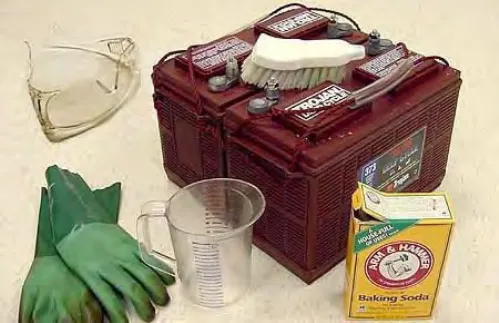
Lithium–ion battery pack
The lithium-ion battery pack is a maintenance-free battery protected by a battery management system (BMS). To achieve the maximum battery life, carefully follow the instructions below:
- Carefully follow the Important Safety Instructions section in the manual when using the Lithium-ion Battery Model.
- Only use the lithium-ion battery charger supplied with machine.
- Charge battery pack in well-ventilated areas. For best charging performance, charge the battery pack in temperatures below 80°F (27°C) and above 32°F (0°C). Battery pack may shut down and not take a charge in elevated or freezing temperatures.
- If the red light begins to flash, the scrub function will automatically be disabled. This allows the user to use the remaining power to propel the machine back to charging station.
- When the machine shuts down due to a depleted battery pack, do not repeatedly cycle the key on and off. This may cause permanent battery pack damage. Recharge battery pack immediately to avoid damage.
- To interrupt opportunity charging (i.e. partial charging cycle of a half hour or more) on machines serial number 0016063 and above, press the power button on the charger and ensure the current output displays 0A before unplugging the charge connector. Failure to pause charger before disconnecting battery can accelerate connector wear.
- Do not operate machines serial number 0016062 and below in temperatures above 110°F (43°C) or below -4°F (-20°C). Machine may shutdown if exceed these temperatures.
- Do not operate machines serial number 0016063 and above in temperatures above 104°F (40°C) or below 32°F (0°C). Machine may shutdown if exceed these temperatures.
- When removing or replacing the lithium-ion battery pack, use non-conductive lifting straps positioned at all four lift points with straps angled at 45° or greater when hoisting battery pack.
- Contact Tennant Service for lithium-ion battery service and replacement.
Charging the batteries
Important: Before charging, make sure that the charger setting is properly set for the battery type.
Note: Use a charger with the proper rating for the batteries to prevent damage to the batteries or reduce the battery life.
- Drive the machine to a flat, dry surface in a well-ventilated area.
- Stop the machine and turn off the machine power.
FOR SAFETY: Before leaving or servicing machine, stop on level surface, turn off machine, set parking brake, and remove key.
- Lift the battery compartment top cover open and engage the support.
Note: Make sure the batteries have the proper electrolyte level before charging. See CHECKING THE ELECTROLYTE LEVEL on page 75.
- Plug the charger AC power supply cord into a properly grounded outlet.
- Connect the charger connector to the battery charging port on machines equipped with Triathalon lithium-ion batteries machine serial number 0016063 and above.
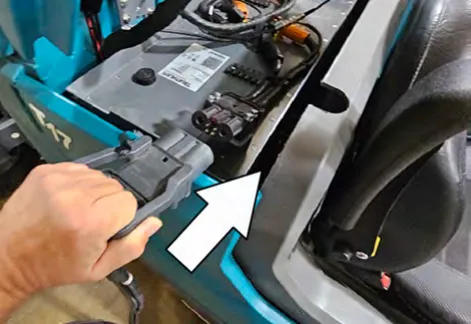
Note: DO NOT disconnect the battery side cable connector on machines equipped with Triathalon lithium-ion batteries machine serial
Note: DO NOT disconnect the battery side cable connector on machines equipped with Triathalon lithium-ion batteries machine serial number 0016063 and above. Use battery charging port to connect charger.
- Disconnect the battery side cable connector from the machine by pulling down on the connector or the battery quick-disconnect lever (option). Do not pull on the cables.
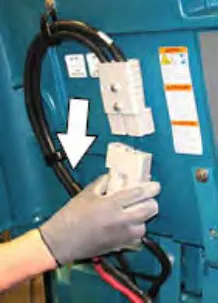
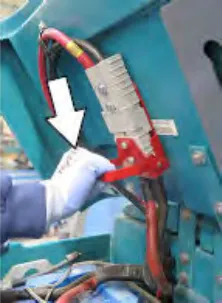
- Connect the charger connector to the battery cable on machines equipped with FLA batteries, or Lithium-Ion batteries on machine serial number 0016062 and below.
To charge with Tennant branded charger
- Turn on the battery charger if required.
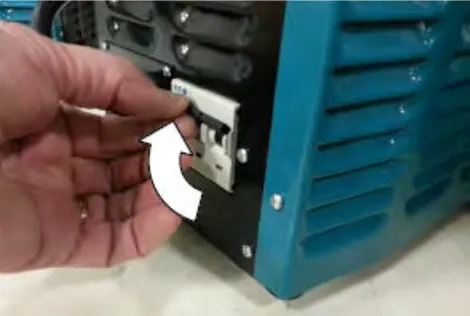
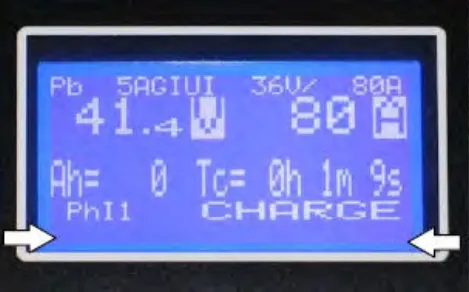 Warning: Batteries emit hydrogen gas. Explosion or fire can result. Keep sparks and open flame away. Keep covers open when charging.
Note: If there are charger fault codes when the battery is plugged into the battery charger, the fault codes will appear at the bottom of the charger display. Refer to the battery charger manual for fault code definitions.
- Observe the charger display. CHARGE appears on the display when the battery is charging. This is the charger default screen.
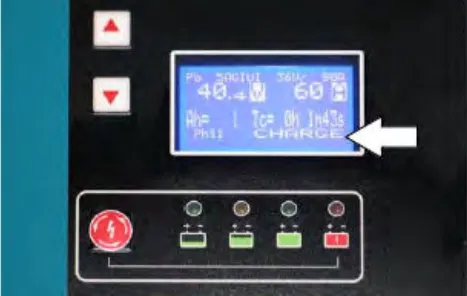
Charger Display:
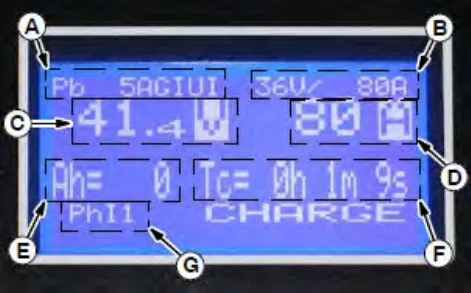
Charger display A. Charge profile number
B. Charger rating (Volts and Current)
C. Battery voltage (Volts)
D. Charger current (Amperes)
E. Ampere hours charged
F. Time charged (hours / minutes / seconds)
G. Charging phase (Phase 1 / Phase 2 / Phase 3 / Maintenance) - If necessary, press the navigation buttons to access additional screens. Press the charger stop / start / enter button to enter selection. The charger will return to the default screen. Refer
to manufacturers operator manual for additional information.
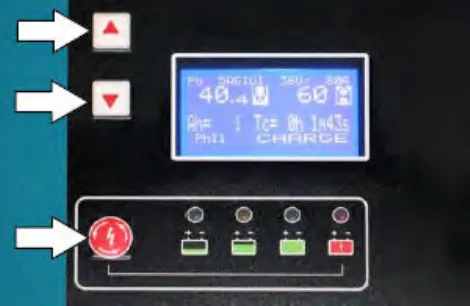
Note: If the charger cable must be disconnected from the battery before they are fully charged, press the charger stop / start / enter button to stop charging. Be sure STOP appears on the display and the red stop charge light is illuminated before disconnecting the battery charger cable.
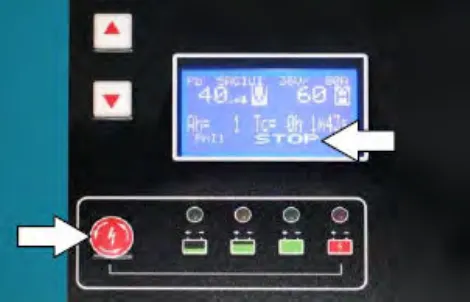
- The charger status indicators will illuminate from left to the right as the battery is charging. COMPLETE will appear in the display, all the charger status indicators will be illuminated, and the Tennant charger will stop charging when the battery is completely charged.
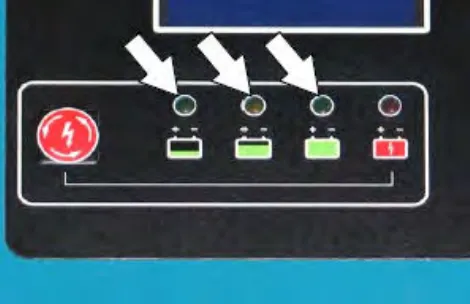
- After the batteries have completely charged, disconnect the charger connector from the battery cable connector.
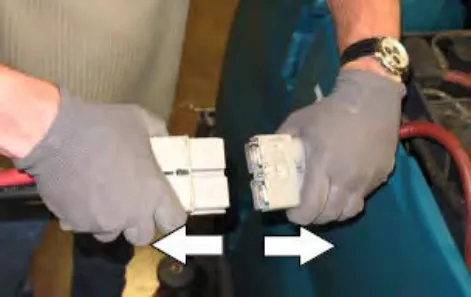
- Reconnect the battery connector to the machine connector.
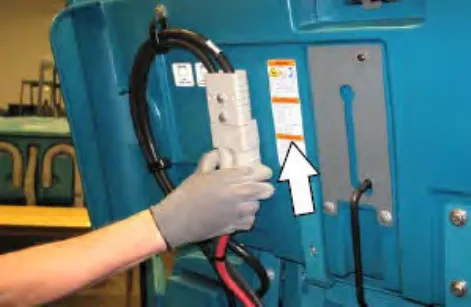
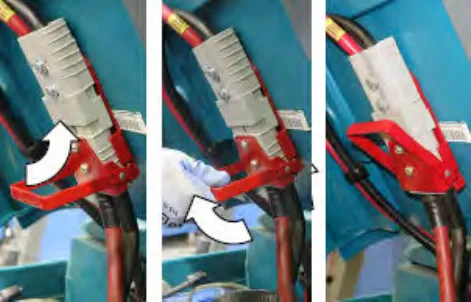 FOR SAFETY: When servicing machine do not disconnect the off-board charger's DC cord from the machine receptacle when the charger is operating. Arcing may result. If the charger must be interrupted during charging, disconnect the AC power supply cord first.
 - Close the battery compartment top cover.
FOR SAFETY: Before leaving or servicing machine, stop on level surface, turn off machine, set parking brake, and remove key.
To charge with EnerSys battery charger
Batteries and chargers: make sure your charger is compatible with your batteries, and set its charging algorithm to your battery pack before you use it.
- Turn on the battery charger if required.
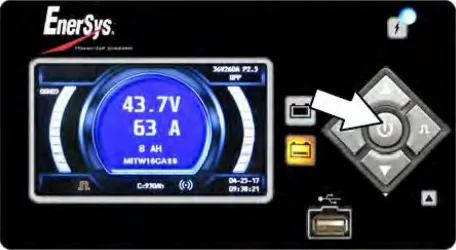 Warning: Batteries emit hydrogen gas. Explosion or fire can result. Keep sparks and open flame away. Keep covers open when charging.
Note: If there are charger fault codes when the battery is plugged into the battery charger, the fault codes will appear at the bottom of the charger display. Refer to the battery charger manual for fault code definitions.
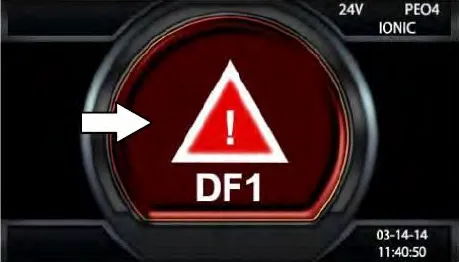
- Observe the charger display. The charging indicator will illuminate on the display when the battery is charging. This is the charger default screen.
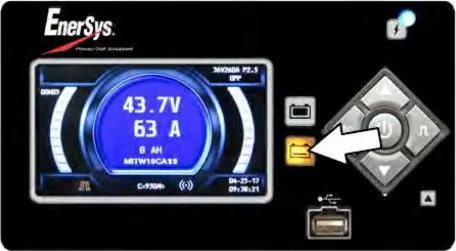
Charger Display:
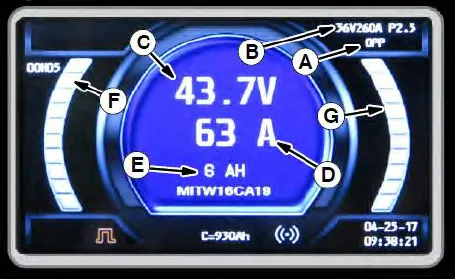
Charger display A. Charge profile number
B. Charger rating (Volts and Current)
C. Battery voltage (Volts)
D. Charger current (Amperes)
E. Ampere hours charged
F. Time charged (hours / minutes / seconds)
G. Percent of charge - If necessary, press the navigation buttons to access additional screens. Press the charger stop / start / enter button to enter selection. The charger will return to the default screen. Refer to manufacturers operator manual for additional information.
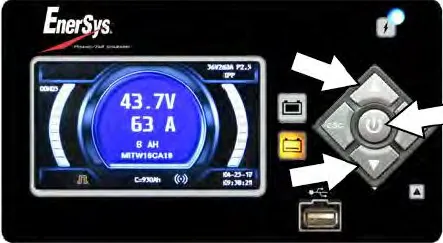
Note: If the charger cable must be disconnected from the battery before they are fully charged, press the charger stop / start / enter button to stop charging. Be sure the charging indicator is no longer illuminated before disconnecting the battery charger cable.
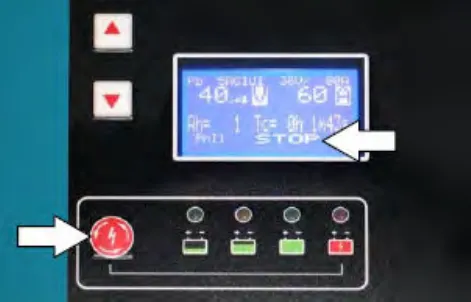
- The yellow charging indicator will illuminate while the battery is charging. Once the charger is complete the yellow charging indicator light will go out and the green charge complete indicator will be illuminated. The charger will stop charging when the battery is completely charged.
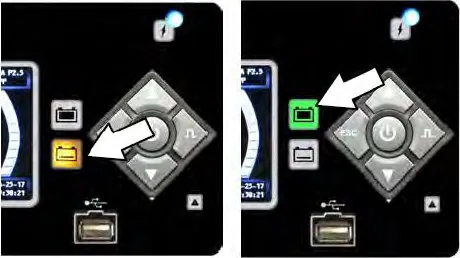
- After the batteries have completely charged, disconnect the charger connector from the battery cable connector.
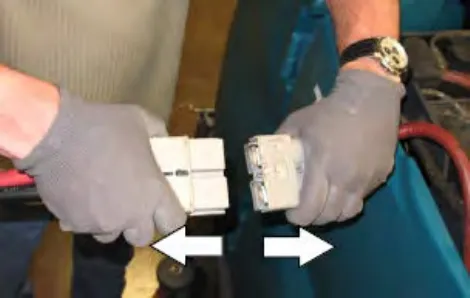
- Reconnect the battery connector to the machine connector.
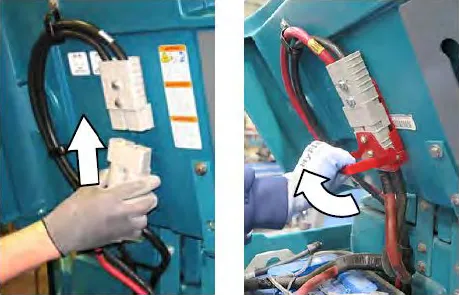 FOR SAFETY: When servicing machine do not disconnect the off-board charger's DC cord from the machine receptacle when the charger is operating. Arcing may result. If the charger must be interrupted during charging, disconnect the AC power supply cord first.
 - Close the battery compartment top cover.
FOR SAFETY: Before leaving or servicing machine, stop on level surface, turn off machine, set parking brake, and remove key.
To charge with Triathlon battery charger
Batteries and chargers: make sure your charger is compatible with your batteries, and set its charging algorithm to your battery pack before you use it.
The Triathlon battery charger is used to charge the Lithium-Ion batteries supplied on machines serial number 0016063 and above. Please see the battery charger manufacturer's operating manual for further information.
The battery charger operates at different states throughout the charging cycle. The different charging states can be see below.
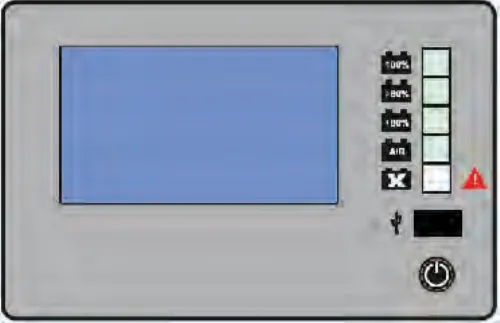
| Lights | Charger state |
|---|---|
| No battery | |
 | Battery SOC<80% |
 | Battery SOC>80% |
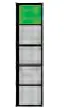 | End of charge |
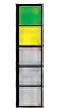 | End of charging/Balancing |
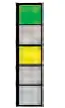 | Pause mode (LEDs flashing alternately) |
- Press the pause/unpause button to turn on charging.
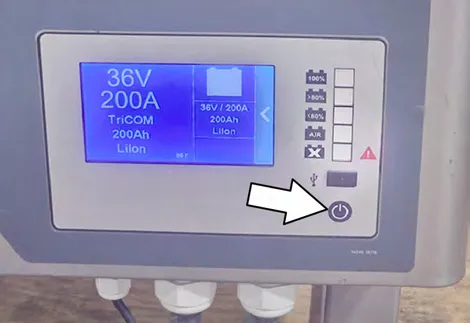
Note: If there are charger fault codes when the battery is plugged into the battery charger, the fault codes will appear on the charger display. Refer to the manufactures battery charger manual for fault code definitions.
- The yellow charging indicator will illuminate the lower than 80 percent at first if the machine's battery was plugged in at this level. While the battery is charging, the greater than 80 percent indicator light with illuminate when it gets to that level. Once the charger is complete, the green charge complete indicator will be illuminated. The charger will stop charging when the battery is completely charged.
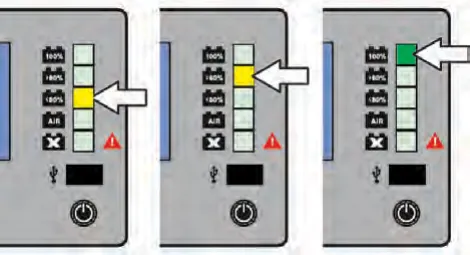
Note: Do not disconnect the battery cable without pausing the battery charger. If the charging process must be interrupted during the charging process, press the pause button to stop the charge. Verify the charger current output is 0A, then remove the charging cable from the battery charging port. Failure to pause charger before disconnecting battery can accelerate connector wear.
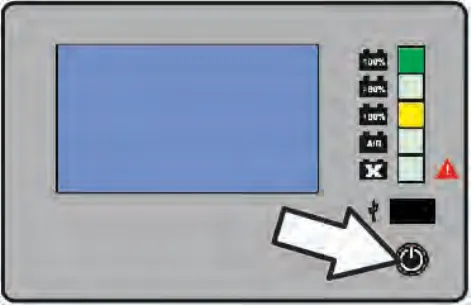
- After the batteries have completely charged, disconnect the charger connector from the battery cable connector.
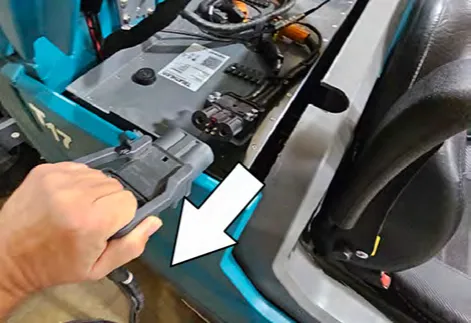
- Close the battery compartment top cover.
Battery charger USB port
The battery charger USB port is for maintenance computer access to the charger by authorized service personnel only. Do Not plug cell phones or other unauthorized electronic devices into the battery charger USB port. Do Not plug anything into the USB port while the battery is charging.
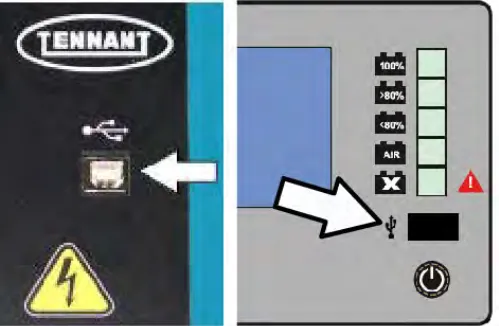
Battery watering system (option)
The optional battery watering system provides a safe and easy way to maintain the proper electrolyte levels in the batteries.
Check the battery watering system hoses and connections for damage or wear after every 100 hours.
- Lift the battery compartment cover open and engage the support.
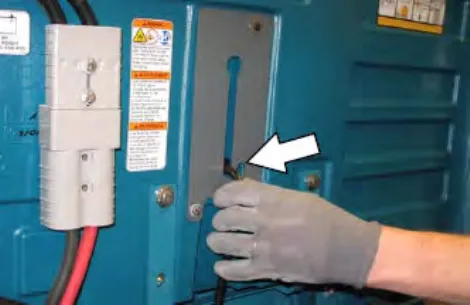
- Fully charge batteries prior to using the battery watering system. Do not add water to batteries before charging, the electrolyte level will expand and may overflow when charging. See CHARGING THE BATTERIES on page 76.
- Connect the battery watering system hose to the water supply source.
Important: Water quality is important to maintain the life of the battery. Always use water that meets battery manufacturer requirements.
Important: The water supply to the battery water system must always be 2 GPM (7.57 LPM) or more. Use the purger to confirm the water supply pressure. Refer to manufacturer Operator Manual for additional information.
- Connect the battery watering system hose to the battery fill hose.
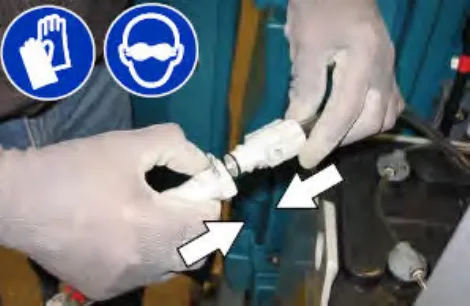
- Turn on the water supply. The indicator inside the flow indicator will spin. The indicator stops spinning when the batteries are full.
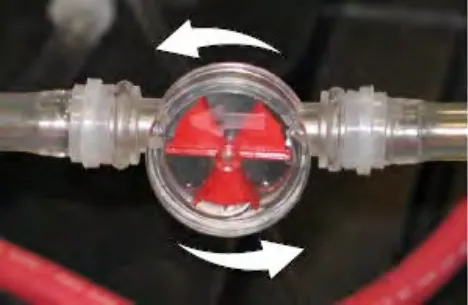
- Disconnect the battery watering system hose from the water supply hose.
- Turn off the water supply.
- After adding water, return the battery watering system hose to the storage location for future use.
Fuel cell battery (option)
Machines can be equipped for use with fuel cell battery systems. Contact the fuel cell battery provider for all fuel cell battery information.
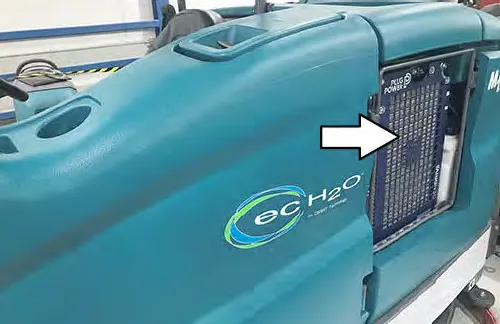
Circuit breakers, fuses, and relays
Circuit breakers
Circuit breakers are resettable electrical circuit protection devices designed to stop the flow of current in the event of a circuit overload. Once a circuit breaker is tripped, reset it manually by pressing the reset button after the breaker has cooled down.
Circuit breakers 1 through 9 are located under the operator seat behind the battery compartment side cover.
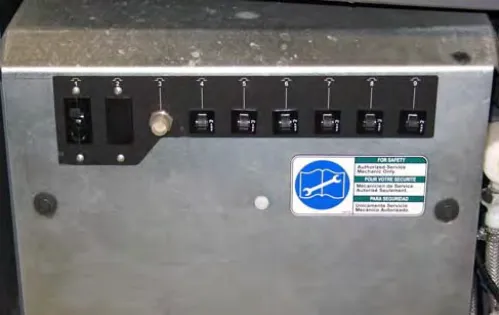
Circuit breakers 10 through 15 are located behind the steering shroud access panel.
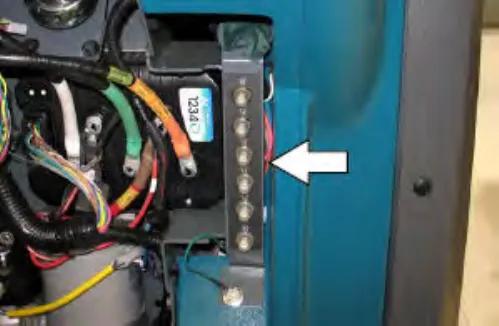
Circuit breaker 16 is located inside the optional light assembly mounted on top of the recovery tank.
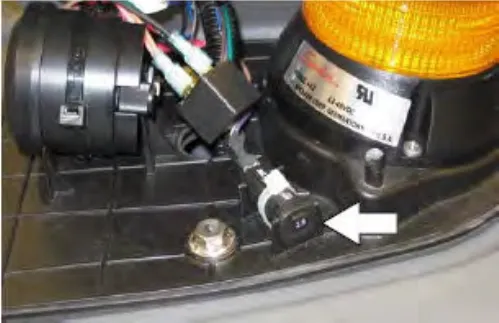
If the overload that caused the circuit breaker to trip is still present, the circuit breaker will continue to stop current flow until the problem is corrected.
The chart below shows the circuit breakers and the electrical components they protect.
| Circuit Breaker | Rating | Circuit Protected |
|---|---|---|
| CB1# | 60 A | Water pickup module |
| CB2# | 50 A | Pre-Sweep module (Option) |
| CB3A# | 20 A | Side brush sweep module (Option) |
| CB3B# | 35 A | Side brush scrub module (Option) |
| CB4# | 2.5 A | Key switch |
| CB5# | 2.5 A | Water pick up module |
| CB6# | 2.5 A | Scrub module |
| CB7A# | – | Not Used |
| CB7B# | 2.5 A | Pre-Sweep module (Option) |
| CB7C# | 2.5 A | Side brush scrub module (Option) |
| CB8# | 2.5 A | ec-H2O module |
| CB9# | 2.5 A | ec-H2O pump |
| CB10# | 15 A | Spray nozzle (Option) / High Pressure washer (Option) |
| CB11# | 15 A | Lights (Option) |
| CB12# | 2.5 A | Headlights (Option) |
| CB13# | 2.5 A | Strobe light / Flashing light on over head guard (Option) |
| CB14# | 2.5 A | Strobe light / Flashing light on recovery tank cover (Option) |
| CB15# | 15 A | Power steering (Option) |
| CB16# | 2.5 A | Backup alarm / light (Option) |
Fuses
Fuses are one-time protection devices designed to stop the flow of current in the event of a circuit overload. Never substitute higher value fuses than specified.
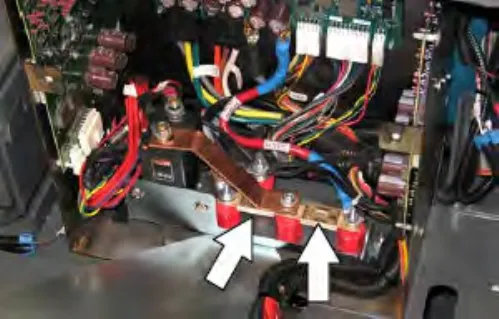
The fuses are located in the control box behind the circuit breaker panel.
| Fuse | Rating | Circuit Protected |
|---|---|---|
| FU-1 | 150 A | Propelling |
| FU-2 | 100 A | Scrub module power |
| FU-3 | 2.0 A | Telemetry module harness |
| Inline fuse | 100 A | High pressure washer (Option) |
| Inline fuse | 40 A | Live wand (Option) |
Relays
Relays are electrical switches that open and close under the control of another electrical circuit.
Relays are able to control an output circuit of higher power than the input circuit. The relays are located in the control box behind the circuit breaker panel.
Refer to the table below for the relays and circuits controlled.
| Relay | Rating | Circuit Controlled |
|---|---|---|
| M1 | 36 VDC, 200 A | Main contactor |
| M2 | 36 VDC, 5 A | Backup alarm / light (Option) |
| M3 | 36 VDC, 100 A | Auxiliary line contactor |
Electric motors
Inspect the carbon brushes on the vacuum fan motor after every 500 hours of operation. Inspect the carbon brushes on the sweeping side brush motors and all Pre-Sweep motors after the first 1000 hours of operation and every 100 hours after the initial check. Refer to the table below for carbon brush inspection intervals.
| Carbon Brush Inspection | Hours |
|---|---|
| Side brush motors – Sweeping (Option) | 1000* |
| Pre-Sweep motors (Option) | 1000* |
| Vacuum motor | 500 |
| High pressure washer motor (Option) | 1000** |
*Inspect carbon brushes every 100 hours after the initial 1000 hour change.
**Inspect after 1000 high pressure washer hours, not machine hours.
Solution supply filter
Check the solution supply filter screen after every 50 hours of operation and clean if necessary. Lower the scrub head for easier access.
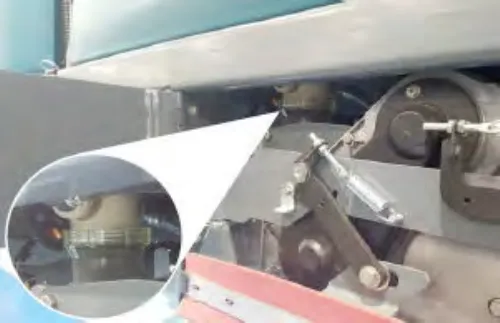
Scrub brushes
The machine can be equipped with either disk or cylindrical scrub brushes. Check scrub brushes daily for wire or string tangled around the brush or brush drive hub. Also check brushes or pads for damage and wear.
Disk brushes and pads
Replace the pads when they no longer clean effectively. Replace the brushes when they no longer clean effectively or when the bristles are worn to the yellow indicator.
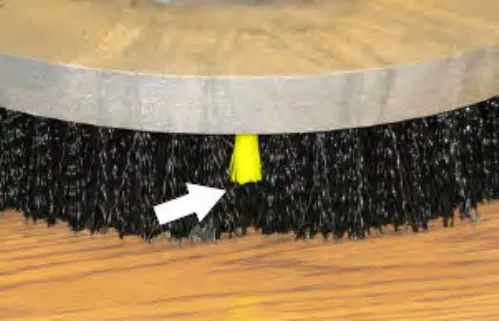
Cleaning pads must be placed on pad drivers before they are ready to use. The cleaning pad is held in place with a center disk. Both sides of the pad can be used for scrubbing. Turn the pad over to use the other side.
Cleaning pads need to be cleaned immediately after use with soap and water. Do not wash the pads with a pressure washer. Hang pads, or lay pads flat to dry.
NOTE: Always replace brushes and pads in sets. Otherwise one brush or pad will be more aggressive than the other.
Replacing disk brushes or pad drivers
- Raise the scrub head.
- Turn off the machine.
FOR SAFETY: Before leaving or servicing machine, stop on level surface, turn off machine, set parking brake, and remove key.
- Open the main brush access door and side squeegee support door.
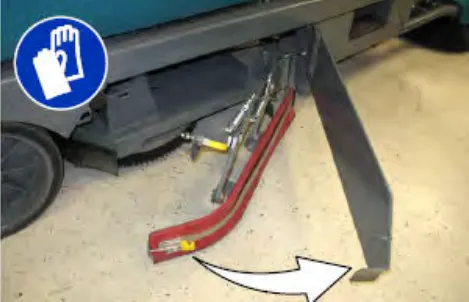
- Turn the brush until the spring handles are visible.
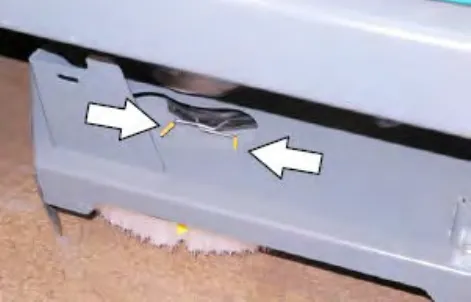
- Squeeze the spring handles and let the brush drop to the floor. Remove the brush from under the scrub head.
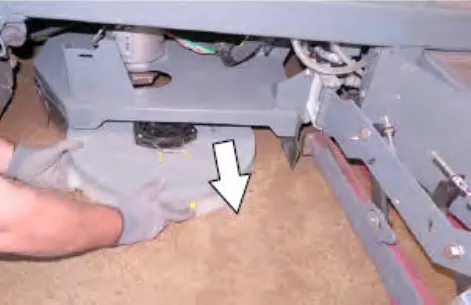
- Set the brush spring open on the new brush to make installation easier.
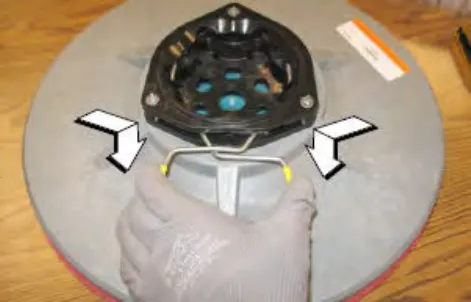
- Push the new brush under the scrub head, align the brush drive socket with the brush drive hub,
and lift the brush up onto the brush drive hub until the brush locks onto the hub.
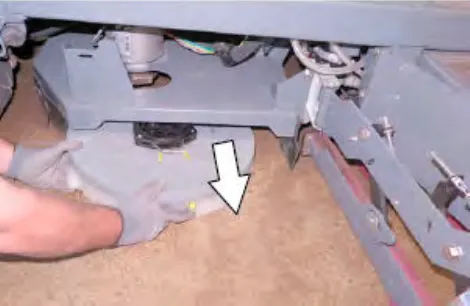
- Ensure the brush is securely mounted on the brush drive hub.
- Close and secure the squeegee support door and close the main brush access door.
- Repeat procedure for the other brushes.
Replacing disk scrub pads
- Remove the pad driver from the machine.
- Squeeze the spring clip together and remove the center disk from the pad driver.
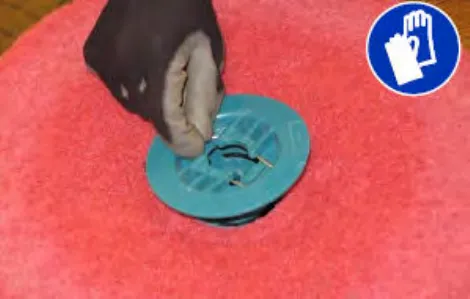
- Remove the scrub pad from the pad driver.
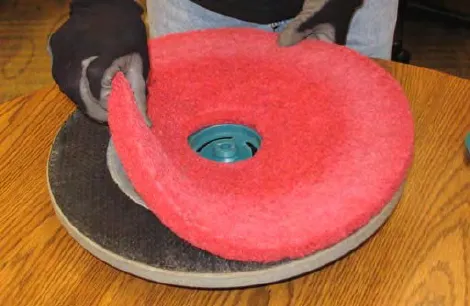
- Flip or replace the scrub pad. Center the scrub pad on the pad driver and reinstall the center disk to secure the pad in place on the pad driver.
- Reinstall the pad driver onto the machine.
Cylindrical brushes
Rotate the brushes from front-to-rear after every 50 hours of operation.
Replace the brushes when they no longer clean effectively.
NOTE: Replace worn brushes in pairs. Scrubbing with brushes of unequal bristle length will result in diminished scrubbing performance.
Replacing cylindrical scrub brushes
- Open the main brush access door and side squeegee support door.
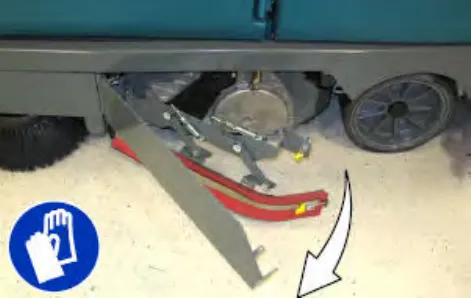
- Lift the idler plate retainer handle and unhook the retainer ring from the idler plate hook.
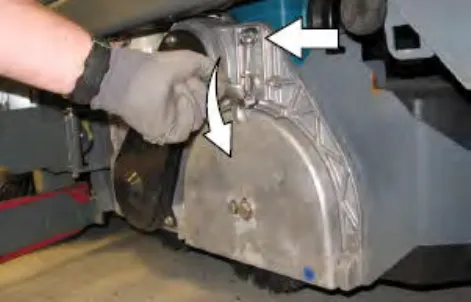
- Remove the idler plate from the scrub head.
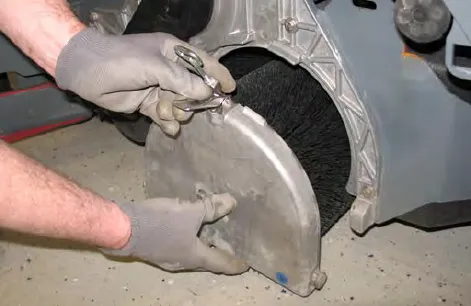
- Remove the brush from the scrub head
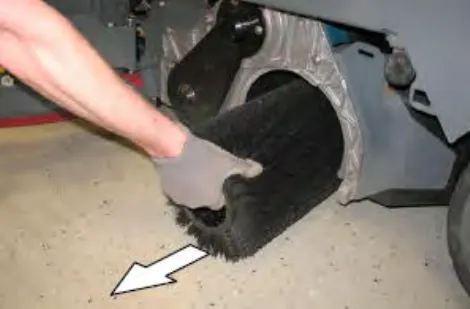
- Position the brush with the double row end towards the scrub head opening. Guide the new brush onto the drive hub.
- If rotating the brushes, always rotate the front with the back so that they wear evenly. They may be rotated end for end as well.
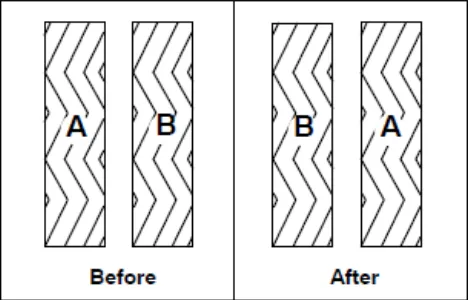
Before / After - Slide the idler plate up into the scrub head.
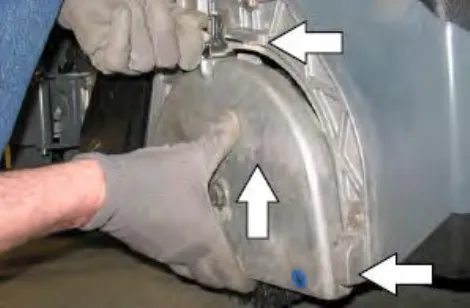
- Secure the idler plate into place with the idler plate retainer.
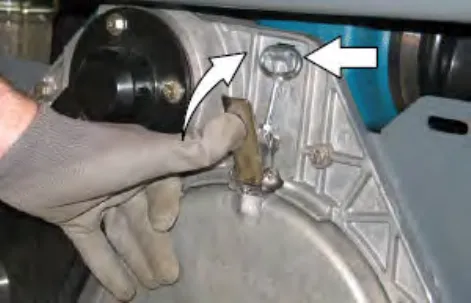
Note: Do not switch the left or right idler plates or the brushes will need to be readjusted by trained personnel.
- Close and secure the squeegee support door and close the main brush access door.
- Repeat for the brush on the other side of the scrub head.
Side brush(es) (option)
Check the side brushes daily for wear or damage. Remove any tangled string or wire from the side brushes or side brush drive hubs.
Replacing the scrubbing side brush
Replace the pads when they no longer clean effectively. Replace the brushes when they no longer clean effectively or when the bristles are worn down to the yellow indicators.
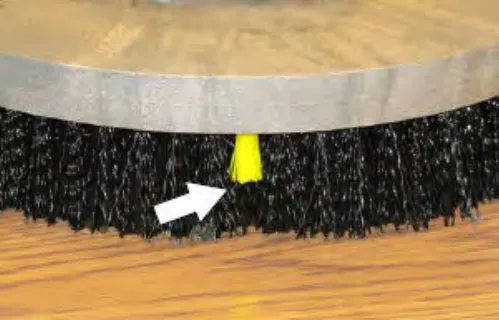
- Raise the side brush assembly and turn off the machine.
FOR SAFETY: Before leaving or servicing machine, stop on level surface, turn off machine, set parking brake, and remove key.
- Squeeze the spring handles and let the side brush drop to the floor.
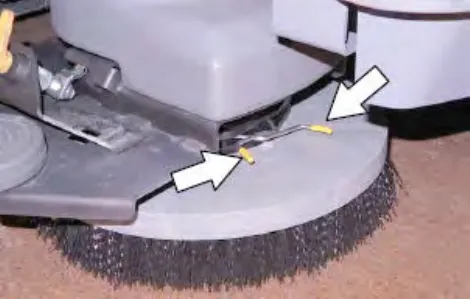
- Remove the side brush from under the side brush assembly.
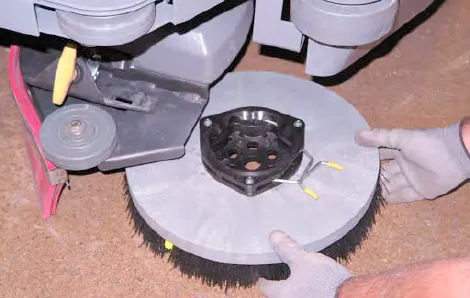
- Set the brush spring open on the new brush to make installation easier.
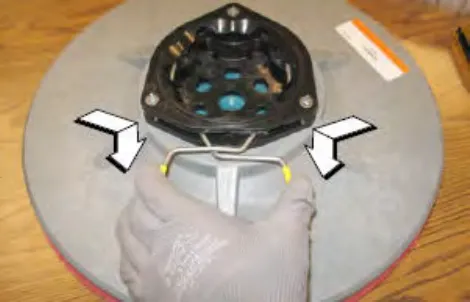
- Place the new side brush underneath the side brush assembly and lift the side brush up onto the side brush hub until the brush locks onto the hub.
Replacing the sweeping side brush(es)
Replace the brushes when they no longer clean effectively.
- Raise the side brush assembly and turn off the machine.
FOR SAFETY: Before leaving or servicing machine, stop on level surface, turn off machine, set parking brake, and remove key.
- Reach into the center of the brush and remove the cotter pin holding the brush and the retaining washer to the hub.
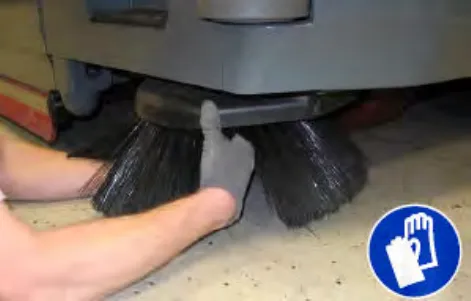
- Remove the side brush and retaining washer from under the side brush assembly.
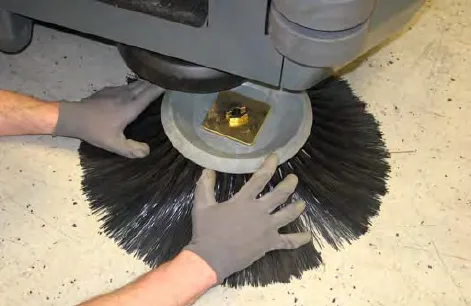
- Place the new side brush underneath the side brush and align the channel in the side brush or the side brush receptacle with the two brush locks on the side brush hub.
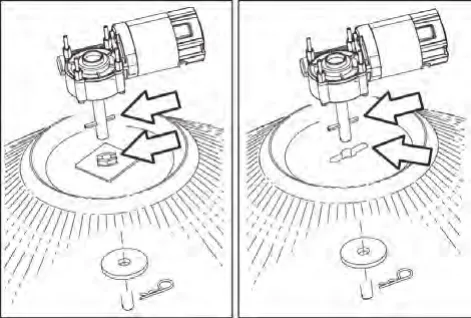
- Lift the side brush up onto the side brush hub, hold the side brush onto the hub, install the retaining washer onto the hub, and reinstall the cotter pin into the hub.
Pre-Sweep brushes (optional)
The Pre-Sweep assembly is equipped with disk side brushes and a cylindrical main brush. Check the brushes daily for wire or string tangled around the brush or brush drive hub. Check the brushes daily for damage and wear.
Replacing the Pre-Sweep side brushes
Replace the brushes when they no longer clean effectively.
- Turn on the machine.
- Press the Pre-Sweep switch to raise the Pre-Sweep assembly and stop sweeping.
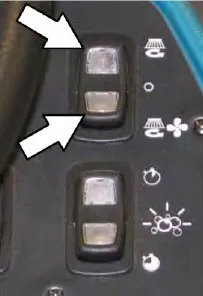
Standard Panel 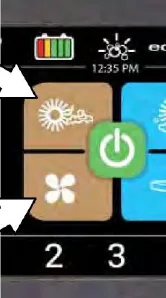
Pro-Panel - Turn off the machine.
FOR SAFETY: Before leaving or servicing machine, stop on level surface, turn off machine, set parking brake, and remove key.
- Reach into the center of the brush and remove the cotter pin holding the brush and the retaining washer to the hub.
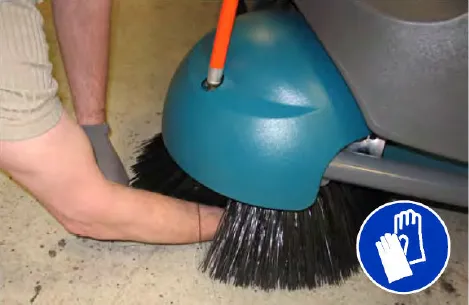
- Remove the side brush and retaining washer from under the Pre-Sweep assembly.
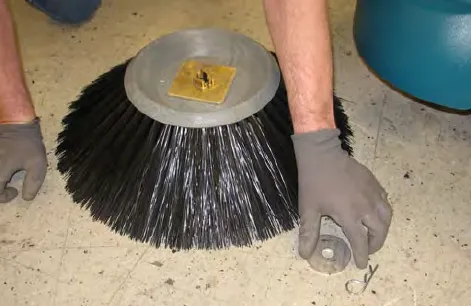
- Place the new side brush underneath the side brush and align the channel in the side brush or the side brush receptacle with the two brush locks on the side brush hub.
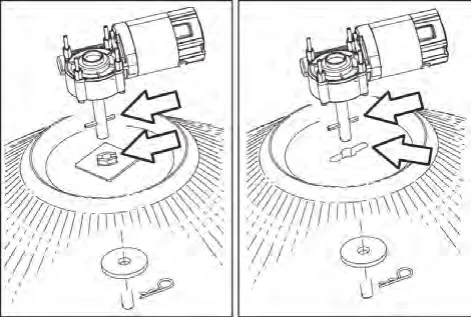
- Lift the side brush up onto the side brush hub, hold the side brush onto the hub, install the retaining washer onto the hub, and reinstall the cotter pin into the hub.
Replacing the Pre-Sweep cylindrical brush
Rotate the brushes from front-to-rear after every 50 hours of operation.
Replace the brush when it no longer cleans effectively.
- Turn off the machine.
- Loosen both Pre-Sweep cover latches.
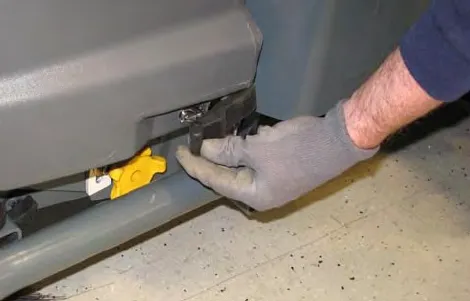
- Lift the Pre-Sweep cover, lock the cover open, and engage the Pre-Sweep cover support.
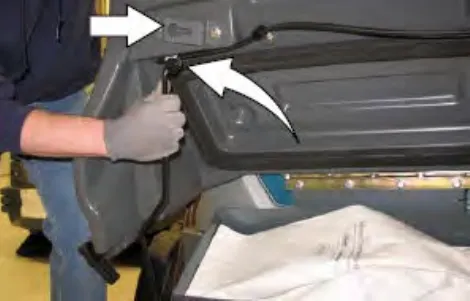
- Loosen and remove the left brush arm knob.
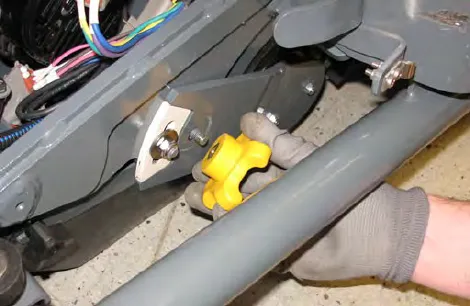
- Remove the left brush arm.
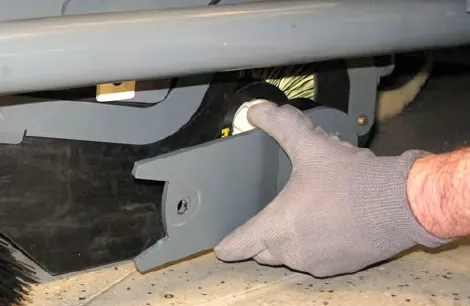
- Remove the three knobs holding the Pre-Sweep side skirt and side skirt plate to the Pre-Sweep assembly.
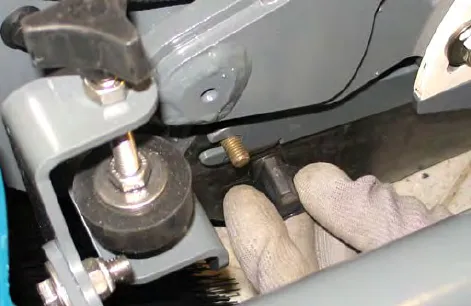
- Remove the side skirt plate and side skirt from the Pre-Sweep assembly.
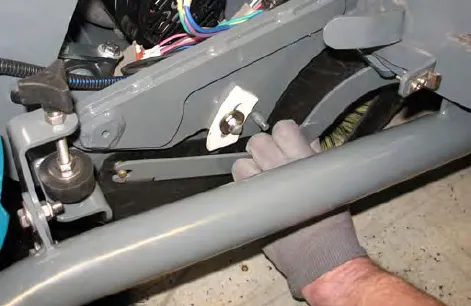
- Remove the cylindrical brush and replace with a new brush.
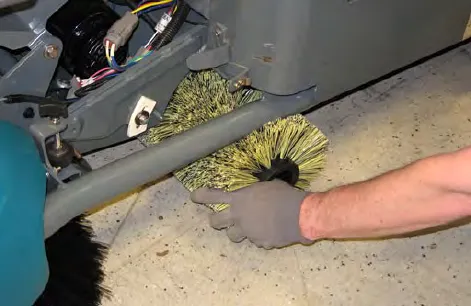
- Guide the slotted end of the new brush onto the drive hub.
- Reinstall the side skirt, side skirt plate, and left brush arm.
Squeegee blades
Check the squeegee blades for damage and wear daily. When the blades become worn, rotate the blades end-for-end or top-to-bottom to a new wiping edge. Replace blades when all edges are worn.
Check the deflection of the squeegee blades daily or when scrubbing a different type of surface. Check the leveling of the rear squeegee every 50 hours of operation.
Replacing (or rotating) the rear squeegee blades
- If necessary, lower the Rear bumper door / step.
FOR SAFETY: Before leaving or servicing machine, stop on level surface, turn off machine, set parking brake, and remove key.
- Disconnect the vacuum hose from the rear squeegee assembly.
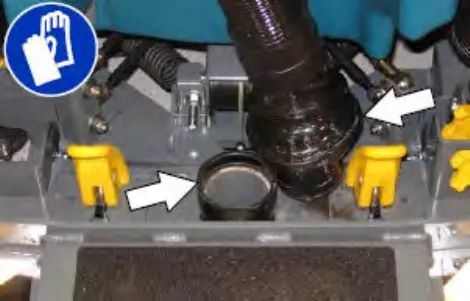
- Loosen both squeegee mounting handles.
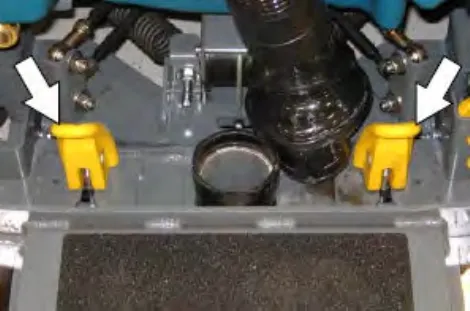
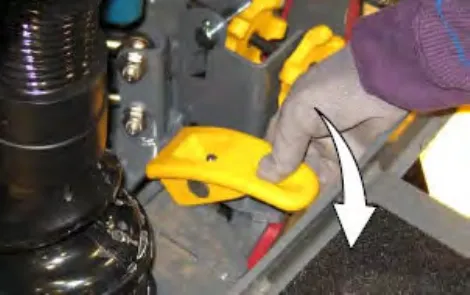
- Pull the rear squeegee assembly from the machine.
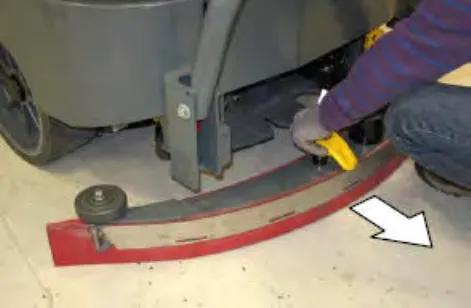
- Loosen the rear retainer latch and remove the latch and the retainer from the squeegee assembly.
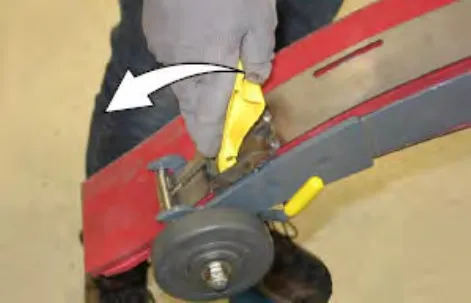
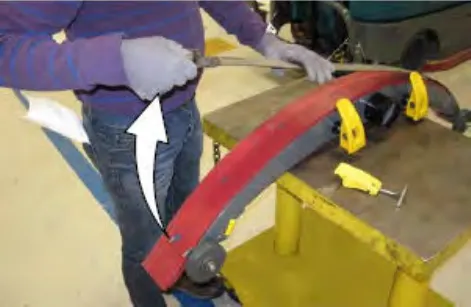
- Remove the rear squeegee from the squeegee assembly.
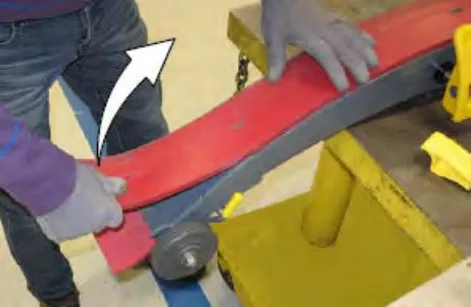
- Place the rotated or new squeegee blade onto the rear squeegee assembly. Be sure the squeegee
is securely attached on each tab on the rear squeegee assembly.
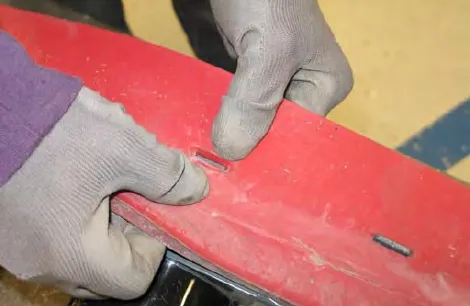
- Insert the hinge end of the retainer into the hooks in the rear squeegee assembly.
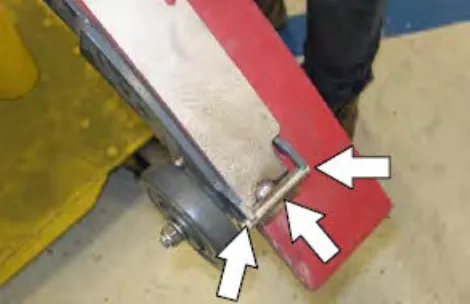
- Install the retainer along the rest of the squeegee assembly, align the tabs on the squeegee assembly into the slots in the retainer, and tighten the latch onto the other end of the squeegee assembly.
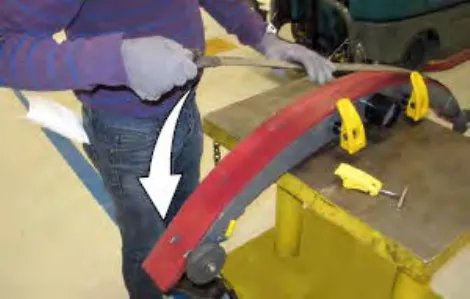
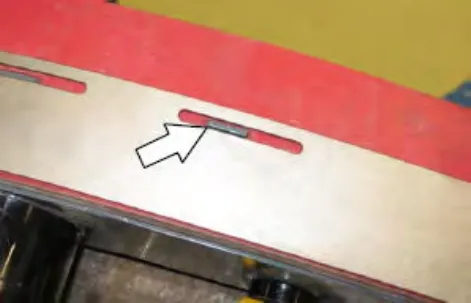
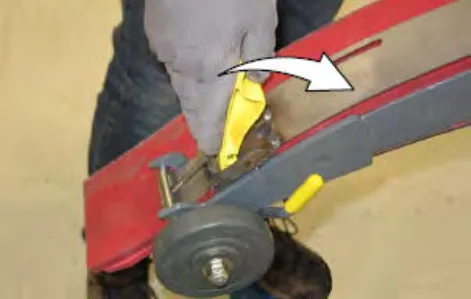
- Turn the rear squeegee assembly over to access the front of the squeegee assembly.
- Loosen the front retainer latch and remove the latch and the retainer from the squeegee assembly.
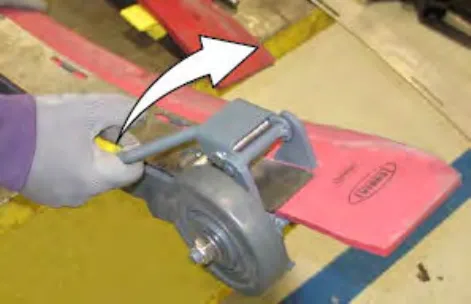
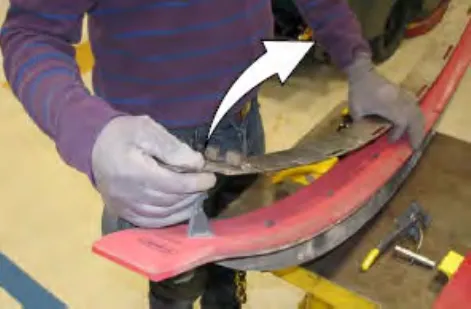
- Remove the front squeegee from the squeegee assembly
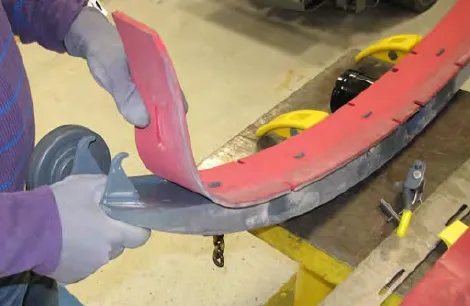
- Install the rotated or new squeegee blade onto the squeegee assembly. Be sure the holes in the squeegee blade are hooked onto the tabs.
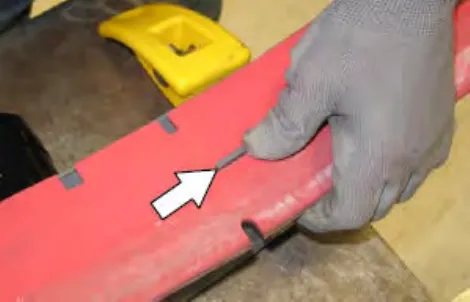
- Install the front squeegee retainer onto the rear squeegee assembly.
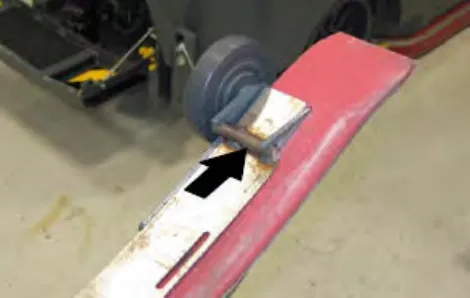
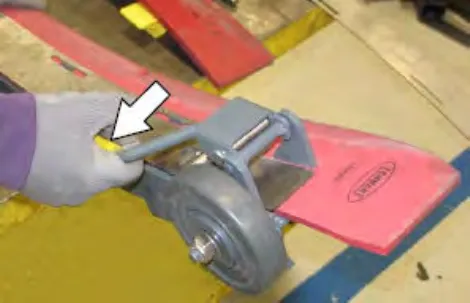
- Reinstall the rear squeegee assembly onto the machine
- Raise the Rear bumper door / step if it was lowered to access the rear squeegee assembly.
Leveling the rear squeegee
Leveling the squeegee ensures the entire length of the squeegee blade is in even contact with the surface being scrubbed. Perform this adjustment on an even and level floor.
- Lower the squeegee and drive the machine several feet (meters) forward and slowly bring the machine to a stop.
- Check the squeegee deflection over the full length of the squeegee blade.
FOR SAFETY: Before leaving or servicing machine, stop on level surface, turn off machine, set parking brake, and remove key.
- Lower the Rear bumper door / step.
- If the deflection is not the same over the full length of the blade, use the tilt adjust knob to make adjustments.
DO NOT disconnect the vacuum hose from the squeegee frame when leveling squeegee.
- To adjust the squeegee leveling, loosen the tilt lock knob.
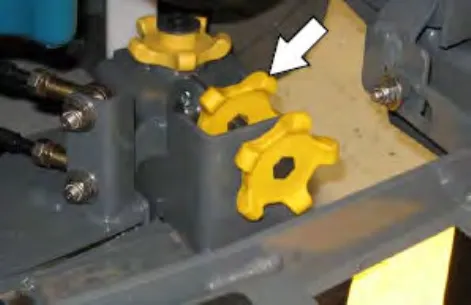
- Turn the squeegee tilt adjust knob counter-clockwise to decrease the deflection at the ends of the squeegee blade.
Turn the squeegee tilt adjust knob clockwise to increase the deflection at the ends of the squeegee blade.
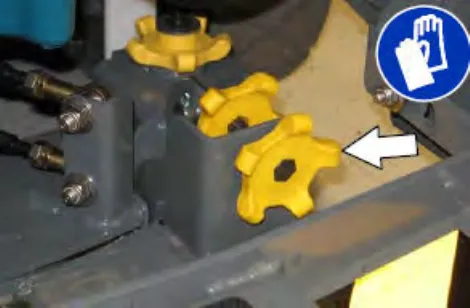
- Tighten the tilt lock knob.
- Drive the machine forward with the squeegee down to recheck the squeegee blade deflection if adjustments were made.
- Readjust the squeegee blade deflection if necessary.
- Raise the Rear bumper door / step when finished leveling the rear squeegee.
Adjusting the rear squeegee blade deflection
Deflection is the amount of curl the overall squeegee blade has when the machine moves forward. The best deflection is when the squeegee wipes the floor dry with a minimal amount of deflection.
NOTE: Make sure the squeegee is level before adjusting the deflection. See LEVELING THE REAR SQUEEGEE on page 93.
- Lower the squeegee and drive the machine several feet (meters) forward and slowly bring the machine to a stop.
FOR SAFETY: Before leaving or servicing machine, stop on level surface, turn off machine, set parking brake, and remove key.
- Look at the amount of deflection or "curl" of the squeegee blade. The correct amount of deflection is 0.50 in (12 mm) for scrubbing smooth floors and 0.62 in (15 mm) for rough floors.
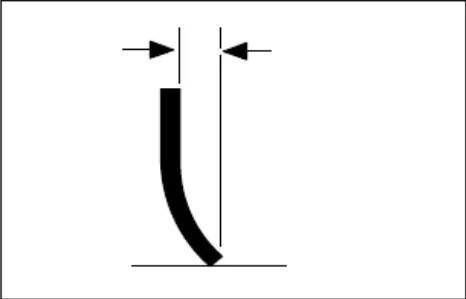
- Lower the Rear bumper door / step.
- To adjust the overall squeegee blade deflection, loosen the lock knobs on both sides of the machine.
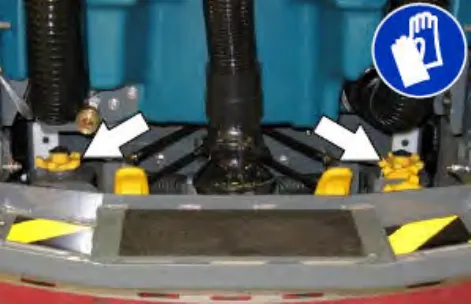
- Turn the adjustment knobs clockwise to increase deflection or counterclockwise to decrease deflection.
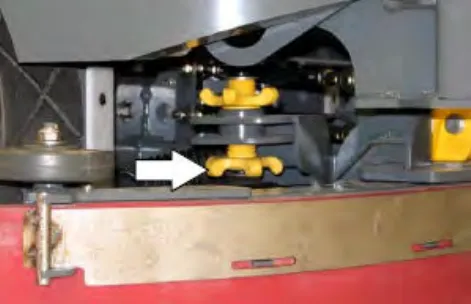
- Retighten the lock knobs.
- Drive the machine forward again to recheck the squeegee blade deflection.
- Readjust the squeegee blade deflection if necessary.
- Raise the Rear bumper door / step when finished adjusting the rear squeegee blade deflection.
Replacing or rotating the side squeegee blades
- If necessary, raise the scrub head.
- Open the main brush access door and side squeegee support door.
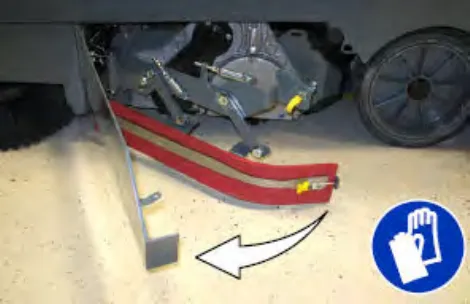
- Unhook the retaining band latch from the side squeegee assembly.
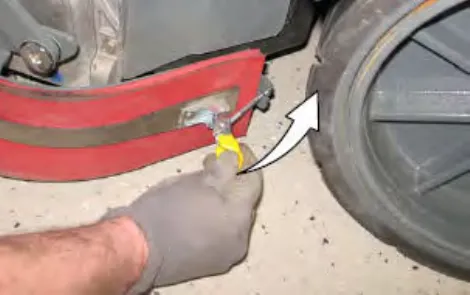
- Remove the retaining band from the side squeegee assembly.
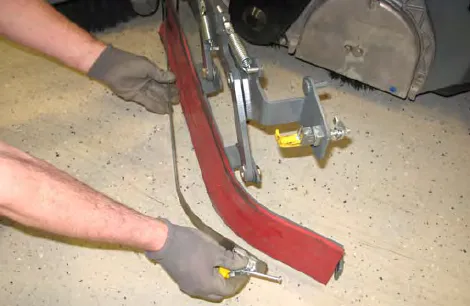
- Remove the squeegee blade from the side squeegee assembly.
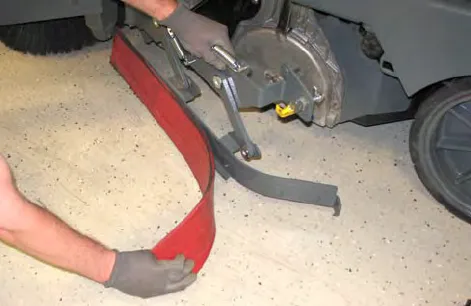
- Install the rotated or new rear squeegee blade onto the side squeegee assembly.
- Hook the retaining band onto the retaining band retainer tab on the side squeegee assembly.
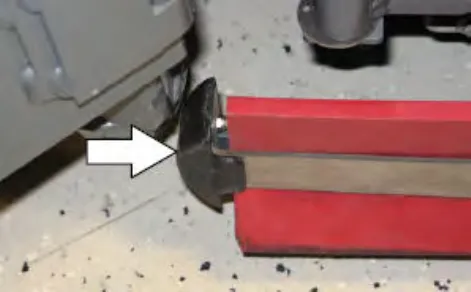
- Fasten the retaining band latch onto the side squeegee assembly.
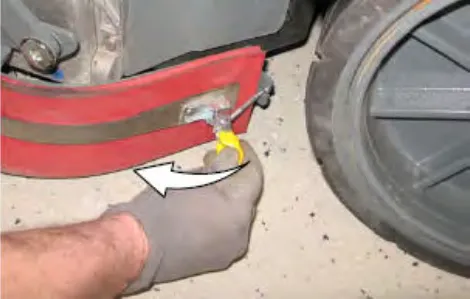
- Close and secure the squeegee support door and close the main brush access door.
- Repeat for the side squeegee on the other side of the scrub head.
Replacing or rotating the side brush squeegee blades (option)
Check the side brush squeegee blades for damage and wear daily. Replace or rotate a blade if the leading edge is torn or worn half-way through the thickness of the blade.
- Loosen the side brush squeegee assembly handle and remove the squeegee assembly from the machine.
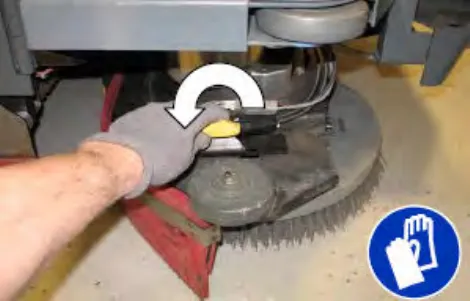
- Loosen the retaining band latch.
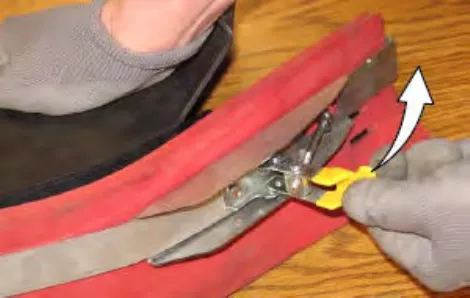
- Remove the retaining band, squeegee blades, and spacer from the squeegee frame.
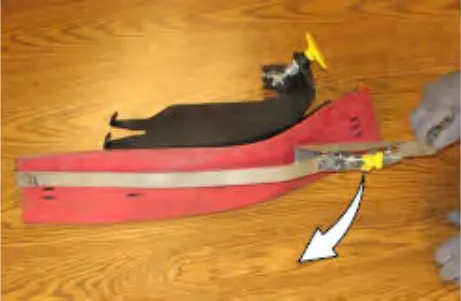
NOTE: Observe which squeegee slots were installed on the squeegee frame before removing the squeegee.
- Install the rotated / new squeegee blades, spacer, and retaining band onto the side brush assembly.
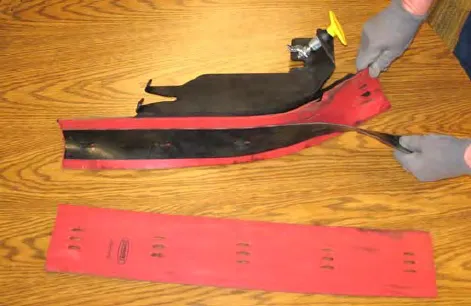
NOTE: The squeegee blade(s) have slots for adjusting the squeegee blade deflection. Install / reinstall squeegees so the deflection is approximately 0.50 in (12 mm) for smooth floors and 0.62 in (15 mm) for rough floors.
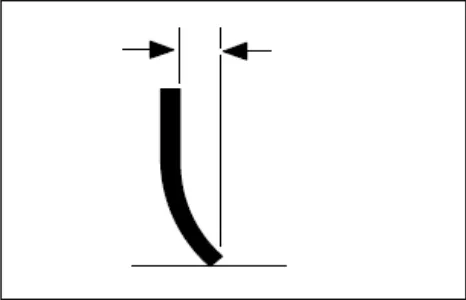
Be sure the holes in the squeegee blade are hooked onto the tabs.
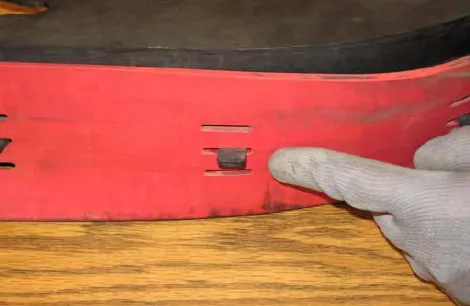
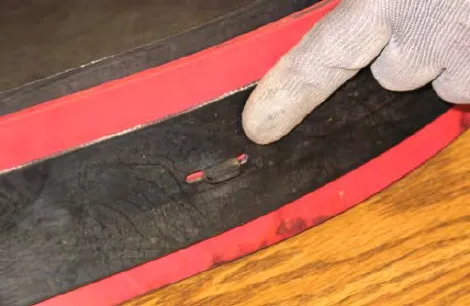
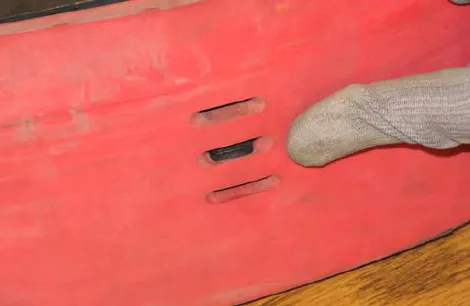
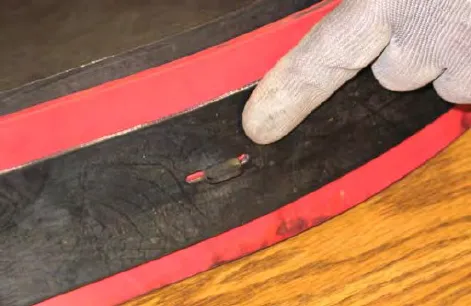
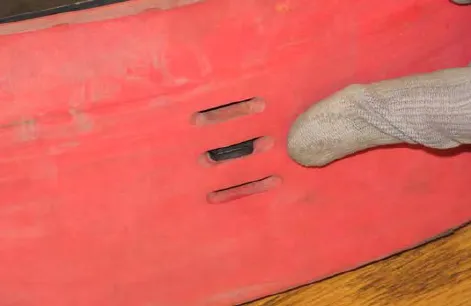
- Fasten the side brush retaining band latch.
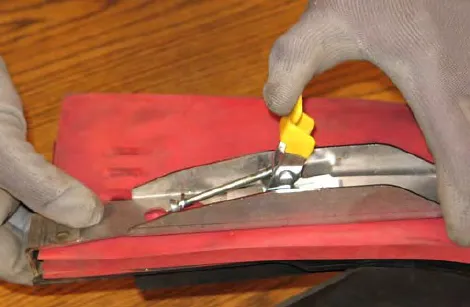
- Reinstall the side brush squeegee assembly onto the side brush assembly.
Skirts and seals
Recovery tank seal
Check the recovery tank cover seal for damage and wear daily.
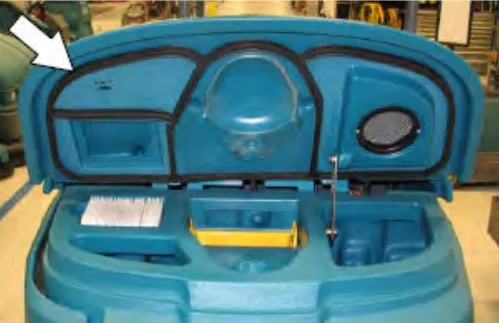
Solution tank seal
Check the solution tank cover seal for damage and wear daily.
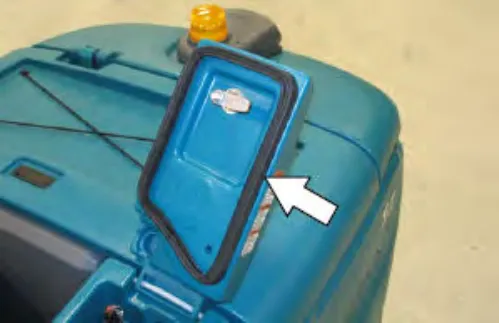
Live wand vacuum seals (option)
Check the dry vacuum seals for damage and wear after every 50 hours of operation.
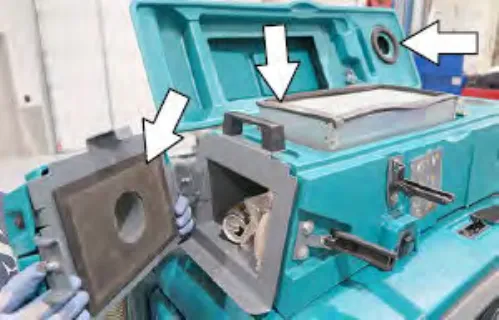
Scrub head skirts (disk scrub heads only)
Check the scrub head skirts for damage and wear after every 50 hours of operation.
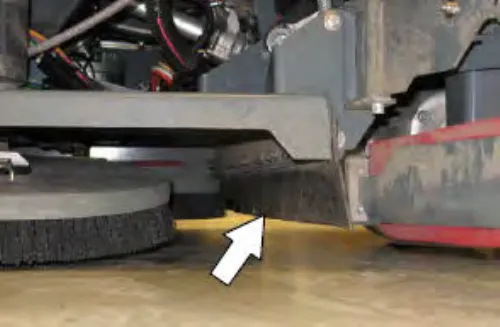
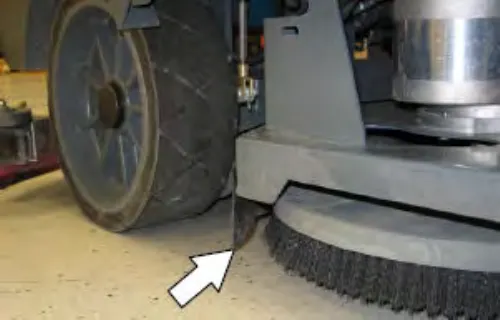
Pre-Sweep skirts (option)
The Pre-Sweep skirts are located around the Pre-Sweep main brush.
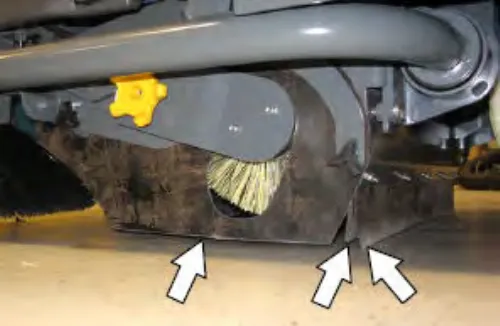
Check the skirts for damage and wear after every 50 hours of operation.
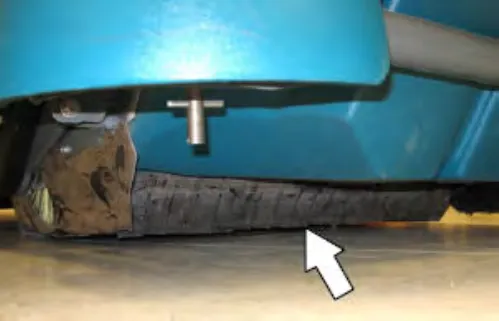
Belts
Cylindrical brush drive belts
The brush drive belts are located on the cylindrical brush scrub head. Check the belts for damage and wear after every 200 hours of operation.
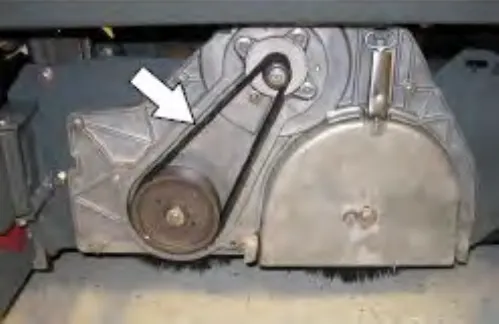
Pre-Sweep brush drive belt (option)
The Pre-Sweep brush drive belt is located inside the Pre-Sweep assembly on the right side of the cylindrical brush. Check the belt for damage and wear after every 200 hours of operation.
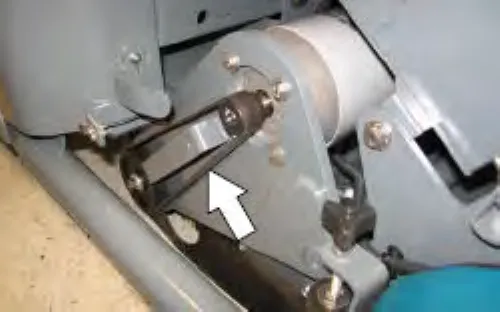
Brakes
The foot brake and the parking brake operate the linkage that controls the brakes on the rear wheels.
The foot pedal should not travel more than 1 in (25 mm) to engage the brake. Check the brake adjustment after every 200 hours of operation.
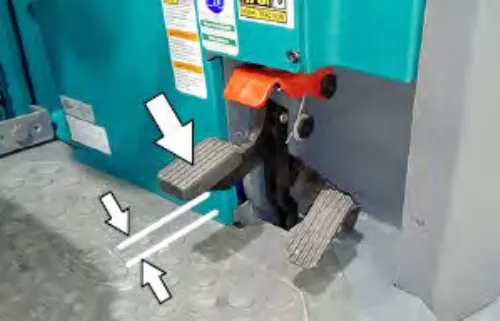
Tires
The machine has three solid rubber tires: one in front, and two in the rear of the machine. Check tires for damage and wear after every 500 hours of operation.
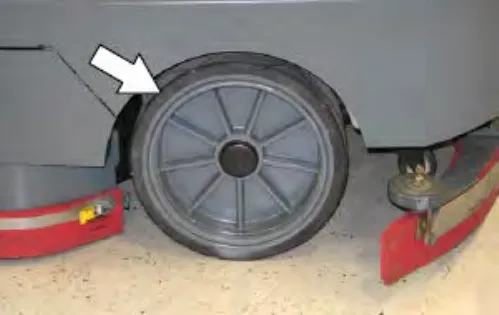
Pushing, towing, and transporting the machine
Pushing or towing the machine
If the machine becomes disabled, it can be pushed from the front or rear, but it can only be towed from the front.
Only push or tow the machine for a very short distance and do not exceed 2 mph (3.2 km/h). It is NOT intended to be pushed or towed for a long distance or at a high speed.
Transporting the machine
- Raise the squeegee, scrub head, and brushes.
FOR SAFETY: When loading/unloading machine onto/off truck or trailer, drain tanks before loading machine.
- Park the trailer on a level surface and apply parking brake.
- Position the machine at the loading edge of the truck or trailer.
FOR SAFETY: When loading/unloading machine onto/off truck of trailer, use ramp, truck or trailer that will support the weight of the machine and operator.FOR SAFETY: When loading/unloading machine onto/off truck of trailer, do not load/unload on ramp inclines that exceed 21% / 12° grade.
NOTE: The machine ability to climb a ramp is affected by tire wear, ramp surface, weather conditions, and other factors. Trailering should be performed by personnel trained on how to safely load a machine.
- Drive the machine onto the trailer or truck. Position the machine so the weight of the machine is safely distributed and can be safely strapped down to the trailer or truck.
FOR SAFETY: When loading/unloading machine onto/off truck of trailer, stop on a level surface, set parking brake and leave the key in the ON position until all tie-down straps are secure.
NOTE: The drive wheel dynamic brake system is active when the key is in the ON position.
- Lower the scrub head and rear squeegee.
- Place a block behind each wheel to prevent the machine from rolling.
- Connect the tie-down straps to the right and left stabilizers in front of the machine.
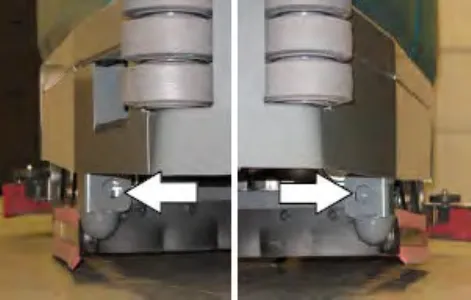
Machines with optional scrubbing side brush only: Connect one tie down strap to the step located on top the scrubbing side brush assembly and the other to the stabilizer located on the other side of the machine.
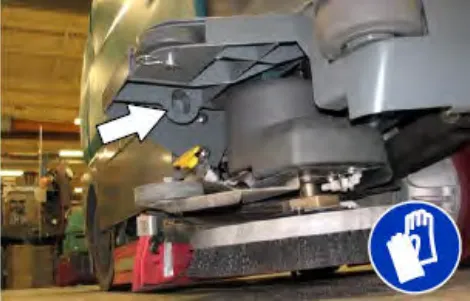
Corrected an obvious misprint: speed limit printed as "3.2 kp/h (2 mph)" (now "2 mph (3.2 km/h)"; kp/h is not a unit, and 2 mph is 3.2 km/h).
- Connect the tie-down straps to the holes in the rear jacking brackets at the rear of the machine.
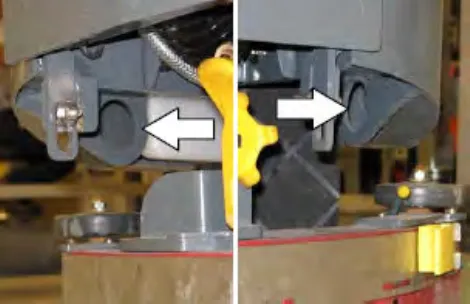
- Turn off machine and remove the key after the machine is secured.
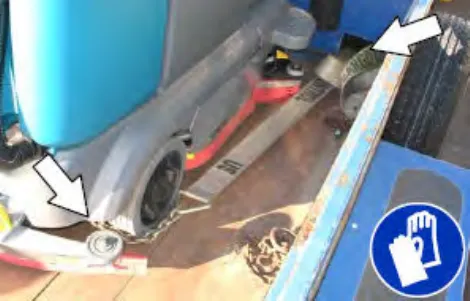
Machine jacking
Jacking point location at the rear of all machines.
Empty the recovery and solution tanks before jacking the machine.
Jacking point location at the front of all machines.
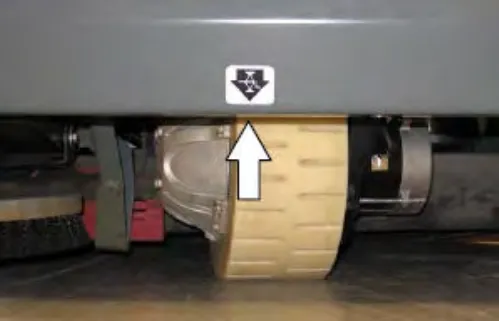
Jacking point locations at the front of machines equipped with the Pre-Sweep option.
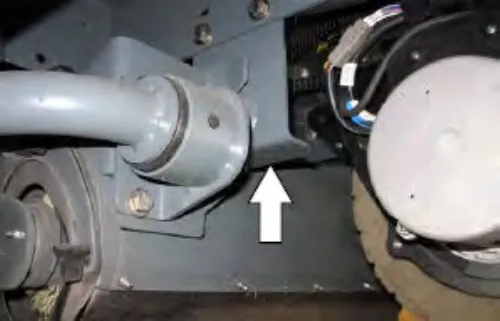
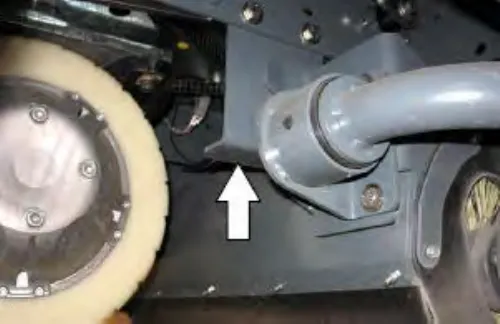
Jacking point location at the rear of all machines.
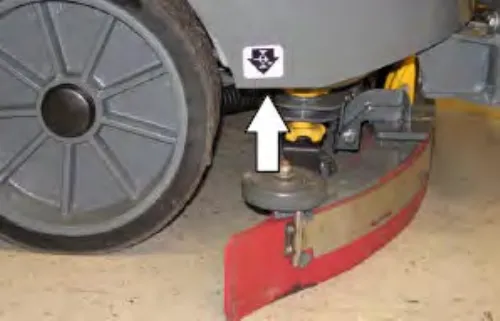
ec-H2O module flush procedure
This procedure is only required when the red indicator light begins to flash and there is an audible alarm.
- Open the right shroud to access the ec-H2O assembly.
- Press the connector button to disconnect the outlet hose from the ec-H2O manifold.
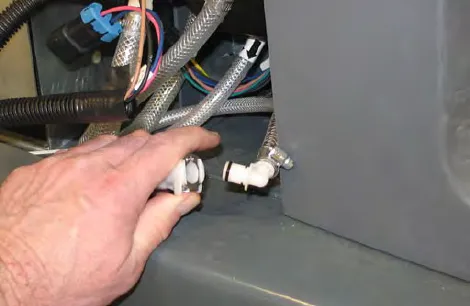
Note: Look for arrows on the hose near where the hose is coming from the bottom of the ec-H2O assembly to determine which hose is the outlet hose.
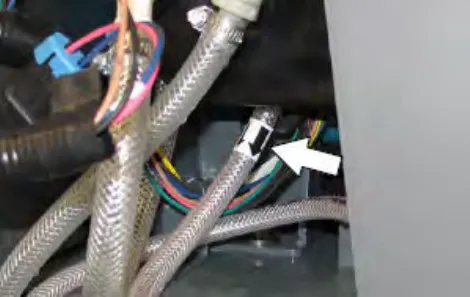
- Remove the drain hose from the ec-H2O compartment.
- Connect the drain hose to the ec-H2O outlet hose.
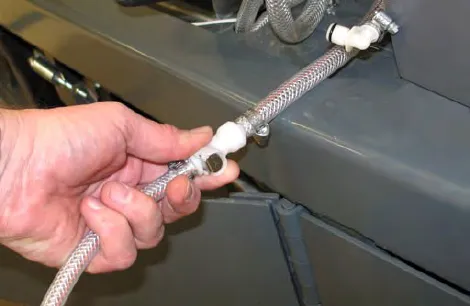
- Place the drain hose into a empty container.
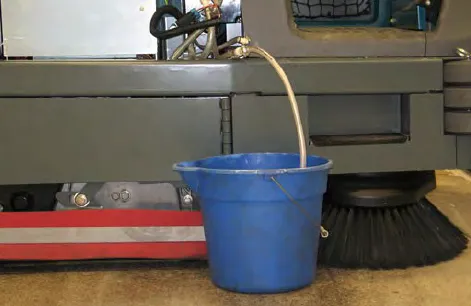
- Pour 2 gallons (7.6 liters) of white or rice vinegar into the solution tank.
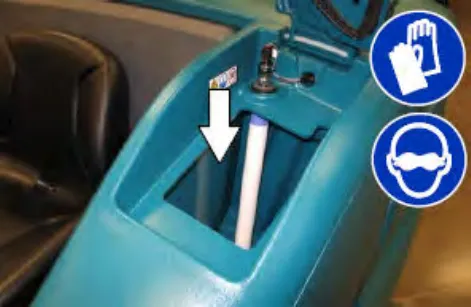
- Start the machine.
- Press and release the ec-H2O module flush switch to start the flush cycle.
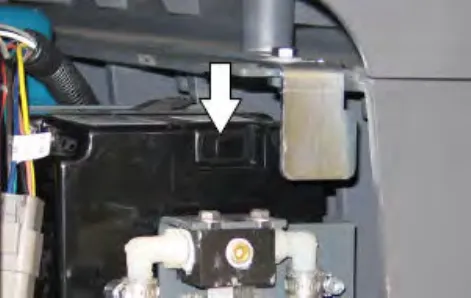
Note: The module will automatically shut off when the flush cycle is complete (approximately 7 minutes). The module must run the full 7-minute cycle in order to reset the system indicator light and alarm.
- Pour 2 gallons (7.6 liters) of cool clean water into the solution tank.
- Press and release the flush switch to rinse any remaining vinegar from t
- Disconnect the drain hose from the ec-H2O manifold hose.
- he module. After 1-2 minutes, press the flush switch to turn off the module.
Corrected an obvious misprint: "ec-H20" in step 3 (now "ec-H2O", as everywhere else in this procedure). Steps 10 to 12 are printed with broken text ("from t" / "he module"); left as printed.
- Reconnect the outlet hose to the ec-H2O manifold hose.
- Return the drain hose to storage location in the ec-H2O compartment.
- Close the right shroud.
Storage information
Batteries and chargers: make sure your charger is compatible with your batteries, and set its charging algorithm to your battery pack before you use it.
The following steps should be taken when storing the machine for extended periods of time.
- Charge the batteries before storing machine to prolong the life of the batteries. Recharge lead-acid batteries once a month. Recharge lithium-ion battery pack once a year.
- Unplug battery communication connector on lithium-ion batteries (machine serial number 0016063 and above.
- Disconnect batteries before storing.
- Thoroughly drain and rinse the solution and recovery tanks.
- Store the machine in a dry area with the squeegee and scrub head in the up position.
ATTENTION: Do not expose machine to rain, store indoors.
- Open the recovery tank cover to promote air circulation.
- If storing machine in freezing temperatures, proceed to FREEZE PROTECTION on page 103.
NOTE: To prevent potential machine damage store machine in a rodent and insect free environment.
Freeze protection
- Completely drain the solution tank, recovery tank, and detergent tank.
- Pour 2 gal (7.6 L) of Propylene Glycol Based / Recreational Vehicle (RV) antifreeze into the solution tank.
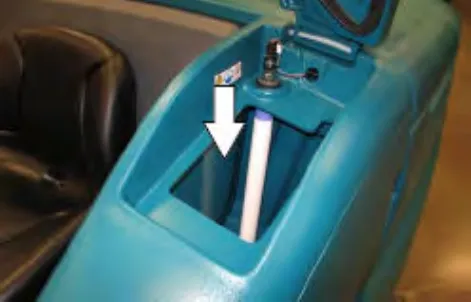
- Machines equipped with optional detergent tank only: Pour 1/2 gal (1.9 L) of Propylene Glycol Based / Recreational Vehicle (RV) antifreeze into the detergent tank.
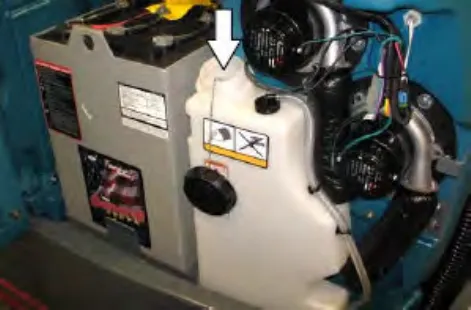
NOTE: Machines equipped with optional ES system will need to fill the pump lines with Propylene Glycol Based / Recreational Vehicle (RV) antifreeze.
- Turn on the machine.
- Press the 1-Step button.
- Repeatedly press the Solution increase button (+) until the solution flow is at the highest setting.
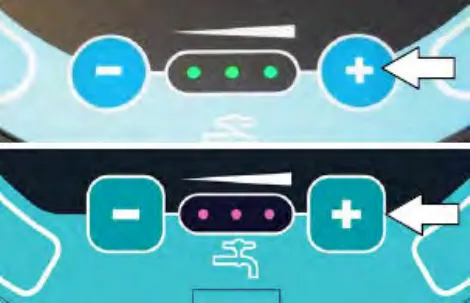
Standard Panel 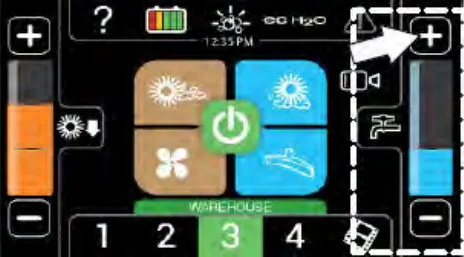
Pro-Panel - Machines with severe environment switch option only: Press the bottom of the severe environment switch or the severe environment button to activate the severe environment scrubbing system.
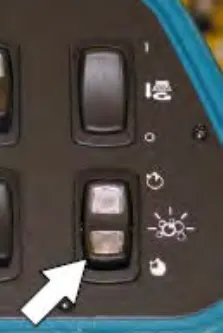
Standard Panel 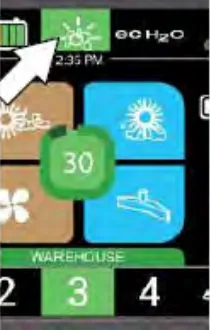
Pro-Panel - Machines with scrubbing side brush option only: Press the side brush switch or side brush button to activate the side brush.
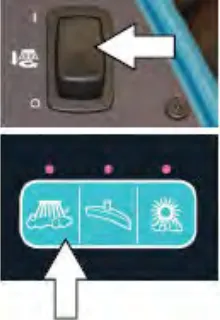
Standard Panel 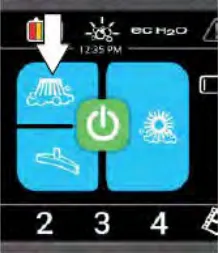
Pro-Panel - Drive the machine to circulate the antifreeze completely through all the systems and clear out any remaining water.
- Machines with scrubbing side brush option only: Press the side brush switch to turn off the side brush.
- Stop the machine.
- Machines with spray nozzle option only: Operate the wand for a few seconds to protect the pump.
- Machines with high pressure washer option only: Prime the high pressure washer with the antifreeze and operate the high pressure washer for a few seconds to protect the pump. See PRIMING THE HIGH PRESSURE WASHER PUMP on page 61.
- Press the 1-STEP button to turn off the system.
- Turn off the machine.
- The remaining antifreeze does not need to be drained from the solution tank, recovery tank, or detergent tank.
Preparing the machine for operation after storage
All antifreeze must be completely cleaned from the scrubbing system before the machine can be used for scrubbing.
- Completely drain all antifreeze from the solution tank.
- Rinse out the solution tank. Refer to DRAINING AND CLEANING THE SOLUTION TANK on page 50 in the OPERATION on page 12 section for instructions how to clean the solution tank.
- Pour 3 gal (11.4 L) of cool clean water into the solution tank.
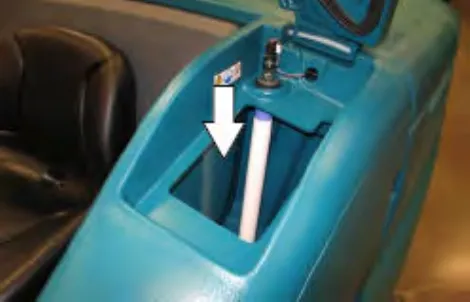
- Machines equipped with optional detergent tank only: Pour 1/2 gal (1.9 L) of cool clean water into the detergent tank.
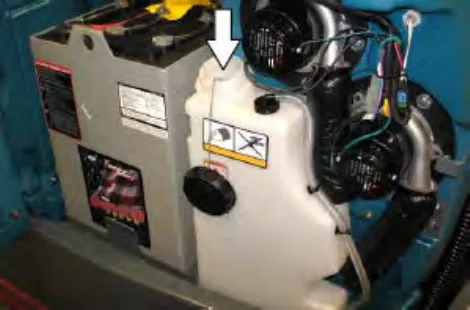
- Start the machine
- Press the 1-STEP button.
- Repeatedly press the Solution increase button (+) until the solution flow is at the highest setting.
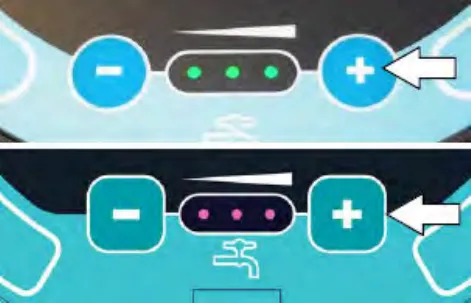
Standard Panel 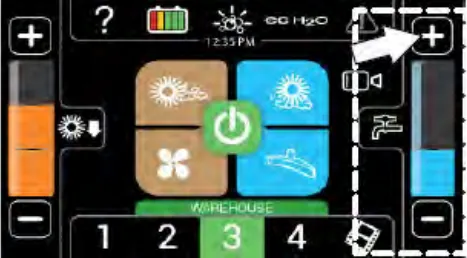
Pro-Panel NOTE: The ec-H2O systems on machines equipped with ec-H2O must be primed before the machine is ready for operation. See PRIMING THE ec-H2O SYSTEM on page 106 for additional instructions.
- Machines with severe environment switch option only: Press the bottom of the severe environment switch to activate the severe environment scrubbing system.
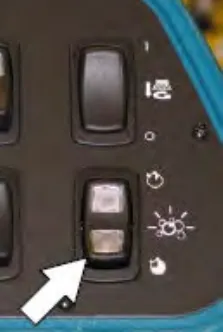
Standard Panel 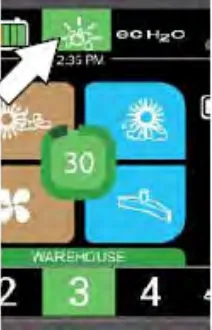
Pro-Panel - Machines with scrubbing side brush option only: Press the side brush switch to activate the side brush.
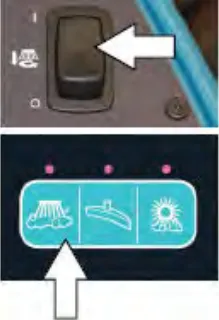
- Drive the machine until all water and antifreeze is emptied from the tanks.
- Machines with scrubbing side brush option only: Press the side brush switch to turn off the side brush.
NOTE: Machines equipped with optional ES system will need to drain the antifreeze from the pump lines.
- Stop the machine.
- Machines with spray nozzle option only: Operate the wand for a few seconds to clean the antifreeze from the pump.
- Press the 1-STEP button to turn off the system.
- Machines with high pressure washer option only: Unhook the return line to the solution tank and place into a bucket.
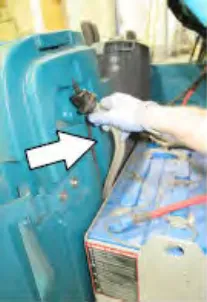
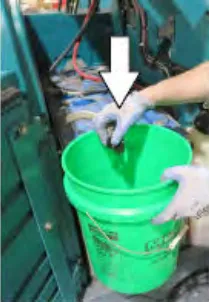
Operate the pressure washer for a few seconds to drain antifreeze from the pump. Release the trigger for a few more seconds which will drain the antifreeze from the return line into the bucket. Turn off the pressure washer switch and reconnect the return line to the solution tank.
WARNING: Do not spray people or animals. Severe personal injury can result. Wear eye protection. Hold sprayer with two hands.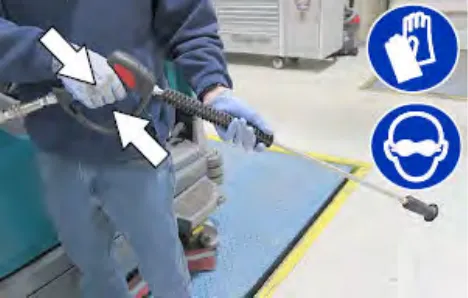
- Turn off the machine.
Priming the ec-H2O system
Prime the ec-H2O system if the machine has been stored for a long period with no water in the solution tank / ec-H2O system.
- Fill the solution tank with clean cool water. See FILLING THE SOLUTION TANK on page 41 section of this manual.
- Open the right shroud to access the ec-H2O assembly.
- Press the connector button to disconnect the outlet hose from the ec-H2O manifold.
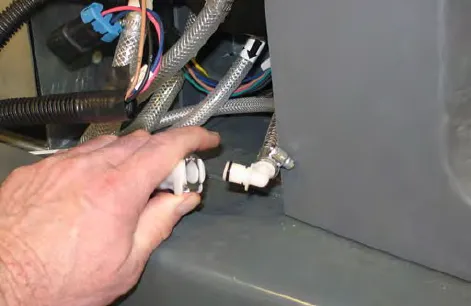
Note: Look for arrows on the hose near where the hose is coming from the bottom of the ec-H2O assembly to determine which hose is the outlet hose.
- Remove the drain hose from the ec-H2O compartment.
- Connect the drain hose to the ec-H2O outlet hose.
- Place the drain hose into a empty container.
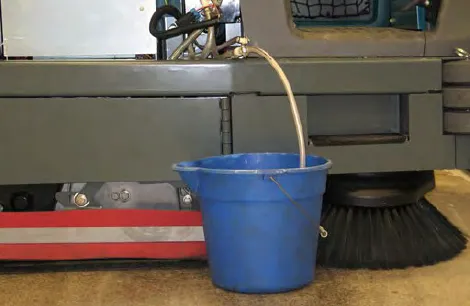
- Start the machine.
- Press and release the ec-H2O module flush switch. Allow the system to drain water into the container for 2 minutes.
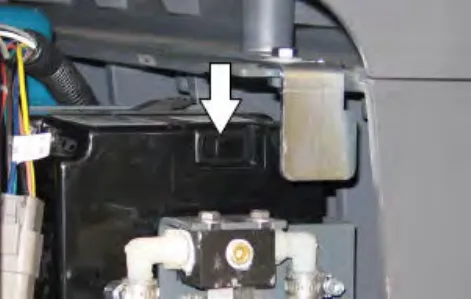
- Press the ec-H2O module flush switch to shut off the system.
- Disconnect the drain hose from the ec-H2O manifold hose.
- Reconnect the outlet hose to the ec-H2O manifold hose.
- Place the drain hose back into the ec-H2O compartment.
- Close the right shroud.
Specifications
General machine dimensions/capacities
| Item | Dimension/capacity |
|---|---|
| Length (S/N 013000– ) | 88.4 in (2245 mm) |
| Length (S/N 000000–012999) | 87.9 in (2230 mm) |
| Length (with Pre-Sweep) (S/N 013000– ) | 113.4 in (2880 mm) |
| Length (with Pre-Sweep) (S/N 000000–012999) | 113 in (2870 mm) |
| Width (less squeegee) | 46 in (1168 mm) |
| Width (with squeegee) | 49 in (1245 mm) |
| Width (with side brush) | 53 in (1346 mm) |
| Wheel base | 45.8 in (1163 mm) |
| Height (top of steering wheel) | 58.25 in (1480 mm) |
| Height (with high pressure washer option) | 66.2 in (1680 mm) |
| Height (with live wand option – Pro-Panel) | 69.5 in (1766 mm) |
| Height (with live wand option w/ rear view mirror) | 77.9 in (1979 mm) |
| Height (with overhead guard) | 82.5 in (2096 mm) |
| Track | 41 in (1041 mm) |
| Disk brush diameter | 20 in (510 mm) |
| Cylindrical brush diameter | 9 in (230 mm) |
| Cylindrical brush length | 40 in (1015 mm) |
| Disk brush diameter for scrubbing side brush (option) | 16.18 in (411 mm) |
| Disk brush diameter for sweeping side brush (option) | 19 in (482.60 mm) |
| Disk brush diameter for Pre-Sweep (option) | 19 in (482.60 mm) |
| Cylindrical sweep brush diameter for Pre-Sweep (option) | 8 in (203.20 mm) |
| Cylindrical sweep brush length for Pre-Sweep (option) | 27.94 in (709.68 mm) |
| Scrubbing path width | 40 in (1015 mm) |
| Scrubbing path width (with scrubbing side brush) | 52 in (1320 mm) |
| Scrubbing path width (with right sweeping side brush) | 46 in (1165 mm) |
| Scrubbing path width (with dual sweeping side brushes) | 52 in (1320 mm) |
| Solution tank capacity | 75 gallons (285 L) |
| Recovery tank capacity | 91.1 gallons (346 L) |
| Detergent tank capacity (option) | 4.6 gallons (17.6 L) |
| Demisting chamber | 16.1 gallons (61 L) |
| Weight (Empty) | 1925 lb (875 kg) |
| Item | Dimension/capacity |
|---|---|
| Weight (with standard 510 AH batteries) | 3365 lb (1525 kg) |
| Weight (with Triathlon 456Ah lithium-ion batteries) | 4129 lb (1875 kg) |
| Weight (with Triathlon 684Ah lithium-ion batteries) | 4834 lb (2195 kg) |
| GVWR | 6150 lb (2790 kg) |
| Protection Grade | IPX3 |
| Values determined as per IEC 60335-2-72 | Measure – Cylindrical scrub head | Measure – Disk scrub head |
|---|---|---|
| Sound pressure level LpA | 68 dB(A) | 65 dB(A) |
| Sound pressure uncertainty KpA | 2.8 dB(A) | 3.0 dB(A) |
| Sound power level LWA + Uncertainty KWA | 88.2 dB(A) | 85.8 dB(A) |
| Vibration – Hand-arm | <2.5 m/s² | <2.5 m/s² |
| Vibration – Whole body | <0.5 m/s² | <0.5 m/s² |
General machine performance
| Item | Measure |
|---|---|
| Aisle turnaround width (less side brush) | 93.25 in (2370 mm) |
| Aisle turnaround width (with Pre-Sweep) | 115.75 in (2941 mm) |
| Travel Speed (Forward) | 5.5 mph (9 km/h) |
| Travel Speed while scrubbing (Forward) | 4 mph (6.5 km/h) |
| Travel Speed (Reverse) | 3 mph (5 km/h) |
| Maximum ramp incline for loading – Empty | 21% |
| Maximum ramp incline for scrubbing | 8.7% |
| Maximum ramp incline for scrubbing (With optional ramp kit) | 10.5% |
| Maximum ramp incline for transporting (GVWR) | 12% |
| Maximum ramp incline for transporting (GVWR) (With optional ramp kit) | 14.8% |
| Maximum ambient temperature for machine operation | 110° F (43° C) |
| Minimum temperature for operating machine scrubbing functions | 32° F (0° C) |
Power type
The power type tables continue on page 110.
Power type
Batteries and chargers: make sure your charger is compatible with your batteries, and set its charging algorithm to your battery pack before you use it.
| Type | Quantity | Volts | Ah Rating | Weight |
|---|---|---|---|---|
| Lead-acid Batteries (Max. battery dimensions: 15.98 in (406 mm) W x 37.91 in (963 mm) L x 30.51 in (775 mm) H | 1 | 36 | 510 @ 6 hr rate | 1458 lb (661 kg) |
| 1 | 36 | 750 @ 6 hr rate | 2124 lb (963 kg) | |
| 1 | 36 | 930 @ 6 hr rate | 2178 lb (988 kg) | |
| Lithium-ion Battery (machines serial number 0016062 and below) | 1 | 36 | 497 | 462 lb (209 kg) |
| 1 | 36 | 1049 | 914 lb (414 kg) | |
| Lithium-ion Battery (machines serial number 0016063 and above) | 1 | 36 | 456 | 794 lb (360 kg) |
| 1 | 36 | 684 | 1499 lb (680 kg) |
| Type | Use | VDC | hp (kW) |
|---|---|---|---|
| Electric Motors | Scrub brush (disk) | 36 | 1.50 (1.125) |
| Scrub brush (cylindrical) | 36 | 1.50 (1.125) | |
| Vacuum fan | 36 | 0.8 (0.6) | |
| Propelling | 36 | 3.0 (2.25) | |
| High pressure washer | 36 | 3.0 (2.25) | |
| Live wand vacuum | 36 | 1.5 (1.125) |
| Type | VDC | amp | Hz | Phase | VAC |
|---|---|---|---|---|---|
| Chargers (Smart) | 36 | 21 | 45–65 | 1 | 85–265 |
| Charger, Lithium-Ion Battery (machines serial number 0016062 and below) | 36 | 80 | 50-60 | 1 | 200-240 |
| 36 | 80 | 50-60 | 3 | 200-240 | |
| 36 | 100 | 50-60 | 3 | 480 | |
| 36 | 215 | 50-60 | 3 | 480 | |
| Charger, Triathlon Lithium-Ion Battery (machines serial number 0016063 and above) | 36 | 50 | 50-60 | 1 | 208-240 |
| 36 | 200 | 20-60 | 3 | 208-240 | |
| 36 | 200 | 50-60 | 3 | 480 | |
| 36 | 200 | 50-60 | 3 | 480-600* |
*Canadian market only
Tires
| Location | Type | Size |
|---|---|---|
| Front (1) | Solid | 5.8 in wide x 13.8 in OD (150 mm wide x 350 mm OD) |
| Rear (2) | Solid | 5 in wide x 15 in OD (125 mm wide x 380 mm OD) |
Scrubbing side brush solution flow rate (option)
The solution flow rate table continues on page 111.
| Item | Measure |
|---|---|
| Solution pump | 36 Volt DC up to 0.40 GPM (1.51 LPM) |
ec-H2O system (option)
| Item | Measure |
|---|---|
| Solution pump | 36 Volt DC, 5A, 1.8 GPM (6.8 LPM) open flow |
| Solution flow rate (machines without optional scrubbing side brush) | Up to 1.0 GPM (3.79 LPM) |
| Solution flow rate (machines with optional scrubbing side brush) | Up to 0.70 GPM (2.65 LPM) – To main scrub head |
| Up to 0.30 GPM (1.14 LPM) – To scrubbing side brush |
High pressure washer (option)
| Item | Measure |
|---|---|
| Pump pressure (max) | Up to 2500 psi (17236 kPa) |
| Solution flow rate (max @ 2500 psi) | Up to 2.0 GPM (7.57 LPM) |
Corrected an obvious misprint: "0.70 GMP" printed in the ec-H2O solution flow rate (now "GPM", as in every other flow rate on this page).
Machine dimensions
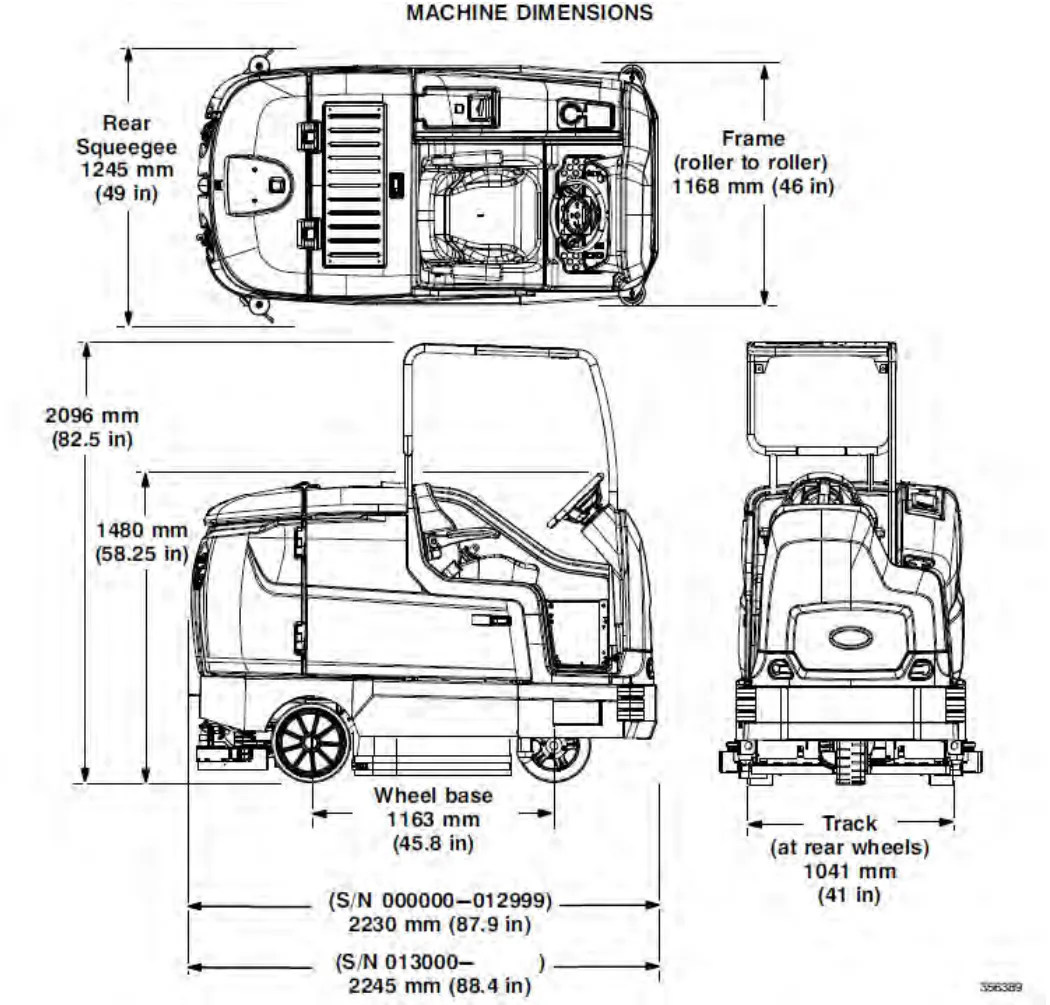
Dimensions shown in the drawing, imperial first:
- Rear squeegee: 49 in (1245 mm)
- Frame (roller to roller): 46 in (1168 mm)
- Height with overhead guard: 82.5 in (2096 mm)
- Height to top of steering wheel: 58.25 in (1480 mm)
- Wheel base: 45.8 in (1163 mm)
- Track (at rear wheels): 41 in (1041 mm)
- Length (S/N 000000–012999): 87.9 in (2230 mm)
- Length (S/N 013000– ): 88.4 in (2245 mm)
Pro-Panel supervisor controls
The supervisor controls feature allows a supervisor to program the machine scrubbing settings for operator use. The lockout functionality will prevent the operator from changing or saving the settings.
The supervisor controls feature will lower machine variability for consistent, repeatable cleaning results, machine quality assurance regardless of user experience, and reduce user training requirements.
There are two types of user modes that will interface with the operator home screen:
Operator Mode – Capable of machine operation with permissions and restrictions controlled by the supervisor.
Supervisor Mode– Capable of machine operation with full use of all controls, along with configuring permissions and restrictions for the operator mode.
A new machine from the factory will automatically start in the supervisor mode with a preassigned default supervisor profile. The factory-assigned supervisor login number is "1234". This login number is not required until it is enabled. The default supervisor profile name and login number can be changed as described in this section. If the new assigned supervisor mode login number is forgotten, please contact Tennant service.
Entering the supervisor mode – first time use only
- Turn on the machine. The main operating screen will appear in the display.
- Press the help button to access the help screen.
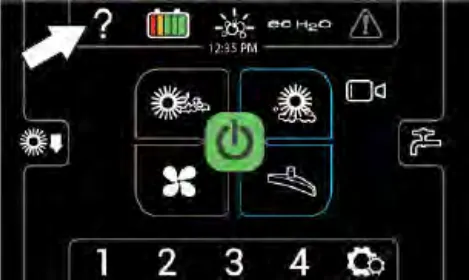
- Press the logout button.
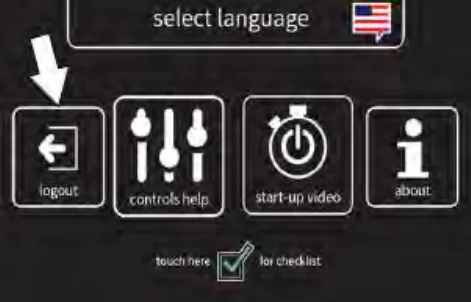
- Use the keypad to enter the factory assigned supervisor login number 1234 into the display above the keypad. Press the enter button when finished entering the supervisor login number.
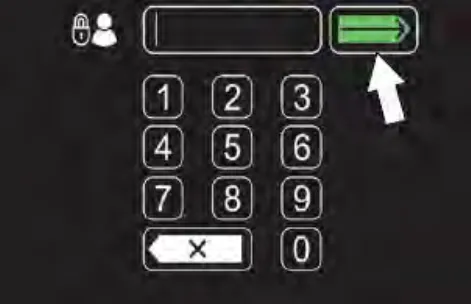
 Press the backspace button if necessary to delete and reenter a number.
 - The supervisor machine operation screen should appear in the display. Press the settings button to access the supervisor settings screen.
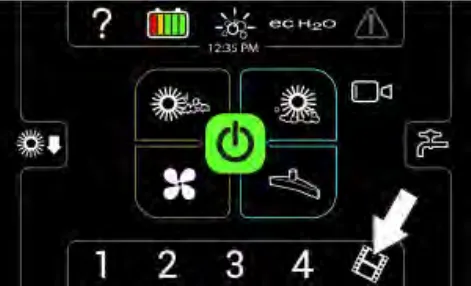
- Proceed to ADDING / EDITING PROFILES.
Entering the supervisor mode
- Turn on the machine. The login screen will appear on the display.
- Use the keypad to enter the supervisor login number into the display above the keypad. Press
the enter button when finished entering the supervisor login number.
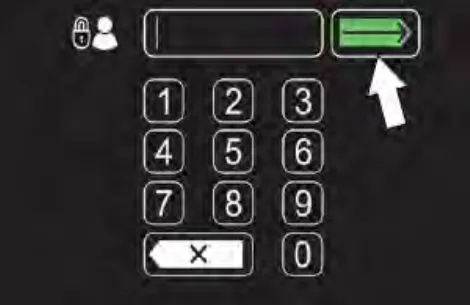
 Press the backspace button if necessary to delete and reenter a number.
- The supervisor machine operation screen should appear in the display. Press the settings button to access the supervisor settings screen.
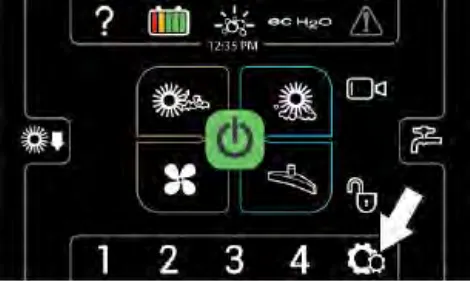
Supervisor setting screen / screen icons
Use the supervisor maintenance screen to setup / change user passwords, user machine settings, and other machine setup items.
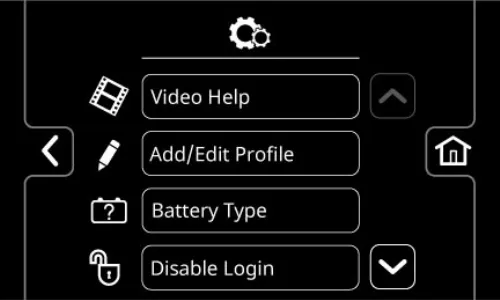
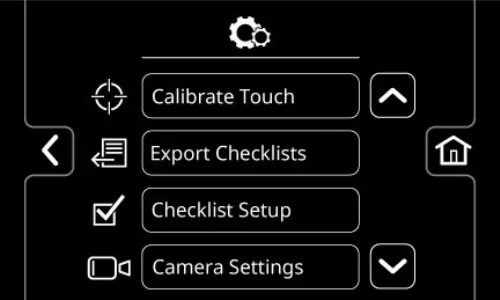
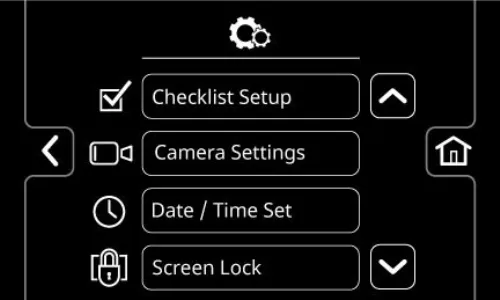
 Press the up arrow button to navigate up through the menu items.
 Press the down arrow button to navigate down through the menu items.
 Press the home button to navigate back to the main operating screen.
 Press the back button to navigate back to the previous screen.
Use the below menu buttons to access the various supervisor setup menus / screens.
 Press the video help button to access the various machine help videos.
 Press the Add / Edit Profiles button to add, delete, and / or change machine user and supervisor profiles. See ADDING / EDITING PROFILES.
 Press the Battery Type button to change the type of battery being used in the machine. See CHANGING BATTERY TYPE.
 Press the Enable Login button to activate a required login number at machine start up for all user profiles to operate machine.
 Press the Disable Login button to deactivate a login number at machine start up for all user profiles to operate machine. See DISABLING LOGIN
 Press the Calibrate Touch button to calibrate the touch screen if the touch points become misaligned.
 Press the Export Checklists button to access the Export Checklists menu. See EXPORTING CHECKLISTS.
 Press the Checklists Setup button to access the Checklist Setup menu. See DISABLING / ENABLING THE PREOPERATION CHECKLIST.
 Press the Camera Settings button to access the Camera Settings screen. See CHANGING REARVIEW CAMERA SETTINGS.
 Press the Date / Time Set button to set the machine date and time. See SETTING / CHANGING THE DATE AND TIME.
 Press the Screen Lock button to access the Screen Lock setting Screen. See SETTING THE SCREEN LOCK.
Adding / editing profiles
- Turn on the machine, log into the supervisor screen, and press the settings button to access the supervisor settings screen. See ENTERING THE SUPERVISOR MODE.
- Press the Add/Edit Profiles button to access the Add/Edit Profiles screen.
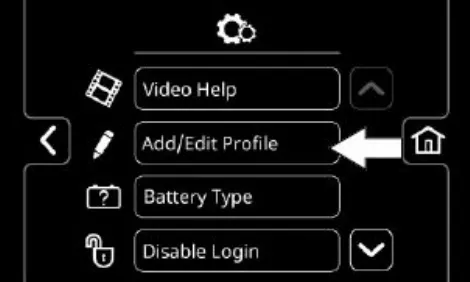
- Press the Add Profile button to access the Add Profile screen.
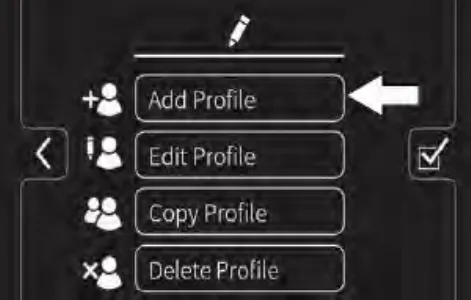
 Press the Add Profile button to access the screens and menus to add a new profile.
 Press the Edit Profile button to edit an existing profile.
 Press the Copy Profile button to copy an existing profile.
 Press the Delete Profile button to delete an existing profile.
 Press the home button to navigate back to the main operating screen.
 Press the back button to navigate back to the previous screen.
 - Press the Operator button to add a new operator, or Supervisor button to add a new supervisor.
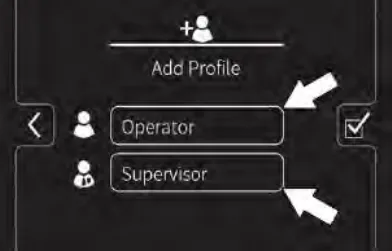
NOTE:
The default supervisor cannot be deleted from the profile list.
 Press the Operator button to add / edit / copy / delete an operator profile.
 Press the Supervisor button to add / edit / copy / delete a supervisor profile.
- Use the keypad to enter the new user / supervisor name. Press the enter button.
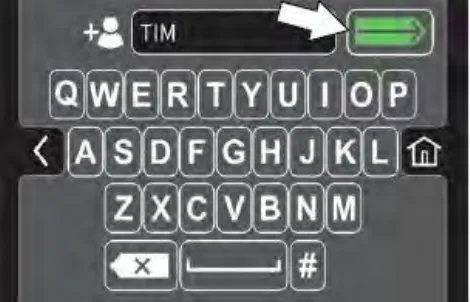
- Use the keypad to assign the new user / supervisor a login number. The new login number can be any combination of numbers ranging from 3 to 8 digits in length. Press the enter button.
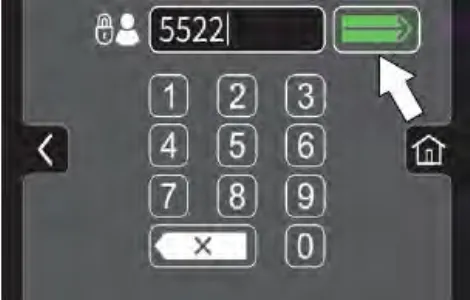
 Press the backspace button if necessary to delete and reenter a number.
 - Select the controls the new user should have access to use. Green represents unlocked controls and gray represents locked controls. Press the flashing save button to save the new profile.
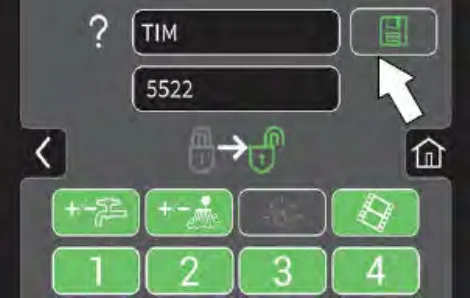
 Press the help button to access the help screen.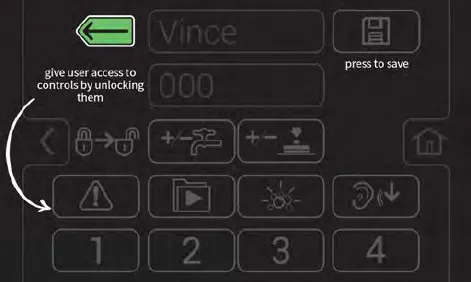
 Press the back button to return to the user access page.
 - The new user profile is now saved to the operator profile list. Multiple operator and supervisor user profiles can be added. Press the back arrow button to return to the previous screen to add more user profiles or to enable login.
- To enable the login number at start up, press the Enable Login button.
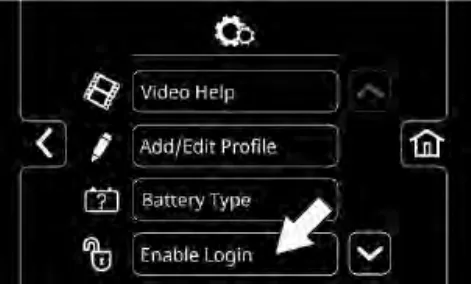
The Enable Login button will change from Enable Login to Disable Login. See DISABLING LOGIN for instructions how to disable login.
- Now at machine start up, a login screen will display. The new user will need to enter their assigned login number to operate machine.
- When the user is done operating the machine, it is recommended the user log out by pressing the help button, and then pressing the logout button. Turning the key to the off position is another way to also logout.
- Use the Edit Profile button, Copy Profile button, and Delete Profile button to manage the current user profiles.
Enabling the login
- Turn on the machine, log into the supervisor screen, and press the settings button to access the supervisor settings screen. See ENTERING THE SUPERVISOR MODE
- Press the Enable Login button.
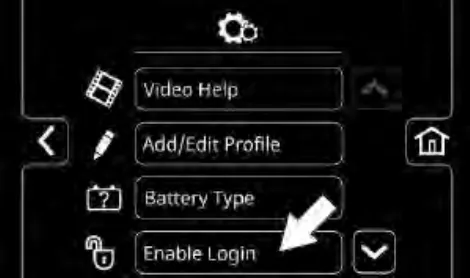
- Press the yes button to enter the Default User screen.
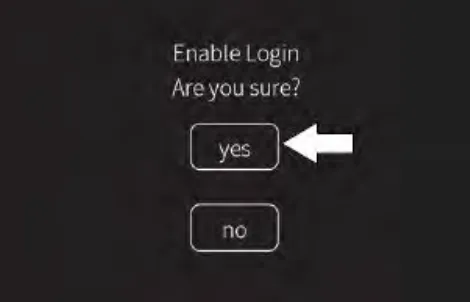
- Press either the Operator button or Supervisor button to select the desired default user.
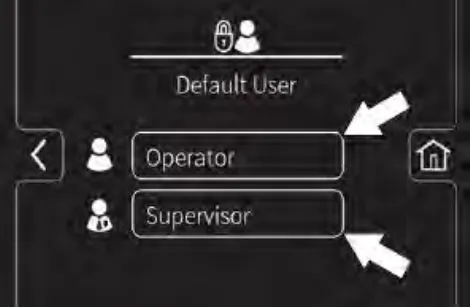
Disabling the login
- Turn on the machine, log into the supervisor screen, and press the settings button to access the supervisor settings screen. See ENTERING THE SUPERVISOR MODE
- Press the Disable Login button.
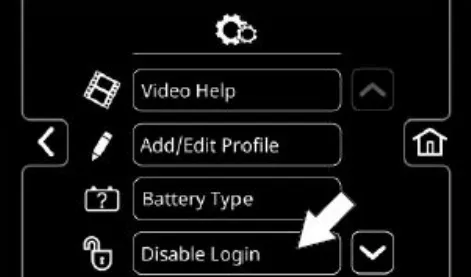
- Press the yes button to enter the Default User screen.
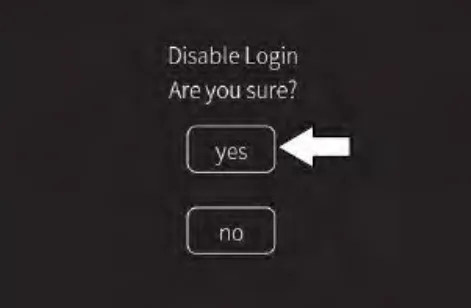
- Press either the Operator button or Supervisor button to select the desired default user.
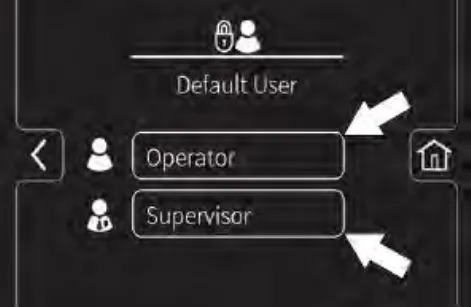
- Select a pre-assigned user profile. Turn off the machine to apply the setting.
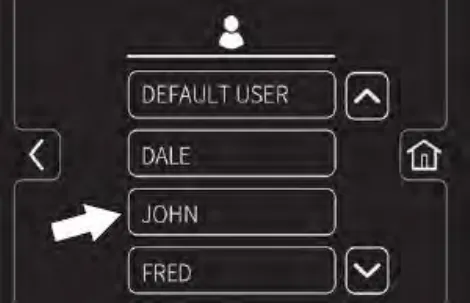
- At start up, the home screen is now set without a login requirement for the operator profile as the default.
Changing the battery type
Batteries and chargers: make sure your charger is compatible with your batteries, and set its charging algorithm to your battery pack before you use it.
Changing the battery type allows the machine to be programmed for the correct battery type if the battery has been changed.
NOTE: Use a charger with the proper rating for the battery to prevent damage to the battery or reduce the battery life.
- Turn on the machine, login to the main operation screen, and press the setting button to access the supervisor settings screen. See ENTERING THE SUPERVISOR MODE.
- Press the Battery Type button to access the battery selection screen.
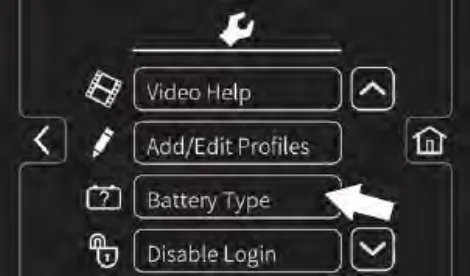
- Press the button for the applicable battery from the list. If necessary, use the up arrow button and the down arrow button to navigate through the list of batteries.
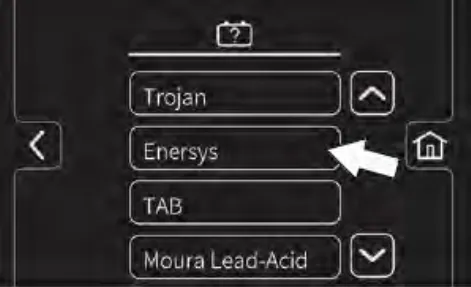
- If a battery sub list appears on the screen, press the button for the applicable battery from the list.
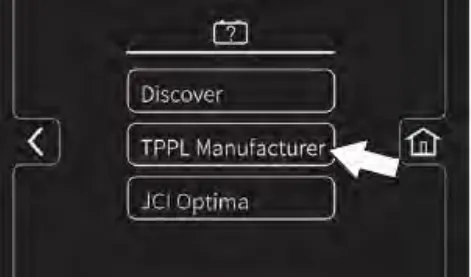
- If Are You Sure appears on the screen, press either the yes button or the no button.
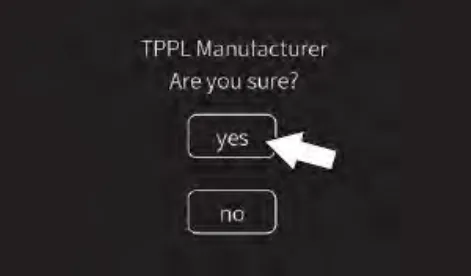
NOTE: If yes button is pushed the supervisor settings screen will reappear in the display. If the no button is pushed the applicable battery sub list will reappear in the display.
Calibrating the touch
- Turn on the machine, login to the main operation screen, and press the setting button to access the supervisor settings screen. See Entering the Supervisor Mode
- Press the Calibrate Touch button to recalibrate touch if the touch points become misaligned.
Exporting checklists
Exporting the checklists allows the checklists to be exported from the machine and to a flash drive.
- Turn on the machine, log into the supervisor screen, and press the settings button to access the supervisor settings screen. See ENTERING THE SUPERVISOR MODE
- Plug the flash drive into the USB port.
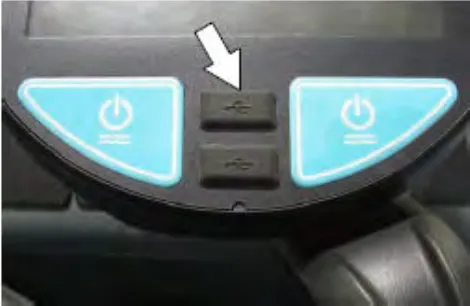
- Press the Export Checklists button to access the export screen.
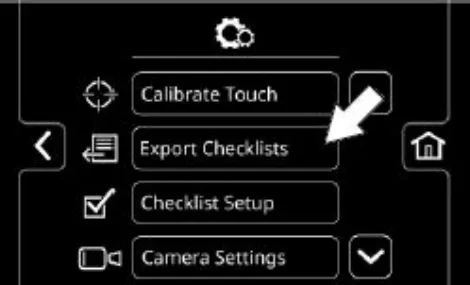
- Export the Pre-Operation Checklists from the machine to the memory stick.
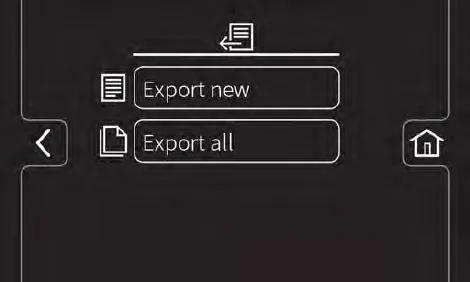
 Press the Export New button to export the newly completed Pre-Operation Checklists from the machine.
NOTE:
All checklists that have not been previously exported are flagged.
 Press the Export All button to export all completed Pre-Operation Checklists from the machine.
 Press the home button to navigate back to the main operating screen.
 Press the back button to navigate back to the previous screen.
 - Remove the flash drive from USB port and turn off the machine.
Checklist setup
Checklist setup allows the checklist to be setup / changed to meet machine usage demands.
- Turn on the machine, login to the main operation screen, and press the setting button to access the supervisor settings screen. See ENTERING THE SUPERVISOR MODE.
- Press the Checklist Setup button to access the Pre-Operation checklist setup screen.
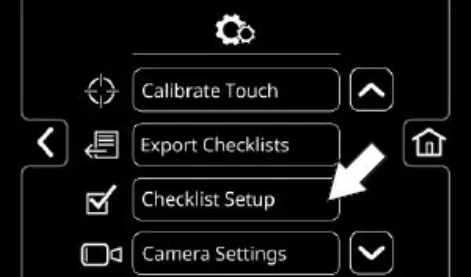
- Press the Select Questions button to access the Pre-Operation Checklist master list screen.
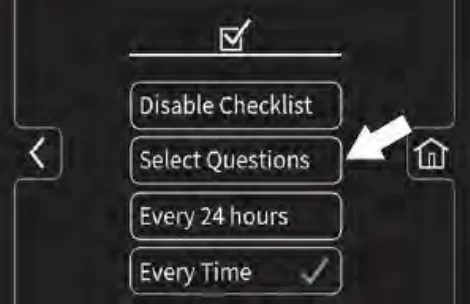
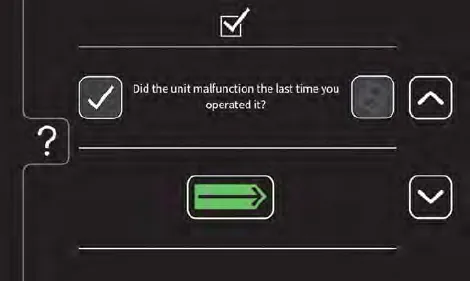
 Press the down arrow button to scroll down through Pre-Operation Checklist items.
 Press the up arrow button to scroll up through Pre-Operation Checklist items.
 Press the check box button to select a new checklist item to add to the checklist.
 Press either the video help button to view the video related to a particular Pre-Operation Checklist item.
 Press the Enter button to add the selected Pre-Operation Checklist items(s) to the Pre-Operation Checklist.
 Press the help button to access the Pre-Operation Checklist help screen.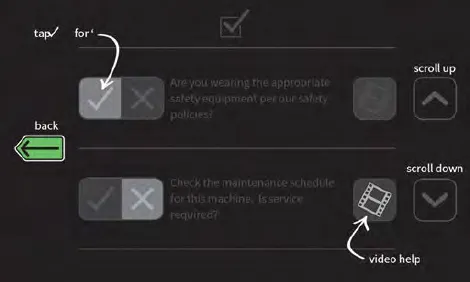
 Press the back button to return to the Pre-Operation Checklist Master List screen.
 - Press the Every 24 hours button or the Every Time button to set the interval the operator must complete the Pre-Operation Checklist. A check mark appears in the chosen interval.
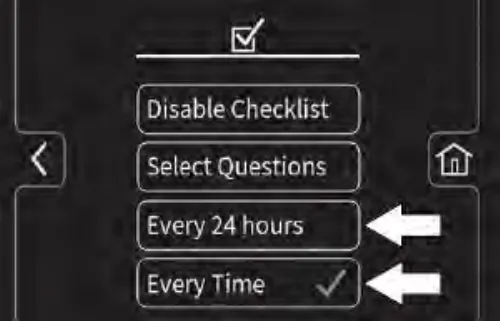
 Press the home button to navigate back to the main operating screen.
 Press the back button to navigate back to the previous screen.
Disabling / enabling the Pre-Operation checklist
Disabling / enabling the Pre-Operation checklist allows the Pre-Operation checklist to be disabled if it is not necessary for the operator to complete the checklist prior to operating the machine and enabled if it is necessary for the operator to complete the checklist prior to operating the machine.
- Turn on the machine, login to the main operation screen, and press the setting button to access the supervisor settings screen. See ENTERING THE SUPERVISOR MODE.
- Press the Checklist Setup button to access the Pre-Operation checklist setup screen.
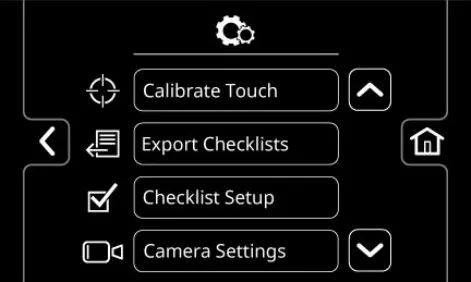
- Press the Disable Checklist button / Enable Checklist button to disable / enable the Pre-Operation Checklist.
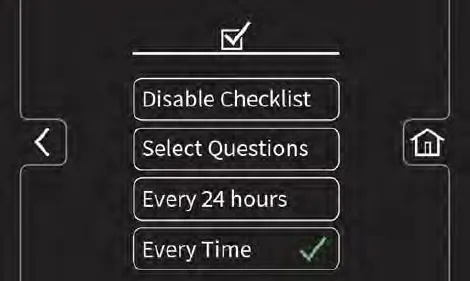
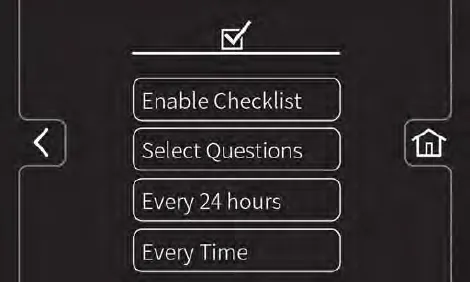
 Press the home button to navigate back to the main operating screen.
 Press the back button to navigate back to the previous screen.
Changing the rear view camera settings
Changing the rear view camera settings allows the time the rear view camera remains on when the rear view camera button is pushed to be changed. The rear view camera can be set to any time between 5 seconds and 15 seconds.
- Turn on the machine, login to the main operation screen, and press the setting button to access the supervisor settings screen. See ENTERING THE SUPERVISOR MODE.
- Press the Camera Settings button to access the rear view camera settings screen.
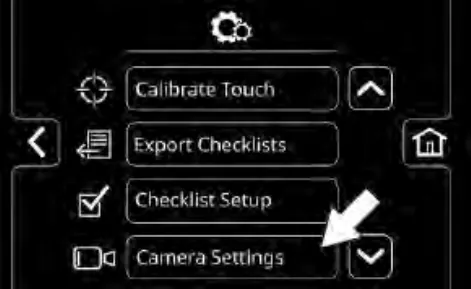
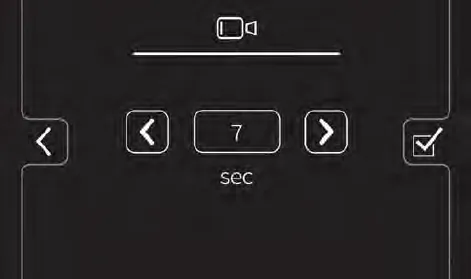
 Press the increase button to increase the time the rear view camera remains on when the operator presses the rearview camera button.
 Press the decrease button to decrease the time the rear view camera remains on when the operator presses the rearview camera button. Press the home button to navigate back to the main operating screen.
 Press the back button to navigate back to the previous screen.
Programming the zone control buttons
Programming the zone control buttons allows the parameters for the zone control buttons to be changed / updated to meet scrubbing / sweeping demands.
- Turn on the machine, log into the supervisor screen, and press the setting button to access the supervisor settings screen. See ENTERING THE SUPERVISOR MODE
- Use the brush pressure increase (+) button and the brush pressure decrease (−) button to set the zone brush pressure.
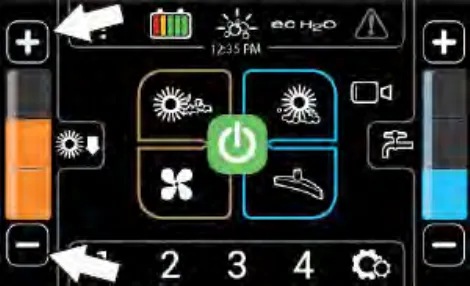
- Use the solution increase (+) button and the solution decrease (−) button to set the zone solution flow level.
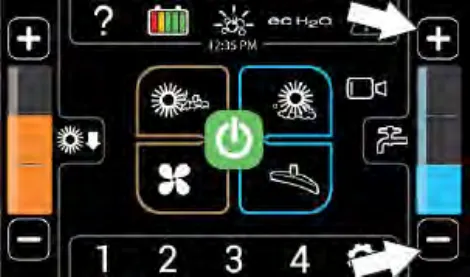
- Press and hold the zone control button until the "name preset" screen appears.
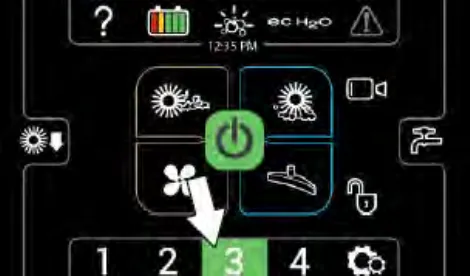
- Press the yes button to set the zone settings. Press the no button to return to the main operating screen.
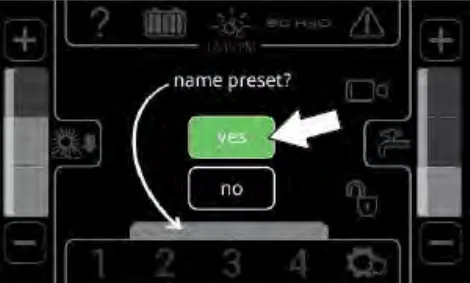
- Use the key pad to enter the name for the zone control button.
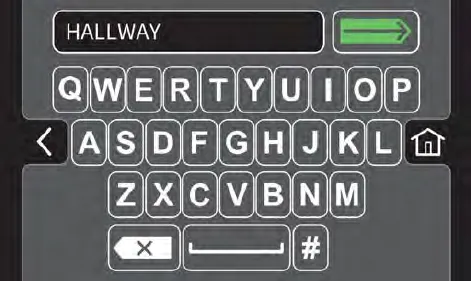
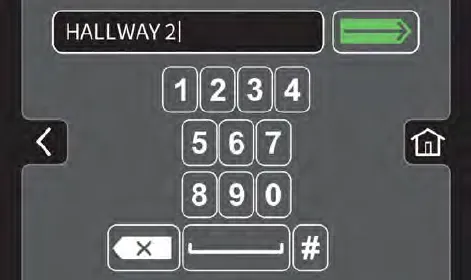
 Press the home button to navigate back to the main operating screen.
 Press the back button to navigate back to the previous screen.
 Press the enter button to set the zone button name.
 Press the backspace button if necessary to delete and reenter a number.
 Press the space button to place space between letters / numbers.
 Press the pound button to toggle between the number keypad and the letter keypad.
 - Press the enter button to set the zone button settings. The main operating screen returns to the display with the zone button named. The brush pressure and solution flow setting also briefly appear in the display.
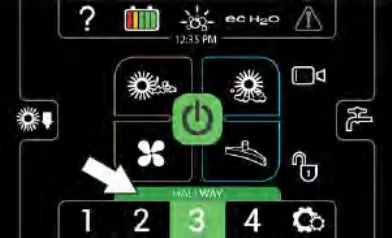
Setting / changing the date and time
Setting / changing the date and time allow the system date and time to be set / changed.
- Turn on the machine, login to the main operation screen, and press the setting button to access the supervisor settings screen. See ENTERING THE SUPERVISOR MODE
- Press the Date/Time Set button to access the date / time screen.
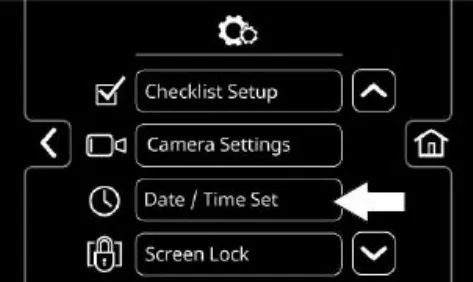
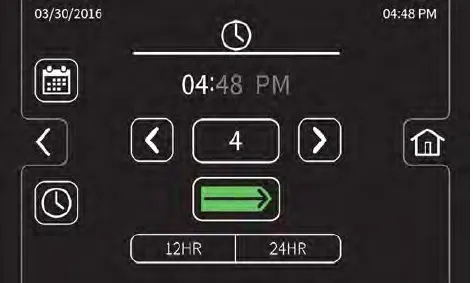
 Press the date button to change the system date
 Press the time button to change the system time.
 Press the toggle button to toggle between hours, minutes, and AM / PM on the time screen and the month, day, and year on the date screen.
 Press the increase button advance the time / date parameters
 Press the decrease button to reverse the time / date parameters. Press the home button to navigate back to the main operating screen.
 Press the back button to navigate back to the previous screen.
 - Press the home button when finished setting / changing the system date and time to return to the main operating screen.
Setting / changing the screen lock
The screen lock setting adjusts the amount of time the screen remains unlocked before going into the screen lock mode during operation.
- Turn on the machine, login to the main operation screen, and press the setting button to access the supervisor settings screen. See ENTERING THE SUPERVISOR MODE
- Scroll down and press the Screen Lock button to access the screen lock screen.
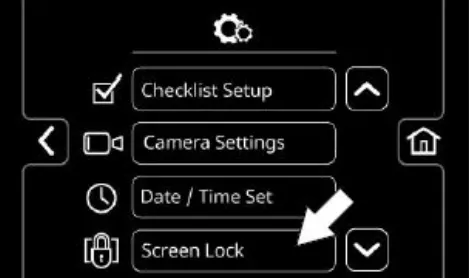
The screen lock delay can be set to never, 30 seconds, or one minute intervals up to 5 minutes.
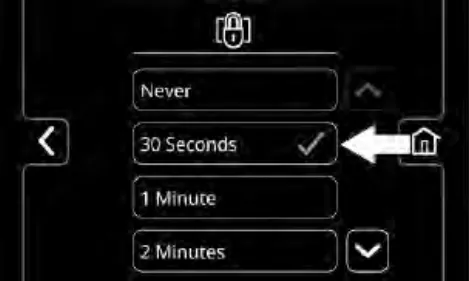
 Press the home button to navigate back to the main operating screen.
 Press the back button to navigate back to the previous screen.
 Press the down arrow button to scroll down through screen lock times.
 Press the up arrow button to scroll up through screen lock times.
 - Press the home button when finished setting / changing the screen lock time to return to the main operating screen.
Tennant and Nobles are trademarks of Tennant Company. Southeastern Equipment & Supply is an independent dealer.